 ChatGPT,
  Claude,
  Gemini,
  Grok — all four for
 Bluehost Agency Hosting PHP Workers
Ever wondered how your Bluehost Agency hosting servers get their processing power? The answer lies in PHP Workers or vCPU threads! These virtual threads allow your servers to tap into the muscle of your physical CPU cores. Agency Hosting PHP Workers, or vCPU threads, are virtual CPU threads that enable servers to utilize the processing power of the underlying physical CPU. This means that a server with multiple vCPUs can use the physical CPU's processing capabilities, improving performance, especially for multi-threaded applications.
How to Check Agency Hosting PHP Workers
To check your PHP workers, follow the steps below:
- Log in to your Bluehost Portal.
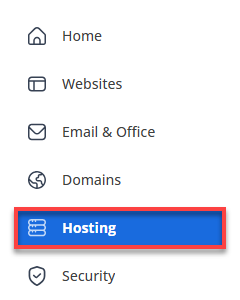
- In the left-hand menu, click Hosting, then select My Plans.
- On your Agency hosting details page, locate the PHP Workers section.
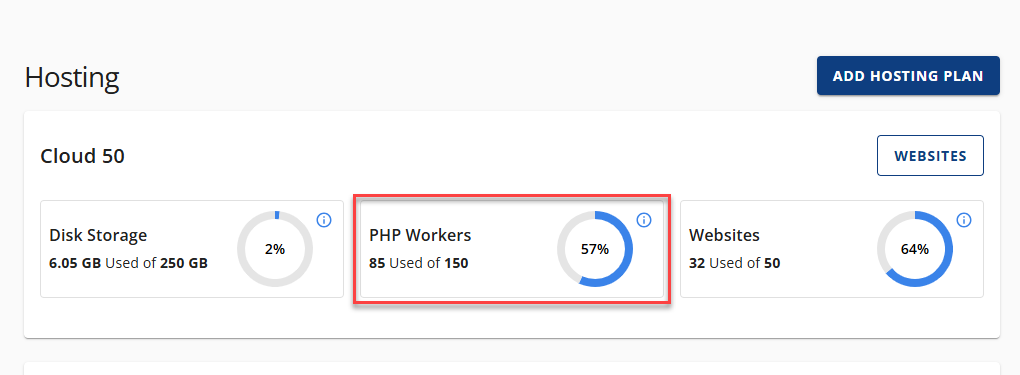
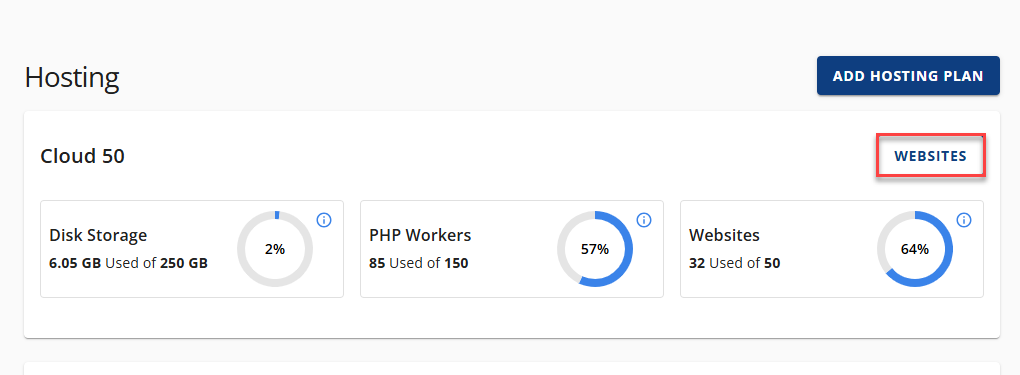
The availability of PHP worker/vCPU threads depends on your Agency hosting plan. - Click Websites to display the available websites.
- Click Manage beside the website you would like to check the PHP workers for.
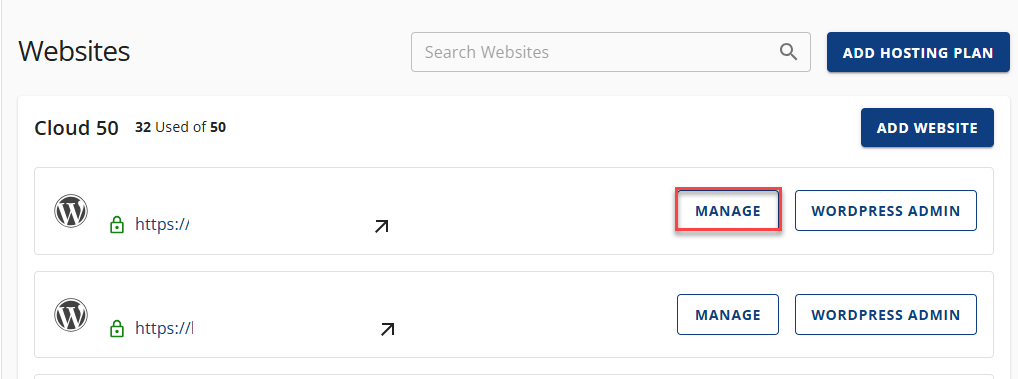
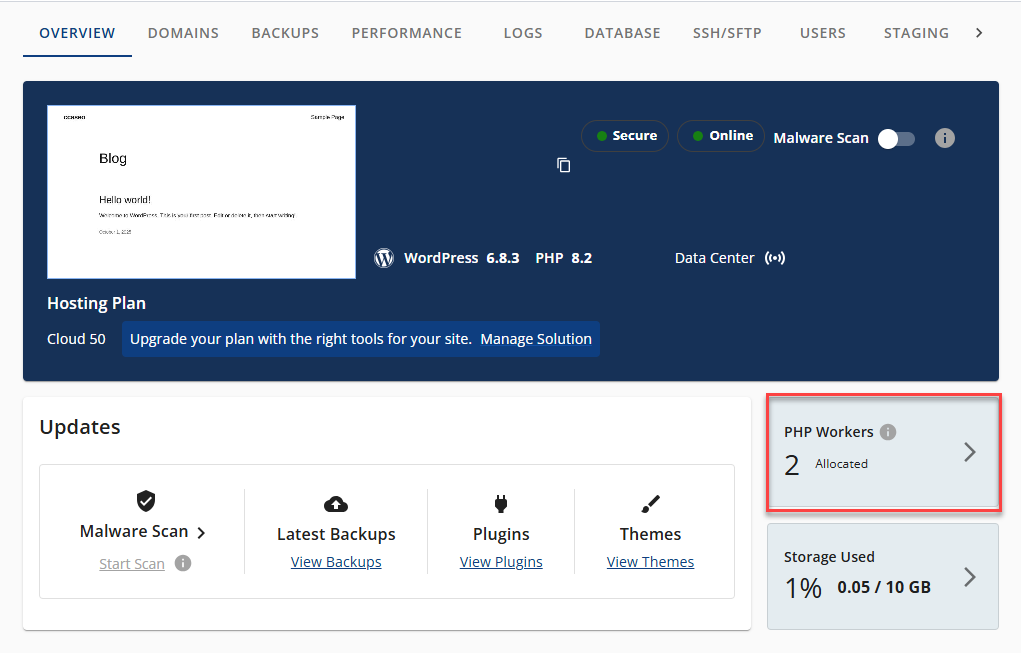
- From the Overview page, you will see the allocated PHP Workers for the website.
How to Add More PHP Workers to a Website
To add more PHP workers to a website, follow the steps below:
- Log in to your Bluehost Portal.
- In the left-hand menu, click Websites.
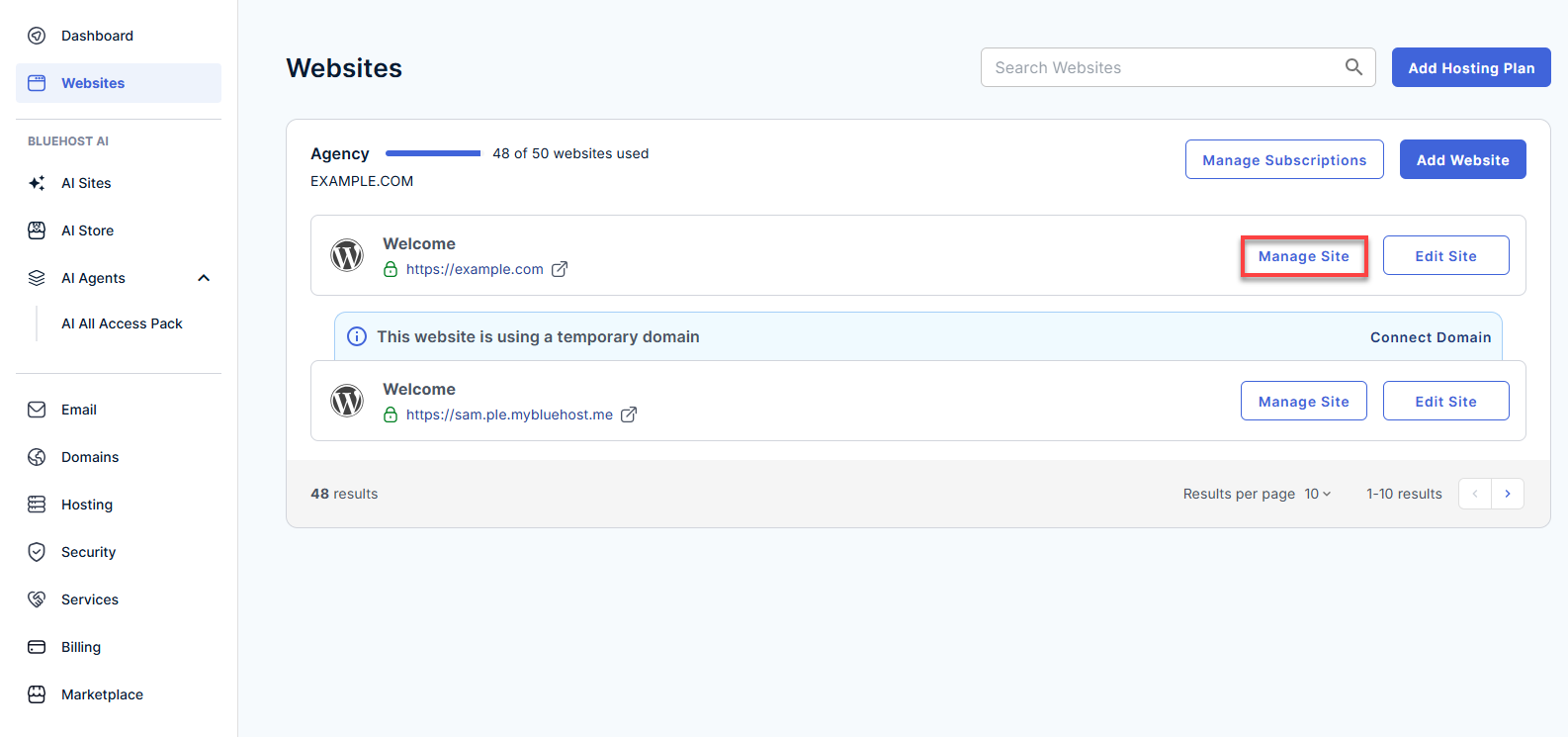
- Click the Manage Site button located next to the website you want to manage.
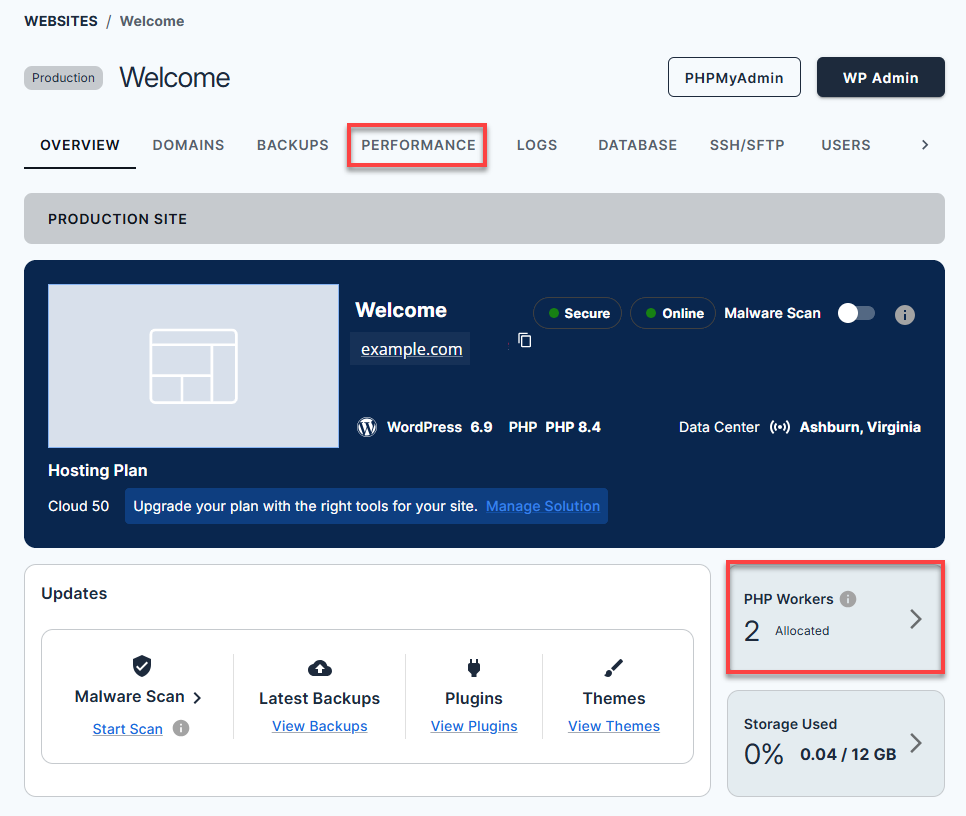
- On the website details page, click on the Performance tab or click the PHP Workers chevron icon (>).
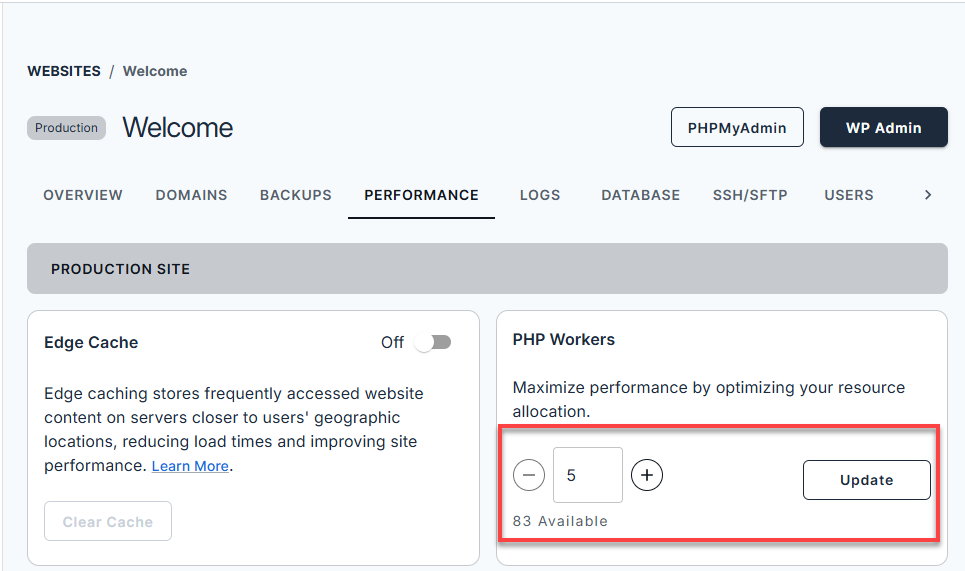
- In the PHP Workers tile, update the number of PHP workers to the desired value, and then click the Update button. This change will be reflected immediately.
Summary
Agency hosting PHP Workers play a vital role in your website’s performance by controlling how many PHP requests can be processed at the same time. On Bluehost, monitoring and adjusting PHP Workers allows you to better handle traffic surges, resource-heavy plugins, and dynamic content.
By understanding PHP Workers—and optimizing them through the Bluehost Portal—you can ensure faster load times, improved reliability, and a smoother experience for your visitors.
If you need further assistance, Bluehost Chat Support is available 24 hours a day, 7days a week while Bluehost Phone Support is available 7 days a week from 7 am-12 midnight EST.
- Chat Support - While on our website, you should see a CHAT bubble in the bottom right-hand corner of the page. Click anywhere on the bubble to begin a chat session.
- Phone Support -
- US: 888-401-4678
- International: +1 801-765-9400
You may also refer to our Knowledge Base articles to help answer common questions and guide you through various setup, configuration, and troubleshooting steps.