 ChatGPT,
  Claude,
  Gemini,
  Grok — all four for
 Bluehost: Domain Order Validation
Domain order validation is a required step to verify the accuracy and legitimacy of a domain order. This article outlines what domain order validation is, why it is necessary, and how it helps protect domain owners from unauthorized registrations or changes.
Understanding Domain Order Validation
Domain validation ensures your domain request is genuine and that your ownership and contact details are accurate. You will also need to verify your domain when certain changes take place, such as:
- Registering a new domain
- Transferring a domain from another registrar
- Updating your contact information
You'll receive a verification email, and you must complete the process within 14 days. Once validated, your domain will be fully active and ready to use.
How to Validate the Domain
- Complete your domain purchase. To complete your purchase, you can follow this article: How to Register a Domain Name.
- Check your email. After the purchase is complete, you'll receive a payment confirmation email. This email also serves as your domain order validation email.
To help you find it quickly, look for the email with the following details.
From: [email protected]
Subject: Bluehost Order Confirmation
- Log in using the email link. Click the Log in link provided in the email to access your account.
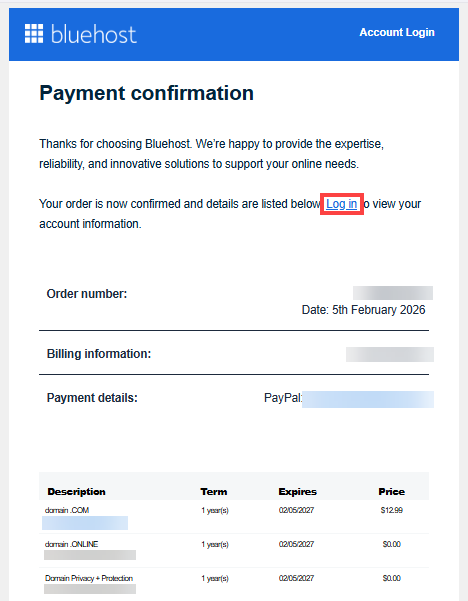
- Once you log in via this link, your domain will be automatically validated and appear as active.
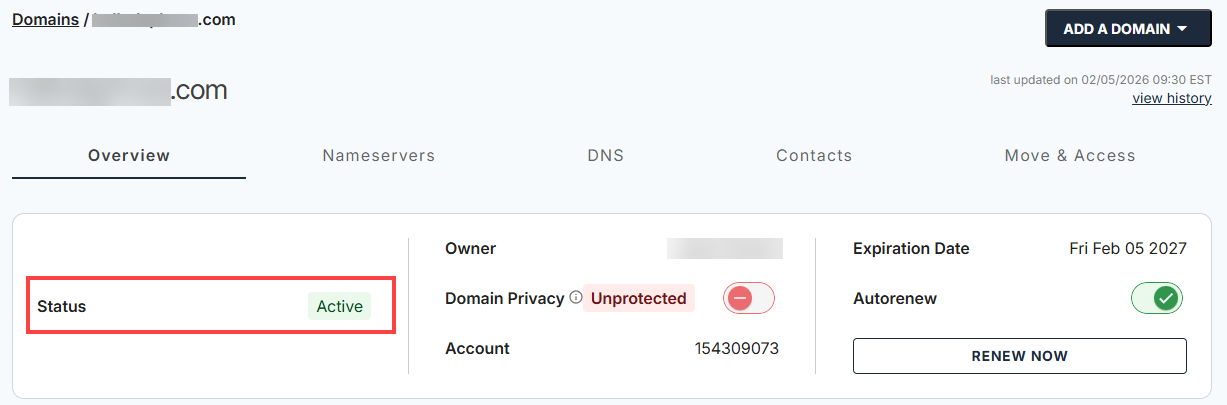
This image is an example of successful verification for one domain.
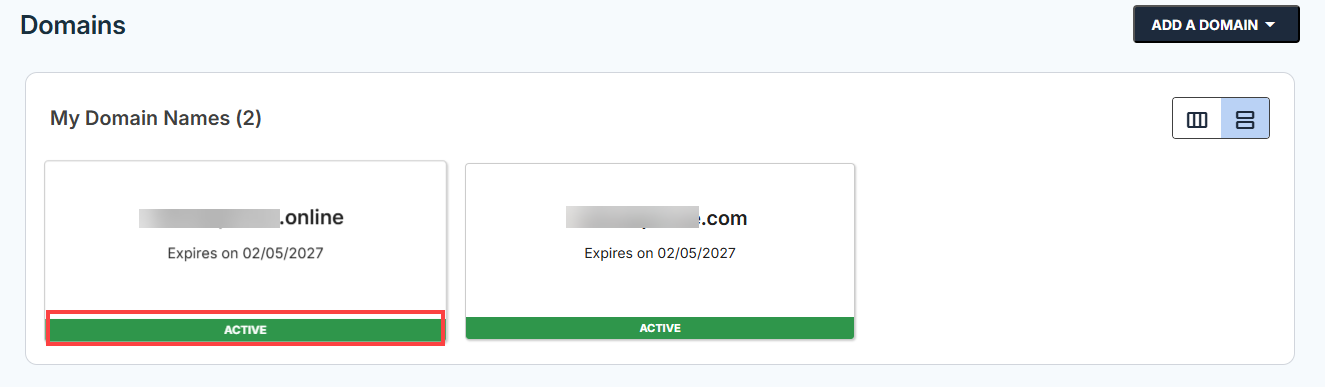
This image is an example of successful verification for multiple domains.
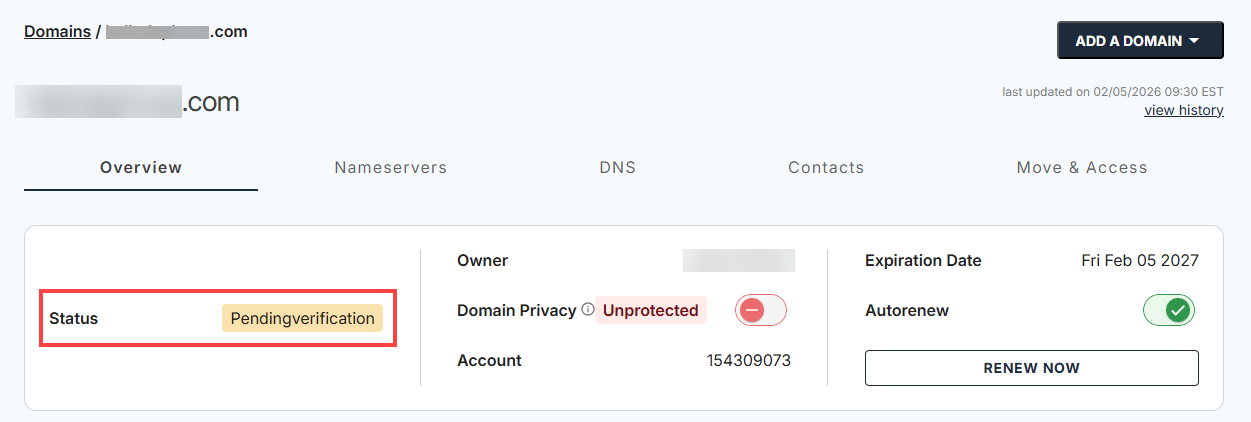
This image shows an unsuccessful verification for one domain.
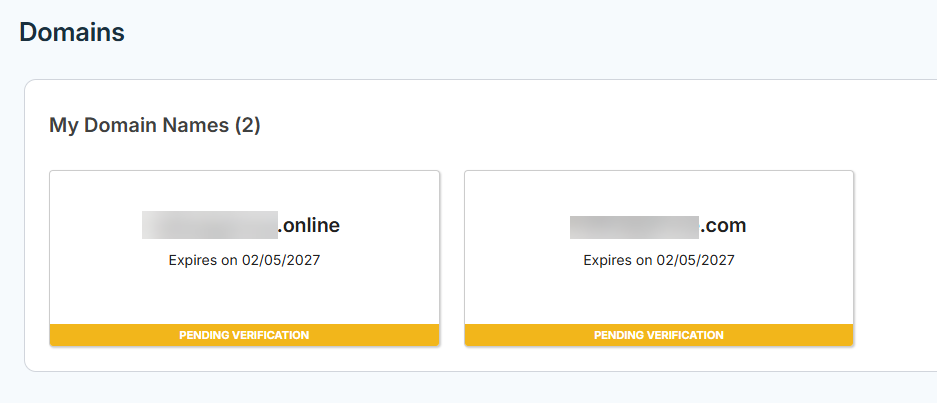
This image is an example of unsuccessful verification for multiple domains.
If you haven't received the order confirmation email, kindly:
Common Reasons for Validation Delays
There are a few reasons why your domain validation might be delayed. It could be because the validation email was not confirmed, the registrant's email address is wrong or inactive, the contact information is incomplete or does not match the records, or there is a pending or failed payment. To avoid delays, make sure your email and contact details are correct and complete the verification as soon as possible.
Summary
Validating your domain order keeps your domain and website active. Completing verification confirms your ownership, keeps your contact details up to date, and protects your domain from unauthorized changes. To avoid any issues, follow the steps quickly, check your email (including spam or junk folders), and update your contact info as needed.
If you need further assistance, Bluehost Chat Support is available 24 hours a day, 7days a week while Bluehost Phone Support is available 7 days a week from 7 am-12 midnight EST.
- Chat Support - While on our website, you should see a CHAT bubble in the bottom right-hand corner of the page. Click anywhere on the bubble to begin a chat session.
- Phone Support -
- US: 888-401-4678
- International: +1 801-765-9400
You may also refer to our Knowledge Base articles to help answer common questions and guide you through various setup, configuration, and troubleshooting steps.