 ChatGPT,
  Claude,
  Gemini,
  Grok — all four for
 VPS & Dedicated Hosting: Change WHM and cPanel Contact Email
WHM and cPanel send important system notifications to the contact email stored in your account settings. These alerts inform you of major updates or changes, such as password resets, package modifications, account changes, and server‑level updates. Keeping your contact email updated ensures you never miss important notices affecting your Bluehost hosting environment.
WHM Notices
WHM notices are generated whenever significant updates or system‑level changes occur within WHM or cPanel. These alerts help you stay informed about important activity on your Bluehost server.
WHM supports only one contact email per cPanel account; however, individual cPanel users can configure their own preferred notification email directly within cPanel.
For Bluehost VPS and Dedicated Hosting customers, WHM includes the Contact Manager, which allows you to route notifications to multiple email addresses and assign different priority levels. This feature is ideal for teams that require system alerts to reach several administrators or departments simultaneously.
Change WHM Notification Email Address
To update the WHM contact email:
- Log in to your Bluehost Portal.
- In the left-hand menu, click Hosting, then select My Plans.
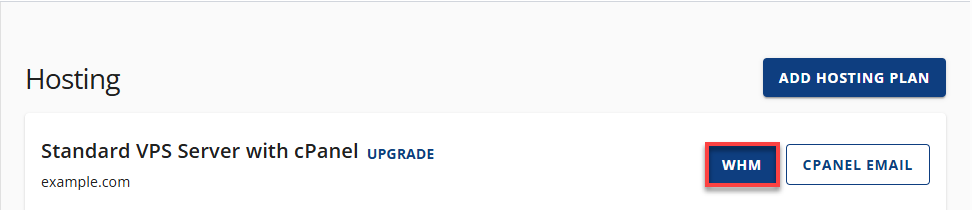
- On the hosting details page, click the WHM button.
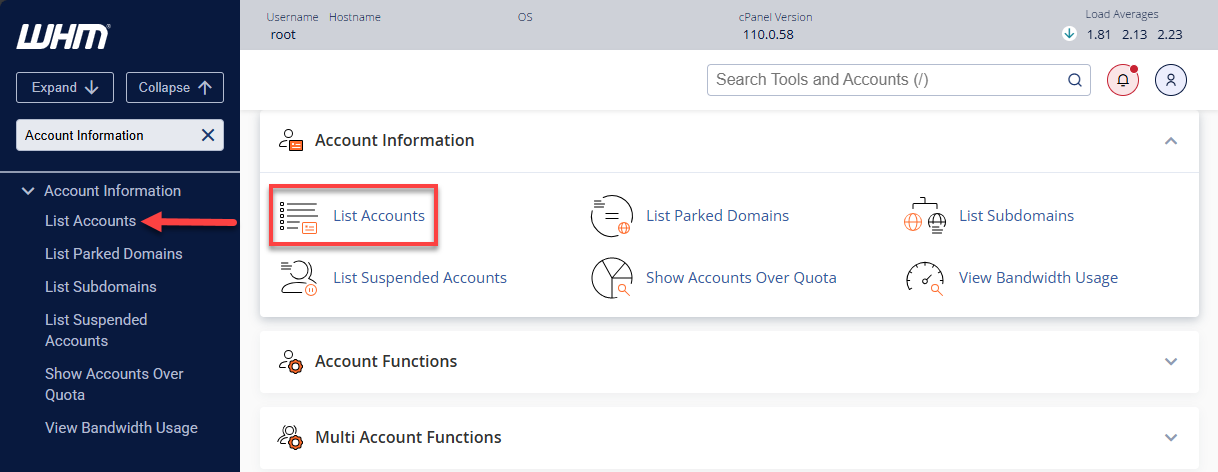
- Under Account Information, select List Accounts.
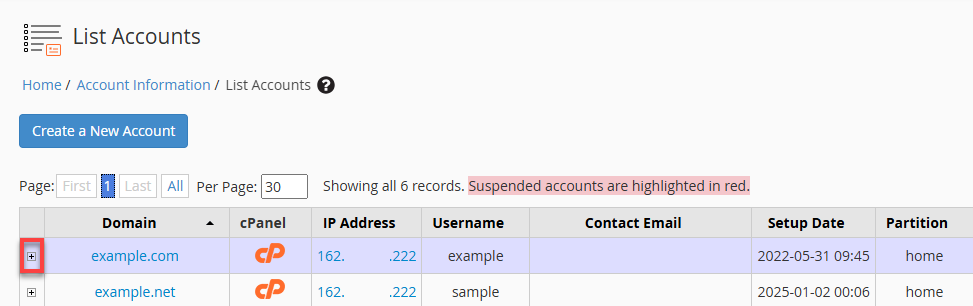
- Locate the primary domain associated with your billing account and click the + icon.
- Under Change Contact Email, enter the new email address you wish to use.
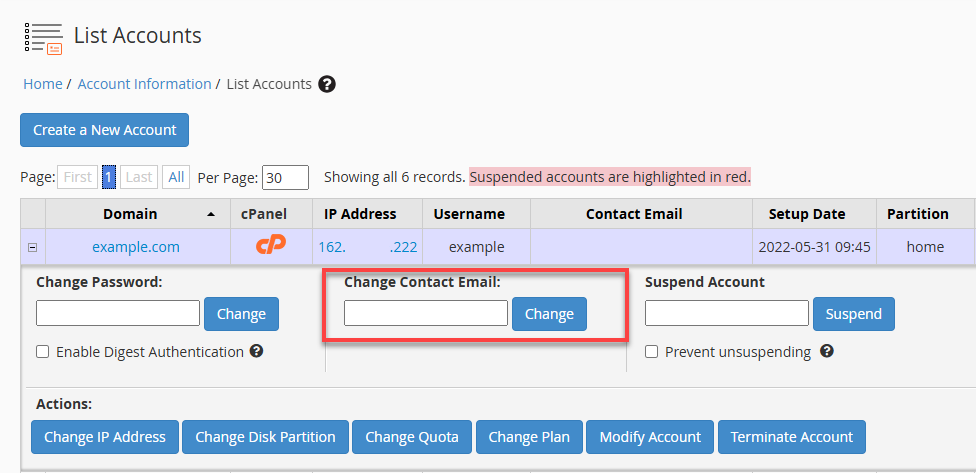
- Click Change to save the update.
Change cPanel Notification Email Address
Change cPanel Contact Email Through WHM
- Log in to WHM.
- Under Account Information, click List Accounts.
- Expand the account by clicking the + icon.
- Enter the preferred email under Change Contact Email.
- Click Change.
Change cPanel Contact Email Through cPanel
Individual cPanel users can update their notification email directly:
- Log in to cPanel.
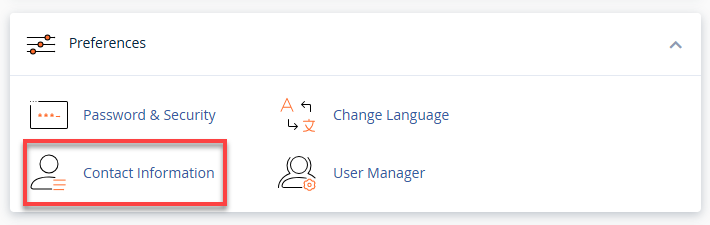
- Under Preferences, click Contact Information.
- Enter your preferred primary email address and choose the types of events you want to be notified about by checking the appropriate boxes.
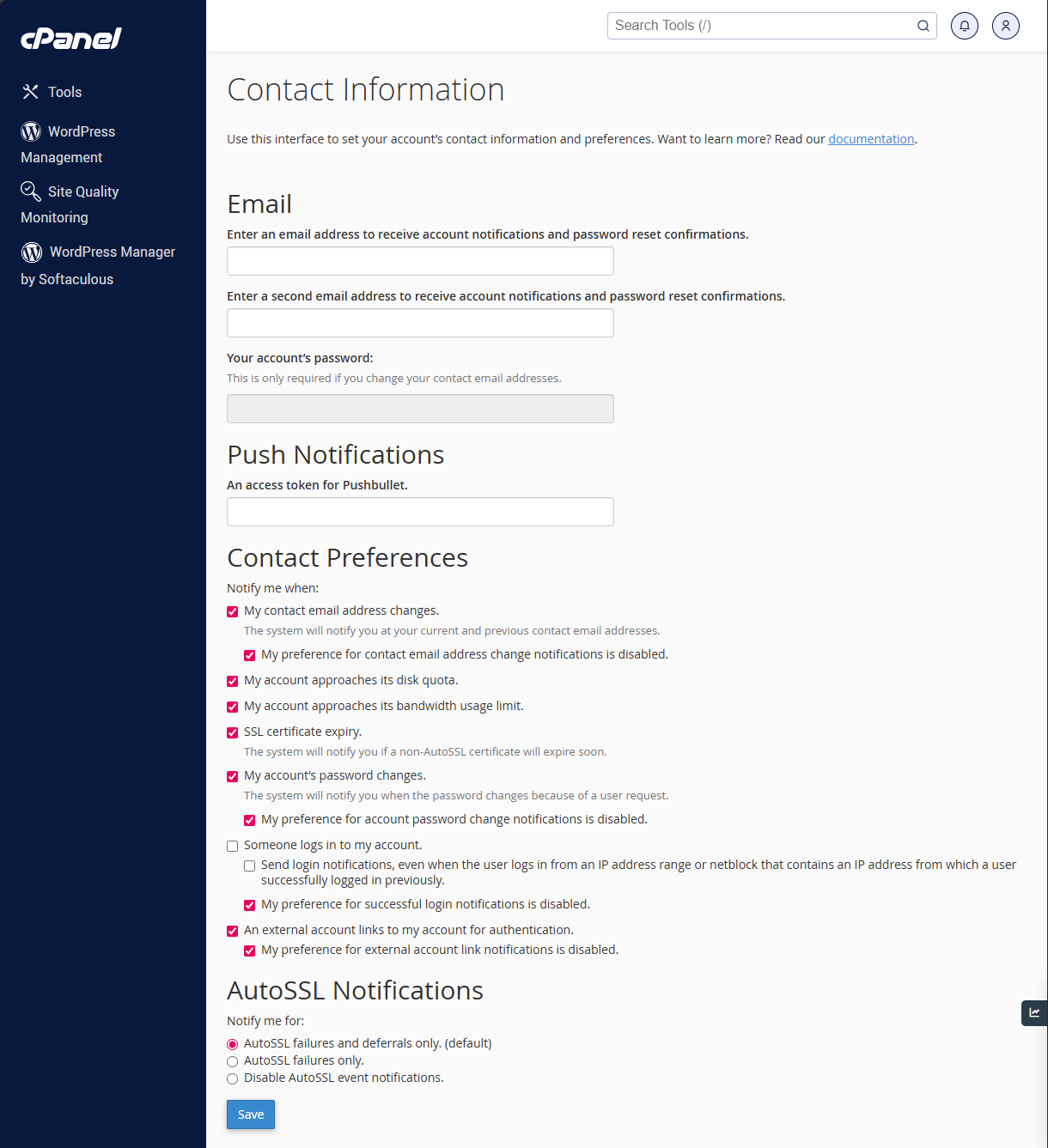
- Click Save.
Updating these options ensures you receive notices about account warnings, password changes, exceeded quotas, and more.
Summary
Keeping your WHM and cPanel contact email settings updated in Bluehost ensures you always receive critical system notifications about account changes, security alerts, and server updates. Whether you manage a single account or multiple accounts, Bluehost makes it easy to update these settings through WHM, cPanel, or the Contact Manager on VPS and Dedicated Hosting plans. By following the steps above, you can ensure your hosting environment remains secure, monitored, and fully under your control.
If you need further assistance, Bluehost Chat Support is available 24 hours a day, 7days a week while Bluehost Phone Support is available 7 days a week from 7 am-12 midnight EST.
- Chat Support - While on our website, you should see a CHAT bubble in the bottom right-hand corner of the page. Click anywhere on the bubble to begin a chat session.
- Phone Support -
- US: 888-401-4678
- International: +1 801-765-9400
You may also refer to our Knowledge Base articles to help answer common questions and guide you through various setup, configuration, and troubleshooting steps.