Bluehost AI Store: AI Insights Tab
The AI Insights feature in the Bluehost AI Store acts as your store’s intelligent assistant. It analyzes your store’s data and provides actionable recommendations and performance reports to help you grow your business more effectively.
Instead of manually reviewing your store data, AI Insights automatically evaluates key areas such as sales trends, customer behavior, and store performance—then delivers clear next steps.
Key Features of AI Insights
1. Action Plan (Smart Recommendations)
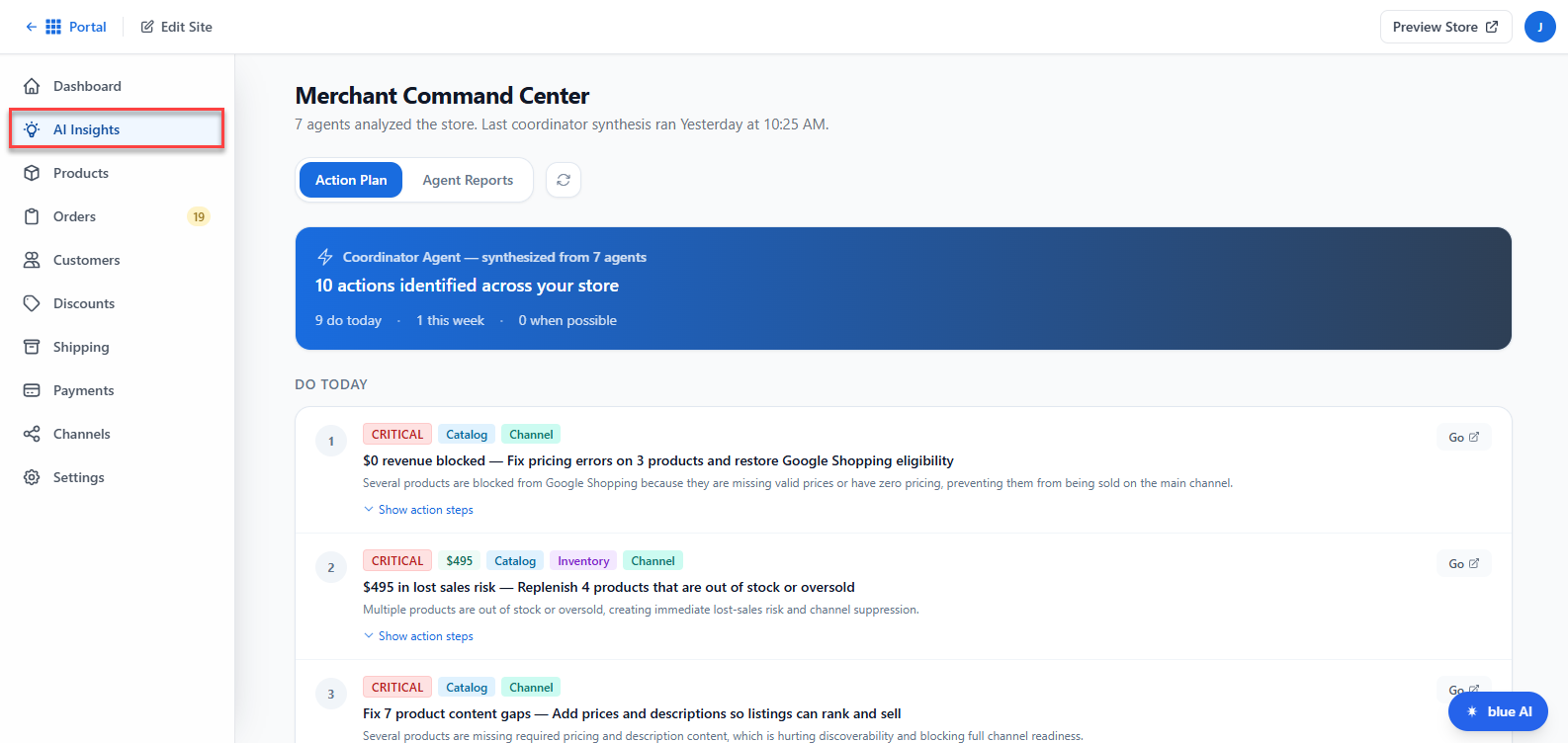
The Action Plan tab provides guided suggestions to improve your store, such as:
- Optimizing product listings
- Increasing conversions and sales
- Improving customer engagement
- Enhancing store design or settings
These recommendations are designed to help you take immediate, practical actions.
2. Agent Reports (Performance Analysis)
The Agent Reports tab gives you detailed insights generated by AI agents, including:
- Store performance summaries
- Sales and traffic analysis
- Identified opportunities for growth
- Potential issues affecting your store
This helps you understand what's working and what needs improvement.
3. Automated Data Analysis
AI Insights continuously analyzes your store data behind the scenes, so you don’t need to manually interpret reports or metrics.
4. Real-Time Updates
- Insights are updated after the initial analysis runs
- You can click the Refresh button anytime to check for the latest data
What to Expect on First Use
When accessing AI Insights for the first time:
- The system begins setting up your store analysis
- You’ll see the message:
“Agents are setting up. First analysis runs within 30 minutes.”
Once the analysis is complete, your Action Plan and Agent Reports will be populated with insights.
How to Access the AI Insights Feature
Follow these steps to open your AI Store dashboard directly from your Bluehost account:
- Log in to your Bluehost Portal.
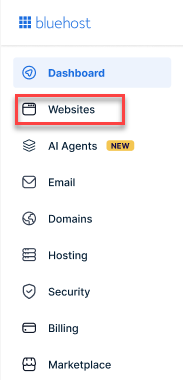
- From the left-hand menu, click the Websites tab.
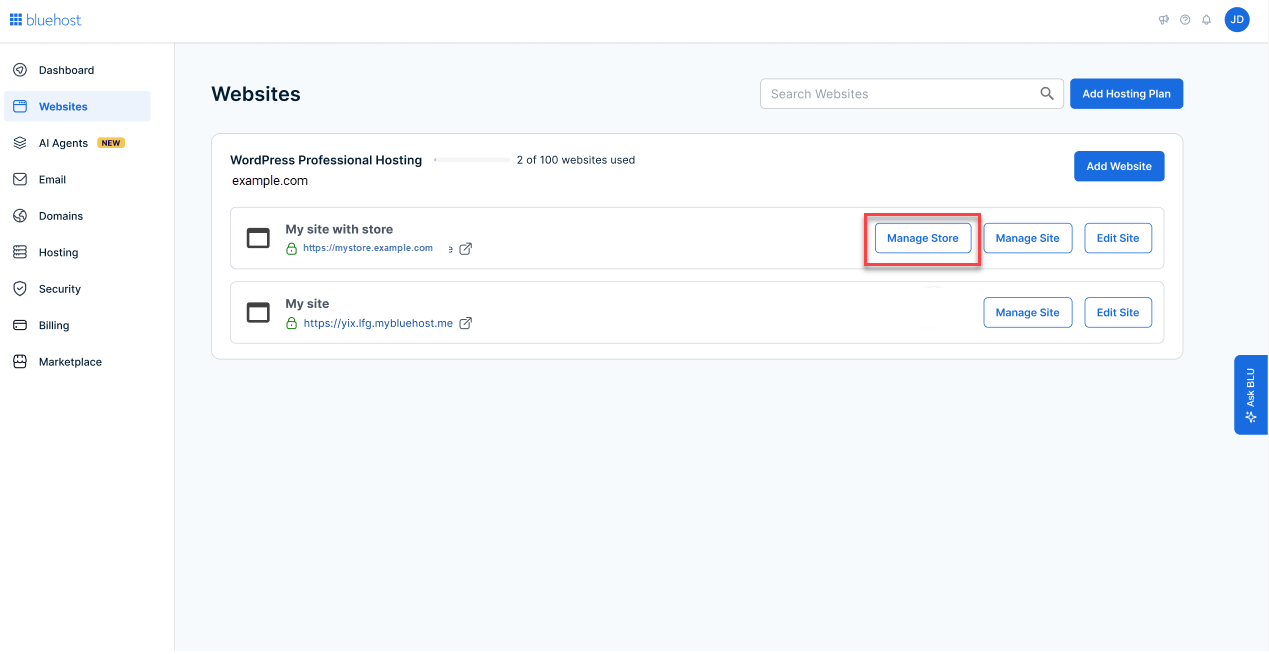
- Locate the website that has your store.
- Click the Manage Store button next to your site.
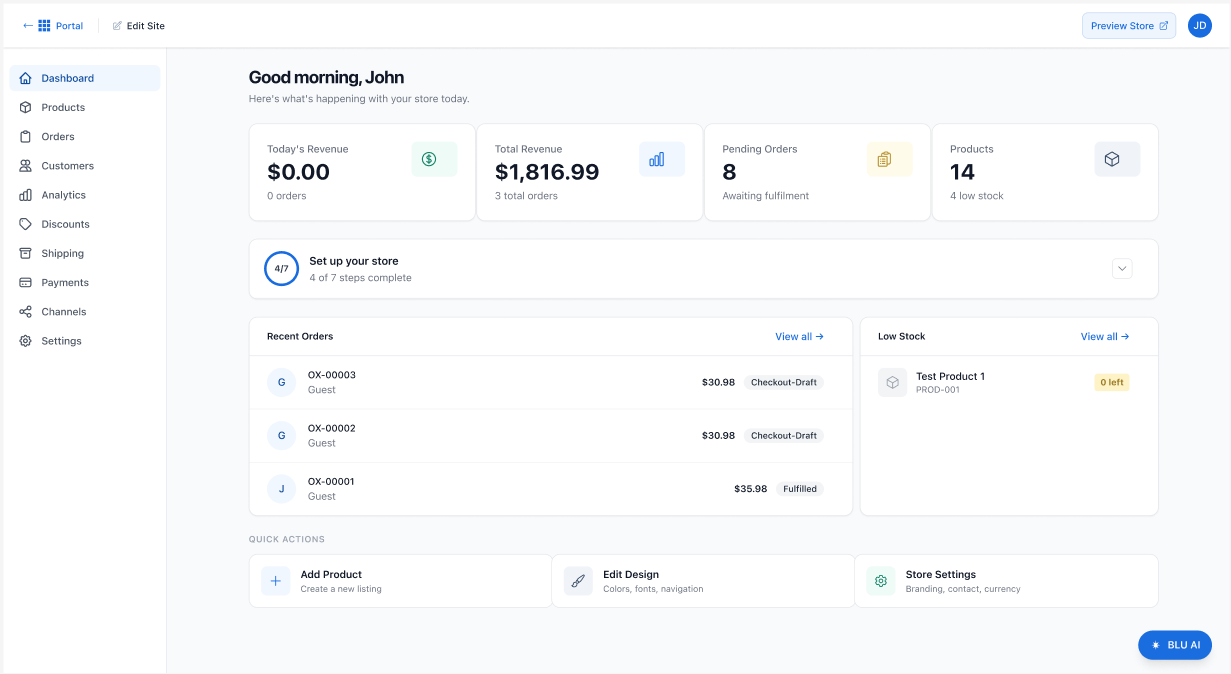
- You will then be redirected to your Bluehost AI Store Dashboard.
- Click the AI Insights tab At the left menu. And your store's AI Insights will then be displayed.
Summary
The AI Insights feature helps you make smarter business decisions by turning your store data into clear, actionable guidance. With automated analysis, performance reports, and step-by-step recommendations, it simplifies how you manage and grow your online store.
If you need further assistance, Bluehost Chat Support is available 24 hours a day, 7days a week while Bluehost Phone Support is available 7 days a week from 7 am-12 midnight EST.
- Chat Support - While on our website, you should see a CHAT bubble in the bottom right-hand corner of the page. Click anywhere on the bubble to begin a chat session.
- Phone Support -
- US: 888-401-4678
- International: +1 801-765-9400
You may also refer to our Knowledge Base articles to help answer common questions and guide you through various setup, configuration, and troubleshooting steps.