 ChatGPT,
  Claude,
  Gemini,
  Grok — all four for
 How to Purchase or Renew SSL Certificates
SSL certificates are the foundation of website security. These tools encrypt communication and help safeguard user data from online threats. This article covers the process of purchasing and renewing SSL certificates in your Bluehost Portal.
You may review the SSL Certificate Information for general information about SSL certificates.
How to Purchase a New SSL Certificate
There are 2 ways to purchase SSL within your account:
Security tab
- Log in to your Bluehost Portal.
- Click Security on the left-side menu.
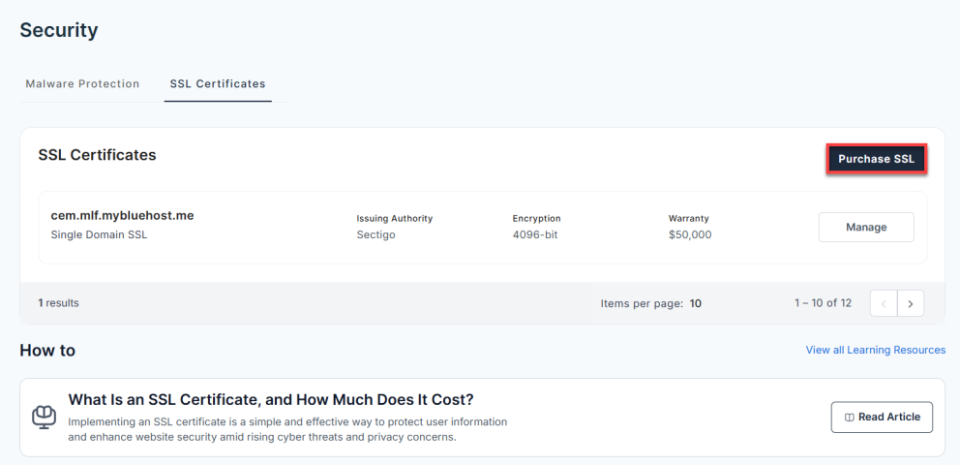
- Under the SSL Certificates tab, click the Add SSL Certificates button.
- In the pop-up window:
- Select your preferred term and plan.
- Enter or select the domain you want to secure.
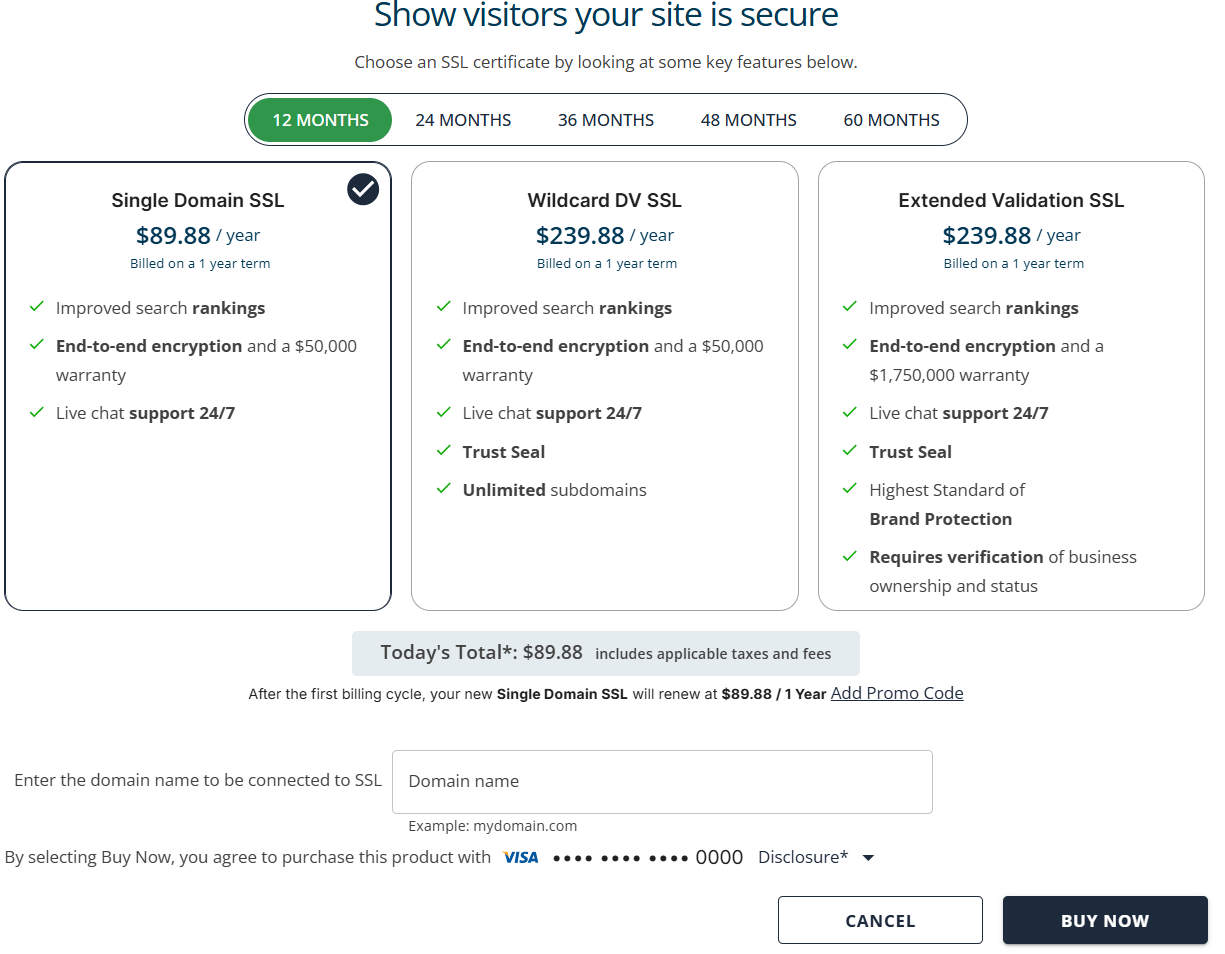 Pricing is subject to change—please visit https://www.bluehost.com/ssl-certificates for the current introductory/sign-up offer for Premium SSL. For the most up-to-date renewal pricing, visit your Bluehost Portal Renewal Center.
- Click Buy Now to complete your purchase.
Marketplace
- Log in to your Bluehost Portal.
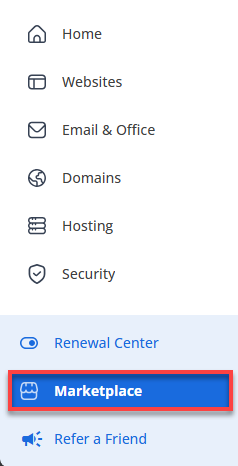
- Click Marketplace on the left-side menu.
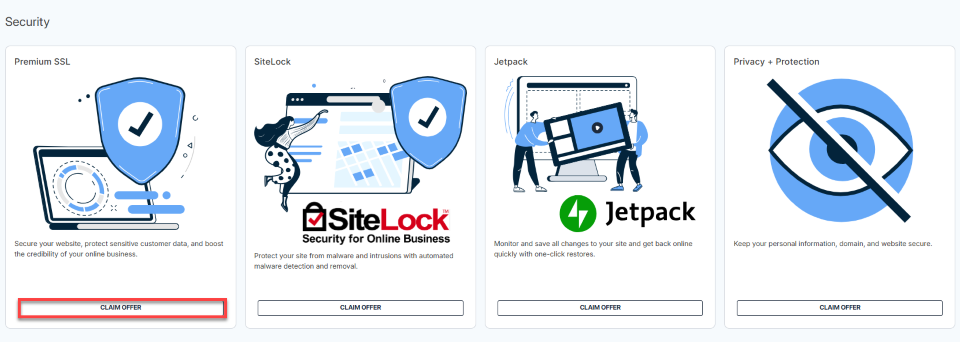
- In the right pane, scroll down to the Security category, and then click Claim Offer under Premium SSL.
- In the pop-up window:
- Select your preferred term and plan.
- Enter or select the domain you want to secure.
Pricing is subject to change—please visit https://www.bluehost.com/ssl-certificates for the current introductory/sign-up offer for Premium SSL. For the most up-to-date renewal pricing, visit your Bluehost Portal Renewal Center.
- Click Buy Now to complete your purchase.
How to Renew Your SSL Certificate
Your SSL is set to renew automatically by default. However, you can also renew it manually.
Summary
Purchasing and renewing SSL certificates in your Bluehost Portal is straightforward and can be completed through either the Security tab or the Marketplace. By selecting the appropriate plan, validating domain details, and completing the checkout process, you can quickly secure your website with encryption that protects user data. SSL certificates are set to auto-renew for convenience, with the option to manage renewals manually through the Renewal Center. Keeping your SSL active and up to date ensures continuous protection, maintains customer trust, and supports overall website security.
If you need further assistance, Bluehost Chat Support is available 24 hours a day, 7days a week while Bluehost Phone Support is available 7 days a week from 7 am-12 midnight EST.
- Chat Support - While on our website, you should see a CHAT bubble in the bottom right-hand corner of the page. Click anywhere on the bubble to begin a chat session.
- Phone Support -
- US: 888-401-4678
- International: +1 801-765-9400
You may also refer to our Knowledge Base articles to help answer common questions and guide you through various setup, configuration, and troubleshooting steps.