 ChatGPT,
  Claude,
  Gemini,
  Grok — all four for
 How to Register a Domain Name
A domain name is what people type into their web browser to find your website. Websites have unique addresses called IP addresses, which are hard to remember. Your domain name acts as a simple way to reach this address, making it easier for people to visit your site.
Think of your domain name as your online address—it helps people find and remember your brand. It also assists search engines in better understanding your website.
The internet uses these tricky numerical IP addresses, but a domain name is an easy alternative. For example, instead of typing in a long string of numbers, users can just enter "bluehost.com" to get to your website.
In this article, we’ll show you how to register a domain, including tips on picking the right name, locking it down, and verifying it’s yours.
Here is a video that demonstrates how to register a domain at Bluehost.
How to Register a Domain
Here are the steps to register a domain with Bluehost.
Via the Bluehost Website
- In your browser, go to https://www.bluehost.com.
- Click the For Business tab in the top menu, then select Domain Name Search.
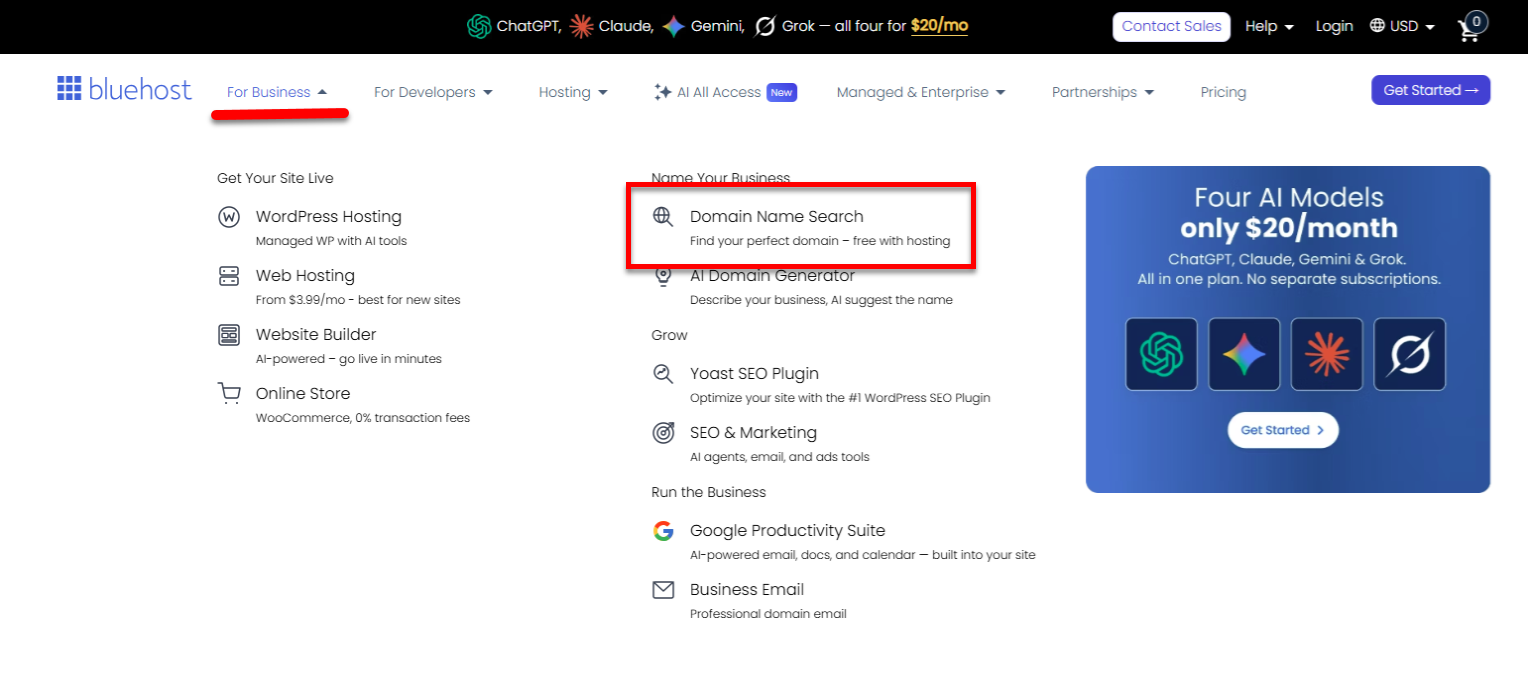
- Enter your preferred domain and hit Enter.
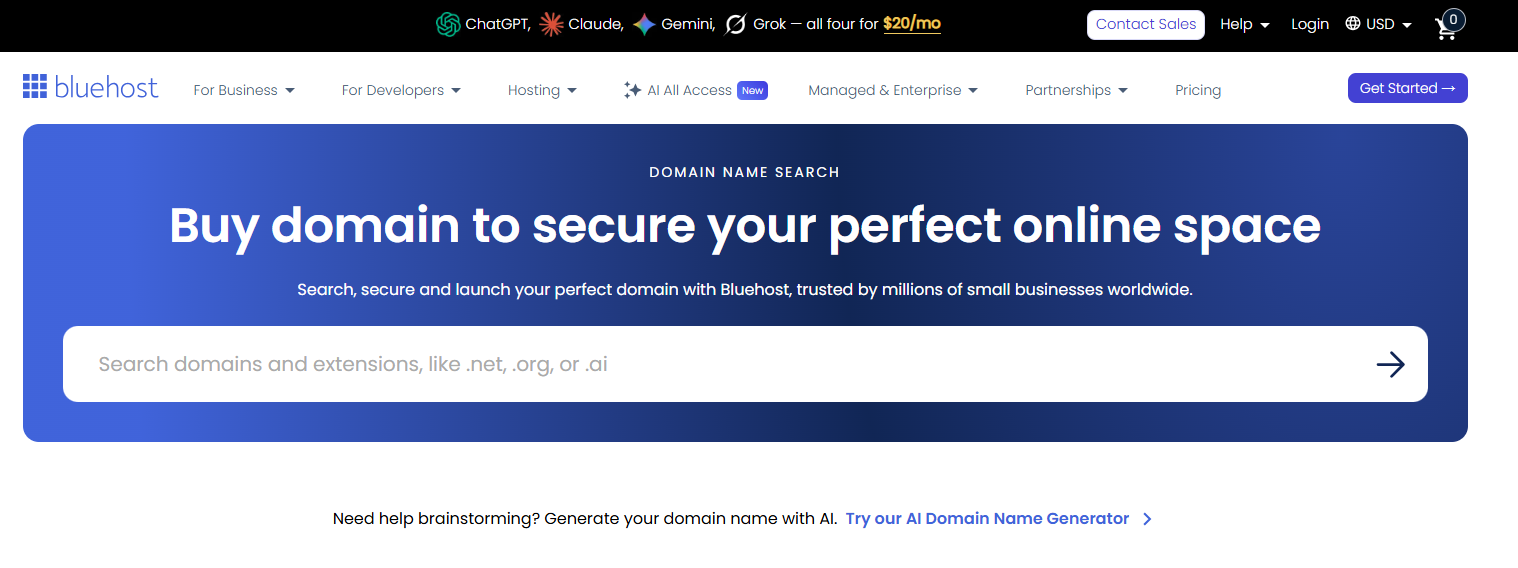
You can also try the AI Domain Name Generator link located under the search bar to generate a domain using AI.
- The system will check the domain's availability.
- If the domain is available, click on Continue.
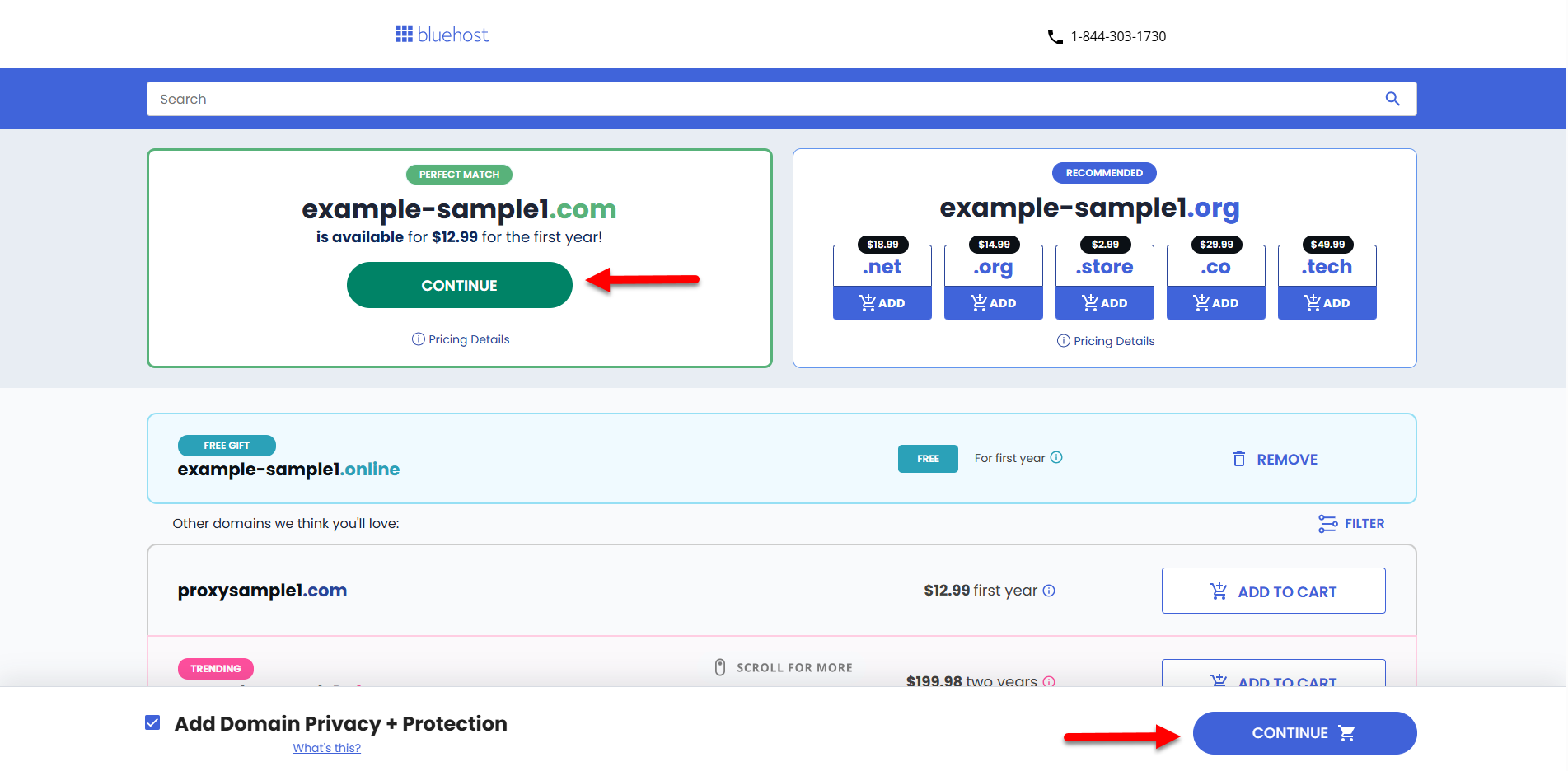
Domain Privacy + Protection is automatically included to keep your domain secure!
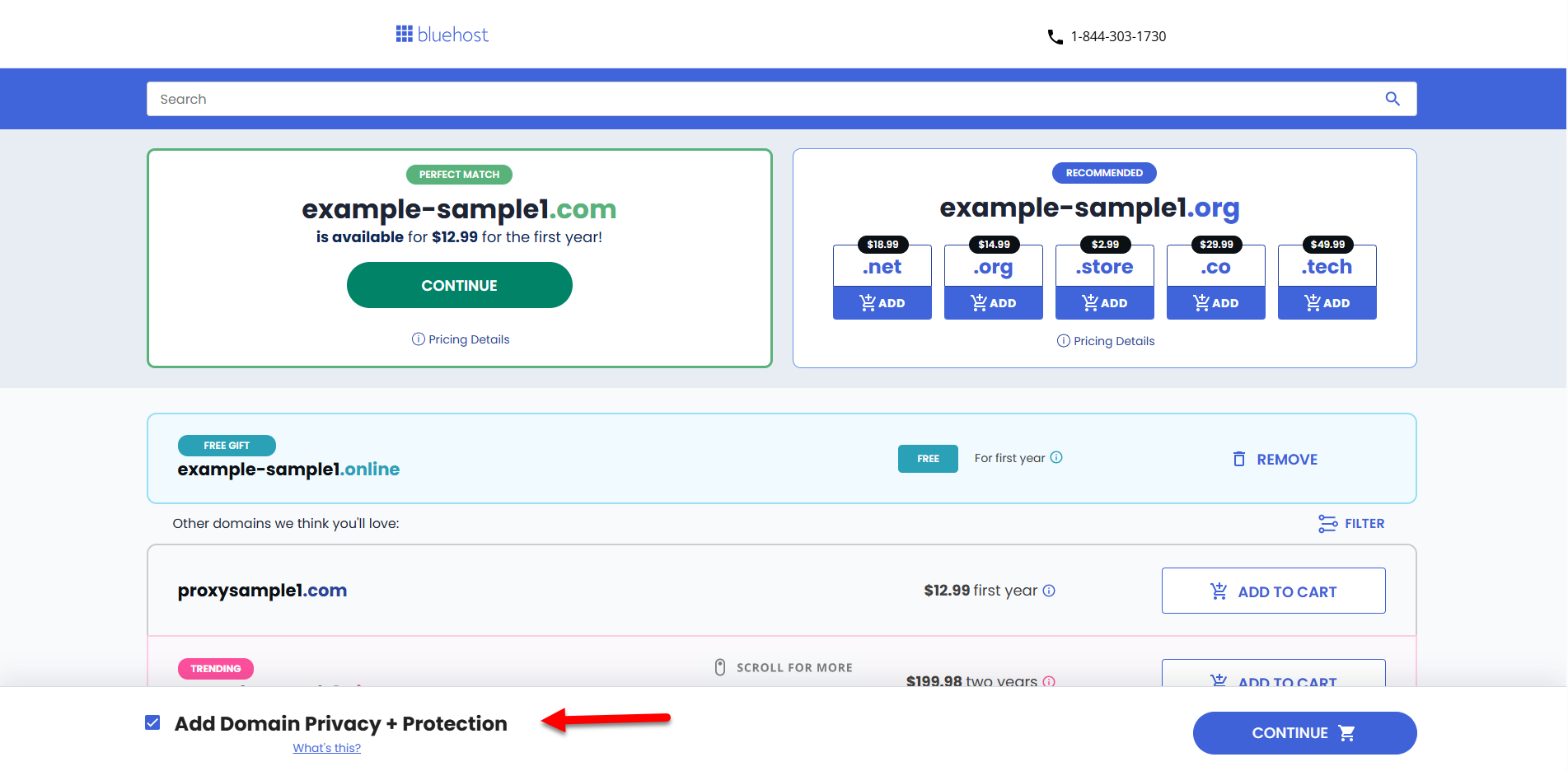
- If the domain is unavailable, you can place a backorder so we can help you get it.
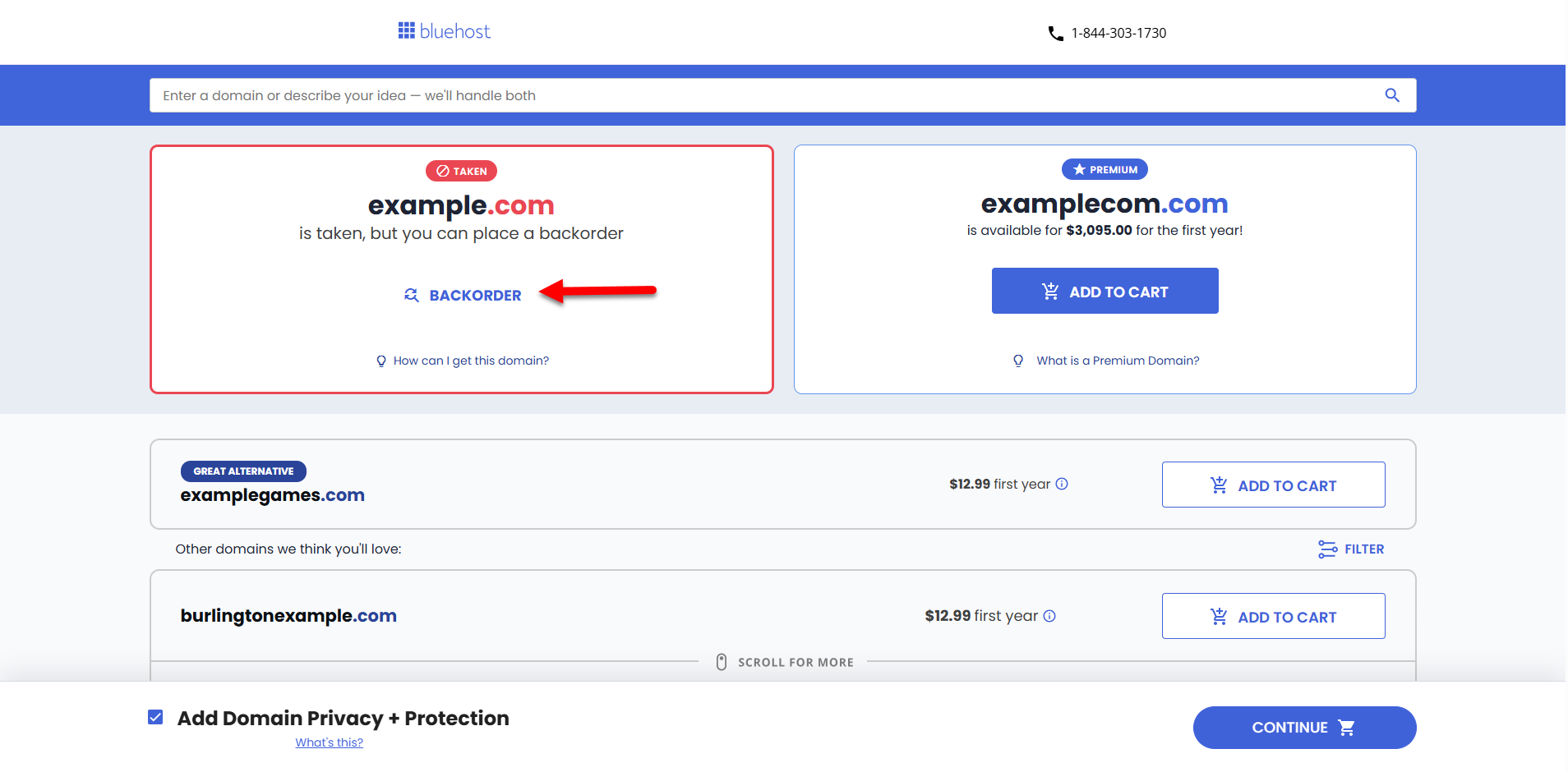
You can also select a different domain. Bluehost will provide a list of alternative domain options for you to choose from!
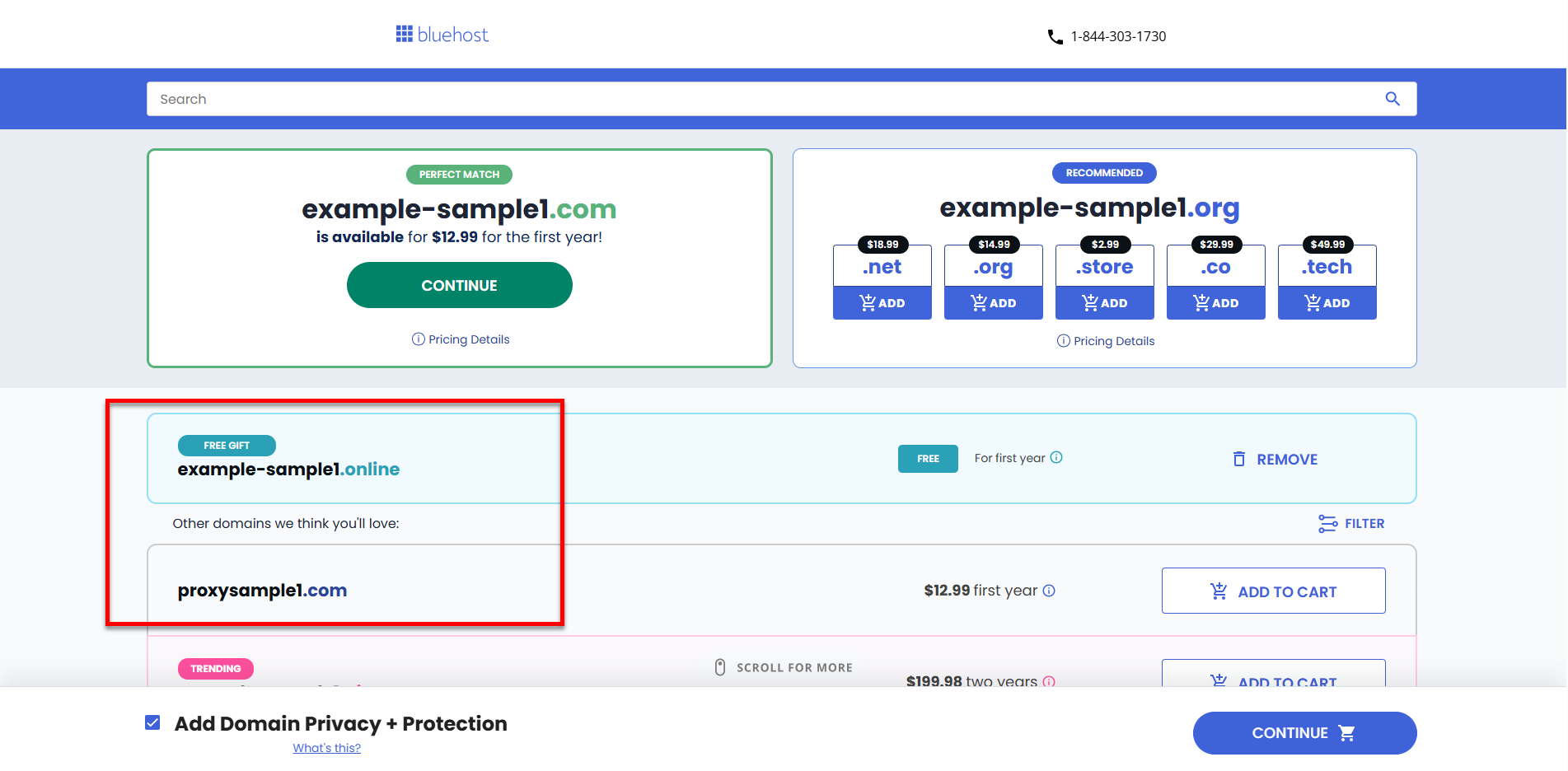
- If the domain is available, click on Continue.
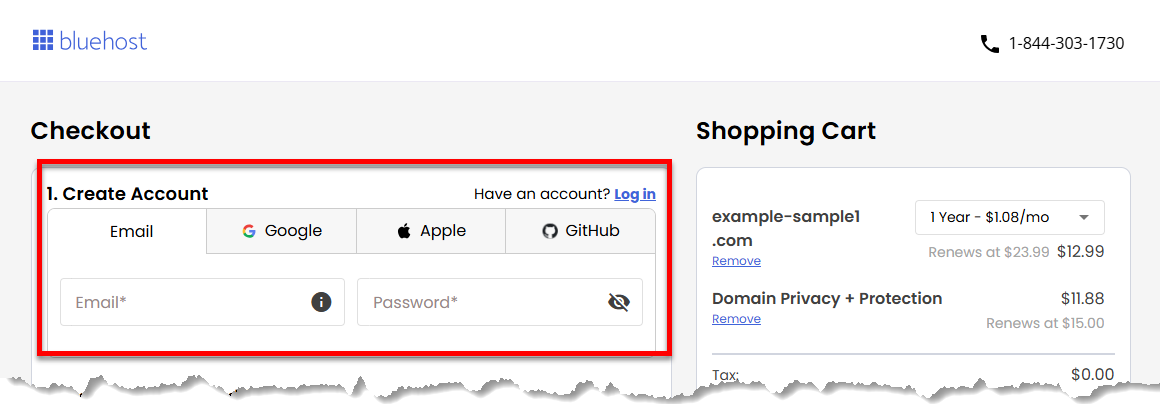
- On the Checkout page, create an account using your email address and password, or link it directly to your Google, Apple, or GitHub account.
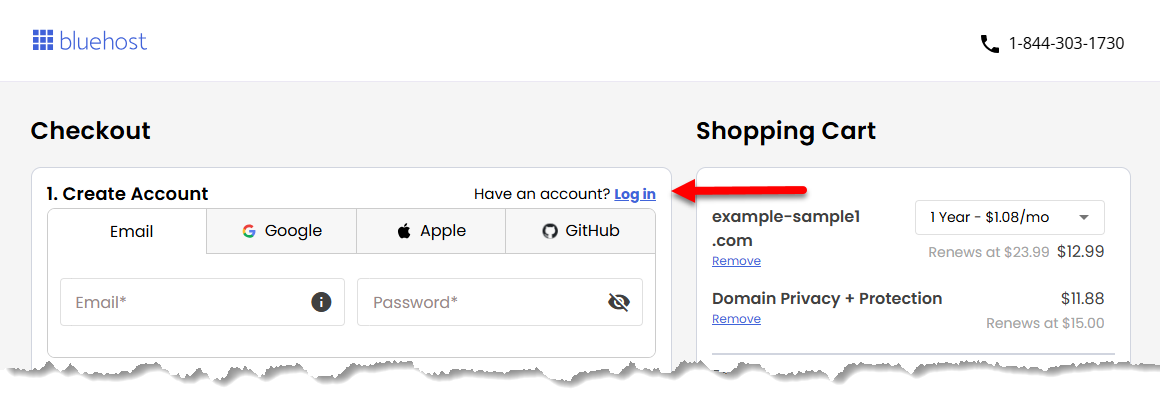
If you already have an account with Bluehost, just log in and continue checking out your domain.
- You can also add a hosting plan or an email service, such as Google Workspace, as add-ons.
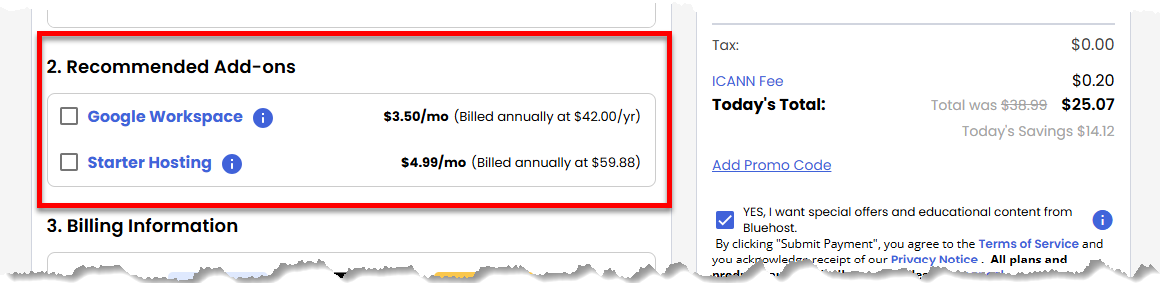
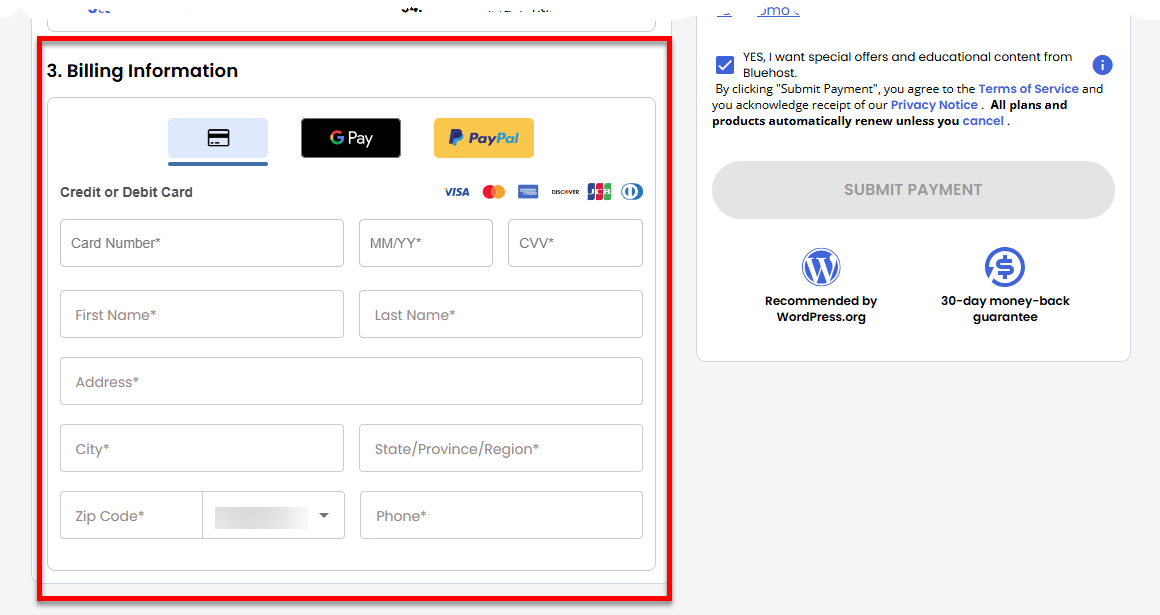
- Enter your payment details in the Billing Information section and select your payment method. You can select to pay using your card, Google Pay, or PayPal.
- Choose your preferred billing term from the dropdown menu.
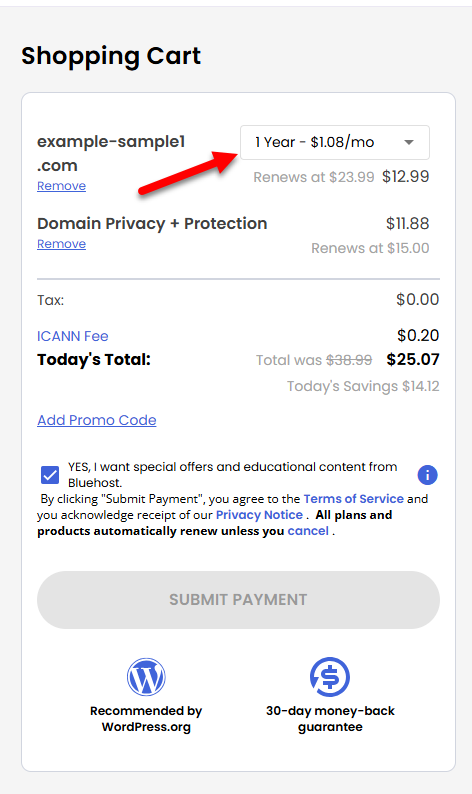
- Review the items in your cart. Make sure the spelling of your domain is correct!
- Click the Submit Payment button to complete your payment.
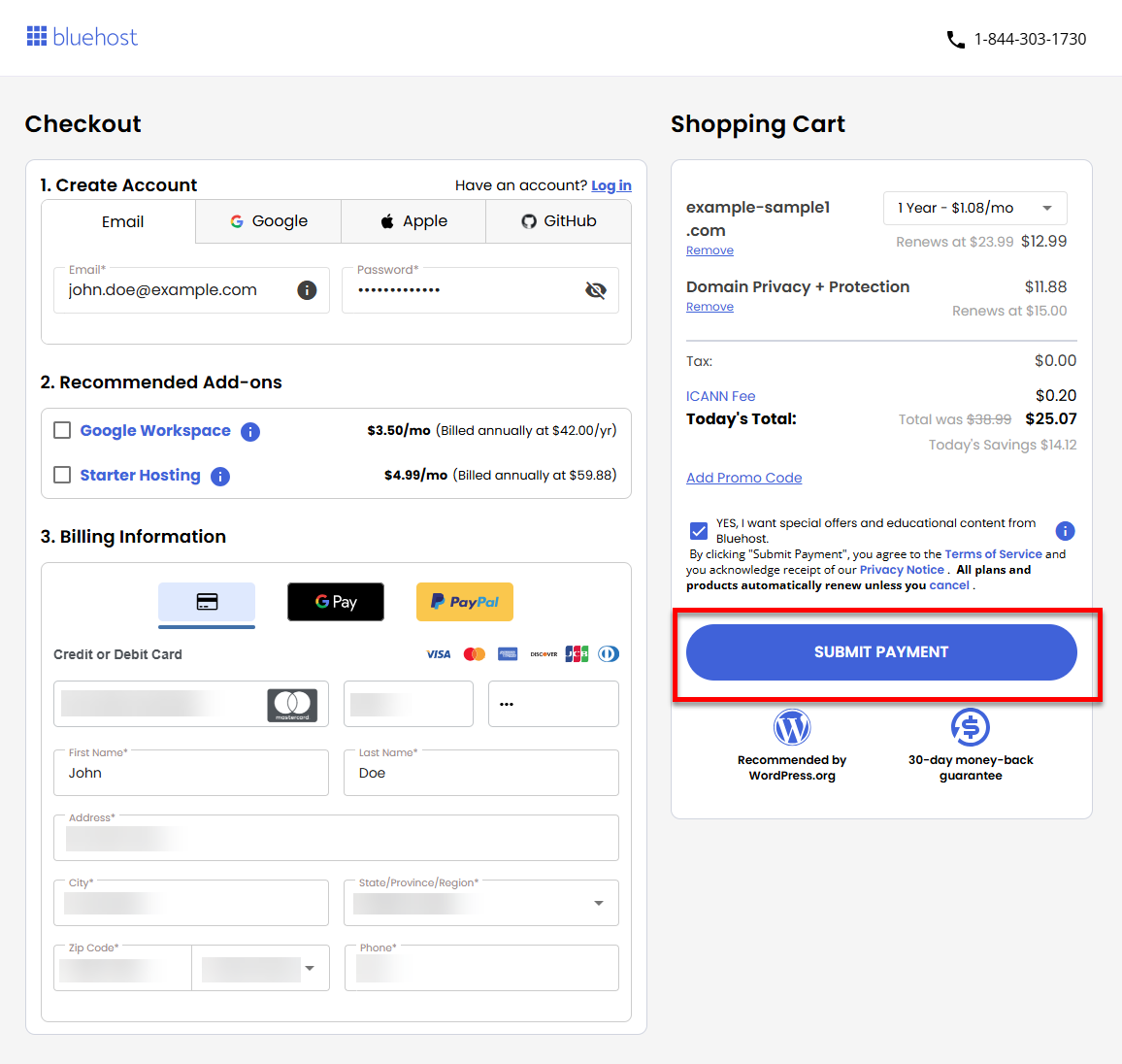
- After your payment has been processed, you will receive an order confirmation email from Bluehost containing details about your domain purchase. You can view and manage your new domain in your Bluehost Portal.
Via the Bluehost Portal
- Log in to your Bluehost Portal.
- You can register a new domain through your Bluehost Portal's Domains tab or Marketplace.
Domains Tab
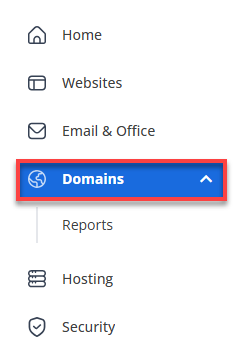
- Click Domains in the left menu.
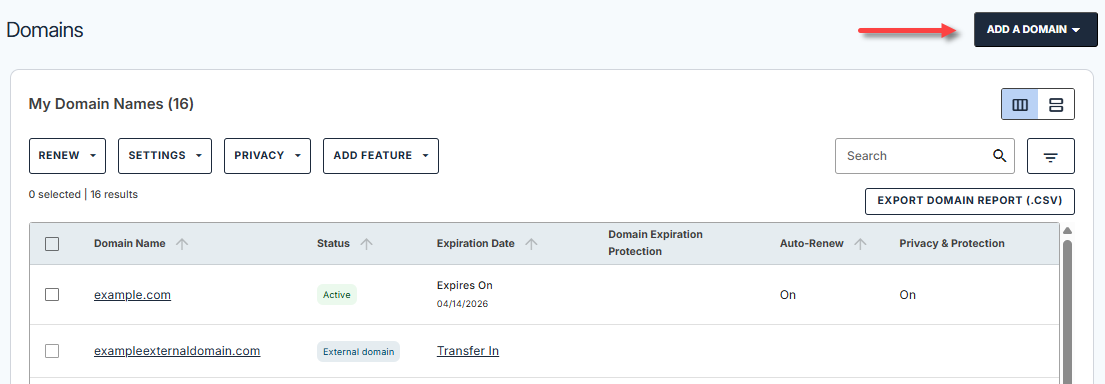
- Click the Add a Domain menu.
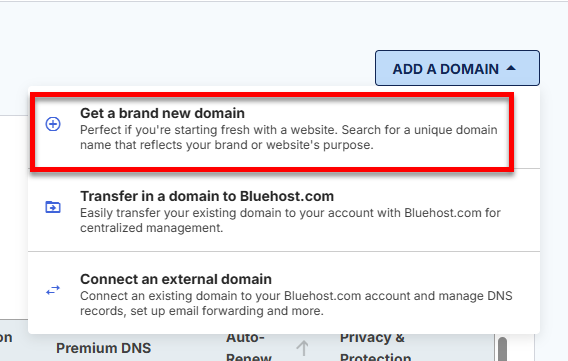
- Select Get a brand new domain from the list of options.
- You'll be redirected to the domain search page. Go to Step 3 ⤵.
Marketplace
- Click Marketplace in the left menu.
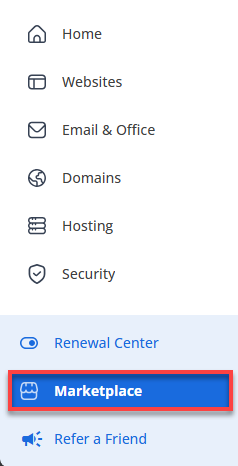
- In the Domains category, you can do any of the following:
- Option 1: Enter the domain you want to register in the search box and click on Search.
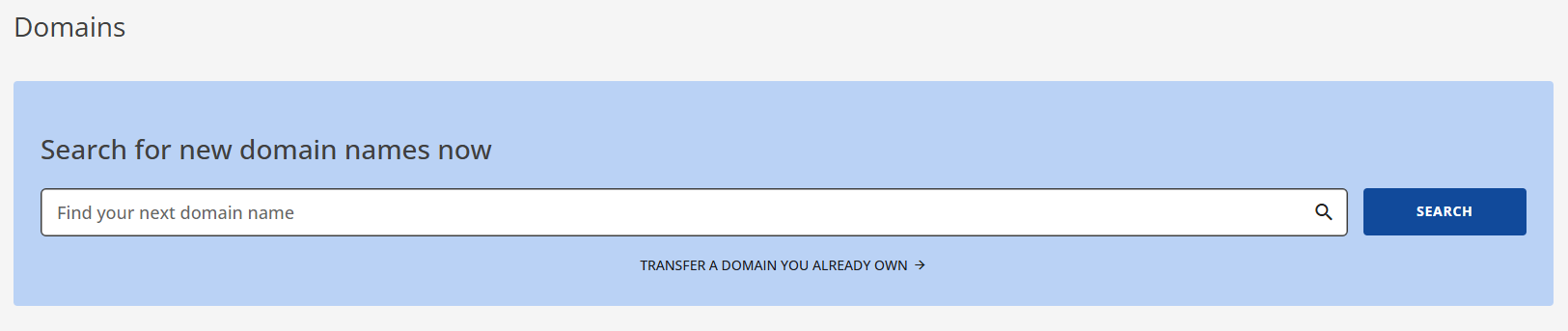
- Option 2: You also have the option to click the Claim Offer button under the Domain Name Search card.
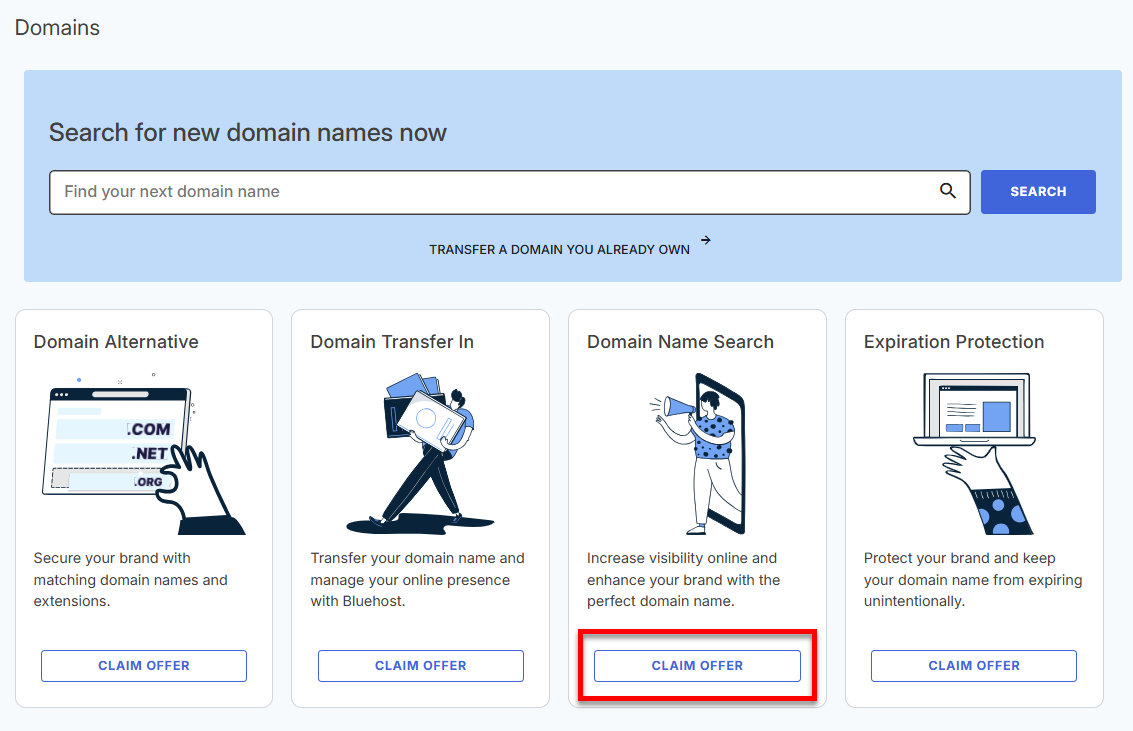
- Option 1: Enter the domain you want to register in the search box and click on Search.
- You'll be redirected to the domain search page. Go to the next step.
- Click Domains in the left menu.
- Brainstorm your next domain name! Use the search bar to check if the domain you want to register is available.
- The system will check the domain's availability.
- If the domain is available, click on Continue.
Domain Privacy + Protection is automatically included to keep your domain secure!
- If the domain is unavailable, you can place a backorder so we can help you get it.
You can also select a different domain. Bluehost will suggest available domains close to or similar to what you want.
- If the domain is available, click on Continue.
-
On the Shopping Cart, select your billing term.
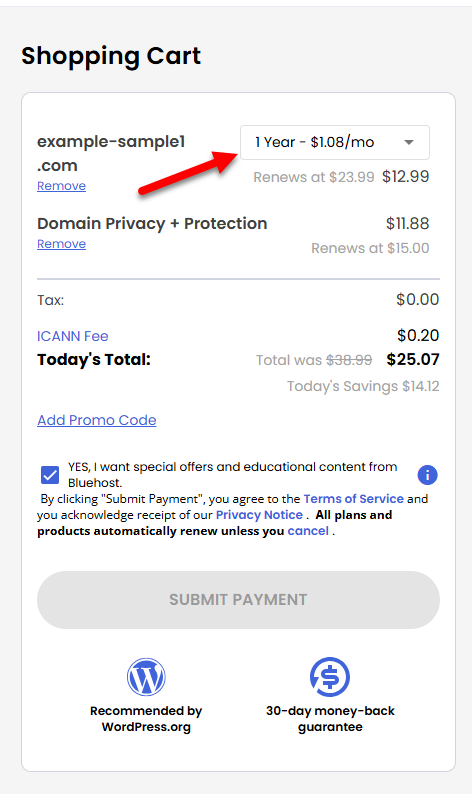
- Double-check your domain to ensure its correct spelling. Please note that we cannot edit the domain name once it is registered.
- Click Submit Payment to complete the payment transaction.
How to Register a ccTLD Domain at Bluehost
A Country-Code Top-Level Domain or ccTLD is a two-letter domain extension specifically assigned or reserved for a particular country, sovereign, or independent territory. View a list of Country-Code Top-Level Domains (ccTLDs) you can register with Bluehost and review renewal timelines information.
Registering a ccTLD domain with Bluehost follows similar steps to registering any other domain. However, there is an additional step for registering a top-level domain or a ccTLD domain.
- It is very important to double-check your domain's spelling.
- Once a ccTLD or TLD is registered, the domain name cannot be edited.
- Go through the steps above in registering a domain.
- Once you're in the Checkout page, check the Shopping Cart section.
- You'll find a notification requesting that you verify the presence requirements.
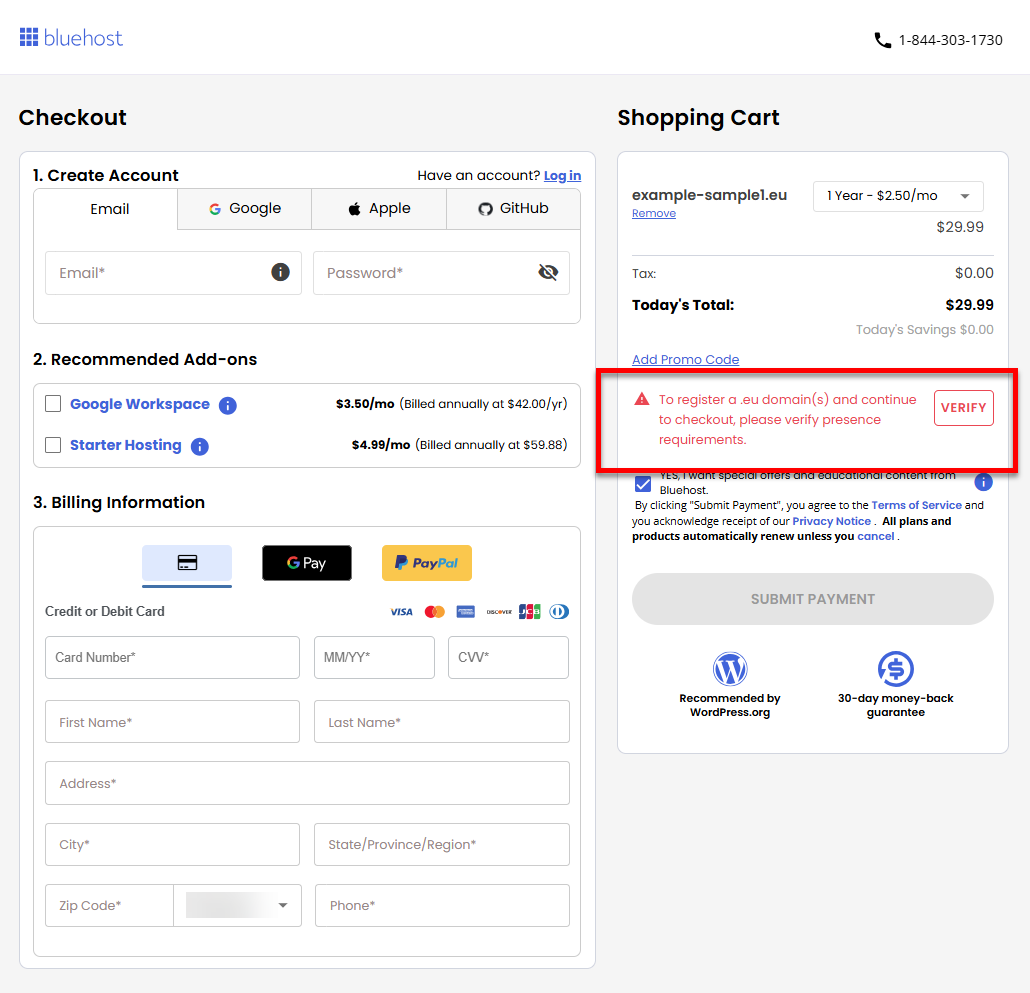
- Click Verify.
- A pop-up will appear. The information in the pop-up may vary based on your domain's ccTLD. An example of this information is as follows:
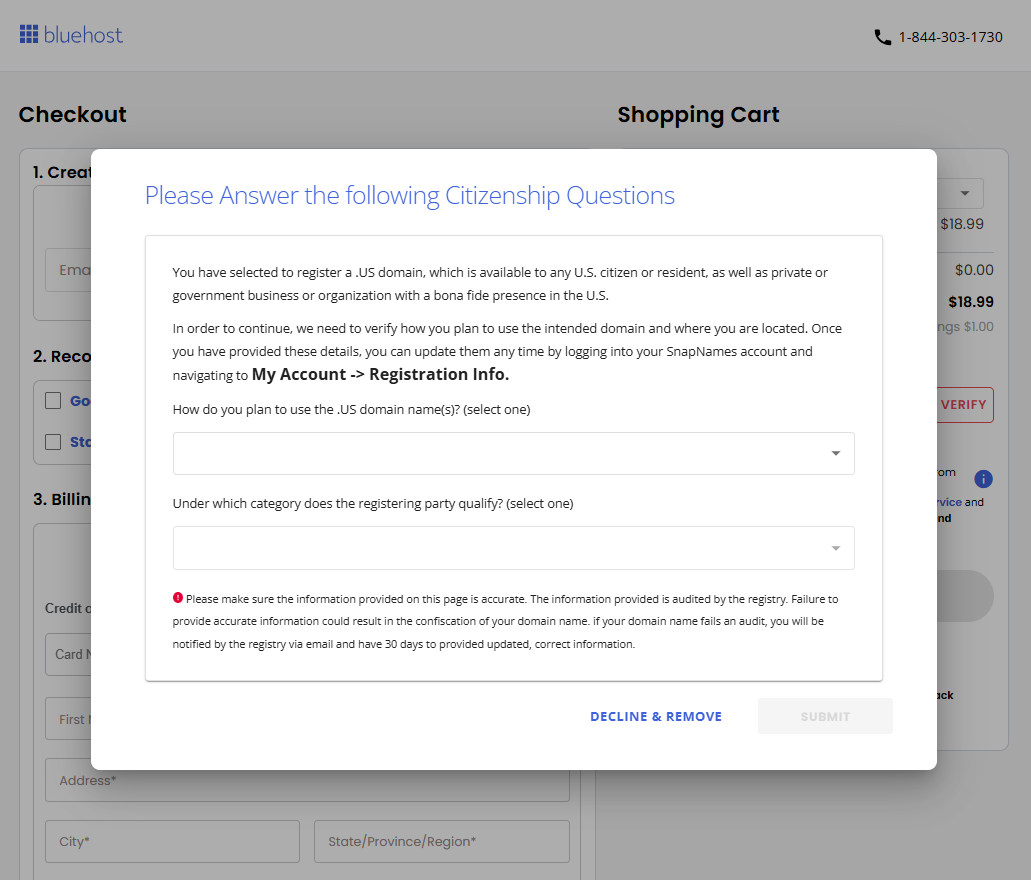
- Please read the instructions carefully, complete the required information, and then click on the Submit button.
How to Verify a Registered Domain
Now that you've registered your domain, it's time to verify it. You will receive a verification email to confirm your domain order.
You can also check your domain's status in your Bluehost Portal's Domains tab. More information is available in the How to Update Domain Owner Contact Details article.
If you're having problems with your registered domain, explore our separate article on troubleshooting a domain that's not working for more information.
Additional Information for Registrants
Summary
Domain name registration is the foundation of your online presence. In this article, you'll learn how to register a domain on the Bluehost website or the Bluehost Portal. By the end of this article, you'll feel confident in securing your online identity and managing your domain like a pro!
If you need further assistance, Bluehost Chat Support is available 24 hours a day, 7days a week while Bluehost Phone Support is available 7 days a week from 7 am-12 midnight EST.
- Chat Support - While on our website, you should see a CHAT bubble in the bottom right-hand corner of the page. Click anywhere on the bubble to begin a chat session.
- Phone Support -
- US: 888-401-4678
- International: +1 801-765-9400
You may also refer to our Knowledge Base articles to help answer common questions and guide you through various setup, configuration, and troubleshooting steps.