 ChatGPT,
 Claude,
 Gemini,
 Grok — all four for
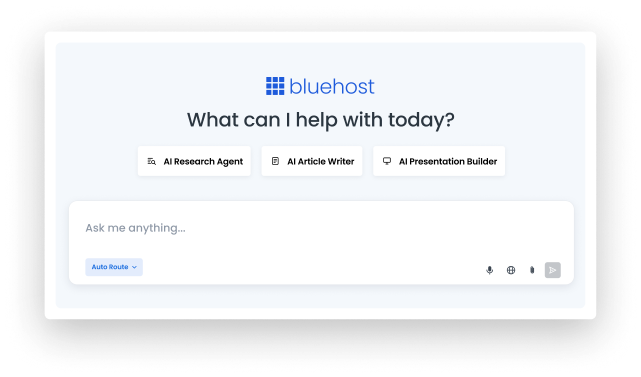
SEE WHAT YOU CAN CREATE
Pick a format. See a real example.
Explore a few ways to turn an idea into social content with AI All-Access Pack. Open an example to see the prompt and watch the workflow in action.


HOW IT WORKS
Create social content in four simple steps
Add your topic, audience and goal, then let Auto Route handle the request or choose an available AI model to create and refine your social content.
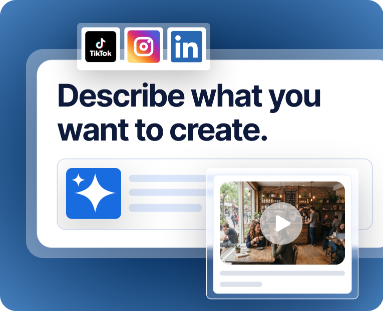
1. Describe what you want to create
Enter your topic, social platform, audience, goal and any details you want the AI to consider.

2. Use Auto Route or choose a model
Let Auto Route handle your request or choose from the available AI models in AI All-Access Pack.

3. Review and refine your draft
Ask for changes to the tone, length, structure, hook, CTA or other details until the content fits your needs.

4. Create another format or variation
Request another version or adapt the same idea into a different social content format.
Idea & context → AI model → Social draft → Refine or repurpose
Choose your AI All-Access plan for social content
Use AI All-Access Pack as your AI social media post generator with ChatGPT, Gemini, Claude and Grok in one dashboard. Pick the plan that fits your privacy needs.
AI All-Access Pack
A cost-saving bundle for teams that want leading AI tools, model comparison and one simple dashboard.
A$24.19/mo
1VAT not included
1GST not included
Billed monthly
- Access ChatGPT, Gemini, Claude, and Grok in one place
- Switch between models based on the task
- Compare multiple responses before choosing an answer
- Account Management Dashboard for teams and clients
- Pre-built AI Agents for research, presentation and content creation.
- Chat Memory
- Import Chat Memory from external AI tools
AI All-Access Pack Privacy+
Adds privacy controls for businesses that work with sensitive prompts, trade secrets or confidential business information.
A$35.57/mo
1VAT not included
1GST not included
Billed monthly
- Everything in AI All-Access Pack
- Privacy Mode with a sanitization layer for sensitive prompts
- Privately hosted LLM access
- End-to-end encryption and encrypted searches
- User-specific PIN protection
- Incognito Mode for highly sensitive conversations
- Optional Chat Memory
Turn one campaign into content for every channel
Use AI All-Access Pack to turn ideas and existing content into social-ready drafts for the platforms you choose, using the AI models currently available in the dashboard.
Launches & promotions
Turn a product launch, offer or campaign into social content that highlights the key message and next step.
Educational content
Create tips, explainers, how-to posts or other useful content around a topic your audience cares about.
Brand & business updates
Draft social content for announcements, milestones, events, new services or other news you want to share.
Thought leadership
Develop ideas into professional posts or longer-form social content that shares a perspective, lesson or industry insight.
Content series
Expand one topic into several related post ideas so you can explore different angles across a campaign.
Repurposed content
Use existing copy, notes or longer-form content as context for new social posts, captions, carousels or short-form scripts.
AI ALL-ACCESS PACK
More AI models. More ways to create.
Use Auto Route or choose an available model yourself, without juggling separate AI tools and dashboards.
Auto Route
Let AI All-Access Pack select a model for your request.
ChatGPT
Use it for everyday drafting, organizing ideas and straightforward responses.
Gemini
Use it to explore complex topics and work through information-rich tasks.
Claude
Use it for tasks that benefit from precision, careful reasoning and detailed responses.
Grok
Use it for creative brainstorming and more conversational content ideas.
KEEP WORKING
Explore more inside AI All-Access Pack
Go beyond social content with built-in tools for long-form writing, research and presentations, all within AI All-Access Pack.


FAQs for AI Social Media Post Generator
What is an AI social media post generator?
An AI social media post generator helps turn a topic, campaign or idea into draft social content. You can use AI All-Access Pack as AI social media content generator to brainstorm posts, write captions, develop carousel copy and create short-form scripts.
How can I create social media posts with Bluehost AI All-Access Pack?
Enter a prompt with your topic and relevant context, such as the audience, platform, goal or format you need. Then use Auto Route or choose an available AI model, review the response and continue prompting to refine the content. Bluehost AI All-Access Pack works as an AI social media assistant throughout the drafting process.
Can I change the tone, audience or format of my social content?
Yes. Add the tone, audience, length or format you want to your prompt, then ask for changes as needed. For image captions, describe the visual and the context you want the caption to reflect.
Can I generate multiple versions of the same social post?
Yes. You can ask the AI social media post generator for several versions of the same idea, such as different hooks, CTAs or creative approaches. Review the drafts and continue working with the direction you prefer.
Can I turn one idea into content for different social platforms?
Yes. Ask AI All-Access Pack to adapt the same idea for the platform and format you need. For example, you can use the same prompt-based workflow as an AI Facebook post generator, AI Instagram caption generator, AI LinkedIn post generator or AI tweet generator by specifying what you want it to create.
Which AI models can I use for social media content?
AI All-Access Pack gives you access to ChatGPT, Gemini, Claude and Grok from one dashboard. You can choose the best available AI model and compare responses from different models when working on your social content.
Is the AI social media post generator a separate Bluehost product?
No. The AI social media post generator is a use case within Bluehost AI All-Access Pack, not a separate Bluehost product or subscription. Social content creation is one of several ways you can use the broader AI All-Access Pack experience.