 ChatGPT,
 Claude,
 Gemini,
 Grok — all four for
Key highlights
- Know whether ChatGPT can be secure for business use in 2026 and what your businesses needs in place before using it at scale.
- Understand which safeguards matter most, including business data protection, encryption and admin controls
- Learn where the biggest business risks still show up, from sensitive prompts and overshared files and unsafe third-party tools.
- Explore whether ChatGPT Business or Enterprise is safer than free tools so you can choose the right level of control for your team.
- Explore how Bluehost’s AI All-Access Pack can help your business reduce AI clutter and use multiple models in a simpler, more controlled setup.
ChatGPT can be secure for business use in 2026, but it is not secure by default just because your team is using a paid AI plan. Things go wrong when someone on your team pastes sensitive customer details into a prompt without really thinking about it. Or connects an app to ChatGPT and accidentally gives it access to way more files than intended. That’s when a productivity tool starts turning into a business risk.
OpenAI’s business offerings include stronger privacy and security controls, including encryption and admin controls, but those safeguards only matter if your business is using the right setup. If access is scattered, permissions are loose and employees are using a mix of AI tools for different tasks, the risk is not just the tool itself.
In this blog, we’ll look at what makes ChatGPT secure for business, where the real risks tend to show up and what your team should have in place before using it at scale. We’ll also explore why the right AI setup matters just as much as the tool itself.
Why AI security matters for your business in 2026?
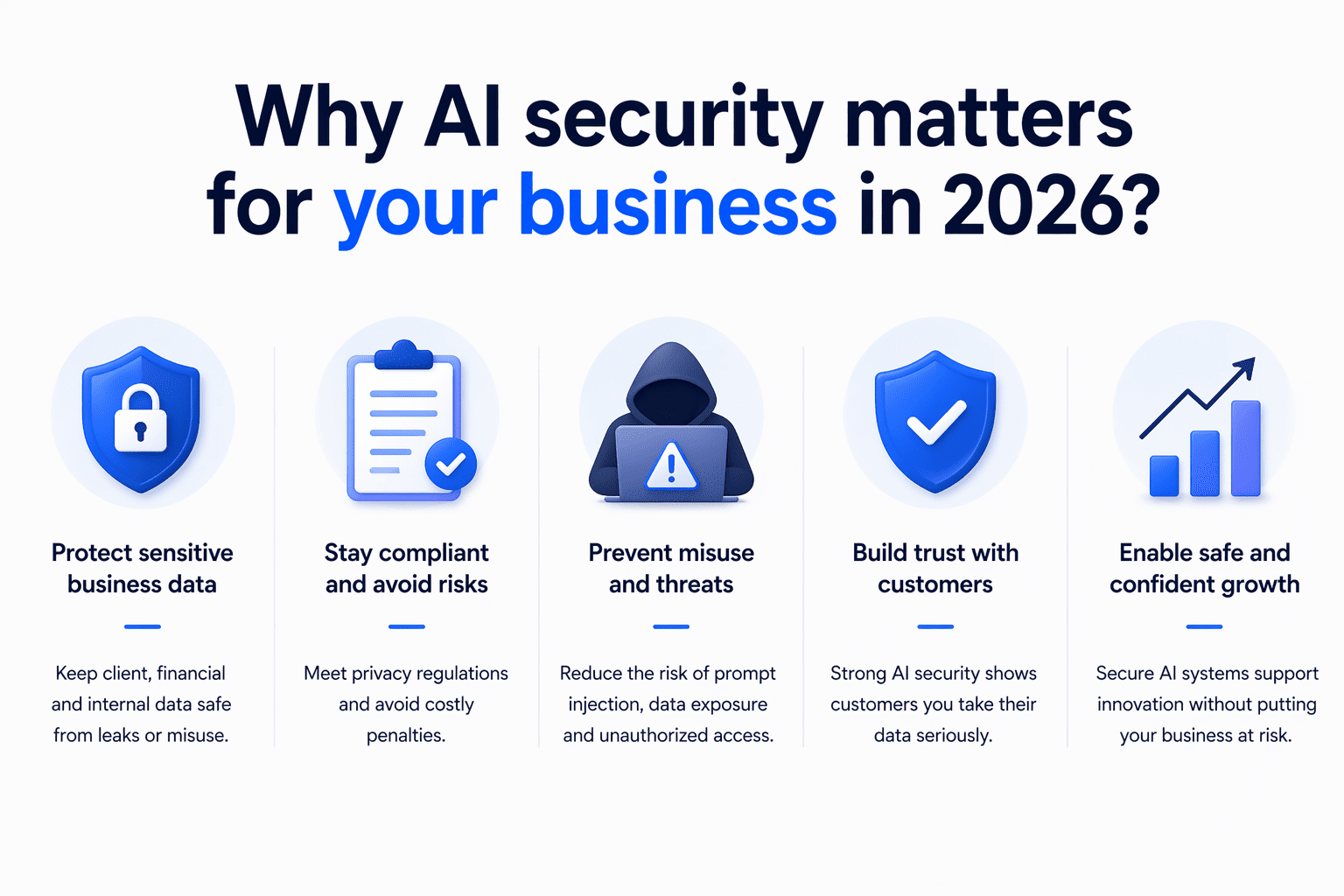
AI security matters for your business in 2026 because employees now use tools like ChatGPT across everyday work, which increases the risk of data exposure, unauthorized access, compliance issues and unsafe AI use if clear controls are not in place.
- Employees may enter customer details, financial information, internal documents or confidential business context into AI prompts without realizing the privacy risks.
- The biggest problem is often not AI itself, but teams using multiple AI tools without clear rules, visibility or centralized oversight.
- When AI tools are linked to shared drives, internal systems or external platforms, weak controls can increase the risk of unauthorized access or unintended data exposure.
- Businesses in regulated or privacy-sensitive industries need to think carefully about how AI tools handle retention, access, encryption and auditability.
- When employees use different AI platforms across departments, it becomes harder for the business to monitor usage, apply consistent policies and manage security at scale.
In 2026, secure AI adoption means looking beyond features and asking whether your business can control how AI tools are used at scale.
Also read: ChatGPT Ads May Reshape Website Traffic in 2026
What data does ChatGPT collect about your business?
ChatGPT collects two main types of information: telemetry data about how your team interacts with the platform and input data from the specific prompts and files you submit. While free consumer accounts log inputs for model training, paid plans offer stricter ChatGPT data protection.
When evaluating whether ChatGPT is secure for business, you must understand exactly what OpenAI tracks during daily operations.
- Telemetry data: OpenAI logs technical system information to maintain platform stability and monitor overall usage. The system tracks IP addresses, device types, browser details and login timestamps across all user accounts.
- Input data: Input data covers the actual text your team types into the chat window, the proprietary documents they upload and the images they share.
The primary factor in ChatGPT business data security comes down to how the platform handles those direct inputs. If employees use free consumer accounts, OpenAI collects their conversational prompts and file uploads to train future AI models by default. Because of that open training policy, sensitive project details shared on free accounts could eventually surface in external outputs.
What built-in safeguards does ChatGPT offer businesses?
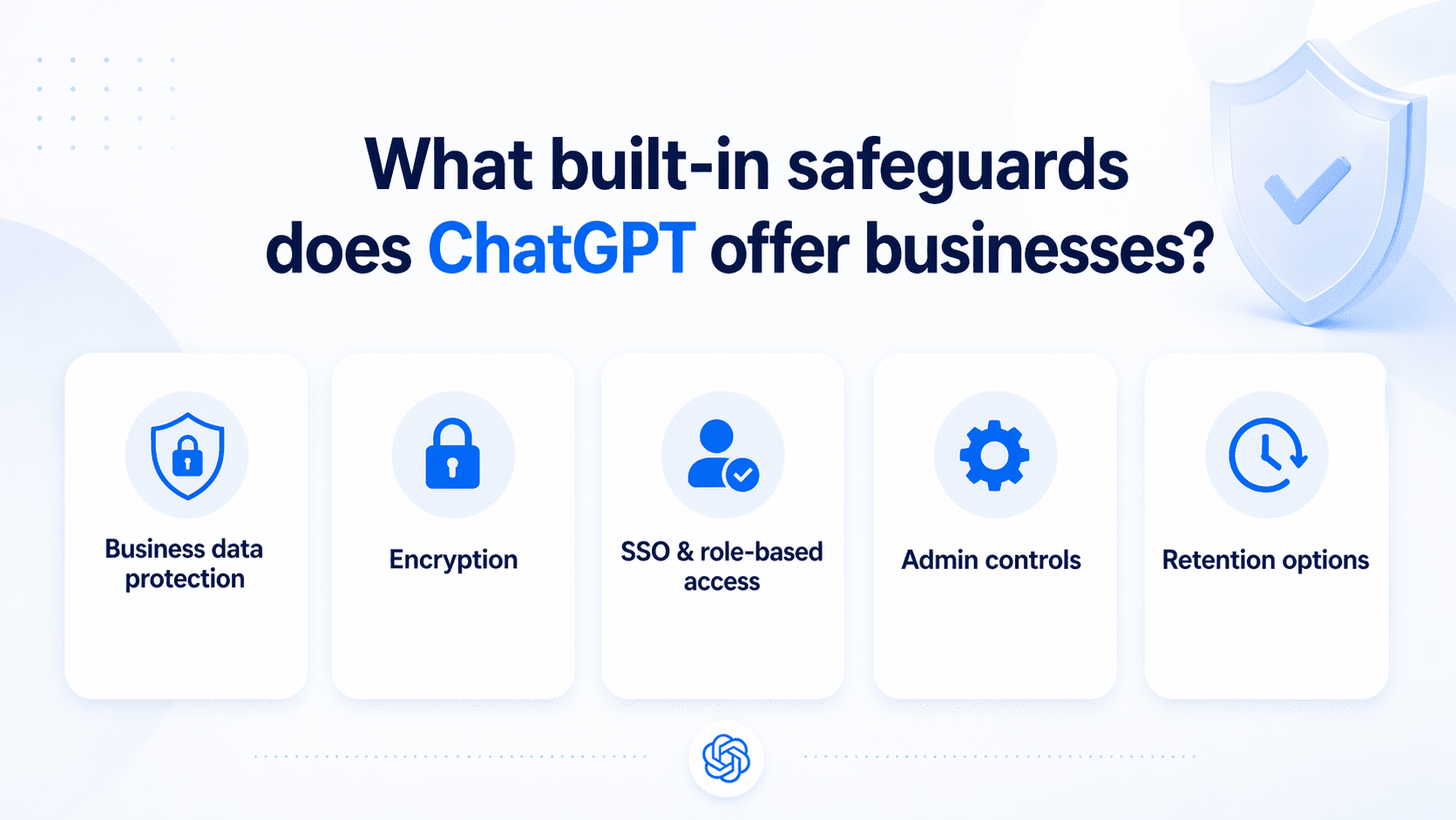
ChatGPT offers built-in safeguards for businesses, including default business data protections, encryption, single sign-on, admin controls and plan-based data retention options. But those safeguards are not all the same across every plan. Let’s take a closer look.
1. Built-in business data protection
One of the most important safeguards is how OpenAI handles business data by default. ChatGPT Business, ChatGPT Enterprise and the API do not use customer data for model training by default. Business customers also keep ownership and control of their inputs and outputs where allowed by law, which creates a stronger privacy baseline for workplace use.
That said, business customers own and control their inputs and outputs, subject to applicable law. That gives companies a stronger privacy baseline than consumer-grade AI tools, especially when employees are using AI for internal work, client communications or business documents.
Also read: ChatGPT for SEO: Powerful Prompts & Optimization Tips 2026
2. Data encryption and security
ChatGPT protects business data with encryption at rest using AES-256 and encryption in transit using TLS 1.2 or higher. OpenAI’s business security materials also reference independent audits, including SOC 2, as part of its broader security and compliance posture.
These protections help secure data while it is being stored and while it moves between users, OpenAI and service providers. For businesses, this provides an important baseline for handling prompts, uploads and generated outputs more securely.
3. SSO and role-based access control
ChatGPT supports SSO for business use, including ChatGPT Business. This allows companies to connect login access to their identity provider instead of relying only on strong password policies, which improves control over how employees access the workspace.
Role-based access is also part of the business setup. Business workspaces use roles like owner, admin and member, while Enterprise and Edu support more granular RBAC so organizations can assign permissions by role and group.
Also read: Why Is Generic Content Losing Value in the AI Era? Here’s What’s Changing
4. Admin oversight and controls
ChatGPT includes centralized workspace settings that let admins manage how the tool is used across the organization. From the admin area, businesses can control workspace defaults, advanced tool access and permissions tied to different roles.
There are also admin controls for apps and connected experiences, which are important because external connections can expand what data users can access inside ChatGPT. This gives businesses a way to reduce oversharing risk and apply more consistent oversight across teams.
5. Data retention management
Data retention is part of ChatGPT’s business security model, but retention controls vary by plan. Enterprise, Healthcare and Education include administrator control over how long data is retained and business-facing materials also reference retention controls for qualifying organizations.
For businesses, this matters because retention policies affect compliance, internal governance and long-term data exposure. In practice, retention management is stronger and more flexible on higher-tier plans than on standard workspace setups.
Also read: The Ultimate Guide on How to Build a Website with ChatGPT
What security risks your business still need to watch for?
Even with built-in safeguards, ChatGPT can still create business risk if your team uses it without clear boundaries. That means your risk does not begin only at the platform level. It also shows up in your daily workflows, access settings and team habits. Here are the risks you still need to watch closely.
| Risk | Why it matters | How to reduce it |
|---|---|---|
| Sensitive prompts | Employees may paste customer, financial or internal data into ChatGPT | Use business plans, clear AI policies and prompt sanitization |
| Overshared files | Connectors can expose more data than intended | Apply least privilege and review file permissions regularly |
| Shadow AI | Teams may use unapproved AI tools outside company oversight | Centralize approved AI access and define allowed tools |
| Unsafe third-party tools | Browser extensions, plugins, meeting assistants or automation apps may not follow the same privacy and security standards | Vet third-party tools, limit integrations and restrict access to approved apps |
| Compliance gaps | Regulated data may need retention, audit and deletion controls | Match the plan, settings and workflow to legal requirements |
| Inaccurate outputs | AI can produce false, incomplete or risky responses | Require human review before publishing, sharing or acting on outputs |
1. Sensitive data in prompts
One of the most common risks is employees entering sensitive information into prompts without realizing the impact. This can include customer details, financial data, internal plans, login information or private business records that should never be shared casually with an AI tool.
If your team is using ChatGPT to move faster, this kind of oversharing can happen easily in routine tasks like writing emails, summarizing notes or drafting reports. Without clear guidance on what is safe to enter, your business can expose information that should stay protected.
2. Overshared connected files
Connected apps and file sources can make ChatGPT more useful, but they can also increase exposure if access is too broad. When employees connect shared drives, internal folders or business tools without careful controls, the AI may be able to pull from more content than they intended.
This becomes a real risk when permissions are loose or poorly reviewed. A team member may only need access to one project folder, but if broader company files are connected, your business could end up giving AI access to sensitive documents, internal records or restricted information.
3. Shadow AI use
Shadow AI happens when employees use AI tools outside your approved business setup. They may create their own accounts, use free tools for speed or rely on unapproved apps because they think it is easier than following internal process.
This creates a serious visibility problem for your business. If teams are using AI without IT, security or leadership oversight, you cannot fully track what data is being shared, which tools are being used or whether those tools meet your security standards.
4. Unsafe third-party tools
Many businesses do not rely on ChatGPT alone. Employees often use browser extensions, AI content generators, meeting assistants, document plugins and automation apps alongside it. The problem is that third-party tools may not follow the same privacy, security or access standards as your primary AI platform.
That means the real risk may come from the surrounding tool stack, not just ChatGPT itself. If your team connects unvetted tools to business systems or uploads internal content into outside platforms, your business can create new security gaps without realizing it.
5. Compliance and retention gaps
Your business may also face risk if AI usage does not align with your compliance and recordkeeping requirements. This is especially important if your team handles customer data, regulated information or internal records that need to be stored, reviewed or deleted under specific rules.
If AI usage happens without retention policies, access controls or documentation standards, compliance gaps can grow quickly. Even if the tool itself offers certain protections, your business still needs internal processes that match your legal, privacy and operational requirements.
6. Inaccurate or risky outputs
Not every AI risk is about data exposure. ChatGPT can also create business risk when employees act on inaccurate, incomplete or poorly reviewed outputs. This can affect customer communication, legal language, product messaging, internal reporting and decision-making.
If your team treats AI output as final instead of reviewing it carefully, mistakes can spread fast. In that situation, the risk is not just that the answer is wrong. It is that your business may publish, share or act on that answer before anyone catches the problem.
Also read: Best Open-Source AI Agent Frameworks Ranked for 2026
Is ChatGPT Business or Enterprise safer than free tools?
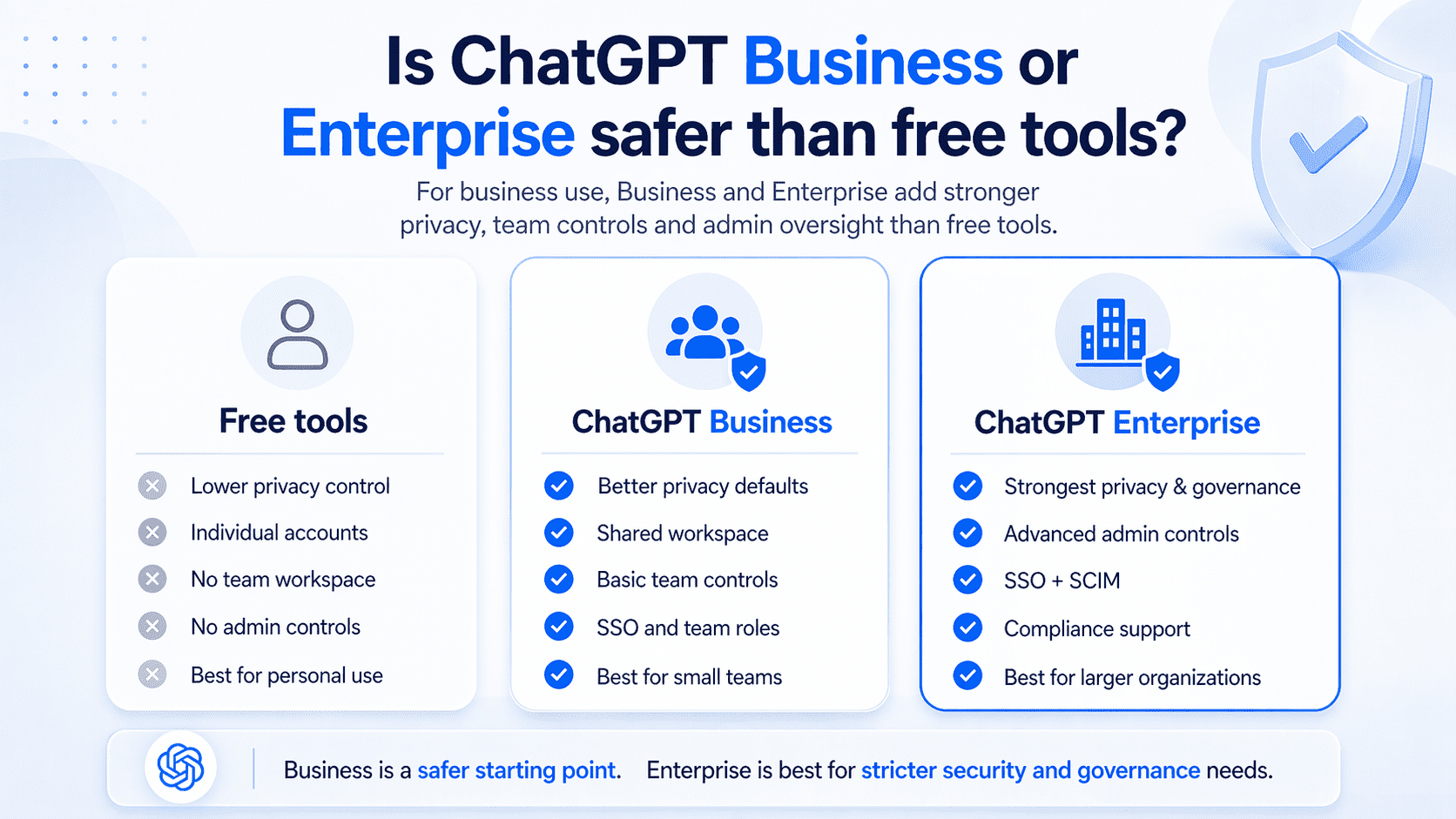
ChatGPT Business and ChatGPT Enterprise are safer than free tools for business use because they add privacy defaults, shared workspace controls and admin oversight that free consumer-style setups do not provide. In practical terms, Business is a safer starting point for small teams, while Enterprise is the stronger option for larger organizations that need tighter identity management, app governance and compliance support.
| Feature | Free tools | ChatGPT Business | ChatGPT Enterprise |
|---|---|---|---|
| Business data protection | Lower control | Better privacy defaults | Strongest privacy and governance |
| Team workspace | No | Yes | Yes |
| Admin controls | No | Basic team controls | Advanced admin controls |
| Access management | Individual accounts | SSO and team roles | SSO, SCIM and deeper controls |
| Best for | Personal use | Small and growing teams | Larger businesses with stricter security needs |
To understand where those differences matter most, let’s look more closely at the risks of free tools, the controls available in Business and the added safeguards that come with Enterprise.
1. Free tool risks
Free tools create more risk for businesses because they are built for individual use, not managed team use. In personal ChatGPT, content may be used to improve models unless the user turns that setting off, which already puts more responsibility on the employee rather than the business.
They also lack the shared controls most businesses need. There is no centralized admin setup, no structured team workspace and no reliable way for a business to manage how people sign in, what they connect or how usage is governed across multiple users. That makes free tools harder to trust for routine business work.
2. Business plan controls
ChatGPT Business gives your team a shared workspace with stronger default protections than a free setup. It is designed for organizations that want secure collaboration, admin controls for users and roles, usage visibility and spend controls, while also keeping workspace data out of model training by default.
For many small and mid-sized businesses, that is a meaningful upgrade. It gives you a business environment instead of a collection of personal AI accounts, which makes it easier to manage access, set limits and keep AI use tied to a work-controlled space.
3. Managed team access
The biggest security improvement over free tools is managed team access. ChatGPT Business supports SSO with verified domains, which helps your business connect login access to an identity provider instead of relying only on individual account habits.
That said, Business is still more limited than Enterprise for identity management. User provisioning and de-provisioning remain manual on Business and SCIM is not included there. This means Business improves access control, but it does not automate it in the same way Enterprise can.
4. Enterprise-grade safeguards
ChatGPT Enterprise adds the stronger governance layer that larger organizations usually need. It includes centralized workspace administration, domain verification, SSO, SCIM and usage insights, which makes it better suited for companies that need tighter control over who gets access and how the platform is used at scale.
It also goes further on compliance and oversight. Enterprise customers can use the Compliance Platform to access logs and metadata from the workspace and connect them to tools used for eDiscovery, DLP and SIEM workflows. Enterprise app governance is also stricter, with apps disabled by default and assignable through RBAC.
Also read: How to Use AI to Create an Online Store That Sells in 2026 (No Coding)
How ChatGPT compares to other AI tools on privacy?
Privacy being one of the biggest factors, the right AI platform should not only help your team work faster, but also give you confidence in how prompts, files and sensitive business data are handled. The table below compares common AI options across key privacy factors so you can better understand where each tool fits before making a decision.
| Privacy dimension | AI All-Access Pack | ChatGPT Business | ChatGPT Enterprise | Gemini for Workspace | Claude for Business / Enterprise |
| Default data training policy | Prompts are protected through a sanitization layer before reaching external models and sanitized prompts are not used to train public models. | Business data is not used to train OpenAI models by default. | Business data is not used to train OpenAI models by default. | Workspace content is not used for model training outside your domain without permission. | Team and Enterprise data is not used for training by default. |
| Encryption | End-to-end encryption for stored data, SSL for data in transit and enterprise-controlled encryption keys. Bluehost does not hold the decryption keys for stored enterprise data. | AES-256 at rest; TLS 1.2+ in transit. | AES-256 at rest; TLS 1.2+ in transit. | Encryption at rest and in transit. | Enterprise-grade security controls; details vary by plan and deployment. |
| Admin and access controls | Account Management Dashboard for user and seat management, plus Privacy+ controls such as user-specific PINs and Incognito Mode for highly sensitive conversations. | Team workspace controls, SSO and role-based access. | SAML SSO, fine-grained controls, SCIM and audit/compliance tooling. | Managed through Google Workspace Admin controls, access rules and Workspace permissions. | Team includes SSO/JIT/RBAC; Enterprise adds SCIM, audit logs, custom retention and compliance API. |
| Compliance coverage | Privacy+ is built for sensitive workflows with sanitization, zero data retention for data in use, E2EE protections and GDPR data residency support through GCP regional deployment options. | SOC 2; GDPR support through DPA; HIPAA support should be verified by plan/use case. | SOC 2; GDPR support through DPA; stronger enterprise compliance options, including HIPAA-eligible setups where contracted. | SOC 2/SOC 3, HIPAA and ISO certifications for eligible Workspace/Gemini editions. | Enterprise plan supports advanced security and compliance controls; HIPAA-ready options should be verified by contract. |
| Retention and deletion | Enterprise admins control chat history and audit log retention independently, including the option to set retention to zero if no storage is desired. | More limited retention controls than Enterprise. | Configurable retention available for eligible customers. | Admin-determined retention depending on Workspace configuration. | Enterprise includes custom data retention controls. |
| Audit transparency | Audit logs are available to enterprise admins only and are encrypted with enterprise-controlled keys, so Bluehost personnel cannot read stored logs. | SOC 2 and Trust Portal resources. | SOC 2, Trust Portal and Compliance Platform integrations. | Google Workspace transparency, admin controls and external compliance certifications. | Trust Center, audit logs and Compliance API on Enterprise. |
Gemini for Workspace keeps organization content within the workspace, does not share it outside the organization without permission and does not use it for training outside the domain without permission.
Claude’s API data retention and Enterprise do not use customer data for training by default. Enterprise adds stronger governance features such as SCIM, audit logs, custom retention and compliance tooling.
The key tradeoff is that hosted tools offer managed security with less setup, while self-hosted models offer more control but make your team responsible for encryption, access, retention, monitoring and compliance.
If you want the convenience of top AI tools for your business without managing separate subscriptions or complex security setups, Bluehost AI All-Access Pack Privacy+ serves as a practical one-stop solution. By brings multiple leading AI models into one dashboard, adds centralized user management and including Privacy+ safeguards such as prompt sanitization, encrypted workflows, privately hosted AI access, user-specific PINs and Incognito Mode for sensitive conversations.
How to use ChatGPT more securely for your business?
You can use ChatGPT more securely by treating it like a managed business system, not just a productivity tool. That means choosing the right plan, controlling who gets access, limiting what can be connected and setting clear rules for how employees use it.
1. Pick the right plan
Start with a plan that matches your security needs, not just your budget. ChatGPT Business gives you a shared workspace, business data protections and SSO support, while Enterprise adds SCIM, deeper role-based control, analytics and compliance tooling for larger teams. If your team is small and you mainly need safer collaboration, Business may be enough. If you need automated provisioning, stronger governance or tighter reporting, Enterprise is the better fit.
2. Set up SSO and permissions
Once you choose a plan, tighten access from the start. SSO is available for Business, Enterprise and Edu and it gives your business more control than relying on individual passwords or unmanaged sign-ins. Permissions matter just as much as login. Business supports owner, admin and member roles, while Enterprise adds RBAC so you can define access more precisely by role and group.
3. Limit app and file access
Do not give every user or every workspace broad access to apps and connected files by default. Workspace settings let admins manage advanced tools, app access and role-based permissions, which helps reduce unnecessary exposure. This matters because connected apps can expand what ChatGPT can reach inside your business environment. The fewer unnecessary connections your team has, the lower your risk of oversharing data and accidental access to the wrong content.
4. Restrict sensitive sources
Your business should be selective about which internal sources are connected in the first place. Business privacy guidance makes clear that organizations can control which internal sources are connected, which means you do not need to expose every drive, folder or knowledge source just because the option exists. A safer approach is to allow only approved, relevant sources for specific teams or workflows. Highly sensitive, regulated or confidential material should stay restricted unless your business has reviewed the need, the permissions and the retention implications carefully.
5. Create an AI use policy
Your team needs written rules for what can and cannot be done in ChatGPT. A good AI use policy should cover what data employees can enter, which tools they can connect, when human review is required and which use cases are off-limits. This is especially important because security risk often comes from routine behavior, not obvious misuse. Clear policy turns safe use into a business standard instead of leaving judgment calls to each employee.
6. Train employees on safe use
Even the right settings will not help much if employees do not understand how to use them. Training should show teams how to avoid pasting sensitive data into prompts, how to use connected files carefully and when to escalate rather than trust an output immediately. Keep that training practical and role-based. A marketer, support agent and operations lead may all use ChatGPT differently, so the safest approach is to teach secure use in the context of real work, not generic warnings.
7. Monitor usage regularly
Secure setup is not a one-time task. You need to review members, roles, connected apps and workspace behavior regularly so access stays aligned with how your team actually uses ChatGPT.
If you are on Enterprise, built-in workspace analytics and the Compliance Platform give you stronger visibility into adoption, usage patterns and logs that can connect with eDiscovery, DLP or SIEM workflows. If you are on Business, regular manual reviews are more important because provisioning and de-provisioning are not automated through SCIM.
Also read: AI in web development: How AI is transforming the industry
What should your businesses check before adopting ChatGPT?
Before adopting ChatGPT, your business should look beyond the tool itself and review the setup around it. The biggest questions are whether your team can manage cost, control access, match the right model to the right work and avoid adding more complexity across the business.
- High costs across AI tools: Before adopting ChatGPT, check how much your business is already spending on AI tools across teams. Many companies end up paying for multiple platforms with overlapping features, which increases cost without improving efficiency.
- Tool sprawl across teams: Your business should also check whether different teams are already using different AI tools for similar tasks. When marketing, support, sales and operations all rely on separate platforms, AI use becomes harder to manage, standardize and secure.
- Unmanaged access and usage: Another important check is whether your business can control who gets access and how the tool will be used. If employees create their own accounts, connect their own files or use AI without clear oversight, the risk of data exposure and inconsistent use grows quickly.
- Gaps between models and tasks: Your business should also evaluate whether ChatGPT fits the type of work your teams actually need help with. If different departments rely on different models because one tool handles writing well while another performs better for research, coding or automation, adoption can become fragmented.
- Too little control at scale: Finally, check whether your business will still have enough control once adoption grows beyond a small group of users. A setup that seems manageable for a few employees can become difficult to govern when more teams start using AI regularly.
Choosing between ChatGPT vs AI All Access Pack is only one part of the decision. What matters more is whether your AI setup can support your business across cost, access, security, usability and scale without creating new gaps. The right setup should give your teams the tools they need while still keeping control in the hands of the business, so AI can grow with your operations instead of adding risk, confusion or unnecessary complexity.
Also read: Build a WordPress Website with AI | Step by Step Guide
How can Bluehost support safer AI use for businesses?
Bluehost supports safer AI use by giving businesses one place to access multiple leading AI models, instead of leaving teams to work across separate personal accounts and tools. Our AI All-Access Pack brings multiple leading AI models into one dashboard, making it easier for businesses to manage access, reduce subscription fragmentation and use the right model for each task in a more consistent and controlled way.

- One dashboard for multiple AI models: Instead of asking businesses to manage separate tools for ChatGPT, Gemini, Claude and Grok, Bluehost AI All-Access Pack provides a single place to access them together.
- The right model for the right task: AI All Access Pack includes different models that perform better for different kinds of work, such as writing, coding, research, analysis or technical explanations, so you can choose the model that best matches your job.
- Centralized admin for teams and agencies: For agencies and growing businesses, the AI All Access Pack Account Management Dashboard offers centralized access, seat management and easier oversight for distributed teams or client accounts.
- Privacy+ for sensitive business use: In our Privacy + you get a sanitization layer for sensitive prompts, end-to-end encryption, a user-specific PIN and Incognito Mode.
- Secure AI without exposing trade secrets: With Bluehost AI All Access Pack, you get to use powerful AI tools without feeding them sensitive company information.
Our AI All Access Pack has two main plan options, so you can choose the level of AI access and privacy that fits your business. AI All-Access Pack is designed for everyday use across teams, while Privacy+ adds stronger protections for more sensitive workflows.
If your business wants a simpler and more controlled way to use AI, Bluehost’s AI All-Access Pack can help bring leading models, team access and privacy-focused options into one place, so your team can do more without adding complexity.
Final thoughts
ChatGPT can be a valuable business tool in 2026, but secure use takes more than choosing a popular AI platform. Your business also needs the right plan, clear access controls, safe-use guidelines and enough oversight as adoption grows. Without that foundation, even useful AI tools can create avoidable privacy, security and workflow risks.
For many small businesses and agencies, the better approach is a simpler, more controlled AI setup. Bluehost’s AI All-Access Pack supports that by bringing multiple leading models into one dashboard, helping teams reduce tool sprawl, manage access more easily and choose the right model for each task. For sensitive workflows, AI All-Access Pack Privacy+ adds stronger privacy-focused controls.
Ready to make AI more practical for your business? Explore Bluehost AI All-Access Pack to help your team do more with less complexity.
FAQs
ChatGPT can be a secure AI for business use in 2026, but only when your business has the right setup around it. Security depends on the plan you use, how well access is managed, what employees enter into prompts and whether your team has clear controls for connected files, apps and everyday AI usage.
ChatGPT Business is a safer option than free AI tools for small businesses because it adds stronger privacy defaults, shared workspace controls and admin oversight. For smaller teams that also want to reduce tool sprawl and simplify everyday AI use, Bluehost’s AI All-Access Pack adds another layer of practicality by bringing multiple leading models into one dashboard.
ChatGPT Business, ChatGPT Enterprise and the API do not use customer data for model training by default, which gives businesses a stronger privacy baseline for internal work. For teams that want an even more privacy-focused setup for sensitive workflows, Bluehost AI All-Access Pack Privacy+ is positioned around added protections such as sanitization and encryption.
The biggest risk is usually unmanaged AI use, not just the tool itself. Businesses run into problems when employees paste sensitive data into prompts, connect broad file sources, use unapproved AI tools or rely on outputs without review, which is why a more controlled AI environment matters as much as the model.
Bluehost AI All-Access Pack offers a single dashboard that gives businesses access to multiple leading AI models, including ChatGPT, Gemini, Claude and Grok, so teams do not have to manage separate subscriptions and logins. The value is not only convenience but also better oversight, lower tool fragmentation and a more controlled setup for growing teams and agencies.
Yes, Privacy+ is designed for businesses that handle more sensitive business or client information and need stronger protections. It includes Privacy Mode for sensitive prompts, end-to-end encryption, user-specific PIN protection and Incognito Mode, making it easier to support secure workflows without exposing trade secrets.
Not by default in every setup. Whether ChatGPT fits HIPAA or GDPR requirements depends on the exact plan, the contract terms you sign, the type of data involved, retention settings, access logging and your own internal controls. For HIPAA, verify that the specific offering is eligible, confirm whether a Business Associate Agreement is available and make sure protected health information is actually permitted in the workflow you plan to use.
OpenAI’s terms place responsibility on users and businesses to ensure they have the rights and permissions to submit content. Businesses should review their contract, data processing terms and liability provisions with legal counsel before uploading confidential or regulated information.
The most cited example is the 2023 Samsung incident, where engineers inadvertently submitted proprietary source code and internal meeting notes as ChatGPT prompts, resulting in sensitive data entering OpenAI’s systems. Samsung subsequently banned ChatGPT for internal use. Other documented incidents include credential theft through phishing sites impersonating ChatGPT and account hijacking via malware targeting saved session tokens.
The EU AI Act applies different obligations and penalty levels depending on the AI use case. Businesses using AI in high-risk areas such as employment, credit or access to essential services should document use cases, review vendor obligations and get legal guidance.
ChatGPT Enterprise connectors link the model directly to internal systems such as Google Drive, Salesforce, Slack and Microsoft SharePoint, which dramatically expands the data surface exposed during any session. Unlike typed prompts, connectors can pull documents, emails and records automatically based on context, sometimes retrieving files the user did not explicitly intend to share.
Running your business on a secure, well-configured hosting platform reduces indirect risks such as credential theft, phishing redirects and compromised integrations, even though it does not directly govern what happens inside ChatGPT’s servers. For example, Bluehost’s domain privacy and protection features mask your WHOIS data and send SMS alerts for DNS changes, reducing the risk of domain hijacking that could redirect staff to a fake ChatGPT login page.

Write A Comment