 ChatGPT,
 Claude,
 Gemini,
 Grok — all four for
 Full root access
 KVM-isolated performance
 Free SSL included
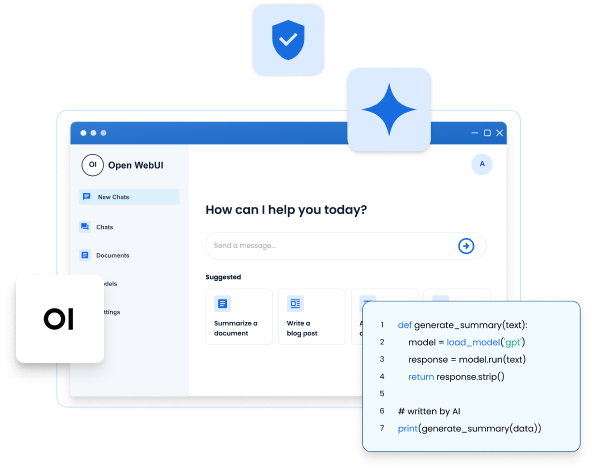
Choose the right VPS plan for
Open WebUI hosting
One model or five, one user or a whole team. Here's what each tier actually runs.
RECOMMENDED
NVMe 4
Docker, AI agents, and growing applications
A$12.08/mo
1VAT not included
1GST not included
For 24 month term
Renews at A$17.06/mo
- 2 vCPU Cores
- 4 GB DDR5 RAM
- 100GB NVMe Storage
- Unmetered Bandwidth
- Infrastructure/hardware support
- Multiple data centers
NVMe 8
Multi-container production and heavy traffic
A$17.77/mo
1VAT not included
1GST not included
For 24 month term
Renews at A$41.25/mo
- 4 vCPU Cores
- 8 GB DDR5 RAM
- 200GB NVMe Storage
- Unmetered Bandwidth
- Infrastructure/hardware support
- Multiple data centers
NVMe 16
Heavy AI workloads, large databases, and enterprise stacks
A$36.98/mo
1VAT not included
1GST not included
For 24 month term
Renews at A$71.13/mo
- 8 vCPU Cores
- 16 GB DDR5 RAM
- 450GB NVMe Storage
- Unmetered Bandwidth
- Infrastructure/hardware support
- Multiple data centers
Unmetered Web Hosting
How much bandwidth will my plan include?
Bandwidth is "Unmetered" which means you are not charged according to the amount of bandwidth you typically use in the normal operation of a personal or small business website.
However, we do require all customers to be fully compliant with our Terms of Service and to not exceed 25% or more of system resources for longer than 90 seconds.
What happens if I exceed usage?
If we have concerns about your account's bandwidth utilization, you will receive an email asking you to reduce usage.
It is rare for a customer who is managing a personal or small business website to exceed our usage policies.
Multiple Data Centers
Deploy your VPS closer to your users with multiple data center locations, helping reduce latency and improve performance.
Locations to display:
USA (Virginia)
USA (Arizona)
London
Toronto
Amsterdam
Everything Open WebUI needs, on every NVMe plan
Get full root access, Docker-ready infrastructure, and storage that grows with you. No caps, no lock-in, no rebuilds.

Always-on availability
Your instance runs 24/7 - independent of any local
machine. One stable URL, accessible from any device, for everyone on the team.

NVMe storage for RAG
Document ingestion, embedding writes and retrieval queries hit storage on every request. NVMe keeps that pipeline fast under real workloads.

Root access + Docker
Full root control and Docker support out of the box. Deploy Open WebUI the way it was designed to be deployed - no platform restrictions in the way.

Persistent volumes
Model configs, uploaded docs, RAG indexes, user accounts - all survive reboots. Set it up once. It stays exactly as you left it.

KVM virtualization
Isolated resources that don't fluctuate with neighboring workloads. Consistent performance whether you're running one model or five concurrent users.

Multi-model, your choice
Run Ollama models locally, connect OpenAI, Anthropic, or Groq via API, or mix all of them in one interface. No platform lock-in to a single provider.

Free SSL on every plan
HTTPS for your Open WebUI interface - included at no added cost across all NVMe plans. No extra setup, no certificate management.

Scalable from solo to team
Start on NVMe 2. Grow to NVMe 4, 8, or 16 as your team and model usage expand - no platform migration, no re-architecture.

No transfer caps
API calls, document uploads, and team traffic run unmetered. Heavy multi-model use and concurrent sessions won't hit a ceiling or trigger overage charges.
What Bluehost doesn't take away, no matter how you grow
Bluehost makes three specific commitments to every Open WebUI deployment. Here is what each one means in practice.
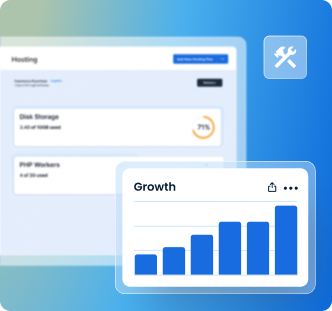
Growth commitment
Outgrow your plan. Never outgrow
the platform.
Start on NVMe 2 and scale to NVMe 4, 8, or 16 as your team and model usage expand. Same platform, same setup, no migration and no re-architecture.
Four tiers · Zero platform migration
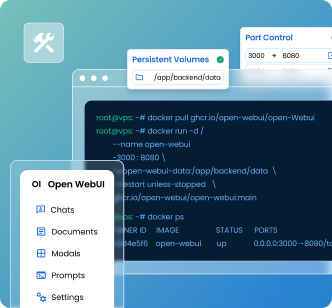
Environment commitment
Full root. Full Docker. No platform
in the way.
Deploy Open WebUI exactly as it was designed, with persistent volumes, port control, container management. Nothing restricted; nothing abstracted away.
No managed layer · No deployment workarounds
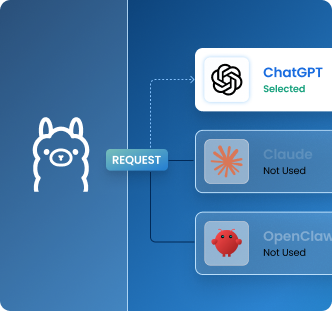
Privacy commitment
Your data goes where you send it. Nowhere else.
Local models via Ollama stay put. Connect OpenAI or Anthropic, and only that request leaves: never silently, never by default.
Local-first architecture · You control every connection
Every tier includes all three commitments
Also run on Bluehost VPS



Hermes + Open WebUI
Pre-wired agent and chat interface for collaborative AI work.

Resources to get you running
From step-by-step guides to troubleshooting docs and video walkthroughs, we've got what you need to run automation with confidence.
FAQs: Open WebUI VPS Hosting
How hard is it to set up Open WebUI hosting on a Bluehost VPS?
Not hard. Install Open WebUI in one click at checkout and your server arrives with Open WebUI, Ollama, Nginx, HTTPS and a firewall configured. Already own a VPS? Install the template from your Portal instead, noting that reimaging erases existing data.
Is Open WebUI private? Where does my data go when it's hosted?
Yes, Open WebUI is private by architecture. Everything runs on your server. Conversations, documents, RAG indexes, and API keys never leave your infrastructure. The only exception: prompts sent to external providers like OpenAI go to that provider directly, identical to using their API yourself.
Can I use Bluehost VPS as a self-hosted chat UI for local LLMs?
Yes. Connect your Bluehost VPS to Ollama and run Open WebUI as a self-hosted chat interface for local LLMs like Llama 3, Mistral, and Gemma. It also connects to cloud AI providers like OpenAI and Anthropic if you want broader model access.
Can my whole team access one Open WebUI hosted instance on a single VPS?
Yes. One Open WebUI hosted instance serves your entire team. The first user becomes admin and can invite others with role-based access. Expose it via Nginx, Caddy, or Tailscale. Every team member gets a consistent URL from any device. No per-seat licensing.
Which AI model providers can I connect to Open WebUI when it is cloud-hosted on a VPS?
Any OpenAI-compatible endpoint, plus local models. Run Llama 3, Mistral, or Gemma locally through Ollama, and connect OpenAI, Anthropic, Groq, or OpenRouter by API key. You can mix local and cloud models in the same interface and switch per conversation.
What happens to my Open WebUI data if the VPS restarts?
Your Open WebUI data can survive server restarts when you deploy it with persistent Docker volumes. This keeps uploaded documents, chat history, user accounts, model settings and RAG data stored outside the container. Bluehost VPS supports this setup, so your data remains available after a restart when volumes are configured correctly.
How do I secure my Open WebUI instance from unauthorized access?
Secure Open WebUI by placing it behind Nginx or Caddy, enabling HTTPS and keeping only required ports open. Bluehost NVMe VPS plans include free SSL. Use Open WebUI’s built-in authentication, disable open registration and approve users manually. For stricter access, add OAuth or limit access through a private network like Tailscale.
Is self-hosted Open WebUI cheaper than a SaaS AI subscription?
It can be, especially for teams. No per-user fee, and your Self-Managed VPS plan cost is fixed by term. Model costs are separate: local models cost only server resources, external APIs are billed by the provider. The trade is your time on maintenance.