 ChatGPT,
  Claude,
  Gemini,
  Grok — all four for
 What Is a Document Root? Understanding Website Directory
The document root is the main directory where the website files for a specific domain name are stored. In the Bluehost hosting environment, each domain—whether it’s your primary domain, an addon domain, or a subdomain—requires its own unique folder. This structure keeps each website separate and allows them to function independently.
Primary Domain
Your primary domain is stored in the main directory called public_html.
Because this folder is dedicated to your primary domain, its files remain separate from those belonging to addon domains or subdomains.
Primary Domain Document Root:
public_html
Addon Domains and Subdomains
When you create an addon domain or a subdomain in Bluehost’s cPanel, the system automatically generates a corresponding directory. Each of these additional domains is rooted in its own separate folder.
This folder structure ensures that:
- Addon domains operate as completely separate websites
- Subdomains function as independent sections of your main website
- Files from different domains remain organized and isolated
Where to Find the Document Root
After setting up an addon domain or subdomain, you can view its document root in cPanel:
- Log in to your Bluehost Portal.
- In the left-hand menu, click Hosting, then select My Plans.
- On the hosting details page, click the cPanel button.
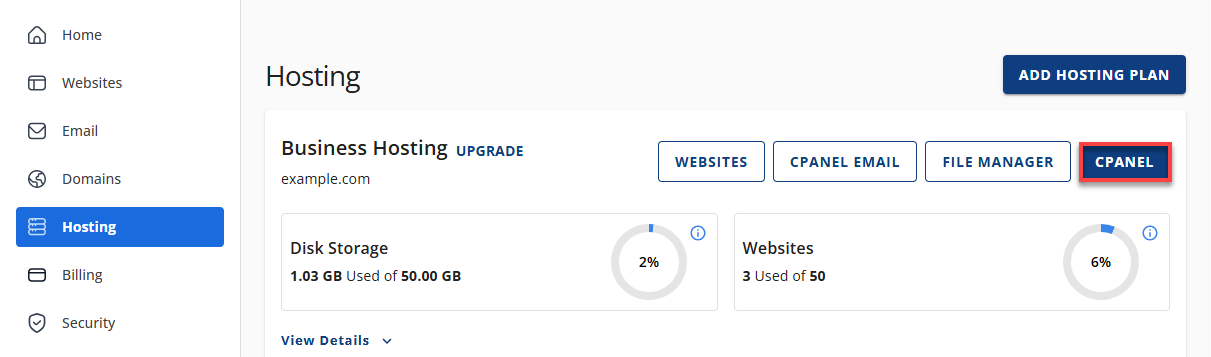
- Your cPanel will open in a new tab.
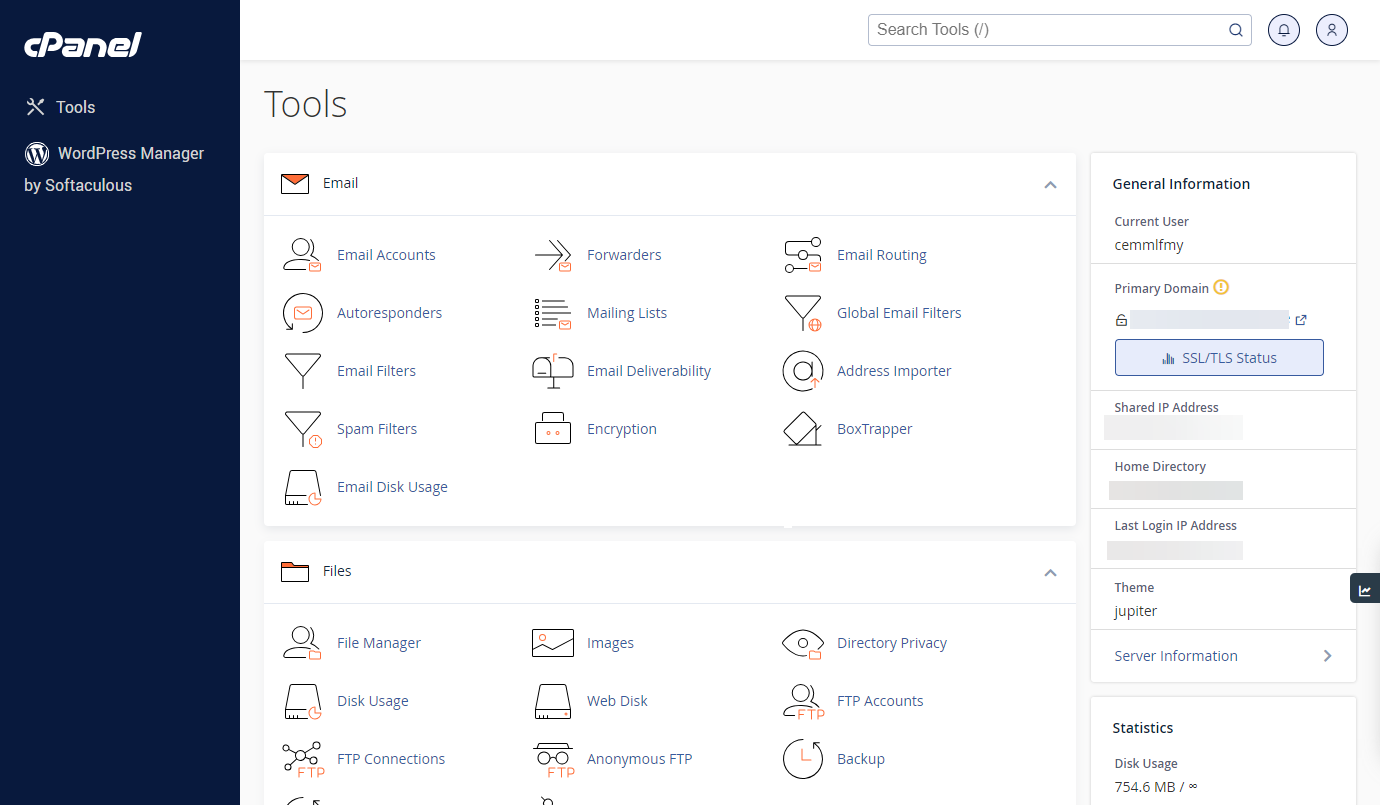
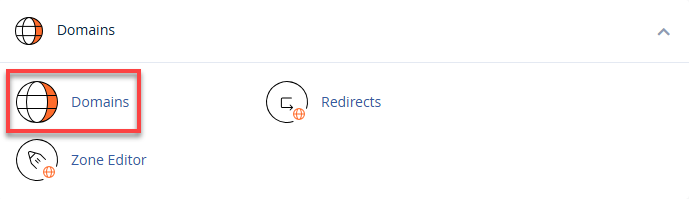
- In cPanel, scroll down to the Domains section and click on Domains.
- In the domain list, the Document Root column will show the folder where your website files are stored.
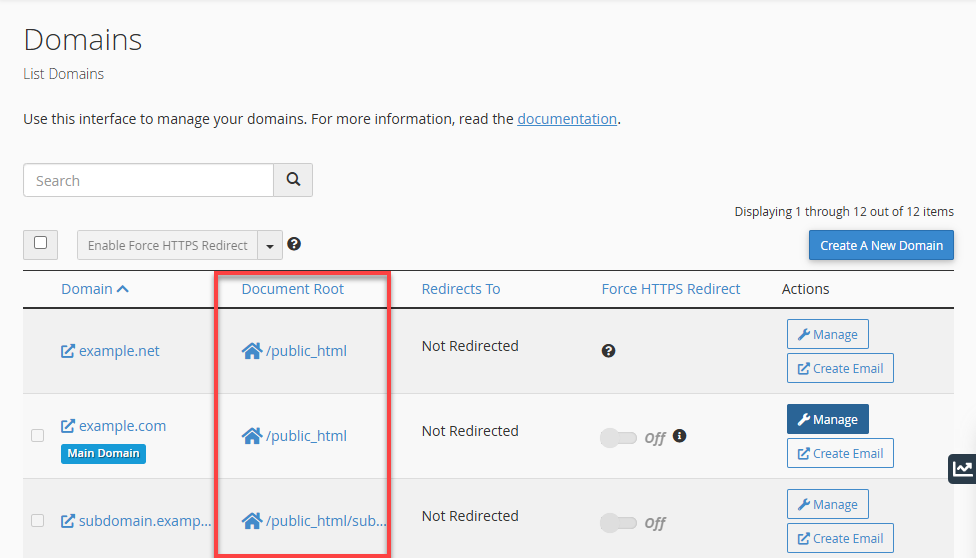
Tip: Clicking the document root path instantly opens the correct folder inside the File Manager.
Alternative Way to Find the Document Root
- Log in to your Bluehost Portal.
- In the left-hand menu, click Websites.
- Click the Manage Site button located next to the website you want to manage.

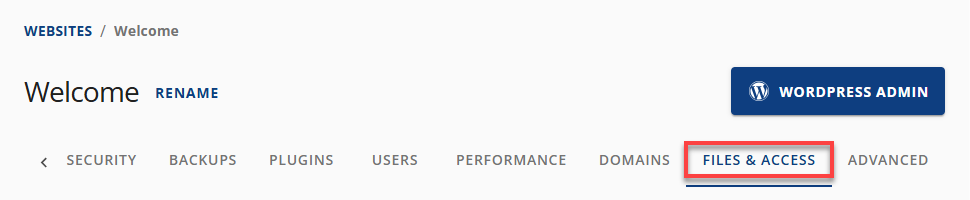
- In the top navigation menu, click Files & Access.
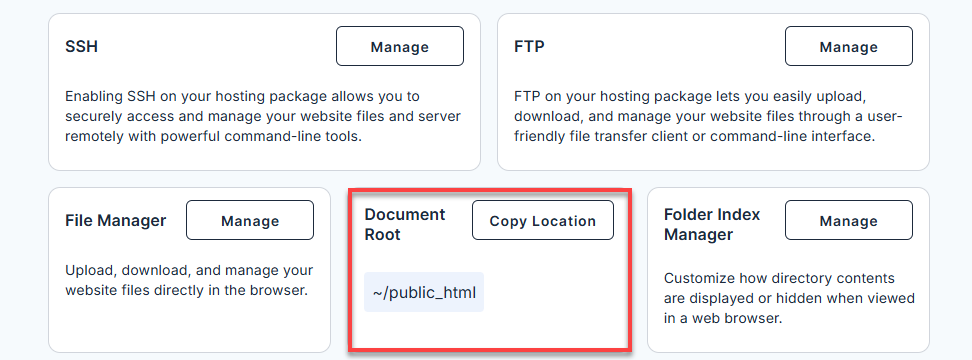
- Look for the Document Root section, which shows the root directory path for your website.
Summary
Understanding how document root folders work helps you keep your websites well-organized, especially when managing multiple domains in Bluehost. Whether you're working with your primary domain, addon domains, or subdomains, knowing where each site’s files are located ensures smoother site management, easier troubleshooting, and a more structured hosting environment.
If you need further assistance, Bluehost Chat Support is available 24 hours a day, 7days a week while Bluehost Phone Support is available 7 days a week from 7 am-12 midnight EST.
- Chat Support - While on our website, you should see a CHAT bubble in the bottom right-hand corner of the page. Click anywhere on the bubble to begin a chat session.
- Phone Support -
- US: 888-401-4678
- International: +1 801-765-9400
You may also refer to our Knowledge Base articles to help answer common questions and guide you through various setup, configuration, and troubleshooting steps.