 ChatGPT,
 Claude,
 Gemini,
 Grok — all four for
Key highlights
- Discover how WordPress Playground lets you test themes and plugins without any hosting costs.
- Learn the core technologies behind client side WordPress and browser-based functionality.
- Explore practical use cases for developers, educators and content creators alike.
- Understand the limitations of WP Playground before relying on it for production work.
- Uncover when you need traditional hosting versus free experimentation tools.
The process of testing a WordPress website requires significant commitment. This includes purchasing hosting and setting up domains. Many beginners feel hesitant to invest money before understanding the platform. But what if you could run WordPress entirely in your browser?
WordPress Playground makes this possible. This innovative tool lets you experience WordPress without hosting requirements. You can test themes, explore plugins and learn the dashboard instantly. Everything runs directly in your web browser with zero setup.
In this comprehensive guide, you will learn how WP Playground works behind the scenes. We will cover its powerful features, practical use cases and important limitations. By the end, you will know exactly when to use WordPress Playground. You will also understand when traditional hosting becomes necessary.
What is WordPress Playground?
WordPress Playground is a browser-based WordPress environment that runs entirely on your device. It requires no server, no hosting account and no installation process whatsoever.
Think of it as a virtual WordPress sandbox inside your web browser. The entire WordPress application runs using client-side WordPress technology. This means your computer processes everything locally. You get a fully functional WordPress dashboard without connecting to any external server.
WordPress Playground enables true WordPress without hosting requirements. Anyone can launch a complete WordPress installation within seconds. Simply visit the playground website and start experimenting immediately. This revolutionary approach removes all traditional barriers to WordPress exploration.
Understanding this foundation helps explain the powerful features available to you. Let’s explore how it works.
Also read: What Is WordPress Playground? A Beginner’s Guide
How does WordPress Playground work?
WordPress Playground operates through several innovative web technologies working together. These technologies transform your browser into a complete WordPress server.
- Browser becomes the server: Your web browser handles all processing tasks locally.
- No external connections: Data stays on your device without server communication.
- Instant availability: WordPress launches within seconds of visiting the page.
- Full functionality: You get access to themes, plugins and core WordPress features.
- Temporary by design: Each session creates a fresh WordPress instance.
The magic happens through specific technologies that power this experience.
Key technologies powering WP Playground
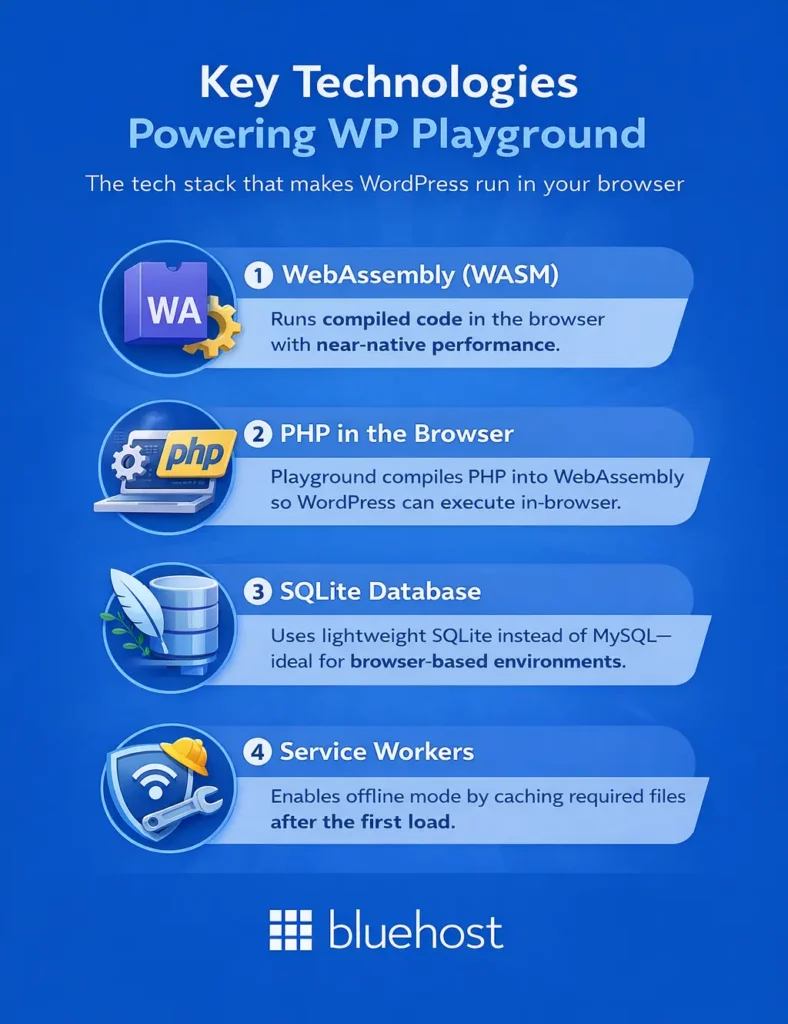
Several groundbreaking technologies make WordPress Playground possible:
- WebAssembly (WASM): This technology compiles code to run efficiently in browsers. It provides near-native performance for complex applications.
- PHP compiled for browser: WordPress requires PHP to function properly. The Playground compiles PHP into WebAssembly for browser execution.
- SQLite database integration: Instead of MySQL, Playground uses SQLite. This lightweight database works perfectly within browser environments.
- Service workers: These enable WordPress offline mode capabilities after initial loading. Your browser caches necessary files for offline access.
These technologies combine to create seamless client side WordPress functionality.
The client side WordPress architecture
The architecture differs significantly from traditional WordPress hosting setups. Everything runs within your browser’s sandboxed environment.
Traditional WordPress requires a web server running PHP and MySQL database software. WordPress Playground replaces this entire stack with browser-native alternatives. Your device’s processing power handles all computational tasks. The browser manages file storage, database operations and PHP execution simultaneously.
This architecture enables remarkable portability and instant accessibility for all users.
WordPress Playground features
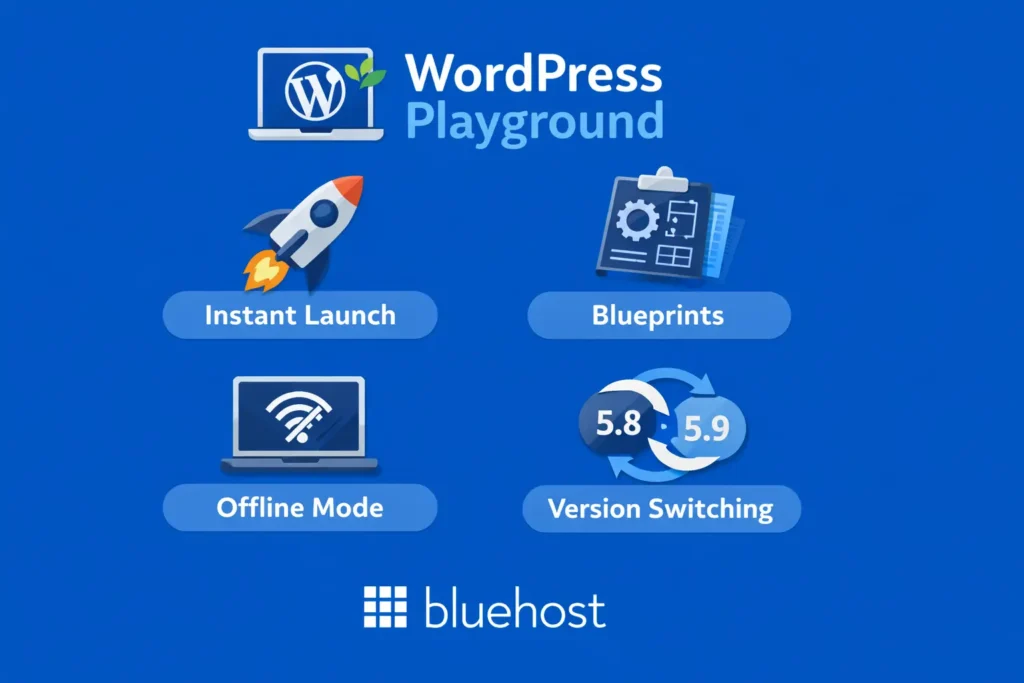
WordPress Playground offers impressive functionality despite running entirely in browsers. Here is a comparison of its main features:
| Feature | Description | Benefit |
| Instant launch | No installation required | Test themes and plugins immediately |
| Blueprints | Pre-configured setups | Shareable WordPress environments |
| Offline mode | Works without internet | Learn anywhere without connectivity |
| Version switching | Test multiple WP and PHP versions | Compatibility testing made simple |
Each feature serves specific purposes for different user needs.
- Zero configuration: Start using WordPress within seconds of page load.
- Theme testing: Install and preview any theme from the repository.
- Plugin evaluation: Test plugin functionality before committing to installations.
- Safe experimentation: Break things without consequences to real websites.
- Version flexibility: Test compatibility across different WordPress and PHP versions.
Two features deserve special attention for their unique capabilities.
Understanding WordPress Playground blueprints
WordPress Playground blueprints are JSON configuration files that define specific WordPress setups. They automate the creation of pre-configured environments instantly.
Quick tip: Blueprints let you share exact WordPress configurations with others via simple URLs.
Here is a basic blueprint example:
{
  "landingPage": "/wp-admin/",
  "steps": [
    {
      "step": "installPlugin",
      "pluginZipFile": {
        "resource": "wordpress.org/plugins",
        "slug": "contact-form-7"
      }
    }
  ]
}
Blueprints enable teachers to create consistent learning environments for students. Developers can share bug reproductions with exact configurations. Support teams can replicate customer issues without lengthy setup processes.
This feature dramatically enhances collaboration and troubleshooting efficiency.
WordPress offline mode capabilities
WordPress Playground supports WordPress offline mode after the initial page load completes. Service workers cache necessary files for offline access.
- Continue working during internet outages
- Learn WordPress during flights or travel
- Practice in areas with unreliable connectivity
- Demonstrate WordPress without requiring network access
Offline functionality makes WordPress learning truly accessible anywhere in the world.
Now that we have better understanding of how WP Playground functions, let’s learn about its use cases.
Top use cases for WordPress Playground
WordPress Playground serves diverse audiences with varying needs and skill levels. Here are the most valuable applications for different user groups.
1. For developers and designers
Developers and designers benefit tremendously from instant testing environments. WP Playground accelerates development workflows significantly.
- Plugin and theme testing: Evaluate new plugins without affecting production sites.
- Client demonstrations: Show WordPress capabilities during sales presentations instantly.
- Bug reproduction: Recreate issues in isolated environments for debugging.
- Compatibility testing: Verify theme and plugin behavior across WordPress versions.
- Prototype development: Build quick mockups for client approval before development.
These capabilities save developers countless hours of setup and configuration time.
2. For educators and learners
Educational applications represent one of WordPress Playground’s strongest use cases. Learning becomes accessible to everyone instantly.
- Teaching WordPress basics: Instructors can guide students through live demonstrations easily.
- Student practice environments: Learners get hands-on experience without hosting costs.
- Tutorial creation: Content creators can produce WordPress tutorials with consistent environments.
- Classroom exercises: Teachers can assign WordPress projects without infrastructure requirements.
The barrier-free access democratizes WordPress education for learners worldwide.
3. For content creators and bloggers
Content creators can evaluate WordPress options before making permanent decisions. This reduces regret and improves satisfaction.
- Theme exploration: Preview themes before installing them on live websites.
- Content layout testing: Experiment with different content presentations safely.
- Plugin evaluation: Test plugin functionality before committing to subscriptions.
- Design experimentation: Try bold design changes without risking your live site.
Smart creators use Playground for research before implementing changes on production sites.
Get expert guidance in a 5-minute call
? Call 888-401-4678Limitations of WordPress Playground
Despite its impressive capabilities, WordPress Playground has important limitations. Understanding these constraints helps you use the tool appropriately.
| Limitation | Impact | Solution |
| No data persistence | Work lost on browser close | Export or use hosted WordPress |
| Limited plugin compatibility | Some plugins will not function | Test on staging environment |
| No live website publishing | Cannot go live from Playground | Migrate to web hosting |
| Performance constraints | Depends on device resources | Use managed hosting for production |
Additional limitations worth noting include:
- No email functionality: Contact forms and notifications will not work properly.
- Server-dependent plugins fail: Plugins requiring server access cannot function.
- No custom domain support: You cannot connect your own domain name.
- Limited storage capacity: Browser storage restricts media library size significantly.
These limitations highlight when alternative solutions become necessary.
When WordPress Playground isn’t enough?
WordPress Playground excels at testing and learning but cannot replace real hosting. You need traditional hosting when building actual websites for visitors.
Any website requiring permanent content needs proper web hosting. Business websites, online stores and professional blogs require reliable infrastructure. Search engines cannot index Playground sites for organic traffic. Real visitors cannot access your Playground experiments.
Recognizing these boundaries helps you choose the right tool for each situation.
WordPress Playground vs traditional WordPress hosting
Understanding the differences between Playground and hosting helps inform your decisions. Here is a comprehensive comparison:
| Feature | WordPress Playground | Traditional hosting |
| Cost | Free | Monthly fee |
| Data persistence | Temporary | Permanent |
| Custom domain | No | Yes |
| Live website | No | Yes |
| Full plugin support | Limited | Complete |
| eCommerce capability | Testing only | Fully functional |
| Email integration | No | Yes |
| SEO indexing | Not possible | Full control |
WordPress Playground serves as an excellent starting point for exploration. However, serious websites require traditional hosting infrastructure. The Playground helps you learn and experiment before investing in hosting.
When you are ready for a real website, hosting provides everything Playground cannot offer.
Find your perfect plan
? View PlansHow to get started with WordPress Playground
Getting started with WP Playground takes only minutes. Follow these simple steps:
- Navigate to playground.wordpress.net: Open this URL in any modern web browser.
- Wait for automatic WordPress launch: The system loads WordPress within seconds automatically.
- Explore the dashboard: Familiarize yourself with the WordPress admin interface.
- Install themes and plugins: Browse the repository and add extensions freely.
- Test configurations using blueprints: Try pre-configured setups via blueprint URLs.
- Export your work if needed: Download your site before closing the browser.
Pro tip: Bookmark blueprint URLs that create your preferred testing configurations.
Once comfortable with WordPress basics, you may want a permanent online presence.
Taking your WordPress site live with Bluehost
After experimenting in WordPress Playground, you may feel ready for production hosting. Bluehost provides an excellent transition from experimentation to live websites.
Bluehost offers one-click WordPress installation that mirrors the simplicity of Playground. Your WordPress site launches instantly with proper hosting infrastructure. Unlike Playground, your content persists permanently and remains accessible to visitors worldwide.
Key benefits of Bluehost WordPress hosting include:
- Free domain name: Get your custom domain included with hosting plans.
- Free SSL certificate: Secure your website with HTTPS encryption automatically.
- 99.99% uptime guarantee: Your site remains accessible to visitors reliably.
- 24/7 expert support: Get help whenever you need assistance.
- AI Site Creation: Build professional sites quickly with intelligent design tools.
WordPress.org officially recommends Bluehost as a trusted hosting provider. This endorsement reflects years of WordPress-focused hosting excellence. When Playground experimentation becomes serious website ambition, Bluehost delivers the infrastructure you need.
Get started with Bluehost today and transform your WordPress experiments into professional websites.
How to embed WordPress Playground in your website?
Embedding WP Playground directly into your website lets visitors interact with a live WordPress environment without leaving your page. This is particularly effective for plugin documentation, online course lessons and interactive product demos where hands-on experience reinforces understanding.
You can use an iframe-style embed that renders a full WordPress instance inline or a blueprint-backed URL that opens a preconfigured environment in a new tab. The iframe option loads client side WordPress within the page but adds significant weight – expect slower initial render times, especially on lower-powered devices.
Users inside the embed can install themes, edit content and navigate the dashboard, but cannot send emails, access server-level features or retain data after the session ends.
Best for:
- Interactive plugin or theme demos in documentation
- Hands-on exercises within online courses
- Shareable bug reproductions using a blueprint URL
- Low-friction product walkthroughs without user sign-up
Now you’re ready to take your website live with the help of WordPress playground. So, let’s conclude with a brief look at what we’ve learned.
Final thoughts
WordPress Playground eliminates the biggest barrier that once stopped beginners from exploring WordPress – the upfront cost and complexity of traditional hosting.
You can now test themes, experiment with plugins and master the dashboard without spending a single dollar. However, when your experiments turn into ambitions, Playground’s temporary sessions and limited functionality will hold you back.
A real website demands real infrastructure, persistent content and a domain the world can actually find. That is exactly where reliable hosting steps in to carry you forward. Get started with Bluehost WordPress Hosting today and turn your Playground experiments into a professional website built to last.
FAQs
Yes, WordPress Playground is entirely free to use without any hidden costs. You can access it unlimited times without registration or payment requirements.
WordPress Playground does not save work automatically between sessions. However, you can export your entire site as a zip file. This export can be imported into future Playground sessions or real hosting.
Yes, WordPress Playground supports offline mode after initial loading completes. Service workers cache necessary files so you can continue working without internet connectivity.
No, WordPress Playground cannot host live websites for public visitors. It functions only as a testing and learning environment. You need traditional web hosting to publish websites online.
Blueprints are JSON configuration files that create specific WordPress setups automatically. For example, you can share a blueprint that installs specific plugins and themes. Recipients get identical environments instantly through simple URL sharing.

Write A Comment