 ChatGPT,
 Claude,
 Gemini,
 Grok — all four for
Key highlights
- Choose VPS hosting for virtualized resources on a shared physical server, built for standard websites and moderate workloads.
- Get dedicated compute resources with VDS hosting, locked at the hypervisor level with zero shared-resource competition.
- Know the core difference: VPS allocates hardware cycles while VDS guarantees them exclusively to you.
- Position your infrastructure right, VDS sits between managed VPS and bare-metal dedicated servers in cost, performance and flexibility.
- Scale confidently with VDS when running CI/CD pipelines, multi-tenant agency environments, high-volume eCommerce or AI runtimes.
Your hosting environment is the foundation everything else runs on. When it struggles, your applications slow down, your clients notice and your business pays the price.
If you have been running on VPS hosting and started noticing performance inconsistencies, you are not imagining it. Many developers, agencies and growing businesses eventually hit a ceiling with standard virtual private servers, not because VPS hosting is bad, but because certain workloads simply demand more.
That is where Virtual Dedicated Server (VDS) hosting enters the picture.
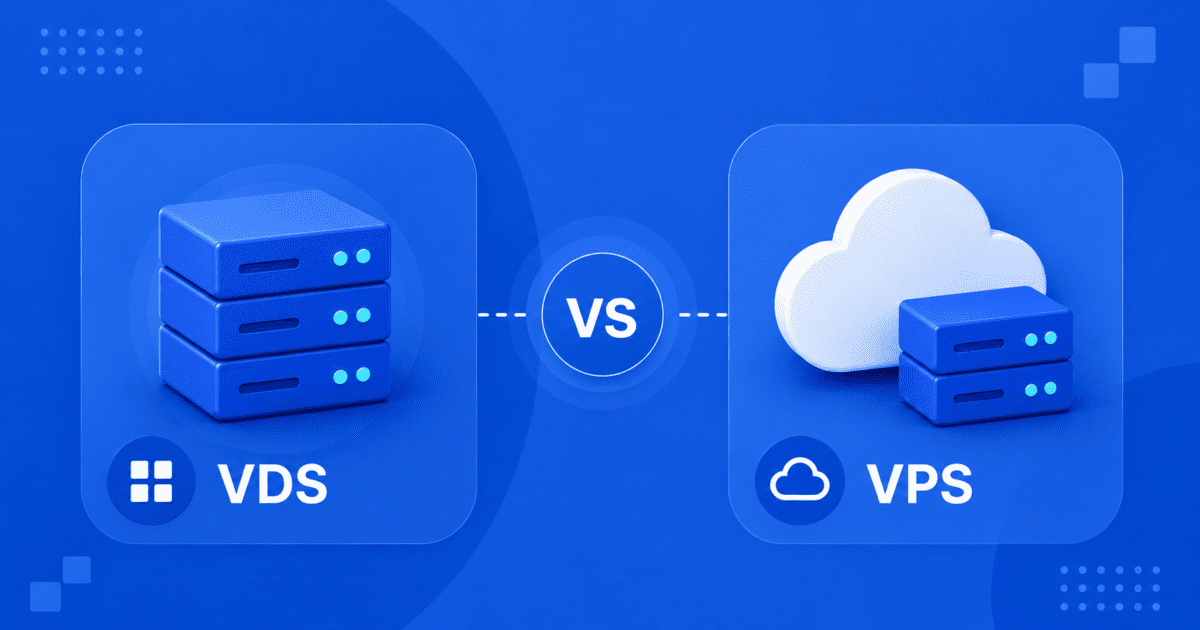
This guide breaks down the real differences between VDS and VPS hosting, when each one makes sense and how to decide which environment fits your current needs.
What Is VPS Hosting?
A Virtual Private Server (VPS) splits a single physical server into multiple isolated virtual machines. Each gets its own OS plus an allocated share of CPU, RAM and storage.
You get dedicated IP addresses, SSH access, root-level control and the freedom to install custom software, all at a better performance-to-cost ratio than shared hosting.
The key word is allocated. Your resources are pre-assigned, but the underlying hardware is still shared. Under heavy load, that allocation can flex.
That shared foundation is exactly the limitation VDS hosting is engineered to remove.
What Is VDS Hosting?
Virtual Dedicated Server (VDS) hosting takes VPS isolation one step further.
Your compute resources are not just allocated, they are locked at the hypervisor level. Your vCPU cores and RAM are reserved strictly for your instance. No overcommitting. No shared compute allocation from neighboring virtual instances. No performance variance from neighboring instances.
Also read: What Is VDS Hosting? Bluehost Virtual Dedicated Servers Explained
You get the processing power of a dedicated server with the flexibility of cloud infrastructure, full root access, instant deployment and scalable tiers without physical hardware constraints.
Knowing what each option is only gets you so far, now let us break down exactly where they diverge.
VDS vs VPS hosting: What’s the core difference?
The fundamental difference between VDS and VPS hosting is compute isolation.
| Feature | VPS Hosting | VDS Hosting |
| Resource model | Allocated, may flex under load | 100% dedicated, hypervisor-locked |
| CPU isolation | Shared hardware cycles | Dedicated vCPU cores, zero overcommitting |
| RAM | DDR allocated per plan | DDR5 dedicated per instance |
| Storage | NVMe SSD | Enterprise-grade NVMe SSD |
| Root access | Full SSH access | Full root-level SSH access |
| Scaling | On-demand resource upgrades | Click-to-Buy across 7 performance tiers |
| Bandwidth | Unmetered | Unmetered |
| Ideal for | Websites, SMBs, dev projects | Agencies, eCommerce at scale, CI/CD, AI runtimes |
| Cost position | Entry to mid-range | Mid-range to performance tier |
The practical implication of this difference matters most under load. A VPS environment on a heavily consolidated host node may deliver inconsistent execution speeds during peak periods. A VDS environment maintains predictable performance because your hardware allocation cannot be touched by neighboring instances.
For workloads where uptime consistency, transaction speed and compute predictability are business-critical, the resource model is not a technical footnote. It is the entire value proposition.
The comparison makes the difference clear, now let us look at what those shared infrastructure limits mean for your workload.
What are the performance limits of a shared virtual environment?
Understanding where VPS performance constraints originate helps you recognize when you are approaching the boundary of what shared infrastructure can reliably deliver.
In a standard virtual environment, a single physical host server runs multiple virtual instances simultaneously. Each instance receives an allocated share of the server’s total CPU, memory and I/O capacity. Under typical conditions, this works well. Workloads run efficiently, resources are available on demand and costs stay manageable.
The challenge arises under sustained or concurrent high-load conditions.
When multiple virtual instances on the same host node spike at the same time, the underlying hardware becomes a point of contention. Traffic surges, background processing jobs, database-intensive operations and batch computation can all trigger this at once. Disk I/O throughput narrows. CPU execution queues lengthen. Memory bandwidth tightens.
This is not a failure of VPS technology. It is an architectural characteristic of shared virtual infrastructure. Some VPS providers also practice resource overcommitting, allocating more total resources across virtual instances than the physical hardware technically holds. This works at average utilization levels but degrades under peak demand.
The workloads most affected by shared infrastructure constraints include:
- Database-intensive applications running sustained read/write operations across large datasets
- eCommerce platforms processing concurrent checkouts, inventory synchronization and payment events
- Automation and workflow engines running continuous background processing pipelines
- CI/CD pipelines executing compilation, testing and containerized deployments
- Multi-tenant agency environments hosting numerous client sites under one account
If your application sits in any of these categories, shared infrastructure constraints are worth evaluating. Inconsistent response times that do not map to your own traffic patterns are often the first sign.
VDS hosting resolves this by removing shared compute contention by reserving resources for your instance at the hypervisor level. Your vCPU cores, DDR5 memory channels and NVMe storage slices are mapped directly to your kernel at the hypervisor level, permanently reserved for your instance alone.
Now, let us walk through the scenarios where VPS hosting remains the stronger fit.
When should you choose VPS hosting?
VPS hosting remains the right choice for a broad range of use cases. Not every project needs dedicated compute isolation and choosing more infrastructure than you require adds cost without adding value.
VPS hosting is well-suited for:
- Personal and small business websites with moderate, predictable traffic patterns
- Development and staging environments where occasional performance variance is acceptable
- Blogs, portfolio sites and content platforms that do not process high-volume transactions
- Early-stage applications where budget efficiency matters more than performance guarantees
- Projects with flexible scaling needs where on-demand resource upgrades cover growth requirements
- Teams entering VPS management who want full server control without the overhead of a dedicated environment
If your site needs full root access, scalable resources and predictable performance at a lower cost, explore Bluehost VPS hosting plans.
Bluehost Self-Managed VPS plans include SSH access, cPanel, guaranteed RAM and CPU, free SSL, unmetered bandwidth and 24/7 support. Pricing starts at $4.99/month on a 3-year term for the NVMe 2 plan. The 30-day money-back guarantee applies across all plans.
* Prices as of May 2026
For consistent traffic and standard web applications, VPS hosting is more than capable. It delivers strong, reliable performance without the cost of infrastructure you do not yet need.
When your workload starts demanding more than what a shared virtual environment can reliably deliver, the conversation shifts from VPS to VDS.
When should you upgrade to VDS hosting?
The decision to move from VPS to VDS typically comes from one of two directions: you are hitting a performance ceiling that does not improve with resource upgrades or your workload architecture requires dedicated isolation from the start.
Consider VDS hosting when:
- Response times are unpredictable despite adequate resource allocations on your VPS plan
- You are running sustained compute workloads like CI/CD pipelines, media processing or AI inference that require consistent CPU execution speeds
- Your eCommerce platform is processing high concurrent transaction volumes with real-time database queries
- You manage multiple client environments under one hosting account and need guaranteed workload isolation between them
- You are deploying containerized applications using Docker, Portainer or similar orchestration tools that require dedicated runtime environments
- You need specialized OS or kernel configurations that go beyond standard VPS environment constraints
- Your automation workflows built on platforms like n8n or OpenClaw, require continuous, uninterrupted background processing power
For production apps, SaaS platforms, automation workflows and high-volume eCommerce environments, compare Bluehost VDS hosting plans.
Bluehost VDS plans start at Dedicated 1 (1 core, 6 GB DDR5 RAM, 50 GB NVMe SSD) and scale through seven tiers to Dedicated 64 (64 cores, 384 GB DDR5 RAM, 1050 GB NVMe SSD). All plans include full root SSH access, unmetered bandwidth and one-click deployment templates for developer tools and automation frameworks.
A useful benchmark: if your current infrastructure limitations are causing application-layer problems that resource upgrades alone have not resolved, dedicated compute isolation is likely the solution.
Now that you know when to make the move, seeing how all three hosting options compare makes the decision even clearer.
VDS vs VPS vs Dedicated Hosting: How do they compare?
When evaluating hosting infrastructure, most technical teams consider three primary options: VPS, VDS and bare-metal dedicated hosting. Each occupies a distinct position in the performance-flexibility-cost matrix.
| VPS Hosting | VDS Hosting | Dedicated Hosting | |
| Performance guarantee | Allocated, may vary under shared-node load | 100% dedicated, hypervisor-locked, zero overcommitting | Full physical hardware exclusively yours |
| Compute isolation | Standard virtual separation | Hardware-level CPU and RAM isolation | Absolute physical isolation |
| Scaling speed | Instant cloud upgrades via control panel | Click-to-Buy across 7 tiers with automated provisioning | Manual hardware installation, scheduled downtime |
| Root access | Full SSH, OS-level control | Full SSH, custom kernel configs, firewall management | Total hardware-level control including BIOS/UEFI |
| Ideal workloads | Websites, blogs, SMB applications, dev environments | Agencies, eCommerce at scale, CI/CD, AI runtimes, SaaS backends | Enterprise legacy systems, compliance-mandated environments |
| Cost model | Entry to mid-range | Strategic ROI, dedicated-tier performance at a fraction of bare-metal cost | Premium capital investment |
VDS hosting occupies an important middle ground that many growing technical teams underestimate.
Dedicated servers deliver absolute hardware ownership, but they come with provisioning delays, manual upgrade workflows, hardware migration requirements and a significant cost premium. For teams that need dedicated performance without the operational overhead of physical server management, VDS delivers comparable isolation at a meaningfully lower total infrastructure cost.
Once you know where VDS fits in the hosting landscape, the next step is knowing what to look for in a provider.
What should you look for in a VDS hosting provider?
Choosing a VDS provider is an infrastructure decision that shapes your deployment environment for years. These are the capabilities that separate strong VDS platforms from standard offerings.
Guaranteed compute isolation: Confirm that vCPU cores and RAM are locked at the hypervisor level with zero overcommitting. This is the foundational promise of VDS hosting, providers should be explicit about their resource allocation architecture.
Next-generation hardware stack: DDR5 RAM and enterprise-grade NVMe SSD storage are the current benchmark for VDS performance infrastructure. These components directly impact disk I/O response times, database execution speeds and parallel processing throughput.
Scalable tier structure: Your infrastructure requirements will grow. Look for a provider offering multiple performance tiers with a low-friction upgrade path. Bluehost VDS supports upgrades across seven dedicated compute tiers through an automated Click-to-Buy flow that preserves your existing server configuration.
Full root-level access: VDS hosting should give you unrestricted SSH access to compile custom software, configure kernel parameters, deploy container environments and manage server-level firewalls without provider restrictions.
One-click application deployment: Faster time-to-production matters. Providers that offer pre-configured deployment templates for platforms like n8n, OpenClaw, Portainer and custom OS images reduce configuration overhead significantly.
Transparent bandwidth policy: Unmetered bandwidth without hidden throughput caps or traffic billing is the standard for professional VDS environments. Confirm this before committing to a plan.
Geographic flexibility: Latency is a function of physical distance. Access to multiple regional data center locations lets you position your infrastructure closer to your user base, reducing response times for your end users.
Reliable support and uptime commitment: 24/7 technical support, clear service guarantees and transparent billing terms are non-negotiable for production-grade infrastructure.
Bluehost VDS hosting delivers across all of these categories. It includes hardware-locked compute, DDR5 memory, NVMe storage and seven scalable tiers. You also get full root access, one-click developer tool deployment, unmetered bandwidth and 24/7 expert support.
Conclusion
The choice between VDS and VPS hosting comes down to one core question: does your workload require guaranteed compute performance or is allocated, flexible performance sufficient?
The answer lives in your application’s behavior under load, not in a spec sheet. If your infrastructure is keeping pace with your ambitions, stay the course. If it is not, the gap between where you are and where you need to be is exactly one tier away.
Bluehost VDS hosting is built for teams that have outgrown the limits of shared virtual infrastructure and need dedicated performance that simply does not quit.
Still running mission-critical workloads on shared infrastructure? Explore Bluehost VDS Hosting and move to dedicated performance built for the way you work.
FAQs
No. Dedicated hosting provides an entire physical server exclusively for your use. VDS hosting delivers dedicated-level compute isolation, your resources are hypervisor-locked and never shared, but within a virtualized cloud environment. VDS gives you most of the performance benefits of a dedicated server with faster provisioning, flexible scaling and lower cost.
Neither is universally better, they are built for different workloads. VPS delivers strong performance for standard websites and moderate traffic at a lower cost. VDS is the right choice when your workload demands guaranteed compute isolation, consistent performance and zero resource variance under sustained load.
Yes, VDS hosting carries a higher price than standard VPS plans because it provides dedicated hardware-level resource isolation rather than allocated shared resources. The cost difference reflects the infrastructure architecture. For workloads that require consistent, high-performance compute power, VDS delivers significantly better value per dollar of infrastructure spend.
Bluehost VDS supports a Click-to-Buy upgrade path with automated background provisioning designed to minimize disruption and reduce the need for manual migrations. Specific migration procedures vary, contact Bluehost support to discuss the best path for your current environment.
VDS hosting performs best for sustained, compute-intensive workloads: high-volume eCommerce platforms, digital agency multi-tenant environments, CI/CD pipelines, database-heavy SaaS backends, containerized application stacks, AI inference runtimes and large-scale automation platforms like n8n and OpenClaw.
Yes. Bluehost Virtual Dedicated Server Hosting is available across seven performance tiers, from 1 vCPU core and 6 GB DDR5 RAM up to 64 vCPU cores and 384 GB DDR5 RAM. All plans include full root SSH access, enterprise-grade NVMe SSD storage, unmetered bandwidth, pre-configured application deployment templates and 24/7 support.
If your workloads are standard web applications, your traffic is moderate and predictable or you are early in your growth curve, VPS hosting is likely the right fit. The performance guarantees of VDS are most valuable for sustained, high-load production environments. For lighter workloads, the additional investment in dedicated compute isolation adds cost without proportional benefit.

Write A Comment