 ChatGPT,
 Claude,
 Gemini,
 Grok — all four for
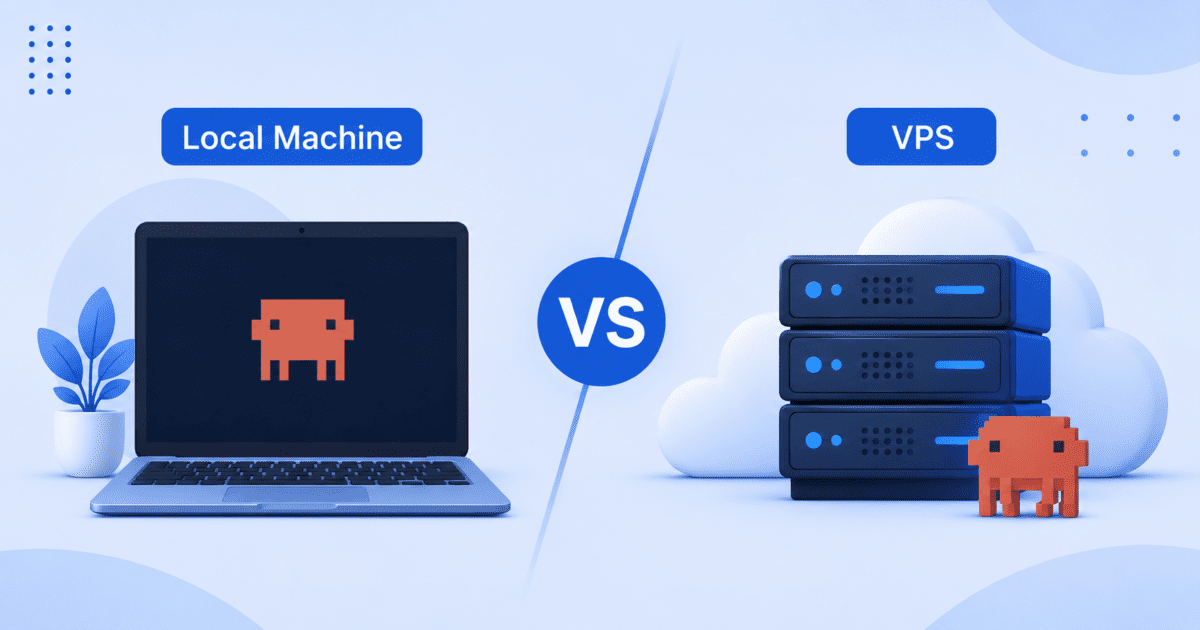
Running Claude Code locally works for quick tasks. But once your workflow needs to stay alive, your laptop becomes the limit.
Step away mid-task and you lose your context. Start a long-running refactor at night and may wake up to nothing. The process exited the moment your terminal closed, your WiFi dropped or your laptop went to sleep.
This is not a performance problem. Claude Code is API-bound, not compute-bound. The inference runs on Anthropic’s servers, not yours. Your local machine is just a terminal holding a thread and that thread breaks the moment your machine sleeps, your SSH session disconnects or your lid closes.
A VPS changes exactly one thing: the process runs on a machine that never sleeps, never loses WiFi and does not care where you are. You connect when you want, disconnect when you want and the Claude Code process can continue running as long as the VPS and session management tools remain active.
This guide compares running Claude Code on a local machine versus a VPS across the factors that actually matters are session persistence, SSH access, security, collaboration and long-term workflow reliability. It help you to make the right call for where your project is today.
Quick answer: Claude Code local machine vs VPS
Choose a local machine if you are learning Claude Code, working solo on short tasks or experimenting with prompts and workflows. No setup cost, no server to manage and you are running in minutes.
Choose a VPS if your Claude Code sessions disconnect before tasks finish, you need workflows running overnight or unattended, you are collaborating with a team or you want access from multiple devices.
The core difference is not compute power, Claude Code is API-bound, so your hardware is not the bottleneck. It is session persistence. A VPS keeps your Claude Code process alive when your laptop sleeps, your terminal closes or your network drops.
Local machine vs VPS: How they compare for Claude Code
The difference is not compute power; it is what happens when you close your laptop. Here is a direct comparison of the key factors:
| Factor | Local Machine | Bluehost VPS |
| Session persistence | Dies when terminal closes or laptop sleeps | Stays alive 24/7 with tmux sessions |
| SSH access | Not applicable | Full SSH access from any device, anywhere |
| Compute requirements | Claude Code is API-bound - your hardware is not the bottleneck | Same - VPS only needs to hold project files and the Claude Code process |
| Always-on workflows | Requires your machine to stay on and connected | Runs headlessly without any local device |
| Security | API key stored in local env file | Non-root user, SSH key auth, UFW firewall rules, scoped file permissions |
| Team collaboration | Difficult - tied to one machine | Centralized VPS environment all team members can access via SSH |
This table shows a clear trade-off between the immediate convenience of a local setup and the long-term power of a VPS.
Who should choose what?
Run Claude Code locally if:
- You are learning Claude Code or testing it for the first time
- You work from a single device and your sessions are short
- Your tasks complete in minutes and do not need to run unattended
- You want to get started without any server configuration or monthly cost
Run Claude Code on a VPS if:
- Your sessions die mid-task because your terminal closed or your SSH connection dropped
- You need Claude Code running overnight, on a schedule, or without your laptop staying open
- You want to access the same Claude Code environment from multiple devices
- You are collaborating with a team in a shared development environment
- You are running persistent MCP servers or automated agent workflows alongside Claude Code
Now, let’s explore when a local machine is the right choice.
When should you run Claude Code on a local machine?
Running Claude Code on your local machine is the right starting point for most developers. There is no server to configure, no SSH connection to maintain and no monthly cost beyond your Claude subscription. You install Claude Code with a single npm command, authenticate once and start working inside your existing project directory.
Local is the right choice when:
- You are learning or experimenting: If you are exploring what Claude Code can do, testing prompts or working through the initial setup, local gives you the fastest feedback loop. You can run claude doctor to verify your environment, check your API key configuration and iterate quickly without managing a remote server.
- Your tasks are short and interactive: For tasks that complete in minutes such as writing a function, explaining a file, fixing a specific bug - local works fine. The session will not die before the task finishes.
- You are working solo on a single machine: If you always work from the same device and do not need your Claude Code process accessible from another machine or phone, local setup is simpler to maintain.
- You are on a Max subscription with usage limits: Claude Code's Max subscription plans are tied to per-user sessions. If you are within those limits and working interactively, local is sufficient.
The limitations only become real when your tasks get longer, your team gets larger or your workflows need to run without your laptop staying open.
Also read: Claude Code Best Practices for AI Development on a VPS
Limitations of running Claude Code on a local machine
The limitations of running Claude Code locally are not about your computer's CPU. They are about what happens when your terminal closes.
- Sessions die when you disconnect: Claude Code's remote session runs as a local process tied to your terminal window. If that terminal window closes, the SSH session disconnects or your laptop sleeps; the Claude Code process exits immediately. Any long-running task stops with it. You come back to an empty terminal and no record of what the agent was doing.
- tmux helps locally, but does not solve the root problem: You can use tmux to keep sessions alive across terminal windows - tmux new -s claude-session, detach with Ctrl+B then D and reattach later with tmux attach -t claude-session. But tmux only keeps the session alive while your local machine stays on and connected. Close the lid and it all stops.
- Long-running agent tasks are unreliable: Automated code reviews, multi-step refactoring pipelines, documentation generators, background builds; all of these are impractical on a local machine. If the task takes longer than your battery or your network connection holds, the agent stops mid-task.
- Your API key is harder to manage securely: Storing your Anthropic API key in a local .env file works for solo development, but it is tied to one machine's environment variables. Managing the same key across multiple local devices, team members or automated tasks requires more discipline than most local setups enforce.
- MCP servers do not persist: If you are running MCP servers locally alongside Claude Code, they stop the moment your session ends. A VPS lets those processes run continuously alongside Claude Code without manual restarts.
For many developers, a local machine is enough in the early stages. As your workflows become longer, more collaborative or require continuous availability, a VPS becomes the more practical environment. Let's look at the signs that indicate it's time to make the switch.
When to move Claude Code from a local machine to a VPS?
The decision to move Claude Code to a VPS depends on both project size and workflow requirements. Larger repositories, heavier test suites and containerized environments often need more stable resources, while persistent sessions, remote access and always-on development workflows make a VPS useful even for smaller projects. Here are the specific signals that indicate the move makes sense.
- You are losing work when sessions die: If you have lost context, output or progress because your terminal closed or your SSH session dropped mid-task, a VPS with tmux-managed persistent sessions is the fix. The Claude Code process runs on the VPS, not your laptop so you can disconnect whenever you want and reattach from any device.
- You need Claude Code running overnight or unattended: Long-running tasks such as security audits, large refactors, automated test pipelines, documentation generation needs a machine that stays on. A VPS with a systemd service or a tmux session handles this without you keeping a laptop open.
- You want access from multiple devices: A VPS gives you a single Claude Code environment accessible via SSH from your laptop, a secondary machine or your phone. Your project files, your shell history, your tmux sessions and your environment variables are all in one place.
- You are working with a team: A shared VPS gives every team member SSH access to the same Claude Code workspace. No more "it works on my machine" problems, no syncing environments, no sharing API keys insecurely across devices.
- You are running MCP servers or automated tasks alongside Claude Code: Persistent MCP server processes and scheduled Claude Code tasks using the --print flag with cron require a server that stays running. A VPS running Ubuntu handles both without configuration overhead.
- You want to use Claude Code remote control from your phone: Claude Code's Remote Control feature lets you connect to and monitor a running Claude Code session from your phone or another device. For this to work reliably, the session needs to run on a persistent VPS - not a local machine that may sleep or lose connectivity.
What changes after moving Claude Code to a VPS?
Moving Claude Code to a VPS gives you a persistent remote development environment instead of a session tied to one local machine.
Key changes include:
- Persistent sessions: Claude Code can keep running inside tmux or screen, even if your laptop disconnects.
- Always-on workflows: Long tasks, MCP servers, cron jobs and automated scripts can continue running without keeping your local machine awake.
- Centralized project context: Your files, shell history, environment variables and dependencies stay in one server environment.
- Multi-device access: You can reconnect to the same Claude Code workspace from a laptop, desktop or phone using SSH.
- Better team consistency: Teams can work from a shared server environment instead of maintaining separate local setups.
In short, a VPS makes Claude Code more reliable for long-running, remote and team-based development workflows. Once the server becomes part of your development stack, choosing a reliable VPS host becomes just as important as the Claude Code setup itself.
Why Bluehost VPS works well for Claude Code?
Once you've decided a VPS is the right environment, the next decision is choosing one that supports the way Claude Code actually works. Reliability, persistent connectivity, SSH access and room to scale matter more than raw compute power because Claude Code is API-bound. Bluehost VPS is designed around those practical requirements, making it a strong fit for long-running AI development workflows.
Ranked #1 in Web performance by VPSBenchmarks. Independent benchmarking, not internal claims. Fast NVMe storage means project file reads, git operations and local tooling all respond quickly alongside the Claude Code process.
1. Configure Claude Code around your workflow
Full root access lets you install Node.js, configure SSH, manage firewall rules, add MCP servers and customize your development environment without platform restrictions.
2. Keep your development tools responsive
Fast NVMe storage helps Git operations, dependency installs and project file access stay quick while Claude Code is running.
3. Reduce interruptions during long-running tasks
Overnight refactoring, scheduled automation and persistent agent workflows depend on infrastructure that stays available.
4. Choose the level of server management that fits your team
Self-managed VPS gives developers complete control, while Managed VPS adds expert support if you'd rather spend time building than maintaining servers.
5. Expand your environment without rebuilding it
Start with a single Claude Code workflow and add resources as you introduce MCP servers, automated tasks or additional developers.
If you're ready to move Claude Code beyond a local machine, our Claude Code VPS Hosting guide explains recommended VPS plans, installation steps and deployment best practices for running Claude Code in a persistent server environment.
Final thoughts
Local Claude Code works until it does not. For short, interactive tasks and solo exploration it is the right starting point - no setup overhead, no monthly cost and you are coding in minutes.
The move to a VPS is not about your project outgrowing your hardware. It is about needing your Claude Code sessions to outlive your terminal window. When you need always-on availability, persistent tmux sessions, team SSH access or the ability to run automated agent workflows without keeping a laptop open - a VPS is the correct environment.
Ready to move your Claude Code workflow beyond a local machine? Explore Bluehost Claude Code VPS Hosting for a persistent server environment with dedicated resources, full root access and scalable plans built for long-running AI development workflows.
How we evaluated Claude Code on a local machine vs a VPS
This comparison is based on standard Linux development workflows, official Claude Code documentation, and common VPS administration practices. We evaluated how local and VPS environments support session persistence, SSH access, remote development, collaboration and long-running workflows.
Rather than benchmarking raw performance, we focused on the developer experience. We compared how each environment behaves when terminal sessions disconnect, how persistent tools such as tmux can help maintain active sessions and what additional configuration is typically required for remote development on a VPS.
Because deployment environments vary, your experience may differ depending on your operating system, server configuration, network connectivity and Claude Code version. Always refer to the latest Claude Code and VPS documentation before implementing production workflows.
Frequently asked questions
Shared hosting is not recommended for running Claude Code. It lacks the dedicated resources, root access and consistent performance needed for development workflows and running applications. A VPS is the minimum requirement for a stable experience.
Key signs include performance slowdowns on your local machine, the need for your application to be online 24/7, a growing project that requires more resources and the need to collaborate with a team in a shared development environment.
It depends on the plan. A Self-Managed VPS requires some Linux command-line knowledge. However, a Managed VPS, like those offered by Bluehost, includes expert support and a cPanel dashboard that simplifies server administration, allowing you to focus more on coding.
A VPS provides a centralized, cloud-based server that all team members can access from anywhere. This ensures everyone is working in the same environment with the same code and configurations, which prevents the “it works on my machine” problem and streamlines collaboration.

Write A Comment