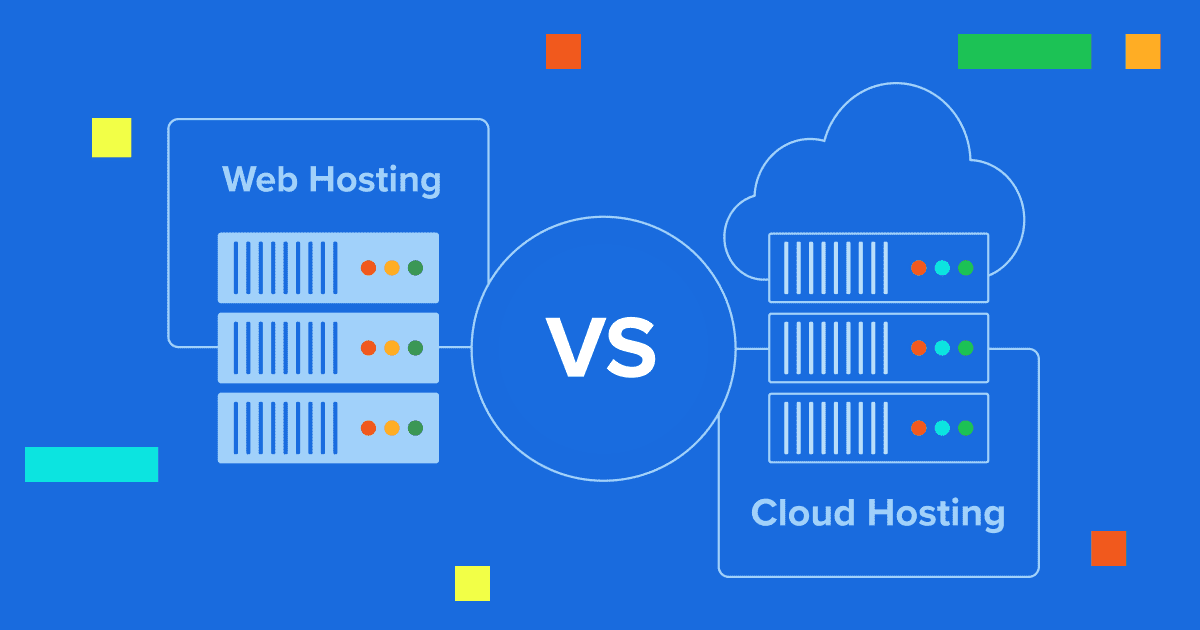
Key highlights
- Know the core differences between WooCommerce hosting and cloud hosting so you can choose the right solution based on your business size, traffic patterns and technical resources.
- Understand how performance, uptime and scalability impact your store’s conversions and revenue, helping you avoid costly downtime during traffic spikes.
- Learn how cost structures differ between predictable monthly plans and usage-based pricing, so you can plan budgets and protect cash flow.
- Explore the security and backup features included with each hosting type to safeguard customer data and maintain compliance.
- Uncover when to start with WooCommerce hosting and when to transition to cloud-supported infrastructure as your store grows.
You’ve just launched your dream online store. Orders are coming in, customers are happy and then suddenly, your site crashes during a flash sale. This nightmare scenario highlights why choosing between WooCommerce hosting and cloud hosting matters more than you might think.
These two hosting approaches reflect completely different business philosophies entirely. Hence, you must consider your business requirements when evaluating WooCommerce hosting vs cloud hosting.
WooCommerce hosting gives you everything in one tidy package with predictable costs. Cloud supported infrastructure hosting offers unlimited growth potential with pay-as-you-go flexibility. Let’s explore which one matches your eCommerce business vision.
What is WooCommerce hosting?
WooCommerce hosting is WordPress hosting optimized specifically for eCommerce operations. Unlike traditional web hosting, it includes specialized performance optimizations, eCommerce-specific security measures and management tools designed for eCommerce stores.
The key difference lies in database optimization. WooCommerce websites generate 3-5x more database queries than typical WordPress sites due to product catalogs, shopping carts and transaction processing.
Key features of WooCommerce hosting
- Performance optimization with object caching, database management optimizations and Redis caching delivered through dedicated servers
- Advanced security features, including PCI compliance support, SSL certificates, Web Application Firewalls (WAFs) and enhanced SSL implementation
- Pre-installed plugins worth $200-$500 such as YITH Bookings, WooCommerce Subscriptions and Product Add-ons
- Automated server maintenance with WordPress and WooCommerce updates, plugin compatibility monitoring and one-click staging environments
- WordPress ecosystem access to 50,000+ plugins and unlimited customization without platform restrictions
Also read: 10 Best WooCommerce Hosting Providers in 2025 – Expert’s Pick
While WooCommerce hosting focuses on specialized eCommerce optimization, cloud hosting takes a completely different approach to web infrastructure.
What is cloud hosting?
Cloud hosting distributes your website across multiple virtual private servers in a network rather than hosting it on a single physical server. This architecture provides unprecedented scalability, reliability and global reach through distributed infrastructure.
The fundamental difference from traditional hosting lies in resource virtualization. Cloud hosting breaks down physical servers into multiple virtual machines, enabling better resource utilization and independent scaling.
Key features of cloud hosting
- Auto-scaling capabilities that automatically increase or decrease resources based on real-time demand without manual intervention
- Global network infrastructure with 20-100+ regions and edge locations in 200+ cities for reduced latency worldwide
- High availability through redundant systems and failover mechanisms that achieve 99.99%+ uptime even when server fails
- Pay-as-you-go pricing where you pay only for resources consumed, making it cost-effective for variable traffic patterns
- Enterprise-grade security with DDoS protection, encryption and compliance certifications like SOC 2 and ISO 27001
Also read: Top Cloud Hosting Providers (2025) for Startups and SMBs
Now that you understand what each hosting type offers, the question becomes: which one fits your business needs? The answer lies in understanding their fundamental differences in approach, cost structure and target use cases.
WooCommerce hosting vs cloud hosting: Key differences
The choice between these hosting types comes down to your business priorities and technical capabilities. WooCommerce hosting prioritizes simplicity and eCommerce optimization with managed services and predictable costs. In contrast, cloud hosting emphasizes unlimited scalability and customization with pay-as-you-go flexibility.
The following comparison highlights the most critical factors that will impact your decision. Each factor represents a fundamental difference in how these hosting types operate and serve different business needs.
| Factor | WooCommerce hosting | Cloud based hosting |
| Best for | Small-medium eCommerce sites | Enterprise applications, high-traffic sites |
| Setup complexity | One-click installation | Requires technical configuration |
| Scalability | Plan-based upgrades | Automatic infinite scaling |
| Cost structure | Starting price ($14.99)* | Starting price ($49.99)* |
| Management | Fully managed (2-5 hours/week) | Self-managed (20+ hours/week) |
| Performance | eCommerce optimized (374-448ms) | Highly variable (200-2000ms) |
| Support | Specialized eCommerce support | Infrastructure support only |
As this comparison shows, WooCommerce hosting excels in simplicity and stable pricing, while our OCI-based hosting dominates in scalability and customization. Your business size, technical capabilities and growth trajectory determine which approach aligns better with your needs.
Let’s take a look at these key differences in detail.
1. Performance and scalability comparison
Every second counts in eCommerce. Research shows that a one-second delay costs you 7% in conversions. That’s why hosting performance directly impacts your bottom line.
WooCommerce hosting comes pre-tuned for online stores. Think of it like buying a race car already optimized for your specific track. You get built-in caching, content delivery network (CDN) integration and database optimization designed specifically for product catalogs and checkout processes.
| Hosting type | Average load time | Best performance | Uptime |
| WooCommerce | 397ms | 270ms | 99.99% |
| Cloud (Optimized) | 200-600ms | 150ms | 99.99%+ |
| Cloud (Unoptimized) | 800-2000ms | 400ms | 99.95% |
Cloud hosting offers raw power but requires fine-tuning. It’s like having a Formula One car that needs expert configuration. When optimized correctly, cloud hosting delivers blazing speeds.
2. Scalability capabilities
Your hosting needs to grow with your business. Imagine starting with 100 daily visitors and suddenly getting featured on morning television. Can your hosting handle that spike?
WooCommerce hosting scales through plan upgrades:
- Starter stores: 10,000 monthly visitors
- Growing stores: 100,000 monthly visitors
- Enterprise stores: 500,000+ monthly visitors
Compared to WooCommerce hosting, Cloud hosting scales automatically:
- Handles traffic spikes instantly
- No manual intervention needed
- Pay only for more server resources used
- Global distribution capabilities
3. Technical specifications and resource management
Resource allocation determines how many products your site can display and how quickly pages load. It’s the difference between a smooth shopping experience and frustrated customers abandoning carts.
WooCommerce hosting resources:
- Shared plans: 1-4GB RAM, 10-100GB storage
- Managed plans: 2-8GB RAM, 20-200GB storage
- Enterprise plans: 8-32GB RAM, 50GB-1TB+ storage
Cloud hosting resources:
- Minimum: 8GB RAM, 100GB storage ($47/month)
- Standard: 16-32GB RAM, 200-500GB storage ($92-150/month)
- Enterprise: 64GB+ RAM, 1TB+ storage ($466+/month)
Database management reveals another key difference. WooCommerce hosting includes MySQL configurations optimized for product queries and inventory updates. Cloud hosting requires custom database tuning and indexing strategies.
Bandwidth and traffic handling show distinct patterns. WooCommerce hosting often includes “unlimited” bandwidth with fair usage policies. Cloud hosting charges for actual data transfer, typically $0.08-0.12 per GB after free allowances.
Ready to launch your eCommerce store without the technical headaches? Get started with WooCommerce hosting and go live in minutes.
4. Management tools and control panels
Managing your online store shouldn’t require a computer science degree. The right control panel makes the difference between spending time on marketing versus troubleshooting server issues.
WooCommerce hosting gives you user-friendly controls:
- One-click WordPress and WooCommerce installation
- Automated updates and backup management
- Staging environments for safe testing
- Built-in performance monitoring
In contrast, Cloud hosting demands technical expertise:
- Command-line interface for most operations
- Manual security implementation
- Custom deployment server configuration
- DevOps tools for automation
- Infrastructure as Code requirements for server management
This creates a clear divide between simplicity and power, but what if you need both? Bluehost’s management tools bridge this gap with enhanced control panels offering both user-friendly interfaces and advanced technical access. Our WP Cloud platform provides managed WordPress environments with enterprise cloud infrastructure benefits.
5. Cost structure differences
Money talks in business. Understanding hosting costs helps you price products correctly and maintain healthy margins. It’s not just about the monthly fee: your cost structure also shapes cash flow, budgeting and how smoothly you can scale as you grow.
WooCommerce hosting uses predictable monthly fees:
- Entry-level: $3-10/month promotional rates
- Professional: $15-50/month with enhanced features
- Enterprise: $50-300+/month for high-traffic stores
- Hidden costs: Premium plugins ($50-300/year)
Cloud hosting charges based on usage:
- Base compute: $50-150/month typical setup
- Storage: $0.02-0.10 per GB monthly
- Bandwidth: $0.08-0.12 per GB transferred
- Additional services: Add 20-50% to base costs
Total annual costs comparison:
- WooCommerce hosting: $200-3,600 (predictable)
- Cloud hosting: $600-6,000+ (variable)
6. Security and backup solutions
Security breaches cost more than money they also destroy customer trust. Your hosting security determines whether you sleep peacefully or worry about hackers.
WooCommerce hosting includes managed protection with:
- Free SSL certificates with automatic renewal
- Web Application Firewall with eCommerce rules
- Daily malware scanning and removal
- DDoS protection up to 2 tbps
- PCI compliance support included
Cloud hosting requires custom security such as:
- Infrastructure security from provider
- Application security your responsibility
- Custom firewall configurations needed
- Advanced threat detection systems
- Compliance certifications (SOC 2, ISO 27001, etc.)
Backup strategies differ significantly too. WooCommerce hosting provides automated daily backups with one-click restoration. In contrast, Cloud hosting offers more flexibility but requires setup and management.
Understanding these differences is essential, but choosing the right hosting type requires matching these capabilities to your specific business reality. Let’s explore the decision framework.
Also read: Website Security 101: Easy Steps to Protect Your Site from Cyber Threats
Which one is best for your business?
Your hosting decision shapes everything from daily operations to long-term growth potential. The choice between Cloud hosting vs WooCommerce hosting depends on your specific business requirements, technical capabilities and growth projections.
Neither solution is universally superior – success depends on matching the hosting type to your operational reality, budget constraints and technical resources.
Choose WooCommerce hosting if:
- Your annual revenue stays under $1 million: WooCommerce hosting provides excellent value without enterprise infrastructure complexity.
- You operate with limited technical resources: Expert support teams handle WordPress and eCommerce optimization instead of requiring dedicated DevOps personnel.
- Predictable monthly costs matter for cash flow: Fixed hosting fees eliminate surprise bills from traffic spikes or resource overages.
- Your traffic patterns remain relatively stable: Plan upgrades accommodate growth without requiring dynamic scaling capabilities or daily management.
- Speed to market drives competitive advantage: WooCommerce store setup takes 1-3 days versus 1-4 weeks for cloud implementations.
- You value the WordPress ecosystem: Access to 50,000+ plugins and unlimited themes provides unmatched customization flexibility.
Choose cloud hosting if:
- Your annual revenue exceeds $1 million: Enterprise businesses benefit from advanced scalability and global infrastructure capabilities.
- You experience high traffic volatility: Automatic scaling prevents website crashes during seasonal campaigns or viral traffic spikes.
- You serve a global customer base: Edge locations and regional data centers reduce latency worldwide for optimal international performance.
- You require complex integrations: API-first architecture supports sophisticated workflows with enterprise systems and analytics platforms.
- You have dedicated technical teams: DevOps expertise enables continuous monitoring and optimization of cloud infrastructure performance and costs.
- Your business model demands unlimited scalability: High-growth companies get virtually unlimited resources on demand without infrastructure constraints.
Your hosting requirements at launch may differ significantly from what you need after achieving consistent growth or expanding into new markets. The most successful businesses plan for these transitions from the start.
Use case scenarios and migration considerations
- Startup eCommerce approach: Launch with WooCommerce hosting for quick deployment and cost control. Plan migration to cloud hosting when reaching $100K+ monthly revenue or experiencing consistent traffic spikes.
- Seasonal business strategy: Start with WooCommerce hosting during off-seasons, then migrate to cloud hosting before peak periods. Alternatively, use cloud hosting year-round if seasonal spikes exceed 10x normal traffic.
- International audience expansion: Begin with WooCommerce hosting in your home market, then migrate to cloud hosting when expanding globally. This approach balances initial costs with international performance requirements.
- Agency client management: Use WooCommerce hosting for small-medium clients and cloud hosting for enterprise accounts. This dual approach maximizes profitability while meeting diverse client needs.
- Migration timeline planning: Allow 3-6 months for WooCommerce hosting to cloud hosting migration. Complex integrations, custom development and thorough testing require adequate preparation time.
With clear decision criteria established, you’ll want to know how these hosting types translate into real-world solutions. Here’s how Bluehost delivers both approaches with nearly 20 years of WordPress expertise.
What Bluehost offers for both hosting types?
Bluehost stands as one of the WordPress.org officially recommended providers, maintaining this status since 2005 with nearly 20 years of proven expertise. All our hosting plans are built on Oracle Cloud Infrastructure, delivering enterprise-grade performance, reliability and scalability across every solution we offer.
WordPress.org endorsement reflects our commitment to WordPress community standards for speed, security and customer support. This long-standing recommendation demonstrates consistent quality and reliability in the hosting industry.
Bluehost WooCommerce hosting features
We combine WordPress expertise with premium pricing to deliver value at every business stage. Our eCommerce plans are designed specifically for growing online stores.
eCommerce Essentials starts at $6.12/month* (renewing at $18.99/month*) and eCommerce Premium at $9.95/month* (renewing at $21.99/month*). Both plans include comprehensive eCommerce tools and WordPress optimization.
Disclaimer: All pricing mentioned is introductory and subject to change at any time. Please refer to our website for the most up-to-date rates and renewal terms.
Key WooCommerce hosting features:
- Premium plugin access: Over $600 worth of YITH eCommerce plugins, WooCommerce tools and Yoast SEO included
- Multichannel inventory management: Sync inventory across Amazon, eBay, Etsy, Shopify and 15+ marketplaces (Premium plan)
- Payment processing: Secure integration with PayPal and Stripe for reliable transactions
- Advanced eCommerce tools: One-click checkout, gift cards, product comparisons and booking systems (Premium plan)
- Performance optimization: NVMe storage, CDN integration and WordPress-specific caching
- Security suite: SSL certificates, malware scanning, DDoS protection and Web Application Firewall
- Marketing tools: Email templates, social login, affiliate management and SEO optimization
Bluehost hosting capabilities
For businesses that need enterprise-level performance without operational complexity, Bluehost delivers managed hosting solutions built on OCI, cloud-supported infrastructure. These solutions combine the scalability and reliability of cloud technology with the simplicity of fully managed hosting.
Our managed plans are designed to support growing workloads and high-traffic WordPress environments, offering flexible resources, strong uptime and hands-on expert management. Built on robust infrastructure trusted across the WordPress ecosystem, Bluehost ensures consistent performance, speed and stability as your business scales.
Key features:
- 99.9% network uptime backed by SLA
- High-performance infrastructure optimized for WordPress
- Scalable compute resources with unmetered bandwidth
- Multi-site management with centralized monitoring
- Global CDN, automated updates and built-in SEO tools
- Advanced security including WAF, DDoS protection and daily backups
- Developer-friendly tools like staging, SSH and WP-CLI
- 24/7 priority support from WordPress specialists
For businesses that require dedicated resources and greater control, Bluehost VPS hosting offers a powerful next step. With isolated server environments, guaranteed RAM and scalable performance, VPS hosting delivers the flexibility of cloud infrastructure with enhanced control and predictable performance for growing websites.
Migration and support services
Bluehost also provides professional migration and ongoing support to ensure a smooth transition from other hosting providers. Businesses can move existing WordPress sites with minimal downtime and scale confidently as needs grow. This flexible approach allows teams to start with specialized hosting and expand into enterprise-ready, cloud-supported infrastructure while maintaining Bluehost’s focus on performance, security and expert support.
Final thoughts
Choosing between WooCommerce hosting and cloud-supported infrastructure depends on your business size, technical requirements and growth plans. WooCommerce hosting works best for growing stores that want a fully managed, predictable solution optimized for ecommerce performance. It keeps setup simple while delivering speed, security and reliability out of the box.
As traffic increases and requirements become more complex, cloud-supported VPS hosting offers the flexibility and scalability businesses need. With dedicated resources, higher performance limits and expert management, VPS hosting supports growth without the complexity of managing infrastructure yourself.
You can start with WooCommerce hosting and upgrade to VPS as your business evolves. The right choice aligns with your current needs while supporting future expansion.
Explore Bluehost VPS hosting plans to unlock scalable performance, dedicated resources and expert-managed infrastructure built to grow with your business.
FAQs
Yes, you can install WooCommerce on cloud hosting platforms, but you’ll need to configure eCommerce optimizations manually that come pre-built with best WooCommerce hosting provider services.
Yes, WooCommerce hosting is specifically designed for WordPress websites running the WooCommerce plugin. It includes WordPress-specific optimizations and WooCommerce-focused features.
Yes, cloud hosting requires DevOps expertise, server administration skills, server environment administration skills and typically 20+ hours weekly management. You’ll need knowledge of Linux, database optimization and security configuration.
Yes, migration is possible but requires 3-6 months planning, technical expertise and potential downtime. Many businesses successfully make this transition as they scale.
Cloud hosting excels at handling traffic spikes through automatic scaling, while WooCommerce hosting requires manual plan upgrades. For predictable seasonal patterns, both can work effectively.
WooCommerce hosting includes managed security (SSL, WAF, malware scanning, DDoS protection). Cloud hosting provides infrastructure security but requires you to implement application-level security measures.
WooCommerce hosting offers automated daily backups with one-click restoration. Cloud hosting requires you to configure custom backup strategies with enhanced security features.
Cloud hosting provides superior resource management with auto-scaling and custom allocation. WooCommerce hosting offers fixed resources per plan tier, which may be more predictable but less flexible when you need to share server space during traffic spikes.

Write A Comment