 ChatGPT,
 Claude,
 Gemini,
 Grok — all four for
Key highlights
- Understand how no-code AI agent builders help users create intelligent, action-driven workflows without writing code.
- Learn the difference between AI agents, chatbots and traditional workflow automation tools.
- See how these platforms use triggers, actions, AI models and integrations to automate multi-step processes.
- Explore leading no-code AI agent builder tools such as GatorClaw, Lindy, n8n, Zapier and Make.
- Choose the right platform by comparing ease of use, integrations, customization, hosting options, pricing and AI capabilities.
The days of handling every digital task manually are fading fast. AI agents are starting to take on more complex workflows, moving beyond simple replies to complete multi-step tasks on behalf of users. For a long time, building these tools required programming skills, deep technical knowledge and significant development time.
That has changed with the rise of no-code AI agent builders. You no longer need to write Python, manage APIs manually or build everything from scratch to create a useful automation system. These platforms make it easier to design, launch and manage AI-powered assistants through visual interfaces and guided setup.
In this guide, we will explain what a no-code AI agent builder is, how these tools work, which platforms stand out and how to choose the right one for your needs.
Before comparing platforms, it helps to start with a clear definition of what a no-code AI agent builder actually does.
What is a no-code AI agent builder?
A no-code AI agent builder is a platform that helps you create smart digital assistants without writing code. Instead of working through complex programming frameworks, you use visual menus, guided setup and plain-language instructions to define what the agent should do. This makes AI automation more accessible to non-technical users and small teams.
Unlike a basic chatbot that only responds with text, an AI agent can take action. It can follow logic, connect with other tools, work across systems and complete tasks based on incoming data. In simple terms, it acts more like a digital assistant that supports real business workflows.
Most no-code AI agents rely on four core components:
- Triggers: Events that start the workflow, such as a form submission, a new email or a database update
- Actions: Tasks the agent performs, such as sending a message, updating a CRM or creating a ticket
- AI models: The reasoning layer that helps the agent understand, classify, summarize or generate content
- Integrations: The connections that link the agent to the apps, databases and APIs you already use
The biggest advantage is speed. By removing the coding barrier, these tools help teams turn ideas into working systems much faster than traditional software development allows.
Once the definition is clear, the next step is understanding how AI agent builders differ from similar tools.
How does a no-code AI agent builder differ from chatbots and workflow automation tools
People often use these terms interchangeably, but they are not the same.
- A chatbot is designed to respond to user questions or guide simple conversations. It works well for FAQs, support prompts and basic interactions.
- A workflow automation tool focuses on moving data and tasks between apps. It usually follows fixed rules and is useful for repetitive actions like syncing records, sending notifications or updating spreadsheets.
- A no-code AI agent builder combines both ideas and adds intelligence. These tools can understand context, make decisions, interact with systems and complete multi-step tasks with less manual input. That makes them a stronger fit for businesses that want more than simple automation.
After defining what these platforms are, it helps to see how they work in practice.
How no-code AI agent builders work
No-code AI agent builders simplify development by replacing manual coding with visual logic and guided workflows. Instead of building every component from scratch, users define how the agent should behave using blocks, actions, integrations and prompts.
These platforms typically combine:
- a trigger that starts the process
- a set of rules or steps the agent follows
- access to AI models for reasoning or language tasks
- integrations that allow the agent to read, write and act across systems
For example, an AI agent might detect a new support request, classify the message, draft a response, create a ticket and notify the right team member in Slack. That entire process can often be built through a visual interface without traditional development work.
This approach reduces setup time and makes automation easier to test, improve and scale.
Once you understand how these tools work, it becomes easier to see why businesses are adopting them so quickly.
Why businesses use no-code AI agent builders
Businesses are under pressure to adopt AI quickly, but traditional development cycles often slow that process down. No-code AI agent builders help companies move faster without depending entirely on engineering teams.
Here are some of the main benefits.
1. Democratization of AI
No-code platforms make AI more accessible. Marketers, founders, operations teams and support staff can build useful tools without waiting for developers to step in. This often leads to faster and more relevant solutions because the people closest to the problem can build the workflow themselves.
2. Speed and efficiency
Markets move quickly and slow implementation can mean missed opportunities. These platforms make it possible to create and launch working solutions in hours instead of weeks. Teams can test ideas quickly and make changes based on real results.
3. Cost reduction
Hiring engineers or building custom AI systems can be expensive. No-code platforms lower the barrier to entry and make advanced automation more affordable for small and mid-sized businesses.
4. Automation at scale
As businesses grow, manual work becomes harder to manage. AI agents can handle high volumes of repetitive tasks across support, lead management, reporting and internal operations. This helps businesses scale without increasing headcount at the same pace.
5. Support for more complex workflows
Modern teams use many tools and those tools need to work together. No-code AI agent builders help connect systems, manage logic paths and automate more than simple one-step actions. This makes them useful for more advanced operational workflows.
These benefits become even more meaningful when you look at the teams and roles that can use them every day.
Who should use no-code AI agent builders?
No-code AI agent builders can support a wide range of users across industries. They are especially valuable for people who want to improve efficiency without building custom software from scratch.
1. Marketers
Marketing teams can use these tools to automate lead qualification, personalize outreach, create content and respond to user behavior in real time.
2. Founders and startups
Startups often need to move quickly without hiring a large development team. No-code AI tools help founders test ideas, build early systems and validate workflows before committing to custom development.
3. Operations teams
Operations professionals can automate onboarding, internal documentation, reporting, approvals and routine administrative tasks to reduce manual work.
4. Customer support teams
Support teams can use AI agents to handle repetitive customer questions, triage issues, route requests and assist human agents with faster responses.
5. Non-technical users
Freelancers, creators and small business owners can also benefit from no-code AI tools. These platforms make it easier to save time and improve consistency without learning to code.
With those use cases in mind, the next step is evaluating the platforms that stand out in this space.
Best no-code AI agent builder tools to consider
No-code AI agent builder tools are helping businesses automate repetitive work, connect everyday apps and create smarter workflows without heavy technical effort. These platforms go beyond basic automation by using AI to handle context, make decisions and complete multi-step tasks across tools. For teams exploring AI automation, comparing the leading options side by side can make it easier to identify the right fit.
The table below gives a quick overview of the top no-code AI agent builder tools, including their core strengths, notable features and ideal use cases.
| Tool | What it does best | Automation style | Ease of use | Ideal for |
|---|---|---|---|---|
| GatorClaw | Secure AI workflow automation | Guided, structured | Easy | Business teams |
| n8n | Self-hosted workflow control | Technical, customizable | Moderate | Technical teams |
| Lindy | Autonomous AI task execution | AI-driven, no-code | Easy | Non-technical teams and professionals |
| Zapier | Fast app-based automation | Rule-based with AI features | Easy | Teams that want quick setup |
| Make | Visual workflow design | Flexible, visual | Moderate | Teams that want more workflow control |
Each tool brings a different mix of simplicity, control and AI capability, so the best choice depends on your team’s workflow and technical needs. Next, let’s look at each no-code AI agent builder in more detail.
1. GatorClaw
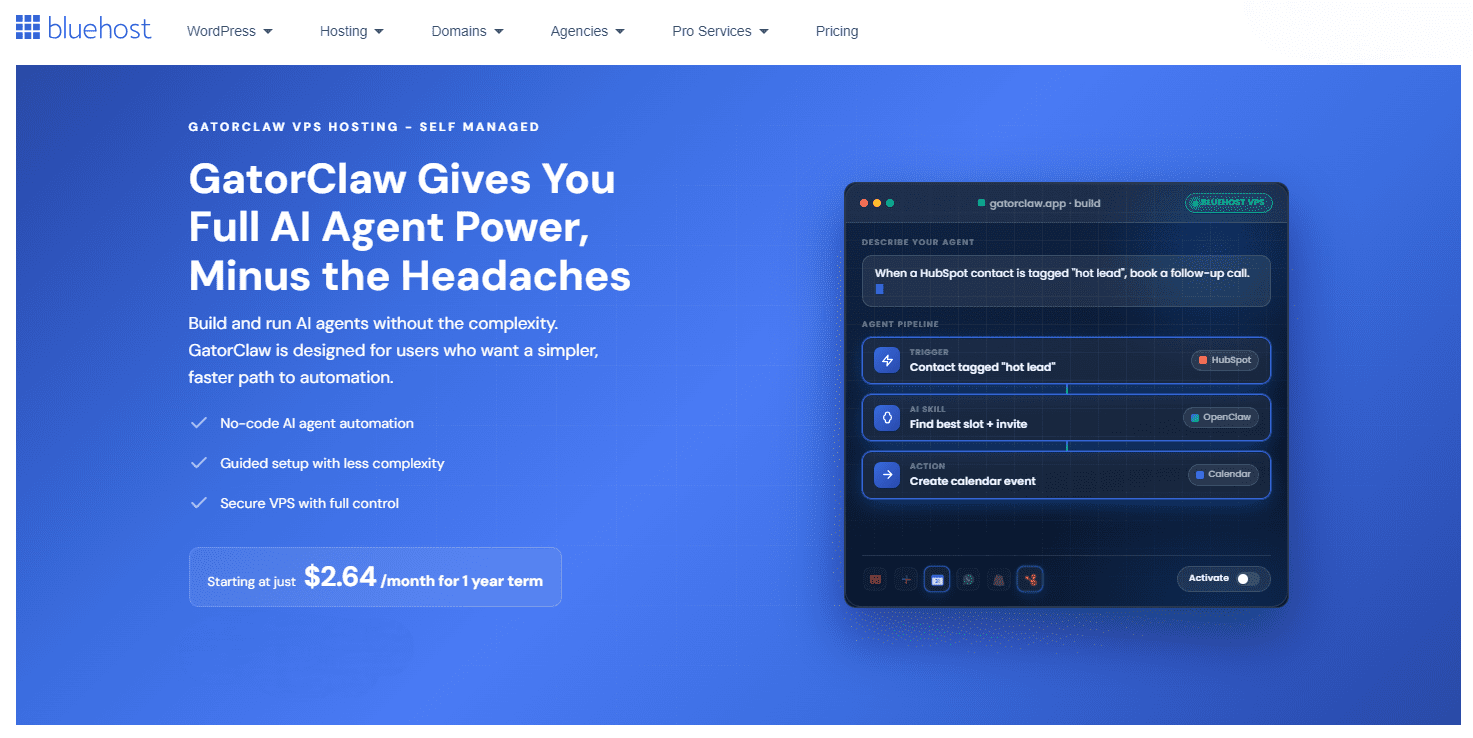
GatorClaw is an AI automation platform that helps businesses create and run intelligent agents. It combines AI-driven task execution with structured workflows so teams can connect tools, automate processes and support ongoing operations. Its intuitive interface reduces technical hurdles and helps users build automation with more confidence. It also provides a secure and controlled environment for managing AI workflows.
Key features
- Simple user interface for navigating agent creation and workflow management
- Guided agent creation with a step-by-step setup and execution process
- Visual workflow environment for better control over agents and skills
- GatorHub integrations layer for connecting tools like Gmail, Slack, Google Drive, Notion, Zendesk and Trello
- Pre-configured actions for email replies, ticket creation, CRM updates and report generation
- Protected architecture and controlled configurations for safer automation
Best fit for
GatorClaw works best for business teams that want a simple and secure way to adopt AI automation without managing complex technical integrations.
2. n8n
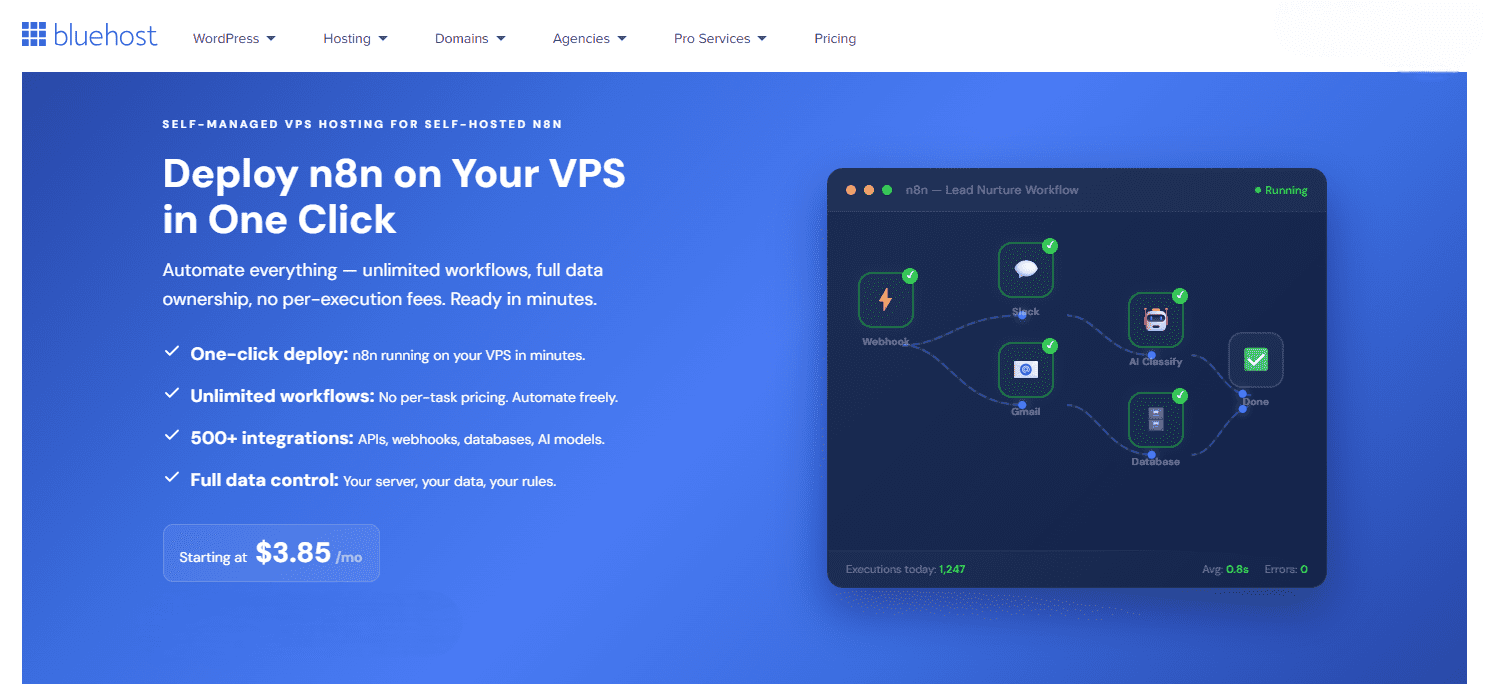
n8n is a self-hosted workflow automation platform built for technical operators who want more control, customization and predictable costs. It helps teams build and scale automation on their own infrastructure instead of relying on subscription-based platforms. Support for custom logic, APIs, databases and AI integrations makes it a flexible choice for deeper system-level automation. It is especially well suited for teams that want to own their automation processes.
Also read: What is n8n? Complete Guide to the Workflow Automation Tool
Key features
- Visual workflow builder with a drag-and-drop interface for complex flows
- Over 400 native integrations for popular SaaS tools and databases
- Custom API and webhook support for internal and external systems
- JavaScript function nodes for adding code-level flexibility to workflows
- Database integrations for reading and writing to SQL and NoSQL systems
- AI and LLM integrations for classification, summarization and content generation
Best fit for
n8n is best for technical teams that require self-hosted automation with full infrastructure control and deep customization.
3. Lindy

Lindy is a no-code AI agent builder that lets you create autonomous “AI employees” to handle repetitive and decision-based tasks. Instead of relying on fixed workflows, Lindy uses AI to understand context, make decisions and execute actions across multiple tools. It connects with apps like Gmail, Slack and CRMs to automate real work, not just simple triggers. This makes it a powerful solution for teams looking to streamline operations without writing code.
Key features:
- No-code AI agent creation using natural language prompts
- Multi-step workflow automation with decision-making capabilities
- Integrations with tools like Gmail, Slack and CRM platforms
- Autonomous task execution, including email replies and scheduling
- Context-aware processing for handling complex, unstructured tasks
- Customizable triggers, actions and logic within each agent
Best fit for:
Best suited for teams and professionals who want to automate complex, cross-tool workflows using AI without coding.
4. Zapier
Zapier is a workflow automation platform that helps teams connect apps and automate repetitive tasks without writing code. It offers a simple setup experience while supporting automation across a very large app ecosystem. Its platform combines workflows, AI agents, chatbots and integrations in one place to help businesses move faster. It is a strong option for teams that want broad app connectivity and fast no-code automation.
Key features
- Access to thousands of app integrations for connecting business tools
- No-code automation for tasks, approvals, notifications and data movement
- AI orchestration that adds intelligence to workflows and chatbots
- AI agents integrated directly into workflows for adaptive automation
- Enterprise controls for visibility and governance at scale
- Templates and prebuilt patterns to launch workflows quickly
Best fit for
Zapier is best for teams that want fast, no-code automation across a large app ecosystem with flexible orchestration options.
5. Make
Make is a visual automation platform that helps teams design and scale workflows through a no-code interface. Its visual canvas makes it easier to understand how logic and data move through systems. By combining structured automation with AI-driven decision-making, it supports more adaptable workflows. It is a strong fit for teams that want flexibility and visibility in how automations are built and managed.
Key features
- Visual workflow builder with drag-and-drop modules for clear design
- Support for thousands of integrations across business tools
- AI agents that make adaptive decisions and act across connected apps
- Transparent environment for understanding logic and execution flow
- Reusable and shareable agents that can be deployed across teams
- AI-assisted building for faster workflow iteration and scaling
Best fit for
Make is best for teams that want visual and flexible automation with strong control over workflow logic.
After reviewing the leading options, the next step is narrowing them down based on your business needs.
How to choose the right no-code AI agent builder
Selecting the ideal no-code AI agent builder means focusing on the features that matter most to your workflow, team skill level and long-term goals.
1. Ease of use
Some platforms are built for beginners, while others require familiarity with logic, workflows or technical systems. Choose a tool that matches your team’s skill level.
2. Integration capabilities
Make sure the platform connects with the apps and systems you already use. API flexibility matters even more if your workflows depend on internal or custom tools.
3. Customization and flexibility
Some businesses need basic automations, while others need branching logic, AI decision-making and deeper system control. Choose a platform that can grow with your requirements.
4. Hosting options
Cloud-based tools are easier to launch, while self-hosted options provide more control over data, infrastructure and privacy. Your choice should reflect your operational priorities.
5. Pricing model
Look at how costs scale over time. Some platforms charge based on tasks, agents or usage volume, while self-hosted tools may offer more predictable cost structures.
6. AI capabilities
Review which language models the platform supports and how it handles memory, reasoning, context and multi-step execution.
Even the best platform comes with trade-offs, so it is important to understand the common limitations before making a decision.
What are the challenges of using a no-code AI agent builder
No-code AI agent builders can help you launch faster, but they also come with constraints that may affect long-term flexibility and scale.
- Customization limits: Advanced or highly specific workflows can still be difficult to build with standard templates and visual tools.
- Platform dependence: Moving your workflows, logic or integrations to another provider can be complex.
- Scaling concerns: Costs and performance may change as workflow volume or complexity increases.
- Technical logic: Many tools still require some understanding of logic, systems or workflow design to use effectively.
While these limitations matter today, the category continues to evolve quickly.
What is the future of no-code AI agent builders
The no-code AI agent builder space is moving toward more autonomous and connected systems. These platforms are evolving from reactive assistants into more capable digital workers that can manage larger parts of business operations.
1. More autonomous execution
Future AI agents will take on more tasks with less manual oversight. Instead of simply responding to requests, they will be able to identify patterns, make decisions and complete workflows more independently.
2. Stronger cross-platform connectivity
As integrations improve, agents will be able to work across more tools, data sources and software environments with less setup friction.
3. Broader industry adoption
These tools are no longer limited to technical teams. Businesses across healthcare, retail, education and professional services are finding practical ways to automate specialized workflows.
4. Unified AI and automation
The line between AI tools and workflow automation platforms will continue to blur. Over time, building an AI-powered workflow may become as common as setting up a standard SaaS account.
After looking at the current landscape and where it is heading, the final step is choosing a platform that fits your business today and can support your growth over time.
Conclusion
A no-code AI agent builder empowers your team to integrate artificial intelligence without writing complex code. Software tools help you automate repetitive tasks and improve how you interact with customers. By choosing a visual interface, you can scale operations efficiently and adapt to new demands.
Selecting the best software depends on your specific technical goals and required control. Options range from guided platforms to self-hosted systems for advanced customization. Proper tools help you build faster and ensure your business remains competitive.
Get started with GatorClaw to bring automation into your daily business workflows. GatorClaw provides a guided path for managing intelligent agents. Build with confidence today.

Write A Comment