 ChatGPT,
 Claude,
 Gemini,
 Grok — all four for

Key highlights
- Know whether ChatGPT is private by default and what that really means for everyday use.
- Understand what ChatGPT collects from your prompts, uploads, account and device.
- Learn who can access your chats, from OpenAI and workspace admins to connected third-party tools.
- Explore how training, deletion, memory and Temporary Chat work so you can avoid common privacy mistakes.
- Uncover how Bluehost AI All Access Pack can help businesses use AI with more privacy, control and simplicity.
ChatGPT is now part of everyday work and personal life. People are sharing more with AI tools than ever before, from work notes to personal questions. That convenience is what makes the privacy question so important: Is ChatGPT private?
The answer is not a simple yes or no. ChatGPT can be useful for everyday, low-risk tasks, but the privacy level depends on your plan, settings, workspace, connected tools and the kind of information you share. A casual prompt for blog ideas is very different from uploading client records, financial files, legal documents or personal details.
In this blog, we’ll break down what ChatGPT may collect, who may be able to access your conversations, whether chats can be used for training and what deleting a chat actually does. You’ll also learn when ChatGPT is safe enough for everyday use and when it is better to keep sensitive information out of the chat.
Is ChatGPT private?
No, ChatGPT is not fully private in the strict sense by default. Some chats may be stored, reviewed or handled differently depending on the plan you use and the settings you have turned on.
That does not mean ChatGPT is unsafe for everyday use. Many people use it for writing, research, brainstorming and simple work tasks without any issue. But it does mean you should be careful with anything personal, confidential or business-sensitive.
The answer also changes based on how you use ChatGPT. A free or paid consumer account does not work the same way as ChatGPT Business, Enterprise or the API. Features like memory, shared links, connected apps and third-party actions can also affect privacy.
What information does ChatGPT collect?
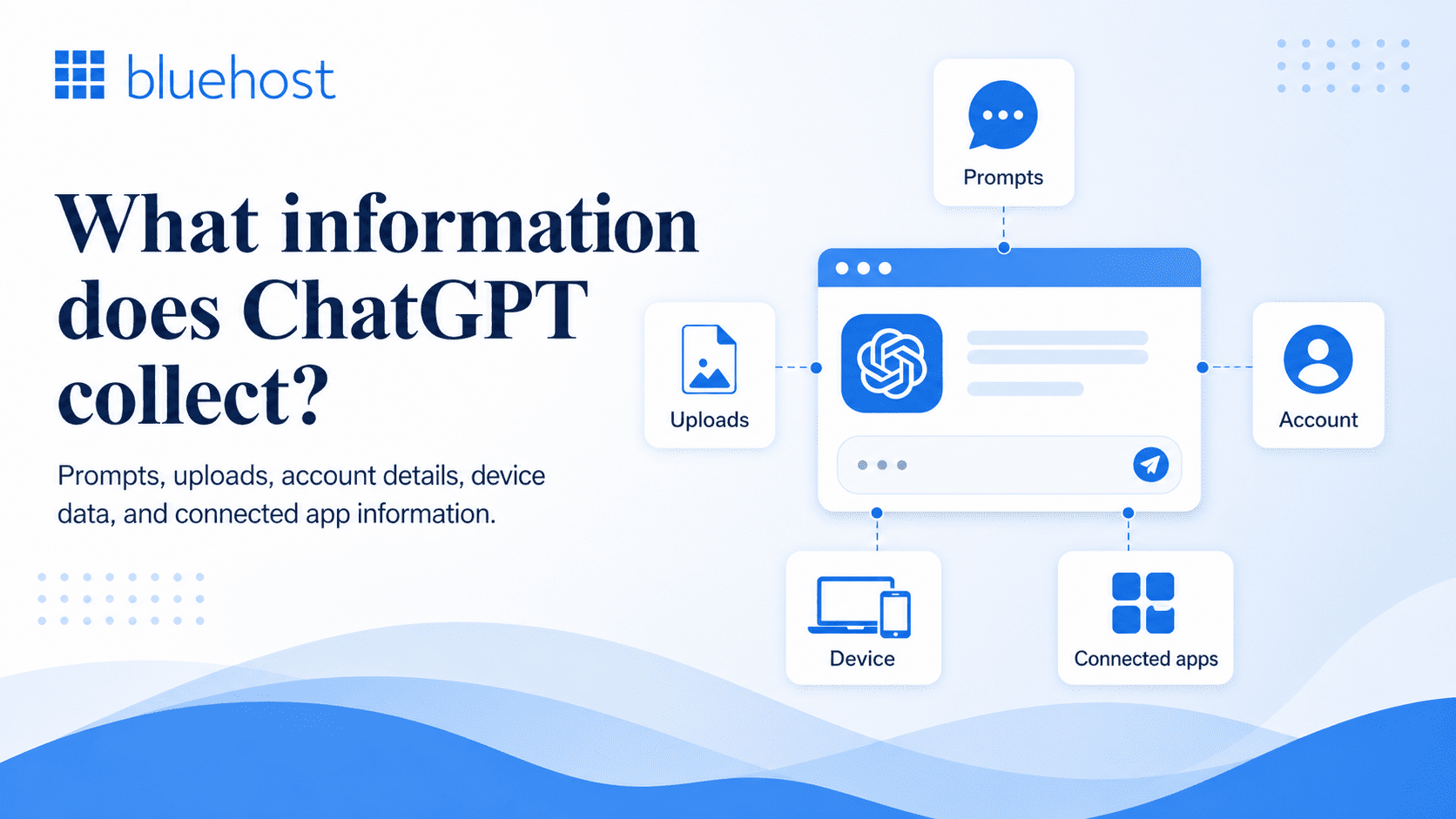
ChatGPT can collect information from what you type, what you upload and basic details tied to your account and device. That includes the prompts you enter, the files or images you share and technical information that helps the service run, stay secure and improve performance.
1. Data from your prompts and uploads
When you use ChatGPT, the most obvious data it receives is the content you provide. This can include questions, instructions, pasted text, uploaded documents, images and other files. If you use ChatGPT to summarize a report, review a contract, rewrite an email or analyze a spreadsheet, that content becomes part of the data you are submitting to the service.
This matters because users often paste in more than they realize, including names, company details, financial information, customer data or private notes. Even when a prompt feels casual, it can still contain sensitive context. That is why it is important to treat every prompt and upload as data you are actively sharing.
2. Data from your account and device
ChatGPT can also collect account and technical information connected to your use of the service. This may include details such as your name, email address, subscription plan, payment-related information, IP address, browser type, device details, usage patterns and diagnostic data.
This kind of information is less about the content of your chats and more about how you access and use the product. It helps with things like account management, security, fraud prevention, billing and product improvement. Even so, it is still part of the broader privacy picture users should understand.
3. Connected apps and third-party tools
ChatGPT may also collect or share information when you use connected apps, custom GPTs, plugins, actions or third-party integrations. These tools can extend what ChatGPT can do, but they may also send parts of your conversation, files or instructions to another service outside OpenAI.
It also depends on that tool’s own data practices, permissions and retention rules. For example, if you connect ChatGPT to a calendar, document app, CRM or other business tool, the information shared through that connection may be handled by the third-party provider as well.
Also read: What Is llms.txt? How the New AI Standard Works (2026 Guide)
Are ChatGPT conversations used for training?
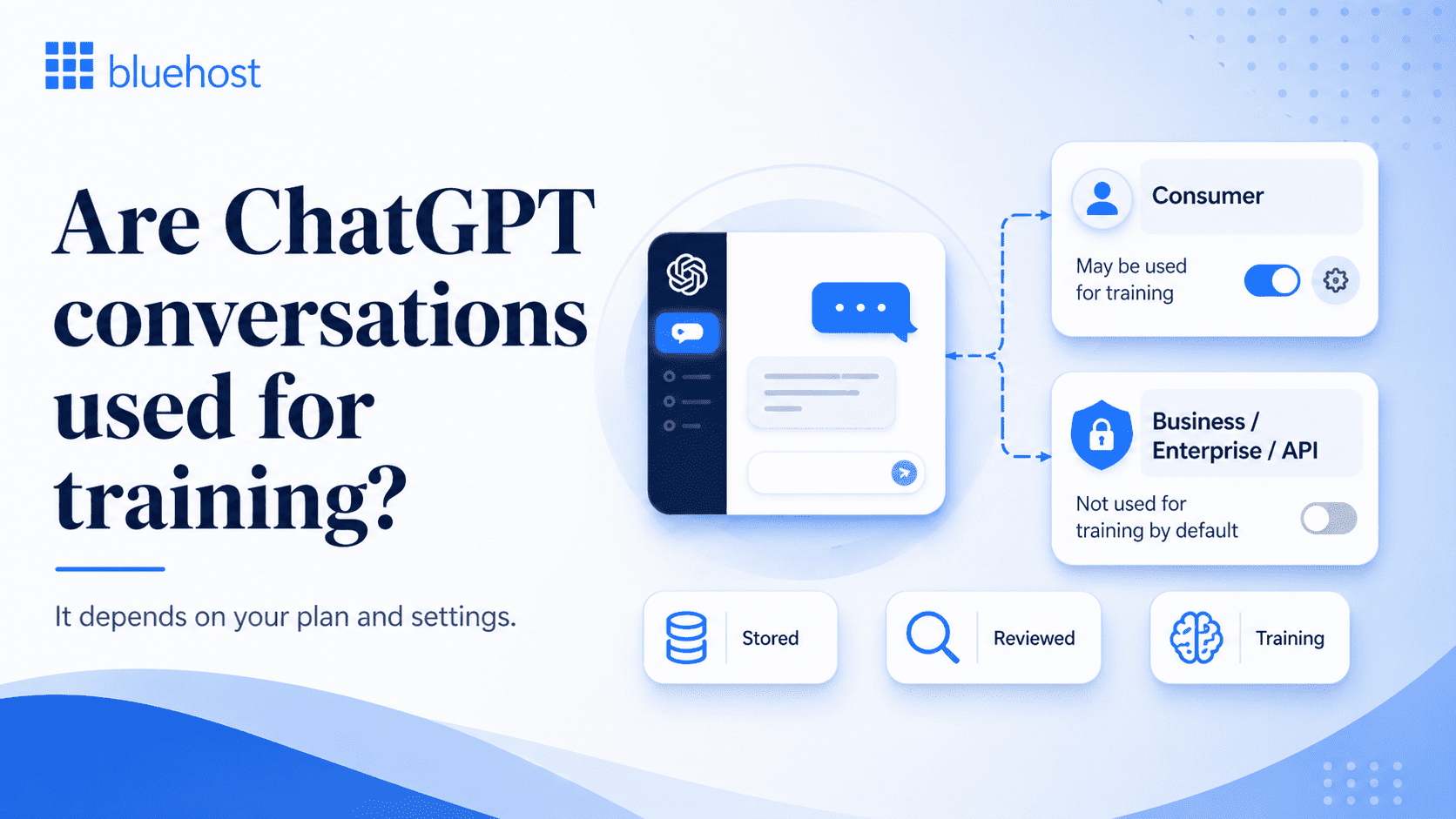
Yes, some ChatGPT chats can be used for training, but it depends on the plan you use. On consumer plans, chats may be used to improve models unless you turn that off. On business plans and the API, they are not used for training by default.
1. What happens on consumer plans?
If you use ChatGPT on a personal workspace, such as Free, Plus or Pro, OpenAI says your content may be used to improve its models unless you turn that setting off. According to OpenAI’s Data Controls, users on personal plans can disable model training by switching off “Improve the model for everyone,” and once you opt out, new chats will not be used to train models.
2. How business and API data are handled?
According to OpenAI’s Data Usage for Consumer Services, it does not use content submitted to ChatGPT Business, ChatGPT Enterprise or the API to improve model performance by default. That is one of the biggest privacy differences between consumer use and business use. OpenAI also says API customers can choose to opt in to share data in some cases, but that is optional rather than the default.
3. Stored vs reviewed vs used for training
| Term | What it means | Why it matters | Used for training? |
|---|---|---|---|
| Stored | Your chat is saved for some time on OpenAI’s systems. | A saved chat is not automatically private or deleted right away. | No, not by itself. A chat can be stored without being used to train models. (OpenAI Help Center) |
| Reviewed | Your chat may be checked for safety, abuse, legal or support reasons. | This means some content may be looked at in limited cases, even if it is not used for training. | No, not by itself. Review and training are different things. |
| Used for training | Your chat is used to help improve OpenAI’s models. | This affects whether your content may help train future model versions. On consumer services, this can depend on your settings; on API data, it is not used for training by default. | Yes (OpenAI) |
Not every saved chat trains the model and not every reviewed chat becomes training data. Whether your conversations are used to improve ChatGPT depends largely on your plan and settings. Consumer users have more responsibility to check their data controls, while Business, Enterprise and API users get stronger default protections.
Also read: How to Make AI Content Undetectable in 2026
Who can access your ChatGPT conversations?
Your ChatGPT conversations are not always visible only to you. Depending on how you use the platform, your chats may be accessible to OpenAI, your workspace admin or third-party tools you choose to connect.
1. OpenAI access to chats
OpenAI may be able to access chats in limited cases, such as safety monitoring, abuse detection, support or system improvement. That does not mean a person is reading every conversation, but it does mean your chats are not automatically private in the strictest sense. On consumer plans, data handling can also depend on your settings and whether your content is eligible to be used for training.
2. Workspace admin access
If you use ChatGPT through a Business, Enterprise, Edu or team workspace, your workspace admin may have access to certain account, billing, usage or workspace-level controls. In some cases, admins may also be able to manage data retention, security settings and connected features across the workspace. That means workplace use should never be treated the same as a personal account.
3. Third-party tools and GPT actions
Privacy can also change when you use third-party tools, connected apps or GPT actions. If you send information through one of these integrations, that data may also be shared with the external service behind it. In those cases, ChatGPT privacy is no longer just about OpenAI. It also depends on the privacy and security practices of the third party involved.
Also read: ChatGPT for SEO: Powerful Prompts & Optimization Tips 2026
Is deleted ChatGPT data really deleted?
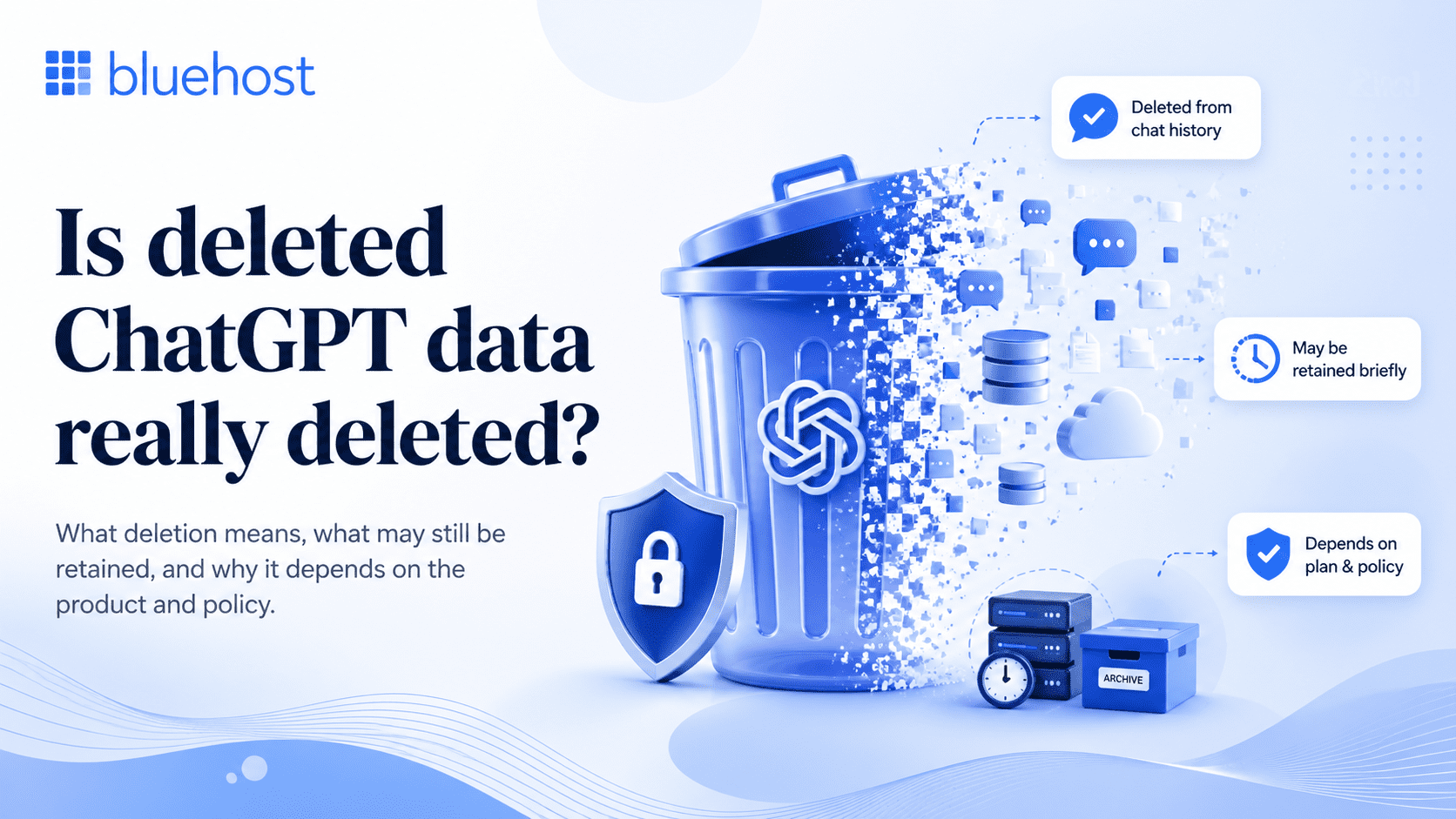
Not always. Deleting a chat removes it from your account view, but that does not always mean it is erased instantly. As per OpenAI full deletion can take up to 30 days in some situations.
1. What deleting a chat actually does?
Deleting a chat removes it from your account view, which is what most users notice first. But deletion from the interface is not always the same as instant erasure from OpenAI’s systems. OpenAI’s retention policy says chats are generally deleted within 30 days, with limited exceptions for legal obligations, security needs or cases where the data has already been anonymized.
There is one more detail many users miss: deleting a chat does not automatically delete saved Memory linked to that conversation. You need to delete both the saved memory and the original chat to fully remove that information from both places.
2. How Temporary Chat works?
Temporary Chat is designed for less persistent use. These chats do not appear in your history, do not create or use memories and are not used to improve models. However, they may still be retained for a limited period, including up to 30 days, for safety purposes.
If you upload files in Temporary Chat, those files are not saved to your account or file library.
Temporary Chat offers more privacy than a regular saved chat, but it is not the same as complete confidentiality. A temporary session may still be retained for a limited period and it does not remove the risks that come with sharing sensitive information, uploading confidential files or using third-party tools.
Also read: AI in web development: How AI is transforming the industry
ChatGPT privacy by plan: Free vs Plus vs Pro vs Business vs Enterprise
ChatGPT privacy is not the same across plans. The biggest divide is between personal plans and business plans. On Free, Plus and Pro, chats in a personal workspace may be used to improve models unless you turn that off in Data Controls. On Business and Enterprise, customer content is not used for training by default.
For most readers, the simplest way to think about it is this: Free, Plus and Pro give you privacy controls, but Business and Enterprise give you stronger default privacy protections. Business and Enterprise are built for workplace use, so they include admin controls, security features and business data protections that personal plans do not offer in the same way.
Here is the practical breakdown:
| Plan | Privacy level | Training by default? | Best for |
|---|---|---|---|
| Free | Basic consumer privacy | Yes, unless you opt out | Everyday personal use |
| Plus | Basic consumer privacy with more features | Yes, unless you opt out | Regular personal use |
| Pro | Basic consumer privacy with higher limits | Yes, unless you opt out | Heavy personal use |
| Business | Stronger workspace privacy | No, not by default | Teams and company work |
| Enterprise | Strongest default privacy and admin controls | No, not by default | Larger organizations and sensitive business use |
Free, Plus and Pro are best treated as consumer plans, even if you use them for work. Business and Enterprise are designed for organizations that need clearer control over data handling, governance and internal use.
Also read: The Ultimate Guide on How to Build a Website with ChatGPT
What should you never share with ChatGPT?
As a rule, you should never paste anything into ChatGPT that would cause harm if it were exposed, shared or retained longer than you expected. That includes personal secrets, confidential business information and regulated records. Shared links can expose conversations to anyone with the URL and memory, saved chats or connected tools can make data travel further than many users assume.
- Passwords and login details: Never paste passwords, OTPs, API keys, recovery codes or account login details into ChatGPT.
- Personal identity information: Avoid sharing details like your Social Security number, passport number, driver’s license, bank account details or card information.
- Confidential work data: Do not share internal documents, client information, private contracts, product plans, pricing details or unreleased business material.
- Legal and compliance documents: Keep case files, settlement terms, compliance records and other confidential legal documents out of chat prompts.
- Medical and financial records: Do not upload health records, insurance details, tax files, loan documents or other regulated information.
ChatGPT should not be treated like a secure place for highly sensitive information. It may be fine for everyday questions and low-risk tasks, but anything personal, confidential or regulated is better kept out of the chat. When in doubt, share less, remove identifying details or avoid pasting the information at all.
Also read: ChatGPT Ads May Reshape Website Traffic in 2026
When ChatGPT is not private enough for your needs?
ChatGPT can be private enough for everyday tasks, but it is not the right place for every kind of information. If the content could expose your company, your clients, your finances, your health or your legal position, you should be far more cautious. That matters even more on personal plans, where chats may be used to improve models unless you turn that off. Business and Enterprise plans offer stronger default protections, but even then, sensitive data should be handled carefully.
- Internal work and business data: ChatGPT may not be private enough for internal documents, client records, unreleased plans, source code, product roadmaps, pricing discussions or anything covered by an NDA. Even if you trust the tool for drafting or summarizing, pasting confidential business information into the wrong workspace or tool can create unnecessary risk.
- Legal and confidential documents: Contracts, case files, compliance documents, settlement details and other confidential records should be treated carefully. These materials often contain sensitive facts, obligations and privileged information that are not worth exposing for convenience.
- Health, finance and regulated information: Medical details, financial records, tax information, identity documents and regulated data deserve the highest level of caution. This kind of information can carry legal, ethical and compliance risks well beyond normal privacy concerns. Even when ChatGPT is useful for general guidance, it should not be treated as a safe default location for highly sensitive or regulated material.
Also read: Gemini vs ChatGPT AI traffic: What the shift means for brands
How Bluehost can help your business with AI privacy?
For many businesses and agencies, the AI privacy challenge is not just about one chatbot. It is about managing too many tools, too many logins and too little control over how sensitive information moves across teams.
With Bluehost’s AI All Access Pack, businesses can bring multiple leading AI models into one dashboard instead of juggling separate tools for writing, research, analysis and creative work. The platform is set as a way to reduce tool sprawl, simplify access and help teams choose the right model for the job without bouncing between different subscriptions and interfaces.
Here is how Bluehost can help your business with AI privacy:
- One dashboard instead of scattered AI tools: AI All Access Pack brings together ChatGPT, Gemini, Claude and Grok in a single workspace, which helps reduce login overload and makes AI use easier to manage.
- More control for teams and agencies: The platform includes an Account Management Dashboard designed for seat management, team access and agency-style oversight, which helps businesses manage who can use what more easily.
- Model choice without extra subscriptions: Different AI models are better at different tasks. AI All Access Pack is positioned around letting users switch between models and compare responses, so teams can choose the best fit for writing, research, coding, analysis or creative work.
- Built-in tools that reduce workflow sprawl: Beyond core model access, the platform also includes features like Research Agent, Presentation Builder and Article writer, so teams can get more done without adding even more tools to their stack.
- Stronger privacy options for sensitive work: For businesses handling more sensitive information, Privacy+ adds Privacy Mode, a sanitization layer for sensitive prompts, end-to-end encryption, user-specific PIN protection and Incognito Mode for highly sensitive conversations.
- A clearer fit for privacy-conscious businesses: The positioning document frames this as a choice between broader AI access and a higher-privacy setup, including Privacy+ for workflows that need zero-retention and zero-training style protection.
With Bluehost’s AI All Access Pack, your business should not have to choose between using powerful AI tools and maintaining better control over sensitive work. Instead of piecing together separate subscriptions and hoping employees use them carefully, AI All Access Pack is presented as a more centralized, team-friendly and privacy-aware way to bring AI into the business.
Final thoughts
ChatGPT can be useful for everyday work, but privacy becomes a bigger concern when businesses start using AI across teams, clients and sensitive workflows. The goal is not to avoid AI altogether. It is to use it in a way that gives your business more control, less tool sprawl and better protection for the information that matters most.
That is where Bluehost AI All Access Pack fits in. By bringing leading AI models into one dashboard, it helps businesses reduce subscription clutter, simplify access and choose the right model for the task instead of juggling separate tools and logins.
For businesses handling sensitive work, Bluehost AI All Access Pack Privacy+ offers stronger privacy controls such as Privacy Mode, prompt sanitization, restricted access options and secure conversation features.
Explore Bluehost AI All Access Pack and give your business a more private, controlled way to use AI.
FAQs
Turning off chat history or using privacy controls can reduce how your chats are stored or used, but it does not make ChatGPT completely private. Some data may still be retained for safety, abuse monitoring or legal reasons. For sensitive business or personal information, it is still better to avoid sharing details you would not want exposed.
ChatGPT can process the files, images or documents you upload during a conversation. That means uploaded content should be treated as shared data. Avoid uploading confidential contracts, client records, financial files, medical documents or private business plans unless you are using a setup designed for that level of privacy.
ChatGPT can be useful for low-risk work documents like outlines, drafts or general summaries. However, it may not be suitable for confidential files, client information, unreleased strategy, legal content or regulated data unless your business has the right privacy controls and approved AI usage policies in place.
If you use ChatGPT through a company workspace, your employer or workspace admin may have access to certain account, usage or admin-level information depending on the setup. If you use ChatGPT on a work-managed device or network, your company may also have separate monitoring policies outside ChatGPT itself.
ChatGPT may store information from your prompts, uploads, account details and usage activity depending on your plan and settings. Features like Memory can also save details you ask ChatGPT to remember. You can manage or delete saved memories, but you should still avoid sharing highly personal or sensitive information.
Businesses can reduce ChatGPT privacy risks by setting clear AI usage policies, limiting sensitive data sharing, using approved workspaces and managing team access. Bluehost AI All Access Pack Privacy+ can help by adding stronger privacy controls like Privacy Mode, sensitive prompt sanitization, end-to-end encryption, user-specific PIN protection and Incognito Mode for more sensitive AI workflow.
The safest way to use ChatGPT is to treat every prompt as shared information. Remove names, account details, private records and confidential business data before asking for help. Use temporary or privacy-focused modes where appropriate and choose business-grade or privacy-enhanced AI setups for sensitive workflows.
ChatGPT may be private enough for everyday tasks like brainstorming, drafting and summarizing non-sensitive content. But small businesses working with client data, internal documents, financial details or regulated information should use stronger privacy controls and avoid relying on unmanaged personal accounts.
You can use ChatGPT more privately by avoiding sensitive details in prompts, removing names or client information, reviewing files before uploading them and using privacy settings such as temporary chats or data controls where available. For businesses that need stronger privacy protections, Bluehost AI All Access Pack Privacy+ can provide a more secure setup with Privacy Mode, sensitive prompt sanitization, end-to-end encryption, user-specific PIN protection and Incognito Mode for sensitive AI workflows.

Write A Comment