Key highlights
- Compare Claude vs Gemini across writing, coding, multimodal support, integrations, pricing and output quality.
- Understand where Claude performs best, especially in long-form writing, careful reasoning and document analysis.
- Explore where Gemini leads, including multimodal tasks, Google Workspace workflows and real-time search grounding.
- Choose the right AI assistant based on your daily tasks, team setup and preferred productivity tools.
- Evaluate when using both Claude vs Gemini together can improve research, content creation and business workflows.
- Discover how Bluehost AI All-Access Pack brings ChatGPT, Claude, Gemini and Grok into one dashboard.
Millions of professionals now rely on AI assistants for writing, analysis and research every single day.
Two models consistently rise to the top of every shortlist: Claude from Anthropic and Gemini from Google DeepMind. Both have matured significantly over the past two years. Both handle complex tasks that would have required specialist expertise just a few years ago. The differences between them are subtle but consequential, and the right choice depends entirely on how you work.
You will find a clear breakdown of how each model is built, where each excels and how to decide which one fits your workflow best.
Let’s dive into the Claude vs Gemini debate!
What is Claude AI?
Claude is a large language model (LLM) developed by Anthropic, an AI safety company founded in 2021. Anthropic built Claude with a deliberate focus on safety, honesty and predictable behavior. The company’s founding team includes many researchers with backgrounds in AI alignment, and those priorities show up clearly in how the model behaves. Claude is not just another general-purpose chatbot. It represents a specific philosophy about how AI should communicate with humans.
Claude is available in multiple versions. Claude 3.5 Sonnet and Claude 3 Opus are the most widely used versions heading into 2026. Sonnet balances speed and quality for everyday tasks. Opus is designed for complex, long-form reasoning and demanding analytical work. You can access Claude through Anthropic’s own interface at Claude.ai, through the Anthropic API or through third-party platforms including Amazon Web Services Bedrock and Google Cloud Vertex AI.
How does Claude work?
Now that you have understood what is Claude AI, it is now important to understand how does Claude work. Claude is built on a transformer-based neural network architecture, the same foundational design used by most modern LLMs. What sets Claude apart is how Anthropic trains the model. Anthropic uses a technique called Constitutional AI (CAI), which works by giving the model a written set of principles during training. The model learns to evaluate its own responses against those principles before outputting an answer. Constitutional AI produces responses that are consistently less harmful, less deceptive and more transparent than models trained without this layer.
Anthropic also applies Reinforcement Learning from Human Feedback (RLHF) alongside CAI. Human trainers rate Claude’s responses, and the model adjusts over training cycles to produce better outputs. Claude’s context window is one of its most practically valuable features. Certain Claude versions accept up to 200,000 tokens in a single session. That means you can input an entire legal contract, a full codebase or a book-length research document and work with it all at once.
Claude’s key capabilities

Claude has earned a strong reputation in professional settings for writing that requires minimal revision. Legal teams, academic researchers and senior content professionals consistently report that Claude’s prose outputs are polished and context-aware. The areas where the model performs at its highest level include the following:
- Long-document analysis: Claude summarizes, compares and extracts structured insights from very long texts without losing thread or accuracy.
- Nuanced writing: The model matches tone, voice and stylistic conventions in creative and professional content with high consistency.
- Code review with explanation: Claude explains why a code change works, not just what to change, which helps developers learn alongside fixing errors.
- Uncertainty acknowledgment: When Claude does not know something, it says so directly rather than generating a confident-sounding guess.
That last behavior, acknowledging uncertainty, is one of the most practically important qualities in any AI tool used for professional decisions. Overconfident AI responses have caused real problems in legal, medical and financial contexts. Claude’s training specifically targets this failure mode.
Understanding the Claude model family
Claude’s model tiers follow a clear speed-versus-depth trade-off, making version selection straightforward once you know what kind of work you are handling.
| Model version | Speed and depth balance | Context window | Best-fit use case |
|---|---|---|---|
| Claude Haiku | Fastest response times with lighter reasoning depth; built for efficiency rather than extended analysis | Up to 200,000 tokens | High-volume tasks such as customer support drafts, quick text classifications and simple summarization where turnaround speed matters most |
| Claude Sonnet | Balanced speed and output quality; handles most professional tasks without the slower pace that Opus requires | Up to 200,000 tokens | Everyday writing, research assistance, code review and document analysis where both accuracy and pace are priorities |
| Claude Opus | Deepest reasoning with longer generation times; worth the wait when multi-step analysis or nuanced judgment is the core requirement | Up to 200,000 tokens | Complex long-form reasoning, detailed analytical reports, demanding legal or academic document work and tasks where getting the answer right outweighs getting it fast |
How to use Claude AI
Claude is accessible through the Claude.ai web interface, iOS and Android mobile apps, the Anthropic Application Programming Interface (API) and cloud platforms including Amazon Web Services Bedrock and Google Cloud Vertex AI. Getting started takes less than two minutes with a free account.
- Create a free account at Claude.ai using an email address or Google sign-in. No credit card is required to access the free tier and begin experimenting right away.
- Choose your model version. Claude 3.5 Sonnet handles everyday writing, research and coding tasks at speed. Claude 3 Opus is built for complex, multi-step reasoning and demanding analytical work where depth matters more than pace.
- Start a conversation or upload documents. Claude accepts inputs up to 200,000 tokens in a single session, which is enough to cover a full legal contract, a lengthy research paper or an entire codebase at once.
- Apply Claude to writing, coding or document analysis. Ask it to draft content, review and explain code changes, summarize uploaded PDFs or compare multiple documents inside one prompt.
- Upgrade to Claude Pro at $20 per month when you need higher daily usage limits and priority access to Claude Opus during peak server demand.
- For developers, connect through the Anthropic API or deploy Claude via Amazon Web Services Bedrock and Google Cloud Vertex AI to integrate Claude directly into your own applications and automated workflows.
What is Claude Code?
Claude Code is Anthropic’s agentic command-line coding tool that lets Claude read, edit and run code directly inside a developer’s terminal and project. Rather than responding to one pasted snippet at a time, it operates across an entire codebase, executes shell commands, edits multiple files and maintains repository context throughout a full session.
The distinction from standard Claude interactions matters in practice. When you chat with Claude through a browser, you paste code and receive suggestions in a conversational window. Claude Code operates at the CLI (Command Line Interface) level, meaning it can navigate your file system, understand how files relate to one another and apply targeted edits across multiple locations in a single workflow. You direct each step; Claude acts within the scope you define.
As noted earlier in this article, one of Claude’s clearest strengths is explaining why a code change works rather than just stating what to change. Claude Code carries that same reasoning depth into a live project context. When refactoring a function or tracing a bug across files, Claude Code explains the logic behind each change alongside making it, which supports learning rather than mere execution.
Developers who benefit most are those who want an assistant that acts on a project directly rather than describing edits they then have to apply themselves. Claude Code is especially practical for multi-file debugging, reviewing diffs and working through architecture decisions where broader codebase context shapes the answer.
How to set up and run Claude Code
Setting up Claude Code requires a few prerequisite checks before installation, since it runs at the CLI level rather than inside a browser. Understanding the purpose of each step makes it easier to diagnose problems if the process does not go as expected.
- Confirm your Node.js version. Claude Code is distributed as an npm package, so Node.js version 18 or higher must be present on your machine. Run
node --versionin your terminal to check. An outdated runtime will cause the installation to fail without a clear error message. - Set up your Anthropic account or active Claude subscription. You need valid Anthropic credentials to authenticate after installation. Without an API key or an active plan, Claude Code cannot connect to the model regardless of how the installation goes.
- Install Claude Code globally via npm. Run
npm install -g @anthropic-ai/claude-codein your terminal. The global flag makes the tool available from any directory on your system, not just the folder where you run the command. - Authenticate with your API key. Run
claudeand follow the prompts to enter your credentials. Authentication links your session to your Anthropic account and activates the permissions tied to your plan level. - Navigate into your project directory. Run
cd your-project-folderbefore starting a session. Claude Code reads your repository structure to understand how files relate to each other, which is what allows it to edit across multiple locations in a single workflow rather than responding to one pasted snippet at a time. - Issue your first command and review the reasoning. Type
claudefollowed by a description of the task. Claude Code proposes changes and explains the logic behind each edit as it works, so you build an understanding of the codebase rather than simply accepting output and moving on.
What is Gemini AI?

Gemini is Google’s flagship AI model family, developed by Google DeepMind. Google released the first Gemini models in December 2023 and has since expanded the family to include Gemini 1.5 Flash, Gemini 1.5 Pro and Gemini Ultra. The defining feature of the Gemini family is that it was designed from the ground up to handle multiple types of information simultaneously. Text, images, audio, video and code are all native inputs for Gemini, not add-ons grafted onto a text-only foundation.
Google has embedded Gemini throughout its product ecosystem in a way no other AI developer has matched. Gemini now powers features inside Google Search, Google Workspace applications including Docs and Sheets, Google Chrome, Android devices and Google Meet. For users already working inside Google’s tools daily, Gemini is not a separate product to open. It is already present in the applications they use every hour.
How does Gemini works?
Now that you have understood what is Gemini AI, it is now important to understand how does Gemini work. Gemini is built on a multimodal transformer architecture. Most competing models started as text-only systems and were later extended to support images or other media. Gemini was trained across text, images, audio and video simultaneously, which means the model understands relationships between different data types at a fundamental level rather than treating each type as a separate task.
Google also uses RLHF during Gemini’s training, combining it with large-scale instruction tuning across diverse task types. Gemini 1.5 Pro introduced a context window of up to one million tokens, which is one of the largest available among commercial AI models in 2026. Some Gemini versions use a mixture-of-experts (MoE) architecture. MoE activates only the relevant portions of the model for a given task, improving response speed and reducing compute costs without sacrificing quality.
Gemini’s key capabilities

Gemini’s strongest advantage is its native understanding of multiple media formats within a single conversation. A marketing team can upload a competitor’s video advertisement and ask Gemini to analyze the messaging, tone and visual strategy all at once. Professionals in media production, data analysis and product development benefit most from this breadth. The areas where Gemini consistently outperforms text-only models include the following:
- Multimodal analysis: Gemini interprets images, audio clips and video content alongside text without switching models or tools.
- Google Workspace integration: Gemini works directly inside Docs, Gmail, Sheets and Slides, reducing the need to copy and paste between applications.
- Real-time search grounding: Gemini retrieves and cites current information from Google Search during a conversation, bypassing knowledge cutoff limitations.
- Large-scale context processing: The one-million-token context window handles extremely long documents, entire codebases or multi-document research sessions in one go.
The real-time search grounding feature is worth examining closely. Most AI models draw only from their training data, which has a fixed cutoff date. Gemini can ground its answers in live web results, which is a direct practical advantage for anyone working with current events, recent regulations, market data or breaking research.
Gemini model versions: from Gemini 1.0 to Gemini 2.0
Each Gemini release since the family’s launch has brought meaningful improvements to context capacity, processing efficiency or task scope, making version selection more consequential than it might appear at first. Google has not retired older versions outright, so users without clear guidance may still be building on Gemini 1.0 Pro when stronger options are available. The table below maps the full progression so you can match each model to the right type of work directly.
| Model version | Release timing | Context window | Key capability | Best-fit use case |
|---|---|---|---|---|
| Gemini 1.0 Pro | December 2023 | 32K tokens | First commercially available multimodal text and image model from Google DeepMind | Superseded; not recommended for new production work |
| Gemini Ultra | February 2024 | 32K tokens | Highest-capacity model in the 1.0 family with the strongest benchmark scores at launch | Complex 1.0-era reasoning tasks; largely replaced by the 2.0 generation |
| Gemini 1.5 Flash | May 2024 | Up to 1 million tokens | Fast and efficient using a Mixture-of-Experts (MoE) design that activates only the relevant model components per task | High-frequency, cost-sensitive tasks where response speed is the priority |
| Gemini 1.5 Pro | May 2024 | Up to 1 million tokens | Deep reasoning across very long documents using the same MoE architecture as Flash | Research, multi-document analysis and long-session coding projects |
| Gemini 2.0 | Early 2025 | Up to 1 million tokens | Stronger multimodal reasoning and native support for agentic task execution across tools and media types | Complex workflows combining real-time tools, video or image inputs and multi-step agent behavior |
Gemini 1.0 Pro remains available via the API but is no longer a sensible starting point since both 1.5 and 2.0 versions outperform it on context size and reasoning quality. For the majority of professional tasks today, Gemini 1.5 Pro offers the best balance of long-context depth and analytical capability. Gemini 2.0 is the stronger choice when the workflow requires agentic behavior or involves video and image inputs alongside text.
How to access Google Gemini
Gemini is available free inside Google Search, the Gemini app, Google Workspace applications and Google AI Studio, with Gemini Advanced unlocked through Google One AI Premium at $19.99 per month. Most users have a free entry point through any existing Google account.
The main routes to access Gemini are:
- Gemini web and mobile app: Visit gemini.google.com or download the Gemini app on Android or iOS. A free Google account gets you started right away.
- Google Workspace (Docs, Gmail, Sheets, Slides, Meet): Gemini appears directly inside these applications, so you can draft, summarize and edit without leaving the tool you already use.
- Google AI Studio: The recommended starting point for developers who want to test prompts, explore model versions and generate an Application Programming Interface (API) key at no cost.
- Google Cloud Vertex AI: For production deployments, Vertex AI provides enterprise-grade scaling, security controls and managed model hosting.
- Gemini Advanced via Google One AI Premium: Unlocks more capable model tiers at $19.99 per month, with Google’s most powerful capabilities included.
The free API tier through Google AI Studio supports requests per minute, which covers most personal projects and small integrations without any payment required. If your organization subscribes to Google Workspace Business or Enterprise plans, Gemini for Workspace is often already included at your tier level, so check your admin console before adding a separate subscription.
Guided learning in Gemini: from answers to understanding
Gemini’s guided learning approach shifts the dynamic from answer retrieval to active understanding. Rather than returning a complete solution to a complex question, Gemini can break the problem into stages, ask clarifying questions and walk you through the reasoning behind each step. You stay in control of pace and depth, directing the conversation toward areas where you need more clarity.
For students working through coursework, this means receiving a calculus explanation or a historical argument without getting a pre-written paragraph to copy. The model prompts you to think through each component, reinforcing understanding rather than bypassing it. Educators building lesson plans benefit in the same way: Gemini can help construct scaffolded explanations for different skill levels rather than producing a single finished version. Professionals picking up unfamiliar skills, whether learning a new coding language or a financial modeling framework, find that guided dialogue surfaces gaps in understanding that a completed answer would mask.
Because Gemini processes text, images and documents natively, these learning conversations can incorporate screenshots, diagrams or reference materials directly into the exchange. Teams onboarding into unfamiliar tools can ask Gemini to explain a process using an uploaded workflow diagram rather than working from text alone. Combined with its Google Workspace presence, you can run these sessions inside Docs or Sheets without switching applications. The approach requires deliberate prompting to activate; Gemini defaults to direct answers unless you specifically ask it to explain step by step, which keeps the feature practical and user-directed rather than something that changes every interaction automatically.
Claude vs Gemini: head-to-head comparison
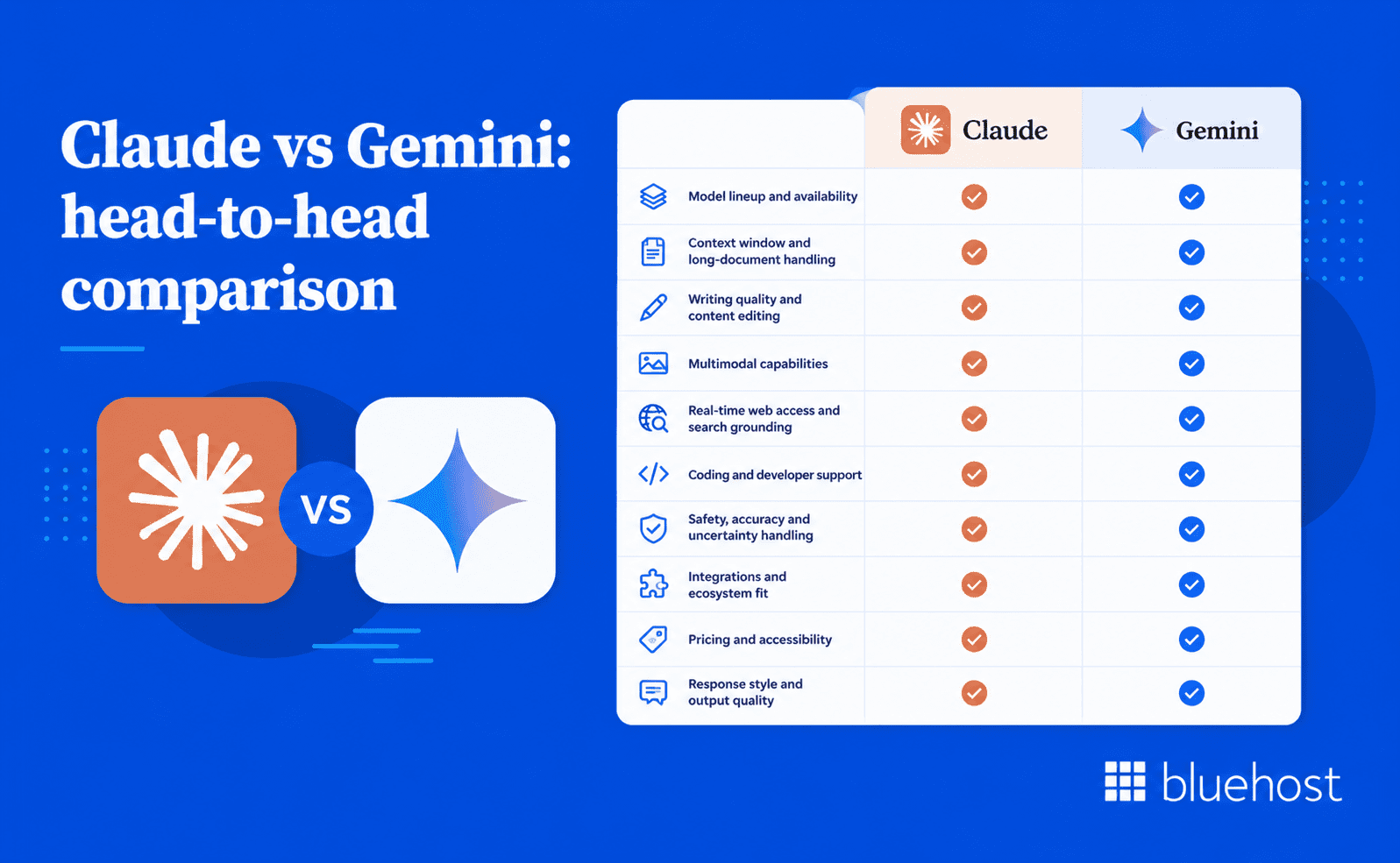
Claude vs Gemini are both advanced AI assistants, but they are built for different professional needs. Claude is stronger when users need careful reasoning, polished writing and dependable long-form analysis. Gemini is stronger when users need multimodal input, live search support and deep Google Workspace integration.
The right choice depends less on popularity and more on daily workflow fit. Now, let’s dive deeper into our Claude vs Gemini debate!
1. Claude vs Gemini: Model lineup and availability
Claude is Anthropic’s AI assistant family, built around safety, reliability and high-quality text output. It is available through Claude.ai, Anthropic’s API and selected enterprise cloud platforms. This makes Claude useful for professionals who want a focused AI assistant outside a larger productivity suite.
Gemini is Google DeepMind’s AI model family, built into many Google products and developer tools. It is available through the Gemini app, Google AI Studio, Google Cloud and Google Workspace. This makes Gemini especially useful for teams already working inside Gmail, Docs, Sheets, Slides and Drive.
Best fit by availability:
- Choose Claude for a focused standalone AI assistant.
- Choose Claude for API-based writing or research workflows.
- Choose Gemini for Google Workspace productivity.
- Choose Gemini for Google Cloud and Google-native workflows.
2. Claude vs Gemini: Context window and long-document handling
In the Claude vs Gemini comparison, Claude is a strong choice when long documents need careful reading and structured interpretation. It performs well with contracts, research papers, reports and detailed strategy documents. Claude also tends to preserve tone and nuance across long conversations.
Gemini is also strong with large inputs, especially when files contain mixed information types. It can support workflows involving long documents, code repositories, transcripts, images and videos. This makes Gemini valuable when a project includes more than text alone.
Claude is better for:
- Contract summaries
- Research paper analysis
- Long-form editorial review
- Policy document interpretation
- Detailed business reports
Gemini is better for:
- Large mixed-media projects
- Long transcripts
- Video-supported research
- Multi-file analysis
- Google Drive workflows
3. Claude vs Gemini: Writing quality and content editing
Claude is usually the stronger option for writing quality, tone control and editorial refinement. Its outputs often feel natural, polished and ready for fewer revisions. This makes Claude useful for blogs, thought leadership, executive summaries and brand-sensitive content.
Gemini is also capable of strong writing, but its style is often more direct and practical. That makes it useful for quick drafts, internal documents, email replies and productivity tasks. Gemini works especially well when the writing task starts inside Google Workspace.
Claude is better for:
- Blog writing
- Brand voice editing
- Long-form content
- Thought leadership
- Polished business copy
Gemini is better for:
- Quick drafts
- Gmail replies
- Docs edits
- Meeting summaries
- Simple marketing copy
4. Claude vs Gemini: Multimodal capabilities
In the Claude vs Gemini comparison, Gemini has the clearer advantage when the task includes multiple content formats. It is designed to work across text, images, audio, video and code. This makes Gemini useful for marketers, educators, product teams and creative professionals.
Claude can also work with documents and images in many use cases. However, it is usually stronger when the main task is reading, reasoning or writing. Gemini is the better option when visual, audio or video inputs are central.
Use Claude for:
- Text-heavy analysis
- Document review
- Screenshot interpretation
- Written summaries
- Editorial recommendations
Use Gemini for:
- Image analysis
- Video analysis
- Audio review
- Visual campaign feedback
- Mixed-media research
5. Claude vs Gemini: Real-time web access and search grounding
Gemini has a major advantage when current information matters. Its connection to Google Search can help users research recent news, market updates and product changes. This is valuable for fast-moving topics where outdated information creates risk.
Claude is better when users provide the source material themselves. It can analyze uploaded documents, summarize findings and turn research into polished content. However, it usually needs external browsing support for live information.
Gemini is better for:
- Recent news
- Market research
- Competitor updates
- Current pricing
- New regulations
Claude is better for:
- Source analysis
- Research synthesis
- Document comparison
- Editorial rewriting
- Insight development
6. Claude vs Gemini: Coding and developer support
In the Claude vs Gemini comparison, Claude is a strong coding assistant when developers need explanations, reviews and reasoning. It often explains why a solution works, not just what to change. This makes Claude useful for debugging, refactoring and understanding unfamiliar code.
Gemini is strong for fast code generation and Google developer workflows. It is especially useful when projects involve Google Cloud, Android or current technical documentation. Gemini also benefits developers working across text, images and code together.
Claude is better for:
- Code review
- Debugging explanations
- Refactoring guidance
- Architecture reasoning
- Learning support
Gemini is better for:
- Fast code generation
- Google Cloud projects
- Android workflows
- API research
- Multimodal development
7. Claude vs Gemini: Safety, accuracy and uncertainty handling
Claude is often preferred when careful reasoning and uncertainty handling are important. Anthropic built Claude with a strong focus on safe and predictable AI behavior. This makes it useful for sensitive writing, research and professional decision support.
Gemini also includes safety controls and responsible AI protections across Google products. Its strength is combining those controls with fast access to current information. Gemini is often better when users need quick answers supported by fresh search results.
Claude is better for:
- Sensitive analysis
- Legal-style review
- Research interpretation
- Risk-aware writing
- Uncertainty handling
Gemini is better for:
- Current answers
- Search-supported research
- Everyday productivity
- Fast summaries
- Google-integrated tasks
8. Claude vs Gemini: Integrations and ecosystem fit
In the Claude vs Gemini comparison, Claude works well for users who want a powerful AI assistant outside one fixed ecosystem. It is useful through its chat interface, API and enterprise integrations. This makes Claude flexible for custom workflows, writing systems and research processes.
Gemini is stronger for users already invested in Google’s ecosystem. It works across Gmail, Docs, Sheets, Slides, Meet and Drive. This reduces switching between tools and makes AI support feel built into daily work.
Claude fits teams that need:
- Independent AI access
- Custom workflows
- Writing support
- Research assistance
- API flexibility
Gemini fits teams that need:
- Google Workspace support
- Gmail assistance
- Docs editing
- Sheets analysis
- Meeting productivity
9. Claude vs Gemini: Pricing and accessibility
Both Claude and Gemini offer free and paid access options. The better value depends on which features users actually need. Claude can offer stronger value for professionals focused on writing, analysis and detailed document work.
Gemini can offer stronger value for teams already paying for Google products. Its value increases when users rely on Gmail, Docs, Sheets, Drive and Meet daily. In that case, integration may matter more than standalone writing quality.
Claude offers better value for:
- Writers
- Researchers
- Analysts
- Editors
- Developers needing explanations
Gemini offers better value for:
- Google Workspace users
- Marketing teams
- Educators
- Product teams
- Multimodal creators
10. Claude vs Gemini: Response style and output quality
Claude and Gemini often produce different types of answers, even when given the same prompt. Claude usually responds with more structure, detail and caution. Gemini usually responds with faster, more direct and action-oriented output.
Claude is stronger when the final response needs polish, nuance and careful reasoning. Its answers often feel more editorial and complete. This makes it useful when the output will be reviewed, published or shared with clients.
Gemini is stronger when the final response needs speed, clarity and practical next steps. Its answers often feel more concise and productivity-focused. This makes it useful for everyday business tasks and quick decision support.
Claude usually performs better for:
- Detailed explanations
- Polished written output
- Careful reasoning
- Structured analysis
- Nuanced tone matching
Gemini usually performs better for:
- Quick summaries
- Direct answers
- Fast task completion
- Practical suggestions
- Workspace-ready output
The debatable difference between Claude vs Gemini is not only about accuracy. It is also about how each model communicates. Claude often feels like a careful editor or analyst. Gemini often feels like a fast productivity assistant.
What makes Claude effective for AI agents
Claude has become a common foundation for agentic workflows because it combines reliable instruction-following, predictable behavior shaped by Constitutional AI training and a 200,000-token context window that holds state across long multi-step tasks. When agents operate with less direct human oversight, those qualities matter more than raw generation speed.
Instruction-following consistency is the first practical requirement for any agent. When Claude receives a multi-step task, it works through each instruction in sequence rather than collapsing them into a single broad response. That discipline keeps automated pipelines on track without requiring constant human correction between steps, which is where many agentic builds break down in practice.
Constitutional AI training adds a second layer of reliability. Because Claude evaluates its own responses against a set of written principles before outputting an answer, its behavior stays predictable across different task types. An agent that acknowledges uncertainty rather than confidently generating a wrong answer is far easier to supervise and correct when something goes wrong. For developers building on top of Claude through the Anthropic API or platforms like Amazon Web Services Bedrock, that predictability reduces the complexity of error-handling logic.
The 200,000-token context window lets an agent carry the full history of a complex task through many steps without losing earlier context. A workflow that processes contracts, generates structured summaries and drafts follow-up actions can stay coherent across the entire sequence in one session.
Careful reasoning also reduces the risk of compounding errors, where one flawed output feeds the next step. Building agents on Claude still requires thoughtful system design and human review checkpoints. The model supports the work; it does not replace the judgment behind it.
Claude vs Gemini: Which AI fits which use case?
Most professionals do not need to pick one AI tool and commit to it exclusively. Many high-performing teams now use both models for different tasks within the same workflow. That said, budget constraints, tool integration requirements and team preferences often make a primary choice necessary. Understanding each model’s strongest territory is the clearest path to that decision.
When Claude is the better choice?
Claude is the stronger option when accuracy, careful reasoning and writing quality are the defining priorities. Legal professionals, academic researchers and senior writers frequently choose Claude for text-heavy work because outputs require fewer corrections and are more reliably accurate. The Constitutional AI training makes Claude particularly dependable when you need the model to flag its own uncertainty rather than present a guess as fact.
Claude also leads for processing large documents in a single session. Feeding a 150-page contract into Claude and receiving a structured, accurate summary is a practical, repeatable workflow for legal and compliance teams. Models with smaller context windows require manual chunking and reassembly, which adds time and introduces consistency risks. Beyond document size, Claude maintains tone and context across very long conversations better than most alternatives, which matters during complex editing or multi-step research sessions.
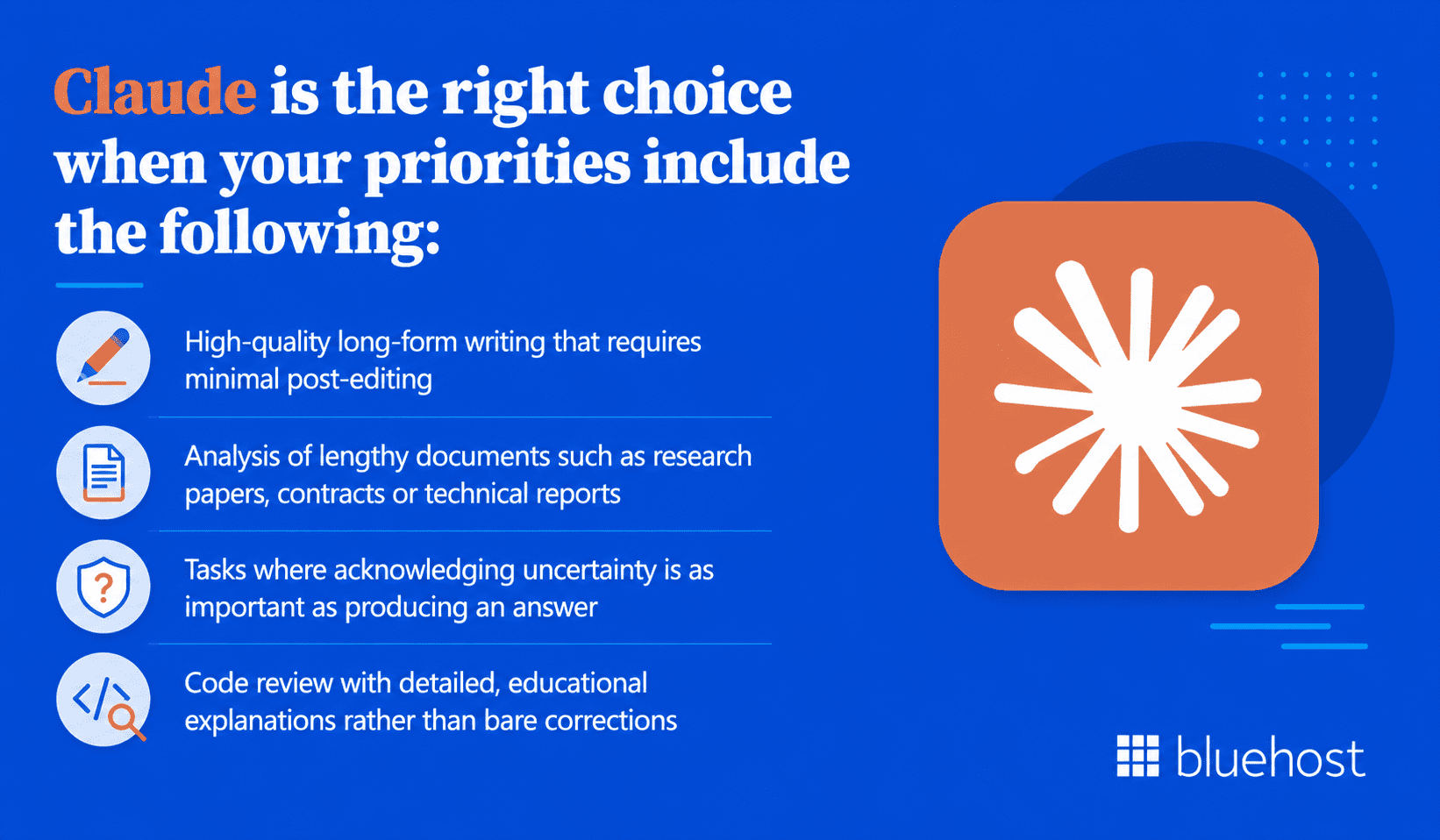
Claude is the right choice when your priorities include the following:
- High-quality long-form writing that requires minimal post-editing
- Analysis of lengthy documents such as research papers, contracts or technical reports
- Tasks where acknowledging uncertainty is as important as producing an answer
- Code review with detailed, educational explanations rather than bare corrections
Writers, researchers and legal professionals will find Claude’s outputs closer to publication-ready than what most competing models produce on a first pass.
When Gemini leads the way?
Gemini is the stronger choice when your work involves multiple media types or requires tight integration with Google’s tool ecosystem. Teams that spend most of their day inside Google Workspace save meaningful time because Gemini works directly within Docs, Gmail and Sheets. Asking Gemini to restructure a report without leaving Google Docs or to draft a reply to an email without switching applications, is a workflow efficiency that Claude cannot replicate natively.
For tasks requiring current information, Gemini’s real-time search grounding removes the knowledge-cutoff problem entirely. A financial analyst monitoring recent earnings reports, a journalist covering a fast-moving story or a marketer researching competitor campaigns all benefit directly from Gemini’s ability to retrieve live information during a conversation.
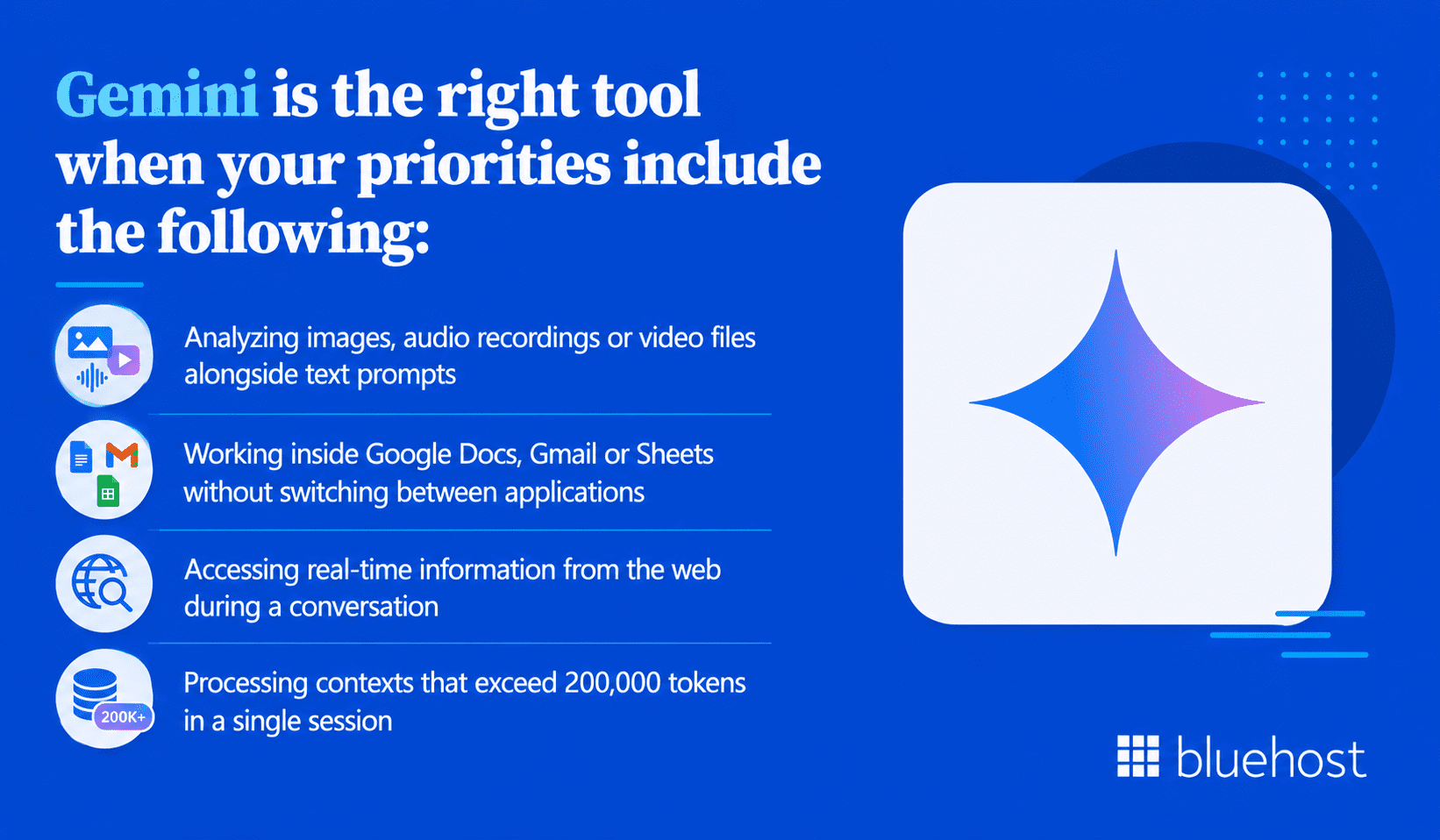
Gemini is the right tool when your priorities include the following:
- Analyzing images, audio recordings or video files alongside text prompts
- Working inside Google Docs, Gmail or Sheets without switching between applications
- Accessing real-time information from the web during a conversation
- Processing contexts that exceed 200,000 tokens in a single session
Creative teams reviewing visual assets, product teams analyzing UI screenshots and educators building curriculum from mixed source types will find Gemini’s multimodal depth to be a genuine workflow advantage rather than a novelty.
How professionals are adopting Claude and Gemini in 2026
ChatGPT remains the default starting point for most professionals who use AI in their daily work. The Stanford AI Index Report 2024 noted that ChatGPT consistently leads general awareness and active use across knowledge worker segments. That dominance reflects familiarity and breadth: ChatGPT handles general drafting, brainstorming and quick summaries well enough that many users have no reason to look elsewhere for those tasks.
The shift happens when professionals hit the edges of what a general-purpose assistant does well. Writers working on high-stakes content find Claude’s outputs require fewer edits and better match brand voice. Legal and compliance teams processing full contracts or lengthy research papers favor Claude’s 200,000-token context window and its tendency to flag uncertainty rather than fill knowledge gaps with confident-sounding guesses. Meanwhile, professionals working inside Google Workspace have found that Gemini integrates directly into Docs, Gmail and Sheets in a way that removes the friction of copying content between a browser tab and a working document. Researchers and marketers who need current information have migrated specific tasks to Gemini precisely for its real-time search grounding, which bypasses the knowledge-cutoff problem that affects every training-data-only model.
The practical outcome is that single-model workflows are becoming less common among active AI users. Running two or three assistants for different task categories is increasingly the norm, not a sign of indecision. The more productive question is not which model wins overall, but which one fits the specific job in front of you right now.
Claude vs Gemini: Free tiers, paid plans & which offers better value
Both models offer free access with meaningful functionality limits and paid plans that unlock higher-tier capabilities. The pricing structures are broadly similar, but which plan delivers more value depends on which tools you already pay for and which capabilities you use most often.
Claude pricing
Anthropic offers Claude through Claude.ai with a free plan that includes access to Claude 3.5 Sonnet with daily usage limits. The Claude Pro plan is priced at $20 per month as of early 2026. Pro subscribers receive five times the usage of the free tier and priority access to Claude Opus when server demand is high. The Anthropic API charges per million tokens processed, with rates varying by model tier, making it straightforward to scale costs alongside actual usage.
Claude is also available through Amazon Web Services Bedrock and Google Cloud Vertex AI. Enterprise teams that need to deploy Claude within existing cloud infrastructure can do so without managing separate API keys or accounts.
Gemini pricing
Gemini is available at no cost inside Google Search and standard Workspace accounts. Gemini Advanced, which unlocks access to Gemini 1.5 Pro and Ultra capabilities, is included in the Google One AI Premium plan at $19.99 per month as of 2026. Workspace Business and Enterprise subscribers receive Gemini for Workspace included at relevant tier levels, which means many organizations already have access without an additional subscription.
For developers, Gemini’s API is available through Google AI Studio at no cost for testing and evaluation. Production deployment runs through Google Cloud, with a free API tier supporting up to 15 requests per minute. That is sufficient for most small-scale integrations and personal projects.
Which plan offers better value?
If your organization already pays for Google Workspace, adding Gemini Advanced is a logical extension of an existing investment, with no new tools to learn. If your primary need is high-quality text generation and deep document analysis, Claude Pro at $20 per month delivers focused value for that specific workflow. Both plans pay for themselves quickly for professionals who use AI assistance regularly. The more productive question is which plan connects to the tools and tasks you already rely on most.
Connecting AI tools to your broader tech stack
Choosing between Claude and Gemini is one part of a larger AI strategy. A model that sits in a browser tab in isolation delivers a fraction of the value it provides when connected directly to your writing, publishing or business management environment. The most effective teams treat AI as infrastructure, not just a standalone chat interface.
Developers building applications often integrate both Claude and Gemini via API for different tasks within the same pipeline. A content production workflow might use Claude to generate first drafts and Gemini to analyze reference images, tag metadata and search for supporting sources. Using each model as a specialized tool rather than demanding that one model handle everything is increasingly common among technical teams in 2026.
For businesses building websites and digital products, AI integration extends well beyond writing assistance. Secure AI tools that connect directly to your content management system, eCommerce platform or hosting environment deliver the most consistent day-to-day value. Platforms that bundle multiple AI models, including both Claude and Gemini, under a single access layer give teams flexibility without requiring separate subscriptions and API management overhead. Some hosting providers now offer exactly this kind of consolidated AI access as part of their broader product ecosystem, which reduces friction for small businesses and agencies that want to use AI without managing multiple vendor relationships.
The practical takeaway is straightforward. Evaluate AI tools not just by what each model can do in isolation, but by how well each one connects to the systems and workflows your team uses every day. Integration depth often matters more than benchmark scores.
When should you use ChatGPT, Claude or Gemini?
Choosing the right model comes down to the task in front of you, not a permanent commitment to one assistant.
| Task or use case | Best-fit model | Why it wins |
|---|---|---|
| Long-form writing and brand voice editing | Claude | Constitutional AI training produces tone-aware, polished prose that needs fewer revisions before publication |
| Contract review and detailed document analysis | Claude | A 200,000-token context window processes full contracts or research papers in a single session without manual chunking |
| Uncertainty-aware reasoning on sensitive topics | Claude | Flags its own knowledge gaps directly rather than generating confident-sounding guesses |
| Multimodal analysis of images, audio or video | Gemini | Trained natively across multiple media formats, so it interprets visual and audio content without switching tools |
| Research requiring current events or live market data | Gemini | Google Search grounding retrieves real-time information during a conversation, bypassing training cutoff limitations |
| Tasks inside Google Docs, Gmail or Sheets | Gemini | Works directly within Google Workspace apps so you stay in your existing workflow without copying content between tools |
| General-purpose drafting, brainstorming and ideation | ChatGPT | Broad training across diverse content types makes it a versatile starting point for first drafts and creative exploration |
| Plugin-connected and third-party tool workflows | ChatGPT | A wide plugin ecosystem connects to external services, making it adaptable for varied and custom task types |
Model strengths overlap more than they conflict, and many professional teams keep two or three assistants active at once for different task categories. The more useful question is not which model is best overall, but which one fits the specific job you need to complete right now.
Simplify your AI workflow with Bluehost AI All-Access Pack
Choosing between Claude and Gemini is useful, but many businesses do not need to rely on one model alone. Different tasks often need different AI strengths. A content team may want Claude for careful writing, Gemini for research and another model for fast ideation.
Bluehost AI All-Access Pack brings leading AI models into one dashboard. It includes access to ChatGPT, Claude, Gemini and Grok, so teams can choose the model that fits each task. This helps reduce the need to switch between separate subscriptions, accounts and workflows.
For small businesses, agencies and content teams, this can make AI easier to manage. Instead of comparing tools in isolation, you can use multiple models from one place. You can also compare responses before choosing the answer that best fits your goal.
Bluehost AI All-Access Pack includes:
- Access to ChatGPT, Claude, Gemini and Grok in one dashboard
- The ability to switch between models based on the task
- Research Agent for cited reports and deeper analysis
- Presentation Builder for structured, downloadable presentations
- AI Article Writer for blog and article creation
- Account Management Dashboard for teams and clients
- No Bluehost hosting plan required
Bluehost also offers AI All-Access Pack Privacy+ for businesses with higher privacy needs. This plan adds privacy-focused controls for sensitive prompts and confidential workflows. It includes features such as Privacy Mode, encrypted searches, user-specific PIN protection and Incognito Mode.
The practical benefit is flexibility. Claude may be the better model for detailed writing and careful reasoning. Gemini may be better for research and Google-connected workflows. With Bluehost AI All-Access Pack, teams can use the right model for the task without managing each tool separately.
Final thoughts
Quick verdict: Claude is better for writing and deep text work, while Gemini is better for multimodal tasks and Google-connected workflows.
The Claude vs Gemini debate does not produce a single universal winner in 2026. Claude leads on writing quality, long-document processing and careful, uncertainty-aware reasoning. Gemini leads on native multimodal capability, real-time information access and tight integration with Google’s product ecosystem. Both are excellent tools. Both offer accessible free tiers and affordable paid plans that fit individual and team budgets.
The most productive approach is knowing when to use each one. Reach for Claude when nuance, accuracy and text depth are the priority. Reach for Gemini when you need to process diverse media formats or stay grounded in current information. As AI becomes infrastructure for websites, content platforms and business operations, the tools that connect AI capabilities directly to your hosting and publishing environment will deliver compounding returns over time.
Ready to simplify your AI workflow? Explore Bluehost AI All-Access Pack to access ChatGPT, Claude, Gemini and Grok from one dashboard.
FAQs
Both models perform well on coding tasks, but they have different strengths. Claude tends to excel at explaining why a code change works, making it valuable for developers who want to learn as they build. Gemini Advanced shows strong benchmark performance on standardized coding evaluations such as HumanEval and MBPP and its real-time search access is useful when working with newer libraries or recently released frameworks that may fall outside a training cutoff. For collaborative code review and explanation, Claude is often preferred. For quick code generation involving current APIs or documentation, Gemini has a practical edge.
Yes, and many professional teams already do. Both models expose their capabilities through APIs, which means developers can route different task types to the model best suited for each one. A content pipeline might use Claude for long-form drafting and Gemini for image analysis, metadata generation or web-grounded research. Even without technical integration, using both tools through their respective interfaces for different task categories is a practical and cost-effective approach. Some platforms now bundle access to multiple AI models under a single subscription, which reduces management overhead for teams that want to use both.
Gemini’s underlying training data has a cutoff date, as all LLMs do. However, Gemini’s real-time search grounding feature allows it to retrieve and cite current information from the web during a live conversation. When search grounding is active, Gemini can answer questions about recent events, current pricing, new regulations or other time-sensitive information that falls outside its training data. Claude, by contrast, does not have a native real-time search feature. Claude can access the web through third-party integrations, but Gemini’s grounding capability is built in and more consistent across use cases.
Standard RLHF trains a model to produce outputs that human raters prefer, which improves quality and helpfulness but does not explicitly encode ethical principles. Constitutional AI adds a second layer. Anthropic gives Claude a written set of principles, called a constitution and trains the model to evaluate its own responses against those principles before finalizing an answer. The model essentially critiques its own outputs during training. The result is a model that is less likely to produce harmful, deceptive or inconsistent responses, not just because humans rated those outputs poorly, but because the model learned to identify and avoid them on its own.
Both Claude and Gemini support multiple languages, but their performance varies by language and task type. Gemini benefits from Google’s extensive multilingual training data and long history of machine translation research, which gives it an advantage in languages with large online presences, including Spanish, French, German, Japanese and Mandarin. Claude performs well in major European and Asian languages but tends to be more conservative, flagging lower-confidence outputs rather than generating fluent text that may be inaccurate. For high-stakes multilingual content where accuracy matters more than fluency, Claude’s caution is a feature. For broad multilingual reach and volume, Gemini is generally the more capable option.
Both Claude and Gemini offer production-ready APIs for building custom applications. Claude is available through the Anthropic API directly and also via Amazon Web Services Bedrock and Google Cloud Vertex AI, which gives teams flexibility in cloud infrastructure. Gemini’s API is accessible through Google AI Studio for testing and prototyping and through Google Cloud Vertex AI for enterprise-grade deployments with managed scaling and security controls. The free tier on Google AI Studio supports up to 15 requests per minute, making it practical for small integrations without upfront cost. Anthropic’s API does not have a permanent free tier, so developers should factor in token-based pricing from the start when estimating build costs.
Claude does not retain memory between separate sessions by default. Each new conversation starts fresh, with no access to what was discussed in previous chats. Within a single session, Claude holds context across up to 200,000 tokens, which covers very long documents or extended conversations. Developers building persistent applications can work around this limitation by storing conversation history externally and passing it back into the context window at the start of each session. Anthropic has introduced memory features in some Claude integrations, but these are opt-in and not active by default for standard users on Claude.ai.
Claude is generally accurate on well-documented topics, but it can produce errors, particularly on niche subjects, recent events beyond its training cutoff or highly technical domains. What distinguishes Claude from many other models is its tendency to flag uncertainty explicitly rather than generating a confident but wrong answer. When Claude does not know something, it typically says so and may suggest verifying the information through an external source. This behavior stems from its Constitutional AI training, which prioritizes honesty and calibrated confidence. Users should still verify critical outputs independently, especially for legal, medical or financial decisions, regardless of how confident the response appears.
Anthropic is an AI safety company founded in 2021 by former OpenAI researchers, including Dario Amodei and Daniela Amodei. The company’s core focus is building AI systems that are reliable, interpretable and steerable, rather than optimizing purely for benchmark performance. Claude was developed as a direct expression of that mission. Anthropic created Constitutional AI, a training methodology where the model evaluates its own outputs against a written set of principles before finalizing a response. This approach was designed to reduce harmful outputs and improve consistency without relying solely on human labeling at every step. The result is a model that prioritizes predictable, explainable behavior across diverse tasks.
Managing Claude and Gemini from separate platforms adds friction to any workflow that benefits from both models. Bluehost’s AI All-Access Pack connects ChatGPT, Claude, Gemini and Grok inside one interface, so you can direct tasks to the most suitable model without logging into multiple accounts. Unlike subscription-based AI tools that charge per task, the All-Access Pack follows an automation ownership model, meaning you avoid recurring per-use fees as your usage scales. For teams building or running websites on WordPress, this kind of consolidated access reduces context-switching and keeps AI assistance closer to the publishing and development tools you already use.
Claude’s 200,000-token context window lets you load an entire legal contract, research report or codebase into a single session without splitting files. Gemini 1.5 Pro and later models support up to 1 million tokens, which is technically larger, but Claude’s advantage lies in retrieval precision: it consistently locates specific clauses or passages buried deep in a document rather than paraphrasing broadly. For legal teams or analysts reviewing lengthy materials, Claude’s tendency to quote exact source text and flag uncertainty reduces the risk of missing a critical detail that a summary-style response might obscure.
Yes, both Claude and Gemini are accessible through paid API plans that let developers embed either model directly into a website, app or internal tool without requiring end users to hold a personal subscription. Anthropic’s API uses token-based pricing, so you pay per request rather than a flat monthly fee. Google’s Gemini API follows a similar structure, with a free tier available for low-volume use. For non-developers, Bluehost’s AI All-Access Pack connects ChatGPT, Claude, Gemini and Grok inside a single dashboard, removing the need to manage separate API credentials or pay per-task fees across multiple providers.
Gemini’s most reported limitations include inconsistent output quality on nuanced writing tasks, occasional overconfidence when search grounding is not active and weaker performance on long-form structured content compared to Claude. Its guided learning mode requires deliberate prompting to activate; it defaults to direct answers, which means users who want step-by-step explanations must explicitly request that format. Gemini also performs less reliably on tasks that require strict adherence to a specific brand voice or editorial style, since its outputs tend toward a more neutral register. These gaps are most noticeable in content-heavy professional workflows rather than quick information retrieval.
Claude does not browse the internet by default and operates from training data with a fixed knowledge cutoff, which means it cannot retrieve current news, live prices, or recent events on its own. Gemini, by contrast, includes real-time search grounding as a built-in feature, pulling live results from Google Search during a session. Claude can access current information when integrated with external tools through its API or when used inside platforms that connect it to live data sources, but this requires deliberate setup rather than being available out of the box. For tasks requiring up-to-date information, Gemini is the more practical default choice.
Gemini CLI and Claude Code both bring AI assistance into the terminal, but they differ in how they integrate with your project. Claude Code reads your full repository structure before suggesting edits, which allows it to make coordinated changes across multiple files with explained reasoning at each step. Gemini CLI connects to Google’s model family and benefits from real-time search grounding, making it stronger for tasks that require pulling in current documentation or library references during a session. Claude Code requires Node.js 18 or higher and Anthropic credentials; Gemini CLI ties into a Google account. For solo developers working in complex codebases, Claude Code’s repository-wide awareness tends to produce more coherent multi-file edits.

Write A Comment