 ChatGPT,
 Claude,
 Gemini,
 Grok — all four for
Key highlights
- Learn how to match the best no-code website builder to your use case instead of chasing features.
- Compare seven real builders across price, hosting, design control, eCommerce readiness and support quality.
- Discover which evaluation criteria matter most for small-business owners, creators and first-time site builders.
- Know the trade-offs behind each option so you avoid surprise renewals and platform lock-in later.
- Choose with confidence by testing mobile views, SEO controls and data portability before you commit.
The best no-code website builder depends on what you are trying to build and who you are building it for. Below we rank seven real options, from guided all-in-one platforms to single-page tools, so you can pick by use case instead of guesswork.
No-code means you build and publish a site by typing, dragging or describing what you want, with no code to write yourself. You choose a starting design, add your content and go live. Building a site without code is now a standard way for small businesses to launch online, especially for owners without technical skills.
One option we cover is our own Bluehost AI Website Builder. We offer a guided way to describe your business and get a starter site you can edit and publish.
Top picks at a glance
- Best for a guided, all-in-one small-business site: Bluehost AI Website Builder
- Best for drag-and-drop design flexibility: Wix
- Best for design-led creatives: Squarespace
- Best for budget-conscious beginners: Hostinger Website Builder
- Best for professional design control: Webflow
- Best for online stores: Shopify
- Best for one-page sites: Carrd
How the top no-code website builders compare
We compared each builder on price, free options and its standout strength for a particular kind of site. Use the table to shortlist two or three options, then read the profiles below.
| Builder | Best for | Starting price (billed annually) | Free option | Standout strength |
|---|---|---|---|---|
| Bluehost AI Website Builder | Guided all-in-one small-business site | $9.99/mo (Get Online) | 14-day free trial | Hosting, domain, SSL, backups and Yoast SEO Premium included in one plan |
| Wix | Drag-and-drop design flexibility | From about $17/mo | Free plan | Free-form drag-and-drop editor plus AI builder |
| Squarespace | Design-led creatives | Mid-teens per month | 14-day trial (no free plan) | Polished designer templates |
| Hostinger Website Builder | Budget-conscious beginners | Advertised from a low multi-year rate, renews higher | 14-day trial (no free plan) | Bundled domain and hosting at a low entry price |
| Webflow | Professional design control | From $15/mo (Basic) | Free Starter plan | Pixel-level visual design with clean code |
| Shopify | Online stores | $29/mo (Basic) | 3-day trial (no free plan) | Complete eCommerce and multi-channel selling |
| Carrd | One-page sites | From $9/year (Pro Lite) | Free tier | Fast, low-cost single-page sites |
Note: Pricing is as of September 2026. For the latest pricing and offerings, visit bluehost.com.
The best no-code website builder for you is the one that matches your use case, budget and how much design control you want. Read the table as a shortlist tool that helps you narrow your options. Two builders can look similar on price yet serve very different owners once you factor in design control and included essentials.
Pick the two or three rows that describe your situation, then use the profiles to break the tie. Our Bluehost AI Website Builder lands first for guided all-in-one sites. Our Get Online plan bundles hosting, a domain and SSL together, so you skip stitching those pieces together yourself.
How we chose these no-code website builders
These no-code website builders can be compared across 9 key criteria, covering how you build, grow and manage a website. These factors help identify the right no-code website builder for different needs.
- Ease of use for non-coders: how quickly a first-time builder can get from a blank start to a published page.
- Design control vs guardrails: whether the tool gives you free-form control or sensible defaults that keep you on track.
- Included hosting, domain and SSL vs separate purchases: whether core pieces come in one plan or add cost and setup later.
- Mobile responsiveness: whether your site adapts cleanly to phones without extra work.
- SEO controls: whether you can edit titles, meta descriptions, URLs and other on-page basics.
- eCommerce readiness: how well the builder handles products, payments and checkout when you need to sell.
- Scalability and data ownership: whether you can grow the site and export your content if you move.
- Transparent pricing and renewal terms: whether the intro rate is clear and what it becomes at renewal.
- Real human support: whether you can reach capable people when something breaks.
No builder wins on every criterion, so ranking them means deciding which factors carry the most weight for this audience. For first-time builders and small-business owners, we weighted ease of use and included essentials most heavily. Those two factors decide whether you actually get online.
Mobile responsiveness sits near the top for a reason. In 2025, 91% of US adults own a smartphone and 16% were smartphone-only internet users, according to the Pew Research Center.
Many visitors may therefore view your site on a phone. A site that reads well on mobile is a baseline requirement.
SEO controls matter almost as much. SEO is the top source of leads for 40% of small businesses that have a website, in a 2025 Clutch survey. A builder that lets you edit page titles, meta descriptions and URLs helps you compete for that traffic.
7 best no-code website builders in 2026
Each builder below solves a different problem. These builders are listed in order of how well they fit common use cases, starting with guided all-in-one sites and ending with single-page tools. Select the one that matches your goal, then test the builder before you commit.
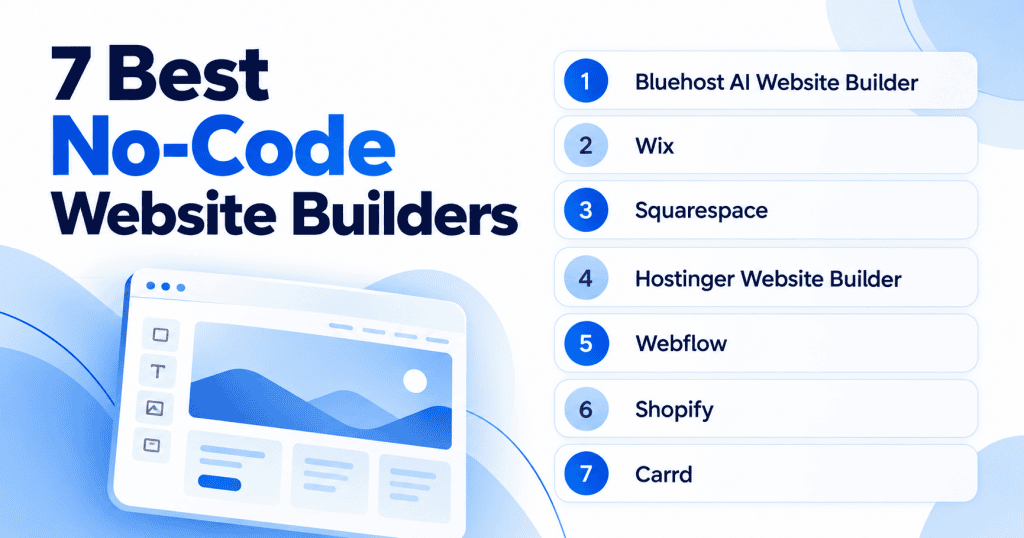
1. Bluehost AI Website Builder: Best for guided small-business sites
What it is: We built this for owners who want a starter site without piecing together separate tools. You describe your business and our agentic AI asks up to five questions, then generates a site with pages, copy and images you can adjust.
Key features:
- AI-generated starter site from a short business description
- Plain-language editing that updates pages in real time
- Hosting, domain, SSL, CDN, weekly backups and malware protection included
- Yoast SEO Premium pre-installed on paid plans
- Built on WordPress, so you can grow into managed hosting later
- 24/7 human support and 99.99% uptime SLA
How it works: You describe your business, and the AI generates a working site. You stay in control by asking the AI to make changes in plain language. Request a new image, change a color, rewrite a section or add features like a contact form or gallery, and see the updates directly on the page. Once your site is ready, publish it to a custom domain with hosting included.
Think of the first draft as a working starting point. You refine the wording and images until they sound like your business.
Pricing: The Get Online plan is $9.99/mo. It includes a free domain and free Domain Privacy for one year, plus free SSL and hosting for one website. You also get a free CDN, weekly backups and malware detection and removal. Each month includes 20 AI edits, plus 10 bonus edits in your first month. The 14-day free trial needs no credit card.
If you do not upgrade by the end of the 14-day trial, we keep your site for a 4-day grace period. Your work stays safe, which gives you time to decide without rushing the choice.
Pros:
- Guided flow removes technical setup anxiety
- Everything bundled in one plan, no separate purchases
- Built on WordPress, so you can scale without rebuilding
- Real human support available 24/7
- 98% customer satisfaction score across 5M+ website owners
Cons:
- Newer builder with less pixel-level design control than Webflow
- Fits standard business sites well, suits highly custom layouts less than a dedicated design tool
Best for: Small-business owners and first-time builders who want everything in one place. If technical setup feels intimidating, the guided flow gives you a clear next step at each stage, from choosing a domain to going live. If you want a deeper look, see how to create a website with WordPress.
2. Wix: Best for drag-and-drop design flexibility
What it is: Wix gives you two ways to start. You can generate a site from a prompt, or open its free-form drag-and-drop editor to place elements anywhere. It offers 2000+ templates and an app market for extras like live chat and scheduling.
Key features:
- Free-form drag-and-drop editor with no grid constraints
- 2000+ templates across industries
- AI site generation from a prompt
- App market for bookings, marketing and analytics
- Wix Studio for agency-style projects
- Custom domain, hosting with 99.99% uptime and AI tools included
How it works: The free-form editor is unusual because most builders lock elements to a grid. That freedom is the reason many owners pick Wix over more structured tools. You place elements anywhere on the page, adjust spacing and styling, then publish. There is a free plan to try, and all plans include a custom domain, hosting with 99.99% uptime and AI tools. That makes it easy to test before you upgrade.
Pricing: A free plan is available plus paid plans from about $17/mo billed annually. Higher tiers add eCommerce and marketing features, so review the Wix pricing plans to match a tier to your needs.
Pros:
- Maximum design freedom with free-form placement
- Large app market for added functionality
- Free plan available for testing
- Works for both simple sites and agency projects
Cons:
- Free-form editing can get fiddly as pages grow
- Performance tuning is more limited than on code-based tools
- You trade some structure for flexibility
Best for: Owners who want maximum design freedom along with built-in business tools such as bookings, marketing and analytics. A good fit is an owner who wants a distinctive layout rather than a template look. If you would rather start from a polished default and change little, a more structured builder saves you time.
3. Squarespace: Best for design-led creatives
What it is: Squarespace leads with polished designer templates and a structured drag-and-drop editor that keeps your layout aligned. It also includes strong blogging, scheduling through Acuity and commerce tools in one place.
Key features:
- Polished designer templates that do visual heavy lifting
- Structured drag-and-drop editor with alignment guardrails
- Strong blogging and content tools
- Acuity scheduling built in
- Commerce tools on all paid plans
- SSL, unlimited bandwidth and 24/7 support included
How it works: You pick a template, customize it within the structured editor and publish. The templates do a lot of the visual heavy lifting for you, which shortens the path to a professional look. There is no free plan, but you get a 14-day free trial with no credit card. Annual plans include a free custom domain for one year, and all paid plans can sell products or services.
Pricing: Paid plans are billed annually, with an entry plan in the mid-teens per month. Higher tiers lower transaction fees and add commerce features. You can compare tiers on the Squarespace pricing page.
Pros:
- Polished templates shorten the path to a professional look
- Strong blogging and scheduling tools built in
- All essentials bundled, no separate shopping
- 14-day trial with no credit card required
Cons:
- Templates are less structurally flexible than Webflow
- Deep layout changes take more effort
- No free plan, only a time-limited trial
Best for: Creatives and service businesses that value visual polish, such as photographers, designers, studios and consultants. It is a weaker fit if you want a free plan or heavy structural customization.
4. Hostinger Website Builder: Best for budget-conscious beginners
What it is: Hostinger pairs a drag-and-drop editor with an AI builder and bundles a domain and hosting into the plan. It also includes built-in eCommerce at 0% transaction fees, plus AI tools for a logo and copy and a language switcher for multilingual sites.
Key features:
- Drag-and-drop editor plus AI builder
- Domain and hosting bundled in the plan
- Built-in eCommerce at 0% transaction fees
- AI tools for logo and copy generation
- Language switcher for multilingual sites
How it works: You build with the drag-and-drop editor or let the AI generate a starter site, then publish to your bundled domain. The entry plan includes only a limited number of AI credits. If you plan to lean on the AI tools often, check how far those credits stretch before you rely on them.
Pricing: It is advertised from a low monthly rate on a multi-year term that renews higher, with a 14-day trial. You can see the current terms on the Hostinger Website Builder page.
Pros:
- Low entry price with bundled domain and hosting
- 0% transaction fees on eCommerce
- Simple learning curve for beginners
Cons:
- Fewer advanced features and smaller app ecosystem than larger platforms
- Limited AI credits on entry plan
- Lowest advertised rate requires a long multi-year term and renews higher
- Weaker fit once you need an app ecosystem or advanced eCommerce
Best for: Budget-minded beginners and simple sites that do not need advanced features. If your main goal is getting online cheaply, it covers the basics without a steep learning curve.
5. Webflow: Best for professional design control
What it is: Webflow gives you a visual canvas that outputs clean production code, so designers get precise control without hand-writing HTML or CSS. Higher tiers add a full content management system, and Webflow AI helps with content and layout tasks.
Key features:
- Visual canvas that outputs clean production code
- Pixel-level design control without writing code
- Full CMS on higher tiers
- Webflow AI for content and layout tasks
- Managed hosting with a global CDN
How it works: You design visually on a canvas, adjusting layout, spacing and styling with precision. Webflow translates your design into clean HTML and CSS behind the scenes. There is a free Starter plan to explore, and paid plans include managed hosting with a global CDN. That keeps hosting and design in one workflow rather than spread across tools.
The free Starter plan publishes to a webflow.io address and is limited to a couple of static pages. It works for a quick experiment, and beginners who want a fast launch should look elsewhere.
Pricing: The Basic site plan is from $15/mo billed yearly, with a free Starter plan available for testing. You can review tiers on the Webflow pricing page.
Pros:
- Precise pixel-level control for custom designs
- Clean production code output
- Hosting and design in one workflow
- Free Starter plan for testing
Cons:
- Real learning curve, not beginner-friendly
- Entry Basic plan has no CMS
- Slower path to a live site for nontechnical owners
Best for: Designers, agencies and content-heavy sites that need exact control and structured content. If your work depends on custom design, this is where the ranking points you.
6. Shopify: Best for online stores
What it is: Shopify is a no-code store builder focused on selling. You get themes, AI tools, inventory management, payments, shipping, abandoned-cart recovery and multi-channel selling across online, social, marketplaces and in person.
Key features:
- Complete eCommerce platform with themes and AI tools
- Inventory management, payments and shipping built in
- Abandoned-cart recovery
- Multi-channel selling across online, social, marketplaces and in person
- Large app store for added functionality
How it works: You pick a theme, add your products, set up payments and shipping, then publish your store. Shopify centers the platform on eCommerce, and its app store adds functionality as you grow.
Pricing: The Basic plan is $29/mo billed yearly, or $39 billed monthly, with a 3-day free trial. You can compare tiers on the Shopify pricing page.
Pros:
- Complete eCommerce platform built for selling
- Multi-channel selling across several platforms
- Large app store for growth
Cons:
- Monthly cost runs higher than general builders
- Basic plan charges a 2% third-party transaction fee unless you use Shopify Payments
- Highest card rates of the standard tiers on Basic plan
- Page design is less drag-and-drop than Wix
Best for: Owners whose main goal is selling products, whether you run one storefront or sell across several channels.
Also read: Our guide to choosing an eCommerce website builder if selling is your main goal.
7. Carrd: Best for one-page sites
What it is: Carrd builds fast single-page sites, landing pages and link-in-bio pages from simple templates. You pick a layout, edit the content and publish quickly, without managing multiple pages or a complex dashboard.
Key features:
- Simple templates for single-page sites
- Fast loading and publishing
- Low-cost plans starting at $9/year
- Free tier for testing
How it works: You pick a layout, edit the content and publish quickly. The free tier is best for testing and simple profiles. Pro Lite covers up to three sites, so you can run a few small pages under one low-cost plan.
Pricing: Pro Lite is from $9/year, with a free tier to start and higher Pro tiers that add forms and custom domains. You can see the options on the Carrd Pro plans page.
Pros:
- Fast, low-cost single-page sites
- Simple to build and publish
- Free tier available for testing
Cons:
- Single-page focused, not for multi-page sites
- Custom domains, forms and widgets need a higher Pro tier
- You outgrow it once you need many pages or a blog
Best for: Creators and quick launches on a small budget, such as a personal profile, an event page or a product teaser. If you need one clean page, it does the job well and loads fast.
How to choose the right no-code website builder
Start by naming the type of tool you want, which is the first step toward the best no-code website builder for your needs. A no-code builder is one where you assemble and drag elements into place yourself. An AI website builder generates a first draft from your description and lets you edit it.
Many tools now do both, so you can start from a prompt and still fine-tune by hand. Getting this decision right early saves you from switching tools after you launch.
Once you know the type, weigh a few practical factors before you commit. The mistakes below trip up first-time builders most often.
- Check renewal pricing: Confirm what the plan costs after the first term, and factor in what an AI website builder costs over a year.
- Consider lock-in and data ownership: Check whether you can export your site and content if you move.
- Test the mobile view: Preview your pages on a phone before you publish, since many visitors browse on mobile.
- Confirm SEO controls: Make sure you can edit titles, meta descriptions and URLs to help people find you.
When a builder is enough, and when to grow into WordPress
A simple builder is enough when you need a clean brochure site, a portfolio or a small store and do not expect heavy growth. It gets you online quickly and keeps maintenance light.
A WordPress-based path helps when you want room to add features, plugins and content over time without rebuilding from scratch. To go deeper, compare the best AI website builders and the drag-and-drop website builders. You can also learn how Yoast SEO helps you manage on-page basics as your site grows.
Should you start on a free plan or a paid plan?
A free plan or free trial is the low-risk way to test the editor and see a real preview of your site. You get a feel for how quickly you can build and how the layout behaves. You also see whether the tool matches how you like to work, all before you spend anything.
Upgrade to a paid plan when you need a custom domain, want to remove builder branding or need business features like payments or email. At that point the free version has done its job, and paying adds the pieces a working business site depends on.
Final thoughts
Choose by use case rather than by feature count. If you want a guided all-in-one site, an all-in-one platform fits best.
If you sell products, a store-first tool wins, and a single-page builder is enough for one clean page. Your next step is to shortlist two options, start a free trial or free plan and build a test page before you pay.
Our Bluehost AI Website Builder fits owners who want a guided build with hosting included and room to grow on WordPress as needs change. You describe your business, get a starter site and publish when it looks right, with real people available if you get stuck. When you are ready to start, try the Bluehost AI Website Builder.
FAQs
Yes. No-code and AI website builders let you create and publish a full site by typing, dragging or describing what you want. You pick a design, add your content and go live, and many builders handle hosting and security too.
The easiest builder is the one that guides you step by step and reduces blank-page anxiety. Guided AI builders that ask a few questions and generate a starter site tend to be simplest for first-timers. You edit an existing draft rather than start from scratch, so try a free trial to judge the flow yourself.
The best free option depends on what free needs to cover for you. Some builders offer ongoing free plans with branding and a builder-provided web address, while others offer only a time-limited trial. Free plans suit testing and small personal pages, and a paid plan is usually needed for a custom domain and business features.
Yes, though how far it scales varies by tool. Builders on flexible platforms let you add pages, features and integrations over time, while single-page or lightweight tools have tighter limits. Before you commit, check whether you can export your content and move it, so a growth spurt does not force a rebuild.
No. ChatGPT can help draft content like text and images, but you still need a website builder to publish a live site. A builder handles the structure, domain, hosting and publishing that turn that content into a working website people can visit.

Write A Comment