 ChatGPT,
 Claude,
 Gemini,
 Grok — all four for
Key highlights
- Understand AI website builder pricing: Learn how free trials, monthly plans, annual plans and usage-based AI pricing work.
- Compare the true cost: Review hosting, domain, SSL, security, SEO tools, AI edits, support and renewal pricing before choosing a plan.
- Spot hidden fees: Check for domain renewal, domain privacy, extra AI credits, eCommerce fees, business email, plugins and support upgrades.
- Evaluate free vs paid plans: See when a free AI website builder is enough for testing and when a paid plan makes more sense.
- Choose with confidence: Find out how Bluehost AI Website Builder helps you build, publish and manage your website with AI, hosting, SEO tools and support in one place.
AI website builder costs depend on the type of tool you choose, what is included in the plan and whether you need extras like hosting, a custom domain, eCommerce features, SEO tools, security, support or additional AI edits.
Some AI website builders let you start for free with a trial or limited plan. Paid plans usually work as monthly, annual or multi-year subscriptions. The real cost, however, is not just the listed monthly price. It is the total cost of getting a website built, published, secured, optimized and updated over time.
That is why it helps to look beyond the question, “How much does an AI website builder cost?” and ask, “What do I actually get for that price?”
This guide breaks down AI website builder cost, pricing models, cost considerations, cost per month, cost per year, domain costs, maintenance costs, additional fees, hidden costs and how AI website builder cost compares with hiring a web designer.
How AI website builder pricing usually works?
Most AI website builders follow one of three pricing models.
| Pricing model | What it means | Best for |
|---|---|---|
| Free trial or free plan | You can test the AI builder before paying, often with limits on publishing, custom domains, AI edits, storage or branding. | Trying the tool before committing |
| Monthly or annual website plan | You pay a recurring fee for the builder and usually get access to publishing, hosting, support and more features. | Small business websites, portfolios, service pages, blogs and online stores |
| Usage-based AI pricing | You pay based on AI credits, tokens, edits, generations or usage limits. | Heavy AI editing, image generation, app-style builds or advanced workflows |
For most small business owners, the most practical option is usually a paid website plan that includes the essentials needed to launch and manage a real website. That often means hosting, SSL, security, backups, domain support, SEO tools and enough AI edits to keep the site updated.
What is the typical AI website builder cost range?
The AI website builder cost range depends on how much of the website creation and publishing process is included.
A free trial or free plan can help you test the builder, but it may not include everything needed for a complete business website. A paid plan usually makes more sense when you need a custom domain, hosting, security, SEO tools, ongoing updates and support.
In general, you should evaluate cost across three layers:
- Starting cost: What you pay to begin using the builder.
- Publishing cost: What you need to pay to make the website live with a domain and hosting.
- Ongoing cost: What you pay to maintain, update, secure and grow the website over time.
This is where AI website builder pricing can get confusing. A platform may advertise a low starting price, but the total cost can increase if hosting, domain privacy, eCommerce tools, SEO features, extra AI edits or support are sold separately.
AI website builder cost per month vs cost per year
AI website builder cost per month and AI website builder cost per year can look different depending on the billing term.
Monthly billing usually gives you more flexibility. You can start with a lower commitment and change plans later if needed. Annual or multi-year billing often lowers the monthly price, but you may need to pay for the full term upfront.
Before choosing a plan, check:
- The monthly price
- The annual or multi-year price
- Whether the listed price is promotional
- What the renewal price will be
- Whether the plan includes hosting
- Whether a domain is included
- Whether domain privacy is included
- How many AI edits or credits are included
- Whether support is included
A lower monthly price is not always the best deal if you need to add several paid features later. The better comparison is the total cost of launching and maintaining the website.
Key AI website builder cost considerations
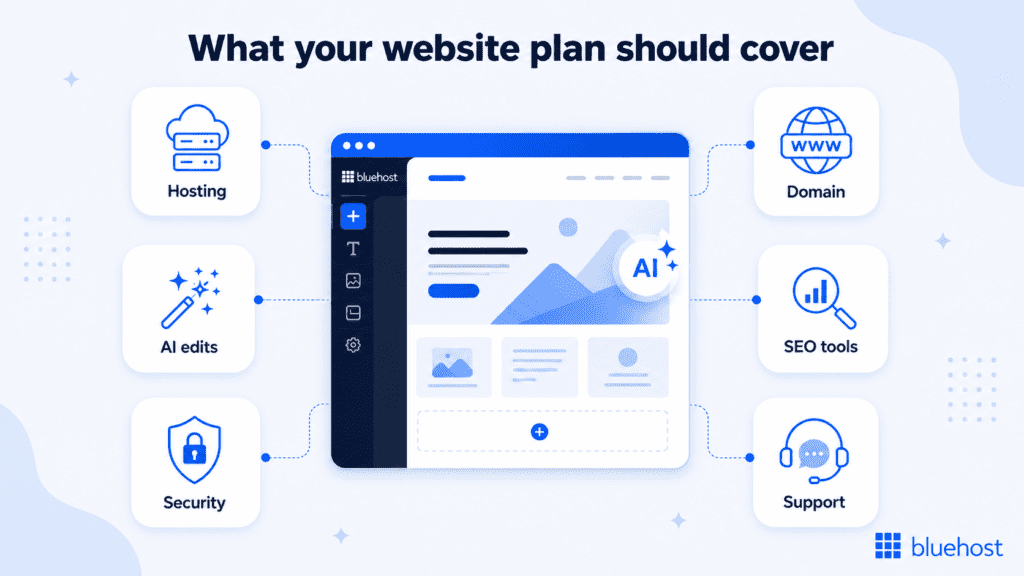
AI website builder cost considerations go beyond the AI tool itself. To understand the real price, you need to know what is included and what may cost extra.
Here are the main factors that affect the final cost.
1. Hosting
Hosting is what makes your website available online. Once your AI-generated site is ready, it needs a reliable place to live so visitors can access it anytime.
Some AI website builders bundle hosting directly into their paid plans. Others let you build first, then choose or connect hosting when you are ready to publish. The important thing is to understand how hosting fits into the overall cost before you commit.
With Bluehost AI Website Builder, you can start by creating your website with AI using the 14-day free trial. Once you create, you can go ahead and purchase the plan for smoother experience. This gives you a guided path from building to launch, with hosting handled as part of the process when you are ready to go live.
When comparing AI website builder pricing, check:
- How hosting is handled: See whether hosting is included, selected at checkout or connected separately.
- What is included with hosting: Look for essentials like SSL, backups, security and performance support.
- How easy it is to publish: A smooth path from AI-generated draft to live website can save time and reduce setup confusion.
- What happens after launch: Consider whether the platform also supports ongoing updates, security and site management.
Hosting is a key part of the total AI website builder cost because building the site is only the first step. To use it professionally, you also need a reliable way to publish, secure and manage it over time.
2. Domain name
A domain is your website address, such as [yourbusiness].com. It helps make your site look professional and easier for customers to find.
Many AI website builders let you start with a temporary or platform-provided domain while you test the tool. When you are ready to publish professionally, you will usually want a custom domain that matches your business name.
With our AI Website Builder, you can start with a temporary domain during the free trial. Once hosting is purchased, a domain is included free for the first year. Domain privacy is also included free for the first year in that same case.
When reviewing AI website builder domain cost, check:
- Temporary domain access: Useful when you want to test the builder before committing.
- Custom domain support: Important for a professional business website.
- First-year domain inclusion: Some paid plans include a domain for the first year.
- Domain privacy: Helps protect your personal contact information in public domain records.
- Renewal pricing: A domain may be included initially, but it is still worth checking the renewal cost.
A custom domain is one of the most important parts of launching a professional website. When comparing plans, look at whether the domain, domain privacy and renewal details are clearly explained so you understand the full cost beyond the first year.
Also read: How to Choose a Domain for Business & Boost Your Brand
3. AI edits, credits or tokens
AI website builders often limit how many AI-powered actions you can use. These may be called AI edits, credits, tokens, generations or prompts.
AI usage may apply when you ask the platform to:
- Rewrite website copy
- Change a headline
- Add a new section
- Create a new page
- Generate images
- Replace images
- Write blog posts
- Update layouts
- Add forms or features
A free plan or trial may include only a small number of AI edits. Paid plans may include more, but they can still have monthly limits.
Our AI Website Builder offers 10 AI credits with free trial. The paid plan includes 20 AI edits per month, plus 10 bonus AI edits in the first month.
Before choosing a plan, ask:
- How many AI edits are included?
- Do AI edits reset monthly?
- Are image generations included?
- Are new pages counted as AI edits?
- Are blog posts counted separately?
- What happens when you run out of AI credits?
This is one of the most important parts of AI website builder pricing because ongoing updates are often where AI becomes most useful.
4. Design and customization
An AI-generated website is only helpful if you can shape it into something that fits your brand.
Some builders give you limited customization. Others let you keep editing through chat, a drag-and-drop editor or both.
Design features that may affect pricing include:
- Premium templates
- Logo upload
- Brand color extraction
- AI image generation
- Custom fonts
- Mobile-responsive layouts
- Drag-and-drop editing
- Natural language editing
- Additional pages
- Blog layouts
- Portfolio sections
- eCommerce templates
If you only need a simple site, a basic plan may be enough. If you want a polished business website that reflects your brand, check how much control the plan gives you after the first AI draft is generated.
5. SEO tools
A website is only useful if people can find it. That is why SEO features should be part of your cost evaluation.
Look for features such as:
- Editable title tags
- Meta descriptions
- Search-friendly URLs
- Image alt text
- XML sitemaps
- Blog tools
- Schema or structured data support
- SEO plugin access
- Performance optimization
- Mobile-friendly design
Some AI website builders include basic SEO settings. Others include more advanced SEO tools only on paid plans.
Our plan includes Yoast SEO Premium, which can be useful if you want SEO tools included as part of the website plan rather than paying for a separate SEO plugin later.
If SEO tools are not included, you may eventually need to pay for a separate plugin, app or consultant. That can raise the real cost of the website.
6. eCommerce features
If you want to sell products or services online, your costs may be higher.
eCommerce features may include:
- Product listings
- Shopping cart
- Checkout
- Payment processing
- Shipping settings
- Tax settings
- Coupons
- Inventory management
- Booking or appointment tools
- Abandoned cart features
Some platforms require a higher-tier plan for eCommerce. Others may charge transaction fees or require paid integrations.
Bluehost AI Website Builder includes WooCommerce plugins, which can be helpful if you want the option to add eCommerce features on WordPress. Still, you should check what setup, payment, shipping and product-management features you need before deciding whether a plan is enough for your store.
If you only need a simple business website, eCommerce may not matter right away. But if you plan to sell online, check eCommerce requirements before choosing a builder.
7. Security, SSL and backups
Security features are easy to overlook, but they are part of the real cost of running a website.
At minimum, check whether the plan includes:
- SSL certificate
- Malware protection or scanning
- Backups
- Security monitoring
- Reliable hosting infrastructure
- CDN access
- Recovery options if something breaks
An SSL certificate helps protect visitors and allows your site to load with https://. Backups help you recover your site if something goes wrong.
Our paid plan includes free SSL, weekly backups, security and a free CDN tier. These are useful to compare against other AI website builder plans because some platforms may charge separately for similar essentials.
If these features are not included, you may need to pay for them separately.
8. Support
AI can help you build faster, but there may still be times when you need human support.
Support can affect pricing because some lower-cost plans offer limited help, while higher-tier plans may include faster or more specialized support.
Before choosing a tool, check whether support includes:
- 24/7 availability
- Live chat
- Phone support
- Email support
- Website experts
- WordPress support
- Help with publishing
- Help with billing or domain setup
For small business owners, support is not just a nice extra. If your website is how customers find you, contact you or buy from you, access to help can save time and prevent downtime.
Are free AI website builders really free?
Some AI website builders offer a free plan or free trial. These can be useful if you want to test the platform before paying.
A free AI website builder may let you:
- Generate a draft website
- Preview a design
- Test the AI editor
- Use a temporary domain
- Make a limited number of AI edits
- Try basic templates or features
Bluehost AI Website Builder offers a $0 Free Trial. The trial gives you 14 days to try the builder, create 1 website, use a temporary domain and make 10 AI edits before choosing a paid plan.
But free plans and trials usually come with limits.
You may not get:
- A custom domain
- Full long-term publishing setup
- Removal of platform branding
- Enough storage or bandwidth for long-term use
- Advanced eCommerce features
- Advanced SEO tools
- Full support access
- Domain privacy
- A larger monthly AI edit allowance
A free plan or free trial is best for testing. A paid plan is usually better when you are ready to launch a professional website for a business, portfolio, blog or online store.
Free AI website builder vs paid plan
Here is a simple way to compare free and paid AI website builder options.
| Feature | Free plan or free trial | Paid website plan |
|---|---|---|
| AI website generation | Usually included | Included |
| AI edits | Limited | Usually higher limits or monthly allowance |
| Custom domain | Often limited or unavailable | Usually supported |
| Hosting | May be limited or selected later | Usually included, connected or handled at checkout |
| SSL | Sometimes included | Usually included |
| SEO tools | Basic or limited | More complete tools |
| eCommerce | Usually limited | Often available or supported |
| Platform branding removal | Often not included | Usually included |
| Support | Limited | More support options |
| Long-term business use | Limited | Better fit |
A free AI website builder can help you test the experience. A paid plan is usually what you need if you want a complete website that looks professional, uses your own domain and can grow with your business.
Bluehost AI Website Builder plans and pricing
Bluehost AI Website Builder gives you two main ways to get started: a free trial and our paid plan.
The free trial is designed for testing the builder before you commit. The paid plan is designed for users who are ready to publish and manage a real website with hosting, security, SEO tools, eCommerce support and ongoing AI edits.
| Bluehost AI Website Builder plan | Price | Best for | What’s included |
|---|---|---|---|
| Get Online Free Trial | $0 | Trying the builder before paying | 14-day free trial, 1 website, temporary domain, 10 AI credits |
| Get Online monthly | $15.99/month | Users who prefer monthly billing | 1 website, hosting for 1 website, SSL, weekly backups, security, CDN free tier, Yoast SEO Premium, WooCommerce and monthly AI edits |
| Get Online 12 or 24 month term | $9.99/month | Users who want lower monthly pricing with a longer term | Same Get Online plan benefits, with 12-month term pricing |
Our paid Get Online plan includes 20 AI edits per month, plus 10 bonus AI edits in the first month. A domain and domain privacy are included free for the first year on the Get Online plan when purchased without the free trial.
This is why it is important to compare more than the monthly price. With Bluehost, the plan includes more than AI website generation. It also includes the website essentials needed to publish, secure, optimize and manage your site from one place.
What is included in our free trial?
- $0 starting cost
- 14-day free trial
- 1 website
- Temporary domain
- 10 AI credits
- Free SSL
- Weekly backups included with the hosting plan
- Security through Monarx P2
- WooCommerce
The free trial is a practical way to test the website creation flow, see how the AI builder works and decide whether the experience fits your needs.
What is included in our paid plan?
- 1 website
- Hosting for 1 website
- 1st-year domain included when purchased without the free trial
- 1st-year domain privacy included when purchased without the free trial
- Free SSL through Let’s Encrypt
- Free CDN tier
- Weekly backups
- Security through Monarx P2
- Yoast SEO Premium
- WooCommerce
- cPanel access
- 20 AI edits per month
- 10 bonus AI edits in the first month
For cost comparison, this matters because our paid plan includes several website essentials in one place. Instead of only paying for an AI generator, you are also getting hosting, security, backups, SEO tools, eCommerce support and monthly AI edits.
AI website builder additional fees and hidden costs to watch for
AI website builder additional fees are one of the biggest reasons a low advertised price can become confusing. The listed monthly price is not always the full cost. Before choosing an AI website builder, look for these common add-ons and hidden costs.
| Potential fee | What it means | What to check |
|---|---|---|
| Domain renewal | Your domain may be included for the first year, but renewal usually applies after that. | Check the renewal price before you commit. |
| Domain privacy | Domain privacy helps protect your personal contact information in public domain records. | See whether it is included or sold separately. |
| Extra AI edits or credits | Some builders limit AI-powered updates, image generation, page creation or content changes. | Check how many AI edits, credits or tokens are included each month. |
| Business email | A professional email address, such as you@[yourbusiness].com, may not be included in the website plan. | Confirm whether email is included or requires a separate purchase. |
| eCommerce tools | Selling online may require product tools, checkout, payments, shipping or tax settings. | Check whether eCommerce features are included or require an upgrade. |
| Transaction or payment fees | Some platforms or payment processors charge fees on online sales. | Review payment processing and transaction fee details. |
| Apps, plugins or integrations | Extra features may require paid apps, plugins or third-party tools. | Check which tools are included and which are paid add-ons. |
| Premium templates or design features | Advanced layouts, design controls or brand customization may cost more. | Review what design features are available on your plan. |
| Renewal pricing | Introductory pricing may increase after the first billing term. | Compare the starting price with the renewal price. |
| Support upgrades | Some platforms charge more for priority support or expert help. | See what level of support is included in the plan. |
The best way to avoid surprises is to compare the total cost, not just the starting price. A plan that includes essentials like hosting, SSL, backups, security, SEO tools and support may offer better value than a cheaper plan that requires several separate add-ons.
What is the maintenance cost of AI website builder?
AI website builder maintenance cost depends on how much work your site needs after launch.
At a basic level, website maintenance may include:
- Keeping the site online
- Renewing the domain
- Maintaining SSL
- Running backups
- Updating content
- Adding pages
- Improving SEO
- Monitoring security
- Updating products or services
- Publishing blog content
An AI website builder can reduce some maintenance work by making updates easier. Instead of waiting on a designer or developer for every small change, you may be able to update text, add sections, generate content or change images through AI tools.
Still, maintenance is not only about editing pages. You should also consider hosting reliability, backups, security and support when comparing plans.
For small businesses, a plan that includes hosting, SSL, backups, security, SEO tools and ongoing AI edits can make maintenance more predictable.
How much does AI website builder cost for small businesses?
AI website builder cost for small business depends on how simple or advanced the website needs to be.
A simple small business website may need:
- A homepage
- About page
- Services page
- Contact form
- Basic SEO settings
- Hosting
- SSL
- A custom domain
A more advanced small business website may need:
- Blog content
- Online booking
- eCommerce
- Payment processing
- Lead forms
- Portfolio galleries
- AI image generation
- Ongoing AI edits
- Advanced SEO tools
- More support
Instead of choosing the cheapest AI website builder, compare what is included. A slightly higher monthly plan may be a better value if it includes hosting, SSL, backups, security, SEO tools, support and enough AI edits to keep your website current.
The best plan is the one that helps you launch and maintain the website without forcing you to buy several separate tools later.
How much does AI website builder cost for startups?
AI website builder cost for startups is often about speed, flexibility and avoiding unnecessary upfront expenses.
A startup may need a website to:
- Explain the product or service
- Capture leads
- Build credibility
- Publish updates
- Test messaging
- Launch quickly
- Add pages as the business evolves
For startups, a free trial can be helpful for testing the builder before committing. A paid plan may make sense once the website needs a custom domain, hosting, SEO tools, security and ongoing updates.
The key is to avoid paying for features you do not need yet while making sure the platform can grow with you. If your startup expects to add landing pages, blog content, forms or eCommerce later, check whether those features are supported before choosing the lowest-cost plan.
AI website builder cost vs web designer – Is it worth?
An AI website builder is usually much less expensive than hiring a web designer or developer. A custom website can cost significantly more depending on design complexity, number of pages, eCommerce needs, integrations and ongoing maintenance.
An AI website builder can reduce the upfront cost because it helps create the first version of the website quickly. It can also make updates easier if you want to manage content yourself.
An AI website builder may be a good fit if you:
- Need to get online quickly
- Have a limited budget
- Want to update your own website
- Need a professional small business site
- Do not want to handle technical setup
- Prefer a guided website-building experience
Hiring a designer or developer may be better if you:
- Need a highly custom design
- Have complex eCommerce requirements
- Need custom web applications
- Have advanced integrations
- Want a fully bespoke brand experience
For many small businesses and startups, an AI website builder is a practical starting point. You can launch faster, keep costs lower and invest in custom work later if your needs become more complex.
How to choose the right AI website builder for your budget?
When comparing AI website builder pricing, look at the full value of the plan, not just the monthly price.
Use this checklist before choosing.
1. Decide what type of website you need
Are you building a simple business website, portfolio, blog, online store or booking site? The more complex the site, the more likely you are to need a paid plan.
2. Check what is included
Look for:
- AI website creation
- Hosting or hosting selection at checkout
- Domain support
- SSL
- Backups
- Security
- SEO tools
- AI edits or credits
- Support
- eCommerce features
- Design customization
If these are not included, estimate what they will cost separately.
3. Compare monthly and annual pricing
Some platforms cost less per month when you choose an annual or multi-year term. That can save money, but only if you are confident the platform is the right fit.
If you are still unsure, a free trial or monthly plan may be safer.
4. Review AI usage limits
AI tools are most useful when you can continue using them after the first draft. Check how many AI edits, prompts, credits or generations are included.
5. Check renewal pricing
A low introductory price may increase later. Look at the renewal price before committing.
6. Consider long-term ownership
Some website builders are closed platforms. Others run on open systems such as WordPress. If flexibility matters to you, check whether you can move, customize or expand your site later.
7. Do not ignore support
If you are not technical, support can be just as important as design features. Look for a plan that gives you help when AI is not enough.
Final thoughts
The best AI website builder plan is not always the cheapest one. It is the one that helps you build, publish and manage your website without surprise add-ons for basics like hosting, SSL, security, SEO tools, AI edits and support.
If you want a simpler path from idea to live website, start with Bluehost AI Website Builder. Try it with the free trial, build your site with AI and choose the Get Online plan when you are ready to publish.
Start building your website with Bluehost AI Website Builder today.
FAQs
AI website builder costs vary depending on the plan and features included. Some tools offer free trials or free plans, while paid plans usually charge a monthly, annual or multi-year subscription. The final cost depends on whether the plan includes hosting, a custom domain, SSL, SEO tools, support, eCommerce and AI usage.
AI website builder cost per month depends on the platform, billing term and included features. Monthly plans usually offer more flexibility, while annual or multi-year plans may lower the monthly price. Always compare what is included, such as hosting, domain support, AI edits, SSL, SEO tools, security and support.
AI website builder cost per year depends on the monthly price, annual discount, renewal pricing and any additional fees. When comparing yearly costs, include domain renewal, domain privacy, AI credits, eCommerce features, plugins, email and maintenance costs.
Yes. Some AI website builders offer free plans or free trials. These are useful for testing the tool, but they often limit publishing, custom domains, AI edits, storage, eCommerce features or platform branding removal.
Bluehost AI Website Builder offers a trial for $0 and a paid plan. The paid plan is listed at $15.99/month for monthly billing or $9.99/month on 12-month and 24-month terms.
The Bluehost Get Online Free Trial includes a 14-day trial, 1 website, a temporary domain, 10 AI credits, SSL, weekly backups, security and WooCommerce.
The Bluehost Get Online plan includes 1 website, hosting for 1 website, SSL, weekly backups, security, a free CDN tier, Yoast SEO Premium, WooCommerce, cPanel access, 20 AI edits per month and 10 bonus AI edits in the first month. A domain and domain privacy are included free for the first year when purchased without the free trial.
Common AI website builder additional fees include domain renewal, domain privacy, email, extra AI credits, eCommerce tools, transaction fees, paid plugins, premium templates, renewal pricing increases and support upgrades.
AI website builder hidden costs can include domain renewal, domain privacy, extra AI edits, business email, paid apps, advanced SEO tools, eCommerce fees, premium support and maintenance costs.
AI website builder maintenance cost depends on what is included in your plan. Maintenance may include hosting, domain renewal, SSL, backups, security, content updates, SEO improvements and additional AI edits.
A free AI website builder can be useful for testing or creating a draft. For a professional business website, a paid plan is usually better because it is more likely to include a custom domain, hosting, SSL, SEO tools, support and stronger publishing features.

Write A Comment