 ChatGPT,
 Claude,
 Gemini,
 Grok — all four for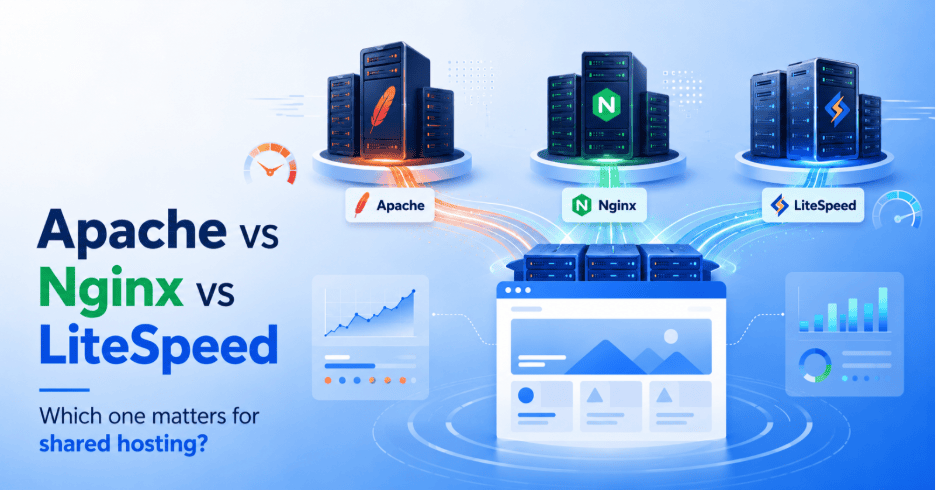
Key highlights
- Apache, Nginx and LiteSpeed handle traffic differently, and that difference shows up directly in how fast your site loads.
- Nginx and LiteSpeed generally outperform Apache under heavy, concurrent traffic, especially on WordPress and WooCommerce sites.
- Apache supports .htaccess files, which give you more control on shared hosting, but that flexibility can slow things down under load.
- LiteSpeed Web Server Enterprise is designed as an Apache drop-in replacement and can read Apache configuration files and .htaccess rules..
- Most shared hosting plans decide your web server for you, so the real question is what your host does with that choice.
You picked your shared hosting plan for the price, not the server software behind it. But Apache vs Nginx vs LiteSpeed for shared hosting decides more than you’d expect. It affects how fast your pages load, how your site handles a traffic spike and how much control you get over redirects and security rules. Most shared hosting customers never see this choice, since their host makes it for them.
This guide breaks down what each server does, how they perform and what to actually check before you buy.
Quick compare table
| Feature | Apache | Nginx | LiteSpeed |
| Architecture | P Process-based, threaded or event-oriented request handling. | Event-driven, handles many connections in a single process | Event-driven, built as an Apache-compatible upgrade |
| Resource use under concurrent traffic | Memory use climbs as concurrent connections grow | Low memory use, scales well under load | Low memory use, tuned for high concurrency |
| .htaccess support | Full native support | No native support, needs workarounds | Reads Apache’s .htaccess files directly |
| WordPress/WooCommerce fit | Works well, wide plugin and tutorial support | Works well, needs PHP-FPM set up for dynamic content | Strong fit, built-in LSCache for WordPress and WooCommerce |
| Best for | Shared hosting environments that need per-account control | High-traffic or multi-app setups | PHP-heavy CMS sites that want speed without complex setup |
What Apache, Nginx and LiteSpeed actually do?
Each of these three servers takes a different approach to the same core job: receiving a visitor’s request and delivering your site’s files back to them. The differences in how they do that shape everything from load times to how much control you have over your account.
Apache, the original workhorse
Apache has powered the web since the 1990s. It creates a new process or thread for every visitor connection, which makes it simple to set up and highly compatible. Apache has broad documentation and control-panel support, and many WordPress tutorials provide .htaccess examples for permalinks and redirects.
Its biggest strength on shared hosting is .htaccess support. This lets you control redirects, security rules and caching settings at the folder level, without touching the main server configuration. On a shared server where hundreds of accounts live side by side, that per-account flexibility matters. The tradeoff shows up under heavy traffic, since each new connection consumes more memory and CPU.
Nginx, built for concurrency
Nginx takes a different approach. Instead of spinning up a new process per connection, it uses a master process and multiple event-driven worker processes. This makes it fast and light on resources, which is why many high-traffic sites and load balancers run on Nginx.
The tradeoff is flexibility. Nginx does not support .htaccess files, so every configuration change has to go through the main server config. It also does not execute PHP natively, so it needs a separate PHP-FPM process to handle dynamic WordPress or WooCommerce pages. That setup is more secure and often faster, but it puts control in the host’s hands rather than the account owner’s.
LiteSpeed, the Apache-compatible alternative
LiteSpeed was built to combine the best of both. It reads and executes Apache’s existing configuration files, including .htaccess, so migrating from Apache to LiteSpeed usually requires little to no rework. On top of that compatibility, it adds an event-driven architecture similar to Nginx and built-in caching through LSCache.
For PHP-heavy platforms like WordPress and WooCommerce, this combination often delivers faster page loads without the setup complexity that comes with tuning Nginx and PHP-FPM by hand.
Also read: Apache vs Nginx: Which Web Server is Better?
Apache vs Nginx vs LiteSpeed performance
Speed is where these three servers separate the most, and it is the factor most likely to affect a visitor’s experience on your site directly.
Speed and Core Web Vitals
Core Web Vitals measure loading performance, responsiveness and visual stability. Google uses these metrics within its ranking systems, although server software is only one of many factors that can affect the scores.
In general use, they show a consistent pattern:
- Static files and cached pages: Nginx and LiteSpeed outperform Apache, thanks to their event-driven design that processes more requests with less memory overhead.
- Dynamic, PHP-heavy pages: For cacheable WordPress pages, LiteSpeed’s server-level cache can serve a stored response without running PHP or querying the database. Uncached cart, account and personalized requests still depend on PHP and database performance.
- Light traffic accounts: The gap between all three narrows. On a low-traffic shared hosting account, the difference may barely register.
How each handles traffic spikes
That gap becomes clearest under traffic spikes, since each server manages concurrent connections differently:
- Apache: Creates a new process per connection, so memory use climbs fast when many visitors hit at once. This can slow response times on a busy shared account.
- Nginx: Uses a master process and multiple event-driven worker processes. Each worker can handle many concurrent connections without creating a process for every request.
- LiteSpeed: Performs similarly well under load, with LSCache reducing how often a spike even reaches the PHP and database layer.
For a WooCommerce store during a sale or a blog post that suddenly gains traction, that caching layer often matters more than the raw server architecture underneath it.
Compatibility and migrations
Compatibility issues rarely show up during setup. They tend to surface later, when you install a new plugin, migrate a site or add a payment integration and something behaves differently than expected.
Apache or Nginx for WordPress
WordPress runs on both servers, but the experience differs at the account level:
- Apache: Supports .htaccess natively, which WordPress uses for permalinks, redirects and security rules. Most WordPress tutorials, plugins and hosting control panels assume Apache by default.
- Nginx: Does not read .htaccess files. Permalinks and redirect rules must be added to the main server configuration instead, which typically requires host-level access rather than account-level control.
For shared hosting users, .htaccess support can make some redirects, permalink rules and directory-level settings easier to change without host intervention.
Apache or Nginx for PHP
PHP execution is another point of difference:
- Apache: Runs PHP through modules like mod_php, executing it directly within its own process. This is straightforward to configure and widely documented.
- Nginx: Does not execute PHP on its own. It requires a separate PHP-FPM process to handle PHP requests, adding a setup step that shared hosting providers configure on the customer’s behalf.
Both approaches work reliably at scale. The difference matters more for developers configuring a server themselves than for a shared hosting customer, whose host has already made this decision.
Nginx vs LiteSpeed on WooCommerce
WooCommerce adds database-heavy operations like cart updates, checkout and inventory changes, so caching behavior matters more here than on a static site.
- Nginx: Handles WooCommerce well with FastCGI caching, though setting up cache exclusions for cart and checkout pages requires manual configuration.
- LiteSpeed: Includes LSCache, which is built with WooCommerce-aware rules out of the box, automatically excluding cart and checkout pages from caching without extra setup.
For store owners without a developer on hand, LiteSpeed’s WooCommerce-aware caching typically means less manual tuning to get correct behavior.
Security differences
All three servers support core security measures like TLS/SSL, access control and request filtering. The differences come down to how that protection is configured and maintained.
- Apache: Its module ecosystem includes strong security options like mod_security and .htaccess lets individual accounts set folder-level rules like blocking IPs or restricting file access. This flexibility is useful on shared hosting, but it also means misconfigured .htaccess rules on one account occasionally cause account-level issues.
- Nginx: Centralized configuration means security rules apply consistently across the server, with fewer per-account inconsistencies. Since customers cannot edit these settings directly, the host carries more responsibility for keeping rules current.
- LiteSpeed: Includes built-in anti-bot protection and per-account connection limits, which help absorb basic bot traffic and abuse attempts before they reach your site.
In practice, the web server is only one layer of a hosting security stack. Free SSL, malware scanning and a web application firewall matter more day to day than which server software sits underneath them.
Can you actually choose your web server on shared hosting?
For most shared hosting customers, the honest answer is no. The web server is part of the underlying infrastructure your host builds and maintains, not a setting in your account dashboard. That is by design. Managing server software at the account level would require technical expertise most shared hosting customers do not have and do not want to deal with.
This does not mean the choice is out of your hands entirely. It means the question shifts from “which server should I pick” to “what has my host built around that server to make my site fast.”
What to check in a hosting plan instead?
Since the server name itself is rarely listed on a pricing page, look for the features that reveal how a host has engineered around it:
- Caching layers: Static content caching and object caching reduce how often a request has to be processed from scratch, regardless of which server handles it.
- CDN inclusion: A content delivery network shortens the physical distance between your visitor and your site’s files.
- Uptime SLA: A published, specific uptime commitment signals a host is willing to be held accountable for reliability.
- Underlying infrastructure: Cloud-based infrastructure with built-in failover typically can outperform older on-premise setups during traffic spikes.
Where Bluehost fits in
Bluehost’s infrastructure runs on Oracle Cloud Infrastructure (OCI), with fast page loads delivered through a combination of CDN, WordPress-specific caching and Nginx caching. Static content caching and object caching are included as standard features and every plan carries a 99.99% uptime SLA.
Rather than asking which server name is running behind the scenes, this is the practical way to evaluate a shared hosting plan: check what caching and infrastructure the host has actually built, since that combination shapes real-world speed more than server software alone.
Verdict: Which one fits your site?
The web server behind your hosting plan matters less in isolation and more in combination with caching, infrastructure and support. Here is how the priorities shift by site type.
Simple blog
A low-traffic blog rarely pushes any of the three servers to their limits. The bigger factor is whether your host includes basic caching and a CDN by default.
- Apache-based hosting works fine here, especially if you want easy access to .htaccess for redirects as your blog grows.
- Prioritize a host with free CDN and static caching included, rather than chasing a specific server name.
WordPress site
A standard WordPress site benefits most from a host that pairs server performance with WordPress-specific caching.
- Look for object caching and static content caching bundled into your plan.
- Confirm the host offers managed WordPress updates, since server speed only helps if the platform itself stays current and secure.
WooCommerce store
Store owners deal with dynamic, database-heavy pages like cart and checkout, where caching behavior needs to work correctly out of the box.
- A host with WooCommerce-aware caching reduces the risk of showing stale prices or cart contents to shoppers.
- Check the host’s traffic guidance, CPU and process limits, CDN, WooCommerce cache exclusions and upgrade path.
High-traffic site
Sites expecting large or unpredictable traffic need infrastructure built to absorb spikes, not just a fast server.
- Cloud-based hosting with built-in failover handles sudden traffic surges better than fixed, on-premise setups.
- A published uptime SLA and access to on-demand scaling become more important than the underlying server name at this stage.
Across every site type, the pattern holds. Server software sets the ceiling, but caching, infrastructure and support determine whether your site actually performs.
Final thoughts
The server behind your shared hosting plan does not have to stay a mystery. Apache, Nginx and LiteSpeed each handle traffic differently, and that difference shows up in your load times, especially as your site grows. What matters most is not memorizing which server is technically fastest, but choosing a host that pairs solid infrastructure with the caching and support to back it up.
If you are evaluating a new host or wondering why your current site feels slow under traffic, start with the plan’s infrastructure rather than the server name on a spec sheet.
Compare Bluehost Shared Hosting plans and see which tier fits your site’s traffic and caching needs. Every plan comes with a 30-day money-back guarantee, so you can test real performance on your own site.
FAQs
Apache creates a separate process for each visitor connection, while Nginx uses a master process and multiple event-driven worker processes. This makes Nginx more efficient under heavy concurrent traffic, while Apache offers more built-in flexibility through .htaccess support at the account level.
OpenLiteSpeed is the open-source edition, but it is not a full Apache drop-in replacement. It supports Apache-compatible rewrite rules, and .htaccess changes require a server restart.
Both perform well on WordPress, but they take different paths to get there:
Nginx: Requires manual setup of PHP-FPM and cache rules to get full performance benefits.
OpenLiteSpeed: Includes LSCache for WordPress, which handles page caching with less manual configuration.
For most shared hosting customers, this decision is made by the host, not configured by the account owner.
Yes, this is a common setup on dedicated or VPS environments, where Nginx runs as a reverse proxy in front of Apache. Nginx handles static files and incoming traffic, then passes dynamic requests back to Apache. This setup is not typical on shared hosting, since it requires server-level configuration access.
Apache and Nginx have historically led global web server usage, with LiteSpeed holding a smaller but growing share, particularly among WordPress and WooCommerce hosts.

Write A Comment