 ChatGPT,
 Claude,
 Gemini,
 Grok — all four for
-
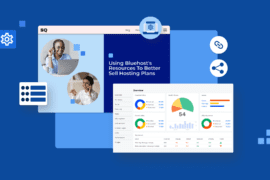
Using Bluehost’s Resources to Better Sell Hosting Plans
Maximize your Bluehost affiliate earnings with top resources and strategies for higher conversions.
-
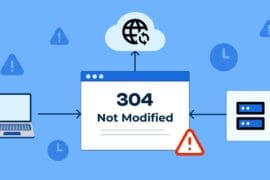
304 Status Code – What It Means & How It Works
Boost website speed & SEO! Learn how the 304 status code optimizes caching while avoiding common pitfalls.
-

Website Name Generator: A Guide to Naming Success
Craft a unique website name that boosts your brand. Use a website name generator to find the perfect match.
-
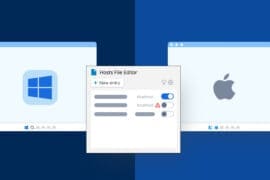
How to Edit Hosts File: A Comprehensive Beginner’s Guide
Do you want to learn how to edit hosts file on Windows or macOS? This comprehensive step-by-step guide will help you out.
-

How to Fix ‘err_connection_reset’ Issues in WordPress: Quick and Easy Solutions
Fix err_connection_reset errors on WordPress with step-by-step solutions. Learn causes and prevention for stable site performance.
-
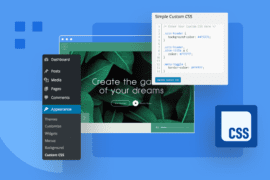
How to Add CSS to WordPress (5 Easy Ways to Customize Your Site’s Design)
Learn how to add custom CSS to WordPress easily, without coding knowledge, using various methods to style your site.
-

Comment utiliser WordPress avec Docker – Guide
Rationalisez WordPress avec Docker. Apprenez les meilleures pratiques de configuration, de gestion et de sécurité pour une expérience WordPress optimisée
-
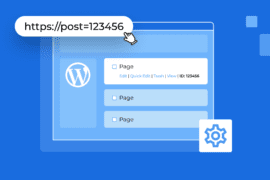
How to Get Post ID in WordPress – Step by Step Guide
Confused about WordPress post IDs? Learn simple to advanced methods to find them easily.
-

How to Rollback WordPress Version to a Previous Version
Easily rollback WordPress to a previous version using backups, plugins or manual steps with Bluehost’s secure and simple solutions.
-

What Is a Managed Server? Benefits & Features
Skip any sort of server headaches. Discover how managed hosting takes care of security, updates and performance.
GET IN TOUCH
We’re here to help
RESOURCES