


The wait is over! The latest WordPress version 6.9 drops tomorrow and it has the entire community buzzing. Think of it as the “year-end power boost” your site didn’t know it needed. Faster publishing workflows, smoother editing, smarter design controls – this release is packed with many upgrades designed to make your website feel fresher, faster and easier to manage.
If your site is set to auto-update, great! It’s practically waiting at the door with its bags packed. If you like testing things first or prefer having full control, a little preparation today will help you move into the latest WordPress version 6.9 without surprises.
Below, you’ll find a quick preview of WordPress 6.9 release news, plus how you can make sure your site is ready when 6.9 goes live.
WordPress 6.9 at a glance: Quick recap of key features
The latest WordPress version 6.9 brings a fresh, more intuitive way to create and collaborate – right inside the editor. The update focuses on making your creative flow feel seamless, whether you’re working solo or building content as a team.
Upgrades you will experience within the new update:
- Notes that let you leave feedback directly on blocks, making collaboration smoother and more contextual.
- A smarter Command Palette that helps you jump across your site in seconds.
- A new “Fit Text to Container” option for typography that makes text-based blocks look cleaner instantly.
- New additions like the Accordion block and Time to Read block help organize and enhance content.
- An enhanced site editor experience with clearer controls, faster loading and improved tools for managing templates and styles.
Behind the scenes, WordPress 6.9 includes key performance and accessibility improvements that enhance both the editing workflow and the frontend experience. All these are aimed at delivering faster load times for your users and a more polished editing experience.
Read the full preview here: Everything You Need to Know About WordPress 6.9 Update 2025
How to prepare your site for the WordPress 6.9 update?
With the WordPress 6.9 release in the home stretch, this is the perfect moment to ensure your site is ready for the rollout. A few quick checks will help your upgrade process stay smooth and stress-free.
1. Confirm automatic updates are turned on
All new WordPress sites are automatically configured to install any available updates to the WordPress core software as soon as they’re published. Still, it’s smart to confirm your settings, especially with major releases like WordPress 6.9.
Go to Bluehost Account Manager → Websites → Advanced → Automatic Updates to verify auto-updates are enabled.
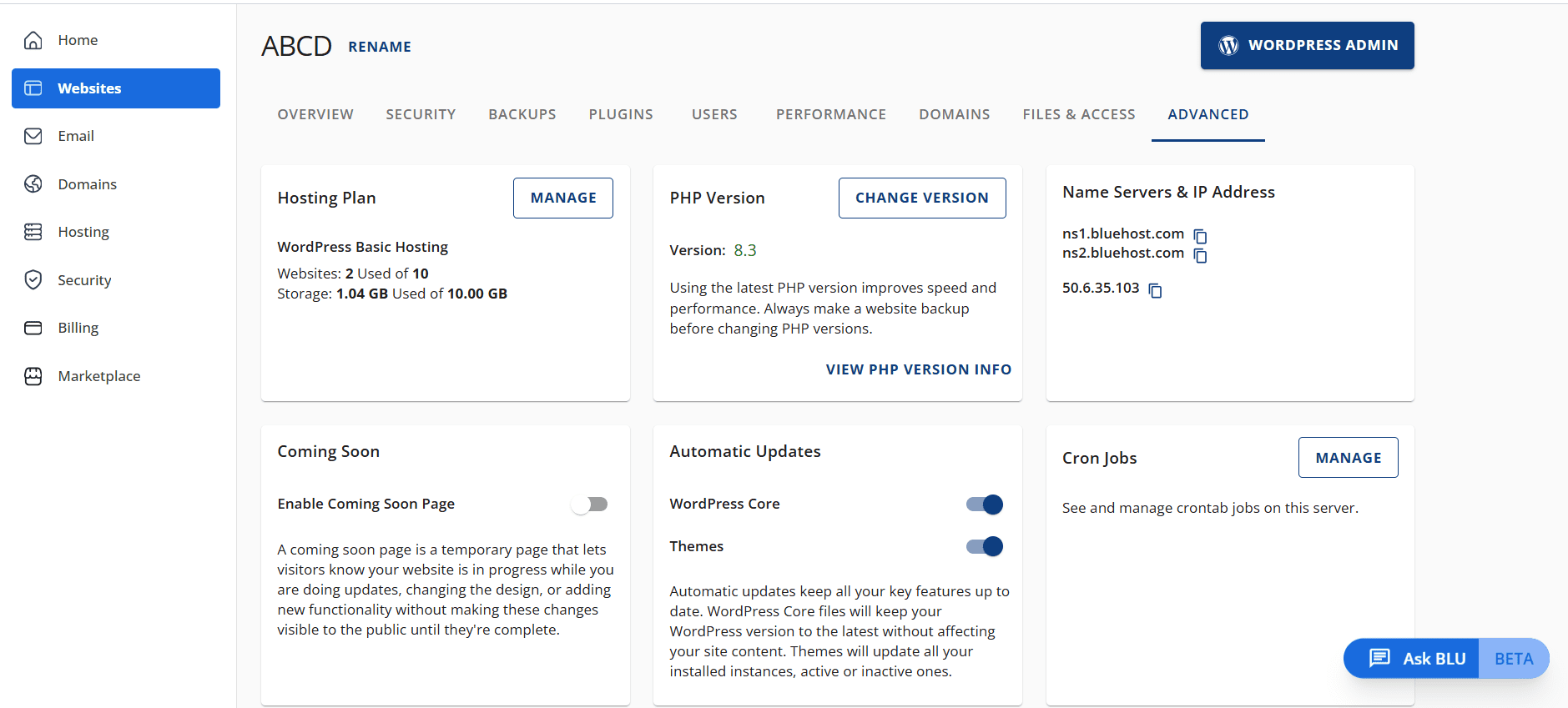
Keeping auto-updates enabled not only safeguards your WordPress website by receiving all available security updates as soon as they’re available, but also ensures your site benefits from all bug fixes, improvements to site performance and the latest interactive features.
2. Test the update on a staging site (optional, but Bluehost recommended)
If you’re cautious or running a complex site, consider previewing the update using a staging site.
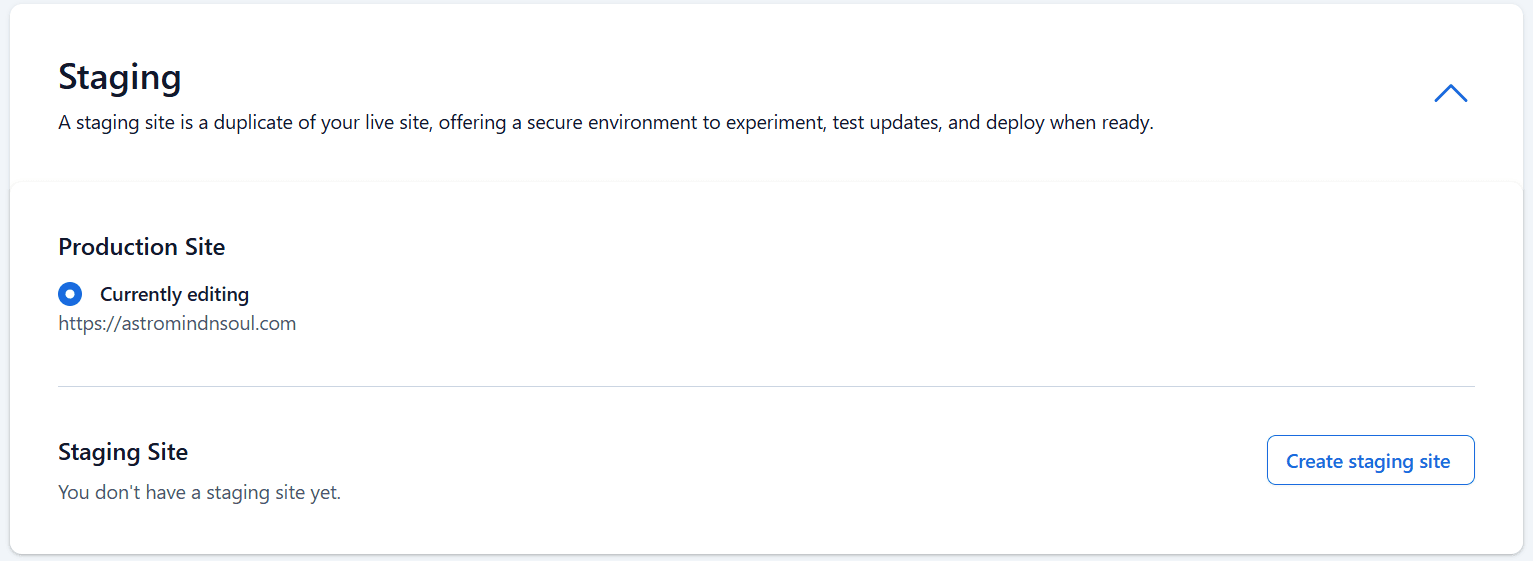
This allows you to test a pre-release version of the update safely before updating your live site. It’s especially helpful if you want to experiment with new workflows, AI-driven features or updated blocks like:
- Accordion block
- Details block
- Math block
- Heading blocks
A staging site gives you a safe space to test the update first. It allows you to make sure that your plugins, theme and custom features work smoothly before you go live.
Read more: How to Create a Staging WordPress Site
3. Don’t skip a full site backup before updating
Whether you’re switching themes, managing permissions or experimenting with new blocks, a full backup is a must. It protects your content – from blog posts and search engine settings – if anything unexpected happens during the update.
At Bluehost, our customers have access to automated backup tools that make saving and restoring your site simple. Our backup and restore system is designed to handle everything – from small content changes to full-site rollbacks – so you never have to worry about losing progress. With the second major release of 2025 arriving, it’s the best way to safeguard your work before the update lands. Explore Bluehost WordPress hosting right now!
What’s next for WordPress after 6.9?
WordPress 6.9 may be the last major release of 2025, but the momentum doesn’t stop here. WordPress contributors from around the world are already thinking about what’s coming next in WordPress 7.0, which is currently scheduled for Q1 of 2026.
As always, Bluehost keeps a close eye on every WP core update, from early beta testing phases to the official release, so your WordPress website stays ready for whatever’s next. You can expect updated guides, compatibility notes and best practices from us as soon as development kicks off for the next release.
Stay tuned – the next chapter of WordPress innovation is already underway.
Celebrate the release: Watch State of the Word 2025
If you’d like to celebrate the rollout of WordPress 6.9, you can tune in to this year’s State of the Word – the annual keynote hosted by WordPress co-founder Matt Mullenweg. It highlights the biggest updates of the year, what’s coming next and the long-term vision for the WordPress project.
This year’s event is happening on the same day as the latest WordPress version 6.9 release, making it the perfect way to wrap up the update and see what’s ahead for 2026.
Watch here: State of the Word – WordPress.org
Wrapping up: Get ready for the WordPress 6.9 rollout
And that’s it! You’re all set for tomorrow. With WordPress 6.9 rolling out in just a few hours, a quick round of checks today will help you welcome the update without stress. Once the rollout begins, you can expect a more refined editing flow, improved performance and several upgrades that enhance both creativity and collaboration.
We’ll continue monitoring the release closely and share any important notes as WordPress 6.9 becomes available worldwide. Check your settings, run your backups and get set – the update is almost here!
FAQs
WordPress 6.9 is the next major release scheduled for December 2, 2025, which will serve as the final major update of the year. The update brings new features, editor improvements and performance enhancements and marks a key milestone in the WordPress Core development cycle.
The official release of WordPress 6.9 typically rolls out within minutes of the scheduled window. Site owners using automatic updates will receive the WP core update shortly after the release post goes live. If you’re testing through the WordPress Beta Tester plugin, you may have already seen the beta release and release candidate versions.
Most block themes, custom templates and sites using the default theme should update smoothly. If your WordPress website relies on custom code, multiple templates or advanced template management, test the update in a staging environment first to avoid theme conflicts.
Yes! WordPress 6.9 introduces new and enhanced blocks, updates to heading blocks, the Accordion block, the Details block and improvements to block-level commenting and block comments. New options like hide blocks, specific blocks, the Math block and the Terms Query block also contribute to smoother site editing.
Absolutely. This major release brings major performance improvements, faster page transitions with updated client-side navigation, better site performance and refined Interactivity API improvements. These enhancements help both theme developers and WordPress users manage a more responsive WordPress site.
If you’re using interactive features, advanced workflows or experimenting with AI building blocks, updating via a staging WordPress site is recommended. The update includes refinements to the Interactivity API, the new Abilities API and improvements designed for developer capabilities.
Yes. Classic and default themes remain supported, but if your workflow involves switching themes, managing permissions or navigating the entire WordPress dashboard with older systems, testing in a staging space ensures smooth plugin compatibility.
After updating, review:
– Automation tools
– Instant search
– Site performance
– Any new features introduced
– Word count
– Search engine settings
And ensure your live site is functioning normally.
Yes, use a staging environment. It’s the safest way to test features like the improved Command Palette, advanced design tools and Google Docs–style workflow behaviors before applying changes to your production site.





Write A Comment