


Key highlights
- Understand how n8n workflows automate tasks across APIs, apps and internal systems using triggers, nodes and workflow logic.
- Learn the core components of n8n workflows, including triggers, action nodes and conditional automation paths.
- Explore real n8n workflow examples used for lead routing, API automation and event-driven notifications.
- Follow a practical n8n workflows guide to create and activate your first automation step by step.
- Discover best practices for building reliable n8n automation workflows that scale as operational automation grows.
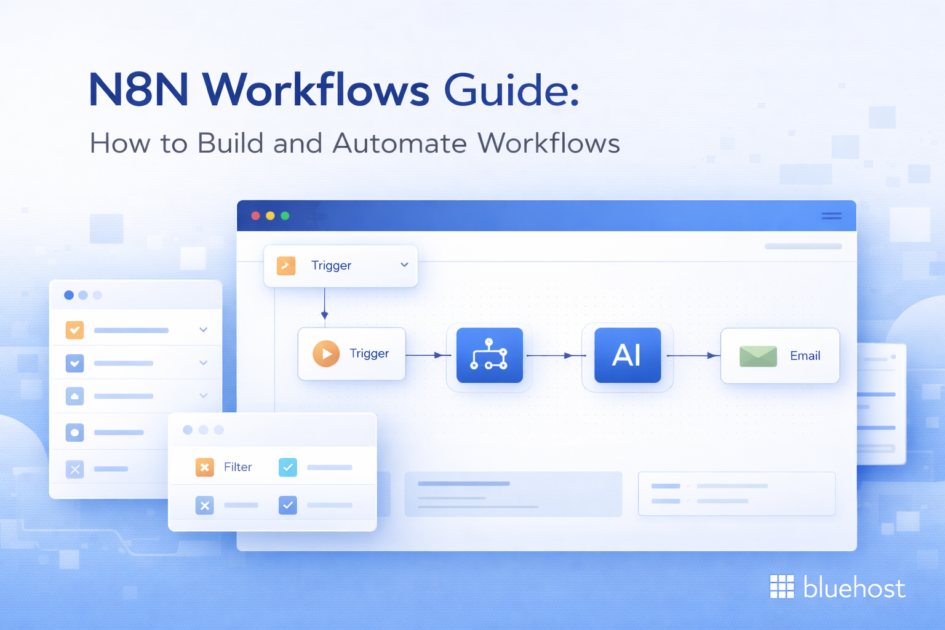
Automation is no longer optional for modern teams. As operations grow, manual processes quickly become inefficient and error-prone. This is where n8n workflows help teams automate tasks across APIs, applications and internal systems. With a visual workflow builder and flexible integrations, n8n allows developers and technical operators to design powerful automation pipelines without building every component from scratch.
This n8n workflows guide explains how workflows function, how data moves through automation steps and how you can create your first workflow. By the end, you will understand how to design reliable automation that connects tools, processes and services.
What are n8n workflows?
n8n workflows are automated sequences of actions that connect apps, APIs and internal systems to complete tasks without manual intervention. Each workflow defines how data moves through triggers, processing steps and actions.
In n8n, workflows are created using a visual workflow builder. You connect nodes together to define how automation should run. Each node performs a specific task such as receiving data, transforming information or triggering an external service.
A typical n8n workflow follows three basic stages:
- Trigger: starts the workflow when an event occurs
- Processing: transforms or evaluates incoming data
- Action: sends the processed data to another system
For example, a workflow might look like this:
Form submission → Process lead data → Add contact to CRM → Send Slack notification.
This structured flow allows teams to automate operational tasks across multiple systems. Instead of writing separate scripts for each integration, workflows define the automation logic in a single visual pipeline. Another key advantage is flexibility. n8n workflows support integrations with hundreds of tools, along with custom APIs and webhooks. This allows developers and technical operators to automate both external SaaS tools and internal systems.
As automation becomes central to operations, workflows allow teams to treat automation as a structured system rather than scattered scripts. The next step is to understand the core components of n8n.
Also read: Small Business Automation: Smart Ideas & Tools to Boost Efficiency in 2026
What are the core components of an n8n workflow?
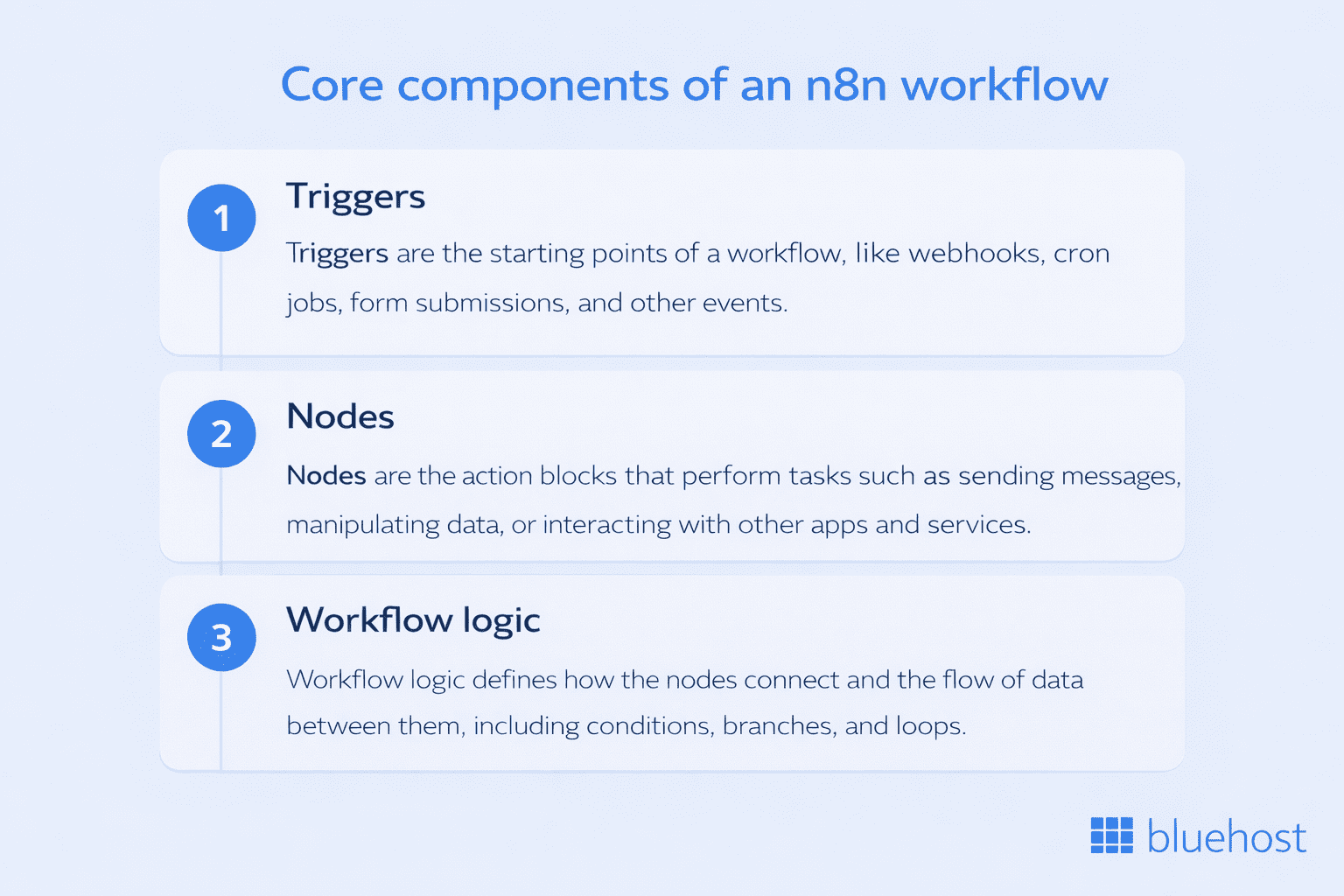
Every n8n workflow runs through a structured sequence of components that control how automation starts, processes data and executes actions. These components define how information moves between systems and how automation logic operates.
Understanding these building blocks helps you design reliable workflows and troubleshoot automation when processes grow more complex.
The three main components of n8n workflows are triggers, nodes and workflow logic.
1. Triggers
A trigger starts the workflow. It listens for a specific event and launches the automation when that event occurs.
Common trigger types include:
- Webhook triggers when an external service sends data
- Scheduled triggers that run automation at fixed intervals
- Application events such as new messages or form submissions
For example, a webhook trigger can start a workflow when a customer submits a website form. The workflow then processes that information and sends it to other systems.
Triggers ensure automation begins at the right time without manual intervention.
2. Nodes
Nodes perform the actual work inside a workflow. Each node represents a step that processes data or interacts with another system.
Common node actions include:
- Sending API requests
- Writing or reading from databases
- Posting notifications to messaging tools
- Transforming or formatting incoming data
Nodes connect together to form a workflow pipeline. Data flows from one node to the next until the automation completes its final action.
Because nodes support APIs and external services, n8n workflows can connect a wide range of applications and internal tools.
3. Workflow logic
Workflow logic controls how data moves through automation steps. It allows workflows to make decisions based on conditions or data values.
Examples of workflow logic include:
- Conditional branches that route data based on rules
- Filters that allow only specific data to continue
- Loops that repeat actions until a condition is met
This logic transforms simple automations into more advanced workflows that handle different scenarios automatically. When triggers, nodes and workflow logic work together, they create a structured automation pipeline. The next step is understanding how these workflows process and move data across systems.
How do n8n workflows process data?
Data processing is the core function of n8n workflows. Every workflow receives data, processes it through multiple nodes and sends the final output to another system or service. This structured data flow allows teams to automate complex processes across APIs, databases and applications.
A typical n8n workflow processes data through three stages.
1. Data input
The workflow begins when a trigger receives incoming data. This data can originate from several sources:
- Webhook requests from applications
- Form submissions from websites
- Scheduled data pulls from APIs
- Events generated by connected services
Once the trigger receives the input, it passes the data to the next node in the workflow.
2. Data processing
Processing nodes transform the incoming data so it can be used by other systems. During this stage, workflows may perform actions such as:
- Extracting specific fields from the input data
- Formatting or restructuring data
- Enriching information using external APIs
- Filtering or validating records
For example, a workflow might receive a lead form submission, extract contact details and validate the email address before continuing. This processing stage ensures downstream systems receive structured and usable data.
3. Data output
The final nodes in the workflow send the processed data to external systems. These actions typically include:
- Creating records in a CRM
- Storing data in databases
- Sending alerts to communication tools
- Triggering additional workflows or APIs
Once the final action completes, the automation cycle ends.
Because data moves through connected nodes, n8n workflows operate like automation pipelines. Each step transforms information until it reaches its final destination. Now that you understand how workflows move and process data, the next step is exploring practical examples of automation built with n8n.
Also read: n8n AI Agent Guide: Build Intelligent Automation on Your Own Infrastructure
What are common n8n workflow examples?
A practical way to understand this n8n workflows guide is by looking at real automation scenarios. These examples show how n8n workflows connect tools, process data and trigger actions across systems.
Each workflow demonstrates how triggers, nodes and workflow logic work together to automate operational tasks.
1. Lead routing workflow
Many teams use n8n workflows to automate lead management.
Example workflow:
Form submission → Process lead data → Add contact to CRM → Notify sales team in Slack.
This automation removes manual data entry and ensures sales teams receive leads instantly. It also keeps CRM records updated automatically.
2. API data processing workflow
Developers often build n8n workflows to automate API data pipelines.
Example workflow:
API request → Extract data → Transform response → Store results in database.
This workflow collects information from external services and stores it in internal systems for reporting or application use.
3. Notification automation workflow
Another common example in this n8n workflows guide is automated notifications.
Example workflow:
System event → Evaluate event data → Send alert to Slack or email.
These workflows help teams monitor system activity and respond quickly to important events.
4. Content processing workflow
Modern automation often involves processing content with AI or APIs.
Example workflow:
Incoming content → Process text → Generate summary → Save results to database.
This workflow helps teams categorize, analyze or transform large amounts of content automatically.
5. Internal operations workflow
Many organizations use n8n workflows to automate internal processes.
Example workflow:
New employee added → Create accounts in internal tools → Send onboarding email → Notify HR team.
This type of workflow reduces repetitive administrative work and ensures operational consistency. These examples illustrate how n8n workflows automate processes across systems, APIs and services. After seeing real workflow patterns, the next step in this n8n workflows guide is learning how to create your first workflow step by step.
How to create an n8n workflow step-by-step
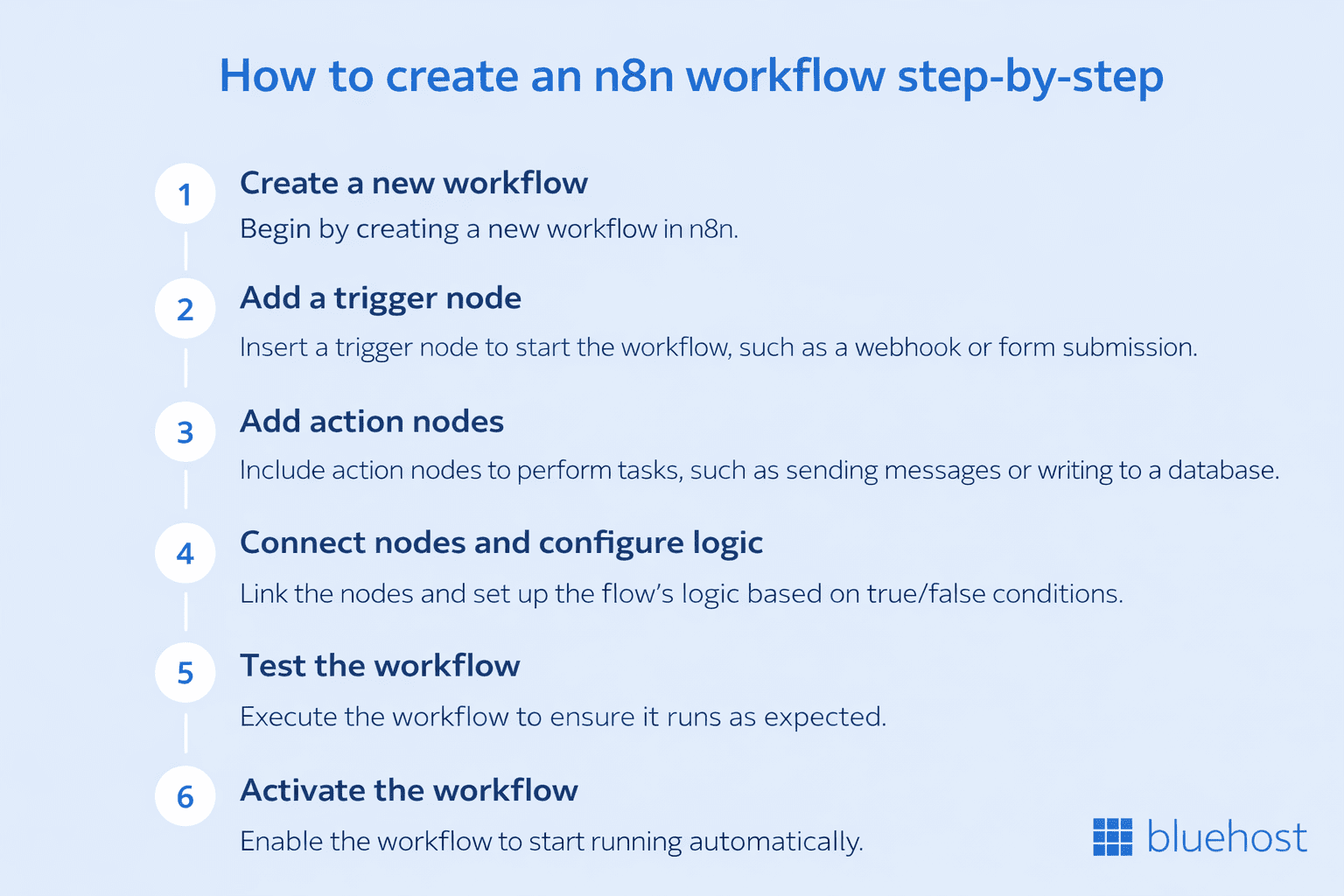
This section of the n8n workflows guide explains how to build a basic automation workflow from start to finish. The process involves creating a trigger, adding action nodes and activating the workflow so it runs automatically.
Follow these steps to create your first n8n workflow.
Step 1: Create a new workflow
Open the n8n dashboard and select Create Workflow. This launches the visual workflow builder where you can design automation using connected nodes. The builder provides a workspace where triggers and nodes can be added to define the automation sequence.
Step 2: Add a trigger node
The trigger determines when the workflow starts.
Choose a trigger based on the event you want to automate. Common trigger options include:
- Webhook trigger for incoming requests
- Schedule trigger for time-based automation
- Application triggers from connected tools
For example, a webhook trigger can start a workflow when a form submission occurs.
Step 3: Add action nodes
After the trigger activates the workflow, action nodes process data or perform tasks.
Typical node actions include:
- Sending API requests
- Creating records in a database
- Posting messages to communication tools
- Transforming or formatting incoming data
Each node receives data from the previous step and passes the processed result to the next node.
Step 4: Connect nodes and configure logic
Drag connections between nodes to define how the automation flows.
During configuration you can:
- Map incoming data fields
- Add conditions to control workflow paths
- Filter or transform data before passing it forward
This step ensures the workflow performs the correct actions based on the incoming data.
Step 5: Test the workflow
Before activating automation, run a test execution.
Testing helps verify that:
- triggers fire correctly
- nodes process data as expected
- integrations send the correct output
Review the execution logs to confirm each step works properly.
Step 6: Activate the workflow
Once testing is complete, activate the workflow.
The automation will now run automatically whenever the trigger event occurs. The workflow processes incoming data and executes actions without manual intervention.
This step completes the workflow creation process described in this n8n workflows guide. Now that you know how to build a workflow, the next step is understanding how to design automation that runs reliably at scale.
What are best practices for building reliable n8n workflows?
As you follow this n8n workflows guide, building a workflow is only the first step. Reliable automation requires careful design so workflows run consistently as automation volume grows.
These best practices help ensure your n8n workflows remain stable, maintainable and easy to troubleshoot.
1. Organize workflows clearly
Clear structure makes workflows easier to maintain. Use meaningful node names and keep related actions grouped together. When workflows grow larger, organized automation pipelines reduce debugging time and improve visibility. This approach also helps teams understand workflow logic quickly.
2. Use error handling
Automation systems must handle unexpected failures. Add error handling nodes or fallback paths to manage situations such as:
- API request failures
- missing input data
- service outages
Error handling ensures workflows continue running or report issues instead of silently failing.
3. Test workflows before activation
Testing prevents automation mistakes from affecting production systems. Before activating any n8n workflow, run test executions to confirm:
- triggers start the workflow correctly
- nodes process data accurately
- integrations return expected responses
Execution logs allow you to trace each step of the automation.
4. Keep workflows modular
Large workflows can become difficult to manage. Instead of building a single complex automation, break processes into smaller workflows that handle specific tasks. Modular workflows are easier to update, reuse and debug. This practice is especially useful when workflows support internal systems or backend processes.
5. Monitor workflow executions
Automation should be monitored regularly. Track workflow runs to detect failures, delays or unusual activity. Reviewing execution history helps teams quickly identify issues and maintain reliable automation pipelines. These practices help ensure the workflows described in this n8n workflows guide remain dependable as automation expands. Once workflows are designed and tested, the next step is managing them effectively as automation grows across systems.
How to manage and scale n8n workflows?
As automation expands, teams need structured processes to manage workflows effectively. This part of the n8n workflows guide explains how to maintain, monitor and scale n8n workflows as automation becomes part of daily operations.
Managing workflows properly ensures automation remains reliable and easy to update.
1. Monitor workflow executions
Each time a workflow runs, n8n records an execution log. These logs help teams review how automation performed and identify issues quickly.
Monitoring execution history allows you to:
- detect failed workflow runs
- inspect input and output data
- troubleshoot integration errors
- verify that automation runs as expected
Regular monitoring keeps workflows reliable as automation volume increases.
2. Update workflows as processes evolve
Operational processes change over time. Workflows must adapt to new tools, APIs or business logic.
Updating n8n workflows may involve:
- modifying node configurations
- adding new automation steps
- updating API integrations
- adjusting conditional logic
Because workflows are visually structured, teams can update automation without rebuilding the entire system.
3. Debug failed workflow executions
Failures can occur when APIs change, external services fail or data inputs are incorrect.
When debugging workflows:
- review execution logs to locate the failure node
- inspect input and output data
- test nodes individually
- update configuration or logic if required
This process helps restore workflow functionality quickly.
4. Scale automation as workflow usage grows
As teams automate more processes, workflow usage increases across tools and services.
Scaling n8n workflows typically involves:
- running more automation processes
- connecting additional APIs and systems
- expanding workflow logic for new use cases
At this stage, many teams run automation on dedicated infrastructure so workflows execute reliably as automation demand grows.
Effective workflow management ensures automation continues operating smoothly as systems and processes evolve. Now that you understand how workflows are created and maintained, the final step is to understand why many teams rely on n8n.
Security & responsibility note for self-hosted n8n workflows
Self-hosting gives you full control over automation. However, it also means your team is responsible for securing and maintaining the environment.
When running n8n workflows on your own infrastructure, follow these core practices:
- Keep systems updated – Regularly apply OS, container and dependency updates to reduce security risks.
- Use strong access control – Restrict server and workflow access using SSH keys, role-based permissions and secure authentication.
- Manage secrets securely – Store API keys, tokens and credentials using environment variables or secure vaults. Avoid hardcoding sensitive data inside workflows.
- Enable backups – Schedule regular backups of workflows, credentials and databases to prevent data loss.
- Monitor workflows and infrastructure – Track execution logs, server performance and unusual activity to detect failures or security issues early.
According to guidance from OWASP and National Institute of Standards and Technology, secure configuration, access control and continuous monitoring are essential for maintaining safe production systems.
By following these practices, teams can run n8n workflows reliably while maintaining control over their automation infrastructure.
Why teams use n8n workflows for automation?
As explained throughout this n8n workflows guide, workflows help teams automate processes across applications, APIs and internal systems. Instead of managing disconnected scripts or manual tasks, n8n workflows create structured automation pipelines that connect tools and services.
This flexibility is one reason many technical teams rely on n8n for workflow automation.
1. Visual workflow creation
n8n provides a visual workflow builder that allows teams to design automation using connected nodes. This approach makes it easier to understand how automation runs and how data moves between systems.
Developers and technical operators can quickly map out workflow logic without building every integration from scratch.
2. Integration across tools and systems
Automation often requires connecting multiple services. n8n workflows support integrations with APIs, databases and many commonly used applications.
This allows workflows to:
- transfer data between systems
- trigger actions in external services
- synchronize information across tools
Teams can automate both external SaaS platforms and internal systems using the same workflow structure.
3. Customizable automation logic
Many automation tools restrict how workflows operate. In contrast, n8n workflows allow teams to define custom logic within automation pipelines.
Workflows can include:
- conditional decision paths
- data transformations
- API-based automation steps
This flexibility allows developers to build automation that fits their exact operational needs.
4. Scalable automation across operations
As automation expands across departments, workflows must support multiple systems and processes.
With n8n workflows, teams can automate tasks such as:
- data synchronization between services
- operational notifications and alerts
- backend automation processes
Because workflows are modular and extensible, automation can grow gradually without rebuilding existing processes. These capabilities explain why many teams adopt workflow-based automation to streamline operations and integrate systems. The next thing to focus on the security responsibility of N8N workflows.
Where should you run n8n workflows?
As automation grows, workflows often run continuously and process data across multiple systems. This means the environment running your workflows must remain stable and predictable. Many teams start experimenting locally, but production n8n workflows usually run on dedicated infrastructure. Running workflows on a VPS gives teams full control over automation execution, integrations and data.
Self-hosting automation also removes many limitations associated with SaaS automation platforms. Tools like Zapier use task-based pricing, which increases as automation scales, while self-hosted solutions like n8n eliminate per-execution costs. This is why many developers choose to run n8n workflows on VPS infrastructure. VPS environments provide isolated compute resources with dedicated CPU and memory, ensuring consistent execution for automation workloads.
According to n8n documentation, self-hosting is recommended for production workflows where control, scalability and reliability are critical. With full control over configuration and scaling, teams can optimize performance based on workload requirements rather than platform-imposed limits.
Running n8n on Bluehost VPS platform allows you to build automation pipelines, connect APIs and operate workflows without relying on third-party automation platforms. This approach gives teams the flexibility to scale automation while maintaining full ownership of their workflow environment. To conclude this n8n workflows guide, the final section summarizes how workflows enable reliable automation across tools, APIs and internal systems.
Final thoughts
Automation is becoming a core part of modern operations. Instead of managing repetitive tasks manually, teams now rely on structured automation pipelines. This n8n workflows guide explained how n8n workflows automate processes using triggers, nodes and workflow logic. You learned how workflows process data, how to build automation step by step and how to manage workflows as automation grows.
As workflows expand across systems and APIs, reliable infrastructure becomes essential. Running n8n workflows on dedicated infrastructure ensures automation runs consistently without platform limits. This is where Bluehost VPS hosting helps teams operate automation with predictable resources and full control.
If your team plans to build scalable automation, running n8n on Bluehost VPS provides the flexibility needed to design, manage and scale workflow automation on infrastructure you control.
FAQs
n8n workflows are automated sequences of tasks that connect apps, APIs and internal systems. A workflow starts with a trigger, processes data through nodes and performs actions such as sending notifications or updating records. These workflows allow teams to automate processes across tools without manually executing each step.
n8n workflows operate through three main components:
Triggers that start the workflow
Nodes that process data or perform actions
Workflow logic that controls how data moves between steps
When a trigger event occurs, the workflow processes the data through connected nodes until the automation completes.
You can automate a wide range of processes using n8n workflows, including:
1. Lead routing and CRM updates
2. API data processing
3. System notifications and alerts
4. Content processing workflows
5. Internal operations automation
These workflows connect multiple systems and automate repetitive tasks across applications.
Yes. n8n workflows are commonly used by developers and technical teams because they support API integrations, webhooks and custom logic. This flexibility allows developers to build automation pipelines that connect internal systems, external services and backend processes.
Teams often run n8n workflows on dedicated infrastructure to ensure reliable automation execution. Running workflows on a VPS allows teams to maintain control over integrations, automation logic and workflow data. Bluehost VPS hosting platform allows teams to deploy and run n8n workflows on infrastructure they control. This approach supports scalable automation while maintaining full ownership of workflow execution.


Write A Comment