


Key highlights
- Learn what Java hosting on VPS and dedicated servers is and why it’s ideal for running Java applications.
- Understand the prerequisites before installing Java on a VPS or dedicated server.
- Follow a simple, step-by-step guide to install Java using package managers.
- Choose the right Java version based on your application and server type.
- Discover best practices to keep your Java environment secure and performant on VPS and dedicated hosting.
Java applications need a hosting environment that offers control, flexibility and reliable resources to run smoothly. Shared hosting often struggles with Java workloads due to limited resources and restricted configurations. This becomes a problem for applications that rely on background processes, custom settings or specific Java versions.
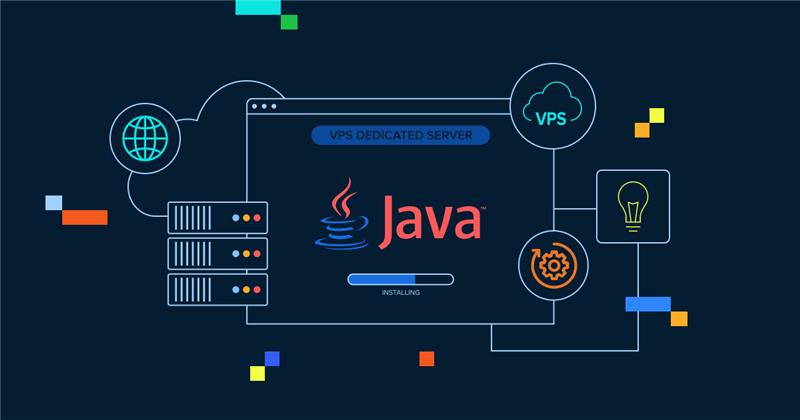
VPS and dedicated servers solve these challenges by providing full server-level access and dedicated resources. A VPS offers isolated resources within a virtual environment, while a dedicated server delivers complete hardware control for high-performance or resource-intensive Java applications. Both options allow you to install and manage Java on your terms, tune performance and scale as your application grows.
In this guide, you’ll learn how to install Java on a VPS or dedicated server step by step using standard package managers. We’ll also show you how to verify the installation and prepare your server for stable Java performance.
Essential setup requirements for Java VPS hosting
Before installing Java on your VPS or dedicated server, it’s important to make sure a few basics are in place. These steps help avoid common setup issues and ensure smooth installation.
You’ll need:
- A Linux-based VPS or dedicated server running CentOS, AlmaLinux, Rocky Linux, Ubuntu or Debian
- SSH access to your VPS
- Sudo or root privileges
- Basic familiarity with the command line
It’s also a good idea to update your system packages before installing Java. This helps prevent dependency conflicts and ensures you’re working with the latest security patches.
How to install Java on a VPS and a dedicated server using the Yum package manager?
There are many ways to install Java on a VPS or dedicated server. This method shows only how to do it with yum.
Here is how to install Java on a VPS and a dedicated server:
- Open an SSH client and log in.
- Then type: sudo yum install Java. This will install Java v.1.8.
- To install a newer version of Java, use the version-specific package. For example, sudo yum installs Java-1.7.0-openjdk to ensure you get the latest version; you can go to OpenJDK.
- Press Y and enter.
Installing Java is only part of the setup process. To get the best results, you’ll also need to choose a Java version that aligns with your application requirements and supports expectations.
How to select the best version for Java VPS hosting?
Choosing the correct Java version is an important step for stability and compatibility, regardless of whether you’re using a VPS or dedicated server. Most production environments rely on Long-Term Support (LTS) releases.
Common Java LTS versions include:
- Java 8: Widely supported and commonly used for legacy applications
- Java 11: A stable, well-balanced option with long-term updates
- Java 17: The latest LTS release with improved performance and security
For new projects or modern frameworks, Java 17 is usually the safest choice. Older applications may require Java 8 or 11 for compatibility.
OpenJDK is recommended for most VPS and dedicated hosting environments. It’s open source, regularly updated and supported by major Linux distributions. Oracle Java may require licensing for production use, making OpenJDK the preferred option for most users.
Alternative Java installation methods
Package managers work well for most VPS and dedicated server setups, but some projects require greater control or isolation. In those cases, alternative installation methods may be more suitable.
| Installation method | Best for | Key benefits | Considerations |
| Package manager (Yum or APT) | Most VPS users | Simple setup, automatic updates, stable | Limited to repository versions |
| Manual OpenJDK install | Testing and custom environments | Full version control, flexible setup | Manual updates and maintenance |
| Docker containers | Microservices and isolated apps | Preconfigured environments, easy portability | Requires Docker setup and learning curve |
| Version managers (SDKMAN) | Multiple Java versions | Easy version switching, developer-friendly | Extra configuration and overhead |
For most users, installing Java via the system package manager remains the simplest and most reliable option. Alternative methods are best when your application requires tighter version control or isolation
Also read: VPS vs dedicated server: which delivers better value?
Basic post-installation best practices
After installing Java, a few best practices help keep your VPS secure and efficient.
- Start by keeping Java up to date using your package manager. Updates include important security fixes and performance improvements.
- Monitor memory usage to ensure your Java applications don’t exceed available resources. This helps prevent crashes and slowdowns.
- Secure your VPS by configuring firewalls and limiting SSH access. Open only the ports your Java application requires.
- Finally, set up regular backups for your application files and configuration. Backups help you recover quickly in case of system issues or accidental changes.
Once these best practices are in place, your VPS or dedicated server is ready to support Java applications with consistent performance and stronger security.
Also read:VPS security: best practices to protect your virtual server in 2025
Why is Bluehost a strong choice for Java VPS and dedicated hosting?
When installing Java on your server, whether for application hosting, development environments or backend services, choosing the right hosting infrastructure is essential. Bluehost offers powerful VPS hosting and Dedicated hosting plans built for performance, control and scalability, making them ideal environments for Java installations and runtime workloads. Both products deliver fast NVMe storage, root-level access for custom setups like Java and options to scale as your project grows.
VPS hosting for scalable Java environments
Bluehost VPS hosting provides a middle ground between shared and dedicated hosting. You get allocated CPU/RAM, full root access and NVMe SSD storage for consistent performance under load, crucial for running Java applications smoothly.
- Full control & root access: Configure your server OS, install Java packages and customize environment settings.
- Dedicated resources: Each VPS plan includes dedicated vCPU, RAM and SSD storage so your Java process isn’t competing with other sites.
- Scalability: Easily upgrade CPU, memory or storage as your workload or traffic grows.
- Managed options available: If you prefer less system administration overhead, Bluehost offers managed VPS where backups, monitoring and some maintenance tasks are handled for you.
- Ideal for: Developers, application servers, mid-sized deployments and custom Java applications that need predictable performance.
Also read:Introducing NVMe Hosting | Get Higher Speed on VPS & Dedicated Server Plans!

Dedicated hosting for maximum power and reliability
Bluehost Dedicated hosting gives you an entire physical server to yourself. It’s ideal for resource-intensive Java applications, production workloads or high-availability services that require full control and maximum performance.
- 100% dedicated resources: No sharing of CPU/RAM/storage with other sites ensures predictable performance for Java services.
- Root access & customization: Install any Java version, JVM options and server-level tools without restrictions.
- NVMe SSD & high-performance hardware: Fast storage and robust processing help minimize response times for Java-powered apps.
- Advanced security & uptime: Dedicated servers include firewalls, backups and strong uptime reliability essential for production of Java systems.
- Ideal for: Large-scale applications, enterprise workloads, heavy backend processes or multiple Java services on a single server.

Whether you choose a VPS for flexibility or a dedicated server for maximum performance, the right hosting foundation plays a critical role in how well your Java applications run. Bluehost offers a range of server options that help you match your infrastructure to your project’s technical needs. With the hosting environment in place, it’s time to wrap up the key takeaways.
Final thoughts
Java VPS hosting provides the control and reliability required to run Java applications effectively. With dedicated resources and root access, installing and managing Java becomes straightforward. This flexibility works whether you’re running a lightweight service on a VPS or a high-performance application on a dedicated server.
This guide covered how to install Java, choose the right version and apply best practices for long-term stability. If you need scalable performance without the limitations of shared hosting, VPS or dedicated hosting offers the flexibility to grow with your Java workloads.
If you’re looking for a hosting environment that supports Java applications with dedicated resources and optional managed support, Bluehost VPS and dedicated hosting solutions offer a stable foundation. They are well-suited for developers and growing businesses that need reliable performance.
Ready to take your Java projects to the next level? Check out Bluehost hosting solutions and find a plan that fits your development needs.
FAQs
Yes. Both VPS and dedicated hosting support Java applications effectively by offering root access, isolated resources and full control over the server environment. This makes them suitable for running Java services, application servers and background processes.
Java 11 and Java 17 are the most commonly used Long-Term Support (LTS) versions for VPS and dedicated servers. Java 17 is recommended for new applications, while Java 8 or Java 11 may be required for older or legacy systems.
If you only run Java applications, the runtime environment included with most Java packages is sufficient. If you compile or build Java applications directly on the server, you’ll need the full Java Development Kit (JDK).
Yes. VPS hosting is suitable for many production Java workloads, offering scalability and predictable performance. Dedicated servers are better suited for large-scale, high-traffic or resource-intensive Java applications that require exclusive access to server hardware.
A VPS is ideal for most Java applications due to its flexibility and cost efficiency. A dedicated server is recommended when applications require consistent high performance, large memory allocations or full hardware isolation.

Write A Comment