 ChatGPT,
 Claude,
 Gemini,
 Grok — all four for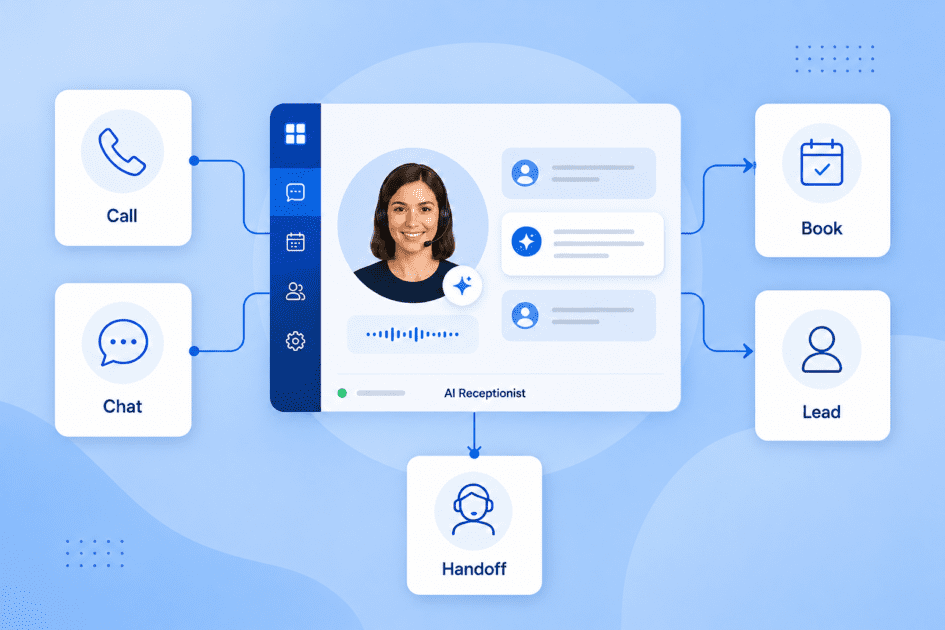
Key highlights
- Know what an AI receptionist is and how it helps businesses answer calls, capture leads and manage routine front-desk tasks automatically.
- Learn how AI receptionists use voice recognition, natural language understanding and business integrations to handle customer inquiries.
- Understand which key features matter most, including 24/7 availability, appointment scheduling, lead capture, CRM integration and call analytics.
- Discover how AI receptionists compare with human receptionists and when a hybrid approach can improve efficiency.
- Explore Bluehost AI Receptionist and how it helps capture leads and manage appointment booking 24/7, reducing front-desk workload.
A customer calls your business at 7 PM on a Tuesday. No one answers. They leave no voicemail, send no email and book an appointment with your competitor instead. You may never know that lead existed, but the revenue is still gone. This kind of silent churn happens more often than most business owners realize.
An AI receptionist solves this problem by acting as an always-available first point of contact. It answers calls and messages, collects information from callers, books appointments and routes complex requests to the right person, all without requiring a human staff member to be on duty.
According to a 2026 report by Grand View Research, the global intelligent virtual assistant market is projected to reach $14.10 billion by 2030, with customer-facing automation driving a significant share of that growth. Adoption is accelerating, particularly among small and mid-sized businesses that cannot justify the cost of full-time reception staff.
In this blog, we’ll explain what an AI receptionist is, how it works and the best AI receptionist tools to consider in 2026 for your business.
What is an AI receptionist?
An AI receptionist is a software system that handles the communication tasks traditionally assigned to a human receptionist: answering inbound calls or messages, greeting callers, collecting information, scheduling appointments and directing inquiries to the right contact. The system operates automatically, with no human involvement needed for routine interactions.
Unlike basic interactive voice response (IVR) systems that present callers with numbered menus, a conversational AI receptionist understands natural speech and text. A caller can say “I’d like to book a consultation for next Thursday afternoon” and the system interprets the intent, checks availability and confirms the booking, much the way a human staff member would.
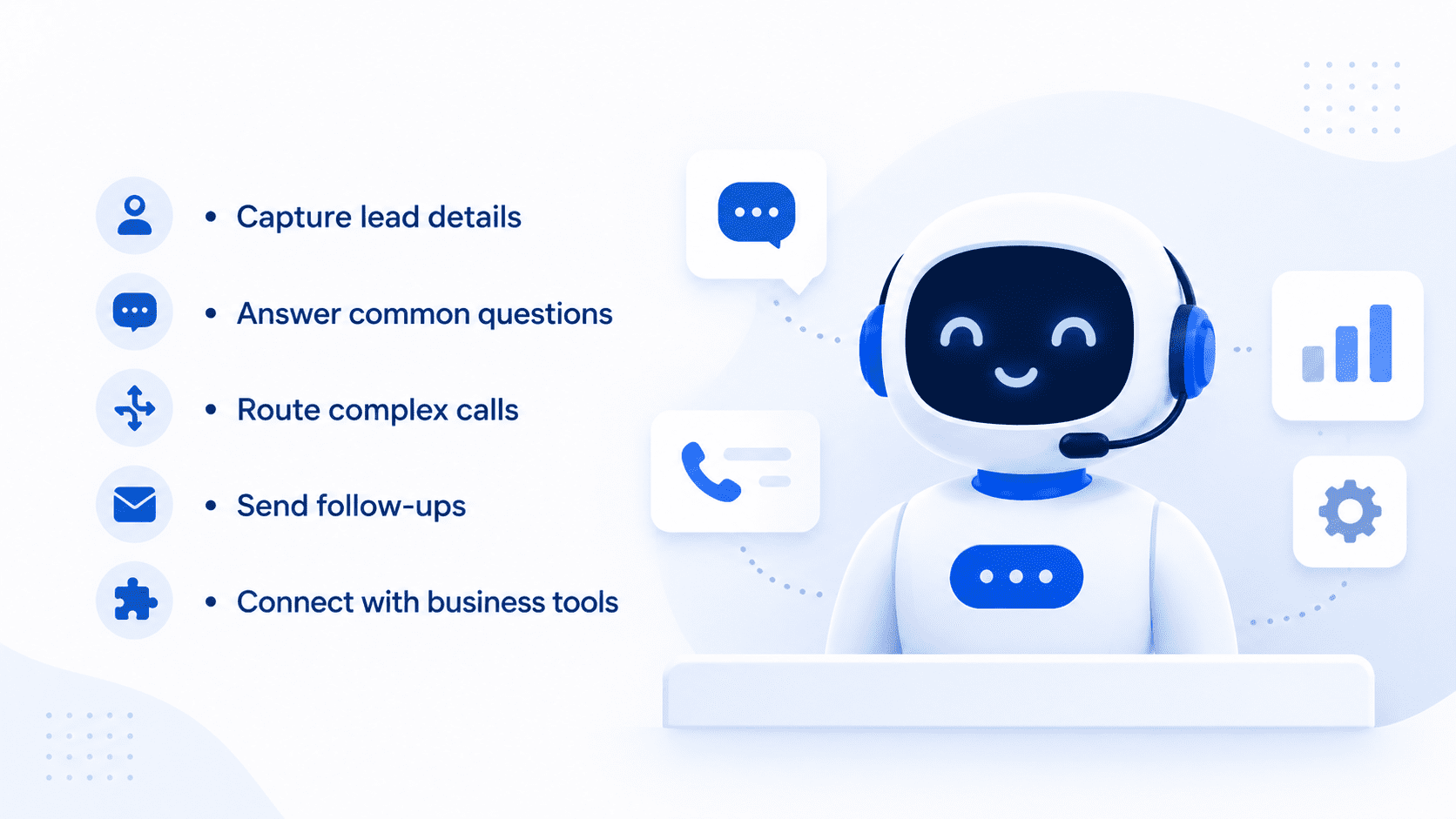
The most capable versions go further. They can:
- Capture lead details such as name, contact information and the reason for inquiry
- Answer frequently asked questions about hours, pricing and services
- Transfer calls to a live agent when the situation requires human judgment
- Send follow-up confirmations via SMS or email
- Integrate with tools like Google Calendar, Salesforce or HubSpot
The key distinction from older automated systems is adaptability. A menu-based phone tree breaks the moment a caller says something unexpected. A properly trained AI Receptionist handles variations in language, accents and phrasing because it is built on machine learning models trained on thousands of real conversations. That adaptability is what makes the current generation of tools genuinely useful rather than merely functional.
Also read: 30 Best AI Marketing Tools to Grow Your Business in 2026
How Does an AI Receptionist Work?
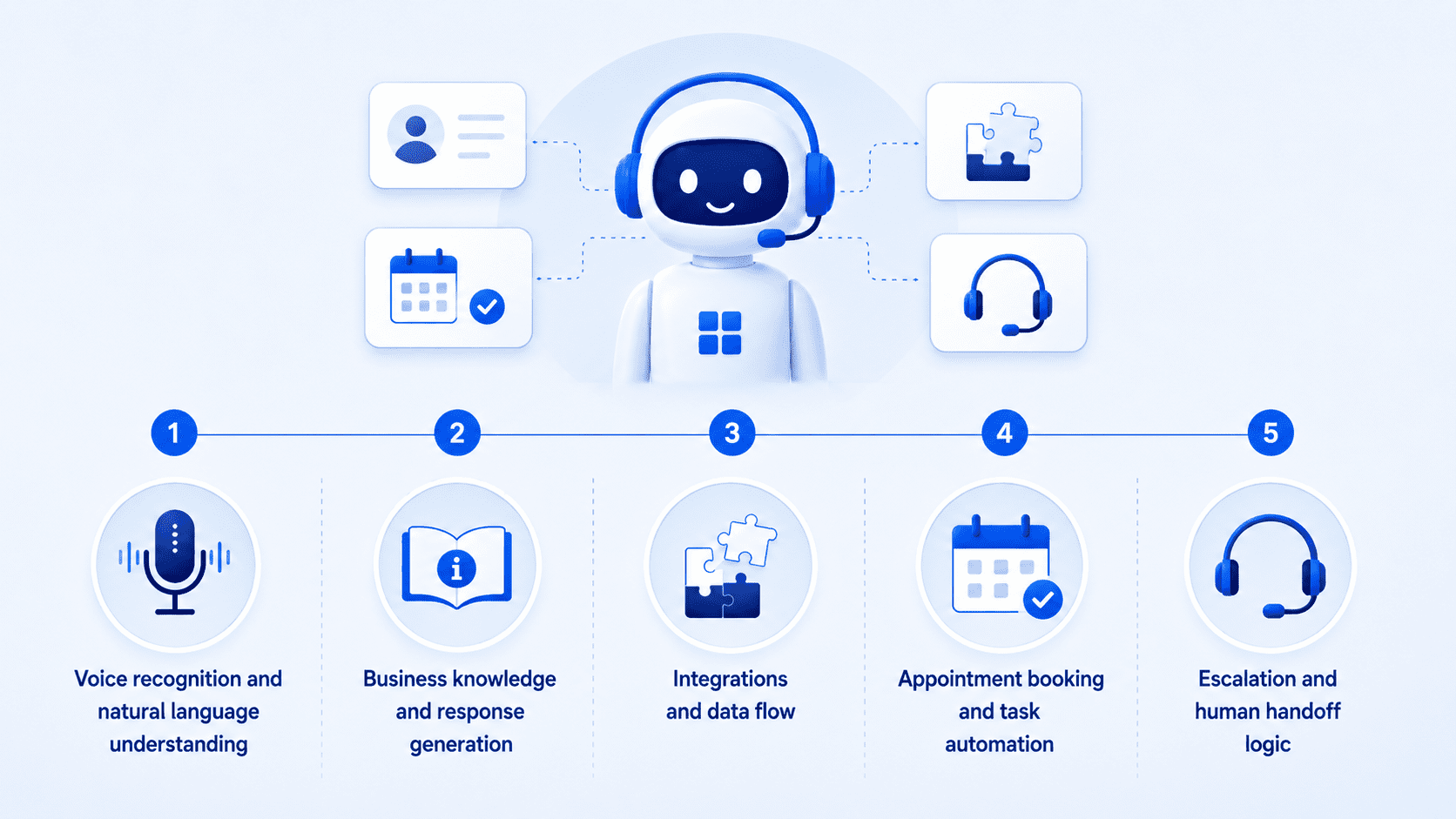
At the core of any AI receptionist is a combination of voice recognition, NLP and integration architecture. Understanding how these components fit together makes it much easier to evaluate the tools available and spot the gaps in any given platform.
1. Voice recognition and natural language understanding
When a caller speaks, the system uses automatic speech recognition (ASR) to convert audio into text. That text passes to an NLP engine, which identifies the caller’s intent. A caller asking “Do you have any openings tomorrow?” gets mapped to a scheduling intent, and the system queries a connected calendar to provide an accurate answer.
Modern platforms train on large language models (LLMs), the same class of models behind tools like ChatGPT. The training gives them a much wider grasp of phrasing variations than older rule-based systems. A caller asking “Is anyone free Friday?” and another asking “Can I come in at the end of the week?” both get correctly routed to the scheduling function, even though the phrasing is completely different.
2. Business knowledge and response generation
Once the AI understands the customer’s intent, it uses your business information to generate a relevant response. This may include details from your website, service pages, FAQs, pricing information, policies, location details or internal knowledge base.
For example, if a caller asks about business hours, the AI can provide the right answer immediately. If someone asks whether your company serves a specific area, the AI can respond based on the information it has been trained on.
3. Integrations and data flow
The value of an automated front desk multiplies once it connects to the tools your business already uses. Most platforms connect via API or direct integration to calendar platforms such as Google Calendar or Outlook, CRM systems including Salesforce, HubSpot and Zoho, business phone providers like RingCentral or Twilio and helpdesk software such as Freshdesk or Zendesk.
When a caller books through the AI system, the appointment writes directly to the shared calendar. When a new lead calls in, the contact record is created automatically in the CRM. The connection removes the manual data entry step that makes traditional reception work time-consuming and error-prone.
4. Appointment booking and task automation
One of the most valuable uses of an AI receptionist is appointment scheduling. Instead of asking customers to wait for a callback, the AI can check available time slots, suggest options and book the appointment during the conversation.
Depending on the setup, it may also help customers reschedule, cancel or confirm appointments. For service-based businesses, this can remove a major source of friction from the customer journey.
Beyond booking, an AI receptionist can also automate routine tasks such as answering FAQs, qualifying leads, collecting intake details, sending follow-up messages and directing customers to the right next step.
5. Escalation and human handoff logic
A well-designed virtual receptionist knows its own limits. When a caller’s request falls outside what the system can handle, whether due to complexity, emotional urgency or a policy question, the call transfers to a live team member along with a summary of the conversation. The human agent does not have to ask the caller to repeat themselves.
That warm handoff is a significant improvement over cold call transfers, and it is one of the quality indicators worth testing before committing to any platform.
Also read: What Is llms.txt? How the New AI Standard Works (2026 Guide)
What are the key features of an AI receptionist?
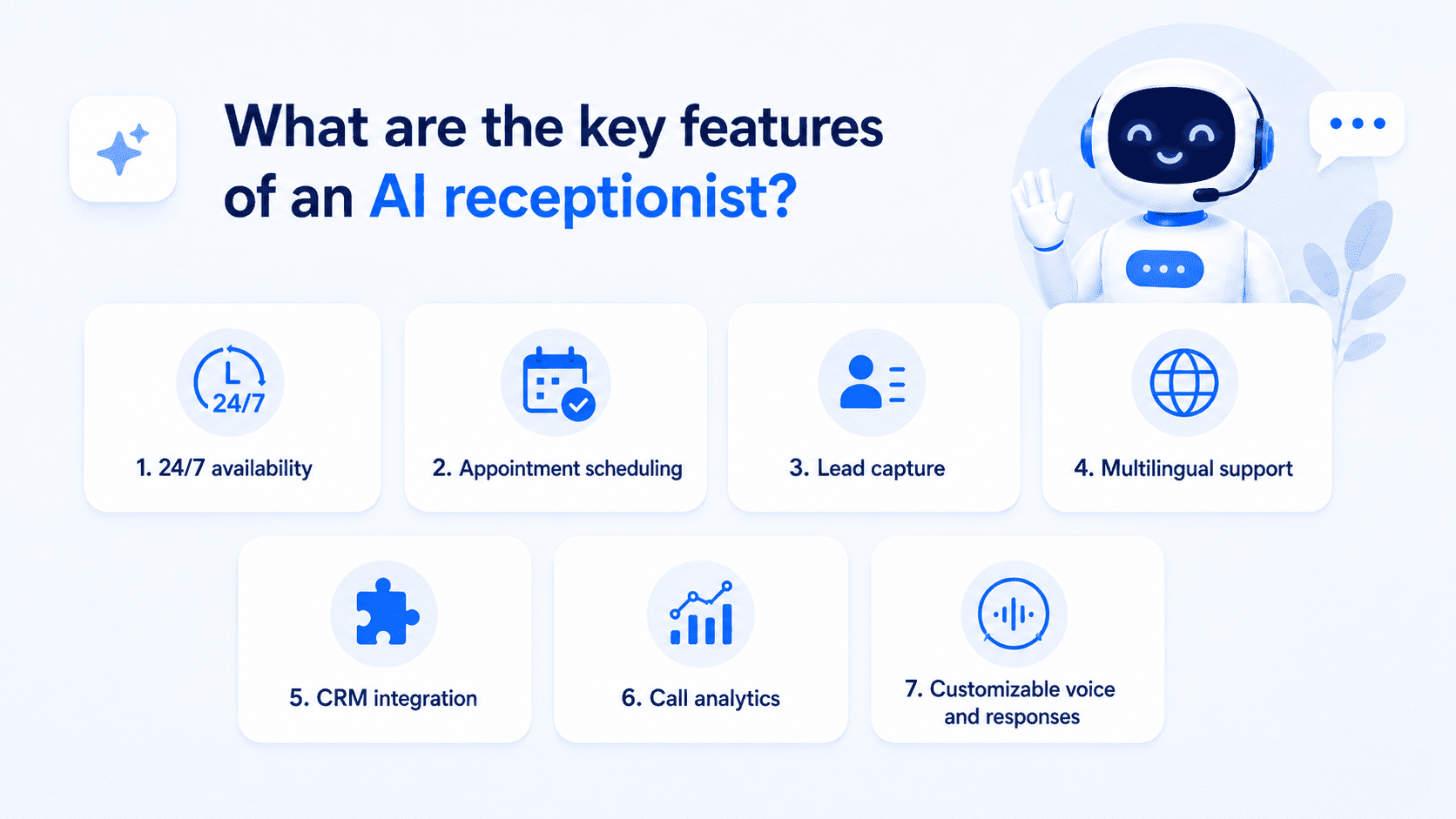
Not every product in this category delivers the same capability, and the differences matter significantly depending on your business type and call volume. Before committing to a platform, evaluate these features carefully rather than relying on marketing summaries.
- 24/7 availability: The point of an AI Receptionist is always-on coverage. Confirm the system handles after-hours calls and weekend inquiries, not just standard business hours.
- Appointment scheduling: Look for native calendar integration rather than a third-party workaround. The booking step should be self-contained within a single call or conversation.
- Lead capture: The system should record caller name, contact details and inquiry type automatically, then store or forward that data without any manual step.
- Multilingual support: For businesses serving diverse communities, handling conversations in Spanish, French or other languages broadens reach in a meaningful way.
- CRM integration: Two-way sync with your CRM means every inbound inquiry becomes a structured record rather than a note that might get lost.
- Call analytics: Dashboards showing call volume, missed inquiries, peak times and conversion rates give you the data needed to make smarter staffing and marketing decisions.
- Customizable voice and responses: A branded experience matters to callers. Choose a platform that lets you configure the greeting, tone and response style to match your business.
The best platforms offer most of these features out of the box, though pricing typically scales with what you activate. Knowing your must-haves before you start comparing tools saves a significant amount of evaluation time.
Also read: 10 Best Secure AI Tools for Business Protection in 2026
AI receptionist vs. human receptionist: Which one do you need?
The right choice depends on the type of conversations your business receives, the volume of inquiries, the hours you need coverage and how much judgment each interaction requires.
An AI receptionist is best suited for high-volume, repeatable front-desk tasks such as answering common questions, capturing lead details, booking appointments and routing calls. A human receptionist is still valuable when conversations require empathy, discretion, complex problem-solving or relationship-building.
For many businesses, the strongest model is a hybrid one: AI handles the predictable work and after-hours coverage, while human staff focus on sensitive, complex or high-value interactions.
| Factor | AI receptionist | Human receptionist |
|---|---|---|
| Availability | Can provide 24/7 coverage, including nights, weekends and holidays | Usually limited to business hours or scheduled shifts |
| Cost structure | Typically subscription-based or usage-based | Requires salary, benefits, training and coverage planning |
| Scalability | Can handle multiple conversations at once | Limited by one person’s capacity |
| Consistency | Delivers standardized answers based on approved business information | May vary depending on training, experience and workload |
| Customer empathy | Can follow conversational scripts and identify escalation triggers | Better suited for emotionally sensitive or nuanced conversations |
| Task automation | Strong for booking, lead capture, FAQs and routing | Strong for judgment-based coordination and exception handling |
| Complex requests | Should escalate when the issue is outside its knowledge base | Better at interpreting context, exceptions and unusual customer needs |
| Best use case | Routine inquiries, after-hours coverage and appointment workflows | High-touch service, conflict resolution and relationship management |
When AI is the better choice?
An AI receptionist is the better fit when your business receives a steady flow of repetitive inquiries. These may include questions about business hours, pricing, availability, services, locations, appointment times or basic intake requirements.
It is especially useful when missed calls directly affect revenue. Service businesses, healthcare practices, salons, real estate offices and home service providers often lose opportunities when customers call after hours or when staff are busy. In those cases, AI can keep the conversation moving by answering questions, collecting information and booking appointments immediately.
When human receptionists still matter?
Human receptionists still play an important role when conversations require emotional intelligence, judgment or flexibility. A frustrated customer, a sensitive medical or legal inquiry, a billing dispute or a complex service request may need more than an automated response.
Humans are also better at interpreting subtle context. They can adjust their tone, ask follow-up questions, spot exceptions and make judgment calls when a customer’s situation does not fit a predefined workflow.
Why do many businesses use both?
The most effective approach is often not replacement but division of labor. AI handles the routine, repetitive and time-sensitive work, while human staff handles the interactions where judgment and empathy matter most.
For example, an AI receptionist can answer after-hours calls, capture lead details, book standard appointments and route common questions. If the customer has an urgent issue, a complex request or needs a personal conversation, the AI can escalate the interaction to a human team member with context from the conversation.
This hybrid model gives businesses the operational efficiency of automation without removing the human support customers still need in important moments. It helps reduce missed opportunities, lower administrative workload and improve response speed while keeping human expertise available where it has the greatest impact.
Also read: AI Tools for Small Business: Best Picks for Productivity and Growth in 2026
What are the best AI receptionist tools for businesses?
The market has grown quickly, and options now span from lightweight AI receptionist apps designed for solo operators to full enterprise platforms. The tools below have earned strong reputations based on real-world performance, integration depth and reliability heading into 2026.
1. AI Receptionist
Bluehost’s AI Receptionist is built for businesses that need more than a basic chatbot. It works as a 24/7 website-based assistant that can answer customer questions, capture leads and support appointment booking, even when your team is unavailable.
Our agent can be trained on your business knowledge base, documents and resources. That means it is not limited to generic answers. It can respond using company-specific information, including services, policies, availability, FAQs and preferred messaging. Businesses can also define a custom voice and tone, helping the AI sound like a natural extension of the brand rather than a disconnected bot.
Bluehost AI Receptionist also supports appointment management through Google Calendar integration, allowing customers to book, reschedule or cancel available time slots without manual coordination. For businesses where scheduling delays lead to drop-offs, this can help remove friction from the customer journey and convert more inquiries into appointments.
Key features:
- 24/7 context-aware customer conversations
- Lead capture and routine question handling
- Google Calendar booking, rescheduling and cancellations
- Knowledge base training using company documents and resources
- Custom voice and tone branding
- Website-based customer engagement for 24/7 questions and lead capture
- Admin dashboard for chat history, bookings and topic trends
- Advanced analytics to identify common questions and customer intent patterns
Best for: Service-based small businesses, appointment-driven companies and teams that want 24/7 customer engagement, lead capture and booking support without expanding front-office headcount.
2. Nextiva AI Receptionist
Nextiva AI Receptionist, also branded as XBert, is a strong option for businesses that want AI call answering as part of a broader customer communications platform. It is designed to help small businesses answer calls, texts and chats, book appointments and capture leads around the clock.
Its biggest strength is platform fit. Businesses already considering Nextiva for phones, messaging or customer communication can use the AI receptionist as part of a larger system instead of adding a separate standalone tool. This can make it easier to manage calls, customer conversations and follow-ups from one place.
Key features:
- 24/7 call, text and chat answering
- Appointment booking
- Lead capture
- Customer question handling
- Business phone and communication support
- Support for service-based workflows
Best for: Small and mid-sized businesses that want AI reception features inside a broader communications platform.
Things to consider: Nextiva is best evaluated as part of a larger communications setup. If your main need is a lightweight AI Receptionist or website-based engagement tool, compare setup, channel support and total platform cost before choosing.
3. RingCentral AI Receptionist
RingCentral AI Receptionist is built for businesses that want AI-powered call handling within an established business communications platform. It is designed to automate customer interactions, reduce missed calls and provide faster service through a voice AI agent that can answer, route and summarize conversations.
This makes RingCentral a strong fit for teams that already use RingCentral or want AI reception features connected to a larger phone, messaging and collaboration ecosystem. For businesses with multiple departments, higher call volume or more complex routing needs, the platform approach can be a major advantage.
Key features:
- AI-powered call answering
- Intelligent call routing
- Natural voice interactions
- Call summaries
- Missed-call reduction
- Business phone system integration
- Support for larger communication workflows
Best for: Growing teams and businesses already using or considering RingCentral for business communications.
Things to consider: RingCentral is strongest when used inside the RingCentral ecosystem. If your business does not need a full communications platform, it may be more than you need for basic AI receptionist functionality.
4. Smith.ai
Smith.ai is a good fit for businesses that want a more service-led receptionist solution with both AI technology and human backup. Its model is especially useful for teams that need call handling, appointment scheduling, lead qualification and intake support but do not want to manage every workflow themselves.
The platform is often a strong match for law firms, agencies, consultants, real estate teams and service businesses where lead quality matters. Smith.ai can help screen callers, collect intake details and route qualified opportunities, which makes it more than a simple answering service.
Key features:
- AI-assisted phone answering
- Human receptionist backup
- Appointment scheduling
- Lead qualification
- Intake form support
- Call handling for sales and support
- CRM and workflow integrations
- 24/7 coverage options
Best for: Businesses that want AI receptionist support with human backup and guided setup.
Things to consider: Smith.ai may be a better fit for businesses that want a managed service rather than a fully self-serve Receptionist. Review plan structure and any costs related to live agent escalation before deciding.
5. Goodcall
Goodcall is designed for businesses that want a dedicated AI phone agent or virtual receptionist without a complicated technical setup. It focuses on automating customer service, sales calls and appointment-related conversations, making it useful for local businesses and service providers that receive a high volume of routine phone inquiries.
A key advantage is accessibility. Goodcall is positioned around a no-code setup, so business owners can create an AI phone agent without engineering support. Each agent can also have a unique phone number, including local area codes, which helps businesses maintain a more familiar presence for customers.
Key features:
- AI phone agent and virtual receptionist
- 24/7 call answering
- Customer service and sales call automation
- Appointment-related workflows
- Unique phone numbers for agents
- Local area code options
- No-code setup
Best for: Local businesses and service teams that want a fast, no-code AI phone agent.
Things to consider: Goodcall is strongest for phone automation. If your business needs deeper website, CRM, social or multi-channel brand engagement, compare integration depth and channel coverage carefully.
6. GoTo Connect AI Receptionist
GoTo Connect AI Receptionist is designed for businesses already using GoTo Connect or considering it as their phone and communications platform. It acts as a 24/7 smart assistant that can answer calls, automate simple tasks and help route callers more efficiently.
One of its strengths is practical call routing. GoTo’s AI Receptionist can use FAQ and knowledge-base resources to answer routine questions, capture key caller details and connect people to the right person with better context for the handoff.
Key features:
- 24/7 AI call answering
- Routine question handling
- Knowledge base and FAQ support
- Information capture forms
- Smart call routing
- Transfer by name
- Directory-based routing
- Contextual handoffs to team members
Best for: Businesses using GoTo Connect that want AI-powered call routing and routine front-desk automation.
Things to consider: GoTo Connect AI Receptionist is best evaluated as part of the GoTo Connect platform. If you are not already using GoTo, compare total communication platform costs before choosing it only for AI reception.
7. FrontDesk AI
FrontDesk AI is a more specialized option, and businesses should verify the exact product they are evaluating because several vendors use similar naming. The strongest fit is usually appointment-driven businesses that need AI support for lead capture, scheduling and follow-up.
Some FrontDesk AI offerings focus on 24/7 call answering, appointment booking, customer inquiry handling and conversation recording. Others position the platform around broader AI lead management, including conversations across calls, texts, webchat and email.
Key features:
- 24/7 AI receptionist support
- Call answering
- Appointment booking
- Customer inquiry handling
- Lead capture
- Conversation recording
- Multi-channel lead engagement, depending on the vendor
- Follow-up and booking workflows
Best for: Appointment-based businesses that want AI call answering, lead capture and scheduling support.
Things to consider: Because the “FrontDesk AI” name is used by multiple products, verify the vendor, industry focus, pricing, integrations and support model before including it in a shortlist.
How can Bluehost help you with an AI receptionist?
Bluehost helps businesses turn missed inquiries into active conversations with AI Receptionist, an always-available assistant built to support customer engagement, lead capture and appointment booking. Instead of relying on voicemail, delayed callbacks or overextended staff, businesses can give customers a faster way to ask questions, share details and take the next step at any time of day.
Our AI Receptionist can be trained on your company’s own documents, resources and knowledge base, so responses are based on your actual business information instead of generic answers. You can also define a custom voice and tone, helping the AI sound like a natural extension of your brand across customer interactions.
With Bluehost Receptionist, your business can:
- Capture leads after hours: Respond to customer inquiries even when your team is unavailable, so potential customers are not left waiting or moving to a competitor.
- Answer routine questions instantly: Give customers fast responses to common questions about services, availability, policies, locations and other business details using your own knowledge base.
- Book appointments with less back-and-forth: Let customers book, reschedule or cancel appointments through Google Calendar integration, reducing manual coordination for your team.
- Create a more consistent brand experience: Define your preferred voice and tone so the AI responds in a way that feels aligned with your business, not like a generic chatbot.
- Engage website visitors 24/7: Answer questions and capture leads on your website even when your team is busy or offline.
- Reduce repetitive front-desk work: Automate common tasks like answering FAQs, collecting customer details and managing booking requests so your team can focus on more complex conversations.
- Track conversations and booking trends: Use admin and analytics features to review chat history, bookings and common topic patterns, helping your business understand what customers ask about most.
Bluehost AI Receptionist helps your business answer customer questions, capture inquiries and manage appointment requests with an always-available AI assistant.
Final thoughts
Now, the question is no longer whether an AI receptionist is useful. It is which solution can reliably answer customers, capture leads and book appointments without adding more work for the team.
The best AI receptionist should fit the way your customers already reach you. That means supporting the right channels, handling the right volume of inquiries and connecting with the tools your business depends on, such as calendars, CRMs and messaging platforms. It should also know when to automate a routine request and when to hand off a more complex conversation to a human.
Bluehost AI Receptionist is built for businesses that want to bring that front-desk experience closer to their website and customer journey. It helps capture leads, answer routine questions and support Google Calendar appointment booking with a 24/7 AI assistant trained on your business information.
Missing leads after hours? Keep every inquiry moving with Bluehost AI Receptionist today.
FAQs
An AI receptionist is a virtual front-desk assistant that uses artificial intelligence to answer calls or messages, understand customer requests and take basic actions such as collecting details, answering questions or booking appointments. It helps businesses stay responsive even when a human receptionist is unavailable.
AI receptionist costs vary depending on the platform, features, call volume, number of users and whether the tool includes advanced options like appointment booking, CRM integrations, multilingual support or human handoff. Businesses should compare plans based on the workflows they need most, not just the base subscription cost.
Yes. Many AI receptionists can connect with calendar tools to check availability, suggest open time slots and book appointments automatically. Bluehost AI Receptionist supports Google Calendar booking, so customers can book, reschedule or cancel appointments without waiting for a callback.
Yes. One of the main benefits of an AI receptionist is that it can respond to customers 24/7, including evenings, weekends and holidays. This helps businesses capture leads and booking requests that might otherwise be lost after the team is offline.
An AI receptionist is better for repetitive tasks such as answering FAQs, capturing lead details and scheduling appointments at scale. A human virtual receptionist may still be better for complex, sensitive or relationship-based conversations, so many businesses use AI for routine coverage and humans for high-value interactions.
Yes. AI receptionists are especially useful for small businesses that cannot afford full-time front-desk coverage but still need to answer inquiries quickly. Tools like Bluehost AI Receptionist help small businesses capture leads, answer routine questions and manage appointments without adding more staff.
Many AI receptionist tools integrate with CRMs, calendars, phone systems or messaging platforms so customer details can move automatically into the right system. Before choosing a tool, check whether it supports the specific CRM or business software your team already uses.
Yes. A good AI receptionist can escalate complex, urgent or sensitive requests to a live person when automation is not the right fit. Ideally, it should also pass along conversation context so the customer does not have to repeat the same information.

Write A Comment