
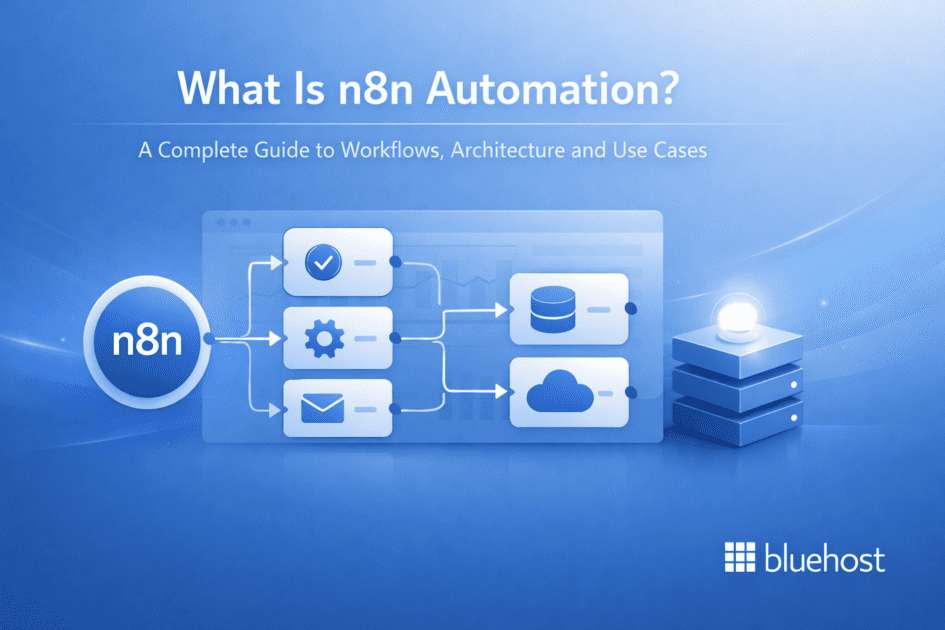


Key highlights
- Understand how n8n automation works as a node-based, self-hosted platform for building flexible workflows across apps, APIs and internal systems.
- Explore the core architecture of n8n, including triggers, nodes and workflows that power event-driven automation.
- Learn how to build scalable workflows using 400+ integrations, custom APIs and JavaScript for advanced logic.
- Discover real-world use cases such as lead automation, data syncing, e-commerce workflows and internal operations.
n8n automation is a flexible, self-hosted workflow platform that allows teams to connect apps, APIs and internal systems without the limitations of traditional no-code tools. As automation becomes central to modern operations, many teams outgrow SaaS platforms that restrict customization and increase costs with scale.
n8n addresses this by giving you full control over workflow logic, integrations and infrastructure. Instead of relying on external platforms, you can run automation within your own environment and scale without unpredictable pricing.
In this guide, you’ll learn what is n8n automation, how it works, its key features and how teams use it to build scalable, production-ready workflows.
What is n8n automation?
n8n automation is an open-source, self-hosted workflow automation tool that allows users to connect apps, APIs and services using a visual, node-based interface. It enables advanced customization, full data control and scalable automation without per-task pricing.
Also read: What is n8n? Complete Guide to the Workflow Automation Tool
n8n provides a powerful alternative to traditional SaaS tools by offering:
- Workflow automation tool: A visual, node-based builder that enables teams to design and scale complex, event-driven workflows across systems.
- Open-source and self-hostable: Runs entirely on your own VPS, ensuring full ownership of data, workflows and execution logic.
- Connects apps, APIs and services: Supports 400+ integrations along with custom webhooks and HTTP requests to automate virtually any system.
Why choose n8n over traditional automation tools?
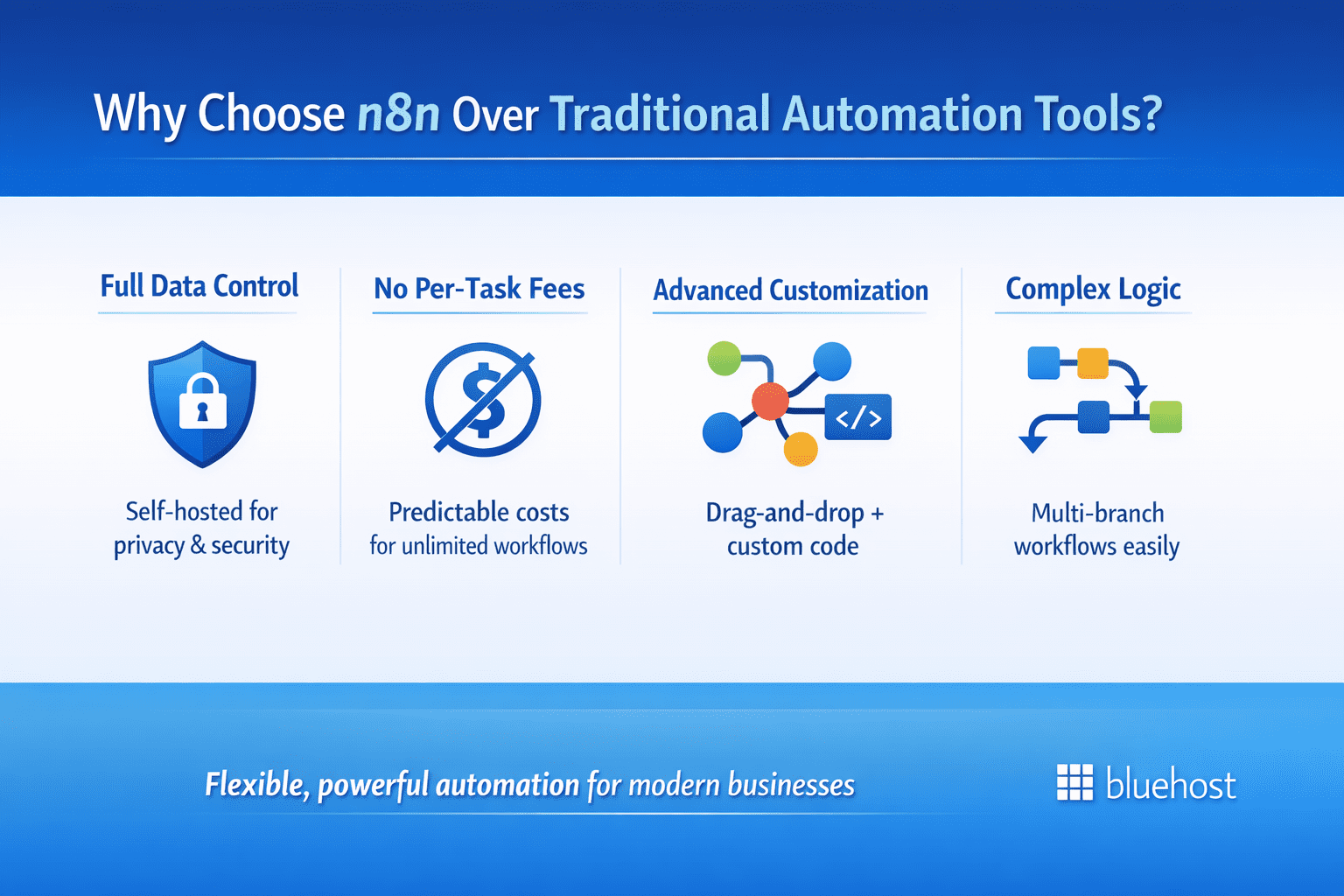
When evaluating what is n8n automation, it is essential to compare it to established SaaS-based tools like Zapier. While many platforms prioritize a simple entry point, n8n is specifically designed for users who require deeper customization, greater flexibility, and more sophisticated technical capabilities from their integration layers.
The self-hosted architecture of n8n gives organizations complete sovereignty over their workflows and data privacy. By running the platform on your own infrastructure, you ensure that sensitive information remains within your controlled environment, which is a critical requirement for security-conscious industries and compliance-heavy operations.
One of the most significant advantages of n8n is the departure from restrictive per-task pricing models. This allows for predictable scaling across your business, as you are not penalized for the volume of data processed or the number of steps in a sequence, making it a highly cost-effective solution for high-frequency automations.
Finally, the platform’s node-based visual interface enables advanced logic that traditional tools often cannot handle. By combining an intuitive drag-and-drop builder with the ability to inject custom JavaScript, n8n provides the flexibility needed to create highly complex, multi-branching workflows that solve real-world business challenges.
How n8n automation works
n8n operates as a self-hosted automation engine that allows teams to design and orchestrate workflows through a visual, node-based interface. By running on your own VPS, it provides full control over execution logic, integrations and data privacy.
To understand how n8n processes data and executes workflows, it is important to look at its three core components.
Core components of n8n
- Triggers (webhooks, schedules): Every workflow starts with a trigger, which is an event-based node that initiates the pipeline, such as an incoming webhook from a CRM, a recurring time schedule, or a real-time system event.
- Nodes (actions): Nodes are the individual building blocks that perform specific operations, ranging from making custom HTTP requests and executing JavaScript to utilizing over 400 native integrations for popular SaaS tools and databases.
- Workflows (automation pipelines): A workflow is the complete visual map where triggers and nodes are connected, forming a durable and extensible operational capability that lives entirely on your own infrastructure.
Example of a simple n8n workflow
A common example is a lead automation workflow. When a user submits a form, a webhook trigger starts the workflow. The data is automatically stored in a spreadsheet or database, and a notification is sent to the sales team. This eliminates manual data entry and ensures faster, more reliable processing of incoming leads.
Key features of n8n automation
n8n is designed for flexibility, scalability and control. Unlike traditional automation tools, it allows teams to go beyond basic integrations and build workflows tailored to their exact requirements.
- Self-hosted deployment: Maintain full control over data, execution logic and infrastructure by running n8n on your own VPS
- Visual workflow builder: Build workflows efficiently using a drag-and-drop interface that simplifies the design and management of complex automation
- 400+ native integrations: Connect applications, databases and services instantly without requiring additional setup
- Custom API and webhook support: Extend automation by integrating internal systems and triggering workflows in real time
- JavaScript function nodes: Add advanced logic directly within workflows using custom code for greater flexibility
Also read: n8n AI Agent Guide: Use Cases, Setup & Automation
Common use cases of n8n automation
n8n supports a wide range of automation scenarios, from simple task automation to complex system orchestration. Its flexibility makes it suitable for both internal operations and customer-facing workflows.
- Lead management and marketing automation: Capture, qualify and route leads automatically while triggering personalized follow-ups across CRM and email systems.
- Data syncing and system integration: Keep data consistent across tools by synchronizing information between SaaS platforms, databases and internal systems in real time.
- E-commerce automation: Automate inventory updates, order notifications and customer data flows between storefronts and backend systems.
- Internal operations automation: Streamline processes such as onboarding, reporting and file management through scheduled and event-driven workflows.
- AI-powered workflows: Integrate AI models to classify data, generate content, summarize information and support decision-making.
- Monitoring and alerts: Track system events, detect failures and send real-time notifications across communication channels.
How n8n handles AI automation workflows?
n8n simplifies the complexity of AI automation by treating artificial intelligence capabilities as native components within its visual workflow builder. By utilizing a specialized “AI Construction Kit” based on the LangChain framework, n8n allows users to integrate Large Language Models (LLMs) directly into their pipelines. This means that instead of managing separate scripts or complex infrastructure, teams can drag and drop AI nodes to add reasoning, natural language processing, and decision-making steps to any automation without rebuilding their entire ecosystem.
These AI nodes are highly versatile and can be configured to interact with leading providers such as OpenAI, Anthropic, and Google Gemini. Within a single workflow, you can combine these models with memory nodes to maintain context across conversations and vector store nodes for retrieving specific company knowledge through Retrieval-Augmented Generation (RAG). Because these AI steps sit alongside n8n’s extensive library of standard integrations, you can build autonomous agents that not only process information but also execute tasks across your entire tech stack in real-time.
Common scenarios for implementing AI-powered automation within n8n include:
- Proactive sentiment alerts: Monitoring social media or internal communication channels to trigger immediate notifications when negative sentiment or specific keywords are detected.
- Intelligent ticket routing: Using AI to analyze the intent and sentiment of incoming support requests to automatically categorize and route them to the appropriate department.
- Automated content personalization: Generating tailored email responses or marketing messages by feeding user-specific data from a CRM into an LLM for unique outreach.
- Knowledge extraction and summarization: Processing large volumes of unstructured data, such as meeting transcripts or long-form documents, to extract key action items and summaries.
- Structured data parsing: Converting messy, unstructured text from PDFs or emails into clean, structured JSON formats ready for database entry.
How to get started with n8n automation?
Setting up n8n on a VPS allows you to run automation within your own infrastructure while maintaining full control over workflows and data. This self-hosted approach is ideal for businesses that prioritize data privacy and need a highly customizable environment for their automation logic.
Step 1: Choose a VPS Hosting Environment
The first step is to select a reliable VPS hosting provider that offers sufficient resources; ideally, start with a minimum of 2GB RAM and 2 CPU cores to ensure smooth performance for concurrent workflows. You should confirm that the environment supports Docker, which is the industry-standard method for deploying n8n efficiently and securely.
This setup is particularly suitable for teams that require granular control, scalability, and predictable costs, allowing you to expand your resources as your automation needs grow. For more background on why this environment is beneficial, also read: What Is VPS Hosting? Benefits, Features and Uses.
Step 2: Install n8n Using Docker
After your server is provisioned, install Docker and Docker Compose on your VPS to handle the containerization. Deploying n8n using a Docker container simplifies the setup process by packaging all required dependencies, ensuring that the application runs consistently regardless of the underlying server configuration.
This method not only ensures consistent performance but also makes dependency management much easier, allowing you to update n8n or migrate your workflows with minimal downtime. By using Docker volumes, your workflow data remains persistent and secure even during container updates.
Step 3: Create Your First Workflow
Once the installation is complete, access the n8n editor through your browser using your hosted instance’s URL. Begin your project by adding a trigger node—such as a Webhook, a Cron schedule, or an app-based event—to define exactly when the automation should begin its execution.
From there, connect various action nodes to manipulate data or interact with external APIs, effectively automating tasks across different systems. By building a complete workflow with a structured data flow, you can replace manual repetitive tasks with a seamless, automated process that runs 24/7 on your own infrastructure.
By following these steps, you can establish a robust, self-hosted automation hub that provides the flexibility and security necessary to scale your business operations effectively. The next step is to evaluate whether this specific platform aligns with your organizational goals and technical requirements.
Is n8n automation right for you?
n8n is ideal for teams that require flexibility, scalability and control over their automation infrastructure. It is particularly well-suited for developers, startups and technical teams that want to move beyond the limitations of traditional no-code tools.
If your workflows require custom logic, API integrations or data privacy, n8n provides a strong alternative to SaaS-based automation platforms. It allows you to build and scale automation without relying on external systems or unpredictable pricing models.
Why VPS hosting is ideal for n8n automation
As automation becomes a core part of business operations, the environment you run it on matters just as much as the tool itself. While SaaS platforms offer convenience, they often limit flexibility and increase costs over time. Running n8n on a VPS gives you the control and scalability needed to build automation as a long-term capability—not just a temporary solution.
- Full control over workflows and data: VPS hosting allows you to run n8n in your own environment, giving you complete ownership of execution logic, integrations and sensitive business data.
- Predictable and cost-efficient scaling: Instead of paying per task or execution, VPS hosting offers fixed infrastructure costs, making it easier to scale automation without unpredictable expenses.
- Flexibility beyond no-code limitations: With support for APIs, webhooks, databases and custom code, VPS hosting enables deeper customization for complex workflows and internal systems.
- Dedicated resources for better performance: Unlike shared environments, a VPS provides allocated CPU, RAM and storage, ensuring consistent performance and reliable workflow execution.
- Automation as a long-term capability: Self-hosting transforms automation from a subscription-based tool into a scalable internal system that can evolve with your business needs.
At Bluehost, we make it easy to run n8n on a self-hosted VPS, giving you a secure, scalable environment with full control over your workflows, infrastructure and costs.
Final thoughts
n8n automation is a versatile workflow tool used to connect different apps, synchronize data, and design complex logical sequences that automate repetitive business tasks and streamline internal organizational processes. By utilizing a fair-code license, n8n allows you to self-host the tool for free on your own infrastructure, though paid cloud versions are available for those who prefer managed hosting and premium support.
Unlike Zapier, n8n provides a node-based interface for complex logic and the ability to self-host for enhanced data privacy, all without charging per individual task execution. While the visual drag-and-drop editor is perfect for basic automations, the platform remains incredibly flexible for developers who can use JavaScript for advanced data transformation or the dedicated HTTP Request node to integrate with any custom API or proprietary software.
Ready to streamline your operations with maximum control? Choose Bluehost Self-hosted VPS hosting with n8n to build a powerful, private, and scalable automation environment tailored to your business needs.
FAQs
What exactly is n8n used for?
n8n is used to automate workflows by connecting apps, APIs and databases. It helps streamline repetitive tasks such as lead routing, data syncing, notifications and backend process automation across multiple systems.
Is n8n free to use?
Yes, n8n follows a fair-code model that allows you to self-host it for free on your own infrastructure. Paid cloud options are available for users who prefer managed hosting and additional support.
How is n8n different from Zapier?
n8n differs from Zapier by offering self-hosting, deeper customization and no per-task pricing. It provides a node-based interface and supports advanced logic, making it more suitable for technical users and complex workflows.
Can n8n integrate with custom APIs?
Yes, n8n includes built-in support for HTTP requests and webhooks, allowing you to connect with any custom API. This makes it possible to automate workflows involving proprietary or unsupported systems.
Do I need coding knowledge for n8n?
Basic workflows can be created using the visual editor without coding. However, knowledge of JavaScript and APIs is helpful for building advanced workflows with custom logic and data transformations.

Write A Comment