DOMAIN FORWARDING

Redirect multiple domains to one site with domain forwarding

Set up domain name forwarding in minutes and send traffic from multiple domains to one website without losing visitors.


$12.99 per domain name


your-domain

Forwarding your domain
name comes with benefits

image showing search bar with a domain name

Effortless setup process

Simply enter your primary web address and let our system handle the redirect setup automatically. 
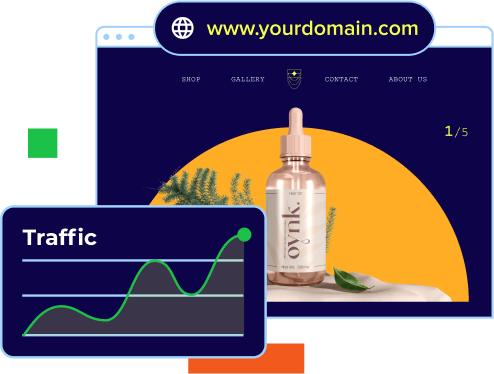
image of presentation deck being built

Increase traffic flow

Direct every visitor to your main site to boost visibility and capture every potential lead.

image showing how to create a logo with different color and font choices

Reduce overall costs

Manage one website across multiple domains without the cost of building and maintaining separate pages.


image showing search bar with a domain name

Ad-free browsing experience

Forward visitors to your website without pop-up ads, third-party branding or distractions that can hurt trust and conversions.

image of presentation deck being built

Protect brand identity

Secure your domain names and prevent competitors from using similar names that could impact your brand.

image showing how to create a logo with different color and font choices

Support SEO strategy

Use 301 redirects to preserve search rankings, consolidate link equity and avoid duplicate content issues during migrations or rebrands.

Set up domain forwarding in a few simple steps

Follow these simple steps to forward a domain and start directing your traffic right away.

Step 1

STEP 01

Go to domain settings


Sign in to your Bluehost Account Manager and navigate to the Domains section. Select the domain you want to forward from your list of registered domains.

Step 2

STEP 02

Enter your destination URL


In the domain forwarding settings, enter the full destination URL (the website where you want your visitors to land). Make sure to include https:// for a secure redirect.


Step 3

STEP 03

Save the details and go live


Choose your redirect type (301 for permanent, 302 for temporary), save your changes and you're done. DNS propagation typically takes a few minutes to 48 hours.


Find the perfect domain

Don’t have a domain yet? Search and secure one before forwarding it.

Forward your domain and
try customer favorites

There’s a reason WordPress.org has recommended Bluehost for over two decades. Enjoy the tools that simplify WordPress creation.

Domain Privacy + Protection

Mask your personal information and protect yourself from spam, fraud, and more.

Domain Privacy + Protection

expiration

Domain Expiration Protection

Keep your domain safe if something unexpected happens and you’re unable to renew.


AI Domain Name Generator

Generate unique domain names for your business using the power of AI.

generator

Why choose Bluehost for domains?

Bluehost gives you a reliable platform to register, manage and protect your domain with flexible controls, built-in security and trusted support.

Easy domain management: Manage all your domains from a single dashboard. Update DNS records, edit contact details, set up domain forwarding and connect your domain to websites, email or third-party services anytime.


Flexible DNS control: Access and manage DNS records including A, CNAME, MX and TXT records with full control over your domain configuration.


Seamless connections: Easily connect your domain to hosting, email services or external platforms whenever you’re ready to build your website.

Domain Lock: Protect your domain from unauthorized transfers or changes by enabling domain lock directly from your account.


Domain Expiration Protection: Prevent accidental domain loss with automatic safeguards that strengthen your domain ownership protection even if you miss a renewal.


Domain Privacy Protection: Keep your personal contact information out of public WHOIS records with proxy information and maintain professional credibility.

Simple setup: Register your domain in just a few steps and start managing it instantly from your Bluehost dashboard.


Renewal control:Choose between manual or auto-renewal options and manage your domain lifecycle with ease.


Easy updates: Modify nameservers, update WHOIS details or transfer your domain anytime without complex processes.

Wide range of TLDs: Choose from popular and niche extensions to match your brand or business.


Domain transfer services: Easily bring your domain to Bluehost or move it when needed.


Scalable add-ons: Add email hosting, security features or website services as your needs grow.

24/7 availability: Our team of experts is available around the clock to help with domain management, security and setup


Expert guidance: Whether you’re updating DNS or transferring a domain, our team is here to support you at every step.

FAQs

Domain forwarding, also known as URL forwarding, is a process that redirects visitors from one domain to another automatically. For example, if you change your website’s primary domain, you can forward your old domain to the new one to ensure visitors land on the correct site.

Domain forwarding is useful when rebranding, consolidating multiple domains or creating simple URLs for campaigns, ensuring users always land on the correct website without losing traffic.

Domain forwarding works by redirecting traffic from one domain to a specified destination URL. Once configured in your Bluehost dashboard, visitors entering your forwarded domain are automatically sent to your primary website.

Yes, before setting up domain forwarding, you should have access to your domain’s DNS settings through your Bluehost account. Additionally, your domain name registration must be active. You’ll also need the destination URL where you want to forward your domain traffic.

Domain forwarding usually takes a few minutes to set up, but full activation can take up to 24–48 hours due to DNS propagation. In most cases, visitors will start being redirected to the target website almost immediately after configuration.

No, domain forwarding applies only to website traffic. For emails, use Bluehost’s email forwarding feature, which allows you to redirect messages from your domain-based email addresses to other inboxes through your email settings.

To forward a domain, log in to your Bluehost Account Manager, access domain settings and enter the destination URL in the forwarding section. Save changes, and after DNS propagation, your domain will automatically redirect visitors to the new website.

Yes, you can forward multiple domains to a single website. This helps consolidate traffic, strengthen branding and simplify domain management by directing all visitors from different domains to one central destination.

Yes, domain forwarding supports HTTPS destinations. When forwarding a domain, ensure your target website has a valid SSL certificate so users are redirected securely without warnings, maintaining trust and a smooth browsing experience.

Domain forwarding is a type of redirect that sends users from one domain to another. Redirect is a broader term that includes methods like 301 or 302, which define whether the move is permanent or temporary.


Domain forwarding SEO depends on setup. Using a 301 redirect helps transfer rankings and authority, while incorrect configurations or masking can harm visibility. Proper implementation ensures search engines understand and preserve your site’s SEO value.

Use 301 redirects for permanent moves, avoid masking and ensure correct destination URLs. Monitor performance using analytics tools and keep redirects clean to maintain SEO value, improve crawlability and ensure a consistent user experience.

A$2.99/mo A$9.99/mo 70% off
A$5.99/mo A$13.99/mo 57% off
A$6.99/mo A$21.99/mo 68% off
A$21.99/mo A$30.99/mo 29% off
A$8.99/mo A$16.99/mo 47% off
A$220.19/mo A$20.99/mo 33% off
A$20.00/mo
A$2.09/mo A$4.68/mo 55% off
A$65.00/mo
A$140.00/mo
