


Con más de 60 millones de sitios web en Internet que utilizan WordPress, está claro que este popular sistema de gestión de contenidos domina el espacio de desarrollo web. Su popularidad hace que el desarrollo de WordPress sea una habilidad codiciada, que atrae tanto a empresas como a autónomos.
Siempre hay demanda de desarrolladores que puedan mejorar y personalizar los sitios de WordPress. Ya sea que desee monetizar su trabajo o compartir su experiencia de forma gratuita, puede tener un impacto significativo.
Si quieres ser un desarrollador de WordPress, debes aprender los conceptos y habilidades clave para el trabajo. Este blog te mostrará los pasos clave para empezar y te ayudará a convertir tu pasión por este popular sistema de gestión de contenidos en una carrera gratificante.
¿Quién es un desarrollador de WordPress?
Un desarrollador de WordPress se especializa en la plataforma WordPress. Se centran en su estructura y características. Su trabajo puede consistir en mejorar WordPress o desarrollar plugins y temas. También puede incluir trabajar con clientes para crear, personalizar y administrar sitios de WordPress.
El desarrollo de WordPress cubre una amplia gama de habilidades. Algunos desarrolladores contribuyen a la plataforma creando herramientas. Estos incluyen bloques, complementos y temas. Otros trabajan en el propio núcleo de WordPress. Muchos desarrolladores exitosos de WordPress ayudan a los clientes a construir y mantener sus sitios, a menudo haciendo una combinación de ambos.
Quizás te preguntes por qué necesitas desarrolladores. WordPress es fácil de usar, incluso para los no programadores. Es cierto que los usuarios pueden instalar fácilmente plugins, seleccionar temas, crear contenido y ajustar la configuración sin escribir código. Sin embargo, aún surgen desafíos técnicos. Tareas como la seguridad de un sitio, la copia de seguridad de los datos y la personalización de un tema suelen requerir un conocimiento experto más allá del usuario medio.
En resumen, los desarrolladores de WordPress se encargan de las partes complejas de la creación y gestión de un sitio de WordPress. Muchos usuarios carecen del conocimiento o el tiempo para abordarlos por su cuenta.
¿Qué hacen realmente los desarrolladores de WordPress?
Los desarrolladores de WordPress desempeñan un papel clave tanto en la mejora de la plataforma como en la ayuda a los clientes a alcanzar los objetivos de su sitio web. Sus responsabilidades pueden variar mucho según el proyecto, el empleador o el tipo de sitio web de WordPress en el que estén trabajando. A continuación se presentan algunas de las tareas principales de las que puede encargarse un desarrollador de WordPress:
Creación de plugins, temas o módulos personalizados Los desarrolladores crean funciones para las necesidades específicas de un cliente. Esto incluye temas únicos y complementos avanzados que amplían las capacidades del sitio web.
Diseño de mapas de sitio o wireframes para sitios web: Los desarrolladores a menudo comienzan planificando la estructura de un sitio web. Utilizan mapas del sitio o wireframes como modelo para el aspecto y la función del sitio.
Convertir un sitio web a WordPress: Los desarrolladores ayudan a los clientes a trasladar sus sitios a WordPress. Garantizan una transición suave al tiempo que mantienen intactos el diseño y la funcionalidad.
Los desarrolladores de WordPress a menudo rediseñan los sitios web para aumentar la velocidad y el SEO. Esto mejora la experiencia del usuario y las clasificaciones de búsqueda.
Los desarrolladores inspeccionan regularmente el código del sitio web: Lo hacen para encontrar problemas de rendimiento y garantizar la eficiencia. También corrija cualquier error o problema que surja.
Gestionan tanto las partes visibles del sitio web (front-end) como los procesos del lado del servidor (back-end). Esto garantiza que todo funcione a la perfección.
Gestión de múltiples proyectos: Los desarrolladores a menudo hacen malabarismos con varios proyectos a la vez, manteniéndose organizados y asegurándose de que el sitio web de cada cliente progrese según lo programado.
Comunicación con los clientes: Los desarrolladores deben comprender los objetivos del cliente. También deben proporcionar actualizaciones sobre el estado del proyecto. La comunicación efectiva es clave.
Los desarrolladores a menudo se reúnen con clientes potenciales para discutir ideas de proyectos, ofrecer ideas y describir cómo lograr los objetivos de los clientes.
Soporte y mantenimiento continuos: Esto incluye escaneos de seguridad regulares, copias de seguridad y la solución de cualquier problema técnico que surja después del lanzamiento de un sitio web.
Cómo convertirse en un desarrollador de WordPress
Empieza por aprender lenguajes de desarrollo web esenciales como HTML, CSS, JavaScript y PHP, que son el componente básico de WordPress. Estos son cruciales para cualquiera que se convierta en un desarrollador de WordPress. Configura un entorno de desarrollo local para practicar la creación de temas y plugins personalizados y sumérgete en la comunidad de WordPress para obtener soporte y networking.
Tener conocimientos básicos en codificación y programación es clave, ya que muchos antecedentes educativos pueden ayudar, ya sea a través de la educación formal o el autoaprendizaje. Construya un portafolio sólido que muestre sus proyectos para atraer clientes o asegurar oportunidades de empleo, destacando su conocimiento de codificación y experiencia en lenguajes de programación esenciales.
Aprende lo que puedes crear y personalizar en WordPress
Al desarrollar en WordPress, estás escribiendo código personalizado que interactúa con el sistema central. Lo bueno es que, si cometes un error, el software principal de WordPress permanece intacto. Por lo tanto, puede probar y experimentar libremente sin necesidad de reinstalarlo.
Como desarrollador de WordPress, puedes modificar casi cualquier cosa. Puede cambiar el diseño y la sensación del sitio. Ademáspuede modificar la configuración del administrador. Incluso puede crear nuevas páginas de perfil de usuario. Esencialmente, el único límite es tu conocimiento y ganas de aprender.
Estas son las cinco cosas principales que puede crear un desarrollador de WordPress:
Temas
Los temas controlan el diseño y el estilo de un sitio de WordPress, dándole su apariencia general. Un tema se compone de varios componentes como HTML, CSS, PHP, JavaScript y JQuery. Con más de 31.000 temas disponibles, sigue habiendo una demanda de diseños únicos, por lo que es una gran oportunidad para crear temas personalizados y mostrar tu creatividad. Desarrollar un tema gratuito para el repositorio de WordPress también puede ayudarte a construir tu reputación como desarrollador.
Actualmente, la tendencia es crear temas responsivos de WordPress. Estos temas personalizados utilizan cuadrículas flexibles, imágenes inteligentes y consultas de medios CSS para garantizar que los sitios de WordPress se vean geniales en todos los dispositivos: teléfonos inteligentes, tabletas y computadoras de escritorio grandes.
Complementos
Con más de 54.000 plugins disponibles en el directorio de WordPress, los plugins son una de las características más populares de WordPress. Permiten a los usuarios mejorar las funciones de su sitio web sin cambiar el código central de WordPress, lo que los hace populares entre aquellos con poca o ninguna experiencia en programación.
El desarrollo de plugins depende en gran medida de los ganchos PHP, que permiten que funciones o clases específicas se ejecuten automáticamente en WordPress. Hay dos tipos principales de ganchos, acciones y filtros, y dominar ambos es esencial si quieres crear plugins efectivos.
Un ejemplo simple pero poderoso de desarrollo de complementos es Easy Google Fonts, que permite a los usuarios personalizar fácilmente la tipografía de su sitio. Los plugins de WordPress más avanzados, como WooCommerce y Yoast SEO, implican una codificación compleja y un uso intensivo de ganchos. El panel de control de Google Analytics es similar, pero muchos complementos más simples, como Search & Filter, ofrecen excelentes funciones con menos complejidad.
Sitios web completos de WordPress
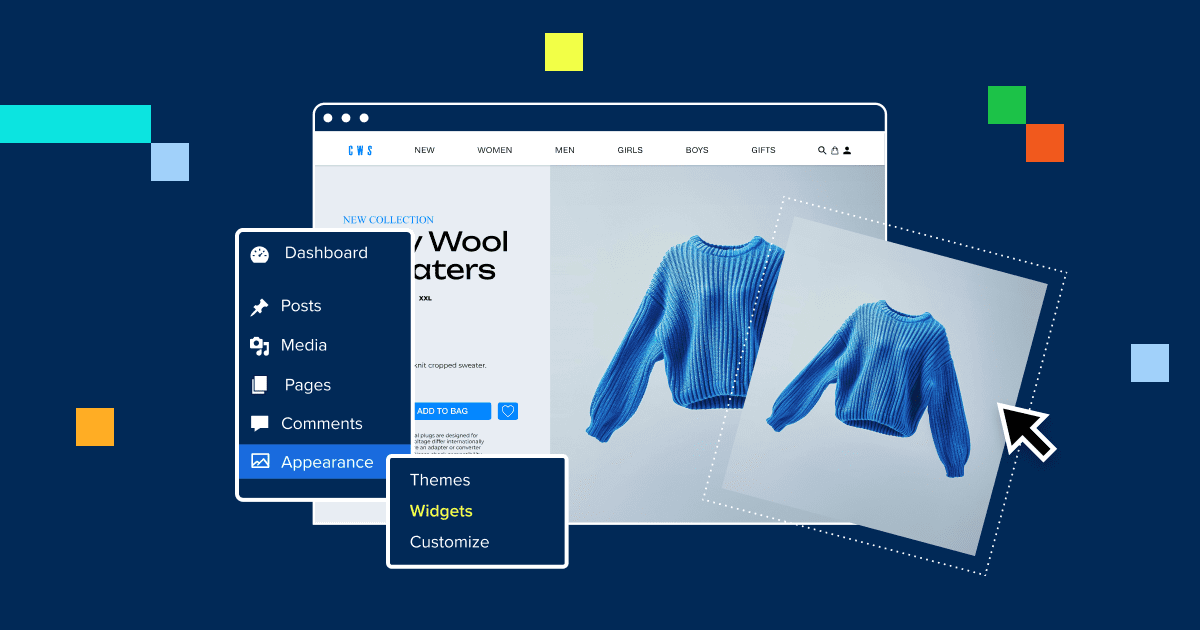
La creación de un sitio web completo de WordPress implica algo más que seleccionar temas y plugins. Como desarrollador web, integrarás temas, plugins y widgets, junto con código personalizado (SASS, CSS, JavaScript y PHP) para crear una página web única adaptada a necesidades específicas, ya sea para un cliente o para tu propio proyecto. Este proceso es una parte clave del desarrollo de un sitio web, ya que requiere experiencia técnica y de diseño.
Los creadores de sitios web como Bluehost, WonderSuite y Squarespace facilitan la creación de un sitio. Sin embargo, todavía existe una gran demanda de diseño web personalizado y desarrollo de sitios web por parte de desarrolladores que pueden proporcionar soluciones totalmente personalizadas.
Una herramienta como Bluehost Website Builder puede simplificar el diseño de una interfaz de usuario impresionante, pero la creación de un sitio requiere algo más que habilidades de codificación. Debes ser creativo, entender el diseño UI/UX y trabajar con archivos de plantilla para conseguir un aspecto profesional. Además, el uso de un alojamiento gestionado de WordPress rápido y seguro garantiza un resultado suave y pulido.
Aplicaciones web que utilizan la API de REST
Una aplicación web es un software dinámico. Se ejecuta en un servidor web y se accede a él a través de un navegador web. Esto lo hace compatible con cualquier dispositivo o sistema operativo, siempre que el navegador lo admita. A diferencia de los sitios web tradicionales, que son en su mayoría estáticos, las aplicaciones web son interactivas y funcionales. Algunos ejemplos populares son Gmail, Google Docs y Facebook.
En 2015, WordPress introdujo su API REST. Es un marco para la comunicación. Permite a WordPress interactuar con otras aplicaciones de servidor web. Piensa en ello como un «puente» que conecta el núcleo de WordPress con sistemas externos.
Domina los conceptos básicos de la API REST. A continuación, utiliza WordPress para crear aplicaciones web. Serán más dinámicos e interactivos que un sitio web estándar.
Aprender un lenguaje de programación
El núcleo de WordPress utiliza lenguajes web clave: PHP y MySQL. Su front-end se basa en HTML, CSS, JavaScript, jQuery y AJAX. Para convertirte en un desarrollador competente de WordPress, tendrás que entender estos idiomas. Echemos un vistazo más de cerca a lo que necesitarás aprender:
HTML (especialmente HTML5)
HTML o lenguaje de marcado de hipertexto es esencial para crear una experiencia de usuario fluida. Garantiza que su sitio web se muestre correctamente en todos los navegadores. Si el código HTML no es válido, es posible que los navegadores malinterpreten el código, lo que hará que partes de la página se muestren incorrectamente.
HTML5 es la última versión. Tiene ventajas sobre HTML4. Es compatible con vídeo y audio, tiene una mejor compatibilidad con JavaScript y añade nuevos elementos.
HTML válido significa seguir la sintaxis correcta. Requiere una estructura documental adecuada, con los elementos en el orden correcto y correctamente anidados. Cada documento HTML debe comenzar con una declaración DOCTYPE. A continuación, añade etiquetas de apertura, una sección de encabezado (con metadatos como los títulos de las páginas) y una sección de cuerpo. Por último, cierre con la etiqueta ».
En HTML, hay tres tipos principales de elementos:
Elementos de flujo: Son elementos de nivel de bloque que forman la estructura de la página, como ‘<Div>`, `<Ul>’ y <pie de página>.
Elementos de fraseo: Son elementos en línea, como ‘<b>’ (negritas), ‘<Yo>’ (cursivas) y ‘<un>’ (enlaces), que se pueden usar dentro de elementos de flujo como párrafos.
Elementos de metadatos: proporcionan información sobre el documento, como las etiquetas ‘<meta>’ en la sección principal.
Por ejemplo, una etiqueta de párrafo (‘
‘) puede incluir elementos en línea como texto en negrita o cursiva, pero no puede contener elementos de nivel de bloque como listas o divs.
Si no estás seguro de si tu HTML es válido, herramientas como el Validador HTML del W3C pueden ayudarte. También puedes usar hojas de trucos HTML para buscar rápidamente la sintaxis y las etiquetas correctas mientras practicas. Con tiempo y paciencia, dominar HTML se vuelve mucho más fácil.
CSS (preferiblemente CSS3)
Las hojas de estilo en cascada (CSS) definen el aspecto y el diseño de tu página web. Controlan cómo se muestran los elementos HTML en la pantalla. Con CSS, puedes aplicar rápidamente estilos coherentes en todo tu sitio web.
Una característica clave de CSS son las consultas de medios. Te permiten personalizar el aspecto de tu sitio en diferentes tamaños de pantalla. Esto es esencial para crear un sitio web receptivo que se adapte sin problemas a dispositivos como teléfonos, tabletas y computadoras de escritorio.
CSS utiliza una sintaxis simple compuesta por dos componentes: selectores y bloques de declaración. Un selector tiene como destino el elemento HTML al que desea aplicar estilo. El bloque de declaración contiene los estilos a aplicar, como colores, fuentes o ajustes de diseño.
La última versión, CSS3, añade varias características nuevas al lenguaje. Agrega diseños flexibles, mejores efectos de texto y soporte para múltiples columnas, entre otras mejoras. Estas actualizaciones facilitan la creación de sitios web modernos y visualmente atractivos.
Si eres nuevo en CSS, escribir estilos personalizados puede parecer intimidante al principio. Por suerte, puedes consultar una hoja de trucos de CSS para guiarte mientras practicas.
Para construir una base sólida, explora los conceptos básicos de CSS en sitios como BitDegree. Pueden enseñarte este idioma esencial rápidamente.
PHP (en inglés)
PHP (Preprocesador de Hipertexto) es un potente lenguaje de scripting utilizado en el desarrollo web. Maneja las tareas del lado del servidor y envía los resultados como HTML, que es lo que los usuarios ven en el front-end. En términos simples, el archivo PHP administra los procesos de back-end, mientras que HTML presenta la salida a los usuarios una vez completadas las tareas.
El núcleo de WordPress se basa en PHP, junto con MySQL para la gestión de bases de datos. PHP es flexible y compatible con la mayoría de los servidores. Puede ejecutarse en casi todos los sistemas operativos. Esto lo convierte en una opción popular para los desarrolladores.
Estas son algunas de las características clave de PHP que utilizarás con frecuencia:
- Variables: Se utilizan para almacenar información, como cadenas de texto o números.
- Matrices: Estos recopilan datos asignados a una variable, lo que le permite almacenar varios valores en un solo lugar.
- Funciones: Estos realizan tareas y devuelven resultados, que se pueden reutilizar o almacenar en variables para su uso posterior.
- Condicionales: Estos le permiten definir acciones en función de ciertas condiciones. Por ejemplo, si una afirmación como 1 == 1 es verdadera, se producirá una acción; Si es falso, se desencadenará una respuesta diferente.
- Operadores de comparación: comparar valores. Cada operador (=, == o ===) afecta a la forma en que se evalúan los condicionales y a los resultados que producen.
Para construir sistemas complejos de POO en PHP, aprende sobre las clases de PHP. Las clases ayudan a organizar las variables y funciones relacionadas de una manera ordenada y estructurada.
Para obtener información más detallada sobre las clases de PHP, puedes explorar la página del Codex de WordPress en Class Reference/WP Object Cache.
MySQL (en inglés)
MySQL es la base de datos que almacena todo el contenido y la información de un sitio de WordPress, incluidas las entradas, las páginas, los datos de los usuarios y mucho más. Siempre que se necesita contenido, PHP lo recupera de las bases de datos MySQL de forma dinámica. Esencialmente, MySQL contiene el contenido, mientras que PHP actúa como puente para mostrar ese contenido en su sitio.
WordPress proporciona un conjunto de funciones PHP para interactuar de forma segura con MySQL, lo que garantiza una recuperación y actualizaciones de datos sin problemas. Algunas de estas funciones utilizan sentencias SQL estándar, mientras que otras se basan en matrices para procesar la información.
Para obtener más detalles sobre cómo WordPress interactúa con las bases de datos MySQL, puede consultar la clase wpdb en el Codex para desarrolladores de WordPress.
JavaScript
JavaScript es un lenguaje de scripting clave que se utiliza para mejorar la interactividad del sitio web. Le permite cambiar cómo se comporta el contenido en una página, como mostrar texto solo después de que un usuario haga clic en un botón. JavaScript transforma el HTML estático en una experiencia web interactiva.
Puede incrustar JavaScript directamente dentro de un archivo HTML y se ejecutará automáticamente cuando se cargue la página. JavaScript también se integra a la perfección con CSS, lo que le brinda aún más control sobre el aspecto y el comportamiento de su sitio.
JavaScript se ejecuta principalmente en navegadores web, pero puede ejecutarse fuera de ellos mediante Node.js. Esta herramienta le permite usar JavaScript para tareas como administración de bases de datos, aplicaciones móviles y robótica.
Para los desarrolladores de WordPress, aprender JavaScript es esencial. Comprender cómo agregar JavaScript correctamente a WordPress es crucial, ya que un uso inadecuado puede generar conflictos que afecten el rendimiento del sitio. Puedes encontrar más detalles sobre este tema en la sección Uso de JavaScript del Codex de WordPress.
jQuery y AJAX
jQuery es una biblioteca de JavaScript ampliamente utilizada que simplifica tareas como la manipulación de páginas web, la creación de animaciones y la gestión de CSS con un código más limpio y fácil de leer. Al aprender jQuery, puede optimizar grandes proyectos de JavaScript y acelerar el desarrollo. Ofrece funciones útiles como ocultar elementos HTML, crear efectos de deslizamiento y más.
Además, AJAX (JavaScript y XML asíncronos) es una técnica que permite la transferencia de datos sin tener que volver a cargar una página, lo que hace que los sitios sean más interactivos. Por ejemplo, AJAX permite que los resultados de búsqueda en vivo aparezcan instantáneamente sin actualizar la página.
WordPress utiliza AJAX para guardar automáticamente los borradores en el panel de administración para evitar la pérdida de datos. Si bien tanto JavaScript como jQuery pueden ejecutar AJAX, a menudo se prefiere jQuery por su simplicidad. Juntas, estas herramientas ayudan a crear sitios web más receptivos y fáciles de usar.
Configuración del entorno de desarrollo
Un entorno de desarrollo bien organizado es crucial para una codificación y pruebas eficientes. Ayuda a acelerar tu flujo de trabajo y garantiza un proceso más fluido al crear y depurar tus proyectos, especialmente cuando trabajas con funciones de WordPress como temas y plugins.
Elegir el editor de código o IDE adecuado
El editor de código adecuado puede mejorar en gran medida su productividad. Algunas opciones populares incluyen:
- VS Code: Un editor ligero y altamente personalizable.
- Sublime Text: Un editor rápido y versátil que admite varios idiomas.
- PHPStorm: Un IDE creado específicamente para el desarrollo de PHP, con soporte para WordPress.
Instalación de un entorno de servidor local
Para crear y probar sitios de WordPress, necesitas un entorno de servidor local. Estas son algunas opciones excelentes:
- XAMPP: Una solución de servidor web gratuita y multiplataforma.
- MAMP: Un servidor local para usuarios de macOS.
- Local by Flywheel: Diseñado específicamente para el desarrollo de WordPress.
Uso de herramientas de depuración: La depuración es una parte fundamental del desarrollo. Herramientas como Xdebug y las funciones de depuración integradas de WordPress pueden ayudarte a identificar y solucionar problemas rápidamente, agilizando tu flujo de trabajo y mejorando la seguridad del sitio web.
La creación de un entorno de desarrollo local es esencial para cualquier desarrollador. Te permite almacenar y probar tu tema, plugin y archivos principales de WordPress directamente en tu ordenador. Si bien parece un sitio web normal en su navegador, los archivos se extraen de su configuración local en lugar de un servidor de alojamiento.
Esto es beneficioso cuando se instala WordPress, se realizan cambios, se colabora con otros desarrolladores y se depuran problemas antes de publicar su trabajo. Puede configurar este entorno manualmente o utilizar una herramienta como Bluehost WonderSuite para automatizar el proceso y agilizar el desarrollo.
Únete a la comunidad de WordPress
Una de las mayores fortalezas de WordPress es su gran y activa comunidad global. A diferencia de otros sistemas de gestión de contenidos, WordPress tiene millones de miembros dedicados a mejorar la plataforma. Puedes conectarte con estos miembros a través de foros de soporte, Slack, reuniones de WordPress o en persona en eventos de WordCamp y otras reuniones en todo el mundo.
Formar parte de esta comunidad ofrece numerosos beneficios. Puede obtener ayuda para solucionar problemas, mantenerse informado sobre actualizaciones y nuevas versiones y establecer conexiones valiosas con otros desarrolladores y usuarios. Interactuar con la comunidad de WordPress, incluida la asistencia a reuniones de WordPress, es una excelente manera de aumentar sus habilidades de desarrollo y mantenerse conectado.
Crear un portafolio
A la hora de solicitar cualquier trabajo, mostrar tus habilidades es clave y esto es especialmente importante en el desarrollo de WordPress. Una de las mejores maneras de «mostrar, no contar» es construyendo un portafolio profesional. Un portafolio sólido que destaque tus proyectos personales y tu proceso de desarrollo puede aumentar tus posibilidades de conseguir un trabajo a tiempo completo o trabajos independientes.
Un buen portafolio profesional puede mostrar una variedad de proyectos de WordPress, como temas personalizados, sitios de comercio electrónico y sitios de reseñas, lo que le permite mostrar su variado trabajo a clientes o empleadores potenciales.
Dicho esto, no siempre es necesario un portafolio, especialmente si has contribuido a proyectos de código abierto como el núcleo de WordPress. En el desarrollo de back-end, los proyectos personales o las contribuciones a proyectos más grandes a veces pueden ser más importantes que un portafolio pulido.
Educación y recursos continuos
Libros y cursos recomendados
WordPress profesional: diseño y desarrollo» y los cursos en línea de plataformas como Udemy y LinkedIn Learning son excelentes para aprender WordPress y desarrollar tus habilidades técnicas. Estos recursos cubren áreas clave necesarias para dominar el desarrollo de WordPress, incluido el diseño, la codificación y la resolución de problemas.
Otra gran opción es la Academia de WordPress de Bluehost, que brinda capacitación en profundidad diseñada para ayudarlo a crear y administrar sitios web de WordPress de manera eficiente. Con lecciones prácticas y orientación experta, la academia lo equipa con el conocimiento para mejorar sus habilidades y agilizar el proceso de creación de su sitio web.
Documentación oficial de WordPress
El Codex de WordPress y los manuales para desarrolladores son los mejores recursos para dominar los aspectos técnicos de WordPress. Sirven como guías oficiales para comprender todo, desde la configuración básica hasta el desarrollo complejo.
Para mantenerse actualizado y mejorar su habilidad esencial, siga blogs como WPBeginner y consulte tutoriales en línea en canales de YouTube como WPCrafter. Además, escuchar podcasts como WP Tavern puede ayudarte a mantenerte informado sobre las últimas tendencias en WordPress. Para un aprendizaje más práctico, considere cursos en línea que profundicen en varias estrategias de escritura de publicaciones de blog y temas de desarrollo avanzados.
Reflexiones finales
Convertirse en un desarrollador competente de WordPress no sucede de la noche a la mañana. Requiere dedicación, aprendizaje continuo y pasión por la resolución de problemas. Pero el esfuerzo vale la pena. No solo tendrás las habilidades para crear y personalizar sitios web poderosos, sino que también te unirás a una comunidad global de desarrolladores que tienen un impacto significativo en la web.
Ahora es el momento perfecto para dar el primer paso. Sumérgete en el aprendizaje, empieza a experimentar con el código y no dudes en ponerte en contacto con la comunidad para obtener ayuda. Con los recursos adecuados, puedes alcanzar tus sueños. Puedes construir una carrera gratificante en el desarrollo de WordPress.
Preguntas frecuentes
No, no es estrictamente necesario un título formal para convertirse en desarrollador de WordPress. Tener experiencia en ciencias de la computación puede ayudar. Sin embargo, muchos desarrolladores exitosos de WordPress son autodidactas.
Lo más importante es un sólido dominio de lenguajes web como HTML, CSS, JavaScript y PHP. Además, ten experiencia práctica con WordPress. Los cursos en línea, los tutoriales y los proyectos prácticos pueden proporcionarte las habilidades necesarias.
Se necesitan diferentes tiempos para llegar a ser competente. Depende de tu experiencia y de cuánto puedas aprender. Si comienzas desde cero, puede llevar meses aprender los conceptos básicos del desarrollo web y WordPress. Para llegar a ser competente, practique de manera constante. Construye proyectos reales y sigue aprendiendo. Estas son las claves del éxito.
Las herramientas esenciales incluyen un buen editor de código o un entorno de desarrollo integrado (IDE) como Visual Studio Code, Sublime Text o PHPStorm. Necesitarás un entorno de desarrollo local como XAMPP, MAMP o Local by Flywheel para crear y probar tus proyectos localmente.
También es importante estar familiarizado con las herramientas de depuración y los sistemas de control de versiones como Git. En cuanto a los recursos, el Codex oficial de WordPress y los manuales para desarrolladores son invaluables, junto con cursos en línea, tutoriales, blogs y foros de la comunidad.
Un portafolio sólido de sus proyectos es vital. Te ayudará a atraer clientes o empleadores. La creación de redes en la comunidad de WordPress puede abrir oportunidades. Asiste a eventos como WordCamps y únete a foros en línea. Las plataformas freelance como Upwork, Freelancer y Fiverr también son vías para encontrar proyectos. Además, contribuir a proyectos de código abierto y mostrar su trabajo.



Escriba un comentario