 ChatGPT,
  Claude,
  Gemini,
  Grok — all four for
Guide to Purchasing Managed VPS Hosting with Bluehost
Bluehost offers Managed VPS Hosting gives you dedicated server resources—CPU, RAM, and storage—without the hassle of server maintenance.
Our Managed VPS (Virtual Private Server) are perfect for the tech-savvy users who wants the server resource but want infrastructure handled for them.
Bluehost handles technical, system-level responsibilities, such as:
- Operating system setup and updates
- Security patches and firewall configuration
- Server monitoring (uptime, performance, issues)
- Web server, database, and control panel support
- Technical support for server-related issues
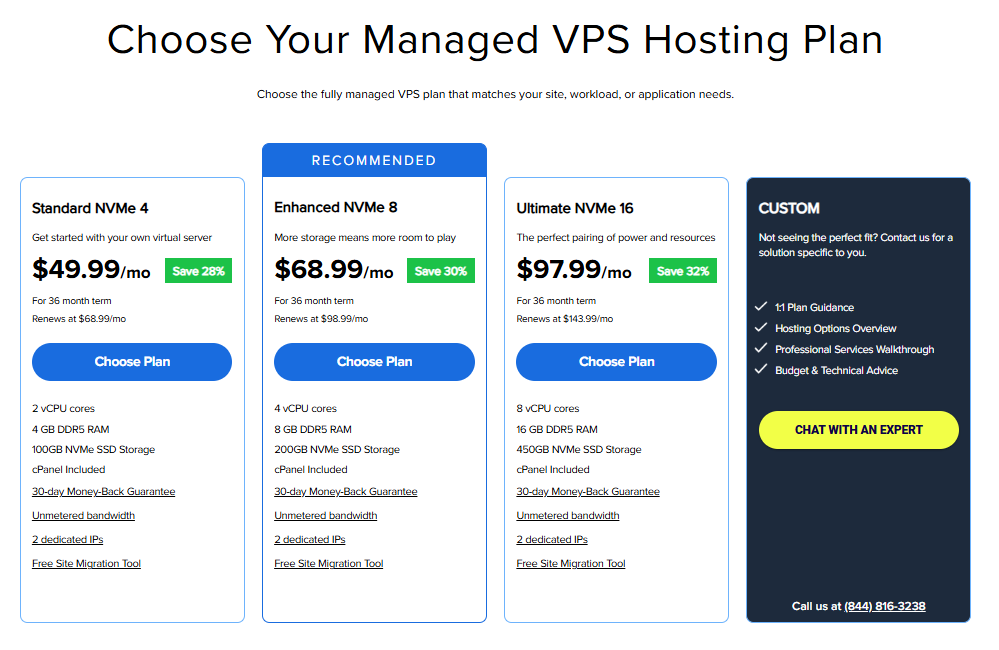
We offer the following Managed VPS hosting plans:
- Standard NVMe 4
- Enhanced NVMe 8
- Ultimate NVMe 16
We have created a video guide to walk you through the steps.
How to Purchase a Managed VPS Hosting
- In your browser, go to https://www.bluehost.com/vps-hosting/managed.
- Click the Choose Plan button for the Managed VPS hosting plan you prefer.
- On the next page do the following:
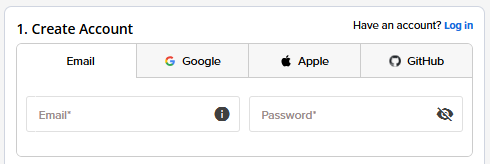
- Create an Account: Create your Bluehost account. You can do this easily by using your email address or by connecting with your Google, Apple, or GitHub account — whichever you prefer!
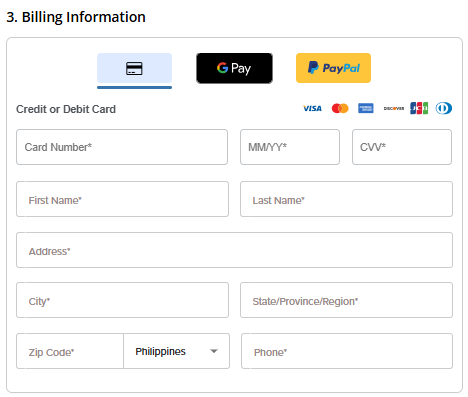
- Billing Information: Select your preferred payment method: credit card, Google Pay, or PayPal. Enter your billing information.
- Create an Account: Create your Bluehost account. You can do this easily by using your email address or by connecting with your Google, Apple, or GitHub account — whichever you prefer!
- In the Shopping Cart section, adjust the terms as needed. Click Submit Payment to complete the purchase.
A 30-day free trial of Professional Email is included with your VPS plan. You can remove the trial from your order if you don't want to use it.
Note: After the 30-day trial, Professional Email renews at the regular price unless you cancel it.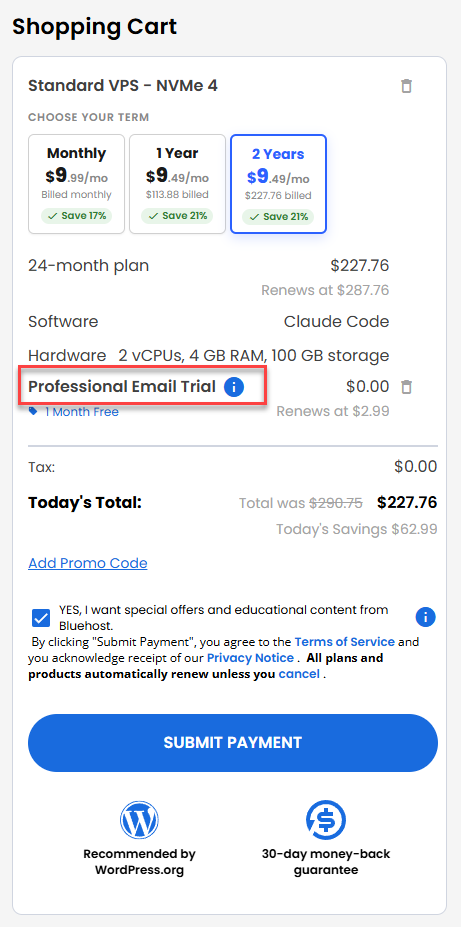
- If you want to removed the 30-Day free trial of Professional Email, you can do so by clicking on the Trash Bin icon.
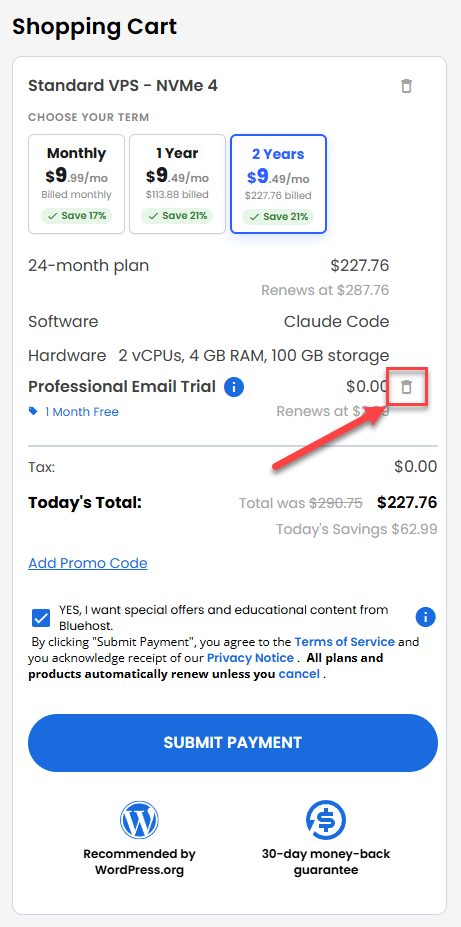
- If you want to removed the 30-Day free trial of Professional Email, you can do so by clicking on the Trash Bin icon.
Post Purchase
You will receive an order confirmation email from Bluehost with information about your account.
Summary
Bluehost’s Managed VPS Hosting gives you dedicated server resources—CPU, RAM, and storage—without the complexity of server management. Bluehost handles updates, security, and performance monitoring, so you can focus on running and growing your website. It’s an ideal solution for businesses and website owners who need more power, reliability, and peace of mind—without managing the server themselves.