 ChatGPT,
  Claude,
  Gemini,
  Grok — all four for
 Where To View Resources for VPS or Dedicated Plans
This guide explains how to check the resource allocations for new VPS accounts (purchased after April 13, 2021) and Dedicated Server accounts (purchased after late November 2020).
Follow these steps to view the specifications of your VPS or Dedicated hosting plan:
- Log in to your Bluehost Portal.
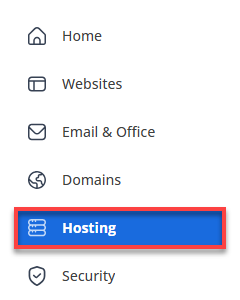
- In the left-hand menu, click Hosting, then select My Plans.
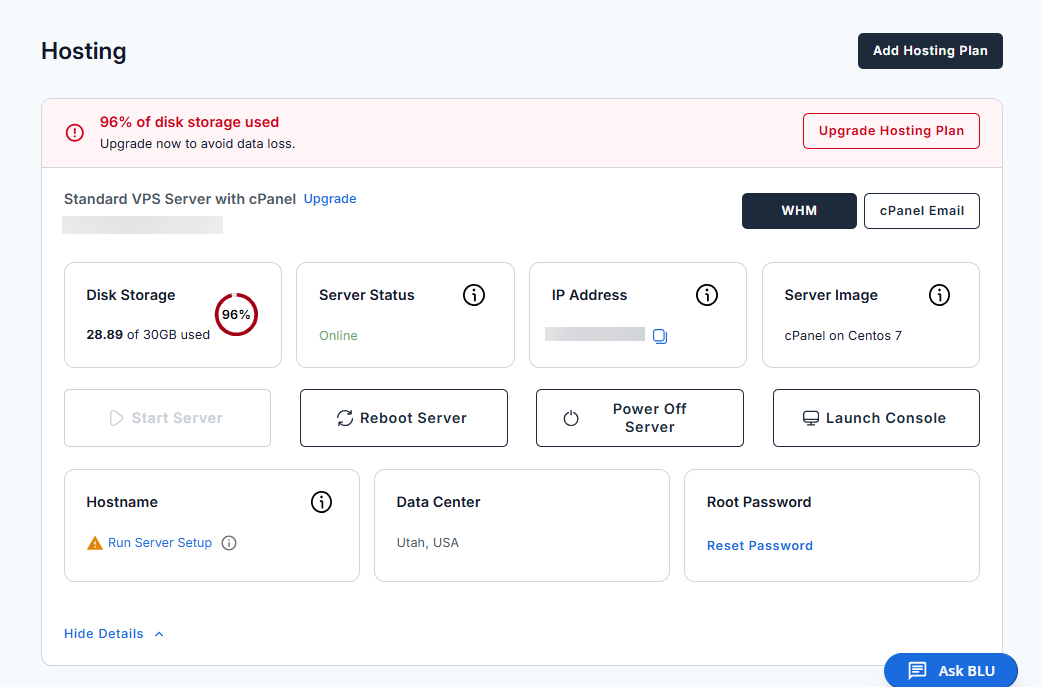
- You will then see a breakdown of your VPS or Dedicated hosting package resources.
Summary
Accessing and reviewing your VPS or Dedicated hosting resource details can be done directly through the Bluehost Portal. By going to the Hosting section and selecting the Resources tab, you can quickly view important specifications such as RAM, disk space, CPU cores, and bandwidth, helping you effectively monitor and manage your server environment.
If you need further assistance, Bluehost Chat Support is available 24 hours a day, 7days a week while Bluehost Phone Support is available 7 days a week from 7 am-12 midnight EST.
- Chat Support - While on our website, you should see a CHAT bubble in the bottom right-hand corner of the page. Click anywhere on the bubble to begin a chat session.
- Phone Support -
- US: 888-401-4678
- International: +1 801-765-9400
You may also refer to our Knowledge Base articles to help answer common questions and guide you through various setup, configuration, and troubleshooting steps.