 ChatGPT,
  Claude,
  Gemini,
  Grok — all four for
 Bluehost Premium DNS
Boost your website's uptime and performance with Premium DNS, which significantly accelerates loading times and protects your site from DDoS attacks. Experience a smoother user experience while effectively safeguarding your site from online threats.
What is Premium DNS?
DNS acts as a directory for the internet by mapping domain names to IP addresses. When DNS experiences timeouts due to high traffic, it can lead to website errors. Premium DNS operates in the background to prevent DDoS attacks and enhance website uptime.
Premium DNS helps your website load quickly, regardless of where your visitors are located. It keeps your site secure and running while also protecting it from harmful attacks, such as DDoS attacks.
Why Premium DNS Matters
- Faster DNS resolution worldwide
- Enhanced protection from DDoS attacks
- Improved uptime during traffic spikes
- Reduced risk of DNS-related outages
Difference Between CDN and Premium DNS
A content delivery network (CDN) cache your website content so it's still accessible if your main host goes down. Premium DNS offers more reliable and secure DNS hosting with DDoS protection at a low cost. Using both together helps improve performance and keeps your site available.
How to Purchase Premium DNS
- Log in to your Bluehost Portal.
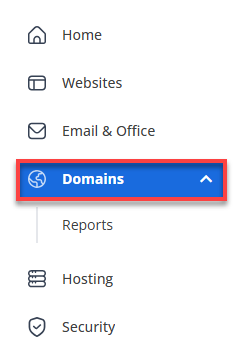
- In the left-hand menu, click Domains.
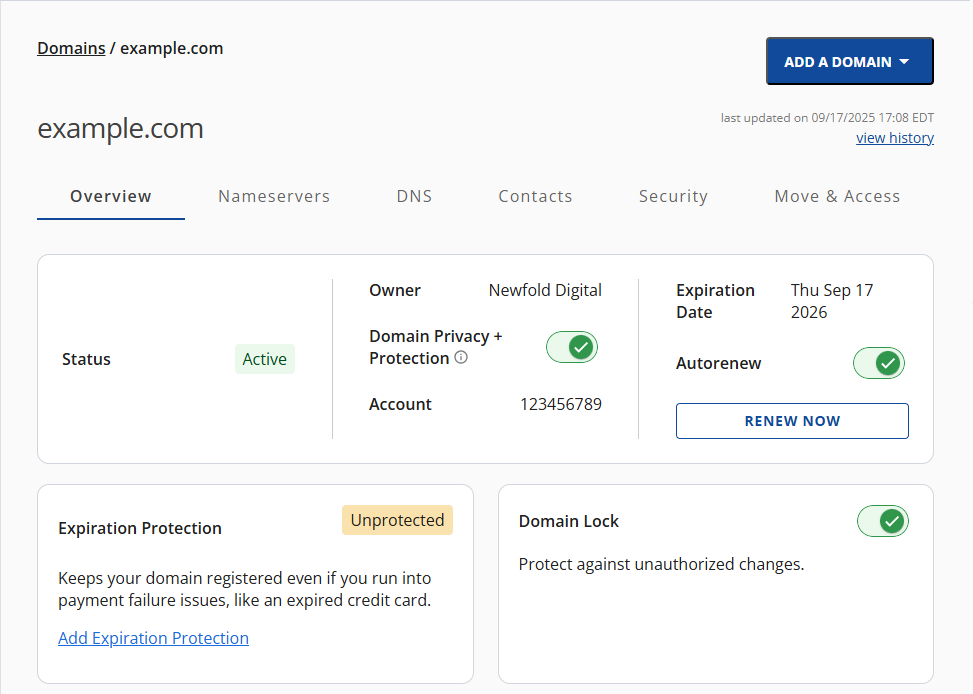
- If you have one domain in your account, you will be taken directly to the domain management panel.
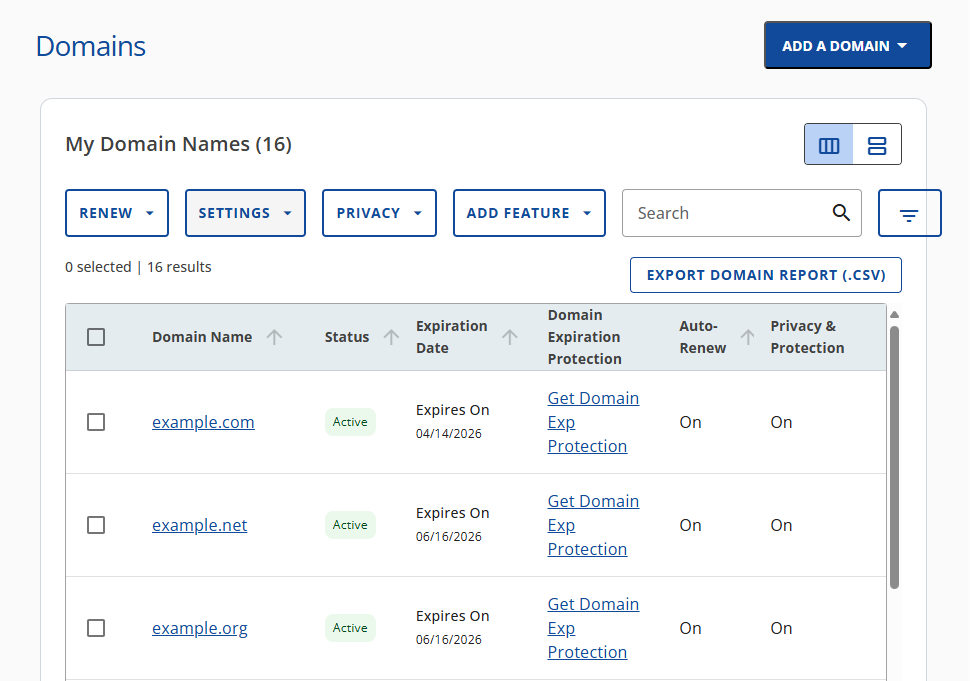
- If you have multiple domains in your account, click the domain you wish to manage to access the domain management panel.
- If you have one domain in your account, you will be taken directly to the domain management panel.
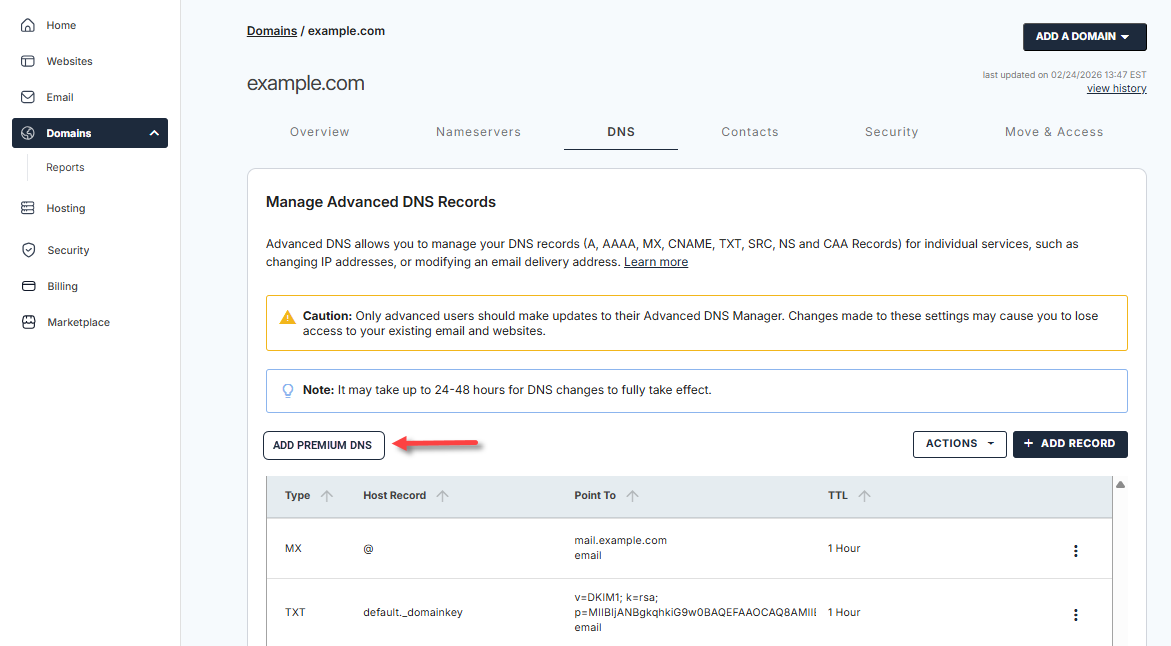
- Click the DNS tab.

- Click the Add Premium DNS button.
- In the pop-up window, click Buy Now to complete the payment process.
Post-Purchase
After successfully purchasing Premium DNS, no further action is required on your part. Your existing DNS records will be copied to the Premium DNS service, and your nameservers will be updated automatically.
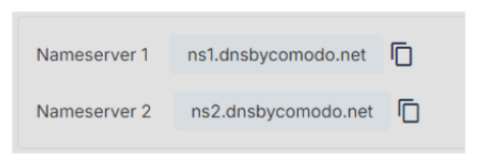
While these are not Bluehost nameservers, your Premium DNS is enabled and managed using the nameservers shown above. If you need to make any changes to your DNS records, you can do so in your DNS management portal.
Important Note for VPS and Dedicated Servers
What Should I Use Instead?
If your website is hosted on a VPS or Dedicated Server, continue using the custom nameservers configured for your server. These nameservers route your domain traffic correctly and allow you to manage DNS records through your server’s DNS management or an external DNS provider. Premium DNS should not be enabled in these environments.
Where Do I Manage My DNS Records?
Your DNS records are managed based on the nameservers your domain uses:
| If your domain uses… | Manage your DNS records… |
|---|---|
| Premium DNS nameservers | Through your Premium DNS management portal |
| Custom nameservers (VPS/Dedicated Server) | Through your server’s DNS management or an external DNS provider |
Frequently Asked Questions
Q: Why can’t I use Premium DNS with a VPS or Dedicated Server?
A: Premium DNS replaces your domain’s existing nameservers. VPS and Dedicated Servers require custom nameservers to route traffic to your server. Replacing them with Premium DNS can prevent your website, email, and related services from working properly.
Q: Will switching to a VPS or Dedicated Server affect my website?
A: No. Moving your website to a VPS or Dedicated Server will not cause issues. However, enabling Premium DNS afterward would replace the required custom nameservers, which could interrupt your website and related services. To avoid service interruptions, continue using the custom nameservers configured for your VPS or Dedicated Server.
Summary
Premium DNS improves website speed and security. It delivers faster load times, helps ensure uptime, and provides protection against online threats. With Premium DNS, your site gains reliability, stability, and a smoother user experience.
If you need further assistance, Bluehost Chat Support is available 24 hours a day, 7days a week while Bluehost Phone Support is available 7 days a week from 7 am-12 midnight EST.
- Chat Support - While on our website, you should see a CHAT bubble in the bottom right-hand corner of the page. Click anywhere on the bubble to begin a chat session.
- Phone Support -
- US: 888-401-4678
- International: +1 801-765-9400
You may also refer to our Knowledge Base articles to help answer common questions and guide you through various setup, configuration, and troubleshooting steps.