 ChatGPT,
  Claude,
  Gemini,
  Grok — all four for
 WordPress Website Builder Overview
WordPress Website Builder is a Bluehost website builder designed to simplify website creation and management. It combines guided setup, customizable themes, eCommerce solutions, and built-in support to help anyone create a professional online presence without coding knowledge. Whether you are building a blog, a small business site, or an online store, WordPress Website Builder brings all the tools together in one place.
Key Features of WordPress Website Builder
-
Website Builder: Used to guide you through the site-building process. By asking a few questions about your business goals, brand, and audience, you can create a tailored experience that ensures your site aligns with your objectives.
-
Customization Tools: With drag-and-drop functionality and real-time editing, customization is effortless. Templates and block patterns can be adjusted to match your brand, giving you complete control over layout, colors, fonts, and content—all without coding.
-
SEO and Performance Optimization: Built-in SEO recommendations and design suggestions help your site rank higher in search engines. From optimizing page titles to structuring content, WordPress Website Builder helps improve visibility and ensure a smooth user experience.
-
Seamless WordPress Integration: Integrates directly within WordPress, enabling users to leverage WordPress's flexibility while enjoying simplified tools for design, content, and eCommerce.
-
Analytics and Insights: Track website performance, user engagement, and traffic behavior through integrated analytics. Real-time data makes it simple to refine your content strategy and design for better results.
Products Included in WordPress Website Builder
Your WordPress Website Builder includes a set of handy tools to help you create, design, and grow your website with ease. Depending on your plan, you'll have features that make it simple to customize your look, manage your online store, and get help right when you need it.
Here is a quick look at what's included in your WordPress Website Builder Start package and how to get started.
WordPress Website Builder Start
Requires an active WordPress installation.
WordPress Website Builder Theme
A versatile WordPress theme built to work seamlessly with Builder Blocks. It provides a clean foundation with pre-designed layouts that can be customized to reflect your brand.
To activate Builder Theme, follow these steps:
- Log in to your Bluehost Portal.
- In the left-hand menu, click Websites.
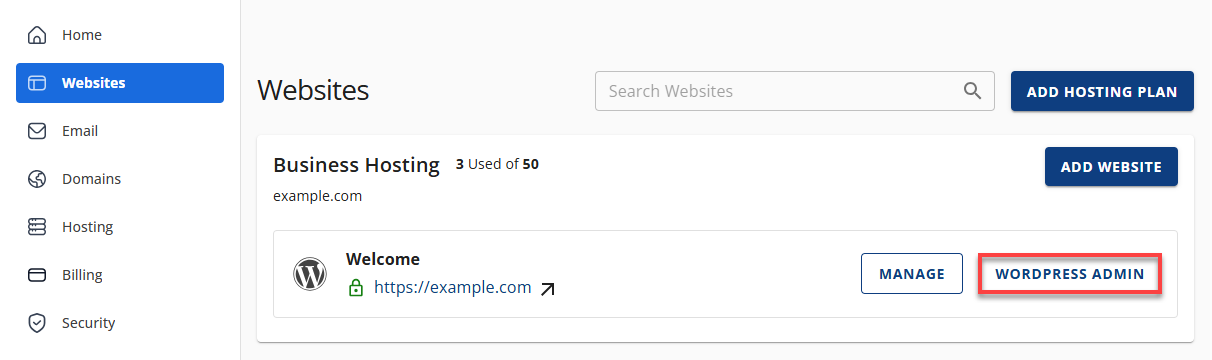
- Click the Edit Site button located next to the website you want to manage.
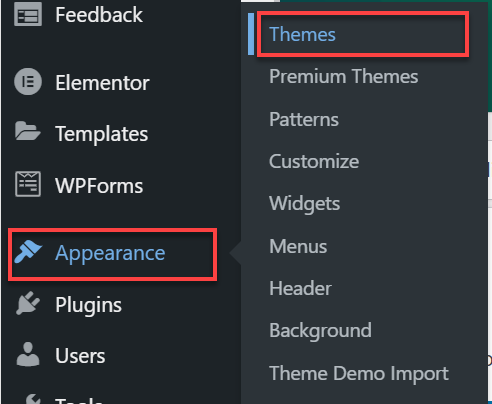
- In your WordPress dashboard, click Appearance in the left menu, then select Themes.
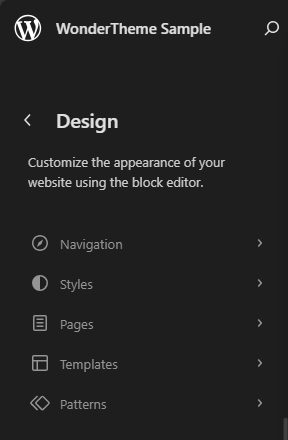
- On your active theme, click Customize.
- The WordPress Customizer will open, where you can modify the navigation, style, pages, templates, and patterns.
WordPress Website Builder Blocks
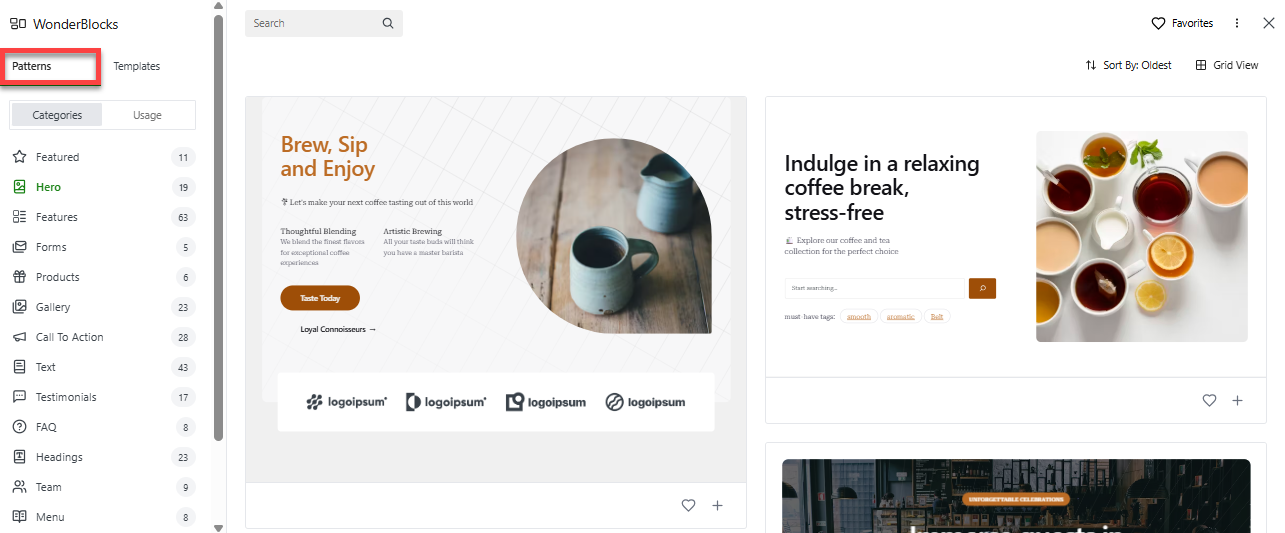
A library of block patterns and templates is available for you based on the inputs you provided during setup. You will find ready-made sections, such as hero banners, service highlights, and testimonials. You can insert and customize these patterns directly in the WordPress Editor.
To use Builder Blocks, follow these steps.
- Edit a page or post in the WordPress Block Editor.
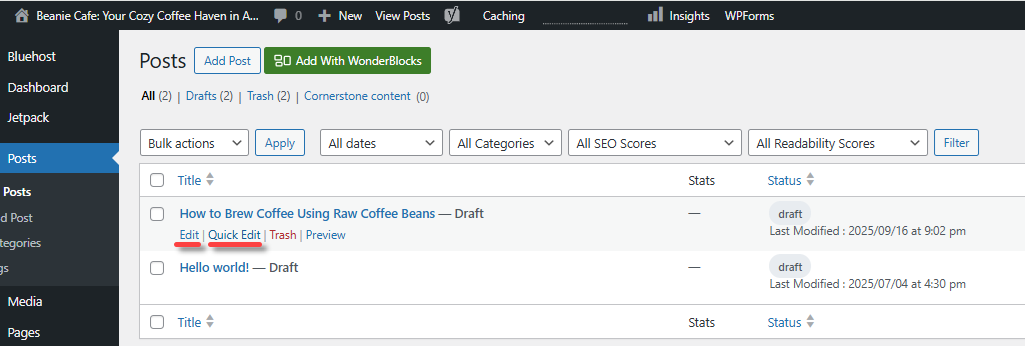
- Click WonderBlocks in the top menu.

- Under the Patterns tab, choose a WonderBlock design and customize it to fit your content.
WordPress Website Builder Cart
Equips online store owners with tools to maximize sales. Integrated within Bluehost’s Online Store plans, it supports cross-selling, upselling, and promotional discounts to boost revenue.
To use Builder Cart, follow these steps.
- Within your WordPress dashboard, select Products.
- Add/select the product you want to edit and open its settings to enable cross-sell or upsell.
- Next, go to Marketing, then Coupons, to create a promotional campaign.
- Preview the changes to confirm they display correctly in the store.
WordPress Website Builder Help
A guide built into the site editor. It answers questions directly in WordPress, providing step-by-step instructions without requiring an external search.
To use Builder Help, follow these steps.
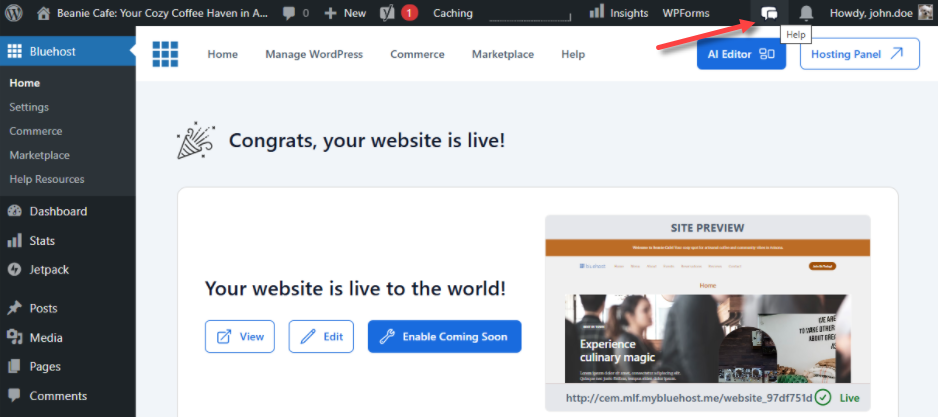
- Within your WordPress dashboard, click the Help icon at the top of the page.
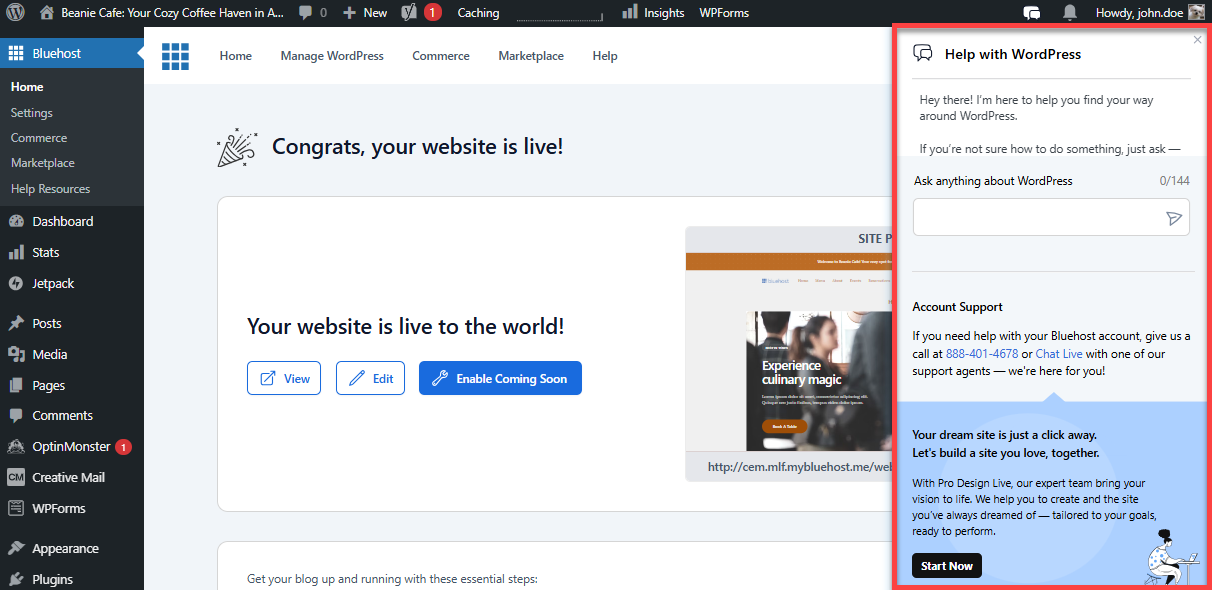
- Enter a question, such as "How do I create a blog page?"
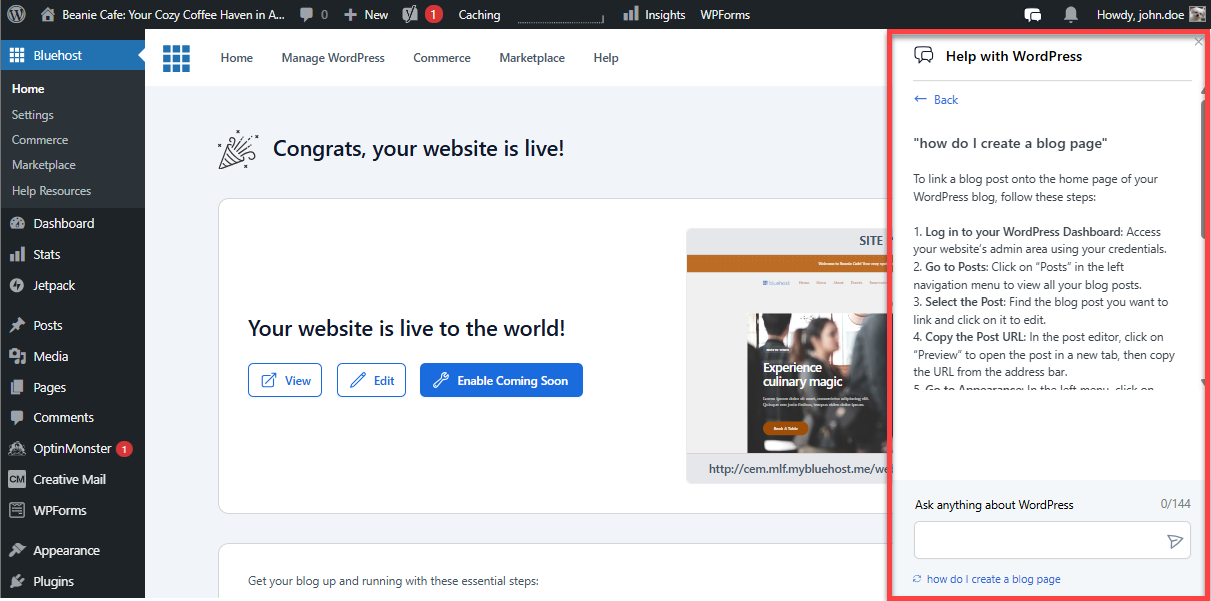
- Follow the interactive instructions to complete the task.
Why Use WordPress Website Builder?
Works well for both beginners and experienced users. Small business owners can quickly set up their online presence, bloggers can create custom websites, and eCommerce owners can grow their sales with built-in marketing tools. By combining hosting, design, optimization, and analytics all in one place, WordPress Website Builder helps you manage your WordPress site more easily.
Summary
WordPress Website Builder includes everything you need to build, customize, and grow your website. Builder Start guides you through setup; Builder Theme and Builder Blocks let you design your site; Builder Cart helps you increase sales; and Builder Help offers support. From setup to SEO, WordPress Website Builder gives you a complete solution for a professional online presence.
If you need further assistance, Bluehost Chat Support is available 24 hours a day, 7days a week while Bluehost Phone Support is available 7 days a week from 7 am-12 midnight EST.
- Chat Support - While on our website, you should see a CHAT bubble in the bottom right-hand corner of the page. Click anywhere on the bubble to begin a chat session.
- Phone Support -
- US: 888-401-4678
- International: +1 801-765-9400
You may also refer to our Knowledge Base articles to help answer common questions and guide you through various setup, configuration, and troubleshooting steps.