

Key highlights
- Learn proven strategies to enhance website user experience and keep visitors engaged through intuitive design and seamless navigation elements.
- Discover how optimizing page speed and mobile responsiveness directly improves user satisfaction and reduces bounce rates on websites.
- Understand the critical elements of effective website navigation that help users find information quickly and improve overall experience.
- Explore practical techniques for improving website accessibility and creating inclusive experiences that serve all users effectively and efficiently.
- Know the essential tools and methods to measure user experience success and implement data-driven improvements for your website.
Let’s be real – your website visitors are everything to your business. That’s why nailing your user experience (UX) design isn’t just nice to have, it’s absolutely critical to your success.
Think about your own browsing habits for a second. When was the last time you stuck around on a clunky, unattractive website with poor performance? Exactly. Your visitors feel the same way if they’re frustrated with your site, they’re simply not coming back.
And the data backs this up too. Usability Geek’s founder, Justin Mifsud, shares that 88% of online customers avoid returning to a website after one bad website experience. So, with that in mind, here are eight ideas to help you get started on improving your user experience.
Importance of improving your website’s user experience
Your users need to feel at ease with your site. That’s why you need to improve the user experience on your website to help your users find their way around. You need to guide them through your online store and enable them to make their choice.

For example, you may be running an online store where you sell high-demand designer clothes. But if people fail to reach the checkout, they’ll give up and leave. This could be because they don’t know where the buttons are or because your site is too slow.
Did you know that seventy percent of consumers dislike buying a product from a website that suffers from slow loading times? That’s why you need to ask yourself: how can I deliver a quality experience?
What makes a great website user experience
Creating a great website user experience is about more than just choosing the right color palette or catchy headlines; it is defined by how easily and pleasantly visitors can interact with your content. At its core, excellent UX balances usability, accessibility and overall user satisfaction to ensure every visitor feels welcome. For small business owners and content creators, this means building a digital space where users can intuitively find what they need without frustration. When you focus on these foundational elements, you establish an emotional connection that builds credibility and trust, turning first-time visitors into loyal advocates.
It’s easy to get caught up in visual design, but you must balance aesthetics with seamless functionality to truly improve user experience. A beautiful site that is difficult to navigate will ultimately fail to convert. By prioritizing a user-centric approach, you directly influence critical business metrics like engagement rates and customer retention. Understanding these principles helps you improve your website by ensuring it serves your audience’s needs effectively. Before diving into specific tactics, recognize that a positive experience is the key to moving users from simple awareness to making a purchase decision.
Website’s user experience: factors
These are a few points instrumental to creating a quality user experience:
- Architecture: The planning and layout.
- Navigation: How the user navigates to different sections.
- Performance: Loading time and errors.
- Design: Look and style.
- Content: What’s featured.
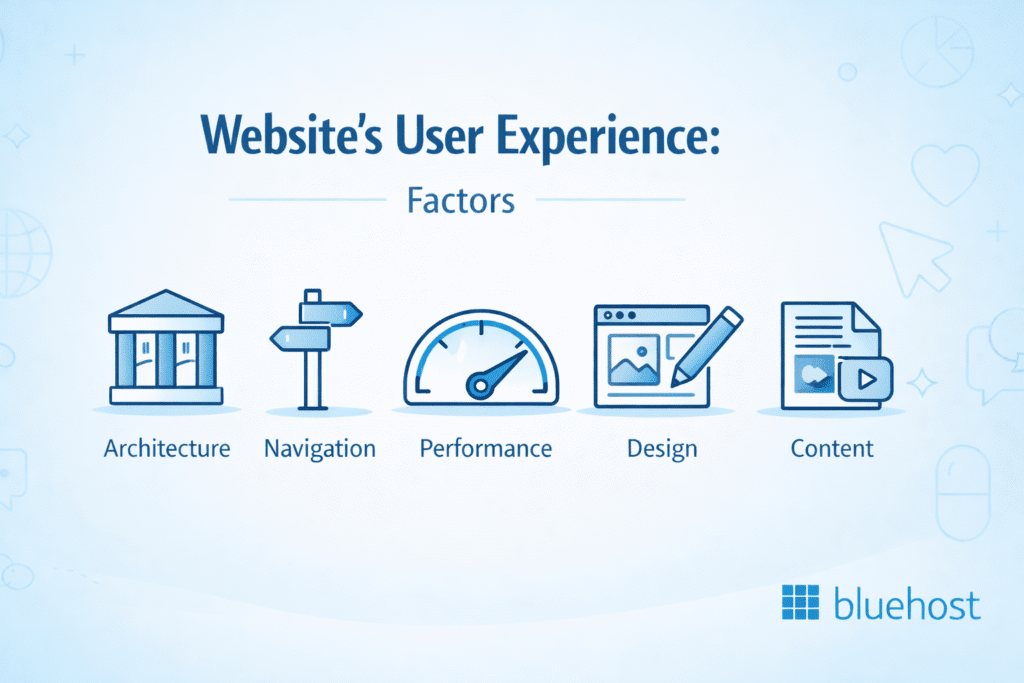
Let’s see how you can improve your user experience by working on these factors.
Key website elements that impact user experience
Building a site that truly resonates with visitors goes beyond simple aesthetics; it requires a holistic approach to design and functionality. To significantly improve your website and its user experience, you must ensure every component works together to reduce friction. By addressing these critical elements, you can bridge the gap between knowing what works and implementing changes that transform casual visitors into loyal customers.
- Structure and Visual Consistency: A logical information architecture paired with consistent branding allows users to navigate intuitively. This clarity reduces cognitive load, making it easier for visitors to find exactly what they need without frustration.
- Content and Interaction: High-quality, readable content answers user questions efficiently, while strategic interactive elements and clear calls-to-action guide them naturally toward the next step in their journey.
- Technical Performance: Fast page loading speeds and seamless mobile responsiveness are non-negotiable. Users expect your site to load instantly and function perfectly, whether they are on a desktop or a smartphone.
- Trust and Accessibility: Visible security signals (like SSL) and strict adherence to accessibility standards ensure every visitor feels safe and welcome. This inclusivity fosters the confidence users need to engage with your brand.
How to improve user experience on your site
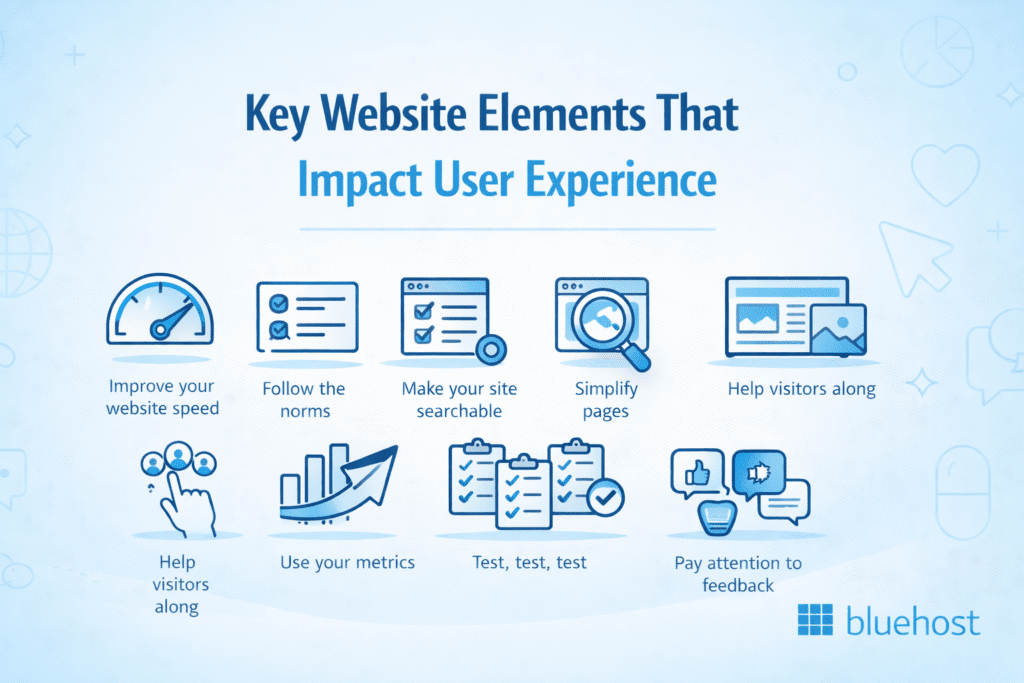
Is your website struggling to keep visitors engaged, with high bounce rates and low conversions that are hurting your business growth? Improving your website’s user experience is crucial for converting visitors into customers and the good news is that enhancing website UX doesn’t have to be complicated or time-consuming. In this section, we’ll walk you through practical, actionable strategies to improve your website’s user experience and help your business thrive online.
- Improve your website speed
- Follow the norms
- Make your site searchable
- Simplify pages
- Help visitors along
- Use your metrics
- Test, test, test
- Pay attention to feedback
Improve your website speed
You don’t want to wait half a minute for a page to load. And neither does your audience. Slow page load times affect visitors who want to skim through your webpage, causing you to lose visitors. It’s also bad for SEO as it’s one of the core signals Google uses for ranking.
Increase your website speed to avoid losing potential customers. To help you achieve this, you can work on:
- Minimizing code such as Javascript, CSS and HTML to reduce computations on the backend
- Enabling compression to decrease page elements’ size
- Image optimization to reduce the time it takes to load visuals
- Reducing redirectchains to reduce extra waiting time for the user
- Avoid unnecessary widgets and extras.
Use tools like GTmetrix and Google’s PageSpeed Insights to ensure that everything’s running.
Follow the norms
It’s okay to be original. But there are certains norms that people are used to that might be smart to follow. For example, your header logo is the ideal point for users to return to your homepage. It operates as a beacon for lost visitors. They can click it and start again.
Similarly, you can focus on these other common standards of web design to make it easier for your users to find what they need:
- Separated sidebars: Your sidebars should stand out from the rest of the content. Manage the white space around them and make sure they don’t blend in.
- Clear and simple text: Use button text like ‘About’ or ‘Contact Us.’ Don’t overcomplicate text when directing users around your website.
- Keep navigation standard: Buttons for navigation must be obvious to the user. Some experimentation can be good, but ensure that it isn’t negatively impacting your readability.
- Make use of your footer: You can find easy-to-implement footers through WordPress. They’re perfect for guiding lost visitors.
Make your site searchable
Your website visitors know what they are looking for. Enable them in their search by adding search bars to your site. Our tip? The Google Custom Search. It’s one of the best free tools because it uses Google’s search. Smaller blogs can also use keyword tag clouds.
With custom searches, you’re helping your visitors and yourself. Because all those search terms act as valuable data, providing you with feedback on what people are searching for.
Simplify pages
Ever visited a website with widgets, multiple pop-ups and a video that started to play? It can be much, right? The truth is that cluttered websites push visitors away. Because customers have to wait for everything to load while handling pop-ups and (sometimes) excessive noise.
In addition, Web Credibility Project shares that users consider a well-designed website to be more credible. So, strip down your website design to the bare essentials. Avoid sidebars filled with ads or conflicting calls to action. Less is always more.
Quick tips
If you’re a beginner and having a hard time structuring your website pages, a website builder can help. It simplifies website building by providing templates and color palettes. It enables you to build a website that looks good on all screens.
You can also:
- Limit your color scheme
- Reduce the number of pages
- Focus on the essentials
- Fit only necessary information on the landing page
Optimize your homepage for maximum impact
Your homepage acts as your digital storefront, making it crucial to improve your website for that first impression. Start by placing a clear value proposition above the fold so visitors instantly understand your purpose. Ensure intuitive navigation guides them to key pages and position your primary calls-to-action where they naturally catch the eye to drive engagement.
To further improve user experience, balance visual appeal with fast loading times by optimizing hero images. Don’t forget to display trust signals like testimonials and security badges to build credibility. Finally, use white space effectively to avoid clutter. The Bluehost website builder can streamline this process, offering mobile-responsive templates that ensure your website experience is seamless and professional across all devices.
Help visitors along
UX Consultant and author Steve Krug said, “Don’t make me think” when talking about website navigation. So make sure your users understand what’s happening at all times. Nobody wants to decipher each page, reaching dead links and errors with no descriptions.
That’s why you should use placeholder and error messages to simplify text fields. After all, you don’t want a visitor to stop at a checkout page because of confusing directions.
Use your metrics
Metrics let you know how people interact with your website and how they find it. You can use metrics to understand user behavior. A good user experience is always defined by listening to the customers.
Common metrics include:
- SEO ranking: See how much of your traffic is arriving through different search terms. Once you have this data, you can focus on what’s working.
- Bounce Rate is the number of people leaving as soon as they arrive. Examine the pages this is happening to and see how you can improve them.
- Referrals: Which pages are linking the most traffic to your website? See who’s providing a source of visitors and work on increasing it.
- Conversion Rate: When it comes to eCommerce, you want to know if visits are converting into sales. A clear look at the metrics can display your total conversions.
Make full use of the metrics as the data they provide is invaluable. For instance, if people are leaving on a particular page, it might be time to overhaul or delete it.
Test, test, test
Though mobile devices accounted for 58% of global website traffic during the first quarter of 2023, people still access websites through mobile apps and devices. So your website must run well for all of them. That’s why you should aim for a responsive website that ensures your content adjusts itself to any screen size without any issue.
Test your website for usability on both desktops and mobile devices. The earlier you discover issues, the earlier you can iron them out.
Testing comprises four stages:
- Unit Tests: You inspect every element and check if they’re all working the way they should.
- Integration Tests: You look at how everything works together. Test a group of pages one after the other.
- System Tests: You test the system as a whole. It includes factors such as stress testing, which ensures that the system can manage the pressure.
- Acceptance Tests: You get people to try your website and evaluate how they handle it.
Pay attention to feedback
Website owners often overlook their most valuable resource: their users. Whether you’re a large or small business, users can always help test your product. They can help you catch bugs and other usability issues. They can find issues you’d never have found otherwise. Plus, you may receive a first-hand account from your target audience this way.
Online surveys are one way of gaining feedback. You can try:
Just keep in mind that you have to be open to feedback. Once you are, you can find feedback everywhere. For instance, you could find a hidden gem in the comments, leading to a complete redesign that’s far more fitting.
UX strategies that boost conversions
Improving your website user experience is a critical business strategy that directly influences revenue. When potential customers are in the consideration stage, friction is the biggest barrier to a sale. You can significantly boost conversions by streamlining your checkout or signup process to request only essential information, as complicated forms often cause users to abandon their carts. Strategically place clear calls-to-action throughout your site to guide visitors naturally toward the next step, ensuring they never have to guess how to purchase your product or service.
To move users effectively into the decision stage, you must build confidence and motivation. Incorporate social proof elements that enhance user experience like user testimonials and trust badges and visible security indicators to reassure visitors that their data is safe. Furthermore, create compelling landing pages with benefit-driven copy and use ethical urgency, such as limited-time offers, to encourage action. By ensuring consistent messaging across all touchpoints, you create a seamless journey that transforms casual browsers into loyal customers. Investing in these targeted UX improvements is often the most effective way to see immediate growth in your business metrics.
Effective methods for collecting user feedback
To effectively improve user experience, combine qualitative and quantitative insights. Deploy non-intrusive on-site mechanisms like feedback widgets, exit-intent surveys and live chat to capture sentiment without disrupting navigation. Supplement this with behavioral data using heat maps and screen recording tools like Hotjar to visualize specific user struggles. Don’t overlook off-site channels; monitor social media reviews and send email surveys to existing customers for deeper context. Platforms like UserTesting provide valuable real-time feedback on usability. Crucially, you must close the feedback loop by analyzing this data and implementing changes that directly address user pain points.
Final thoughts
Improving website user experience is an ongoing journey that requires attention to every detail. From optimizing page load speeds and navigation structure to selecting the right typography and color schemes, each element plays a crucial role in how visitors interact with your site. Remember that user experience extends beyond visual design—it encompasses meta titles, mobile responsiveness, accessibility features and intuitive functionality.
As you implement these strategies, always keep your users at the center of every decision. Monitor their behavior through analytics, gather feedback and continuously test different approaches. Small improvements can lead to significant increases in engagement, conversions and customer satisfaction. Start with the basics, measure your results and refine your approach based on real user data. Your commitment to enhancing user experience will ultimately determine your website’s success.
Improve website user experience with fast loading speeds. Choose Bluehost WordPress hosting for reliable performance and enhanced results today.
FAQs
Website user experience refers to how visitors interact with and perceive your site. It encompasses design, navigation, page speed, content quality and accessibility. Good UX keeps visitors engaged, reduces bounce rates and improves conversions by making your website intuitive and enjoyable to use.
Mobile responsiveness ensures your website adapts seamlessly to different screen sizes. With over 60% of web traffic from mobile devices, a responsive design provides optimal viewing experiences across smartphones and tablets, improving accessibility, engagement and search engine rankings significantly.
Page speed directly impacts user satisfaction and retention. Websites loading in 2 seconds or less have better engagement rates. Slow loading times frustrate visitors, increase bounce rates and harm SEO rankings. Optimizing images, using caching and quality hosting significantly improves performance.
Streamlined website navigation is essential for how to improve user experience on website effectively. Well-organized menus, clear page hierarchies and intuitive design patterns minimize user frustration and reduce cognitive load. Strategic navigation design directly improves time on site, boosts page views and empowers visitors to accomplish their goals with minimal friction.
To improve user experience on your website, monitor essential performance metrics including bounce rate, time on page and conversion rates using tools like Google Analytics and heatmaps. Track page speed scores and mobile usability while conducting A/B testing to compare different design approaches. Regularly analyzing user feedback and these key data points helps you identify pain points and validate which UX improvements deliver the best results for your visitors.