 ChatGPT,
  Claude,
  Gemini,
  Grok — all four for
 Index Manager
The Index Manager is a feature that lets you control how directories are displayed when accessed over the web. It offers you several options to tailor this browsing experience. You can choose the default view, which displays the directory’s contents in a simple, standard format. Alternatively, if you prefer that the files within your directory remain private and not visible to those who navigate to its web address, you can select the option for no indexing. This prevents the server from listing the files, making the directory content un browsable.
Additionally, two types of indexing are available, which allow for some customization in how the directory contents are listed when indexing is enabled. This feature is handy for managing access and visibility of the contents on a web server, ensuring you can control who can see the files in your directories.
Accessing Index Manager
- Log in to your Bluehost Portal.
- In the left-hand menu, click Hosting, then select My Plans.
- On the hosting details page, click the cPanel button.
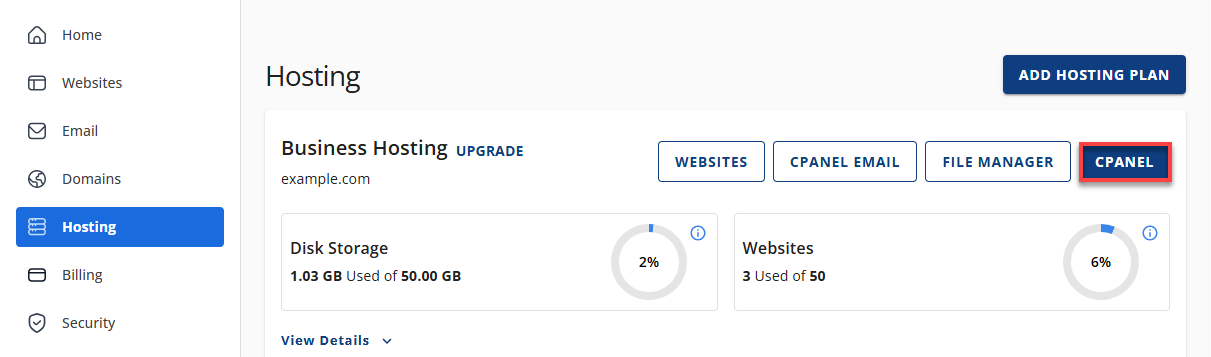
- Your cPanel will open in a new tab.
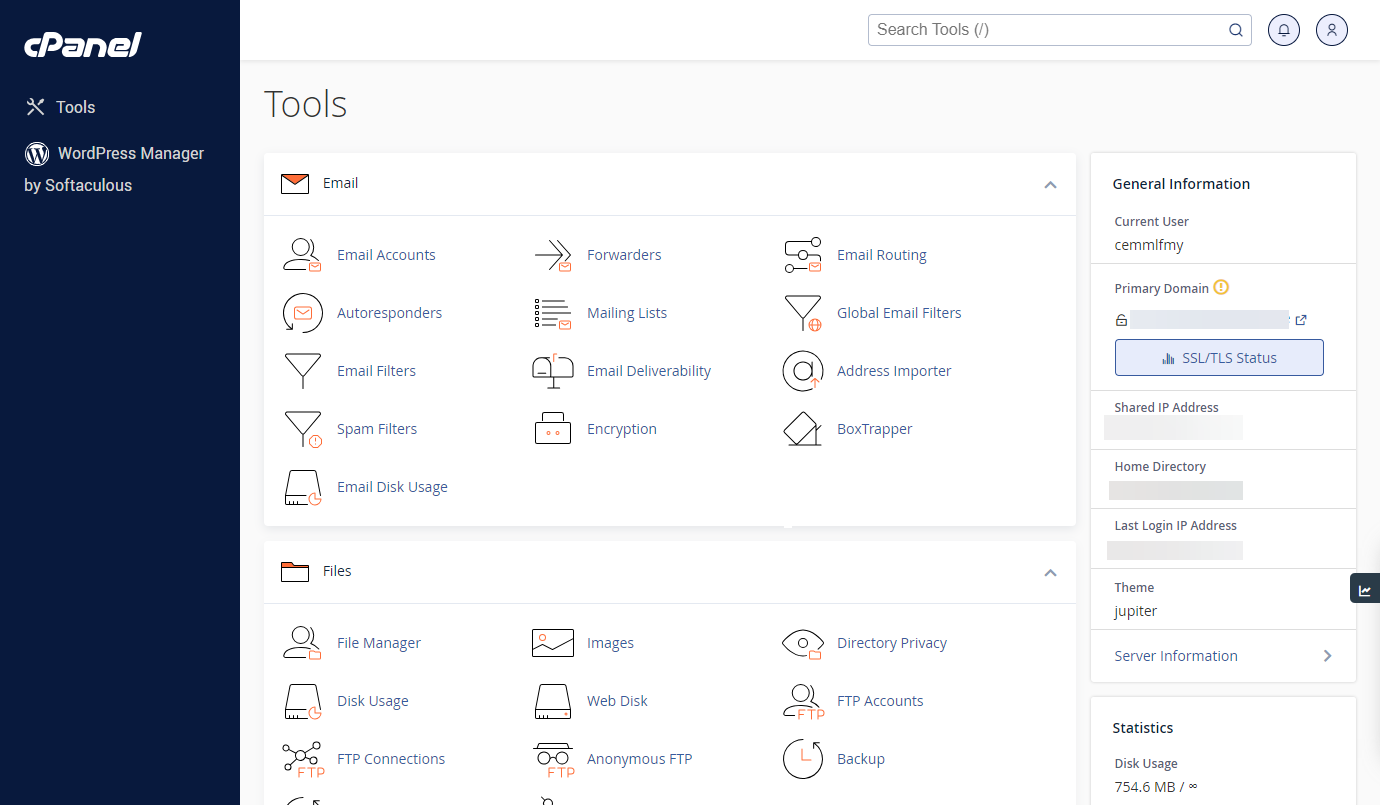
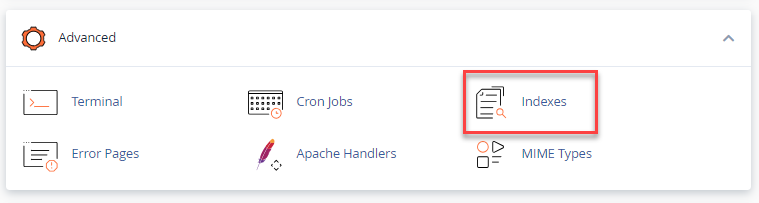
- Once in your cPanel, scroll down, and then you will get to the Advanced section. Click on the Indexes icon.
- You will be routed to the Index Manager Menu, allowing you to navigate different directories.
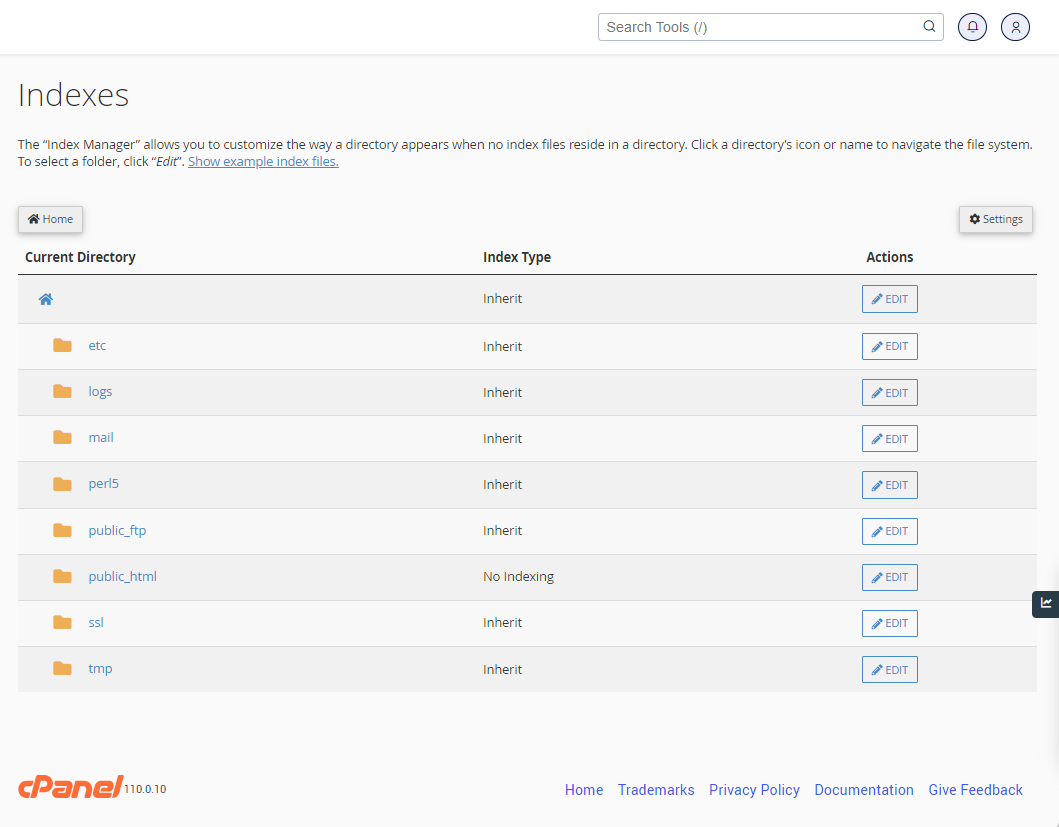
- You can navigate to different directories by clicking on the folder icons.
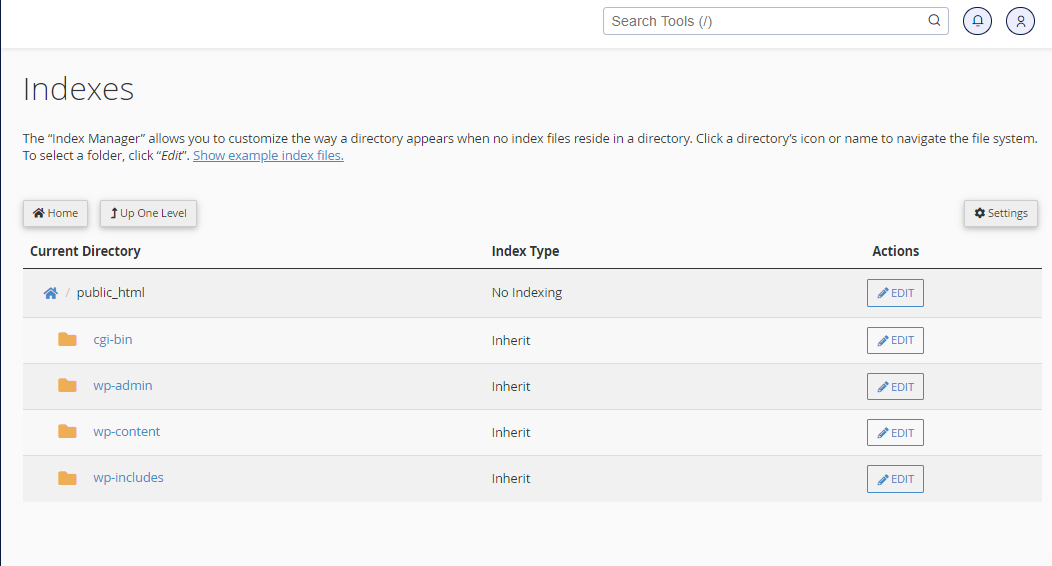
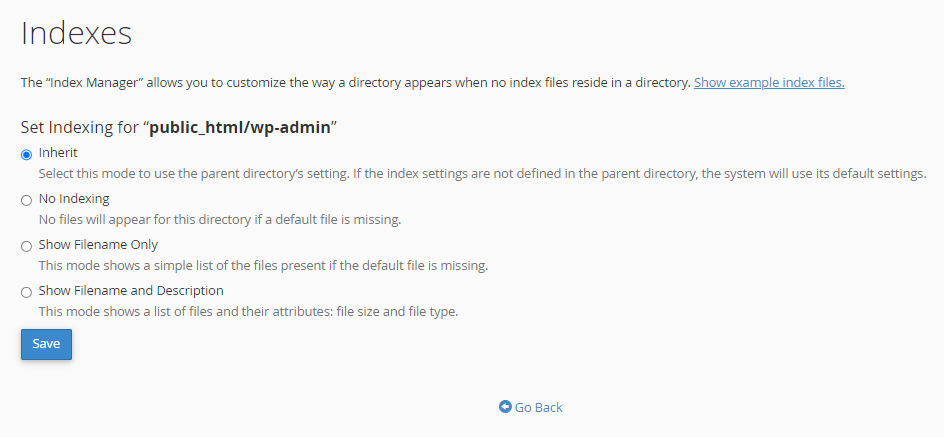
- When you locate the directory you want to index, click on the directory name and then click Edit. This action will open the Index Manager, which provides you with four options:
- You can select between a default style, no indexes, or two types of indexing.
- If you do not wish for people to be able to see the files in your directory, choose no indexing.
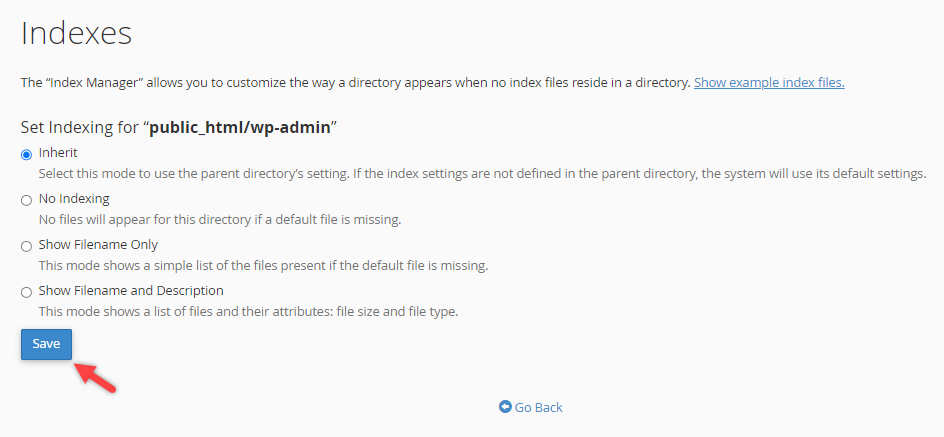
- When you have selected it, please click the Save button in the center of your screen. You will then receive a confirmation page showing the updated settings.
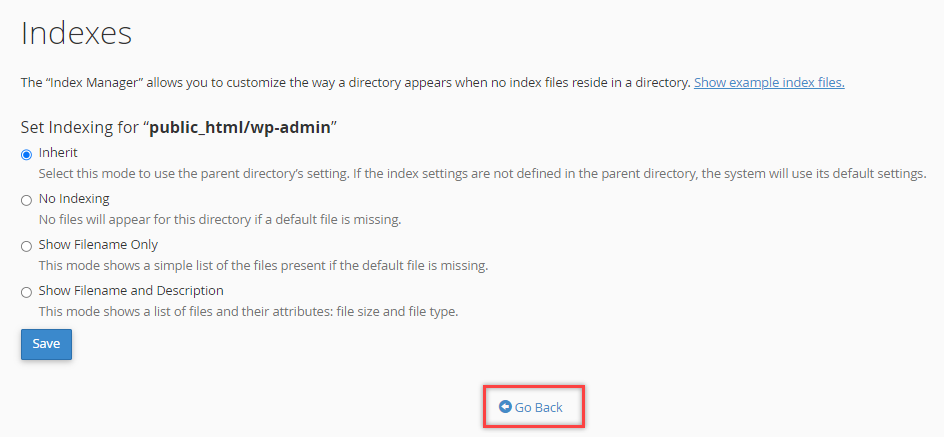
- Hit the Go Back button in the center of your screen. This will take you back to the main Index Manager. Hit the Home icon in the upper left-hand corner of the page to return to your main cPanel menu.
Summary
Managing the visibility of directory contents on a web server is crucial for privacy and organization. The Index Manager in cPanel lets you control how your directories are shown when someone accesses them on the web. By providing options such as default style, no indexing, or customizable types of indexing, users can easily control access to their directory contents.
Accessing and adjusting these settings in the cPanel dashboard is simple, allowing users with little technical experience to manage their server’s directory visibility easily. This feature enhances security and user experience by offering granular control over who can view the contents of your directories.
If you need further assistance, Bluehost Chat Support is available 24 hours a day, 7days a week while Bluehost Phone Support is available 7 days a week from 7 am-12 midnight EST.
- Chat Support - While on our website, you should see a CHAT bubble in the bottom right-hand corner of the page. Click anywhere on the bubble to begin a chat session.
- Phone Support -
- US: 888-401-4678
- International: +1 801-765-9400
You may also refer to our Knowledge Base articles to help answer common questions and guide you through various setup, configuration, and troubleshooting steps.