 ChatGPT,
  Claude,
  Gemini,
  Grok — all four for
How to Enhance Your Website Using cPanel Scripts
For your convenience, Bluehost offers several scripts for use on your website. These tools allow you to set up common, ready-made cPanel scripts.
The scripts include hit counters, mailing lists, blogs, e-commerce, password-protected subdirectories, searches, free-for-all pages, and random link pages. It is advisable to test each script before beginning to edit its content. Programming knowledge is NOT necessary for the implementation of these scripts.
Accessing cPanel Scripts (Softaculous)
Follow the steps below to access the cPanel Scripts.
Hosting tab
- Log in to your Bluehost Portal.
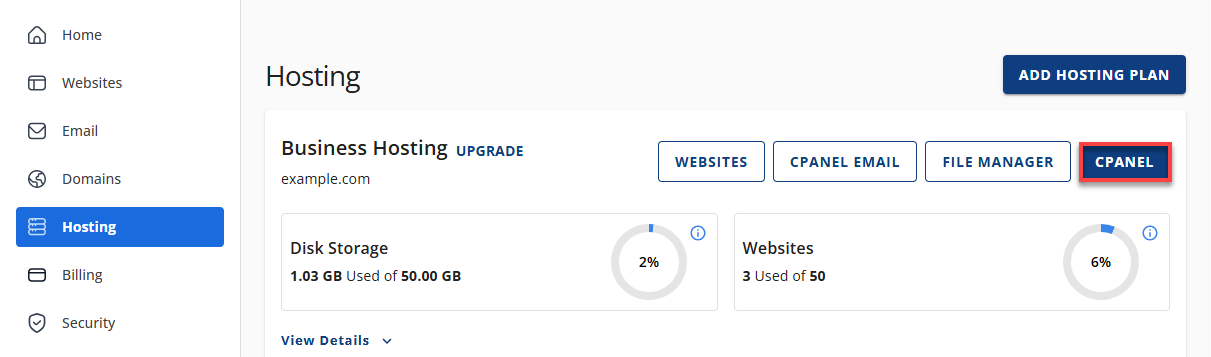
- Click Hosting in the left-hand menu.
- On the hosting details page, click the cPanel button.
- Your cPanel will open in a new tab.
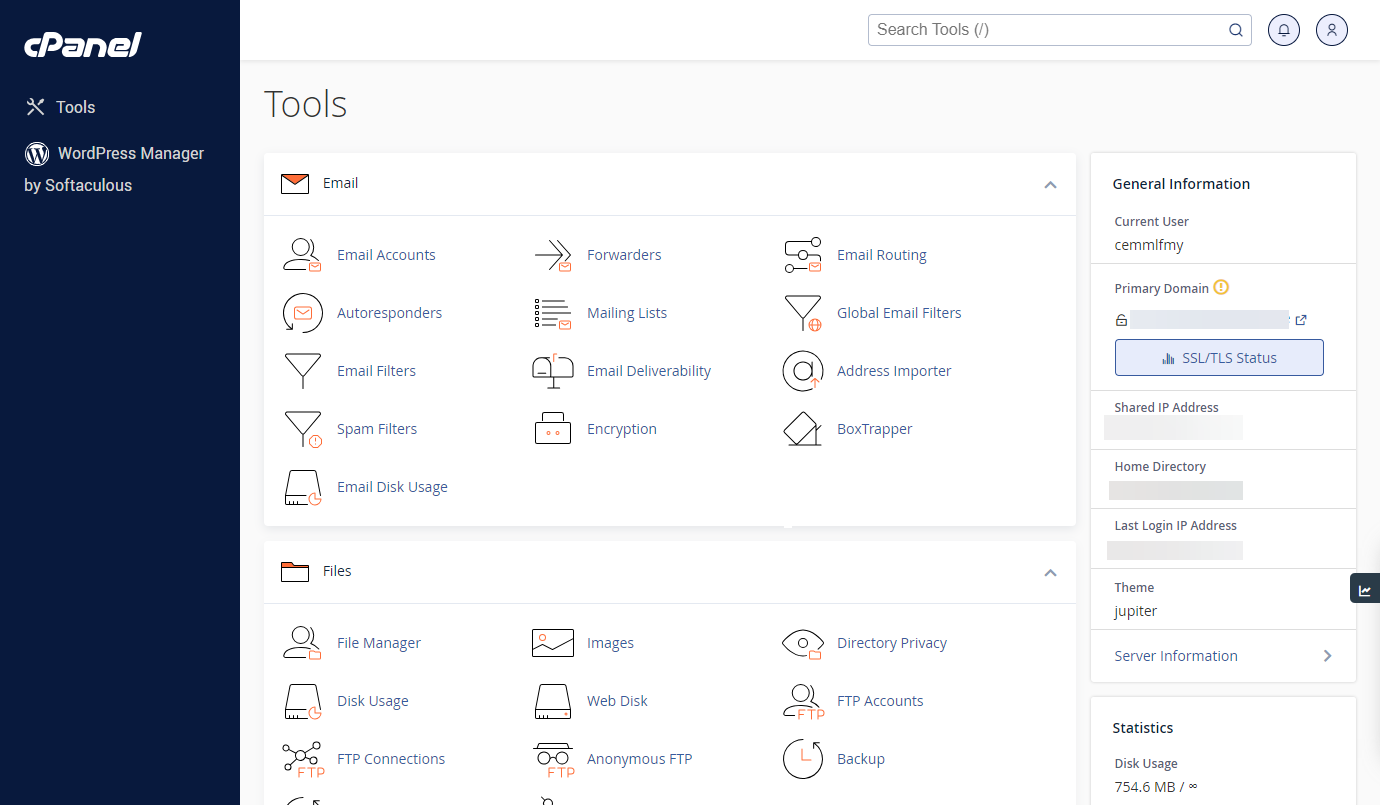
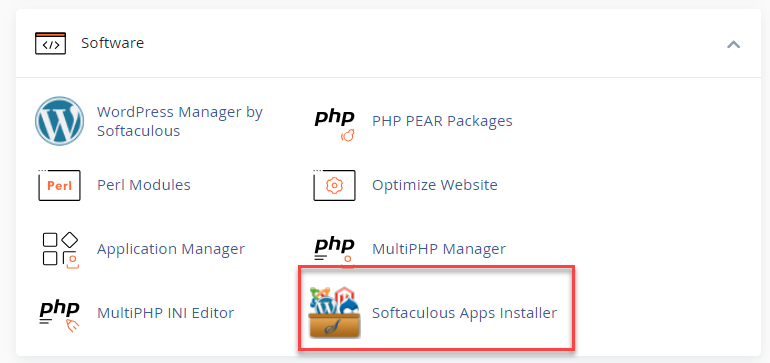
- In cPanel, scroll down and locate the Software section, then click on Softaculous Apps Installer.
Websites tab
- Log in to your Bluehost Portal.
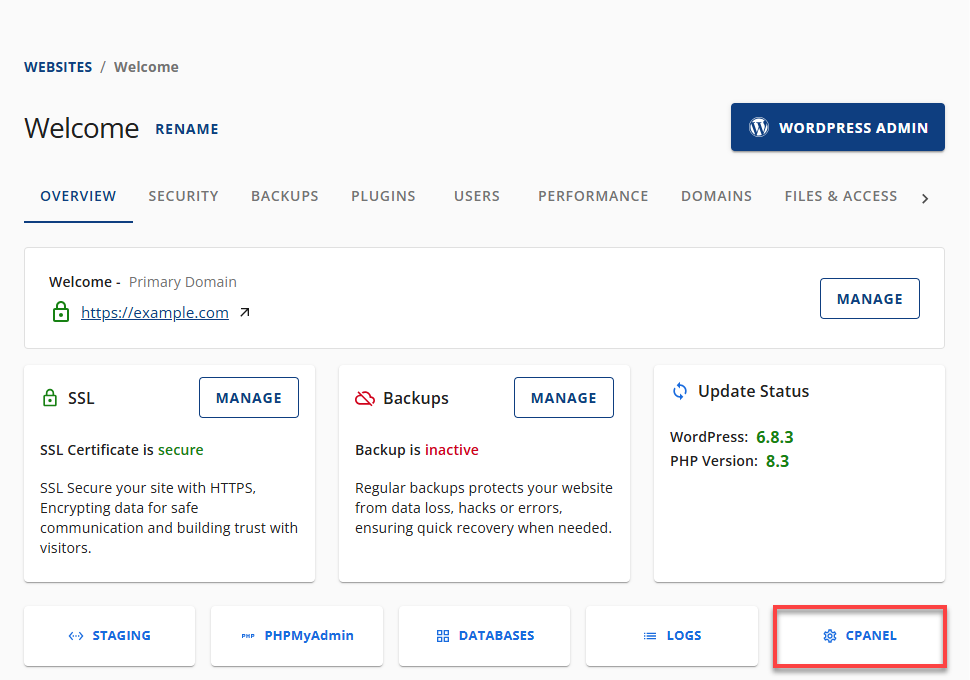
- In the left-hand menu, click Websites.
- Click the Manage Site button located next to the website you want to manage.

- On the Overview tab, click on cPanel below.
- Your cPanel will open in a new tab.
- In cPanel, scroll down and locate the Software section, then click on Softaculous Apps Installer.
Summary
Accessing cPanel with Bluehost is easy and seamless through your Bluehost Portal; no separate login credentials are required. This guide explains how to navigate to cPanel using the Hosting and Websites tabs within your Bluehost Portal. Please note that cPanel is not available with Bluehost Cloud hosting plans.
If you need further assistance, Bluehost Chat Support is available 24 hours a day, 7days a week while Bluehost Phone Support is available 7 days a week from 7 am-12 midnight EST.
- Chat Support - While on our website, you should see a CHAT bubble in the bottom right-hand corner of the page. Click anywhere on the bubble to begin a chat session.
- Phone Support -
- US: 888-401-4678
- International: +1 801-765-9400
You may also refer to our Knowledge Base articles to help answer common questions and guide you through various setup, configuration, and troubleshooting steps.