 ChatGPT,
 Claude,
 Gemini,
 Grok — all four for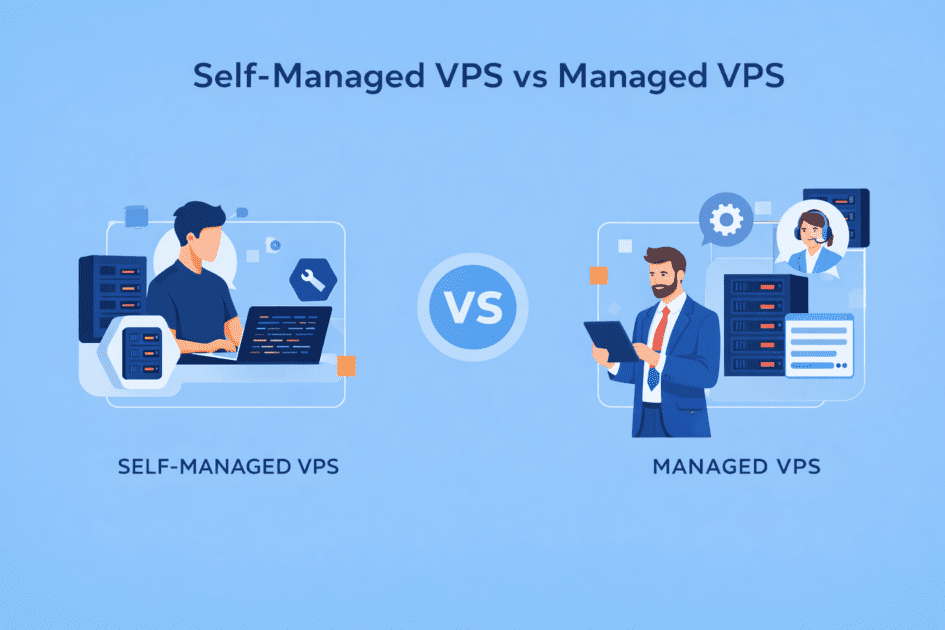
Key highlights
- Understand the core differences between managed and self-managed VPS based on support, control, cost and technical responsibility.
- Learn which VPS managed hosting options offer a high level of support, depending on your experience level and the complexity of your server management workload.
- Explore how each option impacts performance, updates, backups and security through detailed comparisons and real-world applications.
- Know how Bluehost delivers managed VPS hosting with full root access, built-in scalability, enterprise hardware and 24/7 expert support.
- Uncover use-case scenarios and decision-making insights that go beyond standard features to help you choose confidently and strategically.
Ever wondered why two VPS plans with similar specifications can feel completely different to manage? The answer lies in what you don’t see.
Behind the scenes, the real difference between self-managed VPS and managed VPS hosting comes down to control, time and trust. If you’re unsure whether to run the server yourself or let a web hosting provider handle it, you’re in the right place.
This guide breaks down everything from control to cost across managed and self-managed VPS. By the end, you’ll clearly understand which VPS hosting option fits your skills, goals and the way you want to work.
What is a self-managed VPS?
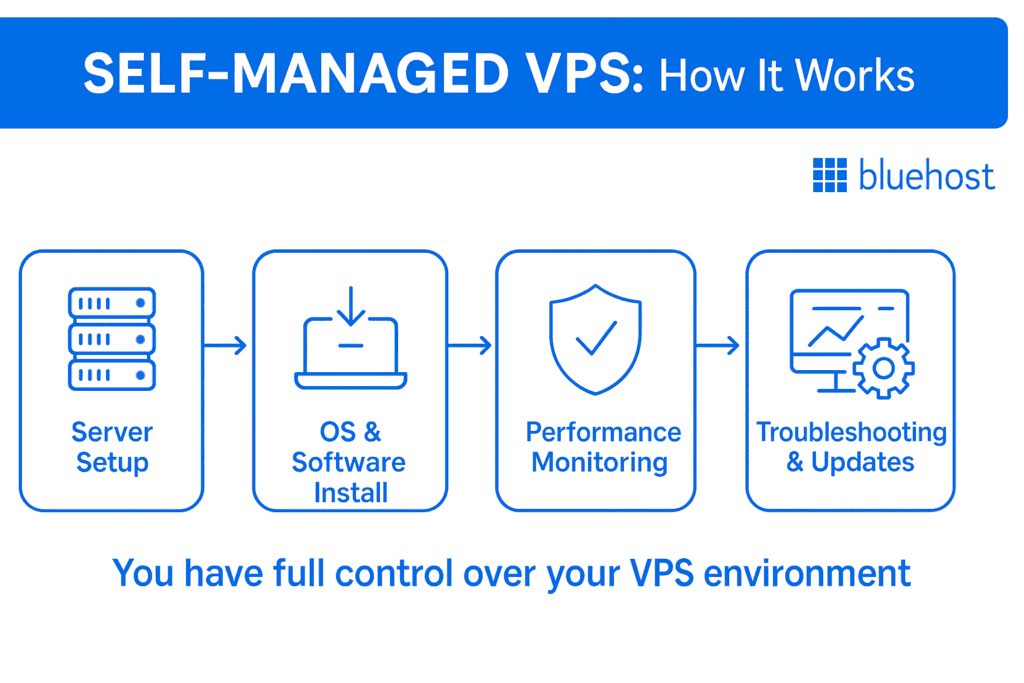
A self-managed VPS, also known as unmanaged VPS hosting, grants users complete control over their virtual private server. This option is ideal for those with technical expertise who prefer to manage their own VPS server or hosting environment.
Unlike managed hosting, where the hosting company handles software installations, security patches and updates, self-managed hosting puts you in charge of everything.
You select the operating system, install and configure server software and manage security on your own terms. This is best for developers, system administrators or users who want full control and flexibility.
Key features of self-managed VPS hosting
Self-managed VPS hosting includes technical flexibility and total control over your server environment. Below are some of the standout features:
- Provides root access that lets you control server settings, file permissions and software installations without restrictions.
- Supports custom operating systems such as Linux or Windows, based on your project requirements and technical expertise.
- Enables manual server maintenance where you apply updates, manage security patches and monitor server health directly.
- Includes a bare server environment with no pre-installed tools or configurations unless manually added by the user.
- Offers flexible software deployment by allowing you to install web servers, databases or developer tools as needed.
Because self-managed VPS hosting places every administrative responsibility on the user, it is best suited for those who already have a solid foundation in server management and Linux command-line operations.
Pros of self-managed VPS hosting
- Empowers experienced users to build and run advanced setups that require custom server environments or rare software stacks.
- Offers flexibility for developers who want to experiment with different stacks or host applications with special resource needs.
- Reduces monthly web hosting costs, since shared hosting features like support, backups or premium control panels are not bundled into the price.
- Supports technical skill-building by letting you manage everything from command line access to software patches and optimization.
- Gives full deployment control with no restrictions on what software, frameworks or tools you install or configure.
- Having a customizable virtual private server setup means you can tailor your stack without provider-imposed limitations. These server control options are especially useful for unique frameworks and tailored software builds.
Cons of self-managed VPS hosting
- Requires advanced technical skills to manage server setup, software installations and troubleshooting without external support.
- Demands manual security management, including firewall setup, patch updates, malware scans and intrusion prevention.
- Offers no default support, as your managed hosting provider does not assist with software errors, downtime or configuration issues.
- Consumes more time daily for monitoring performance, running updates and resolving unexpected server-side problems.
- Increases the risk of downtime if critical tasks, such as system updates or backup automation, are overlooked.
- Involves complex troubleshooting when dealing with server errors, crashes or command-line issues without access to managed support.
Also read: How to Set Up a VPS and Launch Your Own Server in 2025: Beginner’s Guide
While a self-managed VPS is a powerful option for technically skilled users, it is not the right fit for everyone, particularly those who prefer a more hands-off approach to server administration. That is where managed VPS hosting comes in, offering a compelling alternative that balances performance with provider-side support.
What is a managed VPS?
A managed VPS is a hosting service where your hosting provider handles all the technical aspects of server administration for you. Unlike self-managed VPS hosting, this setup doesn’t require deep technical knowledge or constant monitoring on your part.
Managed VPS hosting is ideal for business owners, marketers or beginners who want reliable web hosting without the hassle of server maintenance. Your provider installs the OS and manages the server configuration for stability, performance and uptime.

Key features of managed VPS hosting
Managed VPS hosting comes packed with a range of built-in services designed to take the complexity of server management off your plate. From initial setup to ongoing maintenance, these features set managed hosting apart from its unmanaged counterpart.
- Managed VPS hosting provides expert support and built-in tools to ease your technical workload.
- Includes server setup where your hosting provider installs the operating system, control panel and basic configurations.
- Offers proactive monitoring to detect issues such as traffic spikes, downtime or hardware failures in real time.
- Provides 24/7 technical support for server-level questions, resource management and urgent troubleshooting.
- Manages software updates, including the core OS, server tools and essential application dependencies.
Pros of managed VPS hosting
- Frees you from server maintenance, allowing you to focus on growing your website or business instead of backend tasks.
- Offers peace of mind knowing your server is monitored, patched and secured by trained professionals.
- Eliminates the learning curve for users unfamiliar with server commands, control panels or system configurations.
- Supports faster issue resolution since expert engineers handle errors, performance slowdowns and security alerts. These managed support features are key for businesses that can’t afford delays or technical missteps.
Cons of managed VPS hosting
While managed VPS hosting offers convenience, it may not suit users who prefer hands-on control or want to cut costs.
- Limits customization options since some providers restrict software choices or configurations for stability reasons.
- Costs more per month than self-managed or unmanaged VPS plans due to bundled services and expert support.
- Reduces root-level freedom as hosting companies may block certain actions that could affect server performance.
- Slows down troubleshooting for advanced users who prefer to resolve issues themselves rather than wait for support escalation.
Ultimately, managed VPS hosting is best suited for those who value simplicity, reliability and expert support over total server control. With a clear understanding of managed VPS hosting, let’s directly compare it to self-managed VPS hosting to help you make a truly informed decision.
Understanding the difference between self-managed VPS vs managed VPS hosting
When comparing managed and unmanaged hosting, the biggest differences show up in day-to-day operations. VPS plans may run multiple users on a single physical server or provide more private resources, depending on your hosting plan. From server updates to system monitoring, every task is either your responsibility or handled by your provider’s team of managed server professionals.
| Category | Self-Managed VPS | Managed VPS |
| Server maintenance | You handle all tasks manually | The hosting provider takes care of server upkeep |
| Updates | Manual OS and software updates required | Automatic updates are included in the hosting plan |
| Performance | Depends on your configuration and tuning | Optimized by support teams for best performance |
| Data protection | Backups must be manually configured | Automated backups and restore tools included |
| Ease of use | Requires technical knowledge and a command line | Beginner-friendly with control panel access |
| Pricing | Lower cost, no management fees | Higher price due to bundled support services |
| Support & security | No direct help; you handle patches and threats | 24/7 expert support and proactive threat scans |
| Control & flexibility | Full root access with no restrictions | Limited by the provider’s managed environment |
| Scalability | Manual scaling via terminal or control panel | Assisted with scaling handled through support |
| Resources | Dedicated resources, but self-optimized | Dedicated resources with provider tuning |
| System monitoring | Must set up and monitor manually | Built-in monitoring tools with alerts |
1. Self-managed vs managed hosting: Server maintenance
Server maintenance encompasses tasks such as software updates, configuration checks and ensuring services run smoothly behind the scenes. With a self-managed VPS, you’re responsible for every aspect of server upkeep. This includes patching the operating system to tuning performance, similar to managing a dedicated server.
This requires command-line skills and time investment, especially if you’re running critical applications or traffic-heavy sites. In contrast, a managed VPS includes hands-off maintenance handled by your hosting provider.
Updates, troubleshooting and optimizations are automatically taken care of to keep your server stable and fast. This is ideal for non-technical users or teams that want to avoid the burden of daily server management.
Verdict: Choose managed VPS if you prefer convenience. Self-managed hosting requires you to maintain full control over patches, tools and security configurations.
2. Self-managed vs managed hosting: Updates
Updates are critical to keeping your server secure, compatible and performing at its best, but how they’re handled depends on your plan. With a self-managed VPS, you’re responsible for manually applying updates. This includes the operating system, installed software and any third-party tools you’ve configured.
Missing a vital patch can expose your server to security vulnerabilities or bugs. These responsibilities fall entirely on your shoulders with unmanaged hosting environments. A managed VPS, on the other hand, includes automated updates provided by your managed hosting provider, ensuring your web server remains secure and up to date.
Core WordPress software, control panels and server packages are routinely patched without requiring your input. This reduces downtime risk and ensures everything runs on the latest secure versions.
Verdict: If you’re comfortable scheduling updates yourself, self-managed VPS works. If you want updates handled without worry, a managed VPS is a better option.
3. Self-managed vs managed hosting: Performance
Performance depends on how well your server is configured and maintained and who takes responsibility for that makes a big difference. On a self-managed VPS, you’re in control of all performance settings, including caching, database tuning and resource allocation.
You can fully optimize the environment for your specific use case, but it requires technical knowledge and active monitoring. If poorly configured, your server could lag or crash under pressure.
With a managed VPS, your hosting provider handles optimization automatically. They fine-tune server performance using best practices and monitor load, memory and speed around the clock. You benefit from consistent performance without needing to tweak system-level settings.
Verdict: Choose self-managed VPS if you want deep optimization freedom. Choose managed VPS for consistent, provider-optimized performance.
4. Self-managed vs managed hosting: Data protection
Data protection refers to the process of backing up and restoring your files, databases and settings in the event of a system failure or other issues. With a self-managed VPS, backups are entirely your responsibility, much like in an unmanaged shared hosting environment.
You must set up backup schedules, store snapshots securely and test recovery yourself. If you forget or misconfigure backups, you risk permanent data loss in the event of server failure or a cyberattack.
A managed VPS typically includes automated backups as part of the service. Most hosting providers schedule daily or weekly backups and offer easy restore options through your control panel. You get peace of mind knowing your data is protected without extra setup or manual work.
Verdict: Choose managed VPS if you want stress-free backup and recovery. Go self-managed if you prefer building your own backup strategy.
Also read: Website Security 101: Easy Steps to Protect Your Site from Cyber Threats
5. Self-managed vs managed hosting: Ease of use
Ease of use is one of the primary factors that users consider when choosing between managed and self-managed VPS hosting. This usability difference often determines the choice between managed and unmanaged VPS, especially for users with limited technical experience.
A self-managed VPS requires technical expertise from the start. You’ll need to use the command line, manage server software, configure firewalls and troubleshoot issues independently.
It’s powerful but not beginner-friendly and mistakes can lead to downtime. A managed VPS simplifies everything. Your managed hosting provider handles server setup, security, updates and performance tuning.
Verdict: A managed VPS is best for beginners or non-technical users. Choose self-managed if you’re confident working directly in the server environment.
6. Self-managed vs managed hosting: Support and security
Support and security are critical when running a VPS, especially if you’re hosting business websites, apps or customer data. With a self-managed VPS, you’re on your own when issues arise. There’s no technical assistance for misconfigurations, malware or downtime unless you hire an external server expert. You also need to manually install firewalls, configure SSL and apply security patches.
On the other hand, managed VPS comes with built-in support and proactive security features. You’ll have the peace of mind that comes with continuous monitoring, automatic patches and round-the-clock technical support to resolve any issues quickly.
At Bluehost, we take it a step further by offering robust security measures and expert assistance. We monitor threats, apply necessary patches and provide 24/7 technical support to ensure your server runs smoothly. This managed VPS hosting option is perfect for users who need advanced server control but also value the convenience of professional management and top-tier security.
Verdict: Choose managed VPS if you need expert help and reliable security. Go self-managed only if you can handle protection and support yourself.
Also read: Best VPS Hosting for WordPress in 2025: Secure, Fast & Scalable Hosting Solutions
7. Self-managed vs managed hosting: Control and flexibility
Control and flexibility define how much access and freedom you have to customize your virtual server environment. A self-managed VPS offers full root access and no restrictions, giving you greater control over your hosting environment. You can install any OS, configure server-level software, customize settings and run scripts without limitation.
This setup is ideal for developers or tech-savvy users who need advanced server control options. With a managed VPS, your control is slightly limited. You still get access to a powerful control panel and essential settings, but some actions may be restricted for stability or support reasons. Most providers prioritize security and reliability over deep-level access.
A self-managed VPS provides root access similar to dedicated hosting, allowing you to configure any server-level components. At Bluehost, we provide full root access, even on managed VPS plans, so you can enjoy flexibility without sacrificing expert support.
Verdict: A self-managed VPS provides maximum control. Managed VPS offers flexibility with guardrails, especially when combined with Bluehost’s full-access plans.
8. Self-managed vs managed hosting: Scalability
Scalability refers to how easily you can upgrade server resources such as CPU, RAM or storage as your website or application grows. With a self-managed VPS, scaling is a manual process. You must monitor usage trends, make configuration changes and often migrate files or reconfigure services during the upgrade. While flexible, it demands time, planning and technical expertise to scale effectively.
A managed VPS simplifies resource scaling with provider support. You can upgrade plans anytime without migrating to a new physical server or losing configurations. At Bluehost, we offer scalable managed VPS plans designed to grow with your traffic. You get similar flexibility to that of fully managed dedicated hosting solutions, with no downtime or reconfiguration required.
Verdict: Opt managed VPS for seamless scaling and hands-off upgrades. Choose self-managed, only if you’re confident in handling capacity planning on your own.
Also read: Managed Dedicated Server Hosting That Scales: Performance, Uptime, ROI
9. Self-managed vs managed hosting: Resources
Server resources, including CPU cores, RAM, storage and bandwidth, directly affect how well your website performs under load. On a self-managed VPS, you get full access to your allocated resources. But you must configure, monitor and optimize them yourself. If mismanaged, even high specifications can underperform due to improper caching or software conflicts.
With a managed VPS, your hosting provider not only allocates dedicated resources but also helps fine-tune them for performance. Tools like caching layers, database tuning and CDN integration are often pre-configured.
At Bluehost, our managed VPS plans give you guaranteed resources with smart optimization built in. You can upgrade plans anytime without migrating to a new, entire physical server or losing configurations.
Verdict: Self-managed gives raw power but requires careful tuning. Managed VPS ensures your resources are optimized from day one.
10. Self-managed vs managed hosting: System monitoring
System monitoring involves tracking your server’s health, uptime, traffic load and potential issues in real time. With a self-managed VPS, you’re responsible for setting up monitoring tools and manually checking performance.
You’ll need to configure alerts for CPU spikes, storage usage and downtime and act quickly if something goes wrong. Just like with dedicated hosting, a self-managed VPS requires manual setup of performance alerts and monitoring tools. A managed VPS includes built-in monitoring and alerts handled by your hosting provider.
Verdict: Managed VPS is ideal if you want hands-off system monitoring. Self-managed is better for users who are comfortable managing their metrics.
When weighing managed vs unmanaged VPS, managed VPS hosting stands out as the superior choice for the vast majority of website owners, agencies and online businesses. While self-managed VPS offers unrestricted freedom, it demands a high level of technical proficiency and consumes significant time through continuous maintenance, patching and manual troubleshooting.
With those demands in mind, choosing a managed VPS lets you avoid the steepest learning curve and the heavy burden of server administration. Rather than spending hours on routine upkeep, you benefit from a reliable hosting partner that secures your environment against modern threats, automatically implements performance-boosting optimizations and safeguards your data through regular backups. That said, not all managed VPS providers are created equal, so it is well worth knowing what sets the best ones apart.
Why choose Bluehost managed VPS hosting provider?
Plenty of VPS providers promise power. However, very few like us at Bluehost combine raw performance with hands-on server management in a way that actually makes your life easier. We offer both self-managed and fully managed VPS plans, so whether you want full hands-on control or prefer to offload the server operations to experts, there’s a fit for you. If you’d rather skip the operational headaches and focus on your site or business, managed VPS is the practical choice.
Officially recommended by WordPress and trusted by over 5 million WordPress users, we have built a reputation on reliability, performance and support that shows up when it matters. If you need dedicated resources with professional server management included, a managed VPS is a practical and scalable solution.
Our fully managed VPS hosting is powered by AMD EPYC processors, DDR5 RAM and ultrafast NVMe storage. These are not just impressive specifications on paper. They directly impact load time, stability and scalability. Since it is fully managed, our experts handle server setup, monitoring, OS updates, security patching and performance tuning behind the scenes.
Here is what that translates to in practical terms:
- Dedicated vCPU cores starting at 2 cores, so your performance is not shared or throttled.
- DDR5 RAM starting at 4 GB, scalable as your traffic and application demands grow.
- 100 GB to 450 GB NVMe storage, delivering faster read and write speeds with lower latency.
- Unmetered bandwidth, so growth does not come with surprise traffic penalties.
- 2 dedicated IP addresses are included across plans.
- cPanel and WHM included, pre-configured and maintained to simplify server management.
- Full root access, for technologists who need OS-level customization.
- Automated backups and dedicated firewalls, with OS hardening handled for you.
- Staging environment, SSH and SFTP access, built for modern development workflows.
- Zero-downtime migration support, including free migration tools.
- 24/7 expert support, delivered by specialists who understand advanced hosting.
Unlike shared hosting, your applications are not affected by traffic spikes from other users. You get isolated resources and predictable performance. When you are ready to grow, you can upgrade CPU, RAM or storage without downtime, data loss or complicated server migrations.
This makes a real difference if you are running client websites, ecommerce stores, custom applications or high-traffic blogs. You get the flexibility of a VPS combined with the reassurance of expert server management.
If you are weighing the differences between self-managed and managed VPS hosting and want a solution that scales with your business without technical overhead, our support team is here to help you make the right call. Get in touch with Bluehost customer support today and let our hosting experts guide you toward the VPS plan that best fits your needs.
Final thoughts
No matter where you land in the self-managed VPS vs managed debate, the right choice depends on how hands-on you want to be. If you’re building something fast, secure and scalable without the stress of server upkeep, managed VPS hosting is the way to go.
At Bluehost, we offer both self-managed and fully managed VPS plans. This gives developers and businesses the flexibility to choose the level of control they need, whether they prefer to manage the server themselves or rely on expert support.
For those who want performance without the pressure of server administration, our fully managed VPS plans are designed for creators, business owners and developers who want reliability, scalability and expert assistance built in.
Ready to experience the power of managed VPS hosting? Choose our Bluehost managed VPS plans and get full root access, 24/7 expert support and the freedom to scale your site without the headaches of self-managed servers.
FAQs
What is unmanaged hosting?
Unmanaged hosting gives you full control of the server, including updates, security and configurations without provider support. In unmanaged hosting, you’re entirely responsible for system health, updates and configurations.
What is fully managed hosting?
Fully managed hosting includes complete server setup, monitoring, security, updates and technical support handled by the hosting provider.
What is managed VPS hosting?
Managed VPS hosting gives you dedicated resources with server management, support and monitoring handled by the hosting company.
What is the difference between managed and unmanaged VPS hosting?
Managed VPS hosting includes server management tasks like updates, security and support handled by the provider. An unmanaged VPS requires you to manage all server tasks yourself.
How is VPS different from shared and dedicated hosting?
A VPS provides isolated resources on a single physical server. It offers more control than shared hosting and costs less than dedicated hosting, making it a middle-ground option for performance and flexibility.
Is a managed VPS better than an unmanaged one for most websites?
In most cases, yes. When evaluating managed vs unmanaged VPS for small businesses or eCommerce, managed options offer safer, easier management.

Write A Comment