 ChatGPT,
 Claude,
 Gemini,
 Grok — all four for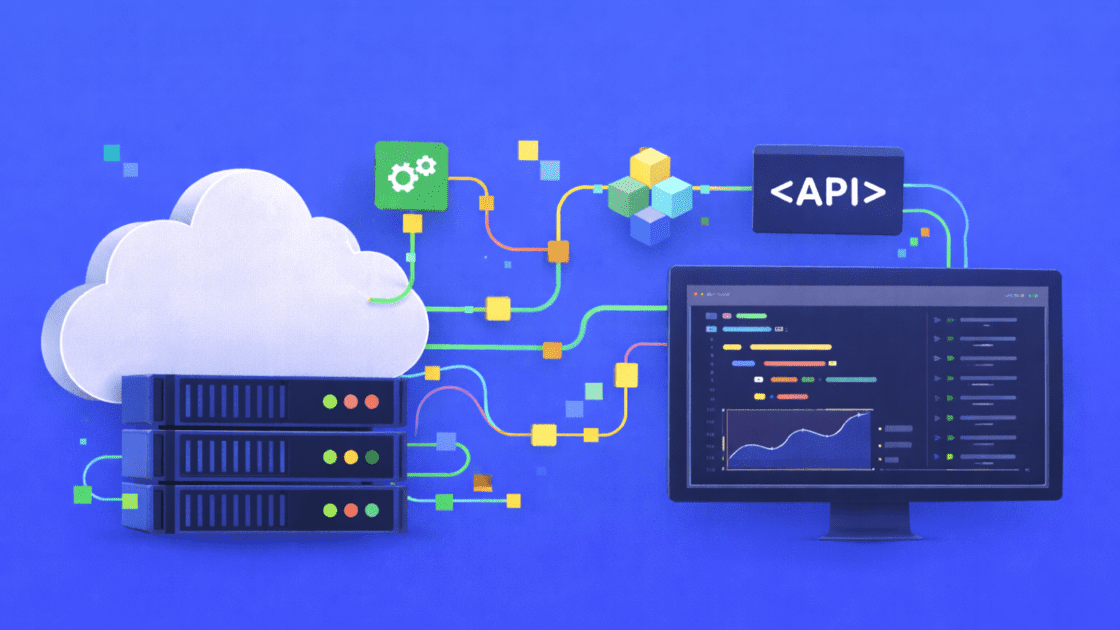
Key highlight
- Learn how to design scalable automation infrastructure using a self-managed VPS.
- Compare workload requirements for popular task runners like n8n, Jenkins and Docker.
- Discover the benefits of full root access and NVMe storage for CI/CD pipelines.
- Explore practical deployment strategies for hosting multiple automation containers securely.
- Understand when to choose a VPS over serverless functions for predictable DevOps pricing.
As a technical founder, scaling infrastructure is a constant balancing act. Shared hosting environments strictly restrict your background process execution time. Serverless functions often lead to unpredictable monthly costs as your pipeline complexity grows.
A virtual private server provides an ideal middle ground. You get full root access and dedicated resources for persistent background processes. This means your cron jobs will not time out unexpectedly.
It also gives you complete control over your DevOps stack. A VPS lets you build a predictable and high-performance environment without breaking the bank. Let’s explore the specific automation tasks that run best on a virtual private server.
How we evaluated automation workflows on a VPS
To build this guide, we tested automation workloads on a self-managed VPS environment.
Test environment
- OS: Ubuntu 22.04
- VPS: 4GB RAM, 2 vCPU
- Tools: Docker, n8n, cron jobs, basic CI pipeline
- Storage: NVMe-based disk
What we tested
- Running long background jobs
- Docker container stability
- Cron execution reliability
- Resource usage under load
Limitations: Results vary based on workload, concurrency and tool configuration. This guide focuses on practical usage, not benchmark comparisons.
What are the most common automation workloads for a VPS?
Automation looks different for every project. Your setup needs to handle various tools and run without stopping. A dedicated VPS manages important tasks that often fail in limited hosting environments.
1. Hosting n8n and self-hosted workflow tools
Hosting n8n on a VPS gives you total control over your data. You can avoid the strict rules and limits found on third-party platforms. A private server is perfect for handling sensitive customer data.
High-speed NVMe storage makes data-heavy tasks run faster. Fast storage keeps your webhooks responsive and your API calls moving quickly.
2. Running software delivery pipelines and build tools
A VPS works well as a private server for automation tools and delivery pipelines. You have the freedom to install specific software components that are usually blocked on shared hosting.
Permanent storage offers a big benefit for developers. Caching build data between runs helps your projects deploy much faster. A self-managed VPS stays stable even when several builds run at the same time.
3. Using Docker containers for automated tasks
Using containers helps your software run the same way every time you move it. Docker makes it easy to move custom Python scripts and scheduled tasks between different systems.
Setting up Docker requires specific system permissions. Full root access on a VPS makes these settings possible. You can create separate spaces for your tasks to run exactly how you need them.
Now that you understand these use cases, it is time to compare this setup to serverless options.
Also read: How do I run n8n on Docker?
How does a VPS compare to serverless for automation tasks?
Cloud functions handle event-driven tasks efficiently but serverless architecture often creates unpredictable billing. A sudden spike in webhook events can cause massive usage-based cost increases that strain your budget.
| Feature | VPS Hosting | Serverless Functions |
| Cost Model | Fixed monthly pricing | Usage-based billing |
| Execution Limits | Unlimited duration | Strict timeouts (often 15 minutes) |
| Configuration | Full root access and OS control | Pre-defined runtime environments |
| Resource Availability | Dedicated and always on | Cold starts and shared resources |
- Self-managed VPS plans provide predictable monthly costs regardless of execution volume.
- Flat rates for dedicated server resources make budgeting much easier for startups.
- Serverless functions have strict execution timeouts that make them unsuitable for long-running cron jobs or data scraping.
- A VPS allows persistent background processes to run indefinitely.
Many developers find that a VPS for automation workflow is ideal because it offers sustained compute power for heavy background tasks. Pipelines remain stable because you never have to worry about a critical process crashing due to a 15-minute timeout. Having full root access means you control exactly when and how processes terminate.
Serverless environments limit your choice of programming languages and system libraries. With a VPS, you have the freedom to configure the exact operating system and environment variables needed for your specific automation requirements.
Predictable environments are crucial for stable automation infrastructure. To get the most out of this configuration, provision the right amount of compute power to match your specific workload requirements
How do you size a VPS for your specific automation stack?
Choosing the right server size prevents bottlenecks and wasted resources. You need to match your RAM and CPU to your specific workload requirements.
1. Estimating RAM for cron jobs and Python scripts
Lightweight automation does not require massive server resources. Simple API polling and Python scripts run efficiently on smaller servers.
We recommend 2GB to 4GB of RAM for these basic workloads. This aligns perfectly with a Standard VPS tier. It provides enough headroom for your scripts and the underlying operating system.
Also read: How to Set Up Cron Job in cPanel
2. Scaling resources for heavy Docker and Jenkins pipelines
Complex CI/CD pipelines consume memory quickly. Concurrent builds and heavy Docker orchestration require significant compute power.
You will need 8GB or more of RAM for these intensive tasks. An Enhanced or Ultimate VPS tier ensures your Jenkins builds never fail due to memory limits. This keeps your deployment workflows smooth and fast.
Once your server is sized correctly, you must lock down its defenses.
How should you secure and monitor your automation server?
Security is a critical priority when building custom infrastructure. A compromised task runner can expose your entire application ecosystem to external threats, making protective measures essential for your VPS for automation workflow.
- Protect API keys by using environment variables instead of hardcoding them into your source code.
- Set up an Uncomplicated Firewall (UFW) to restrict incoming traffic to your server.
- Restrict connections so only trusted IP addresses can access essential ports.
- Enable SSH key authentication to prevent unauthorized login attempts.
- Schedule regular security patches to keep your operating system and runner software up to date.
Monitoring resource usage is just as vital for maintaining a healthy VPS for automation workflow. A runaway script can quickly consume available CPU power and crash your server silently without proper oversight.
Real-time monitoring tools allow you to track memory, disk space and processing power. Setting up automated alerts helps you catch issues before a pipeline fails. Constant oversight ensures your automated tasks run reliably in the background. Selecting a hosting provider that supports these specific DevOps practices is the next logical step in scaling your infrastructure.
Why choose Bluehost for your automation workflows?
When you build automation infrastructure, you need control and performance from day one. That’s exactly what we deliver with our self-managed VPS.
We designed our platform to remove the limits of shared and vendor-managed environments. With high-performance NVMe storage and dedicated compute resources, your workflows run faster, stay responsive and scale without friction. This is especially important when you’re running database-heavy automation, CI/CD pipelines, or tools like n8n.
We also give you full root access, so you can configure your environment exactly the way your stack requires. You’re not restricted by predefined setups or locked into specific tools. You have complete control over how your infrastructure runs.
At the same time, we keep your costs predictable. Instead of usage-based billing that spikes with automation activity, our VPS plans offer consistent pricing. You can scale your workflows without worrying about unexpected costs.
What you get with our VPS for automation
High-performance infrastructure: We use modern hardware and NVMe storage to deliver faster processing for your workflows and databases
Instant provisioning: We get your server ready in seconds, so you can start deploying automation immediately
Guaranteed resources: You get dedicated CPU, RAM and storage that you control and can scale anytime
Full root and advanced access: We give you SSH access, configuration control and the ability to run custom scripts and environments
On-demand scalability: You can increase resources like CPU, RAM and storage as your automation workloads grow
Multiple-server management: You can manage multiple VPS instances from one dashboard as your infrastructure expands
Unmetered bandwidth: You can run high-volume automation and API workflows without worrying about traffic limits
One-click installation: We provide one click installation for various applications like n8n and OpenClaw
Our VPS supports real-world automation use cases. You can run workflow tools like n8n, deploy Docker containers, build CI/CD pipelines and power AI-driven automation from a single environment.
You’re free to integrate with APIs, process events in real time and run long-running background jobs without execution limits.
Final thoughts
Managing your own infrastructure provides a significant edge for long-term growth. Choosing a dedicated VPS for automation workflow needs removes the constraints of third-party execution limits and the headache of fluctuating SaaS costs.
Dedicated virtual servers deliver the necessary processing power for intricate CI/CD pipelines. A Standard NVMe 4 plan offers a reliable foundation for initial Docker containers and n8n configurations.
Build with confidence by hosting your automation projects on a platform built for speed and reliability. Check out Bluehost VPS hosting to find the right plan for your scaling infrastructure.
FAQs
You start by connecting to your server via SSH. Next, you update your package manager and install Docker. From there, you can easily deploy a workflow tool like n8n using a simple compose file.
Shared hosting strictly limits your background process execution time. A VPS gives you dedicated resources. This allows long-running cron jobs and custom task runners to operate without arbitrary interruptions.
Yes, you absolutely can run deployment pipelines. Full root access allows you to install Jenkins, GitLab Runners and custom deployment scripts. You control the entire build environment.
We recommend at least 2GB of RAM for basic workflow execution. However, you should use 4GB or more for concurrent workflow executions and heavy database queries.
Self-managed is generally preferred for DevOps due to unrestricted root access. A managed VPS is better if you rely heavily on cPanel and want active server support from our team.

Write A Comment