 ChatGPT,
 Claude,
 Gemini,
 Grok — all four for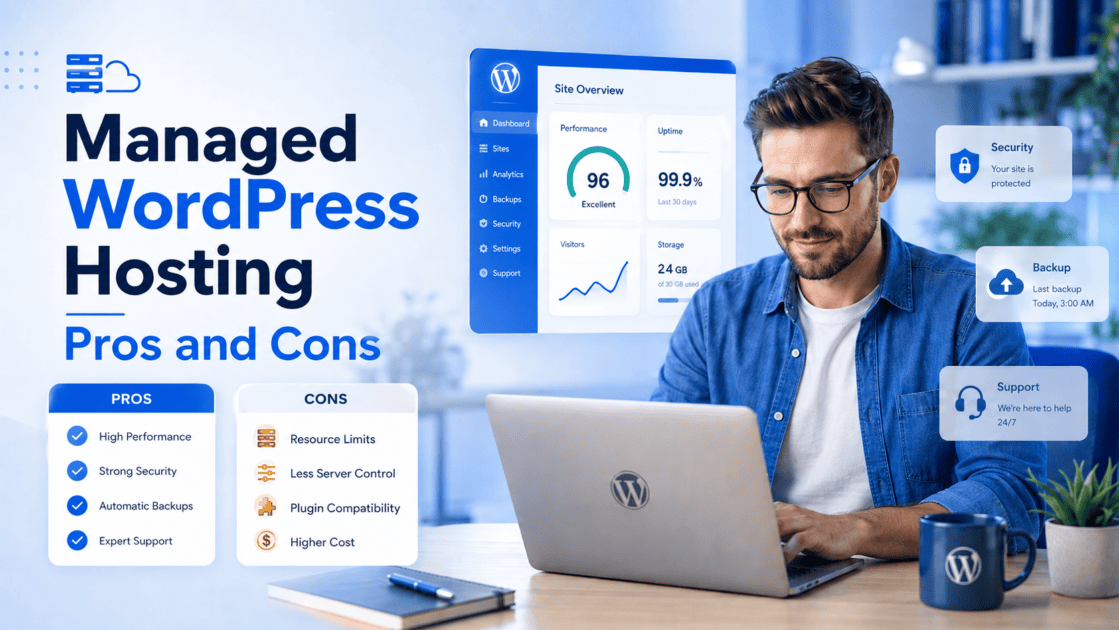
Key highlights
- Managed WordPress hosting reduces routine work across updates, backups, security and performance
- The main benefits of managed WordPress hosting include specialized support, easier recovery and WordPress-focused infrastructure
- Common limitations include reduced server control, plugin restrictions and plan-level resource limits
- Managed WordPress hosting features vary, so review what each provider manages before choosing
- The right plan should support your current requirements and provide a clear path for growth
Website growth changes what your WordPress hosting needs to deliver.
As traffic, content and customer activity increase, updates, backups, security monitoring and performance optimization become business-critical. A failed update or slow recovery can affect customer experience, conversions and continuity.
Managed WordPress hosting shifts much of this technical work to the provider through WordPress-focused infrastructure, automated tools and specialized support.
Understanding the managed WordPress hosting pros and cons is therefore about more than comparing features. It is about deciding which responsibilities you want to manage and which you want your provider to handle.
This guide explains the key benefits, limitations and trade-offs to consider before choosing a plan for your website’s next stage.
Managed WordPress hosting pros and cons at a glance
The main managed WordPress hosting benefits relate to performance, security, maintenance and support. Its potential disadvantages involve cost, control and provider-specific restrictions.
| Pros | Cons |
|---|---|
| WordPress-optimized performance | Higher monthly cost |
| Built-in security and monitoring | Less server-level control |
| Automated updates and maintenance | Possible plugin restrictions |
| Automatic backups and restores | Limited to WordPress websites |
| WordPress-trained support | Traffic, storage or website limits |
| Staging and development tools | Email or domains may not be included |
| Better reliability during growth | Greater dependence on the provider |
| Less routine technical work | Website owners retain some responsibilities |
Pros of managed WordPress hosting
The main advantages of managed WordPress hosting come from reducing the operational work required to maintain a WordPress website.
These managed WordPress hosting benefits can help businesses improve reliability while allowing internal teams to focus on customers, content and growth.
1. WordPress-optimized performance
Managed WordPress hosting environments are configured specifically for WordPress websites.
Depending on the provider and plan, performance features may include:
- Server-level caching
- Object caching
- Content delivery networks
- Current PHP versions
- Database optimization
- WordPress-focused server configurations
- Performance monitoring
These tools reduce the amount of server configuration a website owner must handle independently.
Improved performance is one of the most important benefits of managed WordPress hosting. A WordPress-focused environment can simplify caching, resource management and performance troubleshooting.
However, hosting is only one part of website performance. Large images, excessive plugins, complex themes and third-party scripts can still slow down a website.
2. Built-in security and monitoring
Security is another important managed WordPress hosting advantage.
Managed plans often include tools designed to protect both the server environment and the WordPress installation.
Depending on the provider, these may include:
- SSL certificates
- Malware scanning
- Web application firewalls
- DDoS protection
- Login protection
- Threat monitoring
- Server-level security updates
Built-in protection reduces the number of separate security services a website owner must select, configure and monitor.
This can be particularly valuable for small businesses without an internal security team.
However, no hosting provider can remove every security risk. Website owners must still manage passwords, user permissions, plugins, themes and application-level decisions responsibly.
3. Automated updates and maintenance
WordPress websites require regular updates to remain secure, compatible and reliable.
A managed WordPress hosting provider may automate or simplify updates for:
- WordPress core
- Server software
- PHP versions
- Plugins
- Themes
Automated maintenance is one of the practical advantages of managed WordPress hosting. It reduces repetitive work and helps important updates get applied sooner.
Update coverage varies between providers.
Some plans manage only WordPress core updates. Others may also update plugins and themes or test updates for compatibility.
Before choosing a plan, confirm which updates are managed, whether they are tested and what happens if an update creates an error.
4. Automatic backups and easier recovery
Backups provide a recovery point when an update fails, content is deleted or a security issue affects the website.
Managed WordPress hosting may include scheduled backups and simplified restore tools.
Before choosing a plan, check:
- How often backups are created
- How long backups are retained
- Whether files and databases are included
- Whether backups are stored separately
- Whether on-demand backups are available
- Whether backups can be downloaded
- How the restore process works
Automatic recovery is one of the most valuable managed WordPress hosting benefits for business websites and online stores.
A reliable restore process can reduce downtime after an unsuccessful update, configuration error or security incident.
Backup frequency is especially important for websites that process frequent transactions or publish content throughout the day.
5. WordPress-trained support
Managed WordPress hosting may include access to support teams with WordPress-specific knowledge.
This support may help with:
- WordPress installation problems
- Common plugin conflicts
- Failed updates
- Website performance
- Hosting configuration
- Staging tools
- Website migrations
Specialized support is one of the strongest benefits of managed WordPress hosting for businesses without an internal technical team.
However, WordPress-trained support does not always include:
- Custom website development
- Theme customization
- Plugin code changes
- Content updates
- Search engine optimization
- Fixes for unsupported third-party software
Review the provider’s support policy before purchasing a plan. Confirm which WordPress issues are covered and which remain the website owner’s responsibility.
6. Staging and development tools
A staging website is a separate copy of the live website. It allows teams to test changes before visitors see them.
You can use staging to test:
- WordPress updates
- New plugins
- Theme changes
- Design updates
- Custom code
- Ecommerce functionality
Staging reduces the risk of an untested change affecting the live website.
Some managed plans include one-click staging and deployment tools. Others may require a plugin or manual setup.
Staging is especially useful for WooCommerce stores, agencies and websites that publish frequent updates.
It also creates a safer workflow for teams that need to review changes before deployment.
7. Better reliability during growth
Website growth places greater demand on the hosting environment.
Additional traffic, content, products and plugins may require:
- More server resources
- Stronger caching
- Database optimization
- Performance monitoring
- Content delivery networks
- Faster technical support
Managed WordPress hosting can simplify these areas and make growth easier to manage.
Better reliability is one of the key advantages of managed WordPress hosting for websites that depend on consistent performance.
However, scalability still depends on the provider and plan.
Review traffic recommendations, storage, website limits and available upgrade options before selecting a plan.
8. Less technical work for website owners
Reduced technical administration is one of the clearest benefits of managed WordPress hosting.
The provider may simplify:
- Updates
- Backups
- Security monitoring
- Performance management
- Server maintenance
- WordPress troubleshooting
This gives website owners more time to focus on:
- Publishing content
- Managing products
- Supporting customers
- Generating leads
- Improving conversions
- Growing the business
Managed hosting does not remove every technical responsibility. It reduces the number of routine hosting tasks that require direct attention.
For many businesses, this operational efficiency is the most important managed WordPress hosting advantage. But is managed WordPress hosting worth based on just advantages? One needs to know the drawbacks as well to make informed decision.
Cons of managed WordPress hosting
The disadvantages of managed WordPress hosting mainly involve cost, flexibility, server control and plan-specific restrictions.
These limitations do not affect every website equally. Review them against your technical requirements, existing setup and future plans.
1. Higher monthly cost
Managed WordPress hosting generally includes more tools and services than standard hosting.
The additional cost may cover:
- Managed updates
- Security tools
- Automated backups
- Malware scanning
- Staging environments
- Performance optimization
- WordPress-trained support
Compare the complete service rather than the hosting price alone.
A standard plan may require separate plugins or services for security, backups and performance. A managed plan may combine these functions within one platform.
The relevant question is whether the included services reduce enough technical work and risk to justify the difference.
Read more: WordPress Hosting vs Web Hosting: Make the Right Choice
2. Less server-level control
Managed WordPress hosting operates within a controlled environment designed specifically for WordPress.
Customers may have limited access to:
- Root settings
- Server software
- PHP configurations
- Database configurations
- Custom caching
- Background processes
- Operating system settings
Most small business websites do not require this level of server access.
However, reduced control is one of the main disadvantages of managed WordPress hosting for developers with specialized infrastructure requirements.
Websites running custom applications or unusual server configurations may require a VPS or dedicated environment instead.
3. Possible plugin restrictions
Some managed WordPress providers restrict plugins that could affect security, performance or server stability.
Restrictions may apply to plugins that:
- Duplicate built-in caching
- Create frequent database requests
- Consume excessive resources
- Produce large backup files
- Introduce known security risks
- Conflict with the hosting environment
These restrictions can improve website stability and prevent duplicated functionality.
However, they may create problems if an existing website depends on a specialized plugin.
Review the provider’s restricted plugin list before migrating. Test essential functionality in a staging environment where possible.
4. Limited to WordPress websites
Managed WordPress hosting is designed specifically for WordPress.
It may not support:
- Other content management systems
- Custom server applications
- Non-WordPress ecommerce platforms
- Proprietary software
- Applications using a different technology stack
This is one of the potential disadvantages of managed WordPress hosting for businesses that operate several platforms within one environment.
Separate hosting may be required for applications that do not use WordPress.
Businesses should consider their wider technology requirements before committing to a WordPress-only platform.
5. Traffic, storage or website limits
Managed WordPress hosting plans may apply limits or recommendations for:
- Monthly visits
- Number of websites
- Storage
- Bandwidth
- PHP workers
- Database size
- Backup storage
- File counts
Some providers recommend upgrading when usage increases. Others may apply overage charges or restrict resources.
Check how usage is measured and what happens when a limit is reached.
A plan should support both current website requirements and anticipated growth. Review the upgrade process before traffic or storage becomes a constraint.
6. Email and domains may not be included
Some managed WordPress hosting providers focus primarily on website hosting.
You may need separate services for:
- Business email
- Domain registration
- Domain renewal
- Domain privacy
- DNS management
Other providers may include these services with selected plans or for a limited period.
Review all plan inclusions before comparing the total cost.
A hosting plan with a lower headline price may cost more after adding email, domains, security or backup services separately.
7. Greater dependence on the provider
Managed hosting platforms often use provider-specific dashboards, staging systems, backup tools and performance configurations.
These tools can make website management easier. They can also make workflows more dependent on the provider.
Before choosing a plan, check:
- Whether backups can be downloaded
- Whether standard migration tools are supported
- Whether the website can be exported easily
- Whether staging content can be transferred
- Which tools stop working after migration
The WordPress website itself remains portable. However, provider-specific tools and workflows may not transfer to another platform.
Portability should be considered before choosing any long-term hosting environment.
8. Website owners still have responsibilities
Managed hosting generally covers the hosting environment. It does not manage every part of the website.
Website owners may remain responsible for:
- Website content
- User permissions
- Plugin selection
- Theme compatibility
- Ecommerce settings
- Payment configurations
- Customer information
- Custom code
- Privacy requirements
- Application-level security
Understanding this responsibility split is essential when evaluating the managed WordPress hosting pros and cons.
The term “managed” should not be interpreted as complete website management. Confirm exactly where the provider’s responsibilities end.
Which trade-offs matter for your website?
The importance of each managed WordPress hosting advantage and disadvantage depends on the website’s purpose, complexity and growth stage.
1. Small businesses
Small businesses may benefit from automated maintenance, security tools, backups and WordPress support.
These services can reduce the need to coordinate several separate tools or rely on internal technical resources. The main consideration is whether the plan removes enough maintenance work to support the business more effectively.
Small business owners should compare included features, support coverage and future website requirements.
Read more: Best WordPress Hosting for Small Business (2026 Top Picks)
2. WooCommerce stores
WooCommerce stores may benefit from stronger performance, reliable backups, security monitoring and staging tools.
Store owners should examine:
- Plugin compatibility
- Resource limits
- Backup frequency
- Traffic capacity
- Staging tools
- Ecommerce support
- Recovery processes
A store should also confirm how backups handle recent orders and customer data.
For transactional websites, backup frequency and restore speed may be more important than they are for a basic content website.
For greater control, you can explore WooCommerce hosting that includes store-specific performance, security, backups and staging tools. As your traffic, order volume and resource needs increase, upgrading can help maintain a faster and more reliable shopping experience.
3. Agencies
Agencies may value:
- Staging environments
- Migration tools
- Multiple website management
- Client access
- Development tools
- WordPress support
The main limitations may include per-site pricing, website limits and provider-specific workflows.
Agencies should also review how easily client websites can be transferred or exported.
The right managed environment should improve operational efficiency without making client handoffs unnecessarily difficult.
4. Publishers
Publishers may benefit from caching, CDN access, backups and support during traffic increases.
Important considerations include:
- Monthly visit recommendations
- Media storage
- Database size
- Traffic spike handling
- Backup capacity
- Upgrade requirements
Publishers should choose a plan that supports both current traffic and future content growth.
A growing content archive can increase storage and database requirements even when traffic remains stable.
5. Developers
Developers may benefit from staging environments, SSH access, WP-CLI and deployment tools.
However, server restrictions may affect projects that require custom configurations.
Developers should review access to:
- Databases
- Website logs
- PHP settings
- File systems
- Command-line tools
- Deployment workflows
Managed WordPress hosting works best when its development tools align with the project’s technical requirements.
Questions to ask before choosing managed WordPress hosting
Managed WordPress hosting plans can differ significantly in what they manage, which tools they include and where their responsibility ends.
Before choosing a provider, compare more than the headline features. Review how the plan handles updates, backups, security, support, resource limits and future growth. The questions below can help you identify whether a plan matches your website’s technical and operational requirements.
| Area to evaluate | Questions to ask | Why it matters |
|---|---|---|
| Updates | Are WordPress, plugin and theme updates managed? Are updates tested? | “Managed updates” may only cover WordPress core |
| Backups | How often are backups created? How long are they retained? | Backup frequency affects potential data loss |
| Security | Are malware removal, WAF, SSL and DDoS protection included? | Security features differ by plan |
| Support | Does support cover WordPress issues and plugin conflicts? | WordPress support may exclude custom development |
| Plugins | Are any plugins restricted or unsupported? | Restrictions may affect existing functionality |
| Development | Are staging, SSH and WP-CLI included? | These tools support safer website changes |
| Resources | What traffic, storage and website limits apply? | Limits may affect performance and growth |
| Scaling | Can the plan be upgraded without migration or downtime? | A clear upgrade path supports future growth |
| Inclusions | Are email and domain services included? | Missing services can increase the total cost |
| Portability | Can backups and the website be exported easily? | Portability reduces provider dependency |
A suitable plan should clearly explain what is managed, which limits apply and what remains your responsibility.
Your priorities will also depend on your website. A WooCommerce store may need frequent backups and stronger security, while an agency may place more value on staging, migration and development tools.
Once you know which features matter most, the next step is to compare best WordPress hosting providers based on how well they address these managed WordPress hosting trade-offs. Here is how we approach them at Bluehost.
How Bluehost addresses common managed WordPress hosting trade-offs
Choosing managed WordPress hosting is not only about getting more features. It is about finding a provider that can reduce technical work while giving your website the performance, reliability and support it needs.
At Bluehost, we have supported WordPress websites for more than two decades. We have also been officially recommended by WordPress.org since 2005 and are trusted by more than five million WordPress users.
Depending on the plan you choose, our WordPress Hosting includes:
- WordPress-focused performance with NVMe SSD storage, server-level caching, object caching and a global CDN
- Built-in protection with SSL, malware scanning, malware removal, a web application firewall and DDoS protection
- Easier maintenance through managed WordPress updates and staging
- Scheduled backups and restore tools to support faster recovery
- A free WordPress migration tool to help move an existing website
- SSH and WP-CLI access for more advanced website management
- A 99.99% uptime SLA to support website availability
- 24/7 access to real human support through available support channels
We offer different plan options so you can choose the level of performance, storage, security and support that fits your website today and as it grows. Features, limits and support options vary by plan.
Explore Bluehost WordPress Hosting to see how we can help simplify website management and support your next stage of growth.
Final thoughts
Evaluating the managed WordPress hosting pros and cons should lead to one clear decision: which technical responsibilities should remain with you and which should move to your hosting provider.
Bluehost WordPress Hosting can simplify updates, backups, security, staging and performance management through one WordPress-focused platform. This gives you more time to focus on your website, customers and business growth.
Compare the available options based on your traffic, storage and support needs, then choose the plan that fits your next stage.
View Bluehost WordPress Hosting Plans
FAQs
The main pros include WordPress-optimized performance, automated updates, backups, security tools, staging and specialized support.
The main cons include higher pricing, reduced server control, possible plugin restrictions and plan-specific resource limits.
The biggest benefits of managed WordPress hosting are reduced technical maintenance, easier recovery, WordPress-focused performance tools and access to specialized support.
These managed WordPress hosting benefits can help website owners focus more on content, customers and business growth.
The main disadvantages of managed WordPress hosting include reduced server-level control, possible plugin restrictions, resource limits and dependence on provider-specific tools.
Exact limitations vary between providers and plans.
Managed WordPress hosting can support a growing website when the plan provides sufficient traffic capacity, storage, performance resources and upgrade options.
Review the provider’s plan limits and scaling process before choosing.
Managed WordPress hosting can support WooCommerce when the environment offers sufficient performance, security, backups and ecommerce plugin compatibility.
Store owners should also review resource limits, staging tools and recovery processes.
Check which updates are managed, how often backups are created, what security tools are included and which issues support covers.
Also review plugin restrictions, resource limits, upgrade options and website portability.
Some providers restrict plugins that duplicate built-in tools, create security risks or consume excessive server resources.
Review the provider’s restricted plugin list before migrating an existing website.
Email and domain services are not included with every managed WordPress hosting plan.
Some providers include them with selected plans or for a limited period. Others offer them as separate services.
The hosting provider generally manages the server environment and may assist with updates, backups, security and performance.
The website owner usually remains responsible for content, users, themes, plugins, ecommerce settings and custom functionality.
Yes. WordPress websites are portable, but provider-specific staging, caching, backup and management tools may not transfer.
Confirm that backups can be downloaded and standard migration tools are supported before choosing a provider.

Write A Comment