 ChatGPT,
 Claude,
 Gemini,
 Grok — all four for
Key highlights
- Unlock dedicated resources and full root access that shared hosting simply can’t deliver.
- Take control of your development environment with SSH and command-line access.
- Customize Python environments for seamless Django and Flask application deployment.
- Enable staging environments and streamline modern CI/CD-driven workflows.
- Leverage Bluehost VPS developer-friendly features with optional managed support when you need it.
Are you still battling slow builds, limited resources and shared hosting restrictions that throttle your development velocity? In 2025, developers can’t afford these productivity bottlenecks.
Virtual private server (VPS) hosting for developers eliminates these friction points. It delivers what modern development demands. This includes root access for complete system control, dedicated CPU and RAM that scales with your projects and the freedom to customize your entire technology stack.
You can deploy Django applications, manage multiple staging environments or orchestrate CI/CD workflows. VPS hosting provides the enterprise-grade infrastructure that shared hosting fundamentally lacks.
This guide examines VPS hosting features, setup processes and web hosting provider comparisons to help you make informed hosting decisions for your development projects.
What VPS hosting means for developers?
You get your own isolated environment that runs independently from other users. This separation lets you configure your development stack exactly how you need it.
Key benefits of VPS hosting include:
- Dedicated resources: CPU, RAM and storage allocation specifically for your projects
- Complete control: Administrative access that enables custom software installation and application management
- Scalable performance: Resource expansion that grows with your development needs
Unlike shared hosting, VPS hosting for developers eliminates resource competition. Your applications receive consistent performance regardless of neighbor activities. This reliable infrastructure supports modern development workflows that scalable environments enable.
Why do developers prefer VPS over shared hosting?
Developers often prefer VPS hosting because it offers them several advantages for building, testing and deploying applications.
From complete control over the server environment to enhanced performance and flexibility, here’s why developers choose developer friendly hosting over shared hosting:
1. Complete control and root access benefits
VPS hosting gives developers complete administrative control over their server environment. With root access, you can install any software needed for your projects. This control enables creating the exact development environment your applications require.
What root access enables:
- Custom software installation: Docker, specialized databases, development tools
- System configuration: Optimize performance settings for your applications
- Security management: Implement custom security measures and monitoring
Use case scenario: A Python developer creating a machine learning platform requires TensorFlow 2.8, custom NumPy builds and specialized GPU libraries. Python VPS hosting accommodates these advanced requirements while shared hosting blocks such installations.
Start building with Bluehost VPS and get the administrative control your Django projects require.
2. Dedicated resources for consistent performance
Dedicated resources ensure your applications receive consistent performance. Your VPS allocation includes guaranteed RAM, CPU cores and storage. These resources remain available exclusively for your projects.
Performance advantages:
- Predictable speeds: Eliminates slowdowns from neighbor sites
- Faster builds: Provides dedicated CPU power that accelerates compilation
- Reliable testing: Maintains consistent environment for application testing
Use case scenario: A freelance developer manages five client WordPress sites. Shared hosting causes performance issues during traffic spikes. VPS hosting provides stable resources that handle multiple sites reliably.
3. SSH and command-line access advantages
SSH access provides the command-line interface that modern developers expect. You can connect remotely to your server and execute commands directly. This access is essential for Git integration and automated deployments.
SSH capabilities enable:
- Remote development: Code directly on your server from anywhere
- Git workflows: Clone repositories and manage version control
- Automation scripts: Deploy code changes and run maintenance tasks
Command-line access transforms your development workflow. Set up continuous integration, automate testing and manage dependencies efficiently. These capabilities significantly accelerate development tasks compared to web-based interfaces.
Use case scenario: A development team uses SSH and Git to deploy Django applications. Reliable VPS hosting isolate environments for security while enabling CI/CD pipeline compatibility that modern dev workflows require.
4. Custom software installation capabilities
VPS hosting removes software restrictions that limit shared hosting environments. Install any programming language, framework or development tool your projects require. Whether you need specific Python versions or specialized databases, VPS hosting accommodates these requirements.
Installation freedom includes:
- Multiple language versions: Python 3.9, 3.10, 3.11 simultaneously
- Development frameworks: Django, Flask, Node.js, React
- Database systems: PostgreSQL, MongoDB, Redis
- DevOps tools: Docker, Jenkins, monitoring software
Use case scenario: A development team needs Python 3.9 for legacy code and Python 3.11 for new features. VPS hosting supports multiple Python versions through virtual environments. Shared hosting typically restricts this flexibility.
What features should developers look for in VPS hosting?
When choosing VPS hosting for developers, prioritize essential technical capabilities, performance specifications and development-friendly features. These features determine whether your VPS hosting will accelerate or hinder your development workflows.
1. Essential technical requirements (SSH, root access, Git)
When evaluating VPS hosting providers, prioritize SSH access and root privileges as fundamental requirements. Managed VPS hosting plans enable the command-line workflows that efficient development demands.
Must-have technical features:
| Feature | Purpose | Developer benefit |
| SSH access | Remote server connection | Command-line development workflows |
| Root privileges | Complete system control | Install any required software |
| Git support | Version control integration | Seamless code deployment |
Look for providers offering full shell access without command restrictions. Your VPS should support Git repositories, SSH key authentication and secure file transfer protocols.
2. Performance specifications (RAM, CPU, storage)
Resource specifications directly impact your development experience. Consider RAM requirements for your development stack including databases and web servers. Most Python Django applications perform well with 2-4GB RAM.
Resource planning guide:
- 2GB RAM: Single Django application with small database
- 4GB RAM: Multiple environments or database-heavy applications
- 8GB+ RAM: Large applications or team development environments
CPU performance affects build times and application responsiveness. Modern VPS plans include multiple CPU cores for concurrent development tasks. NVMe SSD storage provides fast file system operations essential for development workflows.
3. Development tool compatibility
Your developer friendly hosting should support programming languages and frameworks your projects require. Verify compatibility with Python versions, Node.js releases and database systems you plan to use.
Framework compatibility checklist:
- Python: Django, Flask, FastAPI frameworks’ support
- JavaScript: Node.js compatibility and npm package management
- PHP: Modern PHP versions with Composer support
- Databases: MySQL, PostgreSQL, MongoDB availability
Consider container support if your workflow includes Docker. Many developers prefer hosting providers that facilitate containerized development environments and support orchestration tools.
4. Staging environment capabilities
Staging environments are crucial for testing code changes before production deployment. Your VPS hosting should accommodate multiple environments that mirror your production setup.
- Environment duplication: Easy creation of production copies
- Data synchronization: Safe testing with realistic data
- Deployment automation: Streamlined promotional workflows
Implementation example: A web development agency maintains multiple virtual servers for each client project. VPS hosting enables isolated testing spaces that prevent cross-project interference while shared hosting lacks this capability.
When Should App Developers Upgrade to VPS Hosting
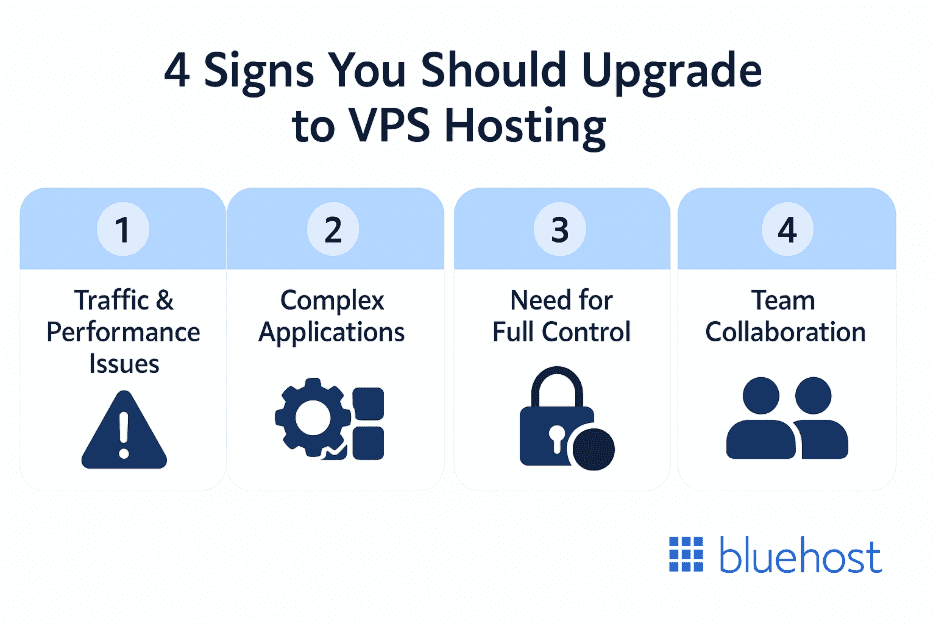
Upgrade to VPS hosting when you need root access, custom software installations or improved performance for development projects. Consider upgrading if shared hosting restricts your workflow or causes performance issues.
1. Traffic and performance indicators
Consider upgrading to VPS hosting when your shared hosting struggles with traffic spikes or performance issues. Monitor your current resource utilization and upgrade when you consistently approach limits.
Upgrade indicators for small businesses and developers:
- Slow response times: Indicates page loading times longer than 3 seconds
- Database timeouts: Shows query failures during peak usage
- Resource warnings: Signals hosting provider limit notifications
- Traffic growth: Demonstrates consistent reception of 1000+ daily visitors
Performance scenario: A blogger’s WordPress site receives 5,000 monthly visitors. During viral content periods, shared hosting crashes from traffic spikes. VPS hosting provides stable resources that handle unpredictable traffic patterns.
2. Application complexity requirements
Complex applications with multiple components need VPS hosting’s flexibility and control. When your projects require custom software installations or specialized runtime environments, VPS hosting accommodates these technical demands.
Complexity indicators:
- Background processes: Requires applications with persistent services
- Multiple frameworks: Involves projects using different technology stacks
- Custom software: Needs specialized tools not available on shared hosting
- Integration requirements: Demands external APIs and service connections
Development example: A mobile app backend uses FastAPI with PostgreSQL and requires async processing capabilities. This microservice architecture needs container orchestration and custom networking that shared hosting cannot accommodate.
3. Control and customization needs
Upgrade to VPS hosting when you need root access for custom configurations or security implementations. Development teams requiring specialized deployment pipelines benefit significantly from VPS hosting’s administrative access.
Control requirements:
- Custom SSL certificates: Enables enhanced security configurations
- Monitoring tools: Provides application performance tracking
- Security measures: Implements custom firewall and access controls
- Development tools: Supports IDE servers and debugging utilities
Administrative access enables implementing DevOps practices including automated testing, continuous integration and deployment automation.
4. Team collaboration and staging requirements
Multi-developer projects benefit from VPS hosting’s ability to support collaborative workflows. When your team needs shared development resources and consistent testing environments, VPS hosting facilitates these requirements.
Collaboration features:
- Multiple staging environments: Separate testing environments for different features
- Shared development tools: Team access to databases and services
- Version control integration: Automated deployment from Git repositories
- Resource sharing: Common development resource access for team members
Team scenario: An eight-developer startup maintains separate feature branches with individual testing databases. VPS hosting enables isolated development spaces, automated testing pipelines and collaborative debugging tools that traditional hosting cannot deliver.
Already have a development environment elsewhere? Bluehost’s migration service handles the technical transfer so you can focus on coding.
Also read: 15 Best Linux VPS Hosting Services in 2025: Comparision guide
Ready to see how Bluehost transforms development workflows? Let’s explore the specific features that make our VPS hosting ideal for modern development teams.
Why Bluehost VPS Is Among the Top VPS Hosting Options for App Developers
Bluehost VPS provides excellent developer environments with managed services that reduce administrative overhead. The combination of performance, support and developer friendly hosting features makes Bluehost suitable for various development projects.
1. Performance specs and hardware features
Bluehost VPS plans feature DDR5 memory technology and NVMe storage with unmetered bandwidth that developers need for efficient workflows. The Standard plan includes 4GB DDR5 RAM and 100GB NVMe storage with dual vCPU cores. This configuration supports most development projects effectively.
Bluehost VPS specifications:
| Plan | RAM | Storage | CPU cores | Monthly price* | Key features |
| NVMe 2 | 2GB DDR5 | 50GB NVMe | 1 vCPU | Starting at $9.99/mo | Full root access (SSH), unmetered bandwidth, DDoS protection, infrastructure-only support |
| NVMe 4 | 4GB DDR5 | 100GB NVMe | 2 vCPU | Starting at $17.99/mo | Scalable resources, dedicated IP, high availability readiness |
| NVMe 8 | 8GB DDR5 | 200GB NVMe | 4 vCPU | Starting at $30.99/mo | Advanced scaling capability, performance tuning flexibility |
| NVMe 16 | 16GB DDR5 RAM | 450GB NVMe Storage | 8 vCPU Cores | Starting at $59.99/mo | Enterprise-grade resource isolation, high-traffic application support, large database optimization, full CI/CD pipeline readiness |
*Pricing shown for 1-month term. Promotional rates and longer-term discounts may apply. cPanel is not included with self-managed VPS plans and must be installed separately if required.
2. Developer tools and integrations
Bluehost VPS includes essential developer tools and supports integration with popular development workflows. SSH access enables command-line administration and remote development capabilities with unmetered bandwidth for seamless connectivity.
Included developer features with dedicated support:
- SSH access: Full command-line control and remote connectivity
- Git support: Version control integration and automated deployments
- Multiple languages: Python, Node.js, PHP with flexible version management
- Database options: MySQL, PostgreSQL support included
- Free migration service: Professional migration assistance included
- Dedicated IP addresses: Multiple IP addresses for enhanced functionality
- Control panel: User-friendly interface for server management
The hosting environment accommodates comprehensive development stacks without compatibility concerns. Install development tools, configure frameworks and optimize performance according to your project requirements.
3. Scalability options across VPS plans
We offer three VPS tiers that accommodate different development needs. The Standard plan suits individual developers and small projects. Enhanced plans support growing applications with increased complexity and additional dedicated IP addresses.
Scalability advantages:
- Easy upgrades: Enables moving between plans as projects grow
- No migration hassles: Provides upgrades without changing providers
- Cost efficiency: Allows paying for resources you actually need
- Unmetered bandwidth: No restrictions on data transfer across all plans
Also read: How to Purchase a Dedicated IP Address
Scaling scenario: A startup begins with Standard VPS for initial development. As their application gains users, they upgrade to Enhanced for additional vCPU cores and dedicated IP addresses. Eventually, they move to Ultimate for production-scale performance with 16GB DDR5 memory.
4. Support and reliability for development teams
We provide 24/7 technical support from experts who understand development environments. This support includes assistance with server configuration, application optimization and free migration services for seamless transitions.
Support benefits with security features:
- Expert assistance: Tech support familiar with development challenges
- Quick resolution: Rapid problem-solving that minimizes downtime
- Reliable uptime: Consistent availability for development work
- Free migration service: Professional assistance for platform transitions
- Regular backups: Automated data protection minimizing vulnerabilities
These enterprise-level capabilities represent the fundamental advantages that distinguish VPS hosting from shared hosting limitations.
How do you set up VPS for development work?
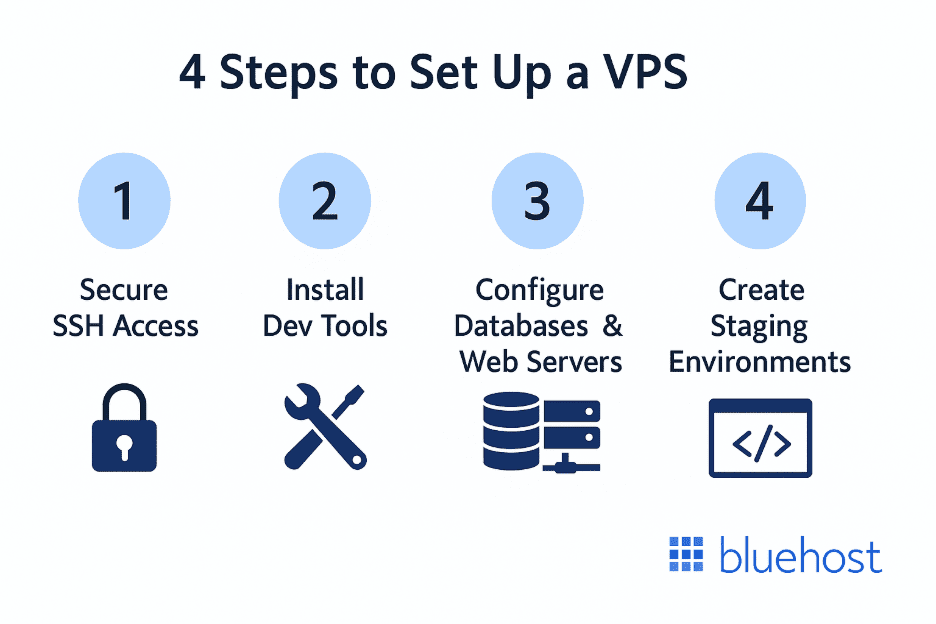
Setting up VPS for development involves four essential phases: securing server access, installing development tools, configuring databases and web servers and creating staging environments. The process ensures your VPS becomes a fully functional development environment optimized for your workflow requirements.
1. Initial server configuration and SSH setup
Begin VPS setup by securing SSH access with key-based authentication. Disable password authentication for enhanced security. Configure SSH client profiles that streamline remote access to your development environment.
Server setup security steps:
- Generate SSH keys: Create public/private key pairs
- Upload public key: Add key to server authorized_keys file
- Disable passwords: Prevent brute force login attempts
- Configure firewall: Allow SSH while blocking unnecessary ports
Update your server’s operating system and install security updates before proceeding. These initial security steps create a secure foundation for development work.
2. Development tool installation
Install preferred development tools, including Git for version control and text editors for remote coding. Configure Git with your credentials and SSH keys for seamless repository access.
Essential development tools:
- Git: Version control and repository management
- Text editors: Vim, nano or VS Code Server
- Build tools: Compilers and package managers
- Monitoring utilities: htop, iotop for system monitoring
Set up development environments for your programming languages. Create virtual environments for Python, install node version managers for JavaScript or configure similar tools for other languages.
3. Database and web server configuration
Configure database systems your applications require. Secure database installations with proper user accounts and access controls. Optimize database settings for development use, including query logging.
Database setup checklist:
- Install database software: MySQL, PostgreSQL or MongoDB options
- Create development databases: Separate databases for each project
- Configure user accounts: Limited access with appropriate permissions
- Set up backups: Automated backup procedures
Install and configure web servers based on application requirements. Set up virtual hosts for multiple projects and SSL certificates for secure development.
4. Staging environment creation
Create staging environments that mirror production setup for thorough testing. Configure separate databases, file systems and application instances that isolate staging work from development.
Staging environment components:
- Duplicate production: Mirror live application configuration
- Separate databases: Isolated data for safe testing
- Automated deployment: Scripts for promoting code changes
- Testing procedures: Validation processes before production
Implement deployment processes that promote code from development through staging to production. Automate these processes to reduce manual errors and streamline workflows.
Also read: How to Set Up a VPS and Launch Your Own Server in 2025: Beginner’s Guide
Final thoughts
Ready to take full control of your development environment? Our Bluehost VPS hosting delivers dedicated resources, NVMe storage, DDR5 memory and full root access giving you the performance and flexibility serious projects demand.
With scalable CPU, RAM, unmetered bandwidth and infrastructure built for reliability, you can configure your server exactly the way your workflow requires. Whether you’re deploying custom stacks, running high-traffic applications or building SaaS platforms, you stay in control without unnecessary platform limitations.
Compare plans, choose the configuration that fits your workload and launch your VPS server today.
FAQs
VPS hosting for developers provides dedicated server resources in a virtualized environment with complete administrative control. Unlike shared hosting, VPS hosting offers root access, SSH connectivity and the ability to install custom software and configure server settings for development needs.
Yes, VPS hosting provides significant benefits for Python and Django applications including the ability to install specific Python versions, configure virtual environments and optimize database connections. Django applications particularly benefit from dedicated resources and custom configuration options that improve performance and development efficiency.
VPS hosting offers superior control, performance and flexibility compared to shared hosting for development work. You get dedicated resources, root access, SSH connectivity and the ability to install custom development tools. Shared hosting restricts these capabilities and shares resources with other users, limiting development potential.
Essential VPS hosting features for developers include SSH access, root privileges, Git support, flexible resource allocation and compatibility with your programming languages and frameworks. Look for providers offering staging environments, automated backups and quality support staff for development-related issues. Consider unmanaged hosting options if you prefer complete server control without provider assistance.
Deploy projects by connecting to your VPS via SSH, cloning your Git repository and configuring your application environment. Install dependencies, configure databases, set up web servers and create deployment scripts that automate future updates. This process leverages VPS hosting’s command-line access and customization capabilities.
The best VPS host for CI/CD provides reliable performance, Git integration and support for automation tools like Jenkins or GitHub Actions. Look for providers offering consistent uptime, adequate resources for build processes and flexibility to install and configure continuous integration tools according to your workflow requirements.
Upgrade to VPS hosting when you need root access, custom software installations, dedicated resources or improved performance for your development projects. Consider upgrading if shared hosting restricts your development workflow, causes performance issues or limits your ability to configure applications properly.
Bluehost VPS provides excellent developer environments with managed services that reduce administrative overhead while maintaining the flexibility developers need. The combination of performance, support and developer-friendly features makes Bluehost suitable for various development projects and team sizes.

Write A Comment