 ChatGPT,
 Claude,
 Gemini,
 Grok — all four for

Key highlights
- Understand what an XML sitemap is and how it helps search engines discover and index your website’s pages more efficiently.
- Learn how to create an XML sitemap using a reliable XML sitemap generator tool, even if you have no technical background.
- Explore how to set up an XML sitemap on WordPress with the right plugins to improve your site’s overall SEO performance.
- Know what a well-structured XML sitemap example looks like and what key elements it should include for maximum crawlability.
- Uncover why having an XML sitemap is essential for growing websites and how submitting one to search engines can speed up content visibility.
If you want search engines like Google to find, understand and index your website, an XML sitemap is one of the most important technical SEO tools you can put in place. Yet many website owners, from bloggers to eCommerce store owners, skip this step entirely, often because they are unsure what a sitemap is or why it matters.
This guide breaks it all down. You will learn what an XML sitemap is, what it looks like, why it benefits your SEO, how to create one and how tools like Yoast SEO Premium on Bluehost make the entire process automatic with no technical skills required.
What is an XML sitemap?
An XML sitemap is a file that provides search engines with a structured list of all the important URLs on your website. Think of it as a roadmap or blueprint that tells search engine bots also called crawlers or spiders exactly which pages exist on your site, when they were last updated and how they relate to each other.
The term “XML” stands for Extensible Markup Language, a format used to encode data in a way that is both human-readable and machine-readable. Unlike HTML, which is designed to display content in a browser, XML is designed purely to organize and transport data making it ideal for communicating website structure to search engines.
Search engines like Google and Bing have sophisticated crawlers that follow links from page to page to discover content. However, they can miss pages if your site is new, your internal linking is weak or your website has a large number of pages. An XML sitemap solves this problem by directly listing the pages you want indexed with no guesswork required.
Also read: How to Create a Sitemap for a Website: A Beginner’s Guide
XML sitemaps vs. HTML sitemaps
It is worth clarifying the difference between XML sitemaps and HTML sitemaps since both use the word ‘sitemap’ and yet serve very different purposes.
| XML sitemap | HTML sitemap |
| Designed for search engines | Designed for human visitors |
| Written in XML format | Written in HTML format |
| Not visible in browser navigation | Visible page for site navigation |
| Includes metadata (last updated, priority) | Includes links organized by category |
XML sitemap example: What does one look like?
An XML sitemap is a plain text file with structured tags. Here is a simple XML sitemap example that includes two URLs:
<?xml version="1.0" encoding="UTF-8"?>
<urlset xmlns="http://www.sitemaps.org/schemas/sitemap/0.9">
  <url>
    <loc>https://www.yoursite.com/about/</loc>
    <lastmod>2025-11-15</lastmod>
    <changefreq>monthly</changefreq>
    <priority>0.8</priority>
  </url>
  <url>
    <loc>https://www.yoursite.com/blog/seo-tips/</loc>
    <lastmod>2026-01-20</lastmod>
    <changefreq>weekly</changefreq>
    <priority>0.6</priority>
  </url>
</urlset>
Here is what each of those XML tags means:
- <?xml> — Declares that this is an XML file and specifies the encoding (usually UTF-8).
- <urlset> — The root element that wraps all the URLs in the sitemap.
- <url> — Wraps the data for a single page URL.
- <loc> — The full URL of the page. This is the only required tag within each <url> block.
- <lastmod> — The date the page was last meaningfully updated (in YYYY-MM-DD format). Helps Google prioritize fresh content.
- <changefreq> — How frequently the page is likely to change (daily, weekly, monthly, etc.). Google treats this as a hint, not a rule.
- <priority> — A value from 0.0 to 1.0 indicating how important this page is relative to other pages on your site. Default is 0.5.
Pro Tip: While changefreq and priority fields are supported by the sitemap protocol, Google has publicly stated it pays less attention to them than it once did. The most important elements are
Why do you need an XML sitemap?
Even if your website has solid navigation and internal linking, an XML sitemap provides additional benefits that can meaningfully impact your search rankings. Here is why every website owner should have one.
1. Helps search engines find all your pages
Search engines discover content by following links. If a page on your site has no inbound links from other pages commonly called an ‘orphan page’ crawlers may never find it. An XML sitemap acts as a safety net, explicitly pointing Google to every page you want indexed, regardless of how well it is linked.
2. Speeds up indexing of new content
When you publish a new blog post, product page or landing page, it can take Google days or even weeks to discover it organically. By including the new URL in your sitemap (submitting the sitemap in Google Search Console), you signal that fresh content is available, often accelerating the indexing process significantly.
3. Especially important for large or complex websites
If your website has hundreds or thousands of pages like an eCommerce store, a news site or a large blog archive Google’s crawl budget becomes a real consideration. Crawl budget refers to the number of pages Googlebot will crawl within a given time period. A well-structured sitemap helps Google understand which pages matter most, making crawl budget allocation more efficient.
4. Supports rich metadata for better crawling
Beyond simply listing URLs, XML sitemaps can include additional metadata about images and videos on your pages using sitemap extensions. This tells Google that multimedia content exists at a given URL, which can improve your chances of appearing in image search results or video carousels.
5. Essential for new websites
Brand-new websites have very few or no inbound links from other sites. That makes it extremely hard for Google to discover your pages through organic link-following. Submitting an XML sitemap through Google Search Console gives your new site a significant head start.
6. Helps surface orphan pages and indexing issues
When you compare your XML sitemap against Google Search Console’s page indexing report, you can quickly identify pages that Google has not indexed yet or pages that have been flagged with errors. This diagnostic benefit alone makes maintaining an accurate sitemap worthwhile.
What pages should be in your XML sitemap?
Not every URL on your website belongs in your sitemap. Including the wrong pages can dilute your sitemap quality and send mixed signals to search engines. Here is a practical breakdown of what to include and what to leave out.
Pages to include
- All canonical, indexable pages you want to rank in search results
- Your homepage, cornerstone content pages and key landing pages
- Blog posts and articles that provide value to readers
- Product pages and category pages (for eCommerce sites)
- Service pages and location pages (for local businesses)
Pages to exclude
- Pages marked with a noindex tag or robots.txt disallow directive
- Duplicate content pages or pages with canonical tags pointing elsewhere
- Admin pages, login pages and thank-you confirmation pages
- Paginated pages beyond the first page (in most cases)
- URLs with tracking parameters that create duplicate variations
Important: Including noindexed pages in your sitemap sends contradictory signals to Google. You are saying ‘here is a page’ in your sitemap while simultaneously saying ‘do not index this page’ via the noindex tag. Always ensure your sitemap only contains pages you genuinely want indexed.
How to create an XML sitemap
There are several ways to create an XML sitemap depending on your technical comfort level and the platform your website runs on. Let us explore each approach.
Option 1: Use a WordPress SEO plugin (recommended)
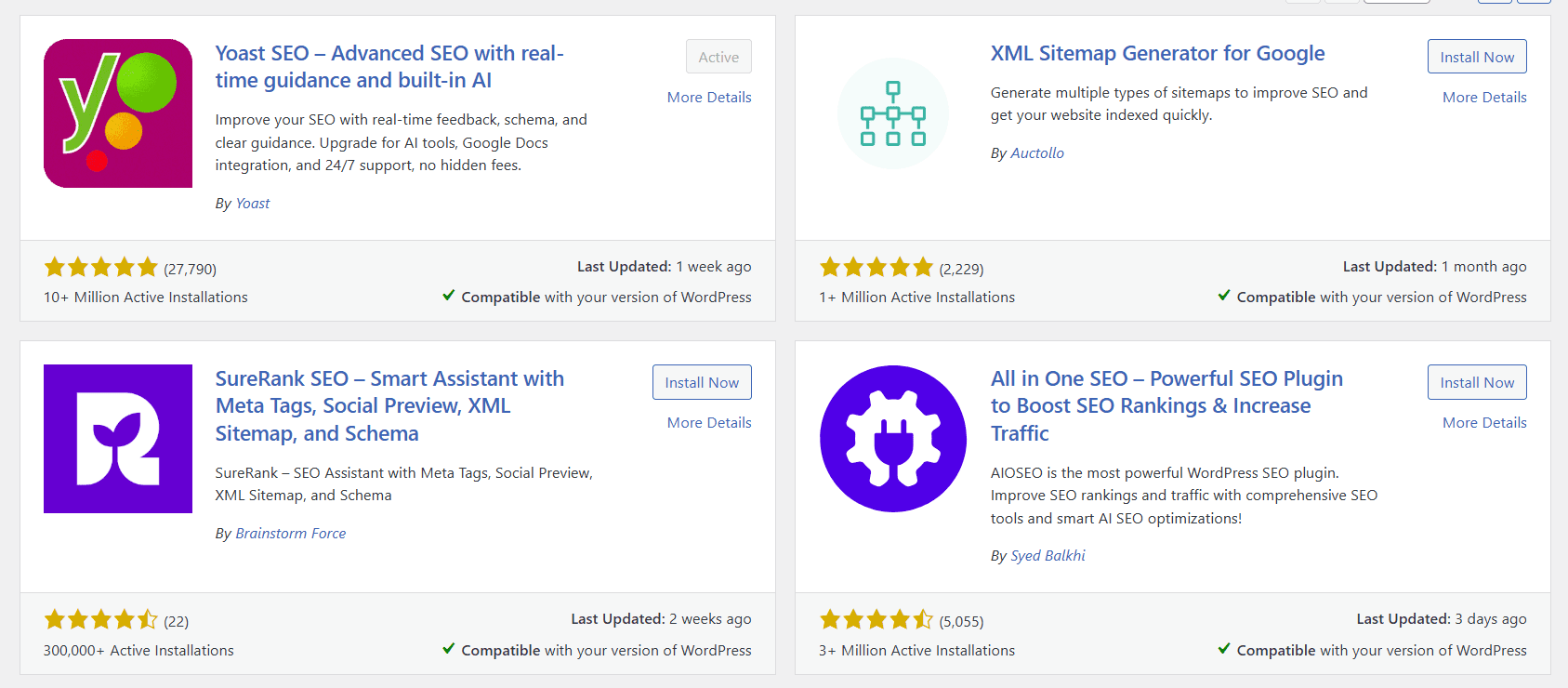
For WordPress users, the easiest and most reliable method is to use an SEO plugin that automatically generates and maintains your XML sitemap. Yoast SEO is the gold standard here. Once installed, it automatically creates a sitemap at yoursite.com/sitemap_index.xml and keeps it updated every time you publish or update content with zero manual effort on your part.
Option 2: Use an Online XML sitemap generator tool
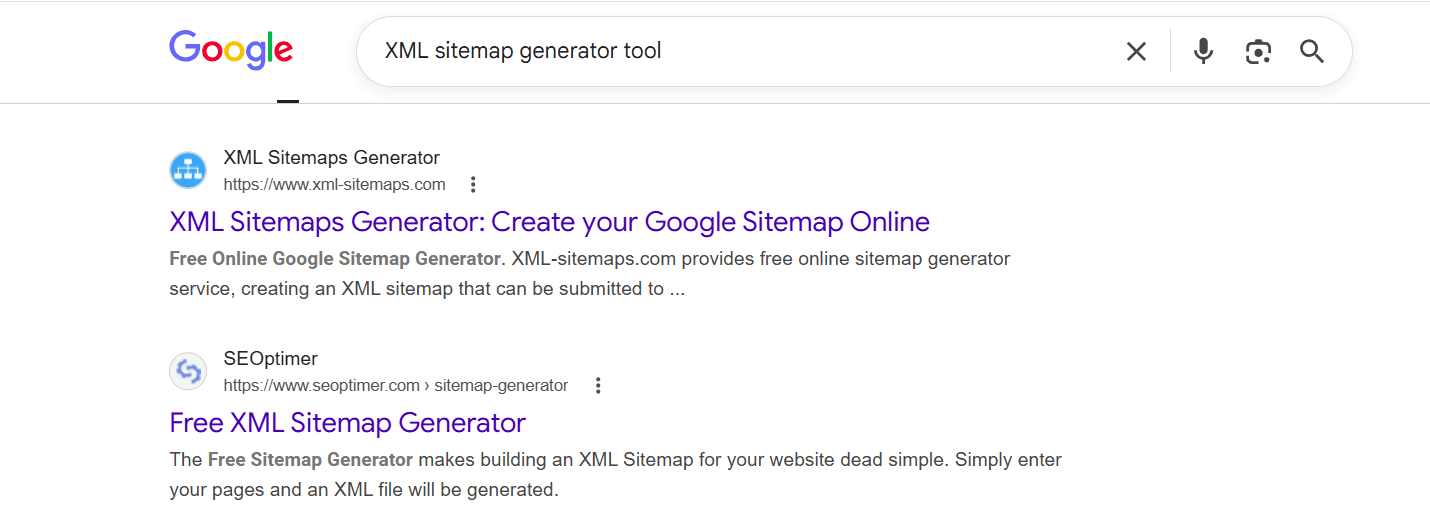
If you are not using WordPress or prefer a standalone solution, several free and paid XML sitemap generator tools are available online. Tools like XML-Sitemaps.com crawl your website and produce a downloadable sitemap file that you can upload to your server.
The limitation of these tools is that you need to regenerate and re-upload the sitemap manually every time your site changes which can become tedious for active sites.
Option 3: Code it manually
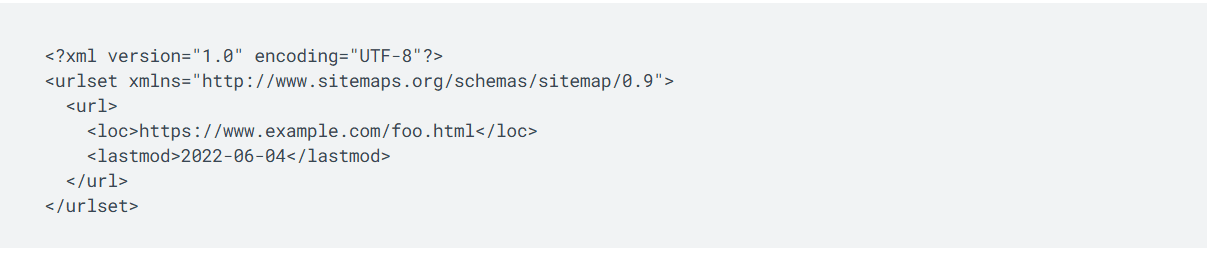
For developers who want full control, it is possible to write an XML sitemap by hand using the format shown in the example above. You can also write scripts in Python, PHP or other languages to programmatically generate a sitemap based on your site’s database of URLs. This approach is flexible but requires technical knowledge and ongoing maintenance.
Option 4: Use your CMS or eCommerce platform
Many content management systems and eCommerce platforms (including Shopify, Squarespace and Wix) automatically generate a basic sitemap for your site. Check your platform’s documentation to find where your sitemap is located. For advanced customization, you may still want a dedicated SEO plugin or tool.
XML sitemap WordPress: How Yoast SEO handles it automatically
For the majority of website owners, WordPress is the platform of choice and Yoast SEO is the definitive SEO solution for WordPress. Here is exactly how Yoast SEO (both free and Premium) handles XML sitemaps on your behalf.
1. Automatic sitemap generation
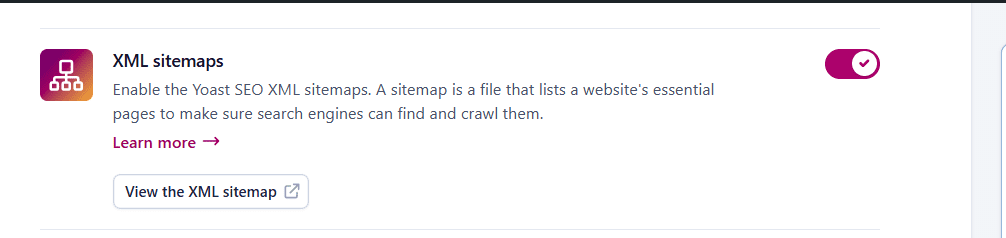
Once you install Yoast SEO on your WordPress site, it immediately generates an XML sitemap index at yourwebsite.com/sitemap_index.xml. This index sitemap links to separate child sitemaps organized by content type, such as:
- Posts sitemap: yourwebsite.com/post-sitemap.xml
- Pages sitemap: yourwebsite.com/page-sitemap.xml
- Categories sitemap: yourwebsite.com/category-sitemap.xml
- Author sitemaps (if enabled)
- Custom post type sitemaps (for custom content structures)
This organized structure makes it easy for Google to crawl large sites efficiently without having to process one enormous sitemap file.
2. Always up to date
Every time you publish a new post or page, or update an existing one, Yoast SEO automatically updates your sitemap in real time. You never have to remember to refresh it manually.
3. Smart exclusion logic
Yoast SEO is smart enough to automatically exclude noindexed pages from your sitemap. So if you mark a page as noindex whether because it is a duplicate, a thin-content page or an admin utility Yoast will remove it from the sitemap, keeping your sitemap clean and consistent.
4. Sitemap ping to Google
Yoast can automatically notify search engines when the sitemap updates. This further accelerates the indexing process for new pages.
Also read: Submit Website to Search Engines in 2026: Step-by-Step Guide
XML sitemap generator tools: Your options compared
If you are researching standalone XML sitemap generator tools beyond WordPress plugins, here is an overview of the most popular options available today.
| Tool | Best for | Cost | Auto-update? |
| Yoast SEO (WordPress) | WordPress site owners | Free / $118.80/yr (Premium) | Yes |
| XML-Sitemaps.com | Non-WordPress / small sites | Free (up to 500 pages) | No (manual) |
| Screaming Frog | Technical SEOs / agencies | Free (up to 500 URLs) / Paid | No (manual) |
| Google Search Console | Submitting existing sitemaps | Free | N/A |
How to submit your XML sitemap to Google
Creating an XML sitemap is only half the job. For maximum benefit, you should submit your sitemap directly to Google Search Console. Here is how to do it step by step.
- Step 1: Go to Google Search Console (search.google.com/search-console) and sign in with your Google account.
- Step 2: Select your website property from the left-hand dashboard.
- Step 3: In the left menu, click Sitemaps under the Indexing section.
- Step 4: Enter your sitemap URL in the field provided. If you use Yoast SEO, this will typically be yourwebsite.com/sitemap_index.xml
- Step 5: Click Submit. Google will begin processing your sitemap and you will see a status update confirming whether it was successfully read.
Once submitted, Google Search Console provides ongoing data about your sitemap, including how many URLs were discovered, how many have been indexed and any errors that need to be addressed. This is invaluable for ongoing SEO monitoring.
How to check whether your sitemap is working
Once your sitemap is live, verifying that it works correctly takes only a few minutes and protects your SEO visibility from silent issues that can go unnoticed for weeks. Run through these checks after setup and again whenever you make significant changes to your site structure.
- Open the sitemap URL in your browser: Navigate to yoursite.com/sitemap_index.xml (or yoursite.com/sitemap.xml). If the file loads and displays structured XML, it is publicly accessible. A blank page or 404 error means the sitemap is missing or blocked.
- Confirm only indexable URLs appear: Scan the listed URLs and verify no noindexed pages, login pages, admin URLs or duplicate parameter-based pages are included. Conflicting signals between your sitemap and noindex tags confuse crawlers and dilute crawl budget.
- Check Google Search Console status: Under Indexing > Sitemaps, confirm the submitted sitemap shows a “Success” status. Review the URLs discovered versus URLs indexed a large gap often signals crawl errors or noindex conflicts worth investigating.
- Look for errors in the Coverage report: Flag any pages listed as redirects, soft 404s or blocked by robots.txt. Pages stuck in redirect chains or returning error codes should be removed from your sitemap until the underlying issue is resolved.
Addressing these issues promptly ensures your XML sitemap accurately reflects your site and that search engines spend their crawl budget on pages that genuinely contribute to your rankings.
Common XML sitemap mistakes to avoid
Even with the best tools, there are common sitemap errors that can undermine your SEO efforts. Here are the most frequent mistakes and how to avoid them.
1. Including no-indexed or blocked pages
As mentioned above, never include pages in your sitemap that are marked noindex or blocked by robots.txt. This creates conflicting signals and can confuse search engine crawlers. Yoast SEO Premium automatically handles this exclusion for you.
2. Using incorrect URLs
Every URL in your sitemap must match the canonical version of that URL exactly. Mixed use of HTTP vs. HTTPS, or www vs. non-www versions of your domain, can create duplicate content issues. Always use your preferred domain format consistently throughout your sitemap.
3. Not keeping your sitemap updated
A stale sitemap can reduce its usefulness and send weaker signals to search engines, so it should be kept current. If you add new pages, delete old ones or change URLs (redirects), your sitemap must be updated accordingly. With Yoast SEO, this happens automatically every change triggers a sitemap update.
4. Creating a sitemap that is too large
The sitemap protocol has limits: a single sitemap file can contain a maximum of 50,000 URLs and must not exceed 50MB in size. For large sites, use a sitemap index file that links to multiple child sitemaps (Yoast SEO creates this structure automatically).
5. Not submitting to Search Console
Even if your sitemap is perfect, not submitting it to Google Search Console means you miss out on indexing insights and the ability to monitor and troubleshoot any issues that arise.
Bluehost + Yoast SEO Premium: Your All-in-one SEO solution

Getting your XML sitemap right is just one piece of a larger SEO puzzle. To truly grow your website’s visibility and traffic, you need a complete set of tools that cover both technical SEO and content optimization and that is exactly what Bluehost delivers with Yoast SEO Premium.
Bluehost offers Yoast SEO Premium, which provides all the tools and guidance you need to improve the relevance and readability of your site content to boost your site’s performance and rank higher in search engine results. Backed by a team of SEO experts, Yoast SEO is loaded with features to help users of all experience levels get ahead of the competition.
With Yoast SEO Premium on Bluehost, you get a complete SEO toolkit that goes far beyond sitemaps:
- Automatic XML sitemaps: Generated and updated in real time, no manual work required.
- SEO and readability analysis: Get instant, actionable feedback while you write your content, including keyword usage, sentence structure and readability score.
- AI-enhanced optimization: Use built-in AI tools to generate compelling meta descriptions and title tags at no extra cost.
- Internal linking suggestions: Yoast intelligently recommends relevant pages to link to as you write, keeping visitors on your site longer.
- URL redirects and 404 error corrections: Automatically manage redirects when you change URLs, preventing dead links and preserving SEO value.
- Redirect manager: Catch and fix broken links before search engines penalize your site.
- Social media preview tools: Control how your pages appear when shared on Facebook, X (Twitter) and LinkedIn.
- Full access to Yoast SEO Academy: Learn SEO at your own pace with in-depth courses and training.
- 24/7 expert support: Get answers and guidance from real SEO professionals whenever you need them.
When you pair Yoast SEO Premium with Bluehost hosting, you also benefit from fast WordPress hosting infrastructure that supports strong technical SEO performance including site speed, uptime, free SSL certification, malware protection and daily backups.
Whether you are just launching your first website or scaling an established online presence, the Bluehost + Yoast SEO Premium combination gives you everything you need to start strong and grow your audience with confidence.
Ready to get started? Explore the Yoast SEO Premium + Hosting plan on Bluehost and give your site the SEO foundation it deserves.
Final thoughts
An XML sitemap is one of the simplest yet most impactful technical SEO investments you can make. It tells search engines exactly where to look, helps your content get indexed faster and ensures no important page gets left behind.
The good news is that you do not need to be a developer to get this right. With Yoast SEO Premium on Bluehost, your sitemap is created automatically, updated in real time and formatted correctly so Google can read it without any issues.
Start Your SEO Journey with Bluehost + Yoast SEO Premium.
Get automatic XML sitemaps, AI-powered content tools, redirect management, internal linking suggestions and 24/7 SEO expert support-all in one powerful package built for WordPress.
FAQs
An XML sitemap is a structured file written in Extensible Markup Language that lists all the important URLs on a website, along with metadata such as the date each page was last updated, how frequently it changes and its relative importance. It is submitted to search engines like Google and Bing to help them discover, crawl and index a website’s pages more efficiently. Unlike an HTML sitemap designed for human visitors, an XML sitemap is intended solely for search engine crawlers.
There are four main ways to create an XML sitemap:
(1) Use a WordPress SEO plugin like Yoast SEO, which automatically generates and maintains a sitemap for you;
(2) Use a free online XML sitemap generator tool such as XML-Sitemaps.com, which crawls your site and produces a downloadable file;
(3) Write it manually in a text editor using the standard XML sitemap format; or
(4) Use a technical crawling tool like Screaming Frog to generate the file.
An XML sitemap generator tool is a software application or web service that automatically creates an XML sitemap for your website. It works by crawling your website following links from page to page and compiling a list of all discovered URLs into a properly formatted XML file. Some tools, like XML-Sitemaps.com, operate online and produce a downloadable file after crawling your domain. Others, like Screaming Frog, are downloadable desktop applications. WordPress plugins like Yoast SEO act as integrated sitemap generators that update your sitemap dynamically every time you add or change content.
On a WordPress site, an XML sitemap improves SEO in several ways. First, it ensures all your pages including those with limited internal links are discoverable by Google. Second, it speeds up the indexing of new content by signaling to search engines that fresh pages have been published. Third, it helps Google allocate its crawl budget effectively on larger sites, prioritizing important pages over low-value ones. Fourth, it allows you to communicate metadata like last-modified dates, helping Google understand which pages have been recently updated.
Yes, you should submit your XML sitemap to Google Search Console at least once as soon as your website is live or your sitemap is created. To submit it, log into Google Search Console, navigate to Indexing > Sitemaps, enter your sitemap URL and click Submit. You do not need to resubmit your sitemap every time it updates, because Google periodically re-fetches it automatically.

Write A Comment