 ChatGPT,
 Claude,
 Gemini,
 Grok — all four for
Key highlights
- Know how small businesses can use AI in practical ways to save time, reduce manual work and support growth without adding unnecessary complexity.
- Learn which AI use cases make the most sense to start with, from content creation and customer support to admin workflows, sales follow-up and financial planning.
- Understand how to choose the right AI tools by focusing on workflow fit, cost, oversight, security and whether the model matches the task.
- Explore how to roll out AI step by step, measure whether it is actually paying off and avoid the cost and confusion of using too many disconnected tools.
- Uncover how Bluehost AI All Access Pack helps simplify AI for businesses by bringing leading models, built-in tools, team access and privacy options into one place.
Artificial intelligence is no longer something only big companies can afford to explore. Today, small businesses are using AI to write marketing copy, answer customer questions, automate admin work and make faster decisions without growing their team or budget at the same pace. For busy owners and lean teams, that can mean lower costs and better efficiency across daily operations.
But getting started with AI can still feel overwhelming. With so many tools, promises and concerns around accuracy and privacy, many small business leaders are left wondering where AI actually fits into their workflow.
This guide breaks down how to use AI for small businesses in practical ways, which tasks to prioritize first and how to adopt it safely and effectively. Whether you are just starting to explore the technology or ready to expand what you already use, this resource gives you a clear and practical path forward.
What is AI for small businesses?
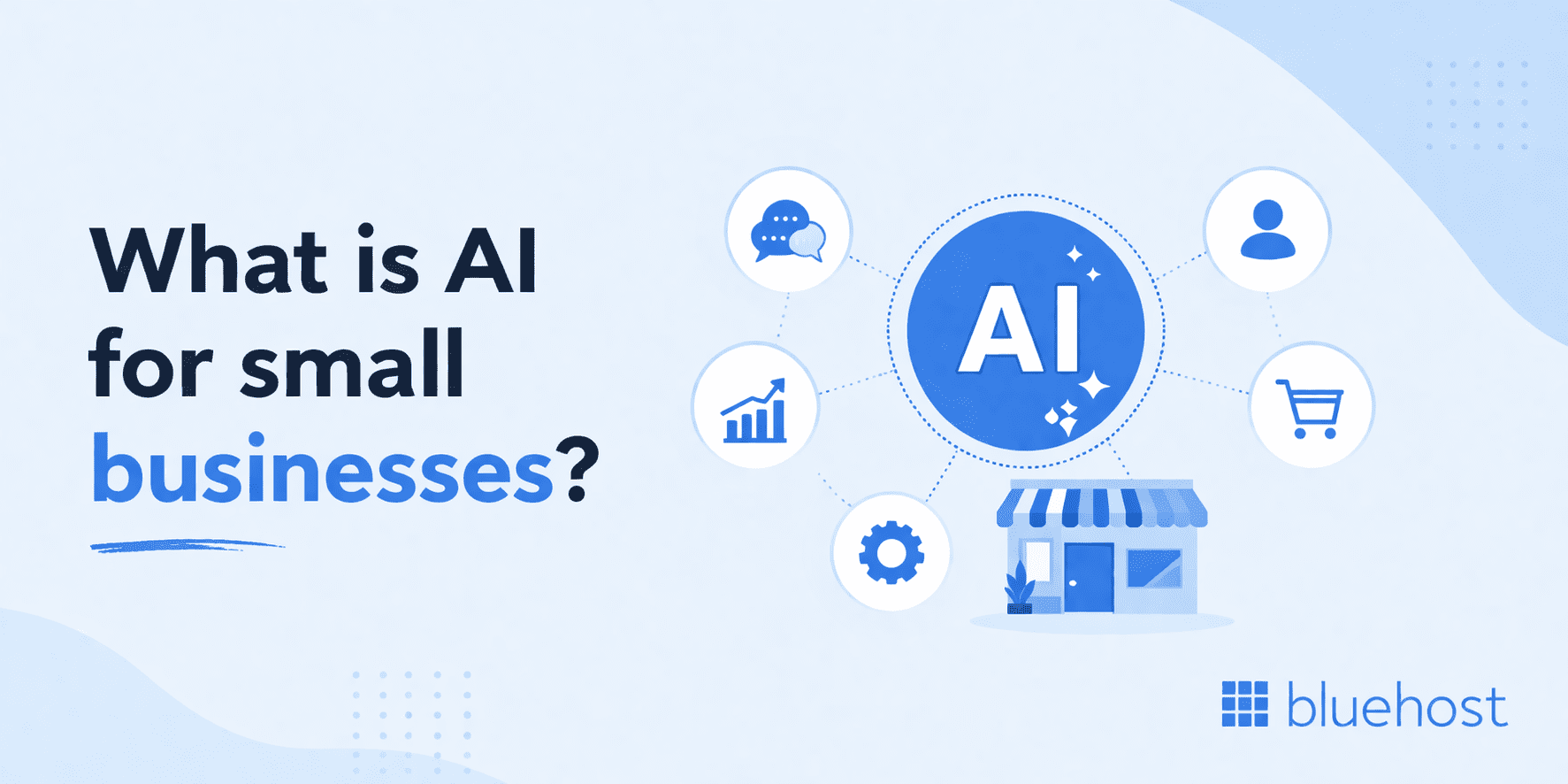
AI for small businesses means using artificial intelligence to make everyday work faster, easier and more efficient. From writing content and answering customer questions to automating admin tasks and analyzing data, AI can help small teams handle more work without adding more pressure to their day.
Rather than replacing people, AI is most useful when it supports the work already happening inside a business. It can take over repetitive tasks, assist with decision-making and help business owners focus more on strategy, customers and growth. For small businesses trying to do more with limited time and resources, that is where AI can make a real difference.
Also read: How to Use AI to Create an Online Store That Sells in 2026 (No Coding)
Why AI matters for small businesses in 2026?
The timing matters. AI tools have become dramatically more capable and more affordable in recent years and the businesses that adopt early are already seeing measurable advantages.
For small businesses, the biggest advantage is not just innovation. It is efficiency. AI can reduce the time spent on repetitive work, help lean teams move faster and create capacity for higher-value tasks that actually drive growth.
Here is why the technology deserves your attention now rather than later.
- Less manual work: Tasks like writing emails, scheduling follow-ups and summarizing meeting notes can be handled in seconds rather than hours.
- Lower operating costs: Automating routine tasks reduces the need to hire additional staff for administrative functions, freeing budget for higher-value work.
- Better customer response times: AI-powered chatbots and auto-response tools can engage customers 24 hours a day, 7 days a week, even when your team is offline.
- Faster decision-making: AI analytics tools for small businesses can surface trends in sales data, customer behavior and expenses far faster than manual spreadsheet review.
- More output from lean teams: A team of two or three people can produce the volume and quality of output that previously required a much larger headcount.
Small businesses that implement AI tools in even one core workflow report significant time savings within the first 90 days. The U.S. Small Business Administration (SBA) highlights AI as one of the most accessible productivity levers available to businesses at every stage of growth.
Best AI use cases for small business in 2026
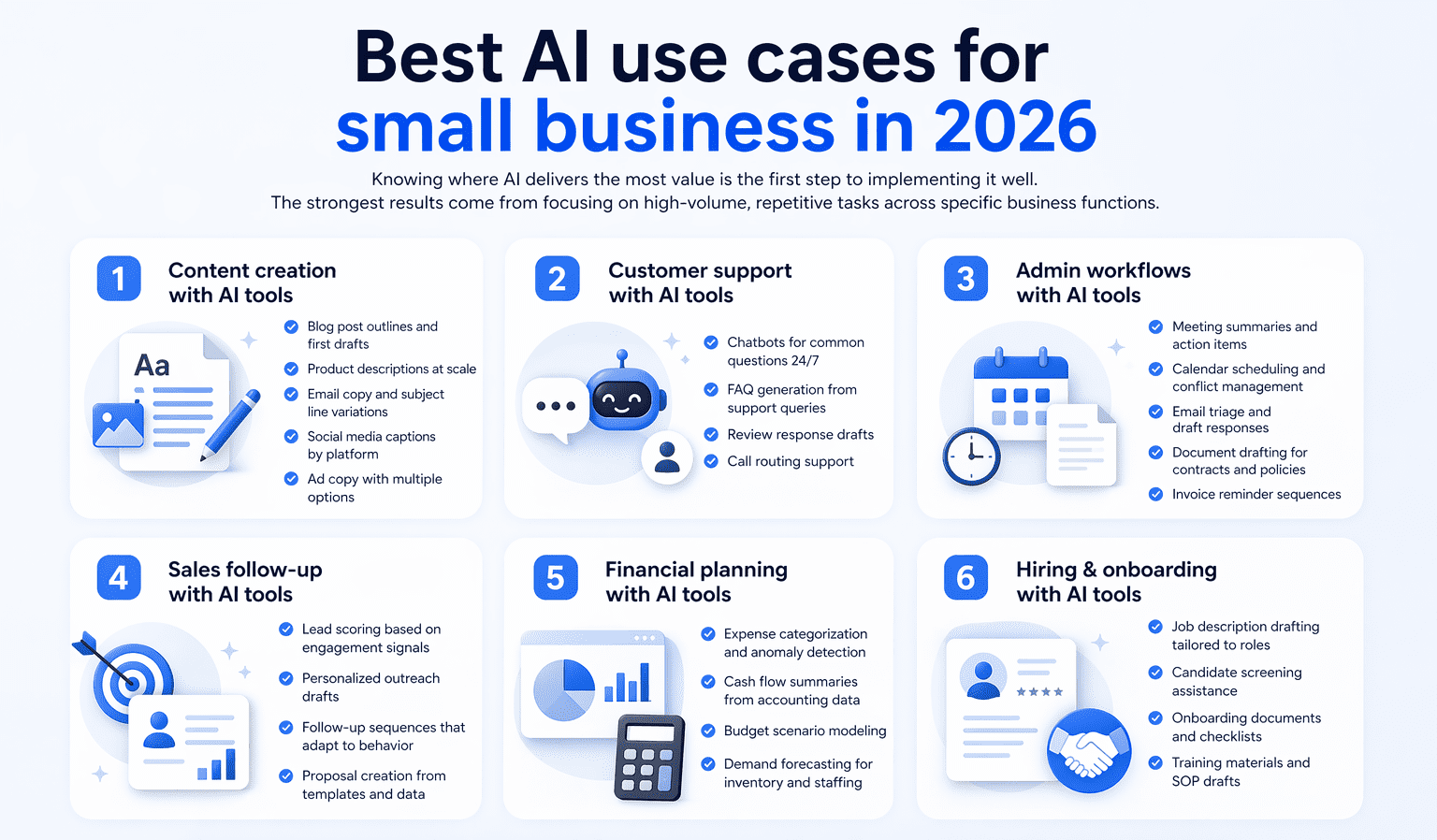
Knowing where AI delivers the most value is the first step to implementing it well. The strongest results come from focusing on high-volume, repetitive tasks across specific business functions.
1. Content creation with AI tools
Content creation is one of the easiest places for small businesses to start with AI. It speeds up writing, helps generate ideas faster and reduces the time it takes to produce marketing assets across channels.
Small businesses use AI for:
- Blog post outlines and first drafts
- Product descriptions at scale
- Email campaign copy and subject line variations
- Social media captions tailored by platform
- Ad copy with multiple headlines and body text options
Instead of spending hours starting from scratch, business owners use AI to build a strong first draft and then refine it for accuracy, tone and brand voice. Used this way, AI works as a helpful assistant, not a replacement for good marketing judgment.
Also read: How to Make AI Content Undetectable in 2026
2. Customer support with AI tools
Customer support is another strong use case for AI in small businesses. When customers expect fast answers, AI helps teams stay responsive without building a large support function.
Small businesses use AI for:
- Chatbots that handle common questions around the clock
- FAQ generation based on recurring support queries
- Review response drafts that sound polished and professional
- Call routing support that directs inquiries to the right team member
AI handles routine questions quickly and helps teams stay available even outside normal business hours. More sensitive issues still need a human touch, especially when trust, nuance or relationship-building matters.
3. Admin workflows with AI tools
Administrative work may not be the most visible part of the business, but it often takes up a surprising amount of time. AI reduces that load by simplifying AI-powered business workflows that would otherwise be handled manually.
Small businesses use AI for:
- Meeting summaries and action item extraction
- Calendar scheduling and conflict management
- Email triage and draft responses
- Document drafting for contracts, proposals and policies
- Invoice reminder sequences
These tasks are repetitive, low risk and easy to measure, which makes them one of the smartest places to start. When used well, AI takes some of the weight off day-to-day operations and helps teams stay more organized.
Also read: n8n AI Agent Guide: Use Cases, Setup & Automation
4. Sales follow-up with AI tools
Following up consistently is essential for growth, but it is also one of the first things to slip when teams get busy. AI helps small businesses stay on top of sales activity by making follow-up faster and less manual.
Small businesses use AI for:
- lead scoring based on engagement signals
- personalized outreach drafts for cold and warm prospects
- follow-up sequences that adapt to response behavior
- proposal creation from templates and deal data
AI helps teams keep leads moving without adding more manual work to the sales process. It does not replace relationship-building, but it does make it easier to stay responsive and keep momentum going.
Also read: ChatGPT for SEO: Powerful Prompts & Optimization Tips 2026
5. Financial planning with AI tools
Financial planning is another area where AI offers practical support. Small business owners still make the final decisions, but AI helps organize financial information and surface useful patterns faster.
Small businesses use AI for:
- Expense categorization and anomaly detection
- Cash flow summaries from accounting data
- Budget scenario modeling based on historical patterns
- Demand forecasting to inform small business inventory management and staffing decisions
Instead of spending hours digging through spreadsheets, business owners use AI to spot trends earlier and understand what is changing in the business. That makes it easier to plan ahead and make smarter decisions with more confidence.
For finance-related businesses, that value matters even more when sensitive customer or payment-adjacent information may be part of the workflow. Bluehost AI All Access Privacy+ is built specifically for confidential financial workflows. It adds privacy-focused controls such as prompt sanitization, encrypted conversations and private access.
6. Hiring and onboarding with AI tools
Hiring and onboarding take up a lot of time, especially for small businesses without a dedicated HR team. AI speeds up the administrative side of bringing new people into the business.
Small businesses use AI for:
- Job description drafting tailored to role requirements
- Candidate screening assistance based on defined criteria
- Onboarding document creation and checklists
- Training materials and standard operating procedure drafts
AI should not make final hiring decisions, but it does support the work around them. Used carefully, it reduces admin effort and gives business owners more time to focus on choosing the right people and setting them up for success.
How to choose the right AI tools for your small business
The AI tools market is crowded and growing fast. Without a clear evaluation framework, it is easy to invest time and money in the wrong direction. Use these five criteria to assess any tool before committing.
- Fragmentation: Does this tool simplify your workflow or does it add another login, invoice and interface for your team to manage?
- Cost creep: Will this reduce your overall AI spend or are you paying for another standalone tool on top of everything else?
- Security: Can your team use it without exposing sensitive business data, customer information or internal documents to unnecessary risk?
- Oversight: Can you control who has access, how it is used and what reaches clients or customers?
- Model fit: Is this the right tool for the job or are you forcing one model to handle tasks it is not best at?
When building a shortlist, group AI tools by workflow, not by brand. That makes it easier to spot overlap, avoid adding another disconnected subscription and choose the right tool for the right task.
Also read: What Is llms.txt? How the New AI Standard Works (2026 Guide)
The hidden costs of using too many AI tools in a small business
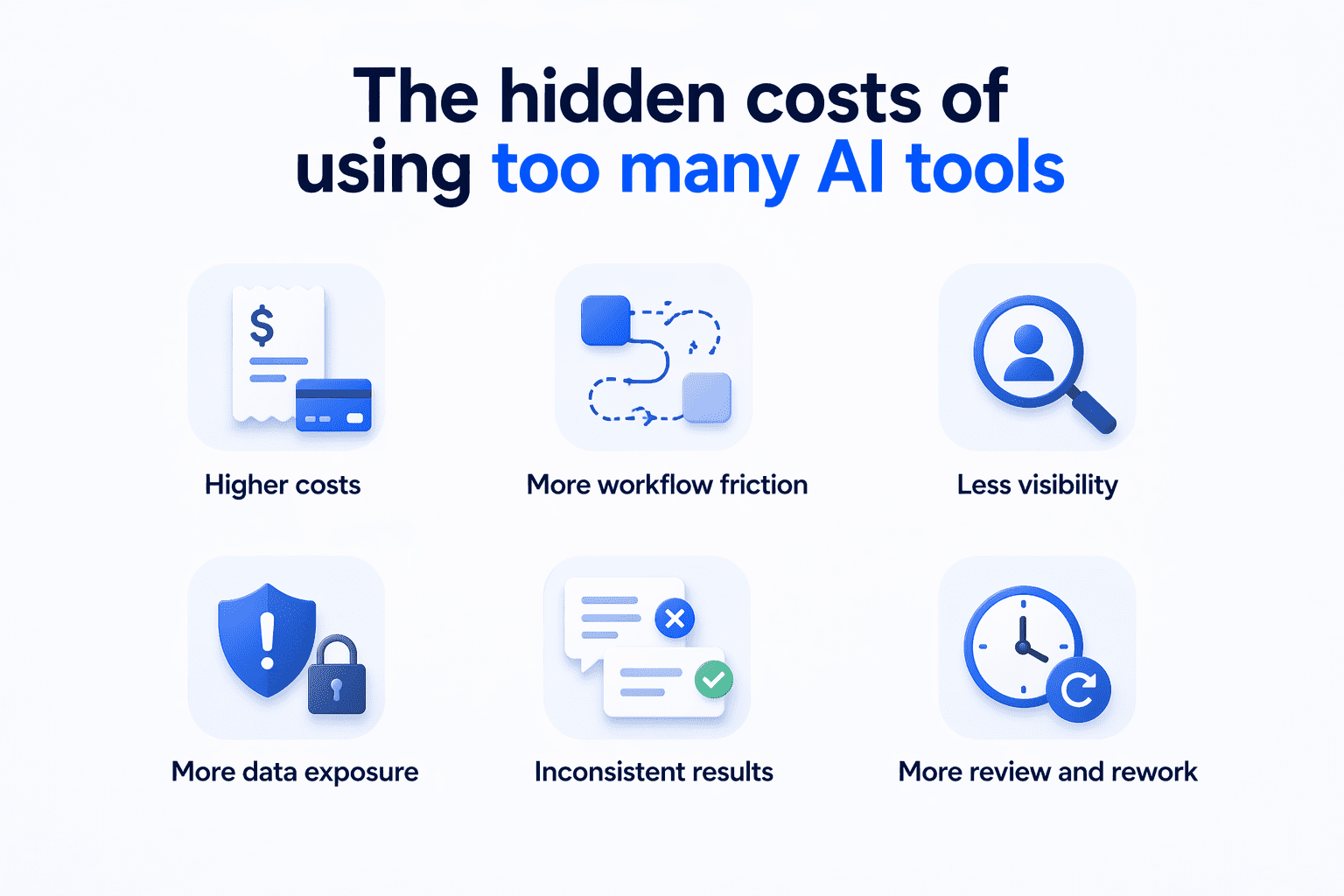
AI creates real opportunities for small businesses, but the bigger risk is adopting it in a way that adds more cost, complexity and exposure than value. Many teams start with one tool, then add another for writing, another for research and another for team access. Over time, that creates the exact problems small businesses are trying to solve.
- Higher costs: Paying for multiple standalone AI tools adds up fast, especially for small teams trying to keep software spend under control.
- More workflow friction: Every extra tool adds another login, interface and handoff. Instead of making work simpler, teams end up switching between platforms just to finish basic tasks.
- Less visibility: As more tools get added, it becomes harder to track who is using what, which outputs are being shared and where work is actually happening.
- More data exposure: Using several AI tools across different workflows increases the chances of sensitive business information being shared in places it should not be.
- Inconsistent results: Different AI models are better at different tasks. When teams rely on separate tools without a clear system, output quality becomes harder to predict and harder to standardize.
- More review and rework: AI is supposed to save time, but that benefit drops quickly when teams spend extra time checking weak outputs, rewriting content or correcting mistakes across multiple platforms.
What does good AI ROI look like for a small business?
Good AI ROI is not just about getting more output. It is about lowering total software spend, reducing workflow friction and making it easier for a small team to get the right result without managing multiple tools, subscriptions and logins.
| What to measure | What good looks like |
|---|---|
| Monthly AI spend | Lower total cost across tools |
| Time spent switching tools | Less jumping between platforms |
| Output quality | Better results for the task at hand |
| Team control | Easier access, oversight and review |
If your team is paying for multiple AI tools, switching between platforms and still reworking the output, the return is weak. A better setup lowers costs, reduces tool overload and helps your team work more smoothly.
Good AI ROI comes from simplicity, not just speed. If your setup lowers costs, reduces friction and gives your team better control, it is doing its job.
Also read: Best Open-Source AI Agent Frameworks Ranked for 2026
How Bluehost can help simplify AI for small businesses
Bluehost has helped millions of people build and grow online for more than two decades. As an officially recommended WordPress.org host trusted by over 5 million WordPress users worldwide, we understand what small businesses need most from new technology: less complexity, better value and tools that actually help them move forward.
With Bluehost’s AI All-Access Pack, businesses no longer need to piece together separate subscriptions for writing, research and creative work. Instead, Bluehost brings multiple leading AI models and core capabilities into one dashboard, helping your team cut down on tool sprawl, reduce login overload and choose the right model for the task at hand.
Here is how Bluehost’s AI All-Access Pack can help your business:
- All your AI together: Instead of managing separate tools for different tasks, teams can work from one dashboard with access to leading models, including ChatGPT, Gemini, Claude and Grok.
- Choose the right tool for the job: Different models are better at different kinds of work, from writing and research to precision tasks.
- Create faster with built-in tools: Beyond core model access, the platform also includes features like Research Agent, Presentation Builder and AI Logo Builder, giving small teams more ways to create without adding more tools to their stack.
- Keep costs simpler: AI All-Access Pack is designed to reduce the cost and clutter that come with managing multiple standalone subscriptions by bringing premium AI access into one plan and one dashboard.
- Team access made easier: The Account Management Dashboard helps businesses and agencies assign seats, manage access and support more consistent team or client workflows as AI adoption grows.
- Extra protection for sensitive work: For businesses handling more sensitive information, higher-tier options include Privacy Mode, access, end-to-end encryption, user-specific PIN protection and Incognito Mode.
Bluehost offers two plan options, so you can choose the level of AI access and privacy that fits how they work. Both plans bring leading AI models into one dashboard, but the right choice depends on whether the business needs broad everyday AI access or added protection for more sensitive workflows.
AI All-Access Pack
- Access to ChatGPT, Gemini, Claude and Grok
- Ability to switch between models based on the task
- Model comparison to review answers side by side
- Research Agent for detailed, cited reports
- Presentation Builder for creating downloadable presentations
- AI Logo Builder for faster creative work
- Account Management Dashboard for a simpler team experience
AI All-Access Pack Privacy+
- Everything included in AI All-Access Pack
- Privacy Mode for protecting sensitive prompts
- End-to-end encryption
- User-specific PIN protection
- Incognito Mode for highly sensitive conversations
Pricing stays simple. AI All-Access Pack pricing starts at $20, making it the everyday option for small businesses and agencies that want multiple leading models in one place. AI All-Access Pack Privacy+ starts at $25 and adds stronger privacy and security features for teams handling more sensitive business or client information.
Note: The prices are as of Apr 2026. For the latest pricing and offerings, please visit our official page.
Final thoughts
AI works best when it takes repetitive, time-consuming tasks off your plate so you and your team can focus on the work that matters most, like strategy, customer relationships and scaling your small business.
The opportunity is no longer somewhere ahead. Small businesses can start using AI today in practical, affordable ways that save time, simplify workflows and improve day-to-day efficiency.
Bluehost AI All-Access Pack gives way to use AI by bringing leading models and built-in tools into one place, so teams can spend less time managing subscriptions and more time getting real work done. AI All-Access Pack is designed to make AI feel more useful and less complicated. And for businesses handling sensitive information, Privacy+ adds stronger protections such as prompt privacy controls, private access patterns, encryption and restricted access options for more secure workflows.
Explore Bluehost AI All-Access Pack and start simplifying the way your team works with AI today.
FAQs
There is no single best AI for every small business because different models are better at different tasks. Some are stronger for writing, some for research, some for analysis and some for technical work. The best setup is one that gives your business flexibility to choose the right tool for the job instead of forcing every task into one platform.
Small businesses can start using AI by choosing one repetitive, time-consuming task such as drafting emails, summarizing notes, writing content or organizing research. A simple pilot with human review helps teams test value, reduce risk and learn what works before expanding AI into more parts of the business.
Start with one repetitive task that takes up too much time, then test one AI tool or workflow against that use case. Run a short pilot, keep human review in place and measure whether it saves time or improves results before expanding further.
The biggest risks include data privacy issues, security exposure, factual errors, copyright concerns and loss of customer trust if AI is used without review. Small businesses also need to watch for rising costs and the complexity that comes from managing too many disconnected AI tools.
Bluehost AI All-Access Pack includes access to ChatGPT, Gemini, Claude and Grok in one dashboard. It also includes model switching, model comparison, Research Agent, Presentation Builder, AI Logo Builder and the Account Management Dashboard. That gives small businesses one place to create, research and manage everyday AI work without juggling separate tools.
For businesses handling sensitive information, Privacy+ adds stronger protections. It includes Secure Mode, which masks sensitive data before prompts are sent to AI models, along with sanitization and encryption for more secure workflows.

Write A Comment