 ChatGPT,
 Claude,
 Gemini,
 Grok — all four for

Key highlights
- Learn which AI tools for small businesses are best suited for tasks like writing, research, planning and technical work.
- Understand what to look for in an AI tool, including ease of use, budget fit, integrations, business impact and data safety.
- Explore how to choose and implement AI tools without adding unnecessary complexity, tool overload or workflow disruption.
- Know how to start using AI in practical ways by focusing on one pain point, testing one workflow first and measuring results early.
- Uncover how Bluehost AI All Access Pack can simplify AI adoption by bringing multiple leading models and privacy options into one place.
Running a small business means wearing too many hats at once. You are writing emails, creating content, answering customers, managing projects and trying to grow, all while keeping expenses under control. AI tools promise to help, but for many small businesses, the real problem is not access. It is overload.
That said, AI adoption is no longer limited to large enterprises. McKinsey reported in 2024 that 65% of organizations regularly use generative AI in at least one business function, showing just how quickly these tools are becoming part of everyday work. For owners, the appeal is simple: less time spent on admin work and more time spent on revenue, customer relationships and growth. The challenge is not finding tools. The challenge is choosing the few that actually fit your budget, your team size and your daily work.
In this blog, we break down the best AI tools for small businesses by use case and business type so you can find the right fit without wasting time or money.
Why small businesses are using AI tools?
Small businesses are turning to AI tools because they can support everyday work across operations, marketing, customer communication and planning. Instead of treating AI as a trend, many owners are using it to solve practical problems inside the business. For many teams, the value comes from getting routine work done faster and making limited time and budgets go further.
- Save time on repeat work: AI helps speed up recurring tasks like drafting emails, summarizing notes, creating content outlines and answering common questions.
- Cut costs and boost output: It allows small businesses to produce more work without adding the same level of software, outsourcing or hiring costs.
Improve marketing, sales, and support: AI tools can help create campaign content, support sales follow-ups and make customer responses faster and more consistent. - Help lean teams scale faster: Small teams can use AI to handle growing workloads more efficiently without immediately expanding headcount.
Also read: How to Use AI to Create an Online Store That Sells in 2026 (No Coding)
Top 12 AI tools for small businesses in 2026
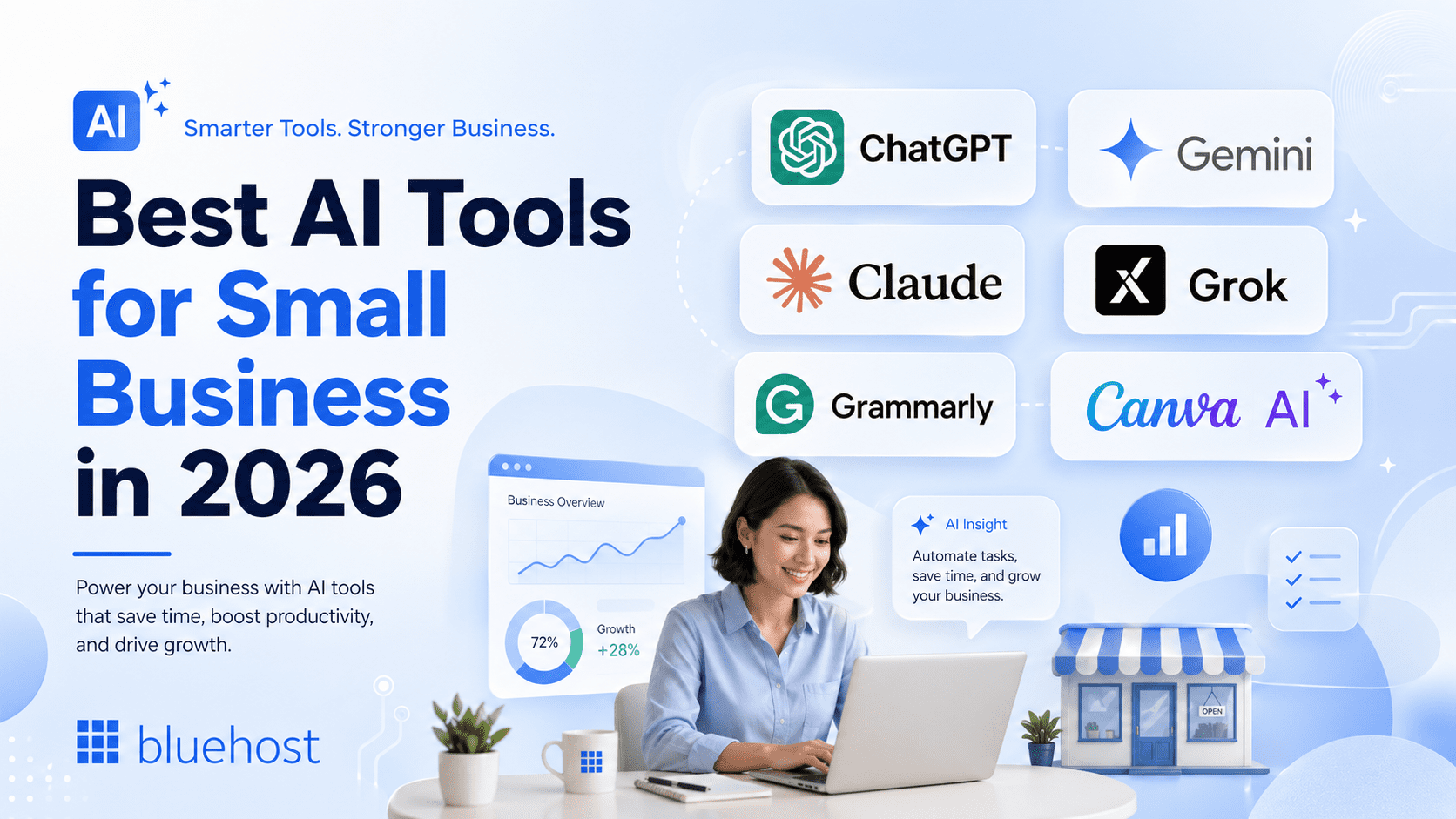
With so many AI tools now built for writing, research, design, automation, sales and customer support, the challenge for small businesses is no longer finding options. It is knowing which tools are actually worth using. This list breaks down the best AI tools for small business in 2026 by practical use case, so you can compare where each tool fits, what it helps with and which one makes the most sense for your team’s day-to-day work.
| Tool | Primary use case | Key AI feature | Best for |
| Bluehost AI All-Access Pack | All-in-one AI workspace for small businesses | Access ChatGPT, Gemini, Claude and Grok in one dashboard, compare model responses and use built-in tools like Research Agent, Article Writer and Presentation Builder | Businesses, entrepreneurs and agencies that want premium AI tools, simpler workflows, one invoice and flexible team access without managing separate subscriptions. |
| ChatGPT | Everyday business tasks | Writing, brainstorming, summarization and task support | Small teams needing one flexible AI assistant |
| Gemini | Research and Google Workspace support | AI assistance across Google apps, search and documents | Teams using Gmail, Docs, Sheets and Drive |
| Claude | Writing, analysis and customer communication | Long-form writing, document review and structured analysis | Agencies, consultants and service businesses |
| Grok | Quick ideation and trend-aware prompts | Real-time search and conversational answers | Brands focused on trends, social content and fast ideas |
| Grammarly | Editing and communication quality | Grammar, clarity, tone and writing suggestions | Teams improving emails, documents and customer messages |
| Canva AI | Visual content and marketing design | AI-assisted design, image generation and templates | Small businesses creating social posts, ads and branded visuals |
| HubSpot AI | CRM, sales and marketing workflows | AI-powered CRM, content and customer workflow support | Businesses managing leads, contacts and campaigns |
| Microsoft Copilot | Microsoft 365 productivity | AI support in Word, Excel, PowerPoint, Outlook and Teams | Teams already using Microsoft 365 |
| Jasper | Marketing copy and brand content | Brand voice, campaign copy and AI marketing content | Marketing teams creating frequent branded content |
| Zapier AI | Workflow automation | No-code app automation and AI-powered workflows | Teams automating repetitive tasks across apps |
| Fireflies.ai | Meeting notes and summaries | Meeting transcription, summaries and action items | Sales, client-service and meeting-heavy teams |
Below, we break down each tool in more detail, including what it does best and how small businesses can use it for everyday tasks like content creation, research, customer communication, sales, design, automation and productivity.
1. AI ALL-ACCESS PACK

Bluehost AI All-Access Pack brings several popular AI models into one workspace, including ChatGPT, Gemini, Claude and Grok. For businesses that already use more than one AI assistant, AI All Access Pack makes it easier to switch between models, compare responses and keep AI work in a single dashboard instead of managing separate tools.
It is useful for everyday business tasks like drafting content, researching topics, summarizing information, creating presentations and generating article drafts. The Privacy+ option is designed for teams that need extra safeguards for sensitive work, with features such as prompt sanitization, encrypted workflows, private AI for business access, a user-specific PIN and Incognito Mode.
Key features:
- Access multiple AI assistants from one dashboard.
- Use ChatGPT, Gemini, Claude and Grok without managing separate subscriptions.
- Compare outputs from different AI models before choosing a response.
- Use Research Agent to browse, analyze and generate cited reports.
- Use Article Writer to create SEO blogs and articles faster.
- Use Presentation Builder to generate downloadable presentations.
- Manage users through an account dashboard.
- Add Privacy+ for prompt sanitization, encryption and Incognito Mode.
- Reduce subscription fatigue with one bundled AI solution.
Best for:
- Business owners who want one AI workspace instead of multiple tools.
- Agencies managing AI access across teams or clients.
- Content teams that need writing, research and presentation support.
- Entrepreneurs who want access to multiple models at a predictable monthly cost.
- Businesses handling sensitive prompts that need stronger privacy controls.
Pricing:
When comparing ChatGPT vs. AI All-Access Pack, Bluehost AI All-Access Pack provides a more affordable way to access multiple assistants from one place. Instead of managing separate subscriptions for different models and add-on tools, the pack starts at $20/month.
2. ChatGPT
ChatGPT is one of the most flexible AI tools for small business owners because it can support writing, brainstorming, research, planning and admin work in one place. It is especially useful for lean teams that need quick help across different daily tasks without learning a separate tool for every workflow. ChatGPT Business also offers a shared workspace, admin controls and connections to company tools, making it more practical for teams using AI at work.
Key features:
- Create first drafts for website copy, product pages and internal documents.
- Draft emails, proposals, FAQs and customer messages.
- Brainstorm blog ideas, campaign angles and social posts.
- Summarize meeting notes, reports and long documents.
- Turn rough ideas into outlines, checklists or action plans.
Pricing: ChatGPT has a free plan. Paid options include ChatGPT Plus at $20/month, ChatGPT Pro at $100/month and $200/month, and ChatGPT Business from $20/user/month when billed annually or $25/user/month when billed monthly.
Best for: ChatGPT is best for small businesses that need one flexible AI assistant for writing, brainstorming, summarizing documents, planning campaigns, drafting emails and handling everyday admin tasks.
Also read: ChatGPT Ads May Reshape Website Traffic in 2026
3. Gemini
Gemini is a strong fit for businesses already using Google Workspace because it works across familiar tools like Gmail, Drive, Docs, Sheets and Meet. Google also positions Gemini and NotebookLM as AI tools that can help teams brainstorm, summarize information, analyze files and generate insights from business content.
Key features:
- Summarize documents, reports and customer research.
- Pull insights from Google Docs, Sheets and Drive content.
- Draft emails and workspace documents faster.
- Organize research into clear takeaways.
- Support teams that already depend on Google Workspace.
Pricing: Gemini for business is available through Google Workspace plans. Google Workspace pricing is listed in USD and varies by plan, with Business Starter, Business Standard and Business Plus available for up to 300 users; Enterprise pricing is available for larger organizations.
Best for: Gemini is best for teams already using Google Workspace, especially businesses that work heavily in Gmail, Docs, Sheets, Drive and Meet and want AI support inside those existing tools.
Also read: Gemini vs ChatGPT AI traffic: What the shift means for brands
4. Claude
Claude is useful for small businesses that need polished writing, thoughtful analysis and clear customer communication. Anthropic highlights Claude use cases across writing, research, coding, analysis and everyday teamwork, which makes it helpful for businesses handling long documents, client communication or detailed internal content.
Key features:
- Write clearer customer support replies.
- Improve tone, structure and readability in business content.
- Analyze long documents, briefs or customer conversations.
- Draft SOPs, internal guides and process documents.
- Support coding, documentation and technical explanations.
Pricing: Claude has a free plan. Paid options include Claude Pro at $20/month, Claude Max at $100/month or $200/month, and team or enterprise options for businesses that need shared workspaces and admin controls.
Best for: Claude is best for small businesses, agencies and consultants that need strong writing, document review, structured analysis, customer communication and careful long-form content support.
Also read: Hermes Agent vs Claude Code: Which should developers use?
5. Grok
Grok is xAI’s chatbot, designed for real-time answers, web search and X-based context. For small businesses that follow fast-moving conversations, trends or social topics, Grok can be useful for quick ideation, timely prompts and content angles that respond to what people are talking about.
Key features:
- Brainstorm timely content ideas.
- Explore trending topics and conversation angles.
- Generate quick campaign hooks or post ideas.
- Draft informal social media content.
- Support fast research when speed matters.
Pricing: Grok has a free option with limits. Paid options include SuperGrok at about $30/month, SuperGrok Heavy at about $300/month, X Premium at about $8/month and X Premium+ at about $40/month. Grok Business has also been reported at $30/user/month, with Enterprise pricing available for larger teams.
Best for: Grok is best for brands and content teams that want fast ideation, trend-aware prompts, real-time search, social content ideas and quick creative angles based on current conversations.
Also read: AI Tools for Business to Drive Real Growth in 2026
6. Grammarly
Grammarly helps teams improve writing quality across emails, documents, messages and customer-facing content. Its business product is positioned around AI writing assistance for teams, with a focus on clearer communication and company data safety.
Key features:
- Edit emails before sending them to customers or partners.
- Improve grammar, clarity and tone across team communication.
- Make sales and support messages sound more professional.
- Keep brand communication more consistent.
- Reduce small writing errors in everyday business content.
Pricing: Grammarly has a free plan. Its paid Pro plan is commonly listed at about $30/month or about $12/month when billed annually, while Enterprise pricing is custom for larger organizations.
Best for: Grammarly is best for teams that write a lot of emails, proposals, support replies, documents and customer messages and want to improve grammar, clarity, tone and consistency.
7. Canva AI
Canva AI is useful for small businesses that need marketing visuals but do not have a full-time designer. Canva’s AI tools can help create designs, presentations, flyers, business cards, social posts and other branded assets from text or media prompts.
Key features:
- Create social media graphics and promotional posts.
- Design flyers, posters, business cards and simple ads.
- Build presentations for clients or internal meetings.
- Turn ideas into branded visual templates.
- Speed up everyday design work for marketing campaigns.
Pricing: Canva has a free plan. Canva Pro is commonly listed around $15/month per person or $120/year, while team/business pricing varies by plan, seat count and billing cycle. Enterprise pricing is custom.
Best for: Canva AI is best for small businesses that need to create social posts, ads, flyers, presentations, business cards and branded visuals without hiring a full-time designer.
Also read: 10 Ways to Make Money on Canva: A Complete Guide for Creators
8. HubSpot AI
HubSpot AI is best for small businesses that want AI connected to customer data, sales activity and marketing workflows. HubSpot’s AI CRM is part of a customer platform that connects marketing, sales, service, content, data and commerce tools around a shared CRM foundation.
Key features:
- Organize contacts, leads and customer records.
- Support sales follow-ups and pipeline management.
- Create marketing emails and campaign content.
- Improve customer service workflows.
- Connect sales and marketing activity in one CRM.
Pricing: HubSpot has free CRM tools and paid plans across its Marketing, Sales, Service and other hubs. Starter plans commonly begin around $15/user/month, while Professional and Enterprise plans cost more and vary by hub, seats, contacts and add-ons.
Best for: HubSpot AI is best for small businesses that want AI connected to customer records, lead management, marketing campaigns, sales follow-ups and customer service workflows.
Also read: HubSpot WordPress Integration: A 2026 Guide to Marketing
9. Microsoft Copilot
Microsoft Copilot is a strong option for businesses already working in Microsoft 365. It is designed as an AI assistant for work and can support productivity across Microsoft apps, making it useful for teams that spend most of their day in documents, spreadsheets, presentations, email and meetings.
Key features:
- Draft and improve Word documents.
- Summarize emails, chats and meeting notes.
- Create presentation outlines and slide content.
- Analyze spreadsheet information more quickly.
- Support daily productivity inside Microsoft 365.
Pricing: Microsoft 365 Copilot is commonly priced at $30/user/month as an add-on to eligible Microsoft 365 business or enterprise subscriptions. Some Copilot Chat features are available at no additional cost for eligible Microsoft 365 users.
Best for: Microsoft Copilot is best for teams already using Microsoft 365 and working heavily in documents, spreadsheets, email, meetings and presentations.
10. Jasper
Jasper is built for marketing teams that need to create content faster while keeping messaging consistent. Its brand voice features are designed to help teams stay on-brand and scale marketing output, which makes it useful for small businesses creating regular ads, emails, blogs and campaign assets.
Key features:
- Draft ad copy, landing page copy and email campaigns.
- Create branded content for different channels.
- Maintain a more consistent tone across marketing assets.
- Repurpose one campaign idea into multiple formats.
- Support teams that publish content frequently.
Pricing: Jasper offers a Pro plan commonly listed around $59/month when billed annually or $69/month when billed monthly, with a 7-day free trial. Business pricing is custom and designed for teams that need more control, security, training and support.
Best for: Jasper is best for marketing teams, agencies and brands that create frequent campaign copy, landing pages, emails, ads, blogs and social content while trying to keep messaging on brand.
11. Zapier AI
Zapier AI is useful for small businesses that want to automate repetitive work across different apps. Zapier brings apps, workflows, forms, data and AI into one automation platform, helping teams build processes like lead routing, onboarding systems and internal request workflows without heavy technical setup.
Key features:
- Connect tools like email, CRM, forms and project management apps.
- Automate lead capture and follow-up workflows.
- Send notifications when important actions happen.
- Reduce manual copy-paste work between platforms.
- Build simple automations without coding.
Pricing: Zapier has a free plan for light automation. Paid plans commonly start around $19.99/month when billed annually, with higher tiers such as Professional and Team plans increasing based on task volume, app access and workflow complexity.
Best for: Zapier AI is best for small businesses that want to automate repetitive work across apps, such as moving leads from forms to a CRM, sending alerts, updating spreadsheets or triggering follow-up tasks.
Also read: Zapier WordPress: Create Posts & Automate Without Code
12. Fireflies.ai
Fireflies.ai is an AI meeting assistant that records, transcribes and summarizes meetings across platforms like Zoom, Google Meet and Microsoft Teams. It is especially useful for small teams that have frequent sales calls, client check-ins or internal meetings but do not want to spend extra time writing notes manually.
Key features:
- Record and transcribe meetings.
- Generate meeting summaries and action items.
- Search past conversations for important details.
- Share notes with team members after calls.
- Keep better records of sales, support and client discussions.
Pricing: Fireflies.ai has a free plan. Paid plans include Pro at $10/seat/month when billed annually, Business at $19/seat/month when billed annually and Enterprise at $39/seat/month when billed annually.
Best for: Fireflies.ai is best for sales teams, agencies, founders and client-service teams that have frequent meetings and want automatic transcripts, summaries, action items and searchable call records.
Also read: Best Open-Source AI Agent Frameworks Ranked for 2026
What to look for in AI tools for small business?
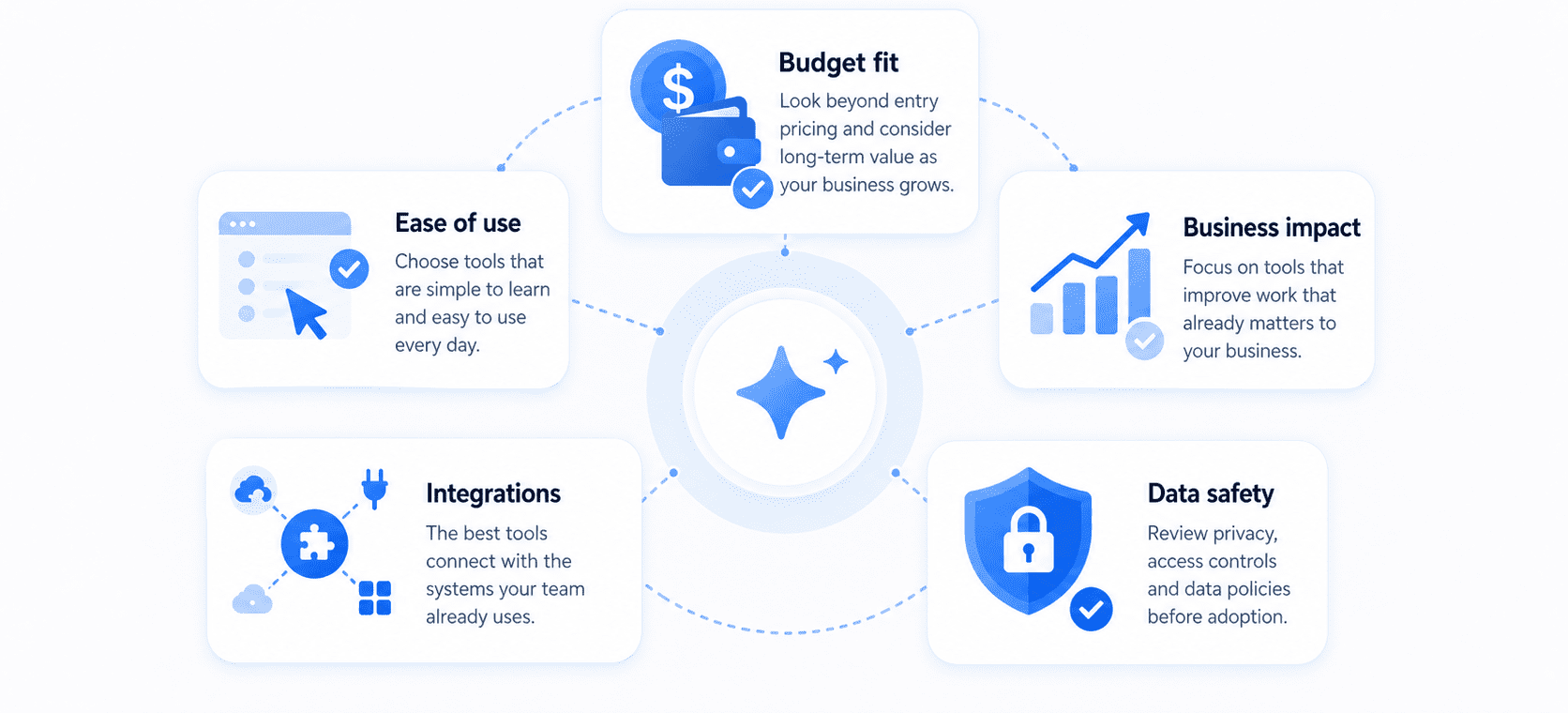
Choosing the right AI tools starts with understanding what your business actually needs. The best option is not the most advanced tool or the one with the longest feature list. It is the one that fits your workflow, solves a real problem and delivers value without adding unnecessary cost or complexity.
1. Ease of use
An AI tool should be easy to learn and practical to use in day-to-day work. Small businesses often do not have dedicated technical teams, so tools that require complex setup or constant troubleshooting can slow adoption. Look for platforms with a clear interface, simple onboarding and features that your team can start using quickly.
2. Budget fit
Cost matters, especially when small businesses are already managing multiple software subscriptions. When comparing tools, look beyond the entry price and consider how costs may increase with more users, higher usage limits or premium features. A good AI tool should offer value that matches its price and remain affordable as your business grows.
3. Business impact
The most useful AI tools are the ones that improve work that already matters to your business. That could mean saving time on content creation, speeding up customer responses, improving marketing output or reducing manual admin work. Before choosing a tool, consider whether it supports a specific business goal and whether the results will be meaningful enough to justify using it regularly.
4. Integrations
AI tools are more useful when they fit into the systems your business already relies on. A tool that connects with your email platform, CRM, ecommerce store, website builder or project management software can reduce manual work and make adoption easier. Strong integrations also help teams use AI within existing workflows instead of adding another disconnected platform to manage.
5. Data safety
Any AI tool used for business should provide an appropriate level of privacy and security. This is especially important if your team handles customer records, financial details, internal documents or other sensitive information. Before adopting a tool, review its data policies, access controls and privacy settings to make sure they align with your business needs.
For many small businesses, the challenge is not whether AI can help. It is managing too many tools, subscriptions and workflows at once. A consolidated setup can make AI easier to use by giving teams one place to access different models for writing, research, planning, ideation and productivity.
Bluehost AI All Access Pack supports that simpler approach by bringing multiple leading AI models and built-in tools into one dashboard. For businesses that handle more sensitive information, Privacy+ adds stronger privacy-focused features, giving teams a more practical way to use AI while keeping access, organization and data safety in mind.
How to choose the right AI tools for your business?
Once you know what to look for in an AI tool, the next step is deciding which one actually makes sense for your business. The right choice usually comes from solving one clear problem first, choosing tools that work with your existing setup and keeping costs and complexity under control.
1. Start with one pain point
The easiest way to choose an AI tool is to begin with one task that takes up too much time or slows your team down. That could be writing follow-up emails, creating social posts, summarizing meeting notes or responding to common customer questions. Starting with one clear use case makes it easier to test whether a tool is actually helpful before expanding it into other parts of the business.
2. Choose tools that fit your stack
AI tools work best when they support the systems your business already uses. If your team relies on Google Workspace, WordPress, a CRM or an ecommerce platform, look for tools that fit naturally into that environment. This reduces friction, shortens setup time and makes it more likely that the tool will be used consistently instead of becoming another disconnected platform.
3. Compare cost against time saved
A tool may look affordable at first, but the real question is whether it saves enough time or improves results enough to justify the spend. Think about how much manual work it can reduce each week and whether that benefit will continue as usage grows. For small businesses, the best AI tool is not always the cheapest one. It is the one that delivers practical value without creating more cost than it removes.
4. Avoid tool overload
It is easy to add multiple AI tools for writing, research, support or planning without realizing how quickly that creates overlap. Too many tools can lead to extra subscriptions, more switching between platforms and less consistency across the team. A simpler setup is usually easier to manage and more effective in the long run, especially when each tool has a clear role.
5. Protect customer and business data
Before finalizing an AI tool, check how it handles the information your business shares. If your team works with customer details, internal documents, financial records or other sensitive data, privacy settings and data policies matter just as much as features. The right tool should give you confidence that business information is being handled appropriately, especially as AI becomes part of everyday workflows.
Also read: What Is llms.txt? How the New AI Standard Works (2026 Guide)
How Bluehost simplifies AI tools for small businesses?
Small businesses often do not need more AI tools. They need a more efficient way to access the right ones without managing multiple subscriptions, logins and workflows. Bluehost AI All Access Pack is built to simplify that process.
Instead of piecing together separate tools for writing, research, planning and technical work, you can access AI for businesses with multiple leading AI models and core capabilities from one place.
Here is how Bluehost AI All Access Pack can help your business:
- Access multiple AI models in one place: Instead of managing separate subscriptions and switching between platforms, businesses can access ChatGPT, Gemini, Claude and Grok from a single dashboard.
- Choose the right model for the task: Different AI models perform better on different types of work. Access to multiple models makes it easier to use the best fit for writing, research, planning and technical tasks.
- Work more efficiently with built-in tools: In addition to model access, the platform includes tools such as Research Agent, Presentation Builder and Article Writer, helping teams complete more work without adding more software.
- Keep costs and complexity under control: AI All Access Pack helps reduce the operational and financial overhead of managing multiple standalone AI subscriptions. One plan and one dashboard make usage easier to oversee.
- Simplify team access and management: The Account Management Dashboard helps businesses assign seats, manage permissions and support more consistent team workflows as AI usage expands.
- Add stronger privacy when needed: For businesses handling more sensitive information, Privacy+ adds protections such as Privacy Mode, end-to-end encryption, user-specific PIN protection and Incognito Mode.
Bluehost offers two plan options based on business needs. AI All Access Pack is built for everyday AI use across common business tasks, while AI All Access Pack Privacy+ is designed for secure AI access for businesses that require stronger privacy and security for more sensitive workflows.
Final thoughts
AI tools for small business are most effective when they solve practical problems, not when they add more software to manage. The real value comes when AI helps your business reduce repetitive work, improve day-to-day efficiency and give your team more time to focus on customers, revenue and growth.
Your business does not need a large budget or a dedicated technical team to start seeing value from AI. With the right setup, AI can support content creation, research, communication, planning and technical work in more practical and cost-effective ways.
Bluehost AI All Access Pack is designed to make that process simpler. By bringing leading AI models and built-in tools into one place, it helps your business access AI more efficiently without the burden of managing multiple subscriptions. If your team handles more sensitive information, Privacy+ adds stronger privacy and security controls for higher-trust workflows.
Explore Bluehost AI All Access Pack and give your business a simpler, smarter way to put AI to work.
FAQs
The best AI tools for small business in 2026 are tools that support everyday tasks like writing, research, marketing, customer communication, sales, design, productivity and automation. For small businesses that want access to multiple leading AI models without managing separate subscriptions, Bluehost AI All-Access Pack offers a simpler way to use AI from one place.
Small businesses can use AI tools to draft emails, create marketing content, summarize meetings, research competitors, answer customer questions, build sales follow-ups, design social media graphics and automate repetitive workflows. The best way to start is with one clear task that saves time or improves output quality.
Small businesses should look for AI tools that are easy to use, affordable, secure and aligned with their daily workflows. Important factors include business impact, integrations, data safety, team access, scalability and whether the tool helps with a specific need like content creation, research, customer support or automation.
The main risks of AI tools for small business include inaccurate outputs, privacy concerns, data security issues, overreliance on AI, copyright questions and tool overload. Businesses can reduce these risks by reviewing outputs, protecting sensitive information, setting usage guidelines and choosing tools with stronger privacy controls.
Bluehost AI All Access Pack helps small businesses use AI by bringing multiple leading AI models and built-in tools into one dashboard. It can reduce tool overload, simplify access for teams and support everyday workflows like writing, research, planning, content creation and productivity.

Write A Comment