 ChatGPT,
 Claude,
 Gemini,
 Grok — all four for
Key highlights
- Know how Google Meet and Zoom compare on price, participant limits and AI tools so you can pick the one that actually fits how your team works.
- Learn how Google Meet and Zoom actually work, step by step, even if you have never opened either app before.
- Understand which platform is better for your specific situation, whether you are a freelancer, a growing team or a business that needs everything under one roof.
- Explore why Google Workspace is not just a video tool but a full productivity suite that covers email, storage, docs and AI in one plan.
- Discover how to get Google Meet set up for your business through Bluehost, with a branded email address and real cloud storage included from day one.
At some point this week, you probably searched “Google Meet vs Zoom” because a client sent you a link you did not recognize, or because you are finally setting up video calls for your business and want to pick the right tool without spending the rest of the afternoon on comparison articles.
Here is the truth upfront. Zoom is a solid video conferencing tool. But Google Meet is not just a video tool. It is part of Google Workspace, a full suite that bundles your business email, cloud storage, Docs, Sheets, Slides, Chat and top AI assistant compared into one plan. That changes the comparison significantly, and it is a detail most articles skip right past.
This guide covers how Google Meet and Zoom work, what they cost, where each one wins, and how to get set up once you have made your choice.
The quick verdict
If you’re pressed for time, here is the short answer on Google Meet vs. Zoom.
| Your situation | Better fit |
|---|---|
| Solo founder wanting professional email and video in one plan | Google Meet |
| Small team that collaborates on Docs, Sheets and Slides | Google Meet |
| Business that wants branded email and no download meetings | Google Meet |
| Enterprise running large scale webinars and hybrid offices | Zoom |
| Organization needing advanced whiteboard and deep integrations | Zoom |
Google Meet comes out ahead for most everyday business situations, especially once you factor in everything that comes alongside it inside Google Workspace.
What is Google Workspace and why does it matter here?
Before comparing features, it is worth explaining something that most comparison articles quietly ignore. Google Meet is not a standalone product you can buy on its own. It comes as part of Google Workspace, the same suite that includes Gmail, Google Drive, Docs, Sheets, Slides, Calendar and Chat.
This matters because when you sign up for Google Workspace through a provider like Bluehost, you are not just getting a video calling tool. You are getting a full business communication and collaboration platform. Your team gets a professional email address on your own domain, up to 5 TB of cloud storage per user, real time collaboration on documents, an AI assistant for businesses that works across all those tools, and Google Meet as your built in video conferencing solution, all under one monthly plan.
That is a fundamentally different value proposition than paying for a standalone video tool like Zoom and then separately sorting out email, storage and document collaboration on top of it.
Google Meet at a glance
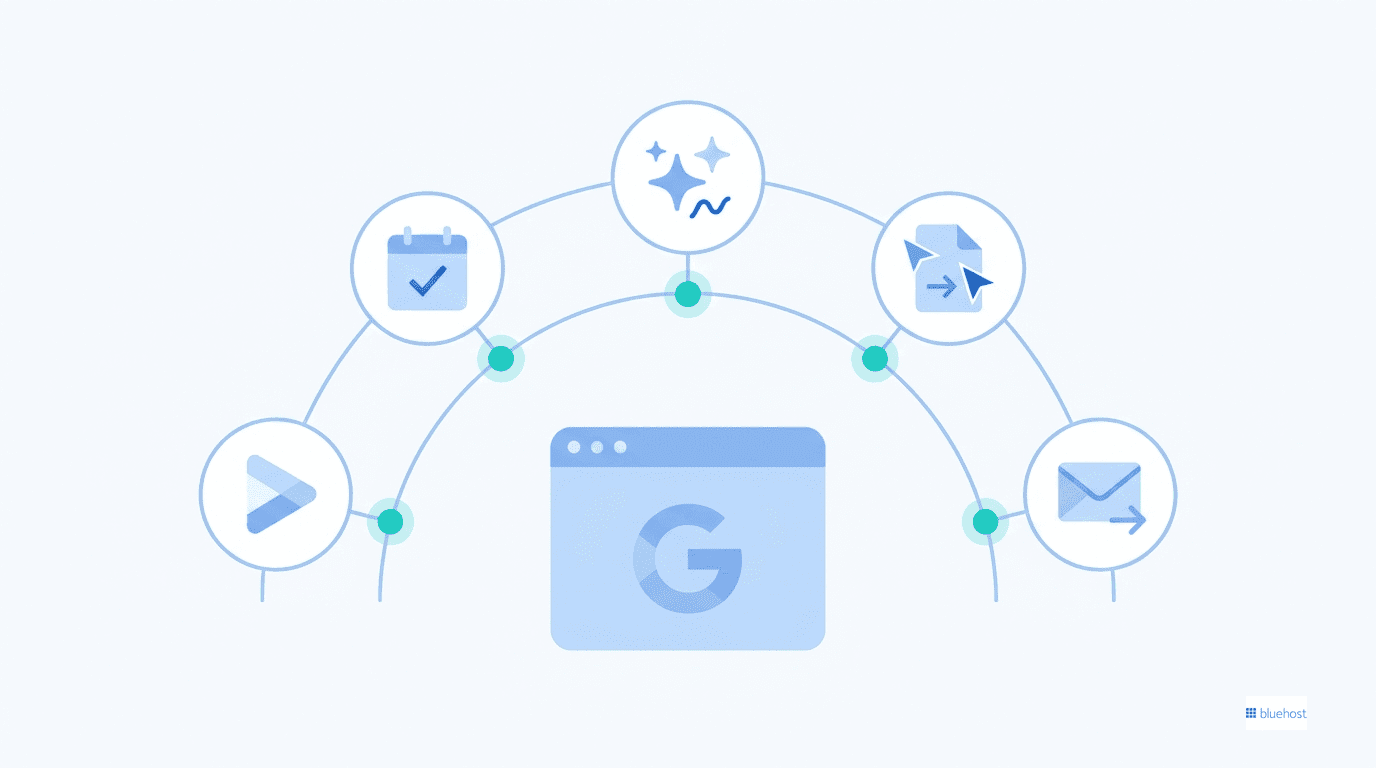
Google Meet is the video conferencing tool built into Google Workspace. It is designed to work naturally with the rest of the suite rather than sitting on its own.
Best suited for:
- Solo founders and freelancers who want credibility and professionalism
- Small and medium businesses already communicating via Gmail
- Remote and distributed teams that collaborate in Docs, Sheets and Slides
- Any business that wants clean, browser based meetings without extra software
Biggest strengths:
- Browser based so there is nothing to download or install for guests
- One click join directly from Gmail or Google Calendar
- Meeting scheduling generates a link and adds it to Calendar automatically
- Gemini AI summarizes meetings, generates notes and assists across the whole Workspace
- Works inside Docs, Sheets and Slides without switching apps
- Included in every Google Workspace plan alongside email, Drive and Chat
Zoom at a glance
Zoom started as a standalone video meeting tool and has since expanded into a wider platform called Zoom Workplace, which adds chat, phone, whiteboards, notes and more.
Best suited for:
- Enterprises and larger organizations
- Hybrid companies managing physical and remote offices
- Teams running large scale webinars or formal training events
- Businesses that depend on a wide third party integration marketplace
- Organizations that want one platform covering video, phone and advanced whiteboards
Biggest strengths:
- Rich collaboration tools for heavier workflow needs
- AI Companion for meeting summaries and task generation
- Advanced whiteboard and annotation features
- Over 1,500 third party app integrations
- Scales from small team calls to 1,000 person enterprise events
- Strong hybrid workplace tools including Zoom Rooms
Why do people choose Zoom over Google Meet?
Beyond brand recognition, Zoom holds specific functional advantages that matter to particular teams. Here is where it consistently pulls ahead:
- Richer whiteboard and annotation tools: Zoom’s advanced collaboration features are meaningfully deeper than what Google Meet offers. Design teams, educators running workshops, and consultants working through complex diagrams tend to stay with Zoom even when their organization uses Google Workspace for everything else.
- An extensive integration marketplace: With over 1,500 third-party app connections covering platforms like Salesforce, Slack, HubSpot, and ServiceNow, switching away from Zoom carries real workflow friction for teams whose processes depend on those integrations.
- Zoom Rooms for hybrid offices: The dedicated hardware ecosystem ties together conference room equipment, scheduling displays, and video calls into a single managed experience, something Google Meet’s hardware story has not fully replicated.
- Higher meeting engagement: Zoom users average 6.7 meetings per week, compared to 4.9 for Teams users and 4.2 for Meet users, suggesting the platform’s design actively supports more frequent collaboration.
How does Google Meet work?
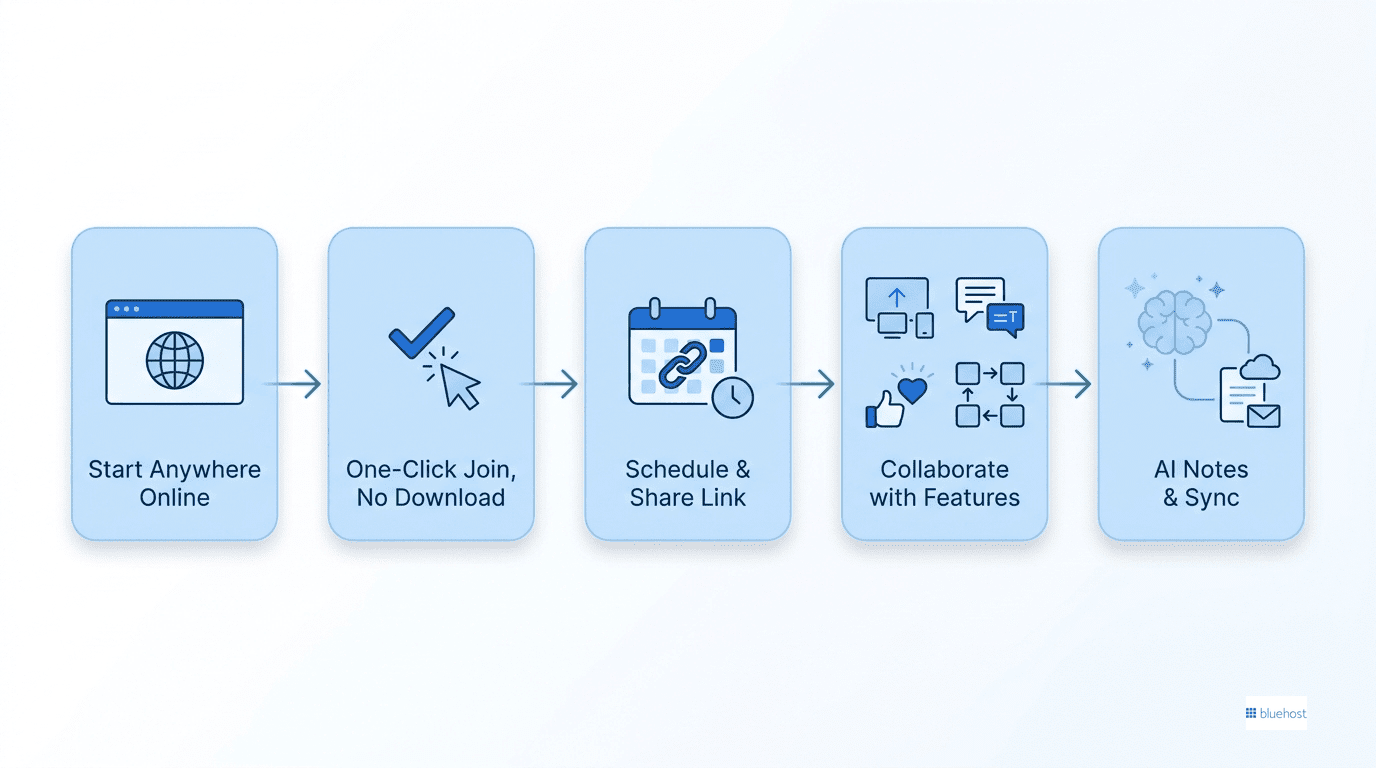
Meet is built for simplicity and that shows in how you use it.
- Start from anywhere in the Google ecosystem: You can open Meet directly at meet.google.com, click the join link inside a Google Calendar invite or launch a call straight from a Gmail conversation, no separate app needed.
- No downloads required for anyone: Everything runs in the browser. Guests join with one click, which means no friction and no “hang on, I need to install something” moments before a call.
- Scheduling is built into Google Calendar: When you create a meeting event, a join link is generated and added automatically. Invites go out through Gmail, reminders show up in Calendar and everything stays connected.
- In-call tools cover what most teams need: Screen sharing, live captions, noise cancellation and reactions are available on every plan. Breakout rooms, meeting recording, polling and attendance tracking unlock on higher Workspace tiers.
- Gemini handles the AI layer: On Business Standard and Plus plans, Gemini can join your meeting, take smart notes, generate a summary and carry that information into your Gmail drafts, Docs or Drive. The same AI that helps you write emails is the same one keeping track of what was decided in your last call.
How does Zoom work?
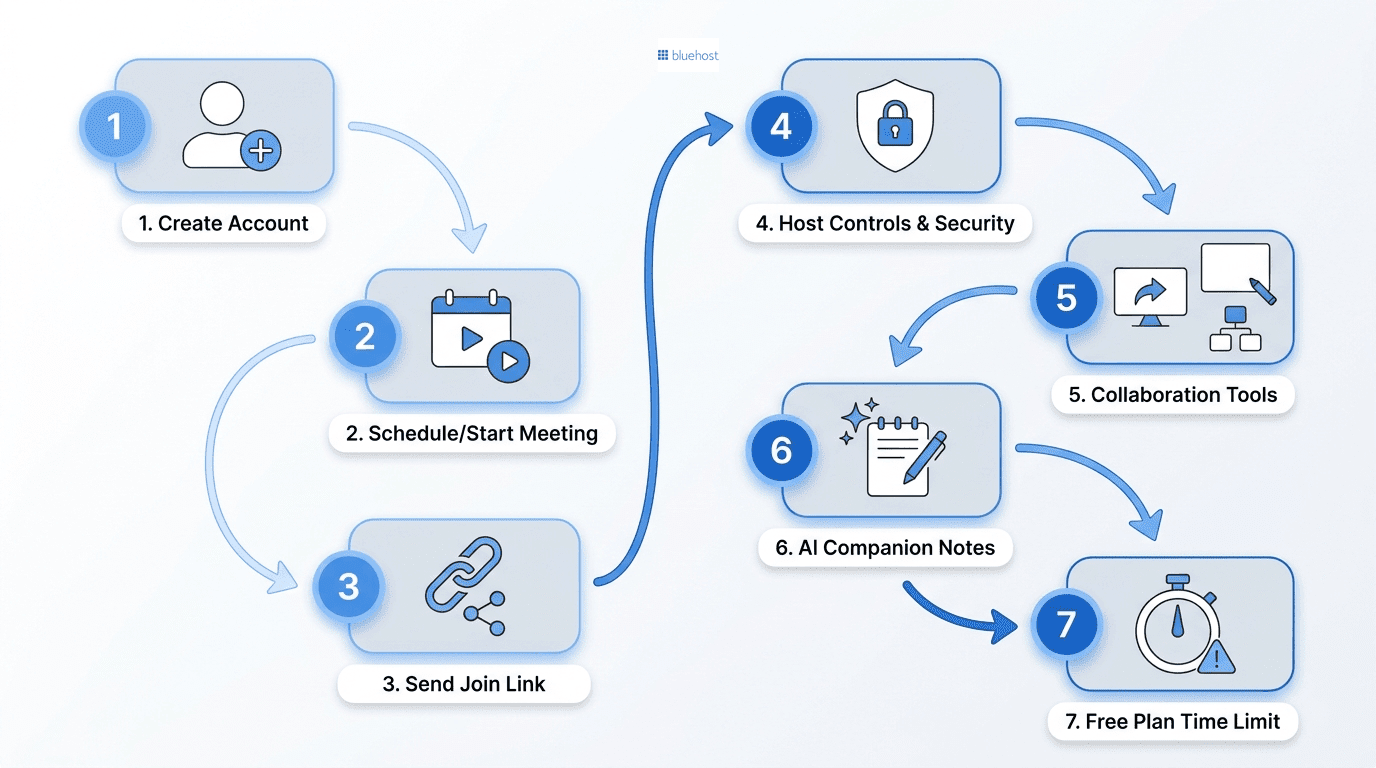
If you have never used Zoom before, here is the basic flow from the start.
- Create an account: Sign up free with an email address, or have your company create a managed account under a paid Zoom Workplace plan.
- Schedule or start a meeting: You can launch an instant meeting with one click or schedule one in advance and send out a join link by email or calendar.
- Share the link: Anyone with the link can join from a browser, the desktop app or a mobile app. A Zoom account is not required just to join as a guest.
- Use host controls: As the host you can mute participants, lock the meeting, enable a waiting room and require a passcode to keep uninvited guests out.
- Use the in-call tools: Screen sharing, breakout rooms, polls, reactions and a built in whiteboard are all available depending on your plan.
- Let AI Companion take notes: On paid plans, Zoom’s AI assistant can summarize the meeting, generate action items and answer questions about what was discussed, even if you stepped away during the call.
- Watch the free plan limits: Free group meetings are capped at 40 minutes. Paid plans extend this to 30 hours per session, which matters if your calls tend to run long.
Zoom’s desktop apps vs Google Meet’s browser-only approach
Zoom is built around dedicated desktop apps for Windows, macOS and Linux, while Google Meet runs entirely in the browser with no installation needed. For guests, that difference is immediate: nothing to download means a one-click join, which removes the last-minute install scramble before a call.
| Access method | Zoom | Google Meet |
|---|---|---|
| Desktop app | No app to install; runs fully inside Chrome, Firefox, Edge or Safari | Installable desktop app for Windows and macOS (optional); also works fully in modern web browsers |
| Mobile app | Yes, available for iOS and Android | Yes, available for iOS and Android |
| Browser joining experience | Full-featured; the browser is the primary and only interface, not a fallback | Available but some advanced features, such as certain meeting controls and device settings, are more seamless in the desktop app when installed |
| Install required for guests | No; guests click the meeting link and join directly without any prompts | No; guests can join directly from a supported browser, though users may be prompted to install the app for the best experience |
| IT management overhead | Low; no software to deploy, update or permission-approve on employee or guest devices | Moderate; browser-based access minimizes deployment, but organizations using the desktop app or managed Google Workspace devices may need occasional updates and policy management |
| Best for | Teams and external clients who need frictionless access from any device without setup | Organizations using Google Workspace that want seamless integration with Gmail, Calendar and Drive, while still allowing guests to join easily from a browser |
Comparing the details that matter most
You already know the basics. Now let’s look at the three areas that actually decide which platform fits your team best: how smart the AI is, how secure the platform feels, and how easy the whole thing is to use day to day.
1. AI features: Gemini vs Zoom AI Companion
Both platforms have invested heavily in AI, but with meaningfully different philosophies — making the Google Meet vs Zoom choice less obvious than it might seem.
Google Meet runs on Gemini, which offers:
- AI meeting assistance during calls
- Automatic meeting summaries and smart note generation
- Productivity support that carries over into Gmail, Docs, Sheets and Drive
- A fully integrated AI layer across the whole Google Workspace, not just the video call
- NotebookLM for AI powered research and document analysis, included on Standard and Plus plans
Gemini’s real advantage is that it is not isolated to the meeting room. The same assistant that summarizes your call can help draft the follow up email, organize the notes in Drive and assist with the next proposal in Docs, all from the same subscription.
Zoom runs on AI Companion and ZoomMate, which together offer:
- AI meeting summaries and note taking
- Brainstorming support during calls
- Automatic task creation from meeting discussion
- Content generation and workflow automation
- Customer conversation insights for sales and support teams
- Meeting context and faster decision making through ZoomMate
Zoom’s advantage is breadth across its own platform. Its AI tools stretch across meetings, chat, phone and whiteboard in the Zoom Workplace suite.
The key difference: Gemini is woven into a broader productivity suite you are already using every day. Zoom’s AI is excellent within Zoom but lives inside Zoom.
2. Security and privacy
Neither platform is a weak link when it comes to Google Meet vs Zoom security, but they protect you differently.
Google Meet and Workspace security includes:
- Host controls to disable chat, screen sharing, mic or camera for any participant
- Enterprise grade security infrastructure inherited from Google Cloud
- Encryption in transit and at rest across all Workspace apps
- Advanced admin controls for managing users and permissions
- Vault security and archiving on the Plus plan for compliance and legal hold requirements
Zoom security includes:
- End to end encryption available across paid tiers
- Built in analytics for monitoring meeting activity
- Zoom Node for on premise and hybrid deployments
- Flexible enterprise deployment options for larger organizations
Both platforms are solid on security fundamentals. The bigger question for most small businesses is usually about admin simplicity. Google Workspace gives you one admin panel managing email, storage, video and user permissions together, which reduces the number of places where something can go wrong.
3. Ease of use and collaboration ecosystem
This is where the two platforms reveal their different approaches to video conferencing.
Google Meet leans toward simplicity and integration. There is no app to download, the interface has minimal menus and most people can join their first call without any instructions. The deeper value shows up when you look beyond the video window: the same plan that gives you Meet also gives you Gmail, Drive, Docs, Sheets, Slides and Chat, all connected, all familiar, all managed in one place.
Zoom leans toward depth and specialization. The interface is more feature-rich, which can feel like a lot at first, but it buys you tools like advanced whiteboards, a Scheduler, Notes, Tasks, Clips and Zoom Rooms under the Zoom Workplace umbrella. It is built for teams whose primary need is a powerful standalone communication platform.
Google Meet is the natural fit for teams already living inside Google’s ecosystem. Zoom is the right fit for organizations that need a dedicated, feature heavy communication platform that operates independently of any other suite.
Feature by feature: Google Meet vs Zoom
Here is how the two platforms stack up on the features people actually compare.
| Feature | Google Meet (via Workspace) | Zoom |
|---|---|---|
| Free participants | Up to 100 | Up to 100 |
| Free meeting duration | 60 minutes (group) | 40 minutes (group) |
| Maximum participants | Up to 500 on Plus, 1,000 on Enterprise | Up to 300 on Business, 1,000 on Enterprise |
| Screen sharing | Yes, all plans | Yes, all plans |
| Breakout rooms | Standard plan and above | Pro plan and above |
| Live captions | Yes, all plans | Yes, all plans |
| Meeting recording | Standard plan and above | Pro plan and above (10 GB cloud storage) |
| Polling | Standard plan and above | Pro plan and above |
| Whiteboard | Basic collaboration | Advanced whiteboard tools |
| AI assistant | Gemini (across all Workspace apps) | AI Companion and ZoomMate |
| Business email included | Yes (custom domain email via Gmail) | No |
| Cloud storage included | 30 GB to 5 TB depending on plan | 10 GB on Pro and Business plans |
| Browser based joining | Excellent (no download required) | Available but limited vs. the app |
| Calendar integration | Native Google Calendar | Multiple calendar integrations |
| Document collaboration | Google Docs, Sheets, Slides included | Separate tools required |
One number worth noting: Google Meet’s free tier gives you 60 minute group calls versus Zoom’s 40 minutes. That 20 minute difference catches people out regularly on the free Zoom plan.
Pricing in 2026: Google Workspace vs Zoom
Google Workspace through Bluehost
This is where the Google Meet vs. Zoom comparison gets interesting, because you are not just buying video calls.
| Plan | Intro price | Renewal price | Meet capacity | What’s included |
|---|---|---|---|---|
| Business Starter | $3.50/mo per user | $7/mo per user | Up to 100 participants | Custom business email, 30 GB Drive storage, Gmail, Calendar, Docs, Sheets, Slides, Chat, Gemini AI in Gmail, Gemini App, NotebookLM |
| Business Standard | $7/mo per user | $14/mo per user | Up to 150 participants, with recording, breakout rooms and polling | Everything in Starter, 2 TB storage per user, Gemini AI across Gmail, Docs, Sheets, Slides, Drive, Meet and Chat, Advanced Gemini App, NotebookLM Plus, Vids AI video creation |
| Business Plus | $11/mo per user | $22/mo per user | Up to 500 participants, with recording, breakout rooms, polling and attendance tracking | Everything in Standard, 5 TB storage per user, Vault security and archiving, advanced compliance tools |
At $3.50 per user per month to start, you are getting a professional email address, cloud storage, document collaboration, AI assistance and Google Meet video conferencing together. For most small businesses, that is a significantly better deal than paying for a standalone video tool and then solving for email and storage separately.
Zoom pricing
| Plan | Price | Meeting limit | What’s included |
|---|---|---|---|
| Basic | Free | 40 minutes (group) | 100 participants, 3 AI meeting summaries/month, Chat, basic AI features |
| Pro | $14.16/user/month | 30 hours | 100 participants, unlimited AI note taking, 10 GB cloud storage, end to end encryption, Zoom Mail and Calendar |
| Business | $15.58/user/month | 30 hours | 300 participants, unlimited whiteboards, SSO, managed domains |
| Enterprise | Contact sales | 30 hours | 1,000 participants, full PBX phone, 500 attendee webinars, Zoom Rooms |
Zoom’s Pro plan at $14.16 per user per month is a solid offering, but it covers video, chat and storage only. You still need to sort out business email and document collaboration elsewhere, which adds cost and complexity on top.
Is Google Meet better than Zoom?
For most small businesses, freelancers, remote teams and organizations already using Gmail, yes. Not because Zoom is a bad product, but because Google Meet comes packaged with an entire productivity suite that handles things you would need to pay for separately with Zoom.
For enterprises running large scale webinars, training programs with hundreds of participants, or organizations that depend on advanced whiteboard tools and Zoom’s specific integration marketplace, Zoom is the stronger dedicated video platform.
The honest version of this comparison is not really “Meet vs Zoom” at the video feature level. It is “a full business productivity suite that includes video” versus “a specialized video and workplace communication platform.” Once you frame it that way, the right choice for your situation tends to be obvious.
Which is better, Google Meet or Zoom, for your situation
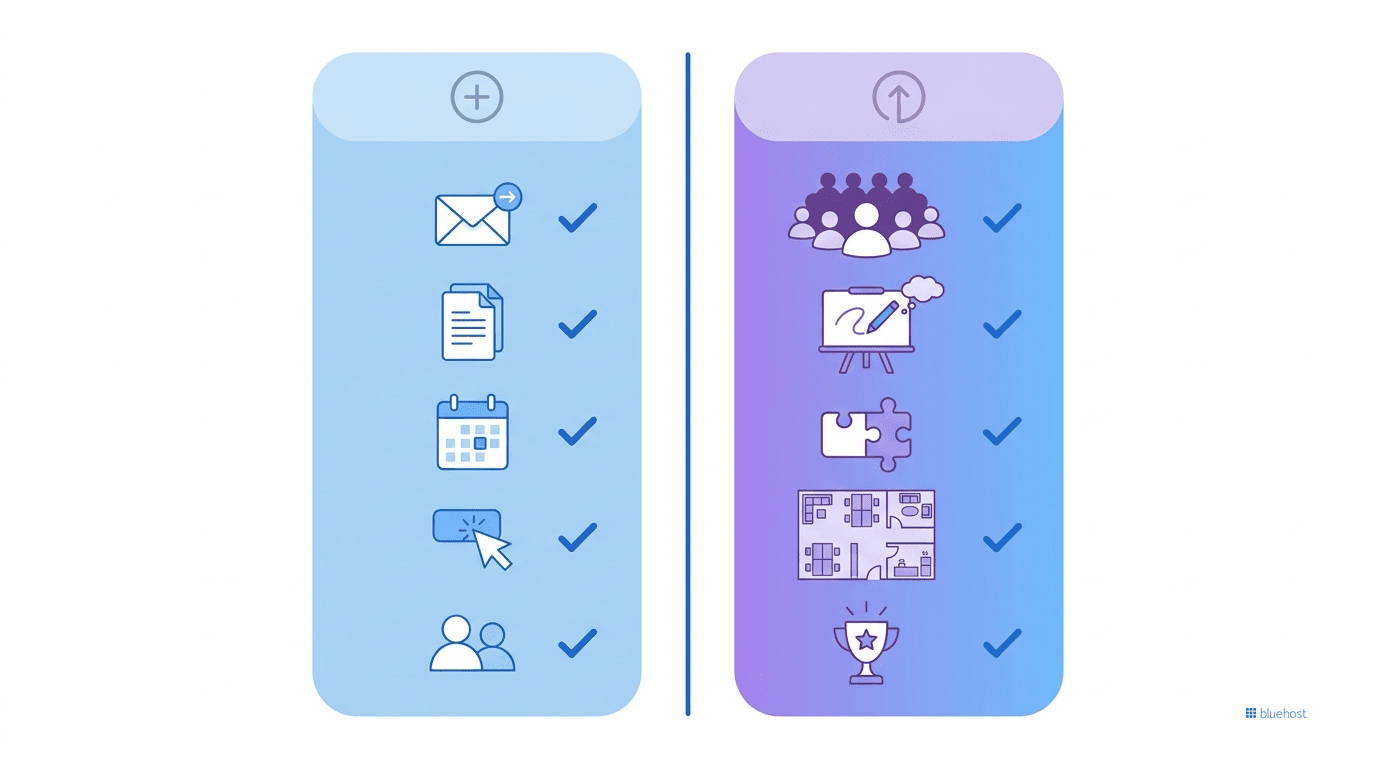
Choose Google Meet if you
- Want a professional business email address on your own domain
- Already use or want to use Gmail, Docs, Sheets, Slides and Drive
- Want video meetings, email and cloud storage in one predictable monthly plan
- Need a clean, zero-download experience for guests joining calls
- Are a small business, freelancer or growing team that wants one vendor for everything
- Want Gemini AI working across your email, documents and meetings simultaneously
- Are setting up a new business and want a credible, professional communication stack from day one
Choose Zoom if you
- Regularly host large webinars or events with hundreds of participants
- Need advanced whiteboard and annotation tools for workshops
- Depend on Zoom’s specific third party integration marketplace
- Run a hybrid office with Zoom Rooms hardware already deployed
- Want the most feature-rich dedicated video conferencing platform available
How to get Google Meet set up for your business?
If you have landed on Google Meet as the right tool, the next practical question is how to actually get it running.
Google Meet is part of Google Workspace, so you set it up through a Workspace plan rather than as a standalone product. Bluehost sells and manages Google Workspace plans, which means you can get Google Meet alongside a custom business email address, cloud storage and the rest of the Google suite without going through multiple providers to piece it all together.
If your domain is already registered with Bluehost, the DNS configuration for Workspace is automated. No need to touch MX records manually or verify domain ownership through a separate process.
A few things worth knowing before you choose a plan:
- Business email uses your own domain rather than a generic Gmail address, which makes a real difference in how clients perceive you from day one.
- Storage goes from 30 GB on Starter up to 5 TB on Plus, which is enough for most small teams without paying for extra storage separately.
- Support is available 24/7, and since hosting and Workspace sit in the same account, you are not being bounced between two different companies when something needs fixing.
| Plan | Best for | Intro price | What is included |
|---|---|---|---|
| Starter | Solo founders, freelancers, small teams | $3.50/user/mo | Custom email, 30 GB storage, Meet for 100, Gemini in Gmail, NotebookLM |
| Standard | Growing teams that need recording and more storage | $7/user/mo | 2 TB storage, Meet for 150 with recording and breakout rooms, Gemini across all apps, Vids |
| Plus | Established businesses needing scale and compliance | $11/user/mo | 5 TB storage, Meet for 500, Vault security and archiving, full Gemini suite |
Best Zoom alternatives if neither feels right

For completeness, here are a few other tools worth considering if Zoom isn’t the right fit and you’re still exploring alternatives before committing to Google Workspace.
- Microsoft Teams: The natural fit if your organization already runs on Microsoft 365 and Outlook. The integration logic mirrors what Google Meet offers inside Workspace, just inside the Microsoft ecosystem instead.
- Cisco Webex: A long-established enterprise option with a strong track record in regulated industries and government environments where compliance is non-negotiable.
- Whereby: A lightweight, browser based tool with no downloads and a clean interface, good for small teams or occasional client calls without a lot of setup overhead.
- GoToMeeting: A straightforward video conferencing option for businesses that want simplicity without the broader workplace suite that comes with Zoom or Google Workspace.
- Skype: Still available and free for casual or personal use, though it has fallen significantly behind on business features and is not a serious option for professional teams.
Final thoughts
Zoom is a genuinely excellent video conferencing platform. If you need a dedicated, feature-rich tool for large webinars, hybrid office setups or an organization that depends on Zoom’s specific integrations and whiteboard tools, it earns its price.
For most small businesses, freelancers and remote teams, Google Meet tends to be the stronger overall fit, and not because the video quality is dramatically different. It is because Google Meet comes inside a suite that also handles email, storage and document collaboration, which means fewer tools to manage and fewer bills to track.
Already leaning toward Google Meet? The easiest way to get it running for your business is through Google Workspace on Bluehost. You get Google Meet, a professional email address on your own domain, cloud storage and Gemini AI, all in one plan starting at $3.50 per user per month.
Get Google Workspace on Bluehost.
FAQs
For most small businesses and teams already using Gmail or Google tools, yes. Google Meet comes packaged inside Google Workspace, which means you get business email, cloud storage, document collaboration and AI assistance alongside the video tool, all in one plan. Zoom is better for organizations that specifically need large scale webinars or advanced standalone video features.
It depends on what you actually need. If you want a full business productivity suite that includes professional email, storage and video, Google Workspace through Bluehost gives you the most value per dollar. If you need a dedicated, feature-rich video platform with the deepest whiteboard and integration tools, Zoom is the stronger choice.
You create a free account, schedule or start a meeting, share the join link and use host controls to manage the call. Free accounts cap group meetings at 40 minutes. Paid plans extend this to 30 hours and add AI note taking, cloud recording and more participants.
Google Workspace is the strongest alternative for small businesses because it bundles Meet with email, storage and collaboration tools. Microsoft Teams is the best alternative for organizations already inside Microsoft 365. Webex suits enterprise and compliance-heavy environments. Whereby and GoToMeeting are good for lightweight video needs.
Yes. A free Google account gives you access to Meet with 60 minute group calls and up to 100 participants. However, to get business email on your own domain, more storage, meeting recording, breakout rooms and Gemini AI across all tools, you need a Google Workspace plan, which you can get through Bluehost starting at $3.50 per user per month.
Bluehost offers Google Workspace plans that include custom business email, Google Meet video conferencing, Google Drive, Docs, Sheets, Slides, Calendar, Chat and Gemini AI. If your domain is already registered with Bluehost, setup is automated. Plans start at $3.50 per user per month on the intro rate.

Write A Comment