 ChatGPT,
 Claude,
 Gemini,
 Grok — all four for
Key highlights
- Discover the top-rated WooCommerce donation plugins designed to simplify your fundraising and increase donor engagement.
- Understand how to optimize your checkout flow to encourage more frequent and larger charitable contributions.
- Learn about essential features like recurring donations and custom amounts that drive long-term fundraising success.
- Explore seamless ways to integrate donation prompts into your existing WooCommerce product pages and site architecture.
- Uncover expert techniques for managing and analyzing your donation data directly within your WordPress dashboard.
Turning your WooCommerce store into a fundraising engine is easier than you think. With the right tools, you can collect donations, run campaigns and build stronger connections with your audience, all in one place. WooCommerce donation plugins are designed to simplify this process, helping you accept contributions directly from your store without friction.
In this guide, we’ll walk you through the best WooCommerce donation plugins, compare their features and help you choose the right one to boost donations and streamline your fundraising strategy.
If you’re just starting out, setting up donations can feel overwhelming. The right hosting provider simplifies everything from installing WooCommerce to managing plugins and payments, so you can focus on your cause.
Start your fundraising journey the easy way with Bluehost WooCommerce hosting.
TL;DR: Best WooCommerce donation plugins
- Donation For WooCommerce
- GiveWP
- Donation Platform for WooCommerce
- YITH Donations for WooCommerce
- SUMO WooCommerce Donations
- WPForms
- Charitable
- Donation or Tip for WooCommerce
Quick comparison: Top WooCommerce donation plugins
| Plugin | Best for | Key features | Ease of use | Pricing model |
|---|---|---|---|---|
| Donation For WooCommerce | Simple WooCommerce donations | Add donations to products, recurring donations, round-up at checkout | Easy | Free + paid add-ons |
| GiveWP | Advanced fundraising | Donor management, detailed reports, recurring donations, payment integrations | Moderate | Free + premium plans |
| Donation Platform for WooCommerce | Multiple campaigns | Campaign management, donation goals, widgets, recurring support | Moderate | Paid plugin |
| YITH Donations for WooCommerce | Beginner-friendly setup | Custom donation amounts, checkout donations, reporting tools | Easy | Free + premium |
| SUMO WooCommerce Donations | Recurring donations | Subscription donations, analytics, customizable amounts | Moderate | Paid plugin |
| WPForms | Custom donation forms | Drag-and-drop builder, payment integrations, recurring donations | Easy | Free + premium |
| Charitable | Campaign-based fundraising | Unlimited campaigns, reporting, recurring donations (premium) | Easy | Free + premium |
| Donation or Tip for WooCommerce | Checkout donations | Add tips/donations at cart, round-up options, recurring support | Easy | Free + paid |
Why does your WooCommerce store need donation plugins?
In today’s digital age, online fundraising has become essential for charities, non-profits and businesses looking to support causes. WooCommerce, one of the most popular eCommerce platforms, provides a perfect foundation for online stores and with the right plugins, it has also become a powerful tool for managing donations.
WooCommerce donation plugins offer an easy, effective way to collect donations, create donation campaigns and engage with supporters, all from the convenience of your WooCommerce store.
Next, we’ll explore the top plugins that can help you raise funds effortlessly.
8 Best WooCommerce donation plugins
Choose from the best WooCommerce donation plugins to manage and increase donations to create a seamless giving experience. Here are the top WooCommerce donation plugins to simplify fundraising and boost contributions:
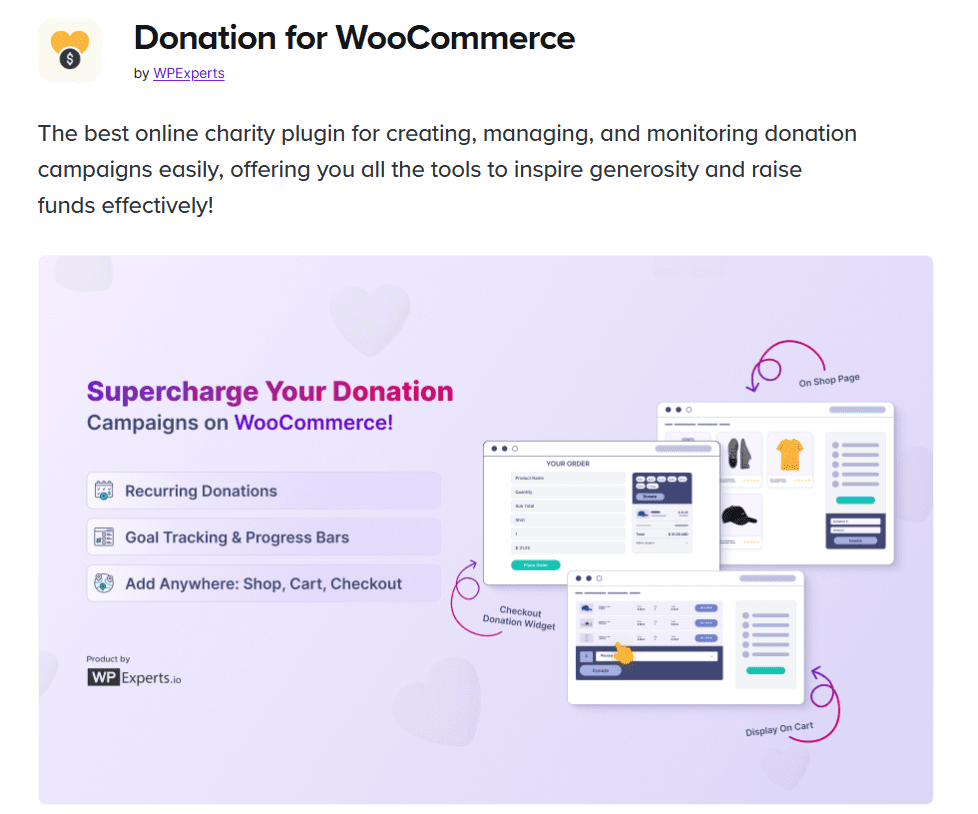
1. Donation For WooCommerce
Key features
- Enables adding donation options to products or as standalone items
- Supports customizable donation amounts and recurring donations
- Offers round-up donation options at checkout
Benefits of donation For WooCommerce
Donation For WooCommerce makes it easy to accept donations with versatile options. You can create donation campaigns directly from your WooCommerce dashboard and track progress round-up donations effortlessly. The recurring donation feature is ideal for long-term fundraising goals and makes it easier to collect recurring donations. Plus, you can easily send donation receipts to donors right from the platform, creating a smooth experience.
Why choose this plugin?
Donation For WooCommerce offers a range of features, including donation receipts and customization options, making it an excellent choice for any store looking to start collecting donations without hassle.
2. GiveWP

Key features
- Comprehensive donor management and tracking
- Fully customizable donation forms with recurring donation capabilities
- Integrates with popular payment gateways like PayPal and Stripe
Benefits of GiveWP
GiveWP is renowned for its donor management features, which include detailed reporting and the ability to track donor activity. It allows for robust fundraising campaigns, from setting donation goal amounts to exporting detailed donation reports. You can send donation receipts as part of the plugin’s offerings, creating a personalized experience for each supporter.
Why choose this plugin?
GiveWP is ideal for users who need extensive features to manage donor data, track campaign progress and handle multiple donations in a single platform.
How the GiveWP WooCommerce donations add-on works
The GiveWP WooCommerce add-on seamlessly integrates your fundraising campaigns directly into your store’s checkout process. Instead of forcing customers through a separate portal, this integration links your GiveWP forms to the cart. When a shopper supports your cause, their contribution appears as a standard item alongside their product purchases. This streamlined architecture makes it a top-tier donation plugin for WooCommerce because it removes friction. By processing a WooCommerce donation exactly like a standard retail transaction, you secure more funding without disrupting the customer’s natural shopping experience.
3. Donation Platform for WooCommerce
Key features
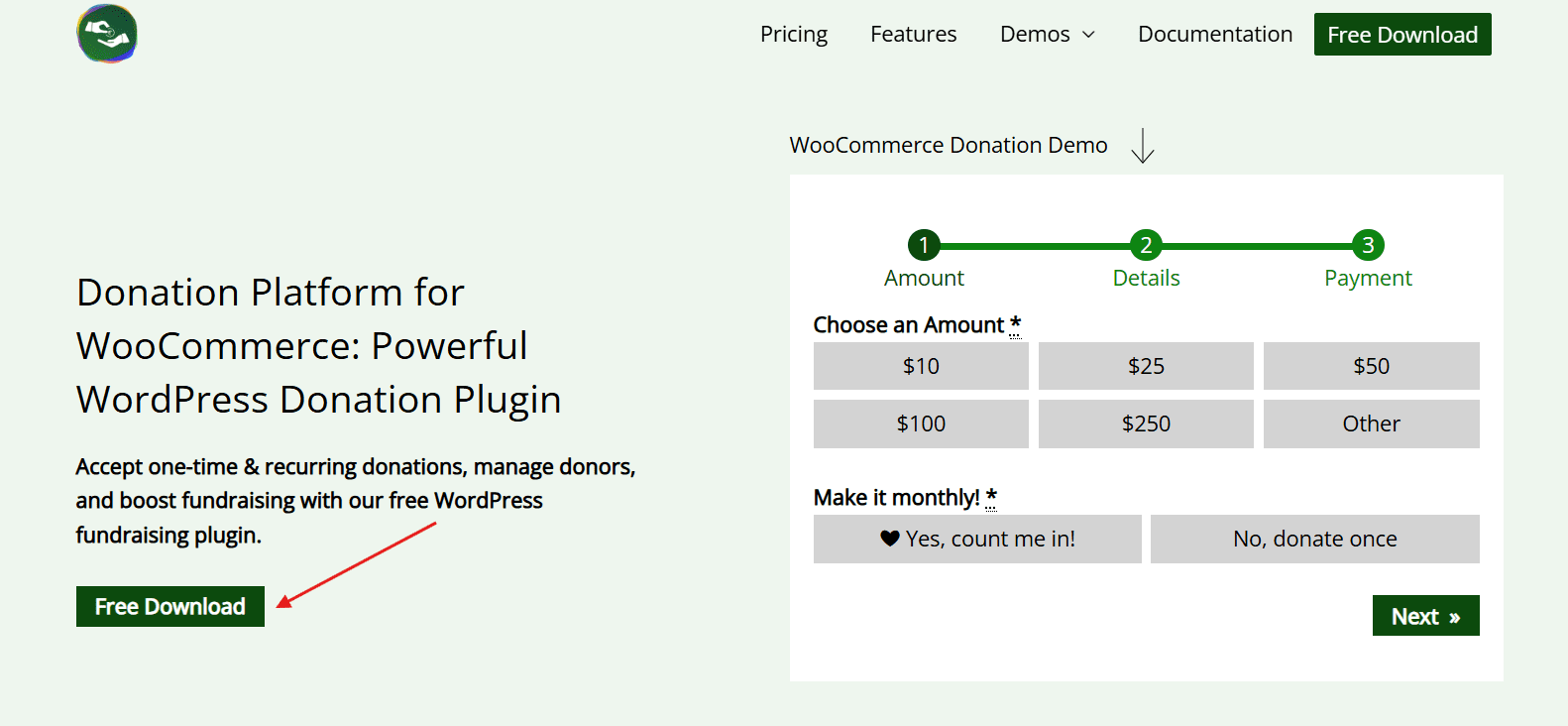
- Multiple campaign support with customizable donation goals
- Recurring donation support and donation summary widgets
- Option to display donation goal progress
Benefits of donation platform for WooCommerce
Donation platform for WooCommerce is designed for stores that run multiple donation campaigns. It offers customizable donation options and supports various display methods, including a donation widget on your cart and checkout donation or checkout pages. Additionally, it allows users to modify the quantity of donated products and adjust contributions as needed.
Why choose this plugin?
For businesses running multiple donation campaigns simultaneously, this plugin provides an easy way to track and display each donation campaign and goal progress, making it ideal for complex fundraising efforts.
4. YITH Donations for WooCommerce
Key features
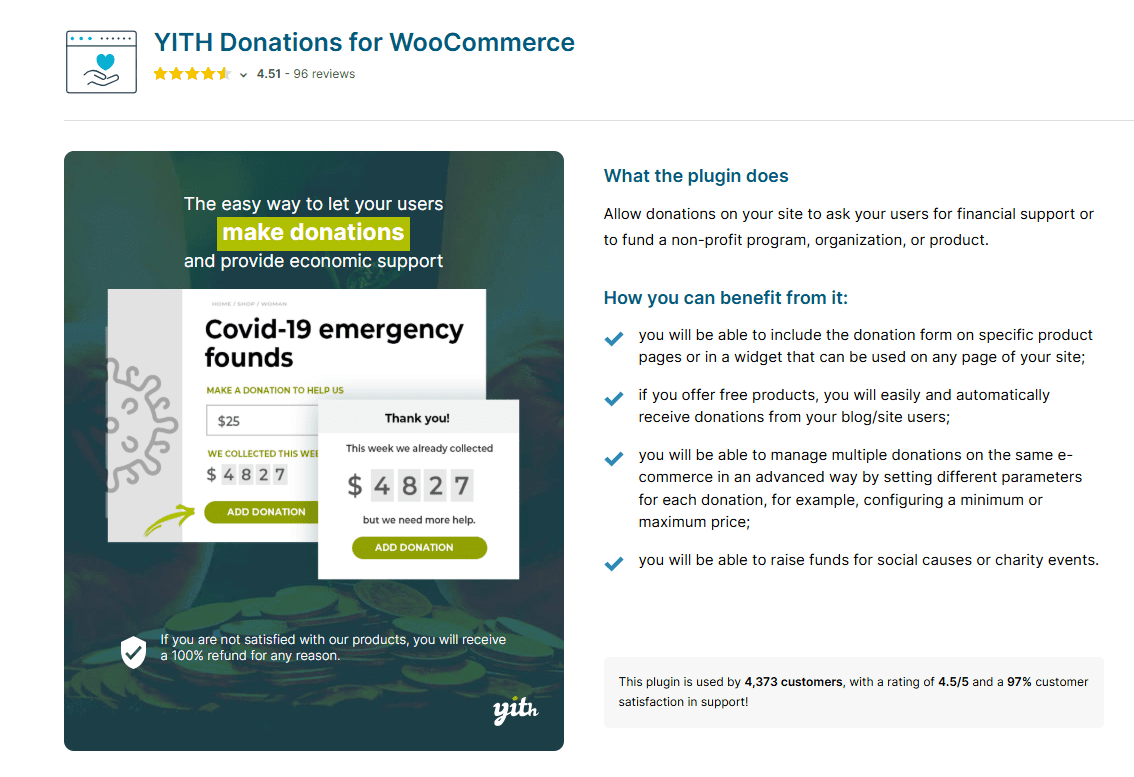
- Custom donation forms and round-up options
- Displays donation requests on checkout or as standalone widgets
- Detailed donor and donation reports
Benefits of YITH Donations
YITH Donations allows users to make custom donation contributions at checkout or directly on product pages. It also provides donor management and reporting features that simplify tracking the total donation value over time. With round-up donation features included, it’s easy to encourage small contributions that add up over time.
Why choose this plugin?
YITH is suitable for WooCommerce store owners looking for simplicity and effectiveness in managing donations without complex setup requirements.
5. SUMO WooCommerce Donations
Key features
- Simple donation process integration with cart and checkout pages
- Customizable donation amounts and recurring donations
- Detailed analytics on donor activity
Benefits of SUMO WooCommerce Donations
SUMO WooCommerce Donations enables recurring donation payments, helping to establish a steady stream of contributions. This plugin provides analytics on collected donations and allows custom messages for donors who collect recurring donations.
Why choose this plugin?
SUMO WooCommerce Donations is a great choice for stores seeking recurring donation options and insights into donor activity.
6. WPForms

Key features
- User-friendly donation forms with drag-and-drop customization
- Recurring donation options and compatibility with popular payment gateways
- Easy integration with WooCommerce
Benefits of WPForms
WPForms enables you to create engaging, custom donation forms that integrate seamlessly with WooCommerce. The forms are designed to be flexible, making it easy to add donation boxes to your website without complex coding.
Why choose this plugin?
WPForms is perfect for those who prioritize customizable, user-friendly donation forms that align with brand aesthetics and functional needs.
7. Charitable
Key features
- Recurring donations and custom campaign pages
- Detailed reporting and donor management capabilities
- Integration with WooCommerce for seamless donation collection
Benefits of Charitable
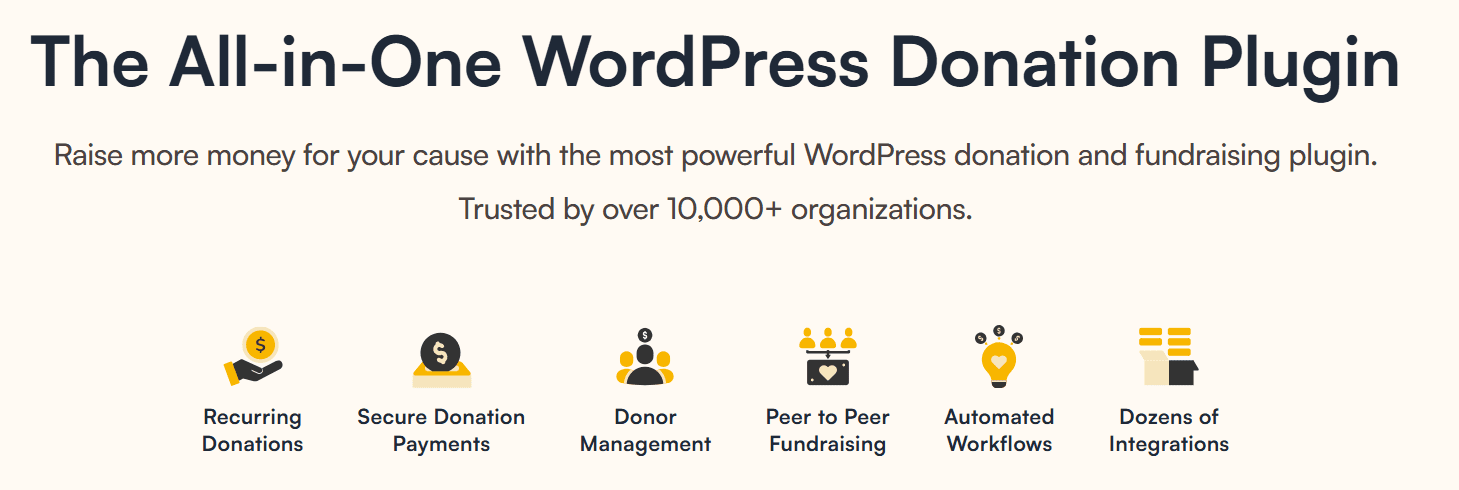
Charitable provides an all-in-one solution for managing multiple charitable donation payments and campaigns. It supports custom donation amounts and recurring donations and has options for creating branded donation pages.
Why choose this plugin?
Charitable is ideal for users who want to build customized campaigns with a variety number of donations, donation options and strong reporting capabilities.
8. Donation or Tip for WooCommerce
Key features
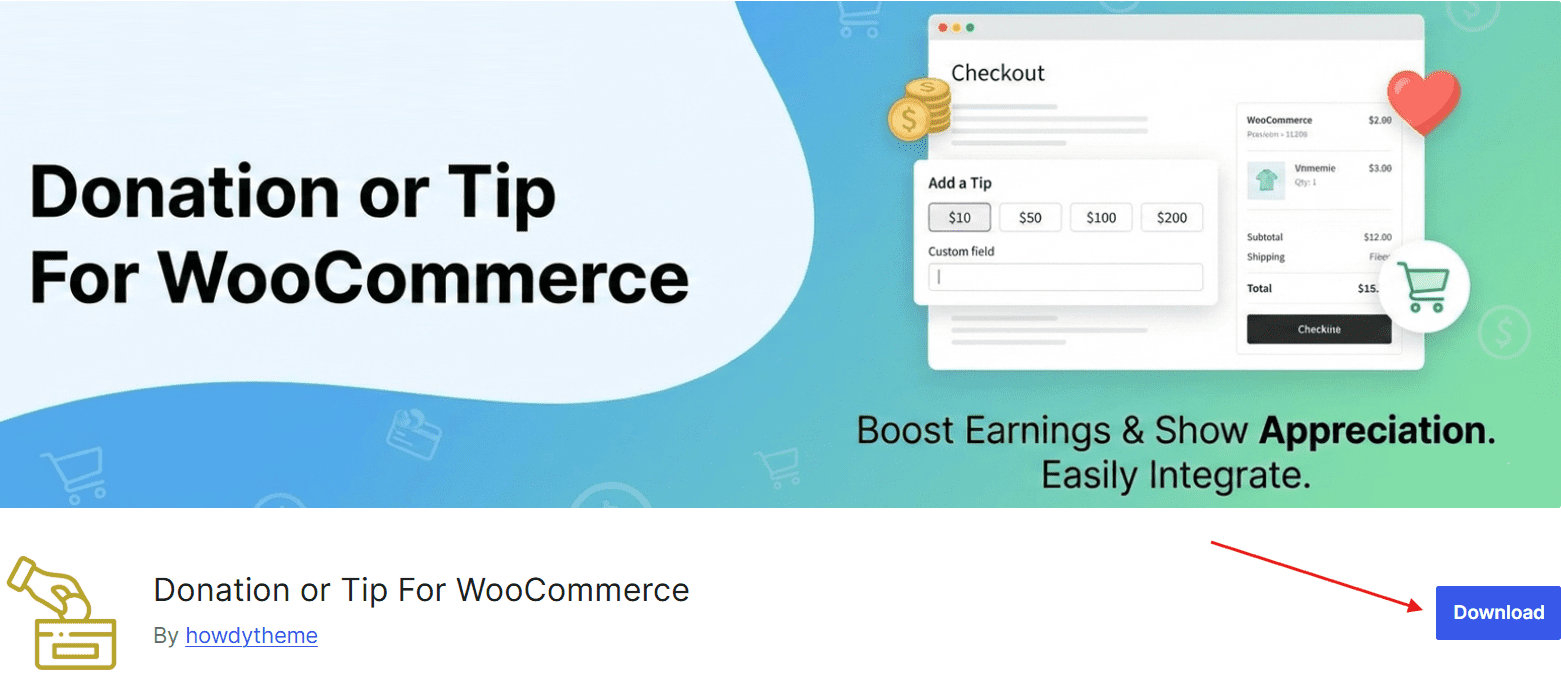
- Adds donation or tip options to cart and checkout pages
- Customizable amounts and round-up donation options
- Supports recurring donation payments
Benefits of Donation or Tip for WooCommerce
This plugin enhances flexibility by allowing stores to accept donations as tips on the cart or checkout page itself, with customizable amounts and recurring options. It’s a versatile choice for businesses looking to encourage small contributions.
Why choose this plugin?
For stores that want a simple yet flexible way to accept donations, this plugin offers effective features, including recurring donations and round-up options.
Next, let’s look at how these donation plugins help your WooCommerce website.
Benefits of using WooCommerce donation plugins
WooCommerce donation plugins make it easier to turn your online store into a powerful fundraising platform. Instead of relying on separate tools, you can seamlessly collect donations, manage campaigns and engage supporters directly within your existing checkout experience.
Let’s see how.
1. Simplified donation process for donors
WooCommerce donation plugins streamline the donation process, allowing customers to contribute with just a few clicks. By adding donation forms to the cart and checkout pages or displaying a donation box, these plugins make it easy for users to support your cause without complex steps. You can even enable features to modify donation product quantity or set a minimum donation amount to guide donors.
2. Enhanced donor management and tracking capabilities
Donation plugins also improve donor management by offering robust tracking features. They provide a holistic view of donation activities with options to view donation counts, manage donor data and export donation reports.
These plugins often come with a donation report dashboard, allowing you to assess the collected donation amount and monitor the donation campaign’s goal progress. WC donation reports exports also make it easier for you to analyze donations on a larger scale and understand engagement levels.
3. Customizable donation options to suit various needs
Flexibility is a core advantage of WooCommerce donation plugins, as many allow you to set custom donation amounts, define minimum and maximum donation limits and even offer recurring donation payments. Whether you want to create a single donation product or support multiple other donation products and campaigns, these plugins provide customizable options to fit different fundraising strategies.
4. Seamless integration with WooCommerce for a cohesive experience
With seamless integration into WooCommerce, these plugins offer a unified experience, enabling you to manage both sales and donations from the same platform. They can be displayed alongside other products or at checkout, creating a smooth, non-disruptive donation experience for customers.
If you’re running a single campaign or scaling multiple initiatives, the right plugin can significantly enhance your fundraising efforts.
Now that you understand the benefits, the next step is choosing the right tool for your needs. Let’s explore the key features to look for in a WooCommerce donation plugin to make the best decision.
Key features to look for in a WooCommerce donation plugin
Choosing the right WooCommerce donation plugin isn’t just about adding a donation button; it’s about creating a smooth, secure and engaging giving experience. The right features can directly impact how easily users donate, how well you manage campaigns and how effectively you grow contributions.
Here are some notable WooCommerce donation plugin features to look for:
1. Customizable donation forms and amounts
Having the same donation campaign with flexible forms and custom donation amounts can engage donors effectively and cater to various donation campaigns.
2. Support for recurring donations
Recurring donations allow for continuous support from donors, making them essential for sustained fundraising.
3. Compatibility with multiple payment gateways
Using popular payment gateways like PayPal and Stripe can ensure seamless transactions for donations.
4. Detailed reporting and analytics
In-depth reports help track donation progress and analyze donor engagement, essential for evaluating campaign success.
5. Donor management features
Organized donor data and donation summaries are vital for following up with supporters and maintaining long-term relationships.
6. Donation widgets
The strategic advantage of using donation widgets is their ability to keep giving options constantly visible without interrupting the customer’s shopping journey. By utilizing floating buttons or sidebar forms, you reduce friction and easily capture impulse contributions directly on your product pages.
7. Ease of integration and user experience
Plugins should integrate smoothly with WooCommerce and offer a user-friendly setup to ensure a cohesive experience.
8. Donation upsells for WooCommerce
A donation upsell is a powerful strategy to boost your fundraising efforts by asking customers for a small contribution right before they finish checking out. When you use a donation plugin for WooCommerce, you can prompt shoppers to round up their cart total to the nearest dollar or add a fixed micro-donation directly to their order.
By focusing on these essential features, you can ensure your donation plugin supports both your fundraising goals and user experience. The right combination of flexibility, security and ease of use will help you collect more donations without friction.
Also read: 8 Fundraising Tips for Nonprofit Websites with Online Donations
Now that you know what features to look for, the next step is selecting the plugin that best fits your specific needs and fundraising strategy.
How to choose the right donation plugin for your WooCommerce store?
The right choice will simplify donation management, improve user experience and ultimately help you increase contributions. Here’s how:
1. Identify your fundraising goals
Consider whether you need single or multiple donation campaigns, recurring donation features, recurring donation payment plan or custom donation options.
2. Consider ease of use and integration
Evaluate plugins that integrate seamlessly with WooCommerce and offer an easy setup process.
3. Evaluate plugin features for your needs
Ensure the plugin meets your specific requirements, such as donor management, donation processing fee customizable forms, or recurring donation options.
4. Review pricing and additional costs
Consider the overall cost of the plugin, including possible add-ons or transaction fees.
5. Check for customer support and regular updates
Reliable support and consistent updates ensure a smooth experience and keep your plugin secure.
By evaluating your fundraising needs, ease of integration and key features, you can confidently select a WooCommerce donation plugin that supports your long-term growth.
Want professional recommendations?
Once you’ve chosen the right plugin, the next step is implementing it effectively. Let’s look at how to maintain smooth recurring donations on your WordPress site to create a steady and reliable stream of contributions.
What role does hosting play in WooCommerce donation plugin integration?
Your hosting environment directly impacts how well your WooCommerce donation plugins perform. From secure payment processing to smooth checkout experiences, hosting ensures your donation system runs reliably, especially during high-traffic campaigns.
A strong hosting setup helps you:
- Support seamless integration with payment gateways and plugins
- Maintain fast loading speeds for donation pages and checkout
- Ensure secure transactions with SSL and malware protection
- Handle traffic spikes during fundraising campaigns
Why choose Bluehost for your WooCommerce donation website?
Your hosting can directly impact how many donations you receive. Slow load times, checkout issues or security gaps can reduce trust and lead to lost contributions.
At Bluehost, we ensure your WooCommerce donation plugins run smoothly with:
- Fast loading speeds for seamless donation checkout
- Built-in SSL and security to protect donor data
- Reliable uptime to avoid missed contributions
- Easy plugin integration with WooCommerce
We handle the technical performance, so you can focus on growing your cause and increasing donations. With us, you can build a custom site for your non-profit cause without any technical experience needed.
Want a faster, more reliable donation experience? Start with our WooCommerce hosting built to maximize conversions.
Final thoughts
Turning your store into a fundraising engine doesn’t require complexity; it requires the right tools and foundation. A WooCommerce donation plugin can turn simple checkouts into meaningful contributions, helping you engage supporters and grow impact effortlessly. Whether your goals include setting up recurring donation payments, managing multiple donation campaigns or creating a customizable online donation form itself, the right plugin will simplify your fundraising journey.
But plugins alone aren’t enough; you need a solid foundation. Performance, security and seamless integration play a huge role in maximizing donations and building trust.
- Faster sites = higher conversions
- Secure checkouts = more donor confidence
- Smooth integrations = better user experience
If you’re ready to scale your fundraising without friction, start with a setup built for results.
Launch your donation-ready store with Bluehost WooCommerce hosting today.
FAQs
Several plugins support recurring donations, with GiveWP and Charitable standing out due to their robust features.
Most plugins, including YITH Donations and SUMO WooCommerce Donations, allow flexible donation amounts.
Yes, plugins like Charitable offer free versions with essential features, though premium versions unlock more functionalities.
When you install a high-quality donation plugin for WooCommerce, donation widgets seamlessly blend into your existing site design. A floating widget allows shoppers to contribute at any moment while a sidebar form provides a dedicated space for giving that doesn’t distract from the checkout process. This approach is exactly why the best WordPress donation plugins prioritize widget functionality. It ensures your primary eCommerce flow remains intact while making a WooCommerce donation as simple as a single click.
Donation For WooCommerce and GiveWP provide detailed tracking and analytics for managing donor information and donation counts.
GiveWP and WPForms are highly compatible with multiple gateways, including PayPal and Stripe, for seamless payment processing.
A top donation plugin for WooCommerce seamlessly links your fundraising forms directly to the cart. Instead of forcing customers to a separate portal, the WooCommerce donation appears as a standard item alongside their purchased products. This frictionless integration ensures a smooth shopping experience while boosting your fundraising efforts. By processing contributions exactly like retail transactions, you secure more funding without disrupting the customer journey.
A donation upsell is a strategy that prompts customers to make a small contribution right before completing their purchase. By using a donation plugin for WooCommerce, shoppers can effortlessly round up their cart total or add a fixed micro-donation directly to their order. This approach requires almost zero effort from the buyer, making it a highly effective fundraising tactic. The best WordPress donation plugins easily integrate these upsells, turning everyday retail purchases into a steady stream of micro-donations.
Yes, you can easily embed recurring donation forms on any page or widget area using a versatile donation plugin. Embedding these forms keeps supporters on your domain, which builds immediate trust and maintains your brand identity. By focusing on recurring WooCommerce donations, organizations can forecast revenue and plan long-term initiatives with absolute confidence. A well-integrated setup automates the collection process, reducing administrative overhead while providing an automated growth engine for your charitable mission.
The upsell approach is highly effective because it requires almost zero effort from the buyer. Instead of navigating to a separate page or filling out a lengthy form, your customers can support your cause with a single click. The best WordPress donation plugins make it easy to seamlessly integrate these upsells into your existing flow. By making a WooCommerce donation this frictionless, you turn everyday purchases into a steady stream of micro-donations without disrupting the shopping experience.
Donation widgets keep giving options visible at all times without interrupting the customer’s natural shopping journey. When you install a high-quality donation plugin for WooCommerce, floating buttons and sidebar forms seamlessly blend into your existing site design. This constant visibility allows you to easily capture impulse contributions directly on your product pages. Ultimately, the best WordPress donation plugins prioritize widget functionality to make supporting your cause as simple as a single click.
When selecting the best WordPress donation plugins, you should prioritize reliability, strict security, and a beginner-friendly user experience. A dependable donation plugin must maintain performance under heavy traffic and integrate securely with major payment gateways like Stripe or PayPal. Additionally, intuitive dashboards and customizable forms empower you to launch campaigns quickly without needing complex coding skills. Rigorous testing ensures your chosen WooCommerce donation tool protects sensitive donor data while seamlessly fitting into your existing store.

Write A Comment