 ChatGPT,
 Claude,
 Gemini,
 Grok — all four for
Key highlights
- Learn what an AI chatbot for lead generation is and how it helps turn website visitors into qualified prospects.
- Discover why businesses use AI chatbots for lead generation to respond faster, capture leads 24/7 and reduce manual follow-up.
- Explore the key features of lead generation chatbots, including contact capture, lead qualification, CRM integration and conversion tracking.
- Follow a step-by-step process for how to set up a chatbot for lead generation on high-intent website pages.
- Apply practical AI chatbot lead generation tips to improve conversations, personalize responses and reduce visitor drop-off.
- Use Bluehost AI Receptionist to answer routine business questions, capture leads 24/7 and support appointment booking through Google Calendar integration.
Most website visitors leave without taking action. They browse, compare and scroll the pricing page before disappearing entirely. A well-configured AI chatbot for lead generation changes that pattern by starting a real conversation at the right moment, before that visitor exits.
Salesloft’s Conversational AI Marketing Trends Report, based on more than 30 million Drift conversations, found that website visitors who sent a high-intent message during a bot conversation were five times more likely to convert into an opportunity than those who sent low-intent messages. Chatbots respond instantly, qualify prospects automatically and hand warm leads to sales teams without delay.
An AI chatbot for lead generation does more than answer questions: it qualifies prospects, captures contact details and moves visitors through your marketing funnel automatically, any time of day. In this guide, you will find the features that drive real results, a practical setup walkthrough and the optimization tactics you need to turn more conversations into qualified leads.
What is an AI chatbot for lead generation?
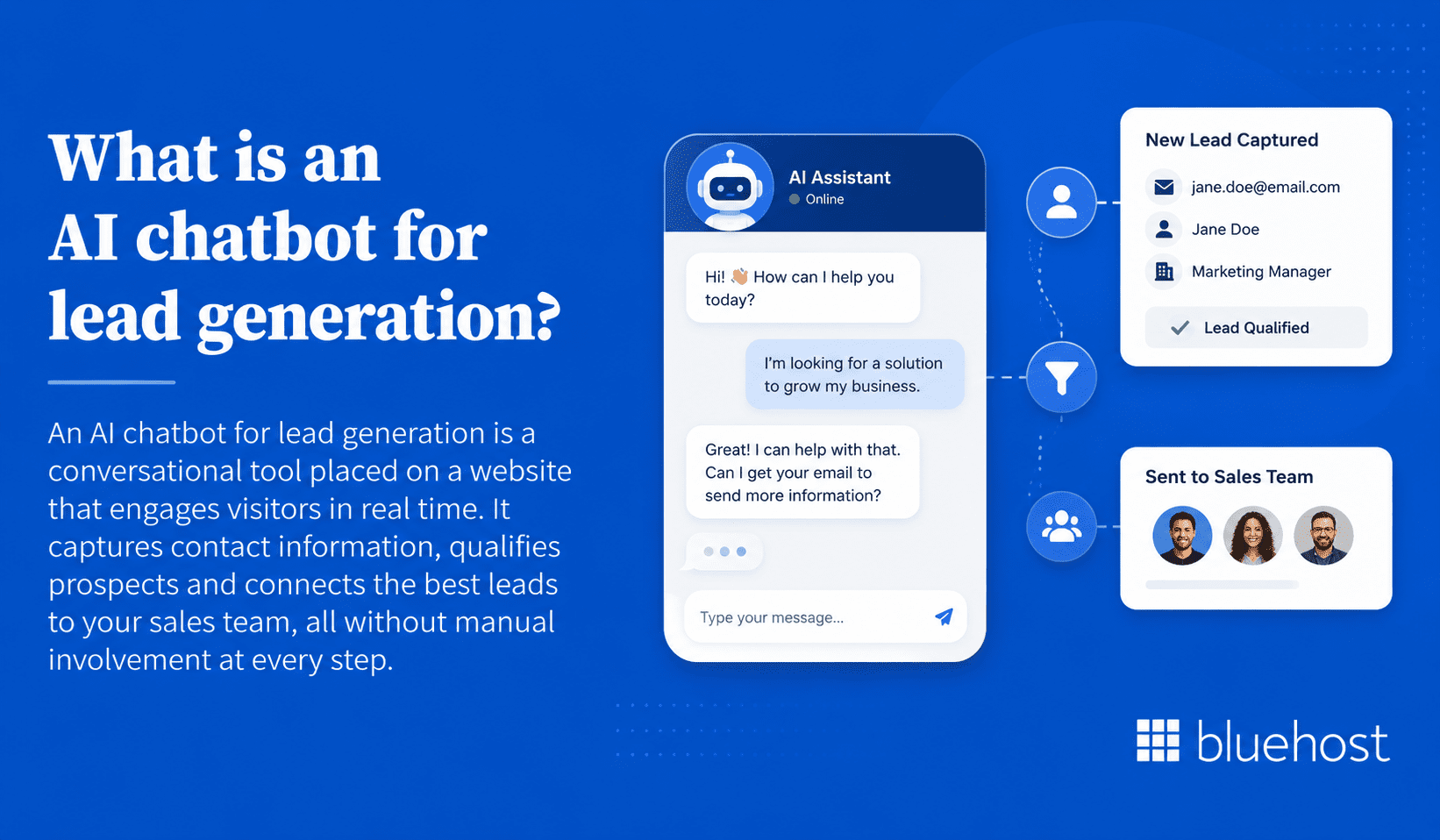
An AI chatbot for lead generation is a conversational tool placed on a website that engages visitors in real time. It captures contact information, qualifies prospects and connects the best leads to your sales team, all without manual involvement at every step.
How an AI chatbot for lead generation works?
The chatbot triggers when a visitor lands on a page, after a set time delay or when specific behavior is detected. From there, it follows a structured flow that includes:
- A welcome message to open the dialogue
- Qualification questions to assess visitor intent and fit
- Contact capture introduced at the right moment in the conversation
- A clear next step, such as booking a call or receiving a resource
AI-powered versions go further. They interpret open-ended responses, adapt follow-up questions based on what the visitor says and pull accurate answers from a connected knowledge base.
How AI lead generation chatbots differ from traditional website forms?
Static forms present every visitor with the same fields regardless of context. Chatbots adapt based on the conversation. The table below highlights the key differences.
| Feature | Static web form | AI lead generation chatbot |
|---|---|---|
| Response time | No immediate response | Instant, 24/7 |
| Lead qualification | Manual follow-up required | Automated during the chat |
| Personalization | None | Based on behavior and responses |
| Friction | High (all fields upfront) | Lower (one question at a time) |
| Data captured | Fixed fields only | Structured and conversational |
Forms still have a role in the funnel, particularly for document downloads or detailed application processes. Chatbots perform best when real-time engagement and faster qualification are the priority.
Also read: WordPress Lead Generation: Setup & Conversion Tactics
What are the benefits of AI chatbots for lead generation?
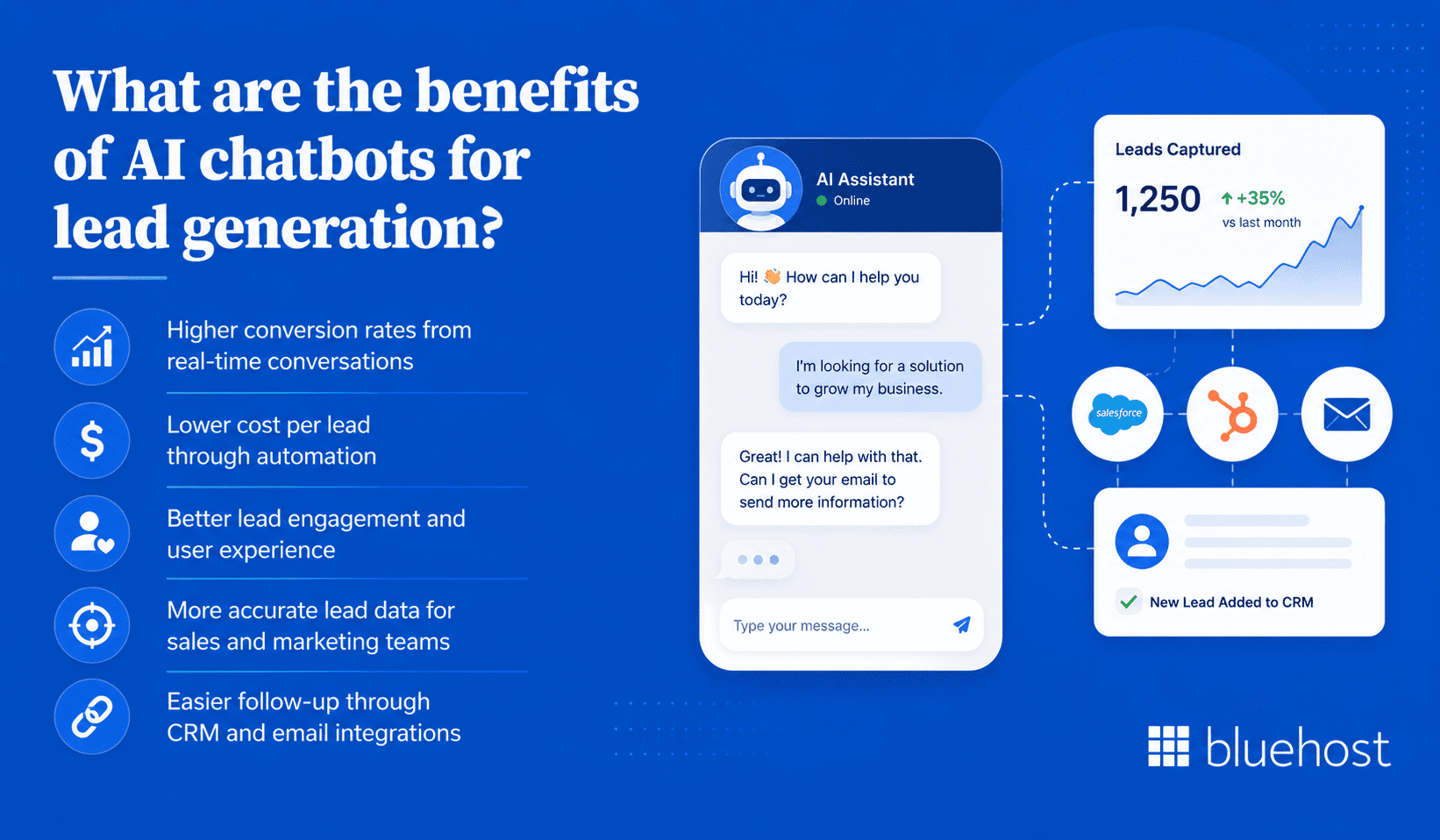
The case for chatbots extends beyond convenience. Each benefit below directly affects pipeline quality, cost efficiency and the accuracy of data your sales team depends on.
1. Higher conversion rates from real-time conversations
Chatbots engage visitors at the moment of highest intent. Real-time replies reduce the hesitation that causes visitors to close a tab or skip a form entirely. Fewer exits means more captured leads.
2. Lower cost per lead through automation
Automating initial qualification removes hours of manual outreach from the sales process. The chatbot handles volume; sales handles depth. Cost per qualified lead decreases as a direct result.
3. Better lead engagement and user experience
A conversation feels more natural than a form with multiple required fields. Visitors get answers in the same interaction. They feel guided rather than interrogated, which keeps them on the page longer.
4. More accurate lead data for sales and marketing teams
Conversational data captures nuance that form fields miss. When a prospect describes their challenge in their own words, that context appears in the CRM record and helps sales reps tailor their approach on the first call.
5. Easier follow-up through CRM and email integrations
Platforms like Intercom, Drift and HubSpot Chatflows push lead data directly into CRM systems and trigger automated follow-up sequences. No manual data entry means fewer leads fall through the cracks.
Also read: Lead Management: What it is, Why it Matters and How to do it Right
What are the key features of lead generation chatbots?
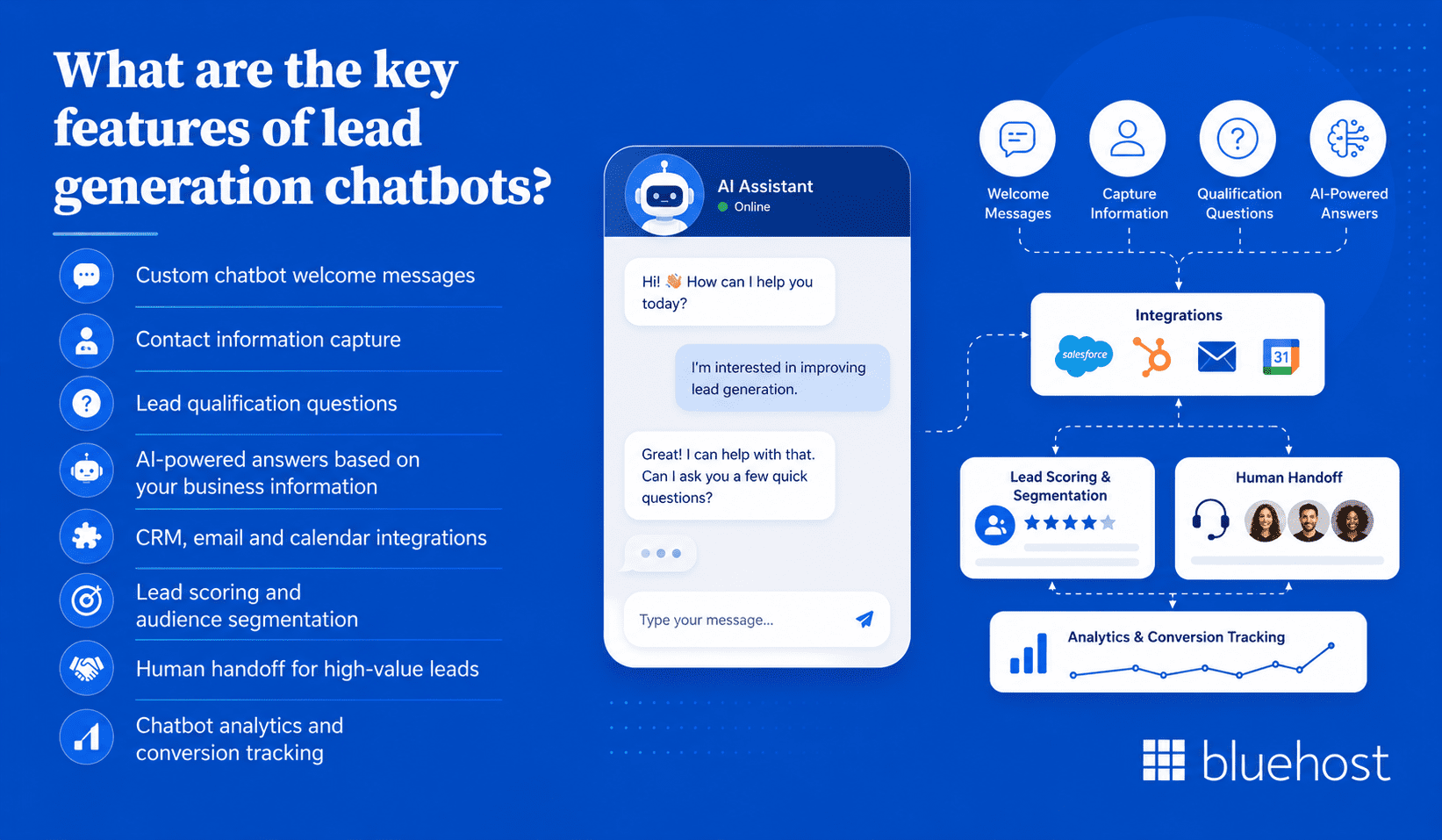
Not all chatbots are built equally. The features below determine whether a chatbot actively generates qualified leads or simply greets visitors and stops there. Knowing these capabilities helps when evaluating platforms and configuring your setup for maximum output.
1. Custom chatbot welcome messages
The opening message sets the tone for the entire conversation. A strong welcome names a benefit, acknowledges where the visitor is and invites a response. Generic greetings like “Hi, can I help?” rarely start meaningful conversations.
2. Contact information capture
The chatbot should collect name and email at the right moment in the flow, not at the very start. Asking for contact details too early dramatically reduces completion rates.
3. Lead qualification questions
These targeted questions assess fit before a lead reaches the sales team. Common examples include company size, use case, budget range and purchase timeline. The goal is to surface intent, not interrogate the visitor.
4. AI-powered answers based on your business information
Advanced chatbots connect to a knowledge base and generate answers from your product documentation, FAQs and pricing pages. Visitors receive accurate, relevant replies without a human agent present at all times.
5. CRM, email and calendar integrations
Lead data should flow automatically into your existing tools. Integrations with HubSpot, Salesforce, Mailchimp and Google Calendar remove manual steps between capture and follow-up.
6. Lead scoring and audience segmentation
Chatbots can score leads based on their answers and tag them by segment. High-scoring leads route directly to sales. Lower-scoring contacts enter a nurture sequence instead of clogging the pipeline.
7. Human handoff for high-value leads
When a conversation requires a specialist or a lead shows strong buying signals, the chatbot should transfer the visitor to a live agent. Without this option, high-value prospects hit a dead end and leave.
8. Chatbot analytics and conversion tracking
Built-in analytics show where visitors drop off, which questions produce the most leads and how performance varies across pages. Without this data, improvement is guesswork rather than a systematic process.
How to set up a chatbot for lead generation?
Setting up a lead generation chatbot involves more than installing a widget and writing a greeting. Each step below builds toward a connected system that captures, qualifies and routes leads from day one.
- Define your lead generation goal: Decide what the chatbot should achieve. Capturing emails, booking demos and qualifying enterprise prospects require very different flows.
- Choose where the chatbot will appear: Select pages where qualified traffic is highest. Pricing pages, product pages and landing pages produce better lead quality than general blog posts.
- Map the conversation flow: Sketch the path from greeting to lead capture. Keep branching logic simple. Most visitors will not complete a flow with more than three or four decision points.
- Write a strong welcome message: Open with a value statement. “Looking for a plan that fits your team? I can help narrow it down in two minutes” outperforms “Hi, how can I help?” in almost every test.
- Add lead qualification questions: Build in two to four qualifying questions before asking for contact details. Use multiple-choice options where possible to reduce friction and lift completion rates.
- Collect contact details at the right time: Introduce contact capture after the visitor has engaged with at least one or two questions. At that point, sharing an email feels like a natural next step.
- Connect the chatbot to your CRM: Configure the integration so every captured lead appears in your CRM automatically. Test the connection before going live to avoid sync gaps.
- Add a meeting scheduler or sales handoff option: For high-intent leads, offer calendar slots directly inside the chat. Calendly and Google Calendar integrations reduce the friction of scheduling a call.
- Test the chatbot before publishing: Walk through every conversation path as a real visitor would. Check for broken logic, awkward phrasing and CRM sync errors. Have a colleague test it on a mobile device too.
- Launch, monitor and improve: After the first week, review where visitors drop off, which questions generate the most leads and whether the welcome message triggers enough conversations to be meaningful.
Launching is the start, not the finish. The most effective chatbots improve through consistent monitoring and small, deliberate adjustments to the flow over time.
What are some lead generation chatbot use cases?
A chatbot placed on a website without a clear use case rarely delivers consistent results. The six scenarios below represent the highest-impact ways to convert passive visitors into actionable leads.
1. Use an AI chatbot to engage first-time website visitors
Trigger a welcome message for new visitors after 10 to 15 seconds on the page. Acknowledge their visit and offer a useful next step. That small gesture alone reduces bounce rates on high-intent pages.
2. Use an AI chatbot to qualify leads before sales calls
Ask budget, timeline and use-case questions inside the chat window. When a prospect books a call, your sales team already has the context to make that conversation worthwhile from the first minute.
3. Use an AI chatbot to recommend products or services
Build a recommendation flow that asks two or three questions about the visitor’s needs. Then surface the most relevant product or plan. Shorter decision cycles mean fewer abandoned comparisons and more forward momentum.
4. Use an AI chatbot to book demos, consultations or appointments
Connect a calendar integration directly to the chatbot. When a qualified lead expresses interest, offer available slots inside the conversation rather than redirecting them to a separate booking page entirely.
5. Use an AI chatbot to recover abandoning visitors
Configure an exit-intent trigger for visitors moving toward the browser tab or back button. A targeted message like “Still comparing options? Here’s what most teams in your situation choose” can re-engage someone about to leave.
6. Use an AI chatbot on paid ad landing pages
Visitors from paid campaigns arrive with a specific intent. Match the chatbot’s opening message to the ad’s promise. A mismatch between ad copy and chatbot content causes paid traffic to bounce quickly and wastes budget.
What are some AI chatbot lead generation tips for better results?
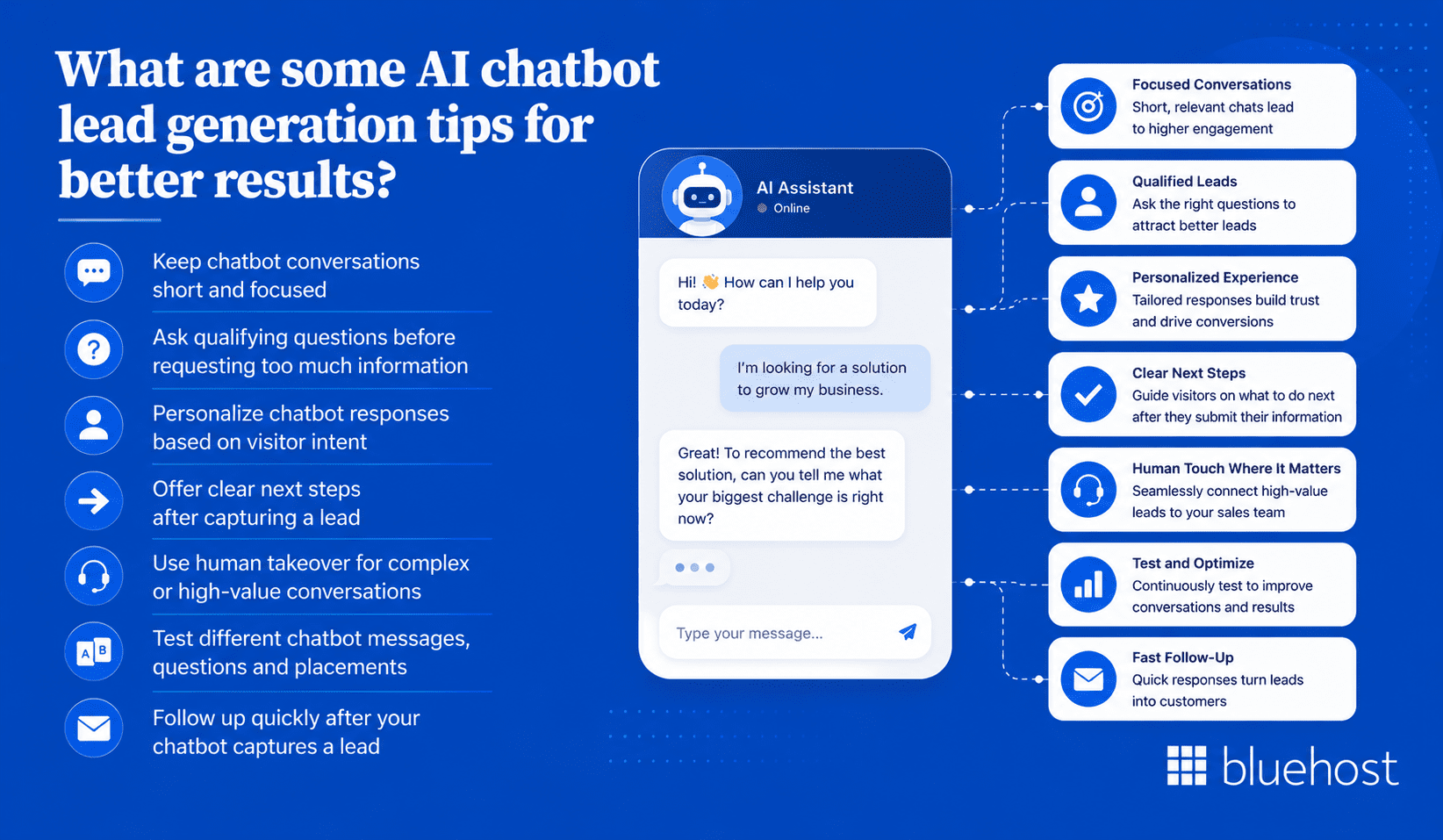
Configuration alone does not guarantee performance. These practical tips address the most common gaps between a chatbot that runs and one that consistently generates qualified pipeline.
1. Keep chatbot conversations short and focused
Aim for no more than five to six exchanges before capturing a lead. Long conversations increase drop-off rates sharply. Every question in the flow should serve a clear qualification or capture purpose.
2. Ask qualifying questions before requesting too much information
Establish relevance before asking for personal details. A visitor who has described their use case is far more willing to share an email address. Asking for it in the second message rarely works.
3. Personalize chatbot responses based on visitor intent
Use page-level context to adjust the chatbot’s opening. A visitor on the pricing page is evaluating cost. The chatbot should acknowledge that directly rather than offering a generic product overview.
4. Offer clear next steps after capturing a lead
Never end a chatbot conversation with “Thanks, someone will be in touch.” Tell the visitor exactly what happens next: the channel, the timeframe and what they will receive. Specificity builds trust.
5. Use human takeover for complex or high-value conversations
Set clear triggers for when a live agent should step in. Mentions of enterprise deal size, specific compliance questions or visible frustration are strong indicators that a human should take over immediately.
6. Test different chatbot messages, questions and placements
Run A/B tests on welcome messages, qualifying questions and trigger timing. Small phrasing changes can produce meaningful differences in engagement and lead capture rates over even a short testing window.
7. Follow up quickly after your chatbot captures a lead
Automate a follow-up email to send within minutes of a lead being captured. Speed matters post-capture just as much as it does during the conversation itself. Delays reduce the chance of conversion.
What are the best pages to use an AI chatbot for lead generation?
Chatbot placement has a direct impact on lead quality and volume. Pages with high commercial intent consistently produce better results. The six placements below are where chatbot-driven lead capture performs most reliably.
- Homepage: The entry point for most brand-aware visitors. Use the chatbot to direct them toward the section most relevant to their role or immediate need.
- Pricing or plans page: Visitors here are actively comparing options. A chatbot that helps identify the right plan accelerates the decision rather than letting the visitor stall or leave.
- Product or service pages: Visitors evaluating a specific offering often have detailed questions. The chatbot can address common objections and capture contacts ready to move forward.
- Landing pages: Paid and organic landing pages have a single conversion goal. The chatbot should mirror the page’s offer and reduce the path to action to one or two clicks at most.
- Contact page: Visitors here already want to engage. A chatbot can qualify their request and route them to the right team or booking option immediately, rather than leaving them to wait.
- Blog posts with commercial intent: Posts covering pricing comparisons, product alternatives or purchase-stage guides attract readers close to a decision. A contextual chatbot message tied to the post topic converts well on these pages.
Starting with two or three of these pages, rather than deploying site-wide, makes it easier to measure impact clearly and refine the flow before expanding to other areas of the site.
What are the common mistakes to avoid with lead generation chatbots?
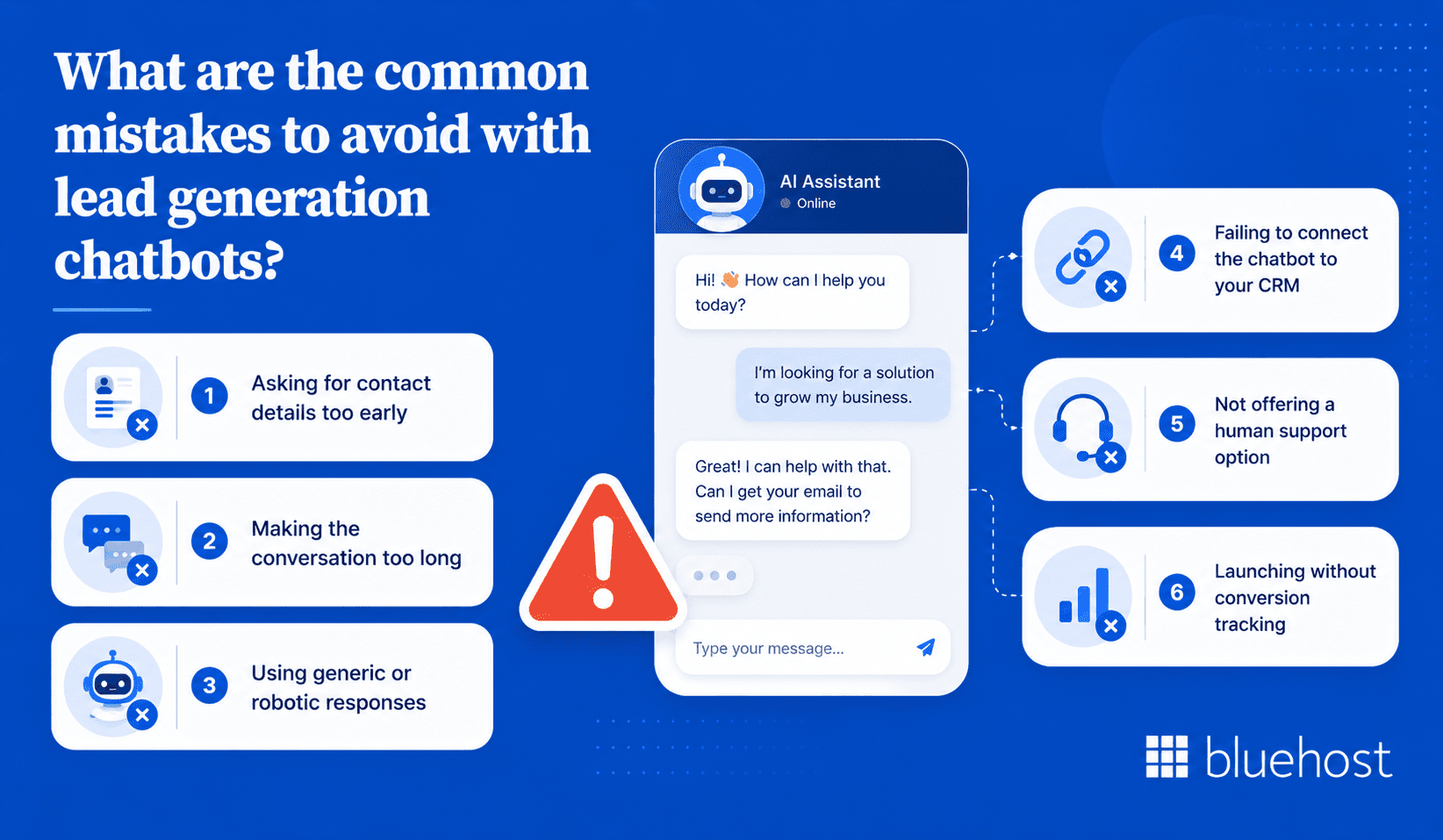
Most underperforming chatbots share a small set of predictable problems. Catching these before launch saves time and prevents real visitors from encountering a broken or frustrating experience.
- Asking for contact details too early: Requesting name and email in the first or second message causes most visitors to abandon the conversation entirely.
- Making the conversation too long: Flows with more than six or seven steps see sharply higher drop-off rates. Cut any question that does not directly serve qualification or capture.
- Using generic or robotic responses: Automated-sounding replies reduce trust. Write in the same tone your team uses in email and on sales calls.
- Failing to connect the chatbot to your CRM: Without an integration, lead data lives only in the chatbot platform. Follow-up becomes delayed, inconsistent and easy to miss.
- Not offering a human support option: Visitors with complex questions need a path to a real person. A chatbot without that option frustrates high-value prospects at a critical moment.
- Launching without conversion tracking: Without engagement rate, lead capture rate and drop-off metrics, improvement becomes guesswork rather than a systematic process driven by evidence.
Most of these are configuration issues, not platform limitations. A quick audit of your current flow against this list will surface the problems most likely affecting your results today.
How to measure AI chatbot lead generation performance?
Performance measurement turns a chatbot from a passive tool into an active part of your growth process. Track these six metrics consistently to understand what is working, where to improve and how the chatbot contributes to pipeline over time.
1. Chatbot engagement rate
The percentage of visitors who interact with the chatbot after it appears. A low engagement rate typically points to a weak welcome message, poor trigger timing or poor placement on low-intent pages.
2. Lead capture rate
The percentage of chatbot conversations that produce a captured contact. A low rate usually means contact details are being requested too early or the process feels too demanding for the average visitor.
3. Lead qualification rate
The percentage of captured leads that meet your defined criteria for sales-readiness. A low figure suggests the screening questions are too broad or visitor targeting needs to be refined before the chat even starts.
4. Chat-to-meeting conversion rate
For chatbots with a booking function, this tracks how many conversations result in a scheduled call or demo. It is one of the clearest indicators of direct pipeline contribution the chatbot is producing.
5. Cost per lead
Divide total chatbot-related costs by the number of leads captured. Compare that figure against other lead generation channels to assess the chatbot’s relative cost efficiency over a comparable time period.
6. Sales conversion rate from chatbot leads
Track how many chatbot-sourced leads eventually become paying customers. A high capture rate paired with a low sales conversion rate signals a qualification gap, not a volume problem. Fix the screening logic, not the volume targets.
The future of AI chatbots for lead generation
AI-powered lead generation tools are advancing quickly. Understanding where capabilities are heading helps teams make smarter decisions about configuration and investment right now.
1. More personalized buying experiences
Future chatbots will adapt conversations based on firmographic data, visit history and real-time behavioral signals. Each visitor will receive a flow that reflects their specific situation rather than a shared default template.
2. Stronger CRM and sales automation workflows
Deeper integrations will allow lead scoring, task creation and sequencing to trigger automatically when a conversation ends. Sales teams will spend more time in actual conversations and less time on administrative data work.
3. Better lead scoring with AI-driven insights
AI models will analyze conversation patterns, response sentiment and behavioral data to produce lead scores. The resulting scores will reflect buying intent far more accurately than rule-based systems do today.
4. More conversational experiences across websites and messaging channels
Lead generation chatbots will extend beyond website widgets to WhatsApp, Instagram DMs and SMS. Prospects will be able to start a conversation on one channel and continue it on another without losing any context from prior interactions.
Keep your front desk covered with Bluehost AI Receptionist
For small businesses that want faster response times without adding more staff, Bluehost AI Receptionist offers an automated way to keep customer conversations moving around the clock. It acts as an always-on front desk for sales and support, helping greet prospective clients, answer routine questions and capture leads 24/7.
That makes it especially relevant for businesses using an AI chatbot for lead generation. When a visitor has a question after hours, wants to book an appointment or needs basic information before converting, the AI Receptionist can keep the conversation moving instead of making the prospect wait for a callback.
Unlike a generic chatbot, Bluehost AI Receptionist can be trained on your business materials, such as documents, resources, service information, product details, hours and policies. This helps it provide more accurate, business-specific responses while reflecting your preferred brand voice and tone.
With Bluehost AI Receptionist, small businesses can:
- Respond to inquiries 24/7: Give prospects an immediate response after business hours, on weekends or when your team is busy.
- Answer business-specific questions: Train the agent on your documents and resources so it can respond with information based on your actual business.
- Capture more leads: Keep potential customers engaged in the moment, helping reduce missed opportunities when your team is unavailable.
- Support appointment booking: Use Google Calendar integration to help customers book, reschedule or cancel 30-minute appointment slots without a manual coordinator.
- Maintain a consistent brand voice: Customize the agent’s voice and tone so responses feel aligned with your business.
- Reduce routine front-desk work: Automate repetitive questions and scheduling tasks so your team can focus on complex or high-value conversations.
- Serve more customers: Use multilingual support for non-English queries and documents.
- Track conversations and trends: Use admin and analytics features to review chat history, bookings and common topics.
- Launch with support: Work with Bluehost Professional Services to help configure goals and knowledge bases for a smoother setup.
Bluehost AI Receptionist is a practical fit for appointment-based and service-based businesses that receive frequent questions, rely on lead capture or need front-desk coverage outside normal business hours. A live receptionist may still be better for sensitive, emotional or highly complex conversations, but an AI front desk agent can help reduce missed opportunities by handling routine questions, lead capture and scheduling instantly.
Final thoughts
A well-built AI chatbot for lead generation helps turn passive website traffic into real conversations. It can answer questions, capture lead details and guide prospects toward the next step without making them wait for a callback.
For small businesses that rely on inquiries or appointments, Bluehost AI Receptionist Agent can help keep conversations moving 24/7. It answers routine business-specific questions, helps capture leads and supports 30-minute appointment booking, rescheduling and cancellations through Google Calendar integration.
Ready to stop missing leads after hours? Use Bluehost AI Receptionist to respond faster, reduce routine front-desk work and give prospects a clearer path from interest to action.
FAQs
An AI chatbot for lead generation is a website tool that engages visitors in real-time conversation, captures their contact details and qualifies them as prospects automatically. It operates without a human agent needing to be present at every interaction.
Chatbots respond instantly, operate around the clock and qualify leads before they reach the sales team. Static contact forms cannot match the speed, personalization or engagement quality that a well-configured chatbot delivers to high-intent visitors.
Key benefits include higher conversion rates, lower cost per lead, more accurate prospect data and automatic CRM sync. Chatbots also improve the visitor experience by answering questions in real time rather than making people wait for a reply.
Define your goal, map the conversation flow, write a benefit-focused welcome message and add qualifying questions before asking for contact details. Connect your CRM, test every path on desktop and mobile and launch on one high-intent page first before expanding.
The most effective uses include engaging new visitors, qualifying leads before sales calls, recommending products or services, booking meetings directly inside the chat and re-engaging visitors who show exit intent. Each use case needs its own targeted flow.
The most important features are custom welcome messages, contact capture, qualifying questions, AI-powered answers, CRM and calendar integrations, lead scoring, human handoff and built-in conversion analytics. A chatbot missing several of these will struggle to generate and route leads consistently.
Start with the welcome message, reduce friction in the contact capture step and place the chatbot on high-intent pages. Use specific calls to action, track drop-off points and run A/B tests on one element at a time to improve results through iteration rather than guesswork.
Yes. Chatbots qualify leads by asking structured questions about budget, use case and timeline during the conversation. High-scoring leads can route directly to sales while lower-scoring contacts enter a nurture sequence based on their responses.
Chatbots outperform static forms for real-time engagement and lead qualification. Forms still work well for structured data collection, document downloads or detailed application processes. The strongest setups use both, with chatbots handling initial conversations and forms supporting specific downstream collection needs.

Write A Comment