 ChatGPT,
 Claude,
 Gemini,
 Grok — all four for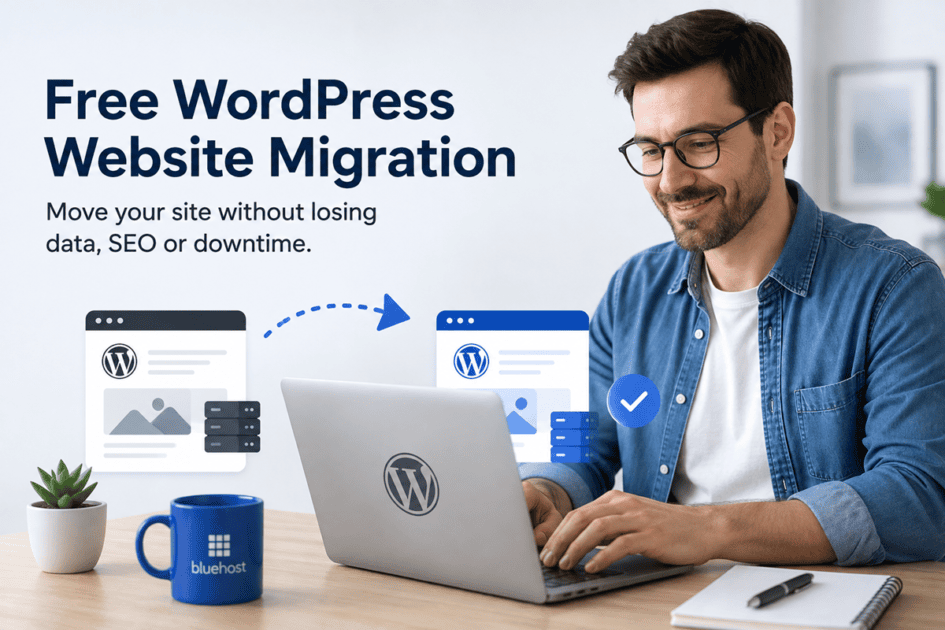
Key highlights
- A free WordPress website migration helps you move an existing WordPress site to a new host without paying a separate fee for the standard website transfer.
- Your WordPress files, database, content, themes, plugins and media are typically the core parts of the site that need to move.
- Services such as email, domain registration and custom hosting configurations may need separate attention depending on your setup.
- Keeping your existing site live until the new version is reviewed can help reduce unnecessary disruption during the switch.
- Bluehost offers a free WordPress migration tool that helps eligible sites move to our hosting environment while reducing manual migration work and minimizing disruption.
Moving your WordPress website to a new host can feel risky when your content, traffic and business depend on it. Will everything transfer correctly? Could the move cause downtime or affect the search visibility you have already built?
A free WordPress website migration can remove much of that friction by helping you move your existing site to a new hosting environment without paying a separate migration fee. But “free migration” does not always mean every connected service moves automatically.
In this guide, you will learn what a free migration includes, what may need separate attention and how the process works so that you can begin your journey with smooth transition.
What is a free WordPress website migration?
A free WordPress migration means transferring your existing WordPress site from one hosting environment to another without paying a separate fee for the standard website transfer.
Instead of rebuilding your site at the new host, the migration brings across the WordPress components needed to recreate the website you already have.
“Free” refers to the migration itself. You still need an active hosting plan at your destination, while services such as domain registration or email may be handled separately depending on your provider.
A free migration may be handled through a self-service WordPress migration tool, provider-assisted support or a combination of both. The exact process and eligibility can vary based on the hosting provider and complexity of your website.
What does a free WordPress website migration include?
A free WordPress migration typically moves your WordPress files, database, themes, plugins and media, while services such as domain registration and email may require separate steps.
| Website component | What it includes |
| WordPress files | Core website files and other files used by your installation |
| Database | Posts, pages, users, comments, menus, settings and other stored site data |
| Themes and plugins | The themes and plugins already installed on your website |
| Media | Images, documents and other files in your media library |
| Website content | The pages, posts and other content you have already created |
Together, these files and database records recreate the core of your WordPress website in the new hosting environment.
However, transferring the components does not replace post-migration testing. Once your site has moved, check important pages, forms, navigation, plugins, integrations and other functionality before completing the switch.
What may not be included in a free WordPress migration?
Your WordPress installation is only one part of your overall website setup. Some services connected to your domain can sit outside WordPress and may need to be handled separately.
- Domain registration: Moving your WordPress site does not always mean transferring your domain registration. You can often leave the domain with your existing registrar and point it to the new host.
- Email accounts: Mailboxes are generally separate from your WordPress installation. Check how your email will be handled before closing your old hosting account.
- DNS: Your domain needs to direct visitors to the new hosting environment once you are ready to make the switch.
- Custom hosting configurations: Specialized server settings or integrations may require additional review rather than transferring automatically with WordPress.
In short, migrating WordPress moves the website itself. Your domain, email and certain hosting-level settings may still require separate steps.
How does free WordPress website migration work?
The exact process depends on your hosting provider, but a host-to-host WordPress migration usually follows a simple path:
- Prepare the new hosting environment. Your destination hosting needs to be ready to receive the existing website.
- Transfer the WordPress site. Your website files and database are copied into the new environment.
- Review the migrated website. Check your pages, content, images, forms and important functionality before switching traffic.
- Point your domain to the new host. Once the migrated version is ready, your domain can direct visitors to the new hosting environment.
The goal is to make sure the migrated version works as expected before you direct visitors to the new hosting environment.
Where possible, keep your existing hosting active until you have reviewed the migrated site and completed the switch. A recent website backup also gives you an independent recovery point before migration begins.
For detailed migration preparation and validation steps, use a dedicated website migration checklist rather than adding unnecessary complexity to the transfer itself.
How to migrate your WordPress website for free with Bluehost
Moving your WordPress website should not mean risking your content, traffic or the work you have already put into your site. With our free WordPress migration service, you can bring your existing website to our hosting environment without paying a separate migration fee.
We help make the move while protecting what matters:
- Keep your website live during the transfer: Your existing site stays available while the migration takes place, helping you avoid unnecessary downtime.
- Preserve your website data: Your content, files, themes, plugins, media and database move with your WordPress site, so you do not have to rebuild it from scratch.
- Protect your SEO: Keeping your website content and structure intact helps preserve the SEO value you have already built and reduces the risk of broken links or avoidable ranking disruption.
- Avoid the manual work: You do not need to move individual files and databases yourself. We help simplify the technical work involved in bringing your site to Bluehost.
- Get help when you need it: If you run into an issue during the move, our support options give you a way to get assistance rather than troubleshooting the migration alone.
The result is a smoother move to Bluehost while your website, content and existing online presence stay intact.
Which migration option should you use?
For a standard WordPress site, start with the Bluehost free WordPress migration tool. If your website is large, highly customized, uses a complex setup or the migration cannot complete successfully, contact our support team for the recommended migration path.
Ready to make the move? Start your free WordPress migration to Bluehost and bring your existing site with you.
Final thoughts
Changing hosts is easier when you know exactly what is moving and what still needs your attention. A free WordPress website migration can remove much of the technical work and separate migration cost from that process while allowing you to continue with the website you have already built.
Before making the switch, confirm what your migration covers, identify services such as email that may sit outside WordPress and review the transferred site before relying on the new environment.
If migration has been holding you back from changing hosts, our free migration service can help you move your existing WordPress site to Bluehost while keeping your content and online presence intact.
Explore Bluehost WordPress Hosting to see the plans, tools and features available for your next hosting environment.
FAQs
Yes. Some hosting providers include free migration tools or services when you move an existing WordPress website to their hosting environment.
Check what the offer includes before starting, particularly whether there are requirements around the number of sites, website size or configuration. Bluehost offers a free WordPress migration tool for WordPress websites moving to our hosting environment. If your site has a more complex configuration or the standard migration does not complete successfully, support can help determine the appropriate migration path.
Not always. Your website hosting and domain registration are separate services.
You can move your WordPress website to another host while keeping the domain registered with your current registrar. You then update the relevant DNS settings so the domain directs visitors to the new hosting environment.
Your website does not need to go offline while the site is being transferred. Keeping your existing hosting active while you migrate and test the new version can help minimize downtime. Once everything works as expected, you can update your DNS to point visitors to the new host.
With Bluehost’s free WordPress migration tool, your existing site can remain live during the transfer. We recommend keeping your old hosting active until the migrated site is verified and the DNS change is complete.
Changing hosting providers does not automatically mean losing your search rankings. Keeping URLs and content consistent where possible, checking redirects and confirming that the migrated site remains crawlable can help reduce SEO disruption after the move.
Review the migrated site before completing the switch and monitor important pages after migration to make sure search engines and visitors can continue accessing them correctly. Bluehost’s migration guidance similarly recommends preserving URLs where possible and checking indexing settings during a move.

Write A Comment