 ChatGPT,
 Claude,
 Gemini,
 Grok — all four for
Key highlights
- Choose Google Workspace for business email, documents, storage, meetings and team chat in one platform.
- Use Slack for advanced messaging, channels and third-party integrations.
- Compare Google Chat with Slack before paying for an extra messaging tool.
- Prioritize Google Workspace if you need professional email, real-time collaboration and predictable pricing.
- Add Slack only when your team needs complex workflows or integrations with tools like Jira, GitHub or Salesforce.
- Consider Google Workspace by Bluehost to manage your domain, branded email and productivity tools together.
Picking the wrong collaboration tool costs your team time, money and focus. Businesses evaluating Google Workspace vs Slack often assume the two tools compete directly.
They do not.
One is an all-in-one productivity suite. The other is a messaging platform built for fast team communication. You will learn what each tool does, how they compare feature by feature and which one fits your team’s actual needs.
Google Workspace vs Slack: Quick comparison
The table below shows how both platforms compare across the features most business teams care about.
| Feature | Google Workspace | Slack |
|---|---|---|
| Primary purpose | Full productivity suite | Team messaging platform |
| Professional email | Yes (Gmail with custom domain) | No |
| Document editing | Yes (Docs, Sheets, Slides) | Limited (Slack Canvas only) |
| Video meetings | Yes (Google Meet) | Yes (Slack Huddles, limited) |
| Team messaging | Yes (Google Chat, included) | Yes (core feature) |
| App integrations | Hundreds via Workspace Marketplace | 2,600+ via Slack App Directory |
| AI features | Gemini AI (included in plans) | Slack AI ($10/user/month add-on) |
| Starting price | $3.50/user/month | Free plan; $7.25/user/month paid |
What is the main difference between Google Workspace and Slack?
The core distinction is scope. Google Workspace bundles email, documents, video calls and chat into one subscription. Slack focuses on channel-based messaging and third-party app integrations.
- Google Workspace replaces email, documents, calendar and video tools in one plan
- Slack replaces or supplements your messaging layer only
- Google Workspace includes Google Chat as a built-in messaging tool
- Slack does not include email, calendar or document editing natively
Understanding this distinction will help you decide whether you need one platform, the other or both.
Quick verdict: Which one is better for your business?
- Choose Google Workspace if you want one platform for business email, documents, file storage, video meetings and team chat.
- Choose Slack if your team already has productivity tools in place and needs advanced messaging, channels and third-party integrations.
- Use both only when Slack’s integration depth is essential alongside Google Workspace’s email, document and collaboration tools.
What is Google Workspace?
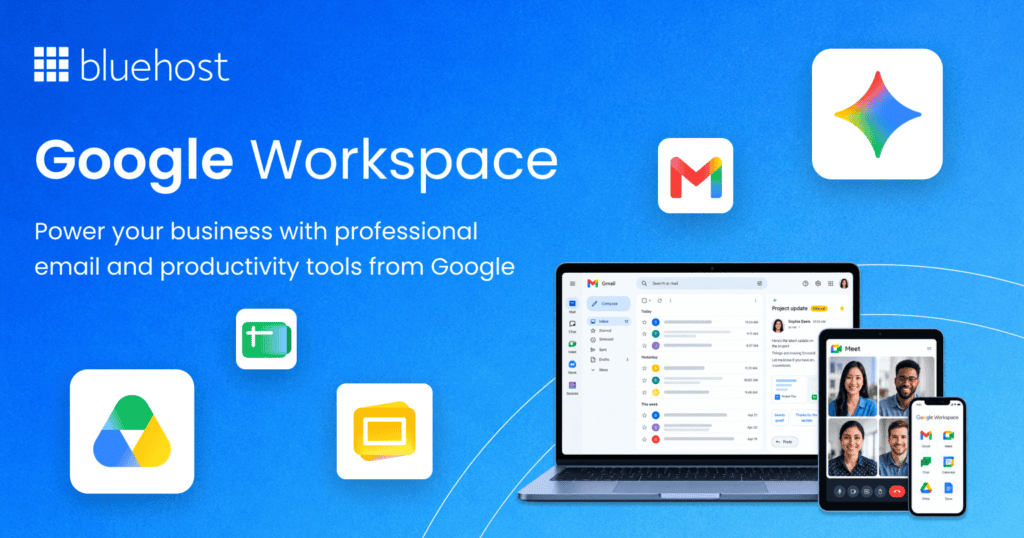
Google Workspace is Google’s cloud-based productivity suite for businesses of all sizes. It brings Gmail, Google Drive, Google Meet and Google Chat under one subscription. Teams get professional email, document collaboration and video conferencing without managing separate software licenses.
What are some Google Workspace features?
Google Workspace covers the full range of daily business tasks. The platform’s main features include:
- Gmail: Professional email with a custom domain address
- Google Drive: Cloud storage ranging from 30GB to 5TB per user
- Google Docs, Sheets and Slides: Real-time collaborative document, spreadsheet and presentation editing
- Google Meet: Video conferencing with up to 500 participants
- Google Chat: Built-in messaging with spaces (channel equivalents) and direct messages
- Google Calendar: Shared calendars with integrated meeting scheduling across the suite
- Gemini AI: AI-powered drafting, summarizing and content generation built into Gmail, Drive and Meet
The tight integration between these tools is what separates Google Workspace from piecing together individual apps.
Google Workspace pros and cons
No platform covers every need perfectly. Here is an honest view of where Google Workspace performs well and where it has gaps.
Pros:
- All-in-one pricing reduces the need for multiple separate subscriptions
- Professional Gmail with a custom domain builds immediate business credibility
- Real-time document collaboration in Docs, Sheets and Slides is best-in-class
- Gemini AI is built into Gmail, Drive and Meet
- Google Meet handles video calls without any additional software required
Cons:
- Google Chat lags behind Slack on messaging depth and third-party integrations
- No native project management tool beyond basic tasks in Google Tasks
- Teams not already in the Google ecosystem may face a learning curve on adoption
Who is Google Workspace best for?
- Small businesses that need professional email as a baseline priority
- Teams already using Google Docs and Sheets as their primary document tools
- Companies that want one vendor covering email, documents and video calls
- Organizations that value AI features built into their existing daily workflows
Also read: How To Use Google Workspace?
What is Slack?
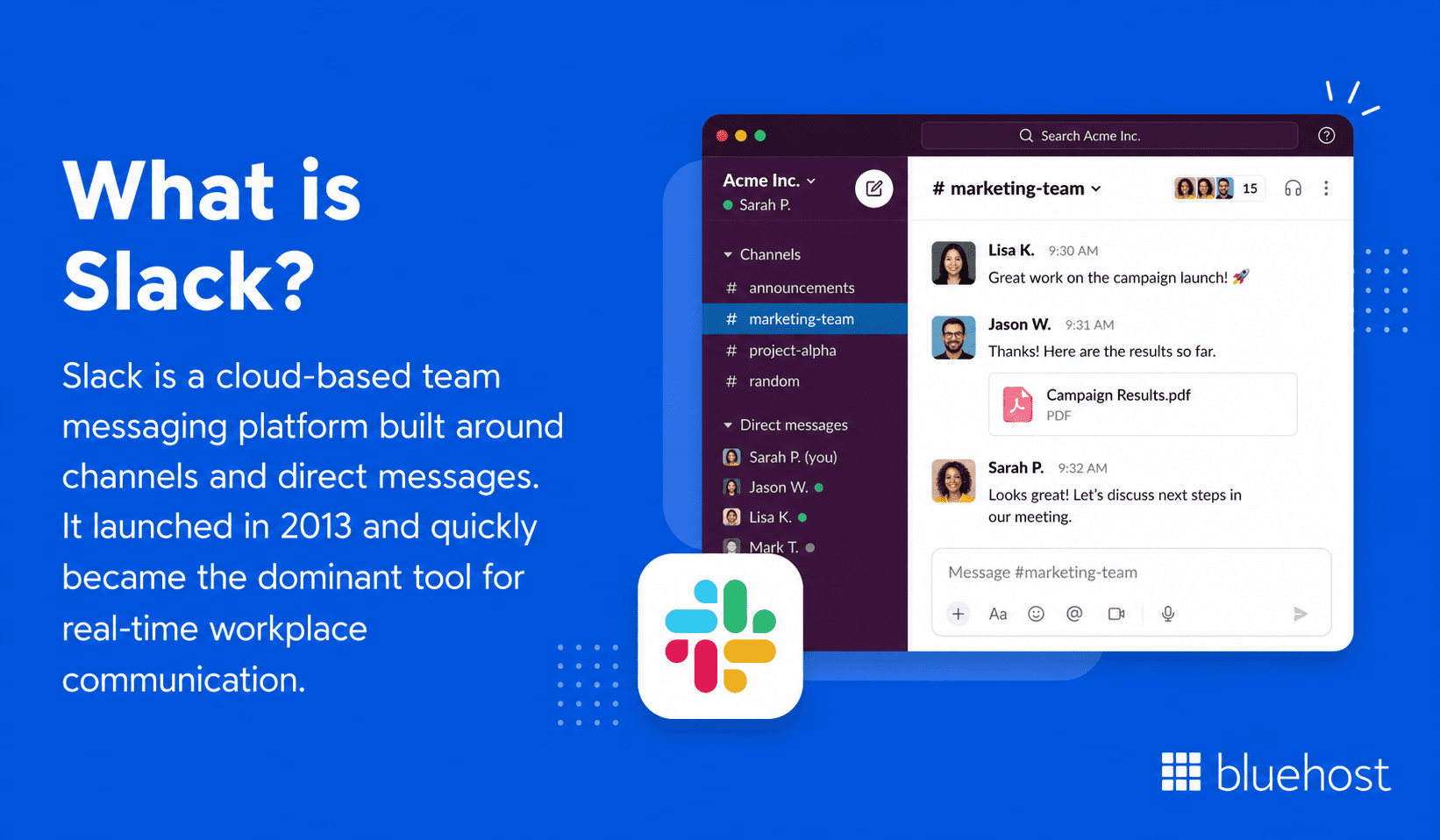
Slack is a cloud-based team messaging platform built around channels and direct messages. It launched in 2013 and quickly became the dominant tool for real-time workplace communication. Salesforce acquired Slack in 2021 for $27.7 billion, which reflects just how central messaging has become to enterprise workflows.
What are some Slack features?
Slack’s core strength is messaging, but the platform has expanded well beyond simple chat. Key features include:
- Channels: Organized, searchable spaces for topics, projects or teams
- Direct messages: One-on-one and group conversations outside of channels
- Slack Huddles: Lightweight audio and video calls launched directly from a conversation
- Workflow Builder: No-code automation for routing tasks, forms and approvals
- App integrations: Over 2,600 apps including Google Drive, Zoom, Jira and GitHub
- Slack AI: Conversation summaries, AI search and daily recaps included by plan
- Slack Canvas: Collaborative documents embedded directly inside Slack channels
Slack pros and cons
Slack has a strong reputation for team communication, but it comes with real trade-offs worth knowing before you buy.
Pros:
- Channel-based messaging is more organized than email threads for internal discussions
- Massive app ecosystem connects Slack to virtually any third-party tool
- Workflow Builder makes automating repetitive tasks accessible to non-technical users
- Slack Huddles offer quick, low-friction audio calls without scheduling a formal meeting
- Free plan works well for small teams getting started with the platform
Cons:
- No professional email, calendar or full document editing built in natively
- Costs increase quickly as your team grows past the free tier
- Slack AI features are included by plan, with stronger AI features on higher tiers
- Notification overload is a genuine problem without intentional configuration
Who is Slack best for?
- Engineering and product teams that need fast, well-organized channel communication
- Teams with complex workflows requiring automation and multi-app integrations
- Organizations already using Salesforce CRM as their core sales platform
- Companies where async communication across multiple time zones is a daily reality
Also read: Google Workspace vs Rackspace Email
What is the difference between Google Workspace and Slack?
The difference between these two platforms goes deeper than email versus messaging. Their design philosophies are fundamentally different, which affects how your team operates day to day.
Google Workspace is a full productivity suite
Google Workspace is built around the idea that one subscription should cover all daily work needs. Email, documents, video calls and chat live in the same ecosystem. Switching between apps is minimized because everything connects natively.
- Gmail anchors external communication with a professional custom domain
- Google Drive serves as the central storage layer for all file types
- Google Meet and Chat handle internal collaboration without extra tools
Slack is a team messaging and collaboration platform
Slack is built around the channel, not the inbox. Every conversation has a defined home. Teams search channels rather than email archives. Slack’s design assumes you will connect it to other tools rather than use it as a replacement for them.
- Channels keep project discussions searchable and separate from email
- Integrations pull information from GitHub, Jira and Google Drive directly into conversations
- Workflow Builder automates handoffs and approvals inside message threads
How Google Chat changes the comparison
Google Chat is Google Workspace’s built-in messaging layer. It has narrowed the gap with Slack over the past few years. Google Chat now supports spaces (equivalent to Slack channels), threaded conversations and bot integrations. For teams already inside the Google ecosystem, Chat removes the need for a separate messaging subscription entirely.
Google Workspace vs Slack: Feature comparison
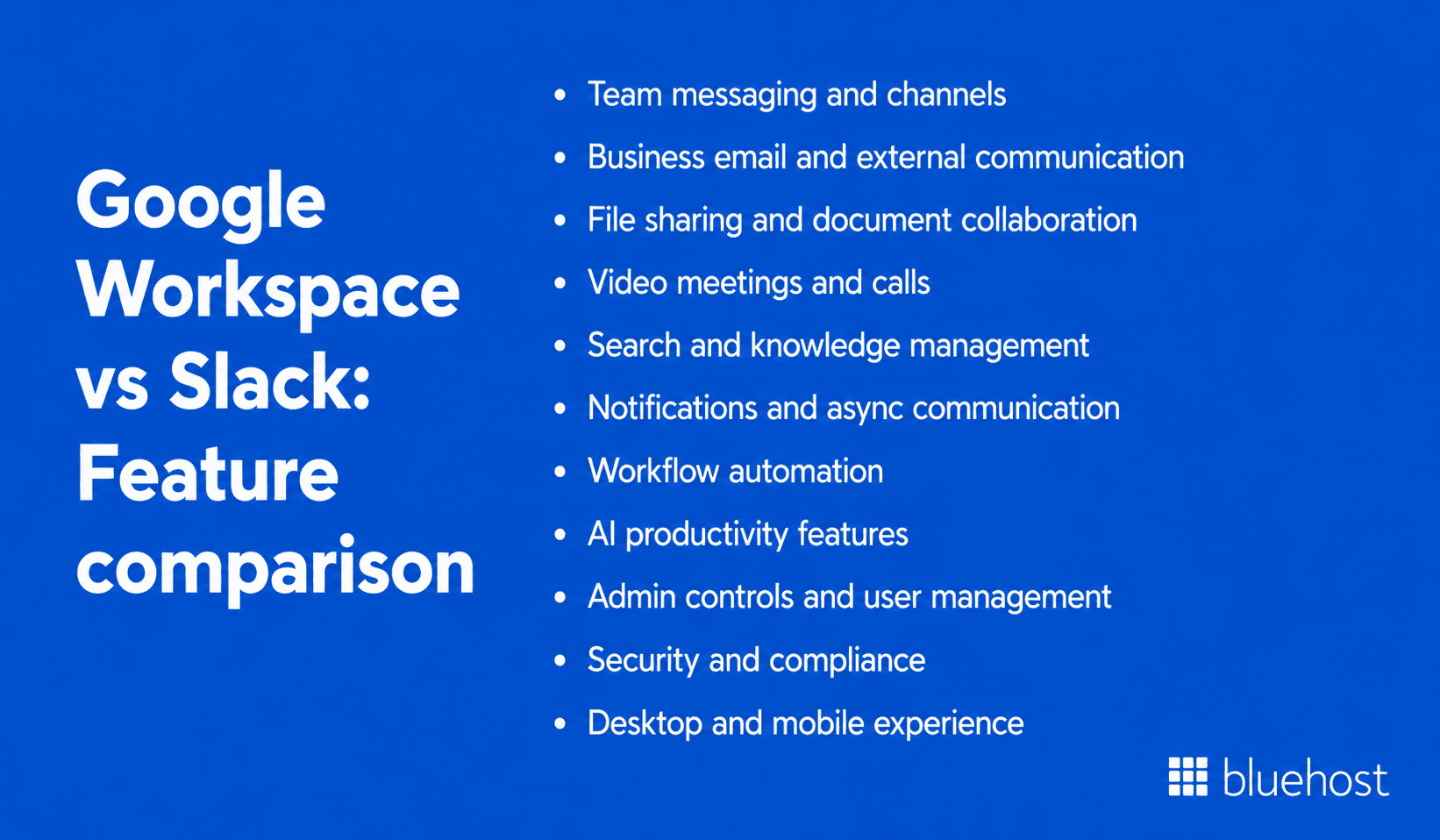
Google Workspace and Slack both support collaboration, but they solve different parts of the workday. Google Workspace is built around email, files, meetings and productivity, while Slack is built around fast internal communication, channels and workflow visibility.
1. Google Workspace vs Slack: Team messaging and channels
Google Workspace includes Google Chat for internal messaging. Teams can create spaces for projects, departments or ongoing discussions, send direct messages and use threads to keep replies organized.
Slack is stronger for dedicated team messaging. Its channels are more flexible, better organized for high-volume conversations and easier to manage with features like pinned messages, bookmarks, mentions and channel-specific notifications.
Key points:
- Google Chat works well for teams already using Gmail, Drive and Calendar
- Slack offers deeper channel organization and messaging controls
- Google Chat is enough for basic internal communication
- Slack is better for fast-moving teams that rely on messaging all day
2. Google Workspace vs Slack: Business email and external communication
Google Workspace has a clear advantage because Gmail is included with every business plan. Teams can use custom domain email, manage inboxes, schedule messages and connect emails with Calendar, Drive and Meet.
Slack does not replace business email. It is mainly built for internal communication, although Slack Connect can help teams communicate with external partners.
Key points:
- Google Workspace includes professional Gmail with a custom domain
- Slack does not offer native business email
- Slack Connect supports partner communication, but not full inbox management
- Google Workspace is better for client, vendor and external communication
Also read: Google Workspace vs Gmail: What is the Difference?
3. Google Workspace vs Slack: File sharing and document collaboration
Google Workspace is stronger for document collaboration. Docs, Sheets and Slides allow real-time editing, comments, suggestions and version history, with files stored and managed in Google Drive.
Slack supports file sharing through uploads, Google Drive links and Slack Canvas. However, it works better as a place to discuss files than as a full document creation platform.
Key points:
- Google Workspace is better for creating and editing files
- Google Drive gives teams stronger file organization and permissions
- Slack is useful for sharing and discussing documents
- Slack Canvas is helpful for lightweight notes, but not full document work
4. Google Workspace vs Slack: Video meetings and calls
Google Workspace includes Google Meet for scheduled video meetings, client calls and larger team discussions. Since Meet connects with Calendar and Gmail, scheduling and joining calls is simple.
Slack offers Huddles for quick audio and video conversations. Huddles are best for informal internal check-ins that do not need a calendar invite.
Key points:
- Google Meet is better for planned meetings and external calls
- Slack Huddles are better for quick internal conversations
- Google Meet works well with Calendar scheduling
- Slack often still needs Zoom or Meet for larger formal meetings
5. Google Workspace vs Slack: Search and knowledge management
Google Workspace helps teams search across Gmail, Drive, Docs, Sheets and other Google apps. This is useful when business information lives across emails, files and shared folders.
Slack is strong for searching conversations. Teams can find past decisions, project updates, shared files and channel discussions, but the free plan limits message history.
Key points:
- Google Workspace is better for searching emails and files
- Slack is better for searching team conversations
- Slack can work as a discussion-based knowledge base
- Slack’s free plan limits long-term access to older messages
6. Google Workspace vs Slack: Notifications and async communication
Google Workspace supports async communication through Gmail, Calendar and Google Chat. Email gives teams a slower and more structured way to communicate without expecting instant replies.
Slack offers deeper notification control. Teams can adjust alerts by channel, use Do Not Disturb, set statuses and manage real-time updates more precisely.
Key points:
- Google Workspace is better for structured async communication
- Slack is better for real-time team updates
- Slack gives more control over notification settings
- Slack can create notification overload if channels are not managed well
7. Google Workspace vs Slack: Workflow automation
Google Workspace supports automation through Apps Script, Gmail filters, Google Sheets formulas and Workspace integrations. This works well for teams automating tasks inside Google apps.
Slack makes automation easier for non-technical users through Workflow Builder. Teams can automate approvals, reminders, onboarding steps, requests and updates across connected apps.
Key points:
- Google Workspace is stronger for automation inside Google tools
- Slack is easier for no-code workflow automation
- Slack works well with tools like Jira, GitHub, Salesforce and Asana
- Google Workspace may need more technical setup for advanced automations
8. Google Workspace vs Slack: AI productivity features
Google Workspace includes Gemini AI across key apps like Gmail, Docs, Drive and Meet. Teams can use it to draft emails, summarize content, generate documents and improve meeting productivity.
Slack AI is more focused on communication. It can summarize threads, recap channels and help users catch up on busy conversations faster.
Key points:
- Gemini supports email, documents, files and meetings
- Slack AI is useful for summarizing conversations and channels
- Google Workspace offers broader AI support across daily work
- Slack AI is more focused on message-heavy teams
9. Google Workspace vs Slack: Admin controls and user management
Google Workspace gives admins a central console to manage users, devices, app access, sharing settings and security policies across the full productivity suite.
Slack admin controls focus on workspace management, channels, apps, permissions and message policies. Enterprise Grid adds more advanced controls for larger organizations.
Key points:
- Google Workspace is better for full employee productivity management
- Slack is better for managing communication spaces and app access
- Google Workspace gives stronger control over email and file sharing
- Slack Enterprise Grid supports large-scale workspace governance
10. Google Workspace vs Slack: Security and compliance
Google Workspace provides security across Gmail, Drive, Meet and other apps. Businesses can manage sharing permissions, endpoint access, login security and compliance settings on higher-tier plans.
Slack also offers business-grade security, especially on advanced plans. Admins can manage app approvals, authentication, data retention and compliance requirements.
Key points:
- Google Workspace secures email, files, meetings and productivity apps
- Slack secures messages, channels and connected workflows
- Both platforms support business security needs
- Advanced compliance features may depend on higher-tier plans
11. Google Workspace vs Slack: Desktop and mobile experience
Google Workspace is mainly browser-based, making it easy to access from almost any device. Gmail, Drive, Docs, Meet and Calendar also have reliable mobile apps.
Slack offers polished desktop and mobile apps built specifically for messaging. Teams that keep Slack open all day often benefit from its dedicated desktop experience.
Key points:
- Google Workspace is flexible across browsers and mobile apps
- Slack has a stronger dedicated messaging interface
- Google Workspace is better for productivity tasks across devices
- Slack is better for staying connected to team conversations
Google Chat vs Slack: Which messaging tool is better?
Since Google Chat is included in Google Workspace, the real question is whether your business needs Slack as an extra messaging tool. For most teams already using Gmail, Drive, Calendar and Meet, Google Chat is the simpler and more cost-effective choice.
Google Chat is better for Google Workspace users
Google Chat works naturally with the tools your team already uses. Conversations can connect with Drive files, Meet calls, Calendar events and Gmail workflows without adding another platform.
Why it works well:
- Google Chat is included with Google Workspace
- It reduces app switching across email, files, meetings and chat
- It is easier to adopt for teams already using Google apps
- It covers everyday messaging needs for most small and mid-sized businesses
Slack is better for advanced messaging workflows
Slack is stronger when messaging is the center of your team’s workflow. It offers deeper channel controls, more integrations and stronger automation for teams that rely heavily on tools like Jira, GitHub, Salesforce or Asana.
Where Slack stands out:
- Slack offers more advanced channel organization
- It has a larger third-party app ecosystem
- It works well for engineering, product and remote-first teams
- It usually adds cost because businesses still need email, files and meetings separately
Best choice for business communication
For most businesses, Google Chat is the better starting point because it is already part of Google Workspace and connects directly with daily work. Slack is worth adding only when your team needs deeper messaging controls, complex integrations or advanced workflow automation.
If your business wants one connected workspace for email, documents, meetings and chat, Google Chat is usually enough. If your team runs on high-volume channels and app alerts, Slack may still be worth the extra cost.
Google Workspace vs Slack pricing
Pricing differs sharply between Google Workspace by Bluehost and Slack. Google Workspace bundles core productivity tools, while Slack pricing centers on messaging and collaboration.
Google Workspace pricing overview
Bluehost offers Google Workspace Starter, Standard and Plus plans with introductory and renewal monthly pricing.
- Starter: Intro pricing starts at $3.50/user/month and renews at $7/user/month, with 30GB Drive cloud storage per user
- Standard: Intro pricing starts at $7/user/month and renews at $14/user/month, with 2TB storage per user
- Plus: Intro pricing starts at $11/user/month and renews at $22/user/month, with 5TB storage per user
Slack pricing overview
Slack offers a free plan and three paid tiers:
- Free: 90-day message history, 10 app integrations
- Pro: $8.75/user/month when billed monthly (full message history, unlimited integrations)
- Business+: $18/user/month when billed monthly (advanced admin, compliance and AI features)
- Enterprise+: Custom pricing (org-wide management, security and compliance features)
- Slack AI: Included by plan, with advanced AI features on higher tiers
Which platform offers better value?
Google Workspace delivers more tools per dollar. With Bluehost’s Starter plan, intro pricing starts at $3.50/month and renews at $7/month for email, documents, video calls and chat. Slack at $8.75/user/month covers messaging, collaboration and AI features. Teams that still need email and document tools on top of Slack will pay significantly more per user overall.
Hidden costs to consider before choosing
- Slack’s free plan history limits may force an early upgrade as the team grows
- Slack AI is included by plan; Gemini AI is bundled into Google Workspace by Bluehost plans
- Adding Google Workspace on top of Slack effectively doubles your per-user productivity spend
- Bluehost’s Google Workspace plans offer 30GB, 2TB or 5TB storage per user depending on the selected tier.
Please note: Prices are subject to change, please visit Bluehost website for recent pricing details.
Google Workspace vs Slack integrations
Both tools support integrations, but Slack offers broader app connectivity. Google Workspace works best within the Google ecosystem.
Google Workspace integrations
- Google Workspace Marketplace hosts hundreds of add-ons for Gmail, Drive and Meet
- Native integrations include Salesforce, Zoom, DocuSign and Slack itself
- Google AppScript allows custom automation within Docs, Sheets and other Workspace apps
Slack integrations
- Slack App Directory lists over 2,600 integrations including Jira, GitHub, Zoom, Salesforce and Google Drive
- Slack Connect lets teams collaborate with external partners across different Slack workspaces
- Zapier and Make (formerly Integromat) extend Slack’s automation reach to thousands of additional tools
Which platform connects better with your existing tools?
Slack wins on raw integration volume. If your workflow depends on developer tools like GitHub, project management platforms like Jira or CRMs like HubSpot, Slack’s marketplace will connect faster and more reliably. Google Workspace connects well within the Google ecosystem but leans on third-party automation tools like Zapier for broader app connectivity.
Google Workspace vs Slack for different business needs
Different teams need different collaboration setups. Let’s breaks down when Google Workspace, Slack or both make the most sense.
Best option for startups
Startups with tight budgets benefit most from Google Workspace’s all-in-one pricing. Professional email, Drive storage and Meet replace multiple separate subscriptions from day one without adding complexity.
Best option for small businesses
Small businesses need simplicity and professional credibility fast. Google Workspace covers email, documents and video calls at a predictable per-user cost. Slack’s free tier works as a messaging supplement for teams under 10 people.
Best option for remote teams
Remote teams often benefit from using both platforms together. Google Workspace handles async document work and scheduled video calls. Slack handles real-time messaging and cross-timezone coordination with detailed notification controls.
Best option for agencies
Agencies managing multiple clients benefit from Google Workspace’s Drive sharing and professional Gmail. Slack is useful for internal project communication, especially with integrations like Asana or Monday.com connected.
Best option for sales and support teams
Sales teams using Salesforce benefit from Slack’s deep CRM integration, which surfaces deal updates directly inside channels. Support teams handling customer communication primarily over email will find Google Workspace a more natural fit.
Best option for engineering and product teams
Engineering teams almost universally prefer Slack for its GitHub, Jira and PagerDuty integrations. Google Workspace handles documentation well through Google Docs, but Slack typically remains the communication hub for technical teams.
Best option for enterprises
Large enterprises typically run both platforms. Google Workspace by Bluehost offers Starter, Standard and Plus plans for email, collaboration and productivity needs.Slack Enterprise Grid manages large-scale team communication with organization-wide admin controls and advanced security.
Can you use Google Workspace and Slack together?
Yes, Google Workspace and Slack can work well together. Let’s understand when using both makes sense and when one platform is enough.
When using both platforms makes sense
- Your team was already using Slack before adopting Google Workspace
- Engineering teams insist on Slack while the rest of the company prefers Google tools
- You need Slack’s Workflow Builder for automation that Google Chat cannot currently match
How Slack works with Google Drive, Calendar and Meet
- Google Drive files preview directly inside Slack messages when linked
- Google Calendar integrations show your schedule and send meeting reminders in Slack
- Google Meet links can be generated and shared from directly inside Slack conversations
When Google Workspace alone is enough
- Your team does not rely heavily on third-party developer tools like GitHub or Jira
- Google Chat covers your internal messaging needs adequately across all departments
- Budget constraints make paying for two full productivity platforms impractical
When Slack is worth the extra cost
- Your team actively uses 10 or more integrations routed through Slack
- Workflow Builder automations save meaningful time on repetitive team processes
- Your team culture is deeply embedded in Slack channels and switching would reduce productivity
Google Workspace vs Slack: Final verdict
Both platforms solve real collaboration problems. The right choice depends on where your team spends most of its time and what your biggest operational gaps are today.
Choose Google Workspace if
- You need professional email with a custom domain as a non-negotiable baseline
- Your team collaborates heavily on documents, spreadsheets and presentations daily
- You want one platform covering email, video, documents and internal chat
- Budget efficiency across all productivity tools is a priority for your business
Choose Slack if
- Your team’s communication revolves around channels and fast real-time messaging
- You rely on deep integrations with tools like Jira, GitHub or Salesforce
- You need sophisticated workflow automation without writing any code
- You already have professional email covered through a separate provider
Choose both if
- Your team is large enough that communication and productivity tools serve distinct roles
- Different departments have different primary tools and genuinely need both platforms
- You need Slack’s integration ecosystem alongside Google Workspace’s email and document layer
For most small and mid-sized businesses, starting with Google Workspace gives you more tools for your money. Add Slack later if your team’s communication needs outgrow Google Chat. Get started with Google Workspace to cover your core business productivity needs from day one.
Get Google Workspace by Bluehost
If Google Workspace feels like the right fit after comparing it with Slack, Bluehost gives you a simple way to get started. You can add Google Workspace to your Bluehost setup and manage your domain, business email and productivity tools from one place.
This is especially useful for business owners who want more than just a website. With Google Workspace by Bluehost, you can create a professional email address using your domain name and give your team access to familiar tools for communication, file sharing, meetings and real-time collaboration.
Google Workspace by Bluehost can help you:
- Create a custom business email address that matches your domain
- Use Gmail for professional email communication
- Schedule meetings and manage availability with Google Calendar
- Store, organize and share files securely in Google Drive
- Create and collaborate on Docs, Sheets and Slides in real time
- Host video meetings with Google Meet
- Keep internal conversations organized with Google Chat
- Use Gemini-powered AI features to support writing, summaries and productivity
- Access tools like NotebookLM and Vids depending on your selected plan
- Manage users, access and security settings from an easy-to-use dashboard
- Get support from Bluehost when setting up or managing your workspace
Bluehost offers multiple Google Workspace plans, so you can start with the essentials and upgrade as your business needs more storage, meeting capacity, AI access or security features. This makes it a practical choice for small businesses, startups and growing teams that want a connected productivity setup without juggling too many separate tools.
For businesses already using Bluehost for a domain or website, adding Google Workspace is a natural next step. It helps bring your website, branded email and daily collaboration tools closer together, while giving your team the Google apps many people already know how to use.
Final thoughts
Google Workspace and Slack both help teams collaborate, but they are not built to solve the same problem. Slack is a strong choice for advanced team messaging, while Google Workspace gives businesses a fuller productivity setup with email, documents, file storage, video meetings and chat in one place.
For most small and growing businesses, Google Workspace is the better starting point because it covers more daily needs without adding extra tools too early. Slack can still be useful later if your team needs deeper channel management, complex workflows or advanced third-party integrations.
If you are ready to set up professional email and collaboration tools for your business, get Google Workspace by Bluehost. It helps you connect your domain, branded email and Google productivity apps from one easy-to-manage platform.
FAQs
Google Workspace is a full productivity suite covering email, documents, video calls and messaging. Slack is a messaging-first platform focused on channel-based team communication. Google Workspace replaces multiple tools in one subscription. Slack deepens one layer of communication and relies on integrations for the rest.
Google Workspace offers more tools per dollar and covers a broader range of business needs. Slack offers deeper messaging features and a larger integration ecosystem. “Better” depends on your priority: all-in-one productivity or advanced team communication with third-party app connectivity.
No. Slack is a separate product owned by Salesforce. Google Workspace includes Google Chat as its built-in messaging tool. You can use Slack alongside Google Workspace, but it requires a separate subscription and adds to your per-user cost.
Yes. Google Chat is Google Workspace’s built-in messaging tool and the direct alternative to Slack. It supports spaces (equivalent to Slack channels), threaded conversations, direct messages and bot integrations. Google Chat is included in all Google Workspace plans at no extra charge.
Google Chat covers daily messaging needs well for most business teams. Slack has more integrations, deeper channel features and more flexible workflow automation. Teams relying on Jira, GitHub or Salesforce will find Slack more capable. Teams already working in Gmail and Drive will find Google Chat more than adequate.
No. Slack does not include professional email, a full calendar or document editing. You would still need a separate provider for Gmail equivalents, Google Docs and Google Meet. Slack replaces the messaging layer only; it does not cover the full productivity stack.
For many teams, yes. Google Chat, Gmail and Google Meet together cover most communication needs. Teams that depend heavily on Slack’s Workflow Builder or its 2,600+ integrations may find Google Chat insufficient as a full substitute for Slack’s messaging depth.
Google Workspace by Bluehost starts at $3.50/user/month promotional pricing for the Starter plan. Slack’s paid plan starts at $8.75/user/month when billed monthly, while Google Workspace delivers more tools per user.
Yes. Many mid-sized and enterprise companies run both platforms. Google Workspace handles email, documents and video conferencing. Slack handles internal team messaging and third-party app integrations. The combination is especially common in engineering-heavy organizations where Slack adoption runs deep.
Google Workspace is generally the stronger starting point for small businesses. Professional email with a custom domain alone justifies the cost, and the additional tools eliminate the need for multiple separate subscriptions. Slack’s free plan works as a messaging supplement if your team is under 10 people and communication needs are simple.

Write A Comment