 ChatGPT,
 Claude,
 Gemini,
 Grok — all four for
Key highlights
- Learn what Google Workspace includes and how it goes beyond free Google apps with custom email, expanded storage and admin control.
- Discover the newest AI-powered updates like Gemini features, Google Vids, Meet auto notes, Calendar refreshes and Docs tabs to boost productivity.
- Understand plan options and pricing, including Business tiers and special plans, and how Bluehost Google Workspace simplifies billing and setup.
- Explore the top Google Workspace benefits for teams like real-time collaboration, secure sharing, strong uptime and easy integrations to organize daily work.
- Uncover why choosing Bluehost Google Workspace adds unified management, expert support and direct integration with your hosting.
One of the most significant shifts brought by the 2020 pandemic was the transition to remote work. To meet the growing demand for online collaborative tools, Google transformed its suite of office tools into an integrated platform. As of 2024, over 14.5 million websites use Google Workspace, nearly three times more than the 5.3 million domains using Microsoft 365.
Widespread adoption underscores the effectiveness of Google Workspace in meeting diverse business needs.
With advanced features like smart AI suggestions, real-time collaboration and enhanced security, Google Workspace offers a complete upgrade designed to help your team work smarter.
In this article, you will discover:
- What is new in Google Workspace benefits
- Google Workspace updates
- Why Bluehost Google Workspace is ideal for you
- New features to look out for
Introduction to Google Workspace
Google Workspace is Google’s suite of online productivity tools, including Gmail, Docs, Drive and Meet. It offers a unified platform for creating, communicating and collaborating professionally, providing significant benefits for businesses of all sizes.
Google Workspace serves as the official name for Google’s cloud-based productivity ecosystem. It brings together business applications under one connected environment to support workplace collaboration.
Unlike Google’s free consumer apps, Google Workspace provides business services such as custom email addresses, increased Gmail and Google Drive storage, premium support, enhanced security features and administrative control over user accounts.
As of December 2025, Google Workspace has over 3 billion users, with over 8 million paying customers. These figures underscore the effectiveness of Google Workspace in meeting diverse business needs and highlight its continuous expansion.
Why G Suite became Google Workspace?
Google renamed G Suite as Google Workspace on October 6, 2020, to reflect a shift from a collection of business apps to a more connected place for work. G Suite was the former name; Google Workspace is its successor, combining familiar tools such as Gmail, Drive, Docs, Meet and Chat around shared projects and conversations.
For businesses asking what Google Workspace is used for, the answer goes beyond email and file storage. The platform connects communication, content and tasks so employees can move from a Chat discussion to a shared document or Meet call with less app switching. Google described the change as a response to more distributed, digital ways of working in 2020.
The name change matters because it signaled a product direction: work happens across people, files and conversations, not inside separate applications. Teams gain a more consistent workspace for coordinating client work, reviewing documents and keeping decisions tied to the content they affect. Google Workspace has continued to build on that connected model with collaboration and assistive AI features. Google, 2020.
Google Workspace apps
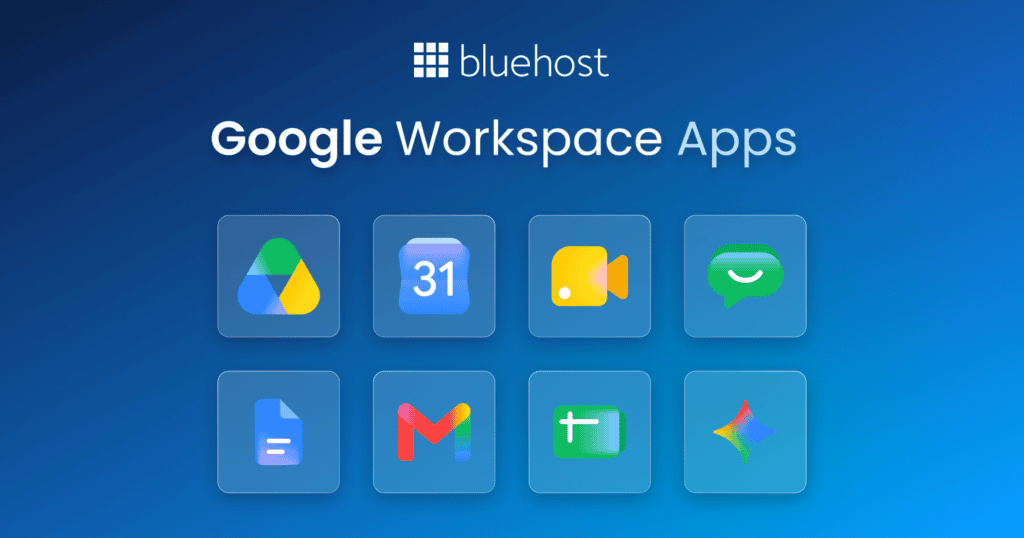
Google Workspace apps offer a comprehensive set of tools designed to boost productivity and simplify business operations.
A key feature for professional communication is Gmail business email, providing organizations with custom email addresses that enhance brand credibility while ensuring secure access to sensitive correspondence. Integrated calendar tools simplify scheduling and time management, allowing teams to coordinate meetings and deadlines smoothly.
At the enterprise level, enterprise plans deliver complete solutions, including increased storage space and advanced endpoint management, empowering large organizations to maintain productivity and security at scale.
- Gmail: Business email
- Google Calendar: Scheduling and calendar management
- Google Meet: Group video and audio conferencing
- Google Chat and Spaces: Team messaging and collaboration spaces
- Google Drive: Cloud storage
- Google Docs: Collaborative word processor
- Google Sheets: Collaborative spreadsheets
- Google Slides: Collaborative presentations
- Google Forms: Customizable forms and surveys
- Google Keep: Collaborative note-taking
- Google Sites: Website creation
On top of those core applications, Google Workspace offers additional business services.
Can you use Google Workspace on phones and tablets?
Yes. Supported Google Workspace apps run on Android phones, iPhones and iPads, so you can check Gmail, join Google Meet calls and edit files while away from your computer. Mobile access extends what Google Workspace is used for by keeping messages, calendars and shared work available wherever your team works.
Install apps such as Gmail, Google Drive, Docs, Sheets, Slides, Calendar and Chat from your device’s app store, then sign in with your work account. Changes sync across supported devices and browsers, helping you continue from the latest version of a file or conversation. You can also access many tools through a mobile browser when an app is unavailable.
Docs, Sheets and Slides support offline access for files you choose to make available offline. Your edits sync after your device reconnects. Individual editing options can vary by app, device and subscription plan.
Administrators can also manage mobile access through endpoint management. Depending on organizational settings and plan level, they can require security controls, separate work data through a managed profile and remove work data from a lost device without affecting personal content.
Google Workspace additional services
These tools are not primary productivity apps, but you can access them depending on your selected plan.
Google Workspace also provides comprehensive user management capabilities, allowing administrators to control permissions, security settings and access across the organization. Along with enhanced support options, these features ensure smooth operation and assistance tailored to your business needs.
Included among these additional capabilities are services that extend workspace functionality, such as:
- Groups and Groups for Business: Email lists and access management
- Cloud Search: Search functionality across Google Workspace
- Vault: Data retention and eDiscovery
- Jamboard: Collective visual board
- Voice: Virtual phone system
- Apps Script: Business process automation
- AppSheet: No-code application development
- Classroom: Learning management system
- Domains: Domain registration tools integrated with Google Workspace
How much do these applications and additional services cost?
How the Google Workspace Admin console manages users and security
Part of what Google Workspace is used for in a business is centralized account control. The Google Workspace Admin console handles people, access and security policies, while the Bluehost dashboard handles your Workspace purchase, billing and hosting account.
User lifecycle and email
Administrators can add users, suspend accounts during leave or investigations and remove accounts when someone departs. They can also create groups for shared access and distribution lists, then add email aliases so one person can receive mail sent to role-based addresses such as sales or support.
Delegated administration
Admin roles limit who can manage users, groups, services or security settings. Assigning only the required privileges helps reduce the risk of unnecessary account-wide changes.
Security policies and data controls
Admins can require two-step verification and apply group-based policies to give departments different access rules. Endpoint management options vary by plan, with advanced endpoint management available on Business Plus. Google Vault, which supports retention, archiving and eDiscovery, is also included with Business Plus.
Who should use Google Workspace?
Google Workspace suits you when work needs to belong to the business, not to individual personal accounts. A solo owner can present a more credible identity with a domain-matched email address while keeping client messages, proposals and files in one professional account. For anyone asking what Google Workspace is used for, that combination of business communication and shared work is the practical answer.
Small teams, agencies and content creators benefit most when several people review the same briefs, calendars, budgets or campaign assets. Google Docs, Sheets and Drive help everyone work from a current version instead of passing attachments back and forth. Distributed organizations also gain a clearer handoff process when an administrator can create company accounts, control access and remove it when a contractor or employee leaves.
A free Google account may be enough if you work alone, do not need a branded address and only share occasional files. Another productivity suite may fit better if your team relies heavily on desktop-first Microsoft Office workflows or needs specialized software outside Google’s ecosystem. Google Workspace becomes more compelling as client communication, shared ownership and coordinated work become regular parts of your day.
Top 10 benefits of Google Workspace
Google Workspace offers a complete toolset for businesses to simplify tasks, improve collaboration and enhance efficiency. Here is a detailed look at the top 10 benefits of Google Workspace.
1. Centralized tools in one platform
Google Workspace combines essential tools in one place. Gmail, Docs, Drive, Calendar and Meet work together, so team members do not need to switch between separate applications.
2. Real-time collaboration
Teamwork remains straightforward. With Google Docs, Sheets and Slides, teams can simultaneously work on the same document. Real-time editing, comments and suggestions ensure clear collaboration while changes save instantly.
3. Enhanced team communication
Google Meet and Chat simplify communication, whether sending a quick message or hosting a detailed virtual meeting. Built-in features like screen sharing and live captions keep teams connected from any location.
4. Easy file sharing and storage
Google Drive lets you save and share files securely. Teams can access files from anywhere, ensuring everyone works from the latest version. Advanced sharing controls protect sensitive information.
5. Custom email for your business
Google Workspace lets businesses use custom email addresses ending in your company domain name. A professional email address builds credibility with clients and partners.
6. Strong security features
Built-in safety features keep business data secure. Two-step verification, data encryption and threat protection safeguard your account. Administrators manage permissions and monitor access to maintain organization-wide control.
7. Scalable for businesses of all sizes
Whether managing a small team or a growing company, Google Workspace adapts as your needs change. Administrators can easily add or remove user seats as team structures evolve.
8. Integration with other apps
Google Workspace integrates with popular platforms like Slack, Zoom and Salesforce. These integrations allow you to extend functionality and customize workflows based on team requirements.
9. Cost-effective solutions
Google Workspace provides strong value for business budgets. Bundling productivity tools reduces the expense of separate software subscriptions while delivering premium functionality.
10. Reliable uptime and accessibility
Google Workspace delivers 99.9% uptime, ensuring tools remain accessible when needed. Cloud accessibility lets users work with files and apps from any internet-connected device.
What are the disadvantages of Google Workspace?
The main disadvantages of Google Workspace involve cost, connectivity and change management. Recurring per-user fees rise as you add staff, so a growing team needs to budget for renewals as well as introductory rates. Storage also depends on the plan: Business Starter includes 30 GB of pooled storage per person, while Business Standard and Business Plus provide 2 TB and 5 TB, respectively. Teams with large video libraries or design files should audit usage before choosing a tier.
Because the platform centers on cloud access, weak or unavailable internet can limit day-to-day work, even though some files support offline access. Moving from another email provider also takes planning. Email, contacts and calendars can be migrated from Outlook profiles, Exchange or PST files, but shared-calendar permissions and certain Outlook-specific settings need review after the move.
Administrators must learn user provisioning, sharing policies and security settings, which can be demanding for a first-time admin. Teams built around desktop versions of Word, Excel and PowerPoint may also face workflow friction with complex formatting, macros or offline-heavy processes. Understanding what Google Workspace is used for helps set realistic expectations: it suits browser-based collaboration best, but requires training and a deliberate migration plan.
Google Workspace plans and pricing with Bluehost
Bluehost Google Workspace plans meet a wide range of business requirements. Bluehost allows you to manage website hosting and Google Workspace accounts in one central dashboard, simplifying administration. Here is a breakdown of the available plans, features and options.
1. Plans and pricing
Business Starter: Starting at $3.50 per month (renews at $7 per month), this plan includes:
- Custom business email
- 30GB Drive cloud storage per user
- Meet video conferencing for up to 100 participants
- Gmail
- Google Calendar
- Docs, Sheets and Slides
- Google Chat messaging
- Gemini AI assistant in Gmail
- Gemini app access
- NotebookLM AI research assistant
Business Standard: Starting at $7.00 per month (renews at $14 per month), this plan offers:
- Custom business email
- 2TB cloud storage per user
- Meet video conferencing for up to 150 participants with polling, breakout rooms and recording
- Gmail
- Google Calendar
- Docs, Sheets and Slides
- Google Chat with guest access
- Gemini AI assistant in Gmail, Docs, Sheets, Slides, Drive, Meet and Chat
- Advanced Gemini app features
- NotebookLM Plus AI research assistant
- Vids AI-powered video creation
Business Plus: Starting at $11.00 per month (renews at $22 per month), this plan provides:
- 5TB cloud storage per user
- Meet video conferencing for up to 500 participants with polling, breakout rooms and recording
- Gmail
- Google Calendar
- Docs, Sheets and Slides
- Google Chat with guest access and threaded rooms
- Gemini AI assistant in Gmail, Docs, Sheets, Slides, Drive, Meet and Chat
- Advanced Gemini app features
- NotebookLM Plus AI research assistant
- Vids AI-powered video creation
- Vault security and archiving
Promotional rates apply to the first year for up to five user seats. Renewal plans convert to standard rates following the initial term.
2. Pricing comparison
| Feature | Google Workspace by Bluehost | Google Workspace |
|---|---|---|
| Starting price | $3.50/month intro | $7/user/month (annual plan) |
| Renewal price | $7/month | About $7 to $8.40/user/month, depending on billing plan |
| Business email | Custom business email powered by Gmail | Custom business email powered by Gmail |
| Google Drive storage | 30GB pooled storage per user | 30GB storage per user |
| Google Meet | Up to 100 participants | Up to 100 participants |
| Core apps included | Gmail, Calendar, Docs, Sheets, Slides | Gmail, Calendar, Docs, Sheets, Slides |
| Team chat | Google Chat platform | Google Chat included |
| AI features | Gemini AI assistant in Gmail | Gemini AI assistant in Gmail and Gemini app access |
| AI research tools | NotebookLM AI research assistant | NotebookLM access with Workspace AI tools |
| AI assistant app | Gemini app | Gemini app |
| Support and setup | Setup and support through Bluehost | Support through Google Workspace |
3. Add-on features
Google Workspace by Bluehost offers extra tools that extend basic features to support business operations:
- Google Meet: Secure video calls with real-time collaboration.
- Google Chat: Direct messaging and group spaces for communication.
- Google Drive: Cloud storage with shared drives for team projects.
- Google Docs, Sheets and Slides: Co-edit documents, spreadsheets and presentations simultaneously.
- Google Forms: Create custom surveys and intake forms.
- Google Sites: Build websites for internal projects or public view.
- Google Keep: Capture notes and track shared task lists.
4. Benefits of choosing Google Workspace with Bluehost
Choosing Google Workspace through Bluehost provides clear advantages:
- Unified management: Manage site hosting and Google Workspace accounts from a single platform without handling separate logins.
- Simplified billing: Keep expenses organized with one combined bill for web hosting and Google Workspace services.
- Expert support: Bluehost support teams assist with both web hosting and Google Workspace questions.
- Direct integration: Connect domain names and business email accounts smoothly. These features include access to third-party tools on the Google Workspace Marketplace to expand core application functionality.
Which Google Workspace plan is right for your business?
Choose based on storage, meeting requirements and records-management needs. Prices below reflect annual rates effective March 17, 2025. Verify current pricing before publication.
| Plan | Annual price | Best fit |
|---|---|---|
| Business Starter | $42 intro, $84 renewal per user. Includes 30 GB storage, Meet for 100 participants, Gemini in Gmail and Gemini app access, plus NotebookLM with three audio discussions daily. Google Vids and Vault are not included. | Solo owners and small teams that need domain email, core collaboration and everyday meetings. |
| Business Standard | $84 intro, $168 renewal per user. Includes 2 TB storage, Meet for 150 participants, Gemini across Workspace apps, NotebookLM Plus with 20 audio discussions daily and Google Vids. | Growing teams that need recordings, polling or breakout rooms for client and staff meetings. |
| Business Plus | $132 intro, $264 renewal per user. Includes 5 TB storage, Meet for 500 participants, advanced Gemini access, NotebookLM Plus, Google Vids and Google Vault. | Organizations that need Vault for retention and eDiscovery or host larger meetings. |
For businesses asking what Google Workspace is used for, Business Standard often offers the strongest balance of collaboration tools and storage. Check out the current plan details before selecting a tier.
Is Google Workspace worth the cost for a small business?
Google Workspace is worth the cost for a small business when your team will regularly use professional domain email, shared files, Google Meet and collaborative tools such as Docs and Sheets. If you are wondering what Google Workspace is used for, the practical answer is managing everyday communication and work in one connected account.
The value grows when it replaces separate subscriptions for email hosting, cloud storage, video calls and document editing. Gemini assistance can also help with routine work, including drafting client replies, summarizing email threads and organizing information. A business that only needs one basic inbox and rarely shares files may find the recurring fee harder to justify.
Budget for the full per-user renewal rate, not only introductory pricing, especially as you add employees. Bluehost offers a 30-day money-back guarantee for Google Workspace plans, subject to its refund terms, and 24/7 live-agent support by call or email. Those protections give small teams time to test whether the tools reduce enough extra software costs and manual work to earn their place in the budget.
How to move your business to Google Workspace with Bluehost
Bluehost gives you one-click access to Google Workspace from its integrated dashboard, but moving business data still requires a planned migration. Follow these steps to protect mail flow, calendar access and customer communication.
- Inventory current mailboxes, aliases, calendars and shared files. Record account owners and forwarding rules so no essential data or address gets missed.
- Select the plan that fits your storage, meeting and security needs before creating accounts.
- Connect your domain in the Bluehost dashboard. For example, confirm that [businessname].com is the domain employees will use for Gmail.
- Verify the domain and update DNS records. Completing verification before changing mail routing prevents delivery failures.
- Create each user, group and alias, such as sales@[businessname].com. Matching old addresses reduces confusion for customers and staff.
- Migrate supported email, calendar and contact data through Google’s migration tools. Review unsupported items, such as certain rules or calendar-sharing settings, and rebuild them where needed.
- Turn on two-step verification and set access policies before employees sign in. These controls protect new accounts from the start.
- Test inbound and outbound messages, calendar invitations and mobile access with a pilot group. After testing succeeds, switch MX records, notify your team and monitor delivery.
Bluehost Workspace customers can contact 24/7 live agents by call or email for help with setup, domain connection and account access.
How long does a Google Workspace migration take?
A Google Workspace migration can take anywhere from a short, planned cutover to a longer phased project. The schedule depends on your user count, mailbox sizes, Drive file volume, source platform, DNS readiness and the testing your business requires before changing email delivery.
Smaller teams moving email, contacts and calendars from a supported provider often finish the technical transfer faster than organizations bringing over large archives, shared files, permissions or data from Microsoft Exchange, Microsoft 365 or another Google Workspace domain. Large mailboxes and file-heavy accounts need more time to copy, validate and resolve exceptions.
Reduce disruption by creating user accounts and groups in advance, testing a small pilot group first and migrating teams in stages. Temporary coexistence can keep email flowing while different groups switch over, and a final delta migration can copy newer content before the full cutover. Schedule DNS changes only after you confirm that test messages, calendar access and file permissions work as expected.
Confirm your projected timeline with Bluehost support and review Google’s current migration documentation, since supported data types and migration requirements vary by source system.
How to contact Google Workspace support through Bluehost
Bluehost Google Workspace customers can contact 24/7 live agents by call or email for help with account access, domain connections, initial setup and billing questions. Support can also help identify common DNS and email configuration problems that prevent a custom address from sending or receiving mail.
Before you contact support, gather your domain name, the affected user’s email address, the exact error message and the date and time the issue occurred. Include any recent changes, such as updating MX records, adding a user or changing a subscription. Those details help the agent review the right account settings and resolve the issue faster.
What is new in Google Workspace
Google Workspace continuously updates its feature set to improve productivity and collaboration:
1. AI-powered image generation in Google Docs
Google Workspace enables users to generate images inside Google Docs using Gemini AI. Users create graphics based on text prompts directly within the editor.
Generating graphics directly makes it easier to add visual content to reports and presentations without relying on third-party design software.
Benefits
- Create visuals directly inside documents
- Generate illustrations from text prompts
- Save time by eliminating external design tools
Updates also expand AI image editing capabilities across Google Slides and Google Vids.
2. Google Vids: AI-powered video creation tool
Google introduced Google Vids, an AI video creation app within Google Workspace. It helps teams assemble training videos, product overviews and marketing updates using AI scripts, generated visuals and preset templates.
Users create video content from text prompts, slide decks or images. The application integrates with existing Workspace tools and uses Gemini AI to automate editing steps.
Benefits
- Create video content from text prompts
- Generate scripts, visuals and voiceovers with AI support
- Produce internal training videos quickly
Google Vids operates as part of the primary Workspace core suite alongside Gmail, Docs, Sheets and Meet.
3. AI meeting notes and summaries in Google Meet
Google Meet includes automated meeting assistance powered by Gemini AI. The feature records meeting notes, generates live transcripts and creates concise summaries.
Automated summaries save directly into Google Drive as Google Docs and attach to the corresponding Google Calendar event. Meeting attendees review key discussions and assigned tasks without taking manual notes.
Benefits
- Automated meeting recaps
- AI-generated action item tracking
- Direct storage of meeting notes in Google Drive
Automated documentation features keep teams focused on conversation during call sessions.
4. Improved interface with Material Design updates
Google Workspace applications feature user interface enhancements designed for clarity. Design updates across Google Calendar and core editors incorporate Google’s modern Material Design framework.
Refreshed visual layouts improve contrast and readability. Users switch between light mode, dark mode and custom device settings based on display preference.
Benefits
- Clean visual layout across apps
- Improved screen readability and layout accessibility
- Customizable theme preferences
5. Document tabs in Google Docs
Google Docs features document tabs to help organize long files. Tabs allow users to divide complex documents into distinct sections and jump between them quickly.
Users can nest sub-tabs and add icons to structure manuals, project proposals or technical documentation.
Benefits
- Clear structure for lengthy documents
- Faster navigation across document sections
- Improved file organization for team projects
6. Integration with Adobe Creative Cloud
Google Workspace integrates directly with Adobe Creative Cloud, giving team members access to design assets inside Workspace tools.
Connecting creative applications lets team members share files from Photoshop and Illustrator within Gmail, Docs and Slides without switching windows.
Benefits
- Access creative assets directly inside workspace tools
- Faster handoffs between design and marketing teams
- Efficient creative approval workflows
7. Companion mode for hybrid meetings
Google Meet includes Companion Mode to support hybrid work settings. In-room meeting participants join calls individually from personal laptops or mobile devices.
Companion Mode gives equal access to interactive tools like chat, Q&A, polls and screen sharing without audio feedback issues.
Benefits
- Equal interaction for remote and in-person attendees
- Improved engagement during hybrid conference sessions
- Direct access to meeting controls on individual screens
8. Enhanced email security and spam protection
Gmail updates spam filtering and security protections using machine learning algorithms. Security systems detect phishing patterns and intercept suspicious messages before hitting primary inboxes.
Google Workspace also provides organizational security controls like multi-factor authentication and proactive protection settings.
Benefits
- Strong spam and phishing defenses
- Machine learning threat detection
- Protective security policies for email communication
New developments in Google Workspace AI
Google expands Gemini AI integration across Google Workspace applications. The AI assistant builds directly into Gmail, Docs, Sheets, Meet and Chat to help draft text, analyze data and summarize content.
Core AI capabilities include:
- Drafting email replies and document outlines
- Summarizing long file threads and meeting transcripts
- Analyzing spreadsheet calculations using plain-language queries
- Generating written drafts, visual elements and ideas across applications
Google Workspace also provides customizable AI assistants and workflow settings to help businesses maintain high efficiency.
Why these updates matter
Google Workspace evolves to support distributed teams and hybrid work environments. Combining Gemini AI tools with established collaboration features helps organizations complete tasks faster and cut down on repetitive administration.
AI features allow teams to focus on strategy and problem solving. By integrating smart tools into Gmail, Docs and Meet, Google Workspace helps businesses maintain high output across daily operations.
Final thoughts
Remote work and hybrid models shape how modern companies operate. As businesses adapt to changing workplace standards, Google Workspace delivers regular platform updates to strengthen communication and team productivity.
Google Workspace continues to expand as a complete cloud collaboration platform, bringing deeper integration and advanced features to modern organizations.
At Bluehost, we offer Bluehost Google Workspace plans that help businesses of all sizes use these productivity tools. Our partnership with Google Cloud, recognized as the Google Cloud Expansion Partner of the Year in North America, enables us to deliver reliable remote work solutions and help customers maximize Google Workspace benefits.
Get started with your favorite Google productivity applications with Bluehost Google Workspace.
FAQs
Teams gain cloud productivity tools with live co-editing features across Docs, Sheets and Google Slides. Version history allows instant revision tracking, cloud storage expands with each plan level and Google Vault provides administrative security archiving.
It unifies core productivity tools like Gmail business email, Drive and Google Calendar into one central ecosystem. Teams co-edit files in real time, while administrative controls add secure access rules and enterprise security capabilities.
Google Workspace expanded its range of cloud tools with deeper application integration and Gemini AI features. Modern interfaces improve usability, while subscription tiers scale from Business Starter plans up to Enterprise options for large organizations.
You can build surveys and intake forms that export responses directly into Google Sheets. Automate administrative workflows with routing add-ons, store results in Drive with granular access permissions and maintain organizational control over sensitive entries.
Yes, you can connect your Google Workspace account to an existing domain hosted on Bluehost. Domain setup connects quickly to ensure your business email addresses show your professional brand.
Yes, Google Workspace lets you create custom email addresses like [yourname]@[yourcompany].com. Bluehost provides a clear setup process directly inside the account dashboard.
Google Workspace protects accounts using two-step verification and enterprise data encryption. Bluehost adds infrastructure security protection for web hosting and DNS management, keeping operational data safe.
Administrators enforce mandatory two-step verification and context-aware device policies. Drive permission controls govern file visibility, while Enterprise plans deliver compliance auditing and advanced threat defense tools.
They allow simultaneous co-editing and comment threads on document drafts, spreadsheets and presentation decks. Editors review earlier document versions easily, and files store securely in Google Drive with customizable access controls.
Yes, you can open and edit Word, Excel and PowerPoint files inside Docs, Sheets and Google Slides. Standard file editing requires no format conversions, keeping files in Drive with intact cloud storage and real-time editing controls.

Write A Comment