 ChatGPT,
 Claude,
 Gemini,
 Grok — all four for
Building an application with an AI coding tool can feel fast until it is time to put that application online. Developers may still need to leave their AI workspace, choose hosting, set up a server, configure access, purchase a domain and connect everything before they can publish.
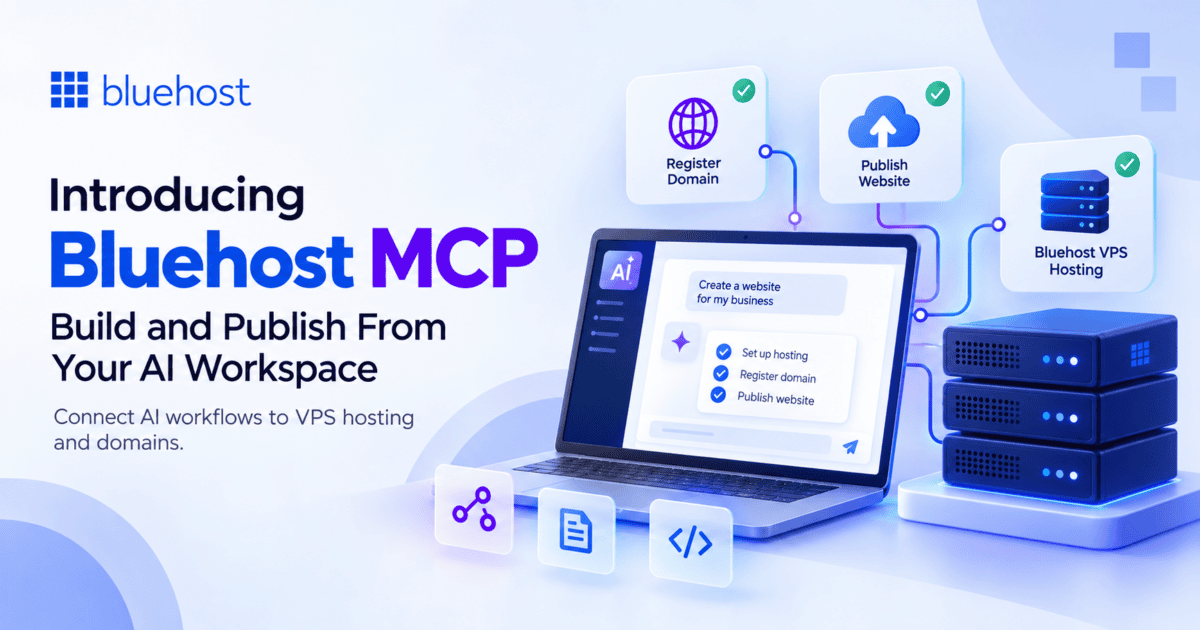
Bluehost MCP is designed to reduce that break in the workflow. By connecting Bluehost MCP to a supported AI tool, an AI agent can help you choose and purchase a Bluehost VPS and provision SSH access. It can also help publish your application and search for or register a domain. If you have a Bluehost VPS, the agent can also offer to point a newly registered domain to it after you confirm.
You’ll briefly use your browser to complete account setup, authentication and payment. Once those are complete, you can return to your AI workspace and continue building.
What is Bluehost MCP?
MCP, or Model Context Protocol, is a standard that lets an AI tool discover and use an outside service.
Bluehost MCP brings supported Bluehost hosting and domain capabilities into that experience. Instead of treating hosting as a separate task after development, your AI agent can help move your application from your build environment to Bluehost infrastructure.
At launch, Bluehost MCP supports Claude Code and Claude Desktop.
Build, deploy and publish from your AI workflow
Bluehost MCP connects Claude Code and Claude Desktop directly to your Bluehost VPS and domain.
Connect Bluehost MCPWhat’s new with Bluehost MCP?
Bluehost MCP brings several parts of the publishing workflow closer to the AI tools developers already use.
With a supported AI tool, an agent can help you:
- Find and purchase a Bluehost Self-Managed VPS.
- Provision SSH key access for the new server.
- Use SSH to publish your application.
- Search for and register an eligible domain with Bluehost.
- Purchase a domain without purchasing hosting.
- Offer to point a newly registered domain to a Bluehost VPS after you confirm.
The goal is simple: reduce the separate steps between building an application and getting it online.
How does Bluehost MCP work?
The exact experience depends on whether you are a new or existing Bluehost customer, but the publishing workflow follows a few core steps.
1. Connect Bluehost MCP
Connect the Bluehost MCP connector to a supported AI tool. The AI agent can then access the supported Bluehost capabilities available through the connector.
2. Choose and purchase a VPS
When your project needs hosting, the agent can help you find and purchase an eligible Bluehost VPS.
New customers create a Bluehost account and add a payment method through the browser. Existing customers authenticate their Bluehost account. Your card details are not handled by the AI agent.
3. Provision access and publish
After the VPS is provisioned, SSH key access is provided for the application publishing workflow. The agent can then use SSH to publish the application to the new VPS.
Bluehost MCP focuses on purchasing, provisioning and initial publishing. Day-to-day server management after the VPS goes live is not part of the current experience.
4. Add a domain when you need one
The agent can search for an available domain and register an eligible name with Bluehost. You can purchase a domain after getting a VPS or as a standalone purchase with no hosting required.
If your account already has a VPS, the agent can ask whether you want to point the new domain to it. DNS records are changed only after you explicitly confirm.
Stay in your workflow while keeping important steps in your control
Bluehost MCP is built to make infrastructure easier to reach from an AI workflow, not to remove customer control.
Account creation and payment method setup remain browser-based for security and payment compliance. Before a domain purchase is confirmed, customers can review the purchase details. Pointing a domain to a VPS also requires explicit approval.
This keeps the development workflow connected while making sure important purchase and DNS actions do not happen without your confirmation.
Who can benefit from Bluehost MCP?
Bluehost MCP is primarily designed for developers working with AI-native development workflows. It can also benefit:
- AI-native developers who want fewer context switches between building and publishing.
- Indie SaaS founders moving AI-built applications to hosted infrastructure.
- Agencies and technical resellers that regularly provision servers for projects.
- DevOps and CI/CD practitioners looking for programmatic access to server setup
- Domain buyers who want to search for and register a new domain through a supported AI tool.
Get started with Bluehost MCP
Bluehost MCP gives developers a more direct way to bring Bluehost infrastructure into an AI-assisted development workflow.
Connect Bluehost MCP to a supported AI tool, complete the required account and payment setup and let the agent help with the initial VPS, publishing and domain workflow.
If you are building with Claude Code or Claude Desktop and want to move from application development to deployment with fewer manual handoffs, Bluehost MCP brings that path closer to where you are already working.

Write A Comment