



Key highlights
- Learn what Google Workspace includes and how it goes beyond free Google apps with custom email, more storage and admin control.
- Know the newest AI-powered updates like Gemini features, Google Vids, Meet auto notes, Calendar’s refresh and Docs tabs to boost productivity.
- Understand plan options and pricing, including Business tiers and special plans and how Bluehost Google Workspace simplifies billing and setup.
- Explore the top Google Workspace benefits for teams like real-time collaboration, secure sharing, strong uptime and easy integrations to streamline daily work.
- Uncover why getting Bluehost Google Workspace adds unified management, expert support and seamless integration with your hosting.
One of the most significant shifts brought by the 2020 pandemic was the transition to remote work. To meet the growing demand for online collaborative tools, Google Suite (or G Suite) underwent a major transformation. As of 2024, over 14.5 million websites utilize Google Workspace, nearly three times more than the 5.3 million domains using Microsoft 365.
This widespread adoption underscores its effectiveness in meeting diverse business needs.
With advanced features like smart AI suggestions, real-time collaboration and enhanced security, Google Workspace is more than just a rebrand. It’s a complete upgrade designed to help your team work smarter, not harder.
In this article, you’ll discover:
- What’s new in Google Workspace benefits
- Google Workspace updates
- Why Bluehost’s Google Workspace is ideal for you
- New features to look out for
Introduction to Google Workspace
Google Workspace, formerly known as G Suite, is Google’s suite of online productivity tools, including Gmail, Docs, Drive and Meet. It offers a unified platform for creating, communicating and collaborating professionally, providing significant Google Workspace benefits for businesses of all sizes.
It has been a few years since Google’s work-related apps became G Suite. So, if you’re wondering, “What is the Google Workspace called?” the answer is that it is the new name for Google’s suite of business productivity applications, formerly known as G Suite.
Unlike Google’s free apps, Google Workspace provides business services such as creating custom email addresses, increased Gmail and Google Drive storage, premium support, enhanced security features and administrative control over accounts.
As of December 2025, Google Workspace has over 3 billion users, with over 8 million paying customers. This significant growth underscores the effectiveness of Google Workspace benefits in meeting diverse business needs and highlights what G Suite Google was initially designed to offer before its rebranding and expansion.
Google Workspace Apps
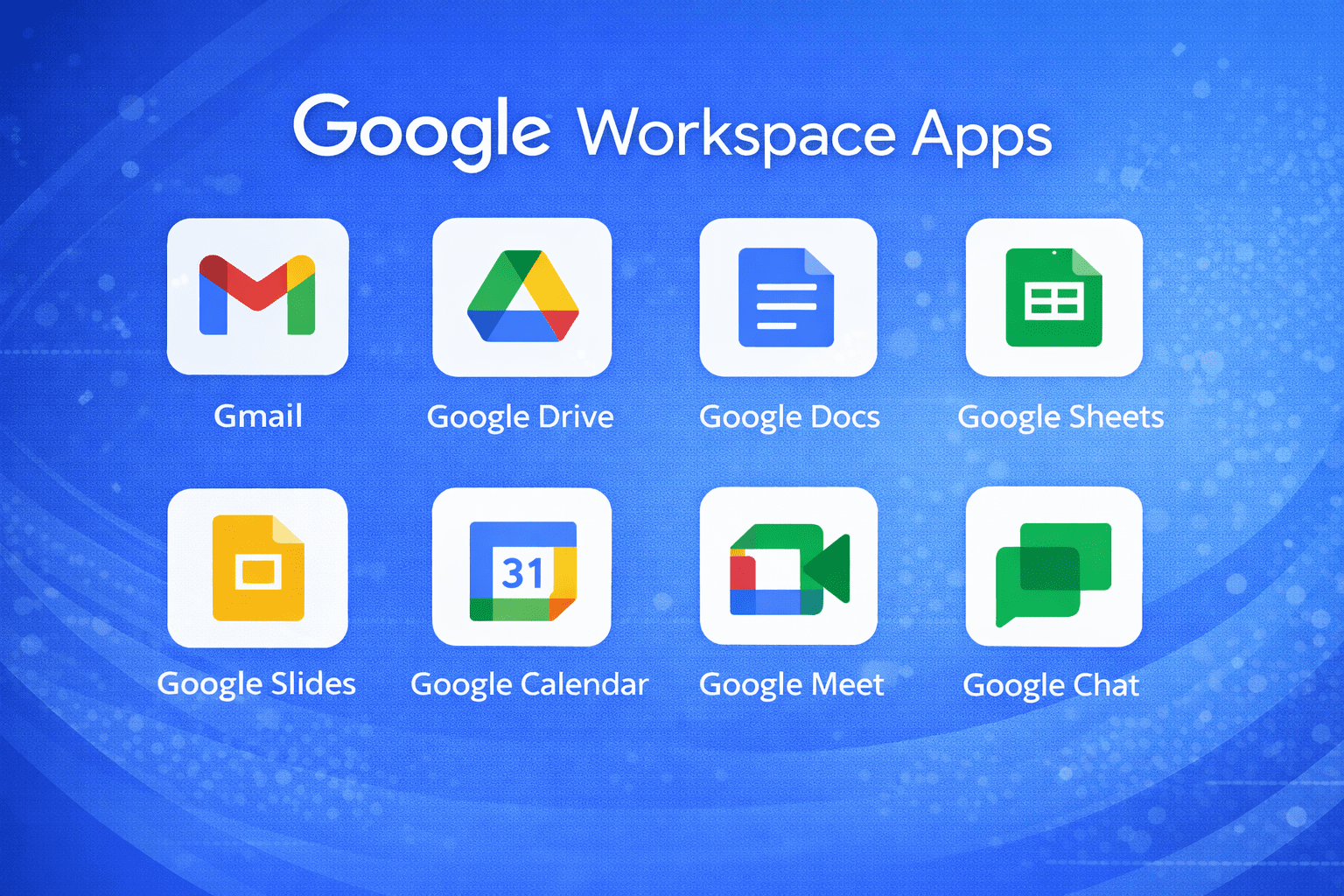
Google Workspace apps offers a comprehensive set of suite services designed to boost productivity and streamline business operations.
A key feature for professional communication is the Gmail business email, providing businesses with custom email addresses that enhance brand credibility while ensuring secure access to sensitive correspondence. The integration of an online calendar further simplifies scheduling and time management, allowing teams to coordinate meetings and deadlines effortlessly.
At the enterprise level, the suite enterprise plans deliver even more comprehensive solutions, including increased storage space and advanced endpoint management empowering large organizations to maintain productivity and security at scale.
- Gmail: Email
- Google Calendar: Scheduling
- Google Meet (formerly Hangouts): Group video and audio conferencing
- Google Chat and Rooms (and soon, Spaces): Team messaging
- Google Drive: Cloud storage
- Google Docs: Collaborative word processor
- Google Sheets: Collaborative spreadsheets
- Google Slides: Collaborative presentations
- Google Forms: Customizable forms and surveys
- Google Keep: Collaborative Note-taking
- Google Site: Website creation
On top of those applications, the G Suite update offers additional services.
Google Workspace additional services
These are not primary Google Workspace apps, but you may have access to them depending on the plan you have.
Google Workspace also provides robust user management capabilities, allowing administrators to control permissions, security settings and access across the organization. Along with enhanced support options, these features ensure smooth operation and assistance tailored to your business needs.
Included among these additional features are services that extend the functionality of G Suite services, such as:
- Groups and Groups for Business: Email lists and access management
- Cloud Search: Search functionality within Google Workspace
- Vault: Data retention and eDiscovery
- Jamboard: Collective visual board
- Voice: Virtual phone system
- Apps Script: Business process automation
- AppSheet: No-code application development
- Classroom: Learning management system
- Domains: Starting Domain registration specific to Google Workspace
But how much do these applications and additional services cost?
Top 10 benefits of Google Workspace
Google Workspace is a complete toolset for businesses to streamline work, improve collaboration and enhance efficiency. Here’s a detailed look at the top 10 benefits of Google Workspace.
1. Centralized tools in one platform
Google Workspace combines all your favorite tools in one place. Gmail, Docs, Drive, Calendar and Meet work together seamlessly. You don’t need to jump between apps.
2. Real-time collaboration
Teamwork is simple. With Google Docs, Sheets and Slides, teams can simultaneously work on the same document. Real-time editing, comments and suggestions ensure smooth collaboration. Changes save instantly.
3. Enhanced team communication
Google Meet and Chat simplify communication, whether it’s a quick message or a detailed virtual meeting. With built-in features like screen sharing and live captions, your team stays connected no matter where they are. Communication is smoother and easier than ever before.
4. Easy file sharing and storage
Google Drive lets you save and share files securely. Teams can access files from anywhere, ensuring everyone has the latest version. Advanced sharing controls protect sensitive information.
5. Custom email for your business
Google Workspace lets businesses use custom email addresses (e.g., [yourname]@[yourcompany].[com]. A professional email address makes your business look professional.
6. Strong security features
Your data stays safe with built-in security features. Features like two-step verification, data encryption and advanced threat protection safeguard your data. Google Workspace admin can manage permissions and monitor access to maintain control.
7. Scalable for businesses of all sizes
Whether you’re a small team or a big company, Google Workspace grows with you. You can add or remove users as your team grows or changes.
8. Integration with other apps
Google Workspace integrates with popular apps like Slack, Zoom and Salesforce. This allows you to extend its functionality and customize workflows based on your team’s needs.
9. Cost-effective solutions
It’s budget-friendly. Google Workspace provides excellent value for money. It eliminates the need for separate tools, reducing costs while offering premium functionality.
10. Reliable uptime and accessibility
Google Workspace offers 99.9% uptime, ensuring your tools are always available. Since it’s cloud-based, you can access your files and apps from anywhere on any device, whether at the office or on the go.
Google Workspace plans and pricing with Bluehost
Bluehost’s Google Workspace plans are tailored to meet various business needs. Bluehost makes it easy to manage your website hosting and Google Workspace services all in one place, simplifying operations and saving you time. Let’s dive into the plans, features and benefits that make this solution ideal for modern businesses.
1. Plans and pricing
Business starter: Starting at $3.50 (renews at $7), this plan includes:
- Custom Business Email
- 30GB Drive Cloud Storage per user
- Meet Video Conferencing with up to 100 participants
- Gmail
- Calendar
- Docs, Sheets & Slides
- Chat Platform
- Gemini AI Assistant in Gmail
- Gemini App
- Notebook LM AI Research Assistant
Business Standard: Starting at $7.00 (renews at $14), this plan offers:
- Custom Business Email
- 2TB per user
- Meet Video Conferencing with up to 150 participants, polling, breakout rooms and recording
- Gmail
- Calendar
- Docs, Sheets & Slides
- Chat Platform with guest access
- Gemini AI Assistant in Gmail, Docs, Sheets, Slides, Drive, Meet & Chat
- Advanced Gemini App
- Notebook LM Plus AI Research Assistant
- Vids AI-Powered Video Creation
Business Plus: Starting at $11.00 (renews at $22), this plan provides:
- 5TB per user
- Meet Video Conferencing with up to 500 participants, polling, breakout rooms and recording
- Gmail
- Calendar
- Docs, Sheets & Slides
- Chat Platform with guest access and threaded rooms
- Gemini AI Assistant in Gmail, Docs, Sheets, Slides, Drive, Meet & Chat
- Advanced Gemini App
- Notebook LM Plus AI Research Assistant
- Vids AI-Powered Video Creation
- Vault Security & Archiving
Please note: These promotional rates apply to the first year and are valid for up to five seats. After the initial year, the plans renew at the regular rates:
2. Pricing comparison
| Feature | Google Workspace by Bluehost | Google Workspace |
|---|---|---|
| Starting price | $3.50/month intro | $7/user/month (annual plan) |
| Renewal price | $7/month | About $7–$8.40/user/month depending on billing plan |
| Business email | Custom business email powered by Gmail | Custom business email powered by Gmail |
| Cloud storage | 30GB Google Drive storage per user | 30GB pooled storage per user |
| Video meetings | Google Meet with up to 100 participants | Google Meet with up to 100 participants |
| Core apps included | Gmail, Calendar, Docs, Sheets, Slides | Gmail, Calendar, Docs, Sheets, Slides |
| Team chat | Google Chat platform | Google Chat included |
| AI features | Gemini AI assistant in Gmail | Gemini AI assistant in Gmail and Gemini app access |
| AI research tools | Notebook LM AI research assistant | NotebookLM access with Workspace AI tools |
| AI assistant app | Gemini App | Gemini App |
| Support and setup | Setup and support through Bluehost | Support through Google Workspace |
3. Add-on features
Google Workspace by Bluehost offers extra tools that go beyond the basics to boost productivity:
- Google Meet: Secure video calls with real-time collaboration.
- Google Chat: Direct messaging and group chats for smooth communication.
- Google Drive: Cloud storage with shared drives for teamwork.
- Google Docs, Sheets and Slides: Co-edit documents, spreadsheets and presentations in real-time.
- Google Forms: Create surveys and forms to collect data easily.
- Google Sites: Build websites for internal projects or public use.
- Google Keep: Capture notes and manage to-do lists.
4. Benefits of choosing Google Workspace with Bluehost
Choosing Google Workspace through Bluehost comes with key advantages:
- Unified management: Manage both your website hosting and Google Workspace from a single platform. No need to juggle multiple accounts or tools.
- Simplified billing: Keep your expenses organized with one combined bill for hosting and Google Workspace services
- Expert support: Bluehost’s support team is ready to help with both hosting and Google Workspace-related issues, ensuring your business runs smoothly.
- Seamless integration: Easily link your website and email services for a professional, streamlined setup. Enhance your brand’s reliability and efficiency. This includes the thousands of third-party apps on the Google Workspace Marketplace, which are designed to expand the functionality of your favorite Workspace tools.
What’s new in Google Workspace
Google Workspace has introduced several notable updates to enhance productivity and collaboration:
1. AI-powered image generation in Google Docs
Google Workspace now allows users to generate images directly inside Google Docs using Gemini AI. This feature enables users to create visuals based on simple prompts without leaving the document editor.
Users can generate images in different styles and formats to support presentations, reports and other documents. This makes it easier to add visual content without relying on external design tools.
Benefits
- Create visuals directly inside documents
- Generate illustrations from text prompts
- Save time by avoiding external design tools
Recent updates have also expanded AI image editing capabilities across Workspace apps like Google Slides and Google Vids.
2. Google Vids: AI-powered video creation tool
Google introduced Google Vids, an AI-powered video creation tool within Google Workspace. It helps teams create training videos, product explainers and marketing content using AI-generated scripts, visuals and templates.
Users can create videos using text prompts, slides or images, making it easier for businesses to produce professional video content quickly. The tool integrates with other Workspace apps and uses Gemini AI for automation.
Benefits
- Create videos using simple prompts
- Generate scripts, visuals and narration with AI
- Quickly produce training or marketing videos
Google Vids is now part of the Workspace ecosystem alongside Gmail, Docs, Sheets and Meet.
3. AI meeting notes and summaries in Google Meet
Google Meet now includes AI-powered meeting assistance through Gemini. The feature automatically captures meeting notes, transcripts and summaries.
Meeting summaries can be saved as Google Docs files in Google Drive and linked to the related Google Calendar event. This allows participants to review key discussions and action items without manually taking notes.
Benefits
- Automatic meeting summaries
- AI-generated action items
- Meeting notes saved directly in Google Drive
These AI features help teams focus on discussions instead of documentation.
4. Improved interface with Material Design updates
Google Workspace apps continue receiving design improvements to make them easier to use. Updates to Google Calendar and other Workspace tools introduce a cleaner interface based on Google’s Material Design system.
The updated interface improves readability, accessibility and customization. Users can switch between light mode, dark mode and system themes depending on their preferences.
Benefits
- Cleaner and more modern interface
- Better accessibility and readability
- Customizable visual themes
5. Document tabs in Google Docs
Google Docs introduced document tabs, which help users organize long documents more efficiently. Tabs allow users to separate sections of a document and quickly navigate between them.
Users can also add sub-tabs and icons to organize complex content such as reports, manuals or project documents.
Benefits
- Better organization of large documents
- Faster navigation between sections
- Improved readability for long files
6. Integration with Adobe Creative Cloud
Google Workspace now integrates with Adobe Creative Cloud, allowing teams to access creative assets directly inside Workspace apps.
Designers can link and share files from Adobe tools such as Photoshop and Illustrator within Gmail, Docs and Slides. This integration reduces the need to switch between platforms.
Benefits
- Access creative assets inside Workspace
- Faster collaboration between design and marketing teams
- Streamlined creative workflows
7. Companion mode for hybrid meetings
Google Meet introduced Companion Mode to support hybrid work environments. This feature allows people in the same conference room to join meetings individually from their devices.
Participants can access features like chat, polls, Q&A and screen sharing while still attending the meeting physically.
Benefits
- Equal participation for remote and in-room attendees
- Better interaction during hybrid meetings
- Access to meeting tools on personal devices
8. Enhanced email security and spam protection
Gmail continues to improve with advanced spam filtering and security features powered by machine learning. These systems help detect phishing attempts and block suspicious emails before they reach inboxes.
Google Workspace also includes security tools such as two-factor authentication and advanced threat protection.
Benefits
- Strong spam and phishing protection
- Machine learning-based email security
- Safer communication for businesses
New developments in Google Workspace AI
Google is continuously expanding Gemini AI capabilities across Workspace apps. The AI assistant is now integrated into Gmail, Docs, Sheets, Meet and Chat to automate tasks and assist with writing, analysis and collaboration.
Some of the latest AI capabilities include:
- Drafting emails and documents automatically
- Summarizing long files and meeting discussions
- Analyzing spreadsheet data with natural language prompts
- Generating content, images and ideas across Workspace apps
Google has also introduced features like customizable AI assistants and automation tools inside Workspace to help organizations streamline workflows and improve productivity.
Why these updates matter?
Google Workspace is evolving to meet the needs of modern teams and remote work environments. With Gemini AI integration, automation tools and improved collaboration features, businesses can save time and reduce manual work.
These updates allow teams to focus on creativity, strategy and problem solving instead of repetitive tasks. By combining AI-powered assistance with familiar tools like Gmail, Docs and Meet, Google Workspace helps organizations work faster, collaborate better and stay competitive in today’s digital workplace.
Final thoughts
Remote work and hybrid models have reshaped the way businesses operate. The remote work trend is here to stay. As many companies adapt to this new normal, Google Workspace is evolving to meet these demands by rolling out new features that enhance collaboration and communication, highlighting the key benefits of Google Workspace.
Now we know what is G Suite Google. Simply put, G Suite was previously known as Google Workspace. While Google Workspace builds on that foundation, it brings even more integration and advanced features.
At Bluehost, we proudly offer Bluehost Google Workspace plans that help businesses of all sizes leverage these powerful tools. Our partnership with Google Cloud, recognized as the Google Cloud Expansion Partner of the Year in North America, enables us to deliver seamless remote work solutions and help customers maximize Google Workspace benefits.
Get started with your favorite Google apps with Bluehost Google Workspace!
FAQ’s
You get cloud based productivity with tight collaboration features across Docs, Sheets and Google Slides. Version history lets you compare previous versions fast. Storage space scales by plan and tools like Google Vault strengthen data protection.
It unifies G Suite services like Gmail business email, Drive and an online calendar in one place. Teams co-edit files in real time with powerful collaboration features. Admin controls add secure access and enterprise grade security.
Google Workspace expanded suite services with deeper integrations and smarter tools. The interface is cleaner for cloud based productivity. Plans now span Business Standard plans up to Suite Enterprise for larger needs.
Build surveys and intake forms that feed responses to Google Sheets. Automate workflows with add-ons for approvals and simple routing. Store results in Drive with secure access and apply data protection controls.
Yes, you can connect your Google Workspace account to your existing domain hosted on Bluehost. The setup is simple and ensures your business email is branded and professional.
Absolutely! Google Workspace lets you create custom email addresses like [yourname]@yourcompany.com. Bluehost makes setup easy and secure.
Google Workspace uses advanced security settings like two-step verification and data encryption. Bluehost adds extra layers of protection for your website and email. This ensures your data stays safe.
Admins enforce 2-step verification and context-aware rules for devices. Drive permissions control who sees what to protect sensitive data. Enterprise grade security features expand in Suite Enterprise for compliance needs.
They support live co-editing and comments on proposals and a blog post outline. You can track previous versions to review edits. Files store in Drive with data protection and secure access settings.
Yes, you can edit Word, Excel and PowerPoint directly in Docs, Sheets and Google Slides. No conversions are required for common tasks. Everything stays in Drive with storage space and collaboration features intact.


Write A Comment